Main Points
- Jira and Azure DevOps lead on depth for Scrum, Kanban and reporting.
- Linear and GitHub Projects suit small developer-led teams that value speed.
- ClickUp, Asana and monday dev suit teams that share a tool with non-software groups.
- Pick for your process and reports first, then pilot a tool with one real sprint.
The Best Agile Software Development Tools at a Glance
| Tool | Type | Best for |
|---|---|---|
| 1. Jira | Issue tracker | Software teams needing deep Scrum and Kanban |
| 2. Azure DevOps | Delivery platform | Microsoft-based teams wanting boards, code and pipelines together |
| 3. ClickUp | All-in-one workspace | Teams sharing one tool with non-software groups |
| 4. Asana | Work management | Cross-team planning and visibility |
| 5. Trello | Kanban boards | Small teams starting out |
| 6. monday dev | Visual sprint tool | Product teams with many non-technical stakeholders |
| 7. Linear | Issue tracker | Fast, focused product teams |
| 8. GitHub Projects | Planning inside GitHub | Developer-led teams with code on GitHub |
| 9. Shortcut | Story-based tracker | Mid-sized product teams |
| 10. YouTrack | Query-driven tracker | JetBrains-centered teams that want precise control |
| 11. Zoho Sprints | Scrum tool | Budget-minded teams in the Zoho ecosystem |
| 12. Wrike | Work management | PMOs mixing agile and traditional work |
The 12 Best Agile Software Development Tools, Ranked
I start with the tools that suit the widest range of software teams and move toward specialist options. Tool choice matters less than how your team works: in the agile software consulting projects I review, a clean workflow in an average tool beats a messy one in the best tool. Prices and ratings below were read from vendor pages and G2 when I last updated this article.
Jira
The Default Choice for Software Teams That Need Deep Scrum and Kanban Support
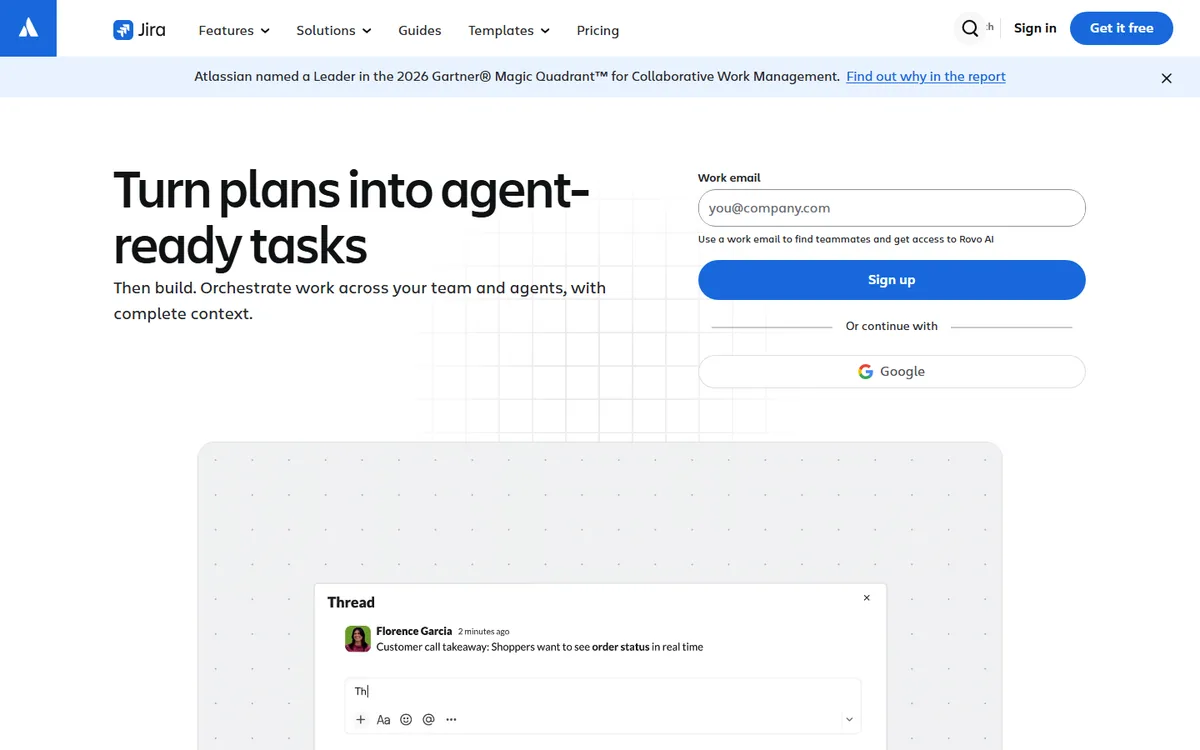
Jira is Atlassian's issue tracker and agile planning tool, with boards, backlogs, sprints, roadmaps and reporting built for software teams.
Jira is the tool I meet most often in client engagements, and for good reason. Scrum and Kanban boards, backlog grooming, sprint planning, velocity and cycle time reports all come built in, and almost every developer tool connects to it. Workflows are fully customizable, so it fits a three-person startup and a regulated hospital IT department alike.
The flip side is configuration sprawl. I have opened Jira instances with 60 custom fields and 14 workflow states, where nobody could explain half of them. Keep the workflow to five or six states, give one person ownership of the admin settings and Jira stays fast and clear. Used that way, its reports are the best of the group for the metrics in my guide to agile software development metrics.
Jira Strengths
- Built-in Scrum and Kanban boards, sprint reports and cycle time charts
- Huge integration ecosystem across code, CI and support tools
- Workflows and fields adapt to almost any process
Jira Weaknesses
- Over-configuration makes it slow and confusing
- Non-technical stakeholders find the interface heavy
Jira Pricing
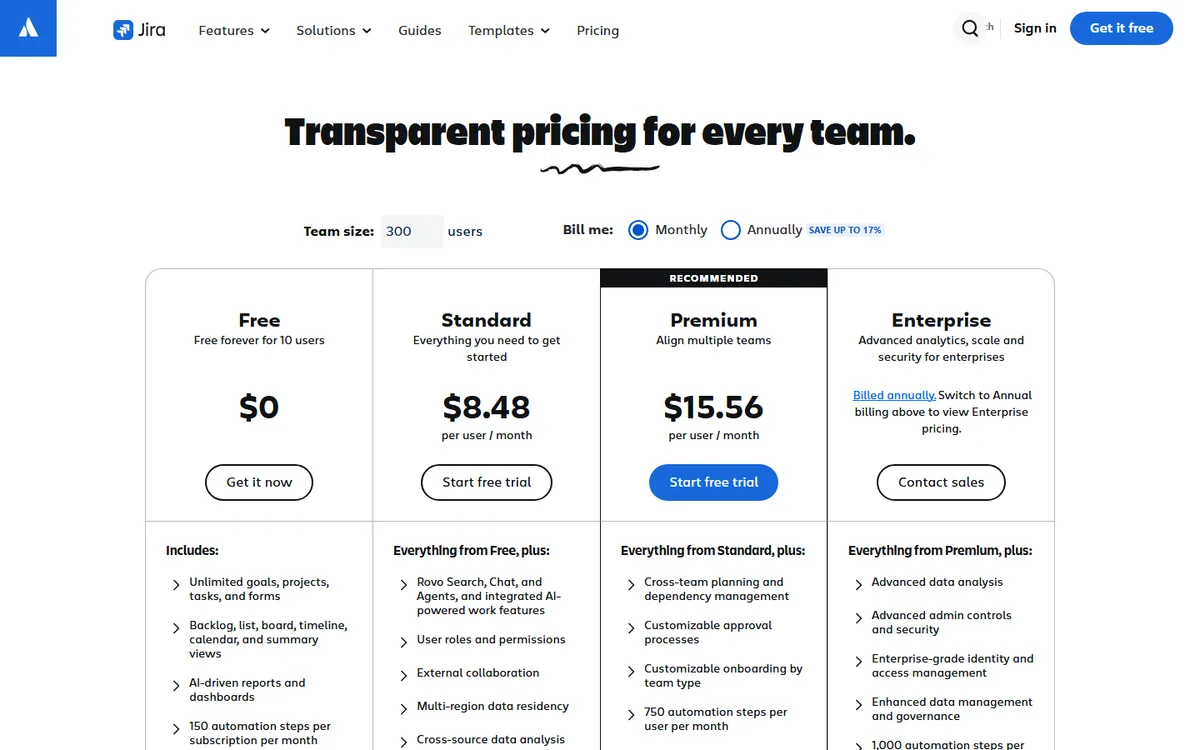
Jira has a free plan, with Standard, Premium and Enterprise tiers above it. Atlassian's pricing page does not show per-user figures without selecting a team size, and Capterra lists the starting price at $7.91 per user per month.
Jira Reviews
- G2: 4.3 of 5 stars (based on 8,074 verified reviews)
- Capterra: 4.4 of 5 stars (based on 15,761 verified reviews)
Azure DevOps
A Full Delivery Platform for Teams Already Living in the Microsoft World
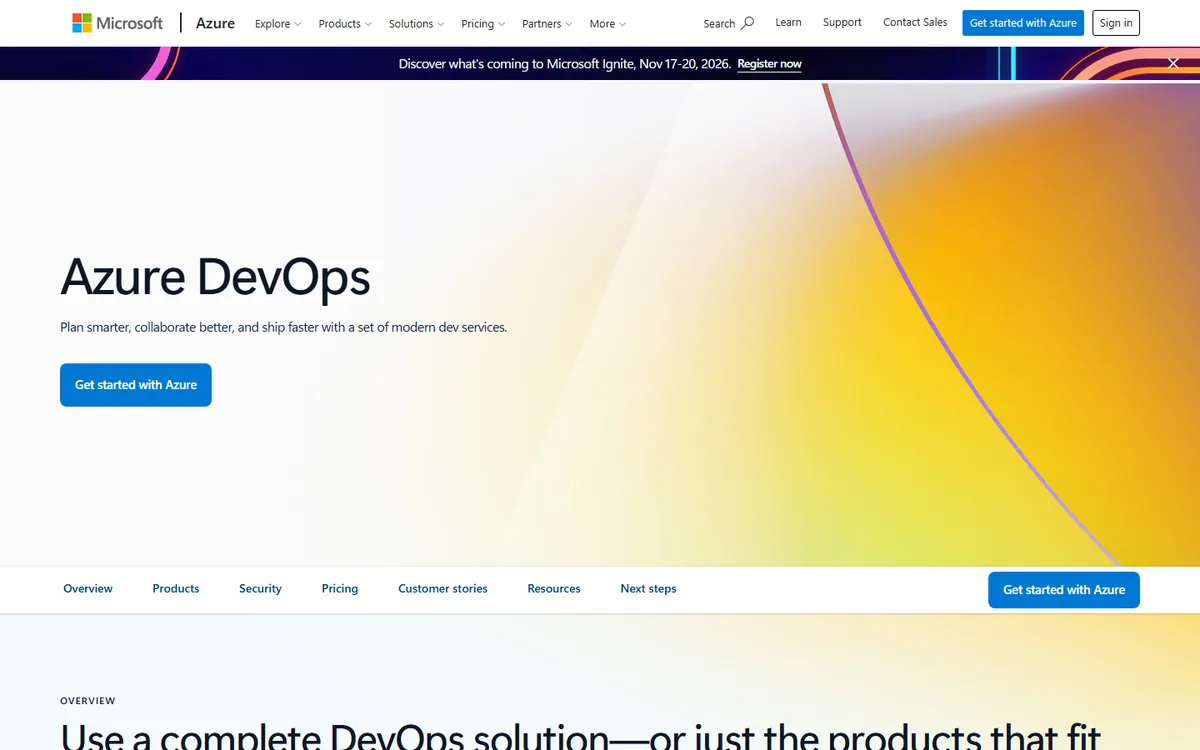
Azure DevOps bundles boards, repositories, pipelines, test plans and artifact storage in one Microsoft service.
Azure DevOps goes beyond tracking. Boards handle backlogs, sprints and Kanban, while Repos, Pipelines and Test Plans cover code, builds and testing in the same product. Traceability from a story to a commit to a build to a release comes without extra tooling, which auditors in healthcare and finance appreciate.
I recommend it when a team already uses Microsoft tools such as Visual Studio, Entra ID or Teams. Work item customization is deep but less friendly than Jira's, and the interface rewards training. If your developers prefer GitHub, note that Microsoft is steering new investment there, so check your long-term plan before committing.
Azure DevOps Strengths
- Boards, code, pipelines and tests live in one product
- Strong traceability from requirement to release
- Generous free allowance for small teams
Azure DevOps Weaknesses
- Interface and admin settings take time to learn
- Less appealing if your team already works in GitHub or GitLab
Azure DevOps Pricing
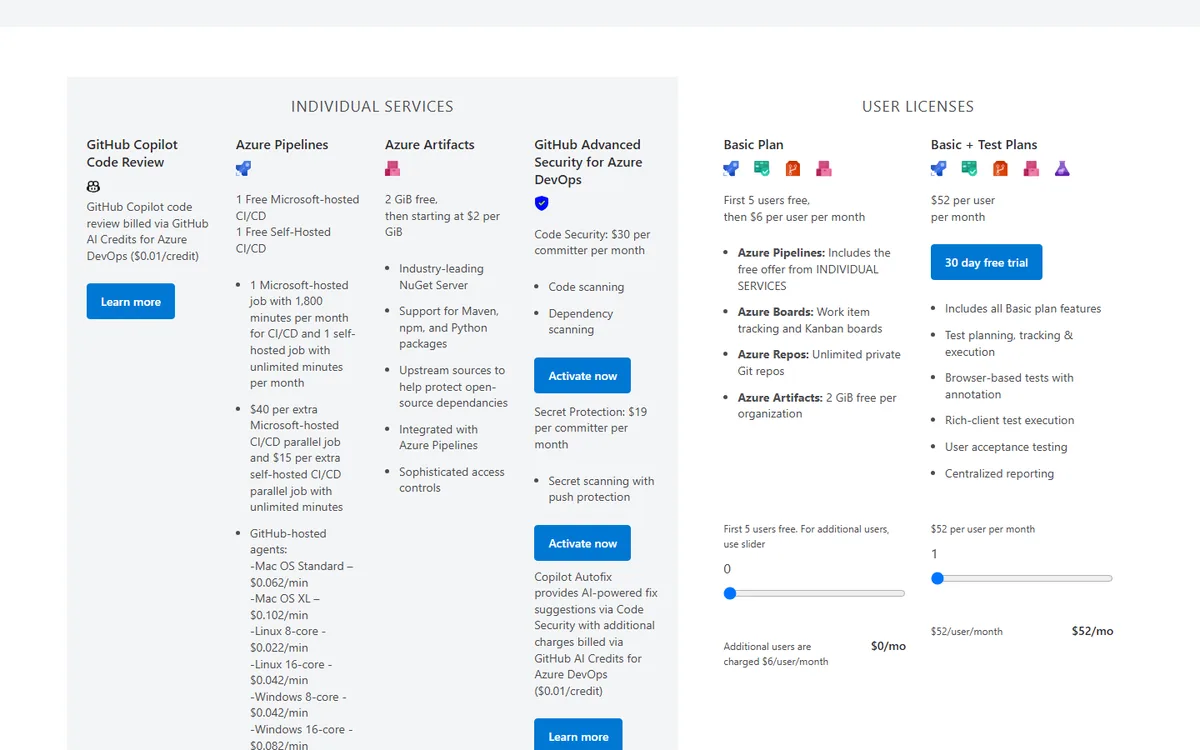
Microsoft lists the Basic plan with the first 5 users free, then $6 per user per month, including Boards, Repos, Pipelines and Artifacts. Basic plus Test Plans is $52 per user per month, and Visual Studio subscribers get access at no extra cost.
Azure DevOps Reviews
- G2: 4.2 of 5 stars (based on 201 (Azure DevOps Server listing) user reviews)
ClickUp
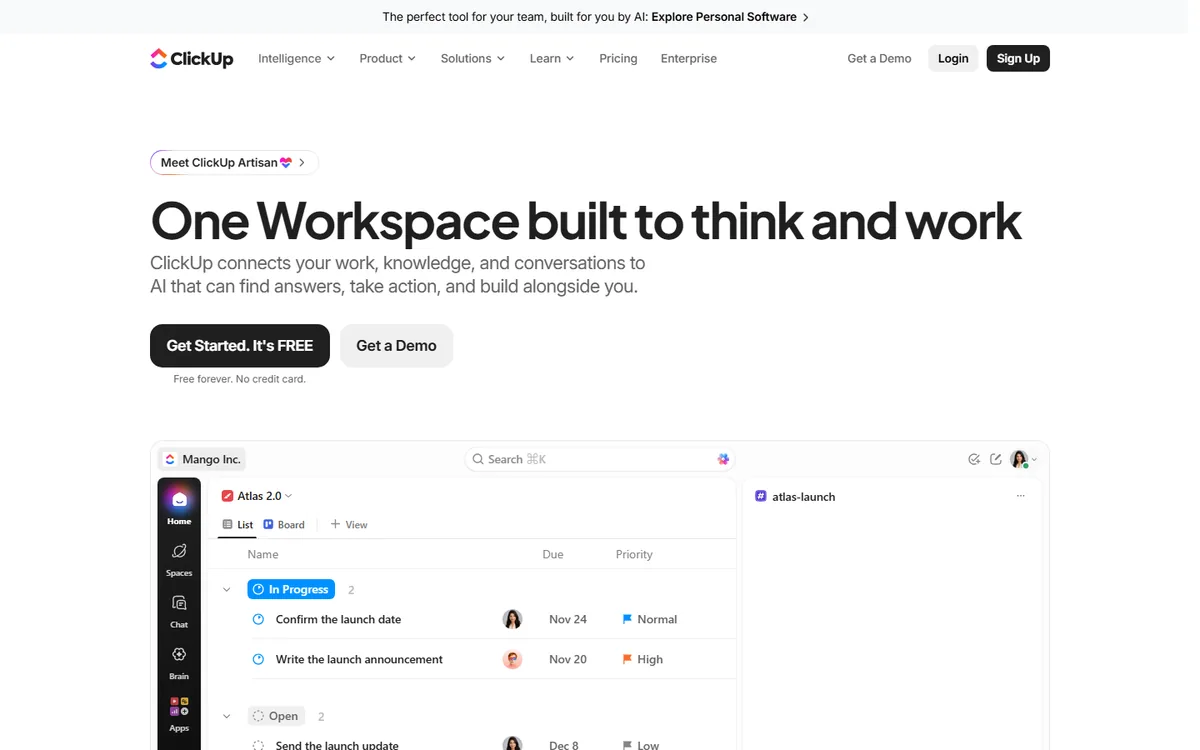
An All-in-One Workspace With Sprints for Teams That Also Manage Non-Software Work
ClickUp combines tasks, docs, goals and sprint management in a highly customizable workspace.
ClickUp tries to replace several tools at once. Sprints, backlogs, burndown charts and velocity are included, next to docs, whiteboards, forms and dashboards. For companies where software, design and operations teams share one workspace, that breadth is a real advantage.
Breadth has a price. ClickUp offers so many views and settings that setup can take weeks, and I have seen teams build elaborate structures nobody maintains. Start with the sprint template, limit the number of statuses and add features one at a time. Developers sometimes find its Git integrations less polished than Jira's.
ClickUp Strengths
- One workspace for software and business teams
- Sprint templates, burndown and velocity charts included
- Very flexible views and automations
ClickUp Weaknesses
- Setup and tuning take real time
- Performance and clutter grow with large workspaces
ClickUp Pricing
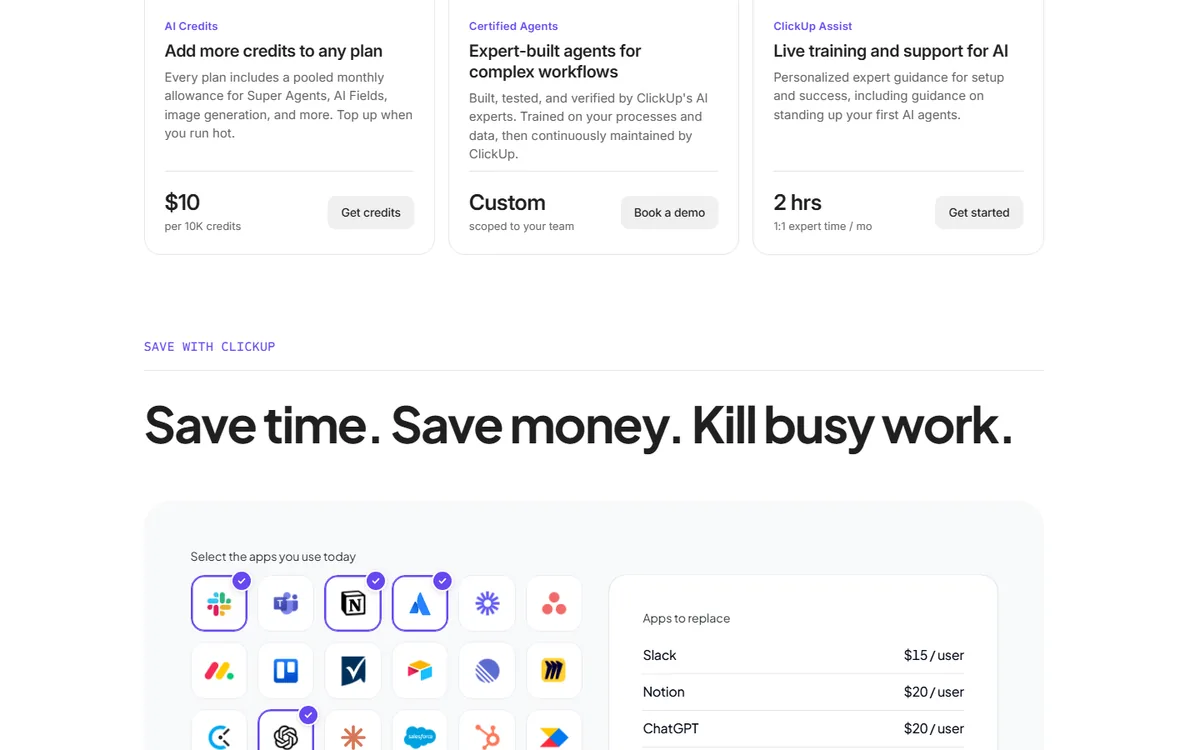
ClickUp lists a Free Forever plan, Core at $9 per member per month billed yearly, Business at $17 billed yearly and custom Enterprise pricing. Regular monthly prices are higher than the yearly rates, and the Max plan lists $100 per member per month billed yearly.
ClickUp Reviews
- G2: 4.6 of 5 stars (based on 15,524 verified reviews)
Asana
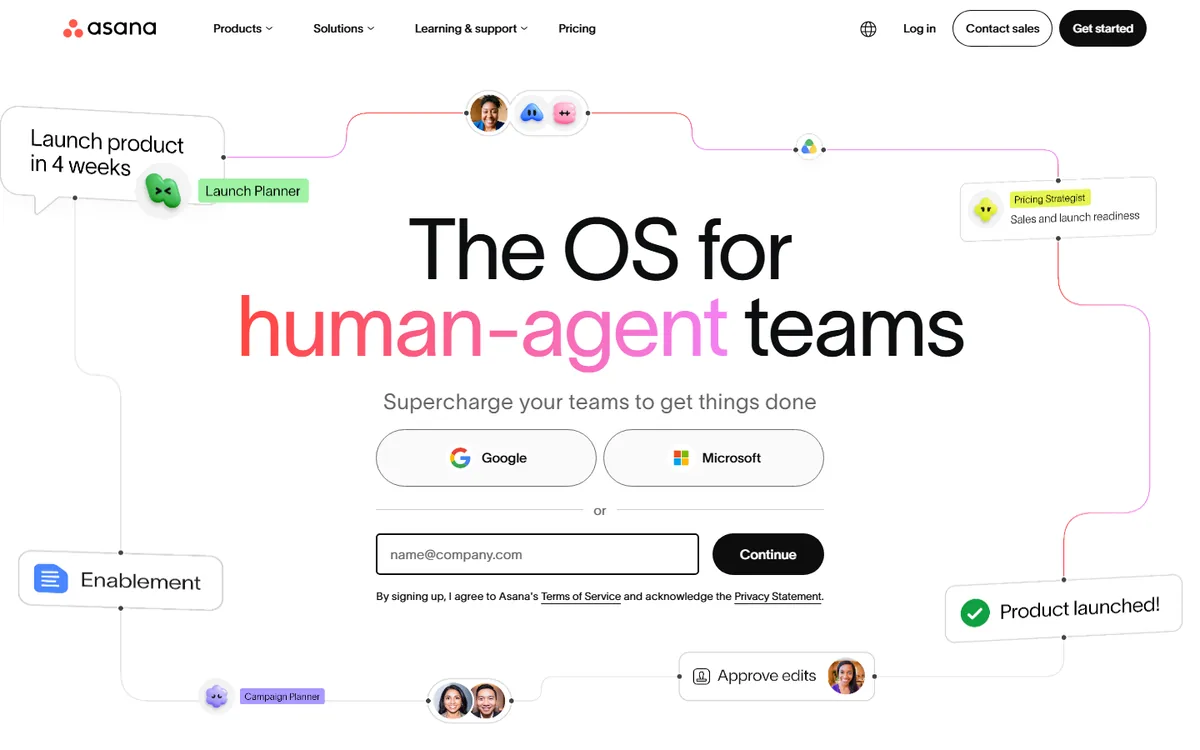
A Clean Planning Tool for Cross-Functional Teams, Better for Planning Than for Pure Engineering
Asana organizes work into projects, boards and timelines, with workflows and reporting suited to cross-team coordination.
Asana is strongest at coordination. Timelines, portfolios and goals link the software team's work to marketing, operations and leadership. Its boards support simple Kanban flows, and approvals and forms handle intake from the business.
It is not a native engineering tool. There is no built-in sprint velocity or burndown chart on the level of Jira, and developer integrations are lighter. I suggest Asana when the delivery problem is cross-team planning and visibility, and a developer-centric tool when sprint mechanics matter most.
Asana Strengths
- Clear, friendly interface that business users adopt quickly
- Timeline, portfolios and goals for cross-team planning
- Good forms and approvals for intake
Asana Weaknesses
- Limited native sprint and engineering reporting
- Advanced features sit on higher-priced plans
Asana Pricing
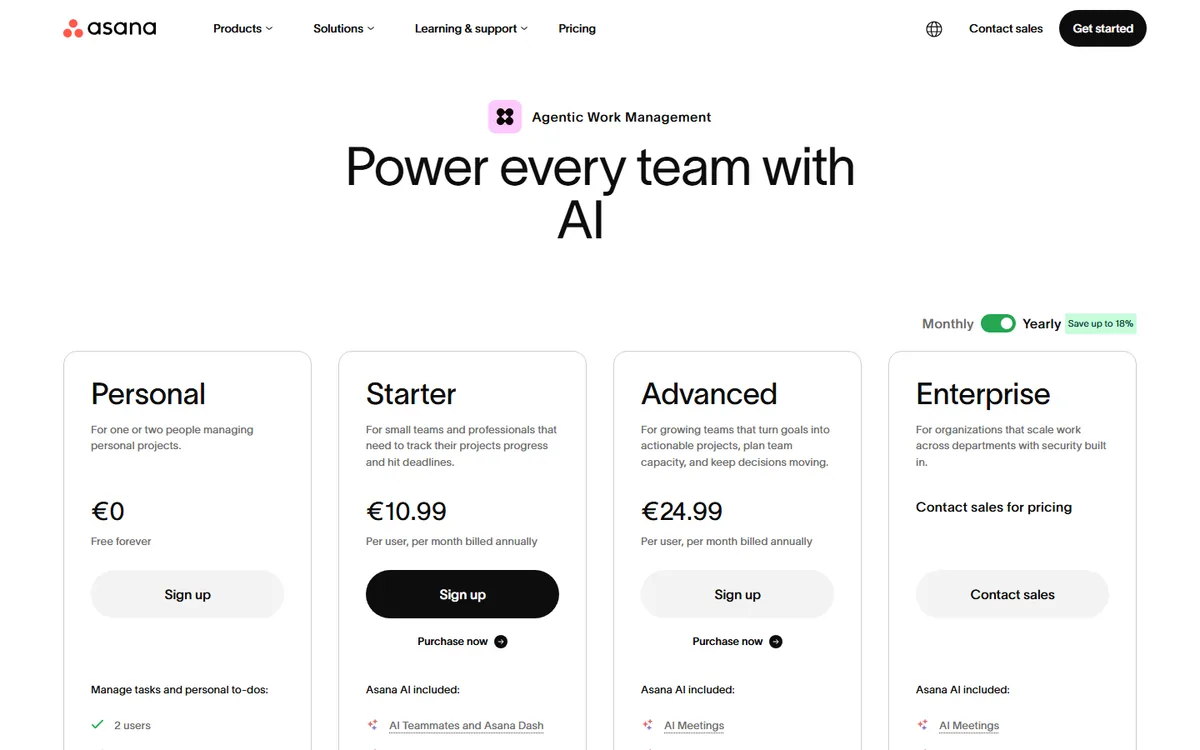
Asana lists a free Personal plan for up to two users, Starter at $10.99 per user per month billed annually and Advanced at $24.99 billed annually. Enterprise pricing is custom.
Asana Reviews
- G2: 4.4 of 5 stars (based on 14,123 verified reviews)
Trello
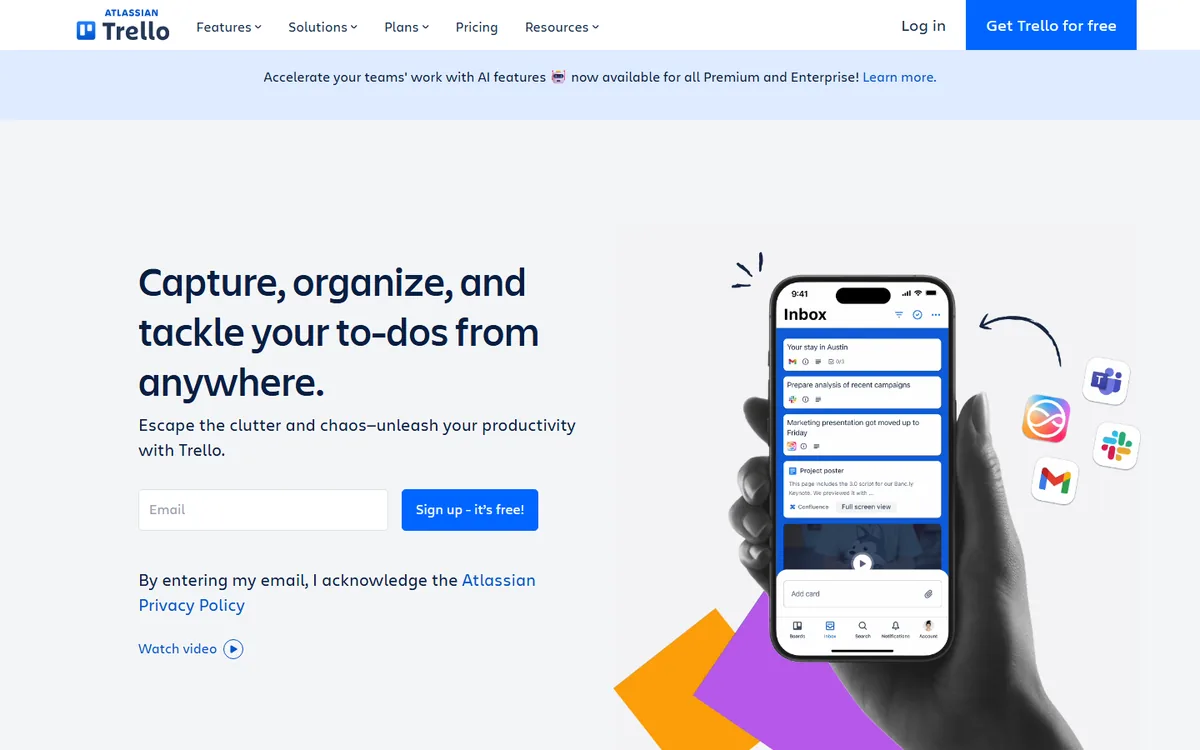
The Simplest Kanban Board for Small Teams That Want Zero Training
Trello is a card-based Kanban board from Atlassian that anyone can learn in minutes.
Trello is the tool I suggest when a team has never used a tracker. Boards, lists and cards map directly to a Kanban flow, and Power-Ups add calendars, automation and integrations. A small team can be running a board within the hour.
Simplicity stops being a virtue as the work grows. Reports for cycle time and throughput need Power-Ups, sprint features are basic and large backlogs get unwieldy. Many teams outgrow it within a year or two, and the natural next step is Jira, which comes from the same company.
Trello Strengths
- Learnable in minutes, with a clean visual board
- Affordable, with a generous free plan
- Power-Ups add automation and integrations
Trello Weaknesses
- Weak native reporting for agile metrics
- Gets crowded with large backlogs and many teams
Trello Pricing
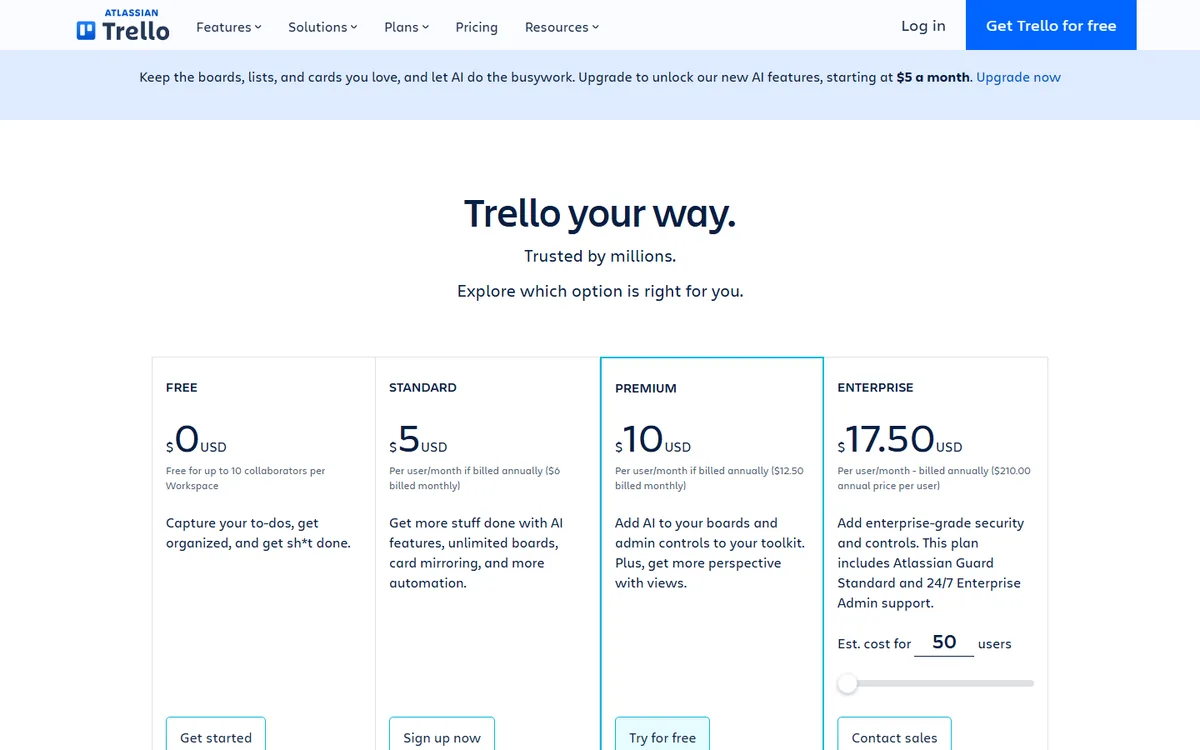
Trello lists a Free plan with up to 10 collaborators per workspace, Standard at $5 per user per month billed annually, Premium at $10 billed annually and Enterprise at $17.50 billed annually.
Trello Reviews
- G2: 4.4 of 5 stars (based on 14,072 verified reviews)
monday dev
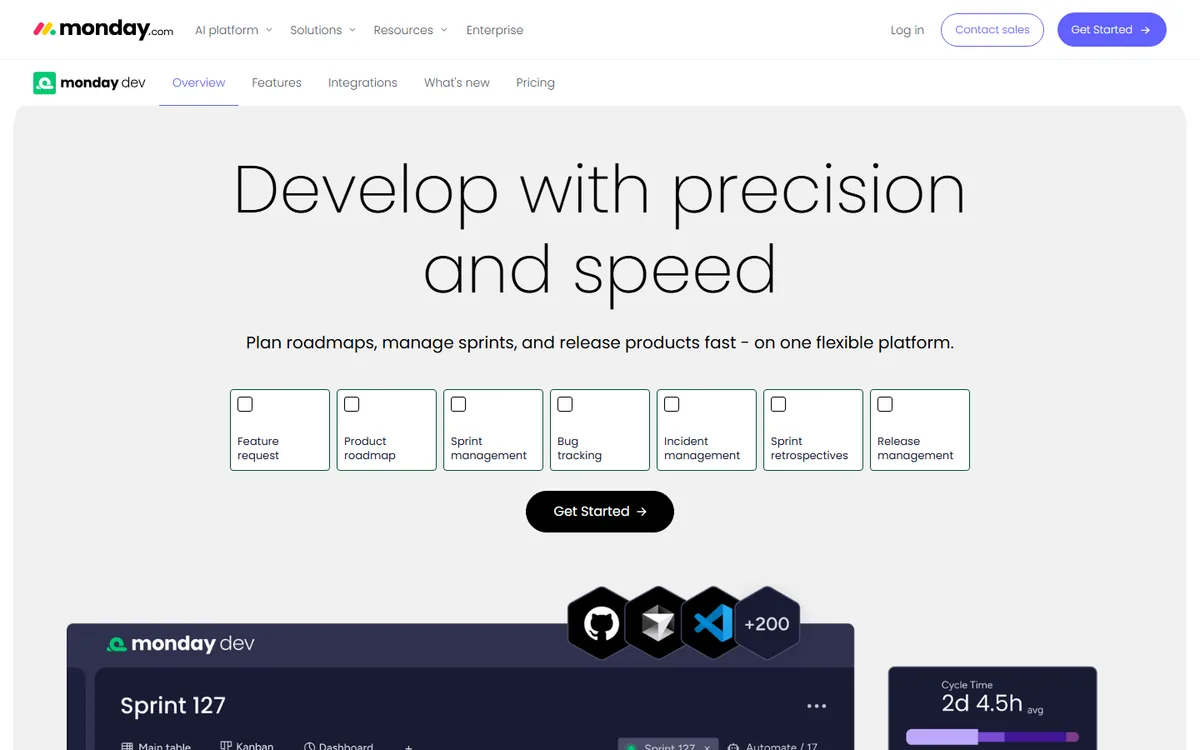
A Visual, Easy-to-Adopt Sprint Tool for Product and Engineering Teams
monday dev is monday.com's product for software teams, with sprints, roadmaps, bug tracking and Git integration.
monday dev takes the colorful, flexible boards monday.com is known for and adds engineering features: sprint planning, backlogs, bug queues, roadmaps and integrations with GitHub and GitLab. Product managers and non-technical stakeholders find it far easier to read than a classic issue tracker.
I would pick it for teams where product and engineering collaborate closely and where stakeholders need a clear view. It has fewer reports and less depth than Jira, and G2 lists only a small number of reviews for it so far, so evidence from other users is thin.
monday dev Strengths
- Visual and easy for non-developers to follow
- Sprint, roadmap and bug tracking in one place
- Quick to set up with templates
monday dev Weaknesses
- Less reporting depth than Jira or Azure DevOps
- Few independent reviews so far
monday dev Pricing
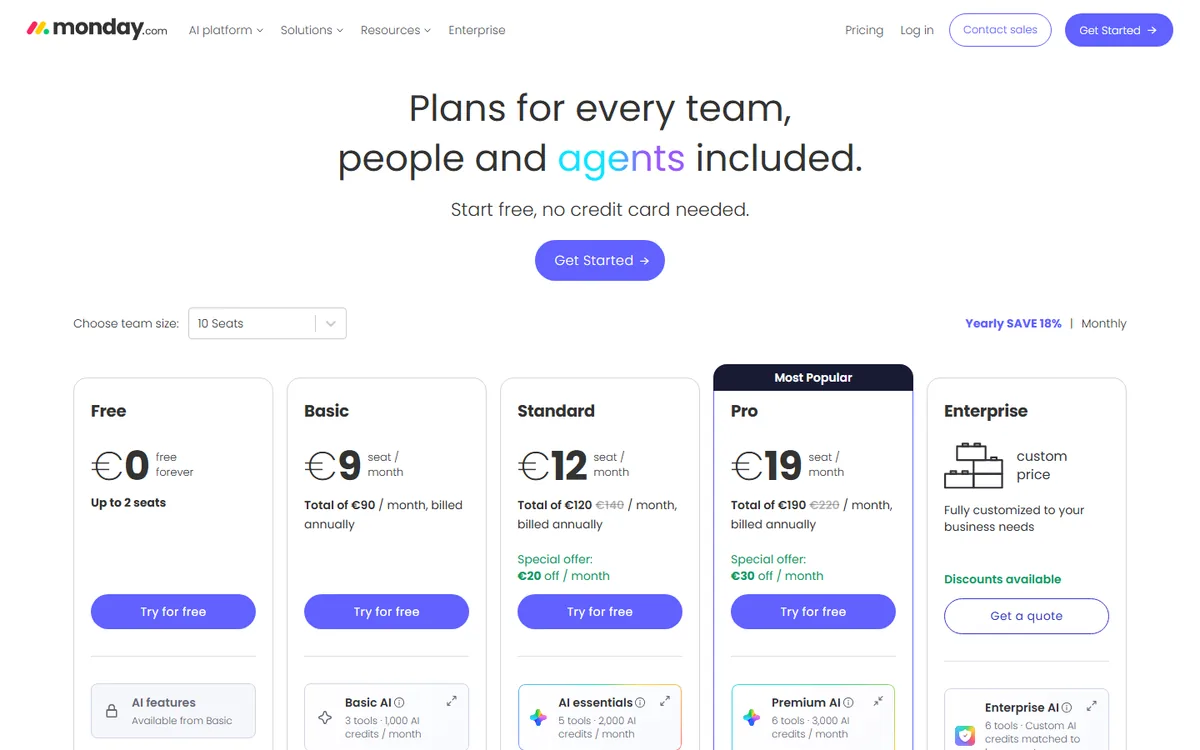
monday.com lists per-seat prices billed annually: Basic at $9, Standard at $12, Pro at $20 and a custom-quoted Enterprise plan.
monday dev Reviews
- G2: 4.1 of 5 stars (based on 10 verified reviews)
Linear
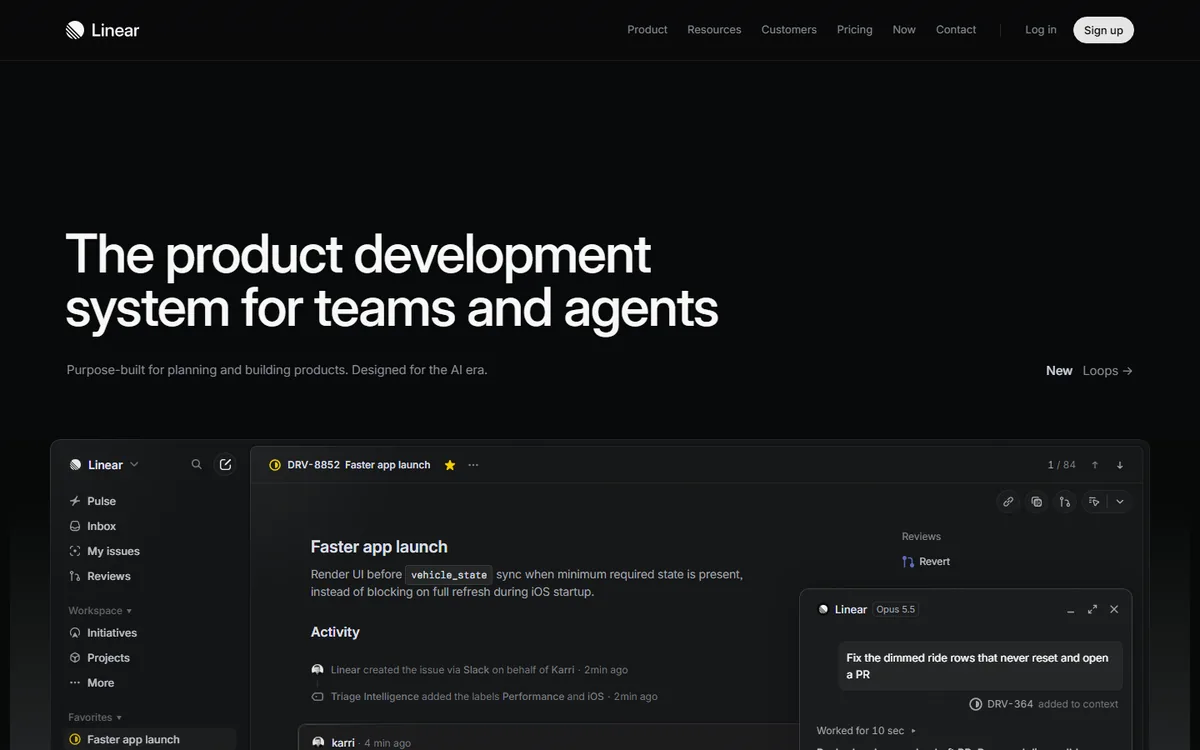
A Fast, Opinionated Tracker That Developers Actually Enjoy Using
Linear is a streamlined issue tracker with cycles, roadmaps and keyboard-first design aimed at product-led software teams.
Linear's appeal is speed. Issues open instantly, keyboard shortcuts cover almost everything and cycles, projects and roadmaps give you a sprint-like rhythm without heavy configuration. Its Git integrations link branches and pull requests to issues automatically.
The opinionated design is also its limit. Workflows are simpler than Jira's, customization is deliberately constrained and enterprise reporting is lighter. I recommend it for startups and product teams that value focus over flexibility, and I advise against it when you need complex approval workflows or extensive audit controls.
Linear Strengths
- Very fast interface with excellent keyboard support
- Cycles and roadmaps without heavy setup
- Strong GitHub and GitLab integration
Linear Weaknesses
- Limited customization of workflows
- Lighter reporting for large organizations
Linear Pricing
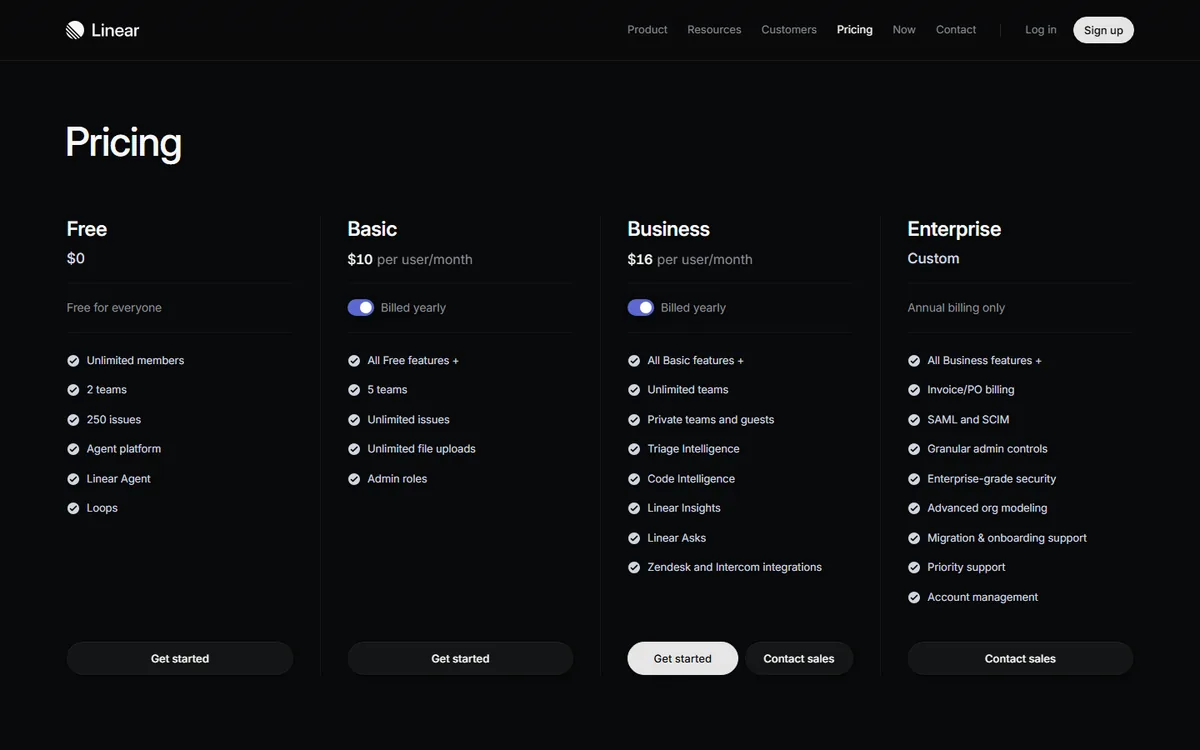
Linear lists a Free plan, Basic at $10 per user per month and Business at $16 per user per month, both billed yearly, and Enterprise with custom pricing and annual billing only.
Linear Reviews
- G2: 4.6 of 5 stars (based on 127 verified reviews)
GitHub Projects
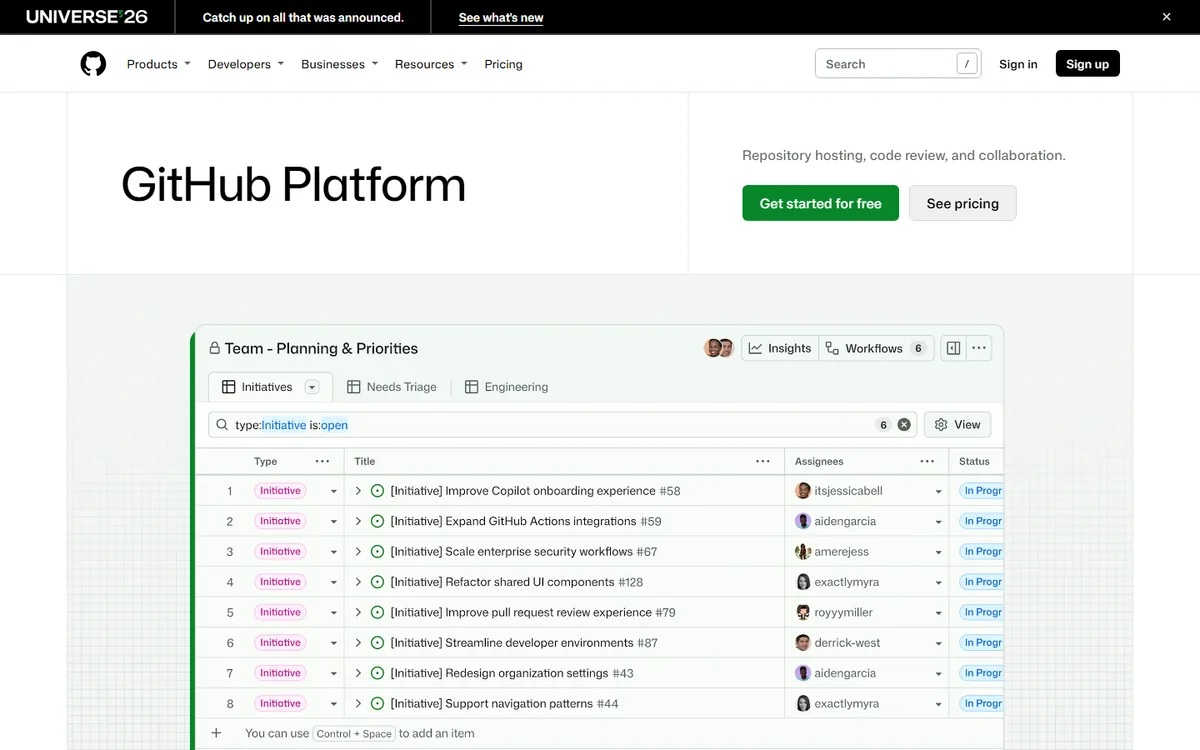
The Natural Choice When Your Code, Reviews and Planning Already Live in GitHub
GitHub Projects adds table, board and roadmap views on top of GitHub Issues and pull requests.
GitHub Projects keeps planning next to the code. Issues and pull requests flow into table and board views, custom fields track status and iterations act as sprints, and automation moves cards as work progresses. For small developer-led teams, it removes a whole tool from the stack.
It is a lighter planning layer than a dedicated tracker. Reporting and portfolio views are basic, and non-technical stakeholders may find a GitHub-based board unfamiliar. Many teams combine it with a spreadsheet for forecasting, and move to Jira or Linear when planning needs grow. The G2 rating below covers GitHub as a whole, not Projects alone.
GitHub Projects Strengths
- Planning sits next to code, reviews and CI
- Free for many use cases and quick to adopt
- Automations tie card status to pull requests
GitHub Projects Weaknesses
- Limited reporting and portfolio features
- Unfamiliar to business stakeholders
GitHub Projects Pricing
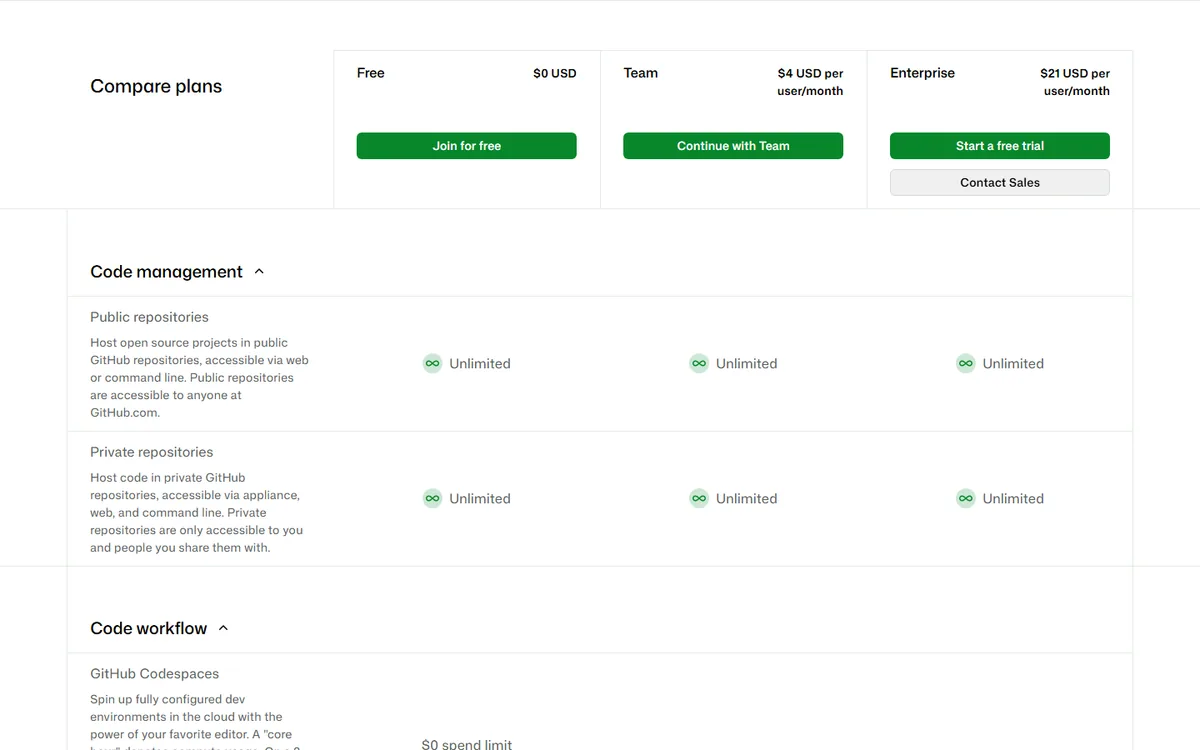
GitHub lists a Free plan, Team at $4 per user per month and Enterprise at $21 per user per month.
GitHub Projects Reviews
- G2: 4.7 of 5 stars (based on 2,418 verified reviews)
Shortcut
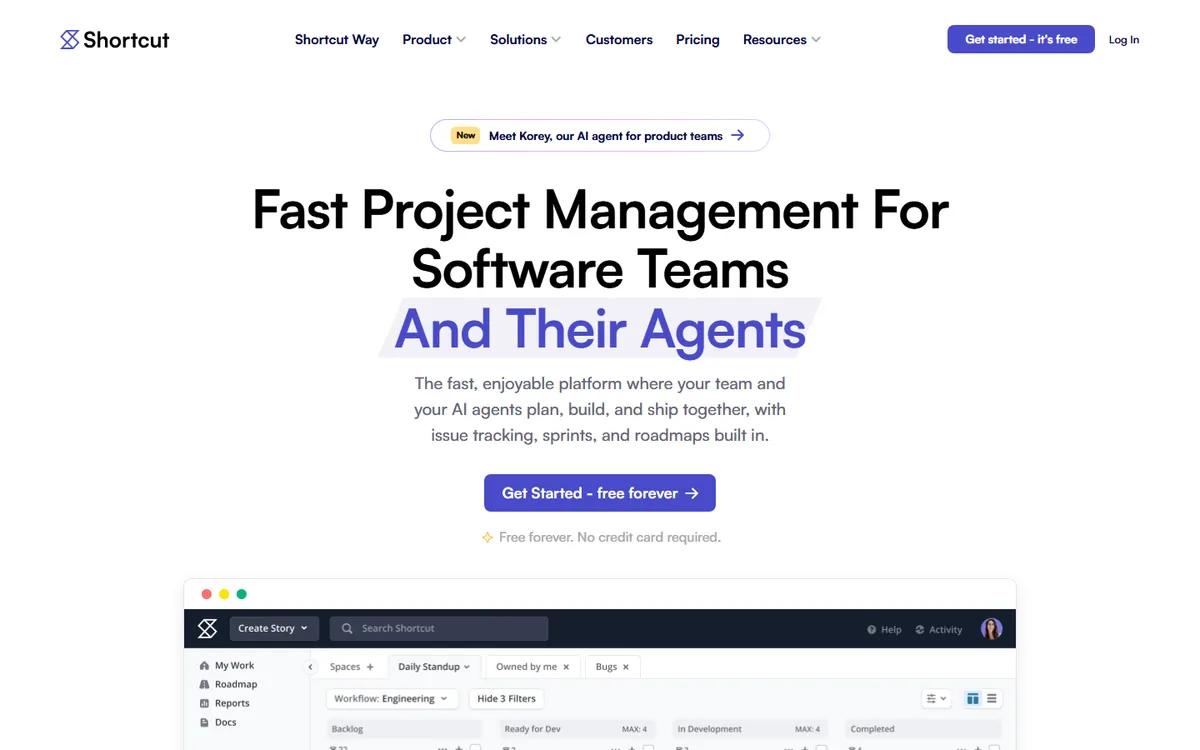
A Developer-Friendly Tracker With Stories, Iterations and Milestones, Built for Product Teams
Shortcut, formerly Clubhouse, is a project tracker with stories, epics, iterations and a clean developer-focused design.
Shortcut sits between the simplicity of Trello and the weight of Jira. Stories, epics, iterations and milestones map neatly to agile planning, and the interface stays quick. Git integrations link branches to stories, and the reports show cycle time and burndown.
I like it for product teams of 10 to 100 people that want structure without a dedicated admin. The ecosystem is smaller than Atlassian's, and enterprise features such as advanced permissions are more limited. Check that the integrations you need exist before you commit.
Shortcut Strengths
- Clear structure of stories, epics and iterations
- Quick, clean interface
- Built-in reports for cycle time and burndown
Shortcut Weaknesses
- Smaller integration ecosystem than Jira
- Fewer enterprise controls
Shortcut Pricing
Shortcut lists a Free plan, Team at $8.50 per user per month and Business at $12 per user per month, with custom Enterprise pricing. The page does not state whether the listed prices assume yearly billing.
Shortcut Reviews
- G2: 4.4 of 5 stars (based on 177 verified reviews)
YouTrack
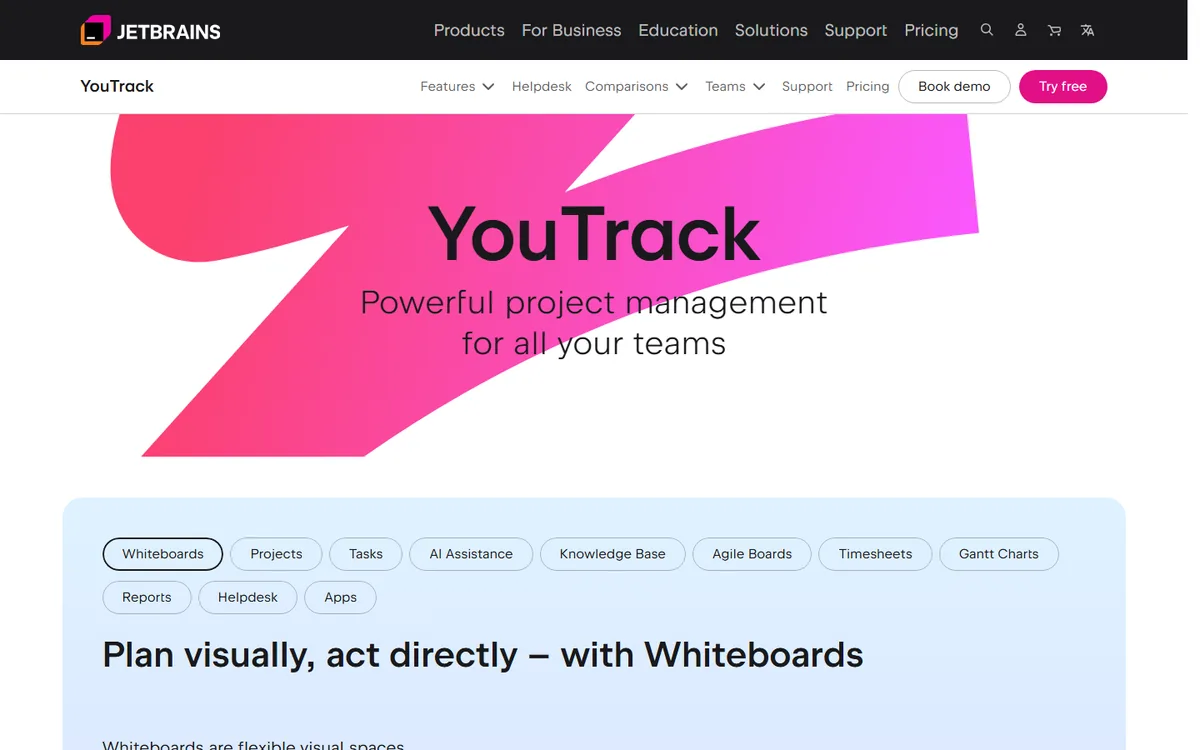
A Powerful Query-Driven Tracker for Teams in the JetBrains Ecosystem
YouTrack is JetBrains' issue tracker with agile boards, a powerful search language, time tracking and a knowledge base.
YouTrack suits teams that like precise control. Its query language filters issues in ways other trackers struggle with, agile boards support Scrum and Kanban and the built-in knowledge base keeps documentation close to the work. Integrations with JetBrains IDEs and Git hosts are strong.
The learning curve is real. The configuration options are broad and the interface is less polished than newer tools, so give new users a short walkthrough. G2 lists a modest number of reviews, and I could not confirm current per-user prices from JetBrains' page, so check its buy page for the plan that fits your team size.
YouTrack Strengths
- Powerful search and filter language
- Agile boards plus a built-in knowledge base
- Tight integration with JetBrains IDEs
YouTrack Weaknesses
- Interface takes time to get used to
- Fewer third-party integrations than Jira
YouTrack Pricing
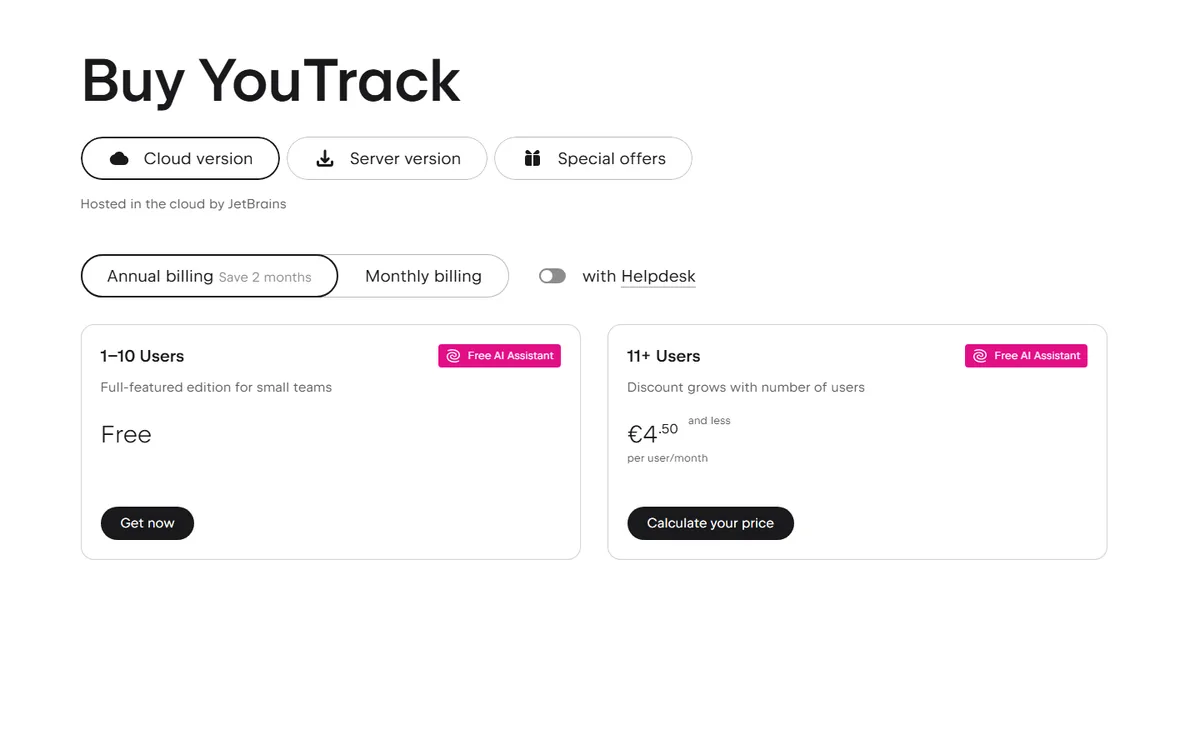
JetBrains offers YouTrack Cloud and Server editions. I could not read current prices from the buy page, so check JetBrains for the live figure and any free allowance.
YouTrack Reviews
- G2: 4.2 of 5 stars (based on 60 verified reviews)
Zoho Sprints
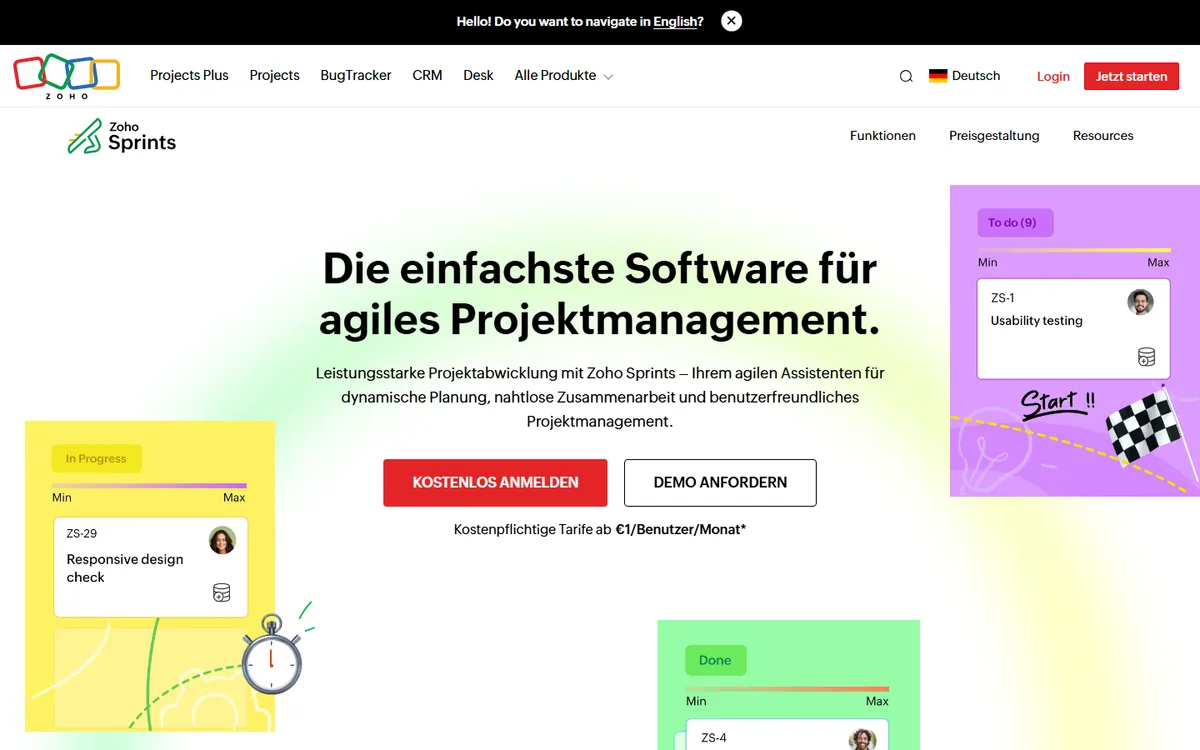
A Budget-Friendly Scrum Tool for Teams Already Using Zoho Apps
Zoho Sprints is a dedicated Scrum tool with sprint boards, backlogs, retrospectives and burndown charts.
Zoho Sprints focuses on Scrum. You get backlogs, sprint planning, burndown charts, retrospective boards and time tracking, with integrations across other Zoho apps and common Git tools. It covers the core agile loop without a lot of noise.
It fits small and mid-sized teams, especially those on Zoho's CRM or other business apps. The Kanban options and third-party ecosystem are less deep than those of the larger tools, and large organizations may want stronger portfolio features.
Zoho Sprints Strengths
- Focused Scrum features at a modest price
- Retrospective boards and burndown included
- Connects with other Zoho apps
Zoho Sprints Weaknesses
- Smaller ecosystem than Jira
- Limited portfolio features for large programs
Zoho Sprints Pricing
Zoho lists a Free plan for up to 3 users and 3 projects with unlimited work items and sprints. Paid plans are Starter, Elite and Premier, and I could not read their current per-user prices, so check Zoho's pricing page.
Zoho Sprints Reviews
- G2: 4.5 of 5 stars (based on 184 verified reviews)
Wrike
A Work Management Platform for Larger Organizations That Mix Agile and Traditional Projects
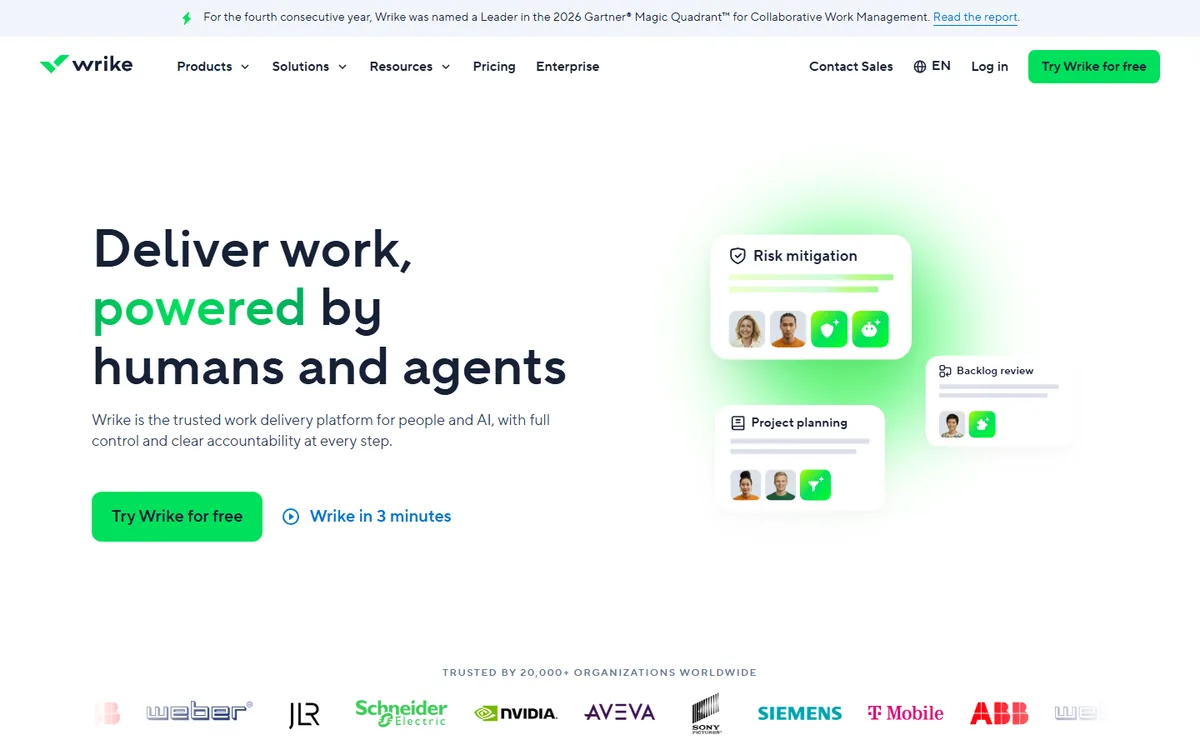
Wrike is an enterprise work management tool with Kanban boards, dashboards, resource planning and automation.
Wrike is not an agile-first tool, but it earns a place for organizations that run agile teams next to traditional projects. Kanban boards, custom workflows, dashboards, time tracking and resource management share one data model, so leaders see both kinds of work together.
Software teams that only do sprints will find dedicated tools better. I suggest Wrike when a PMO needs one view across hybrid work and the engineering teams are one group among many. Setup takes planning, and some of the stronger features sit on higher plans.
Wrike Strengths
- Handles agile and traditional projects together
- Strong dashboards and resource planning
- Good automation and request forms
Wrike Weaknesses
- Not built around sprints and engineering metrics
- Setup and licensing take planning
Wrike Pricing
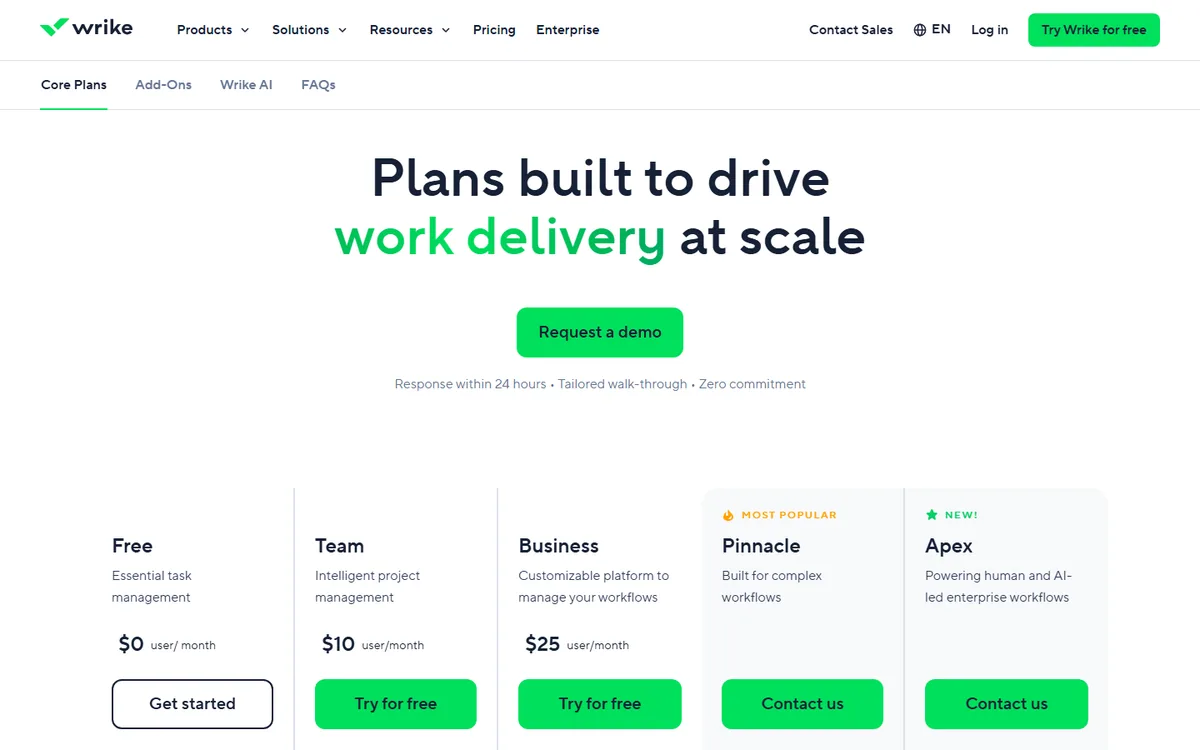
Wrike lists a Free plan, Team at $10 per user per month for 2 to 15 users, Business at $25 per user per month for 5 to 200 users, billed annually, plus custom Pinnacle and Apex plans.
Wrike Reviews
- G2: 4.2 of 5 stars (based on 4,605 verified reviews)
Estimate the Return on an Agile Tool
Before you pick a plan, check whether the numbers work. Enter the manual hours your team spends on status reports, planning and tracking each week and the monthly price of the tool you are considering, and you will see what it could return in a year.
Does the Tool Make Sense for You?
Drag the sliders to reflect your tasks and the plan you want to compare.
How to Choose the Right Agile Software Development Tool
Fit with your process decides more than any feature list. Before you compare vendors, answer these questions:
- Do you run Scrum, Kanban or a mix, and do you need sprint reports out of the box?
- Where does your code live, and does the tool link branches and pull requests?
- Who uses it besides developers, and how technical are they?
- Which reports do you need, such as cycle time, throughput or burndown?
- How many users will you have in a year, and what will the plan cost at that size?
If you run Scrum and want deep reporting, start with Jira or Azure DevOps. If your team is small and developer-led, try Linear or GitHub Projects. If your tracker must serve many non-technical groups, look at ClickUp, Asana or monday dev. Whatever you choose, set up the workflow around the practices in my agile software development framework, and read my view on agile software development pros and cons if you are still deciding whether the approach fits your project.
Questions About Choosing Agile Software Development Tools
What Is the Best Agile Software Development Tool?
For most software teams I recommend Jira, because it has the deepest Scrum and Kanban features and the largest integration ecosystem. Small developer-led teams often prefer Linear or GitHub Projects for their speed and simplicity.
Which Agile Tool Is Best for Small Teams?
Trello, Linear, GitHub Projects and the free plans of ClickUp and Shortcut suit small teams. They are quick to set up and cheap. Choose based on whether you want a simple board or sprint features.
Is Jira Worth It for Agile Teams?
Yes, if you need sprint planning, backlog management and detailed reports, and if you will keep the workflow simple. If your team is small and wants minimal setup, a lighter tool is usually enough.
Can I Use the Same Tool for Scrum and Kanban?
Most tools on this list support both. Jira, Azure DevOps, ClickUp and monday dev offer Scrum and Kanban boards, while Trello is Kanban-first and Zoho Sprints is Scrum-first.
Are Free Agile Tools Good Enough?
For small teams, yes. Trello, GitHub, Linear, Shortcut, ClickUp and Zoho Sprints list free plans with limits on users, projects or features. Move to a paid plan when you need reporting, permissions or higher limits.
What Agile Metrics Should My Tool Report?
At minimum cycle time, throughput and work in progress, plus sprint burndown if you run Scrum. My guide to agile software development metrics explains each. Check that the tool exposes them before you buy.
How Long Does It Take to Switch Agile Tools?
Plan for two to six weeks for a team, including migrating the backlog, rebuilding workflows and training people. Run the old and new tools in parallel for one sprint and avoid switching mid-release.
Important: prices, plans and ratings move quickly. They reflect our last update, so double-check each vendor’s site before purchasing. Nothing in this article is legal or financial advice.
Did this article help you?
Thanks, noted.
Whitney Sorensen
Whitney leads the Umber editorial team and works with the consultants to turn real client projects into practical guides on software selection, custom development, integration and legacy modernization. Before joining Umber, she spent years writing and editing for engineering and IT teams. She has since reviewed architecture audits, system selections and modernization plans from client projects across industries from manufacturing to healthcare. She works remotely from the USA.