Main Points
- Software spending keeps growing faster than overall IT spending, so every renewal deserves scrutiny.
- AI arrives mostly as features inside platforms you already run, and data quality decides the result.
- Integration, SaaS sprawl and visibility are now board-level cost topics.
- Pick two or three trends that match real problems, and ignore the rest this year.
Enterprise software moves slowly until it suddenly does not. A platform you bought for a decade gets an AI assistant in a quarterly update, a vendor changes its pricing model, and the tools your teams subscribe to quietly double. In my enterprise software consulting work, the organizations that cope best are the ones that know what they own, what it costs and who uses it.
Here are twelve trends I watch, each with the evidence, the catch and a first step. Most connect to the same two questions: how you choose software, which I cover in my guide to enterprise software implementation, and what it really costs, which I break down in enterprise software cost.
1. Software Spending Outpaces the Rest of IT
Gartner's July 2026 forecast puts worldwide IT spending at $6.37 trillion for 2026, up 14.2%. Software is growing faster, at 15.5%, reaching about $1.47 trillion. Part of that rise is real new capability and part is price increases and bundled AI features.
For your budget, this means renewals matter more than before. Put every major contract on a calendar, start the review ninety days ahead and bring usage numbers to the conversation.
2. AI Arrives as a Feature Inside Your Platforms
Most enterprise AI will not be a separate project. It appears inside ERP, CRM, HR and finance products as assistants, summaries and automation. Your decision is which features to enable, for whom and with what review.
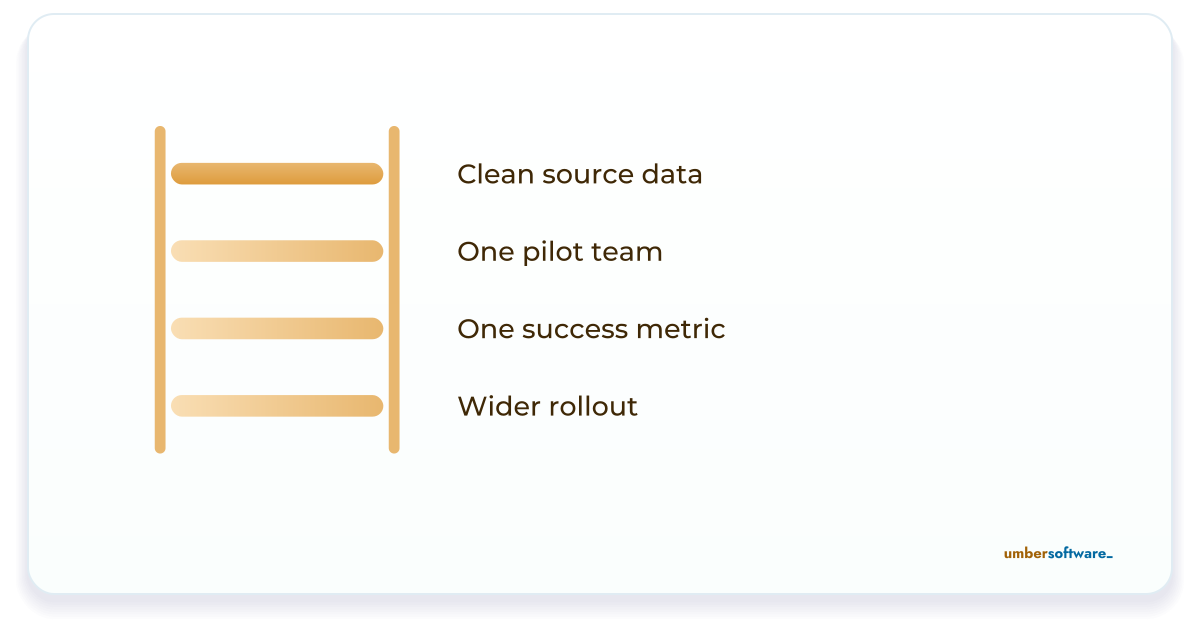
The catch is that these features are only as good as your data. A forecast assistant on messy product records produces confident nonsense. Start with one feature in one team, measure accuracy against the current process and keep a person approving the output.
3. SaaS Sprawl Becomes a Cost and Risk Topic
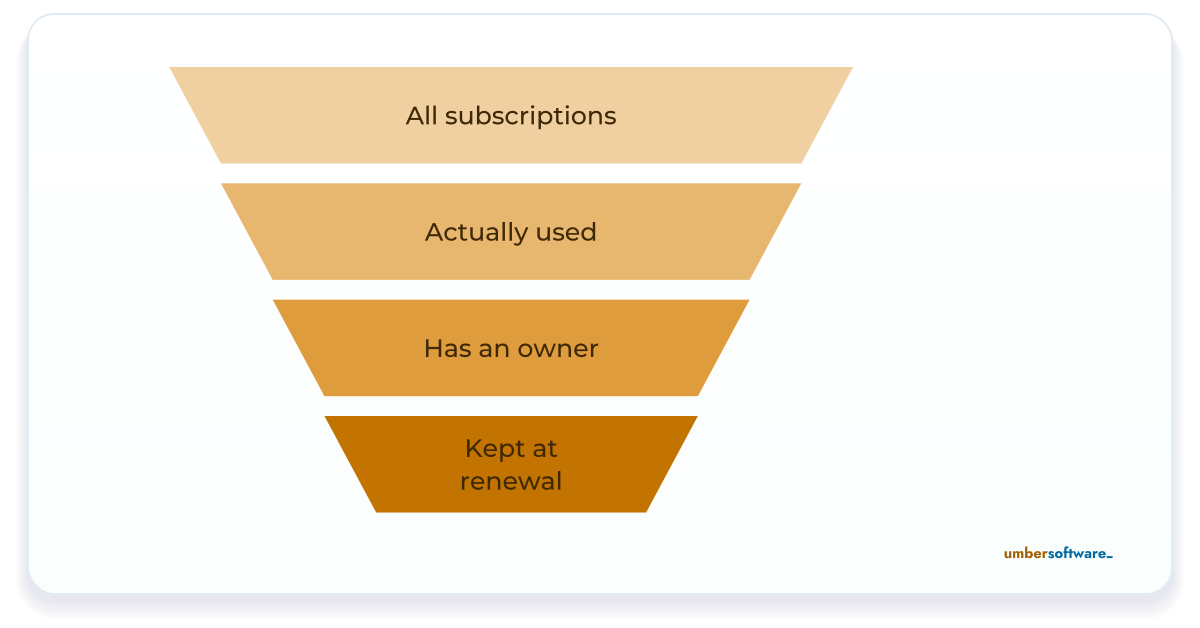
Flexera's 2025 State of ITAM report found that 35% of respondents said SaaS waste increased over the past year, and only 43% reported complete visibility across their technology stack, down from 47% the year before. Subscriptions bought by individual teams add up and overlap.
The first step costs nothing: list every subscription with its owner, cost and number of active users. Overlaps and unused seats appear within a week.
4. Visibility Before Optimization
The same Flexera report shows 59% of software asset management professionals actively track SaaS usage and 56% rightsize contracts. Teams that can see what they run can negotiate with data, and teams that cannot pay for shelfware.
Visibility also supports audits. Vendors audit large customers regularly, and a clear record of entitlements and usage shortens those exercises and the surprises that come with them.
5. Composable Landscapes Replace Single Suites
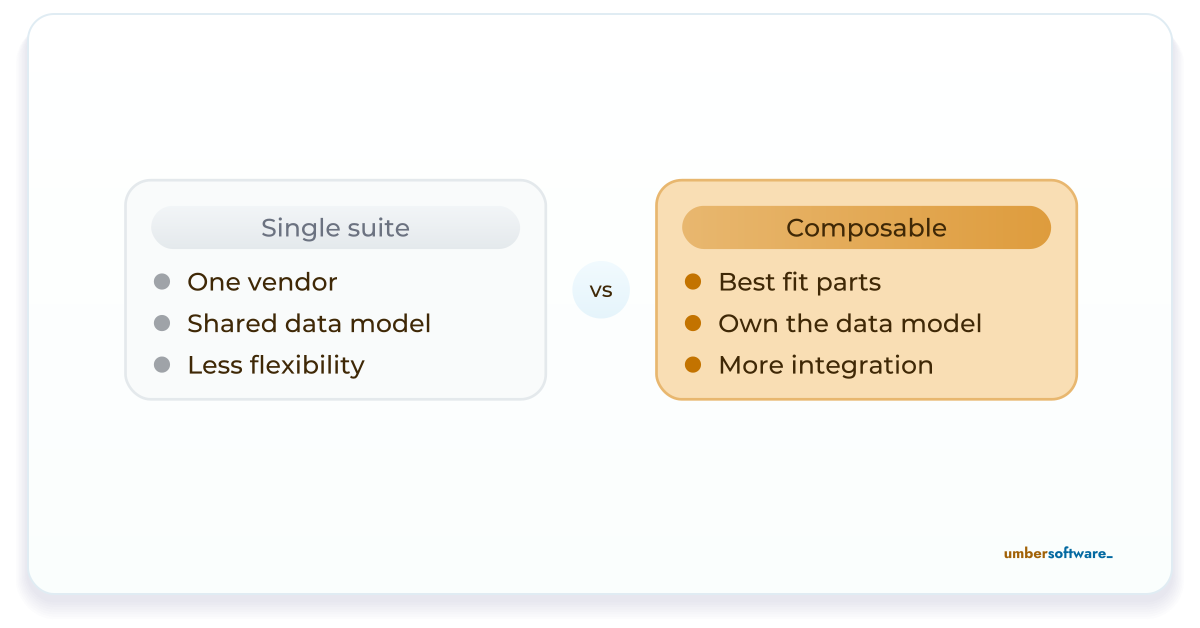
Many organizations now assemble best-fit applications connected by interfaces instead of buying one suite for everything. The reward is flexibility: you can replace one piece without touching the rest. The price is integration work and data ownership rules.
If you go this route, name an owner for each shared data object, such as customer, product and supplier, before you buy anything. Without that, every application keeps its own version of the truth.
6. Integration Moves From Project to Platform
Point-to-point connections multiply quickly. Ten systems can need dozens of links, each built differently and none documented. Organizations are moving to shared integration layers with monitoring, retries and clear ownership.
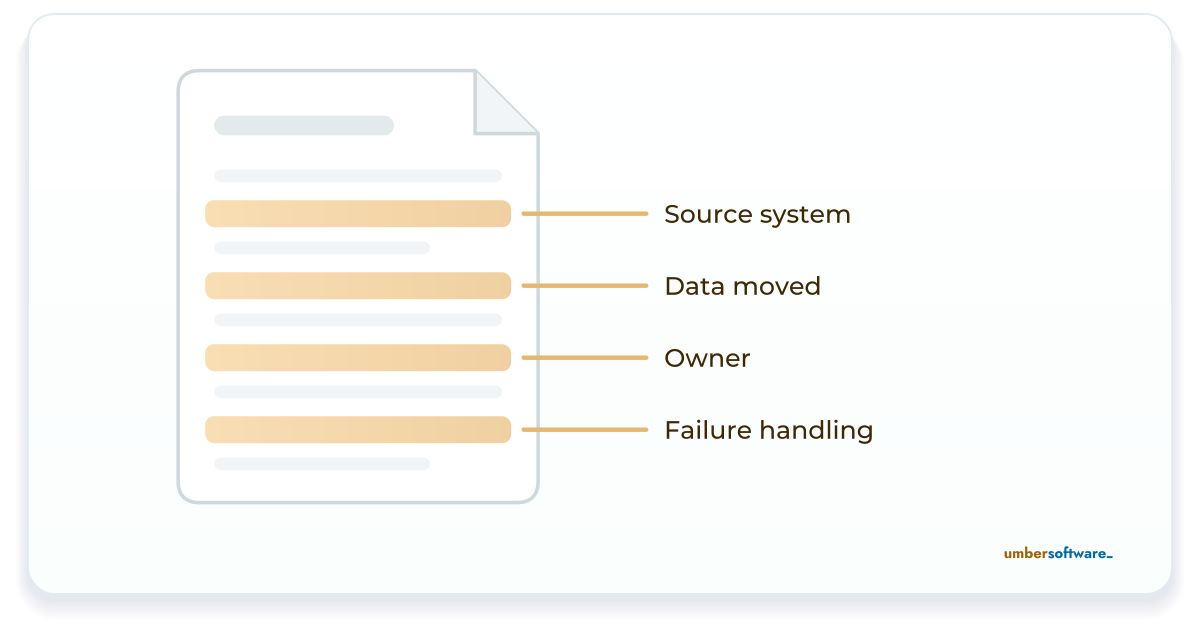
A practical start is an interface register: every connection, what it carries, how often and who fixes it. In most registers I see, a handful of interfaces cause most of the incidents, and those get rebuilt first.
7. Core Systems Move to the Cloud, With Exceptions
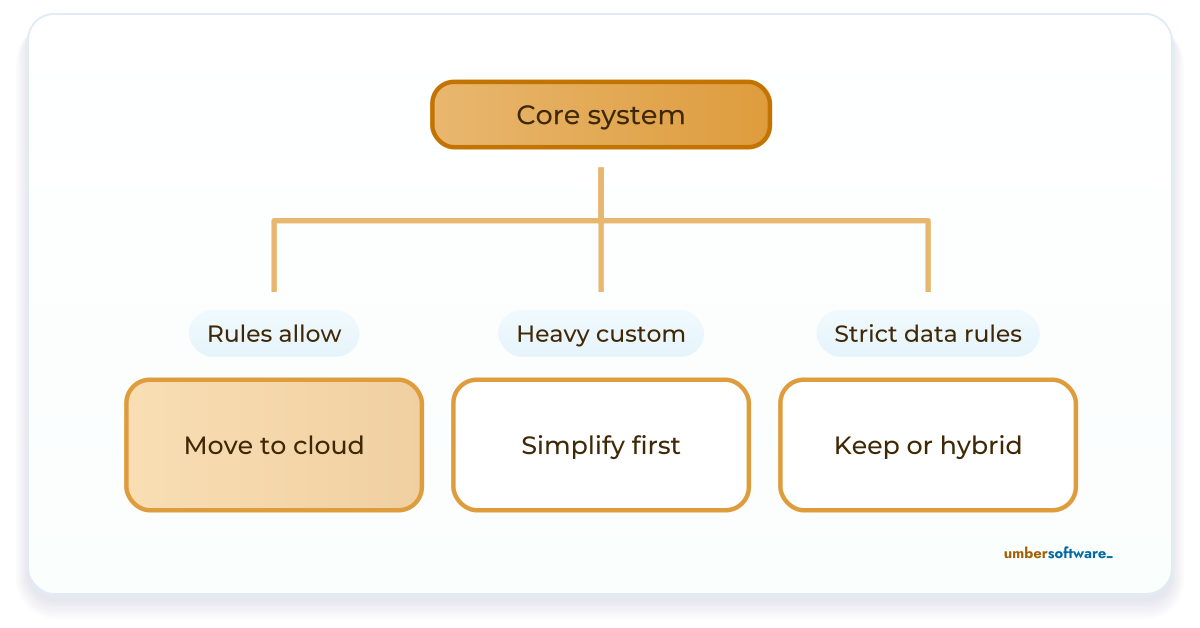
Vendors push cloud versions of ERP and finance, and many customers follow for easier updates and lower hardware effort. Some keep private or on-premises setups for strict data rules, deep customization or plant-floor links.
Decide per system, not per company. For each one, weigh data rules, customization needs, upgrade habits and the vendor's support timeline, then record the reasoning. My article on enterprise software cost shows how the cost view shifts between models.
8. Low-Code Takes Over Internal Workflows
Low-code platforms let business teams build forms, approvals and simple apps without developers. They fit internal workflows well and fit core systems poorly. The risk is a second shadow landscape built outside IT control.
Give business builders a sandbox, a review step for anything touching sensitive data and a list of approved connectors. That keeps the speed and avoids the surprises.
9. Data Quality Becomes the Bottleneck
Every trend above depends on data that is consistent across systems. Duplicate customers, mismatched product codes and missing fields slow reporting, AI features and migrations alike.
Treat data work as part of each project, not a follow-up. Define the master record, assign an owner and clean the data before you load it into a new system, a lesson I repeat in every enterprise software implementation I advise on.
10. Security Questions Reach the Vendor Selection
Buyers now ask vendors for proof of security practices before the contract: certifications, incident history, data location and how subcontractors are handled. Procurement and security teams work together earlier than they did.
Add a security section to your scoring sheet with weights, and keep the vendor's answers on file. It shortens later reviews and supports renewal talks.
11. Pricing Models Shift Toward Usage
Seat-based pricing is being joined by usage, credit and outcome-based models, especially for AI features. This makes cost less predictable: a busy month can cost more than a quiet one.
Ask vendors for a cost model at three usage levels, set alerts on spend and negotiate caps. If you cannot explain the bill to your finance team, the model is too complex for you.
12. Adoption Matters More Than Features
The most useful trend is not technical. Organizations that train people on their own tasks, appoint local champions and track usage after launch get more from the same software. I have seen identical platforms succeed in one plant and fail in another for that reason alone.
Budget for training and support as part of the purchase, and check usage numbers monthly for the first half year. If a team stops logging in, ask why before a workaround becomes permanent.
How I Read These Trends With Clients
When a client asks me which trend to take seriously, I start with their renewal calendar and their interface list. Both are boring documents, and both show where money and effort leak today. A company that spends heavily on overlapping tools does not need a new strategy, it needs an inventory and a decision about each line.
I also ask who in the company would notice if a system went away. If the answer is "nobody can say," the trend that matters most is visibility. If the answer is "finance would stop on day three," the trend that matters is resilience and integration quality.
Finally, I separate trends that change what you buy from trends that change how you run what you already own. Most organizations gain more from the second group in the next twelve months: better data, fewer manual hand-offs, cleaner contracts and trained users. The first group matters when a contract ends or a platform reaches the end of support, so tie those decisions to dates on your calendar.
Keep a one-page summary of your choices, the reasons and the numbers you expect to change. When leadership asks a year from now whether the trend delivered, you will have a baseline to answer with.
A last note on timing. Trends reward patience in some areas and speed in others. Contract renewals and security questions have fixed dates, so act on them early. AI features and composable designs reward a careful pilot, because early mistakes are cheap and late ones are not. Put each trend on your calendar next to a real date and an owner, or it will stay a topic for slides.
Also keep a short record of what you decided not to do and why. Six months later, when a vendor pitches the same idea again, you can read your own reasoning and check whether the facts have changed. That habit alone has saved several clients from buying features they had already judged too early.
Which Trend Fits Which Problem
| Your problem | Trends that apply | First step |
|---|---|---|
| Renewals keep rising | Spending, SaaS sprawl, visibility, pricing models | Inventory with owners, costs and usage |
| Teams re-enter data between systems | Integration, data quality, composable | Interface register and a master record |
| Pressure to use AI | AI inside platforms, data quality | One feature, one team, one metric |
| Old core system nearing end of support | Cloud ERP, security, adoption | Requirements and a scored shortlist |
How to Choose What to Act On
You do not need all twelve. Use these checks to pick two or three:
- It addresses a cost or delay you can already measure.
- You can start with one team or one system.
- An owner exists on your side, with time to run it.
- You can say in advance which number should change.
If you want an independent view of your landscape and the order of work, a short review can map it for you and rank the options.
Questions About Enterprise Software Trends
What Is the Biggest Enterprise Software Trend Right Now?
AI features inside existing platforms. ERP, CRM and finance vendors are adding assistants and automation to products you may already own. The practical question for you is which of those features is worth switching on, and what data and review rules they need first.
Should We Replace Our ERP Because of AI?
Rarely. Most AI features arrive as updates to the product you run, and replacing a core system for them alone is hard to justify. Replace when the platform blocks your process, runs out of support or cannot connect to what you need.
What Is Composable Enterprise Software?
It is an approach where you assemble a landscape from separate, interchangeable applications connected by interfaces, instead of buying one suite for everything. It gives you flexibility, and it requires strong integration skills and clear ownership of data.
How Do I Stop SaaS Sprawl?
Start with an inventory of every subscription, who pays for it and who uses it. Merge overlapping tools, set an approval rule for new purchases and review renewals ninety days ahead. Usage data gives you leverage in renewal talks.
Is On-Premises Enterprise Software Disappearing?
No. Many vendors push cloud versions, but companies with strict data rules, plant-floor systems or heavy customization still run on-premises or private installations. The trend is a mix of both, with the choice made per system.
How Should We Prepare Data for Enterprise AI?
Clean and define the data the feature will use: one definition of a customer, one product list and clear ownership. Start with one process, measure accuracy and keep a person reviewing results. Poor data limits every AI feature.
How Often Should We Review Our Enterprise Software Strategy?
Once a year for the landscape and the budget, and at each renewal for individual products. Between reviews, track usage and cost so the yearly meeting runs on evidence.
Sources
Disclaimer: Statistics come from the sources linked at the end of this article. Check the original reports for current figures. Nothing in this article is legal or financial advice.
Did this article help you?
Thanks, noted.
Whitney Sorensen
Whitney leads the Umber editorial team and works with the consultants to turn real client projects into practical guides on software selection, custom development, integration and legacy modernization. Before joining Umber, she spent years writing and editing for engineering and IT teams. She has since reviewed architecture audits, system selections and modernization plans from client projects across industries from manufacturing to healthcare. She works remotely from the USA.