Main Points
- Seven phases, each with a gate, keep an enterprise rollout from drifting.
- Process design and data cleanup decide your budget more than the vendor does.
- A named sponsor, a change-order rule and a rehearsed rollback prevent most overruns.
- Plan role-based training and a two to four month hypercare period.
Most enterprise software projects do not fail on the day of go-live. They fail months earlier, when the scope grows quietly, the data is never cleaned and nobody owns the decision to say no. If you are about to roll out an ERP, CRM, finance or supply chain platform, the order of the work matters more than the vendor you picked. A good enterprise software consulting engagement spends its first weeks on exactly that order.
This guide walks you through the seven phases I use when I plan an enterprise rollout, with realistic durations, the decision you need to make at the end of each phase and the mistakes I see most often. It is a plan you can hand to your project lead on Monday.
The Seven Phases of a Rollout at a Glance
The table below shows the sequence and the gate you should pass before moving on. Durations assume a mid-market company with a few hundred users and one main platform. Larger programs stretch every row, and some phases run in parallel.
| Phase | Typical duration | Gate before the next phase |
|---|---|---|
| 1. Business case and scope | 3 to 6 weeks | Signed scope, budget range and named executive sponsor |
| 2. Partner and contract | 4 to 8 weeks | Fixed deliverables, change-order rules and exit terms in the contract |
| 3. Process design and data | 6 to 12 weeks | Approved process maps and a data owner for every object |
| 4. Build and integrate | 2 to 6 months | Every interface runs end to end in a test environment |
| 5. Testing | 6 to 10 weeks | Business users sign off on real scenarios, not scripts |
| 6. Training and cutover | 4 to 8 weeks | A rehearsed cutover plan with a rollback decision point |
| 7. Hypercare and adoption | 2 to 4 months | Support tickets fall to a steady level and the vendor handover is complete |
One published benchmark puts mid-market ERP projects (51 to 250 users) at 4 to 12 months and enterprise projects with more than 1,000 users at 12 to 36 months, per ERP Research's cost breakdown. Treat your own plan as the real answer, but if a vendor promises a global rollout in four months, ask who is carrying the risk.
Phase 1: Fix the Business Case Before You Fix the Tool
Write down the three outcomes that justify the project, in numbers. Close the books in five days instead of twelve. Cut order-to-cash errors in half. Retire two legacy systems that cost a combined amount you can name. If you cannot state the outcomes, every later argument about scope turns into opinion.
Name one executive sponsor who can overrule a department head. In my client work, the projects that stalled had a steering committee of eight people and no single owner. The committee approved everything and decided nothing. A sponsor who attends the monthly steering meeting and signs change requests is worth more than any project plan.
Also decide what you will not do in this release. Reporting wishes, a second country, a customer portal: park them on a written list for phase two. Scope creep is cheapest to stop on day one.
Phase 2: Choose the Partner and Lock the Contract
If you have not picked the platform yet, finish that first. My guide to enterprise software cost shows what licenses, partner fees and hidden items add up to, which belongs in the selection scorecard next to features.
The implementation partner affects your result more than the platform does. Ask for three references of similar size and call them. Ask who exactly will be on your project, because the sales team that wins the deal is rarely the team that configures it. Put named roles into the contract.
Fixed-price phases work for design and for training. Time-and-materials works for build, if you cap it with a monthly burn limit and a change-order process that names the price of a change before work starts. Add exit terms: you own the configuration documents and the data model, and you can hand them to another partner.
Phase 3: Design Your Processes and Clean Your Data
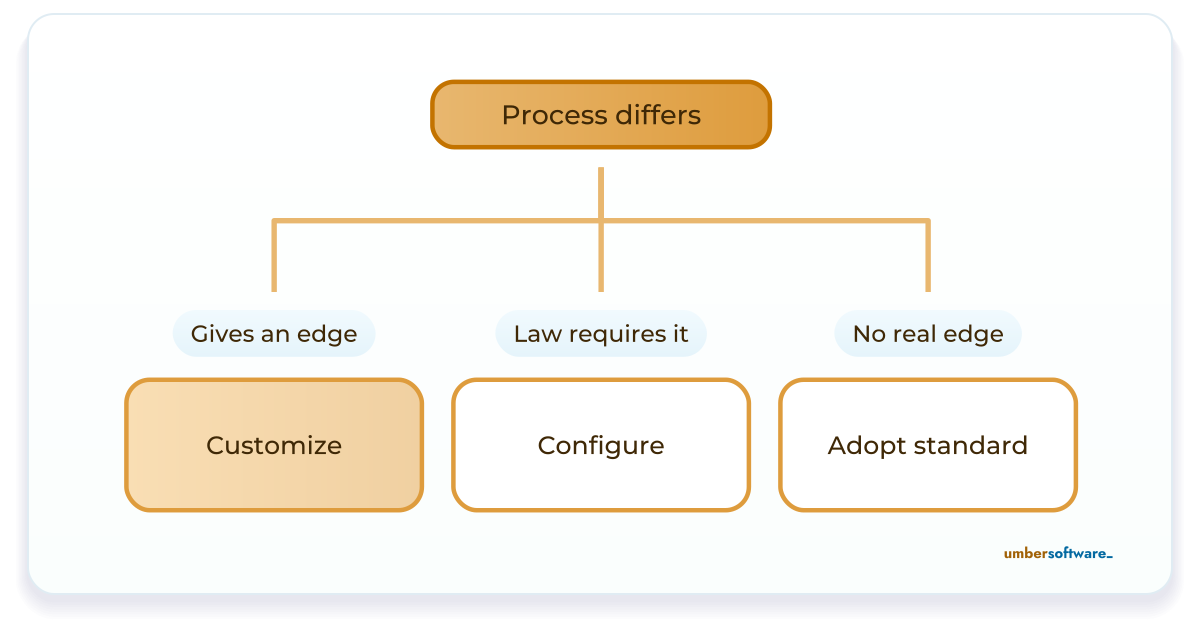
This is the phase teams shorten, and it is the one that decides the budget. Walk through your processes with the people who do the work, not just their managers. Map what actually happens: the spreadsheet a planner keeps on the side, the approval that happens over chat. Then decide, process by process, whether to adopt the standard way the software works or to customize.
My default is to adopt standard behavior wherever it does not touch a competitive advantage. Every customization adds cost at build, at test and again at every upgrade. Keep a list with a price and an owner next to each customization, and let the sponsor approve each line.
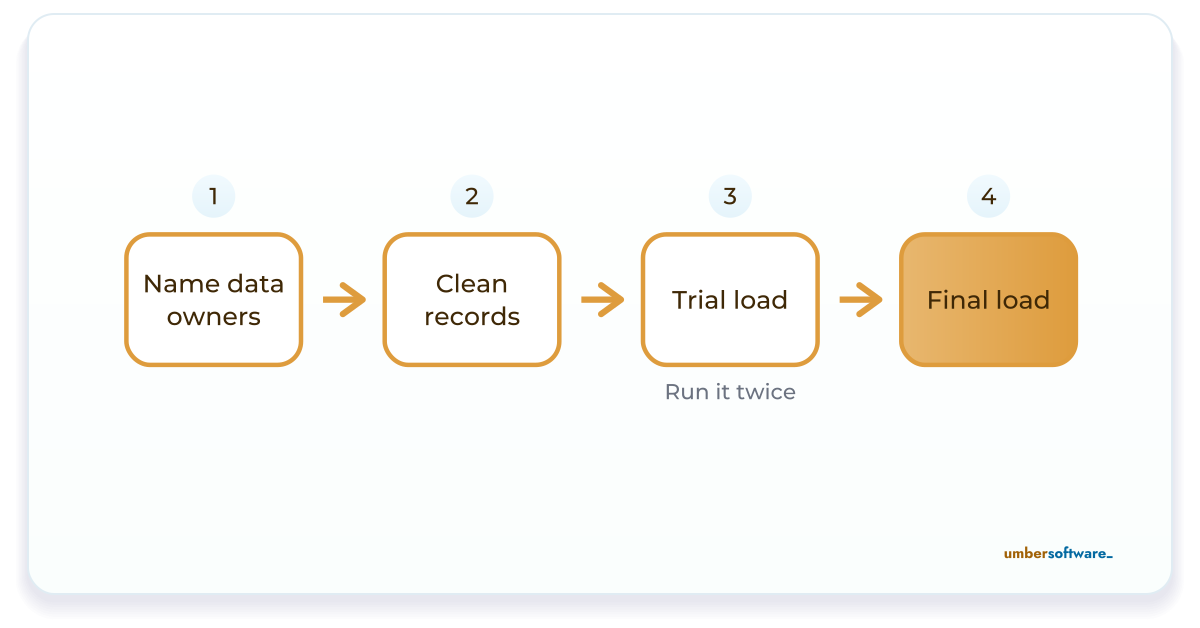
Data deserves its own track. Customer master records, item numbers, open orders and chart of accounts all need an owner and a cleanup rule. A team that starts cleaning data in month five usually discovers that 20 percent of the customer records are duplicates. Start in week one, and run at least two trial migrations before the real one.
Phase 4: Build and Integrate in Small Releases
Configure in sprints of two to four weeks and show working software to the business users at the end of each one. A demo with real data catches misunderstandings in week six instead of month nine. If you want a deeper look at how agile delivery fits a platform project, my notes on agile software consulting cover the cadence.
Integrations are where schedules slip. A payment gateway, a warehouse scanner, a legacy billing system: each interface needs an owner on both sides, a test environment and a plan for failed messages. List every interface in the first month and give each one a status. The number of interfaces is a better predictor of delay than the number of users.
Resist the urge to build reports last. Finance and operations leaders judge a rollout by their reports, so build the ten most used ones during the build phase and test them with real figures.
Phase 5: Test With Real Scenarios
Scripted tests prove that a button works. Scenario tests prove that your business works. Take a day in the life of a sales order, from quote to cash, with the people who handle it, using migrated data and the real approval chain. Do the same for month-end close, a return, a supplier invoice dispute and a year-end.
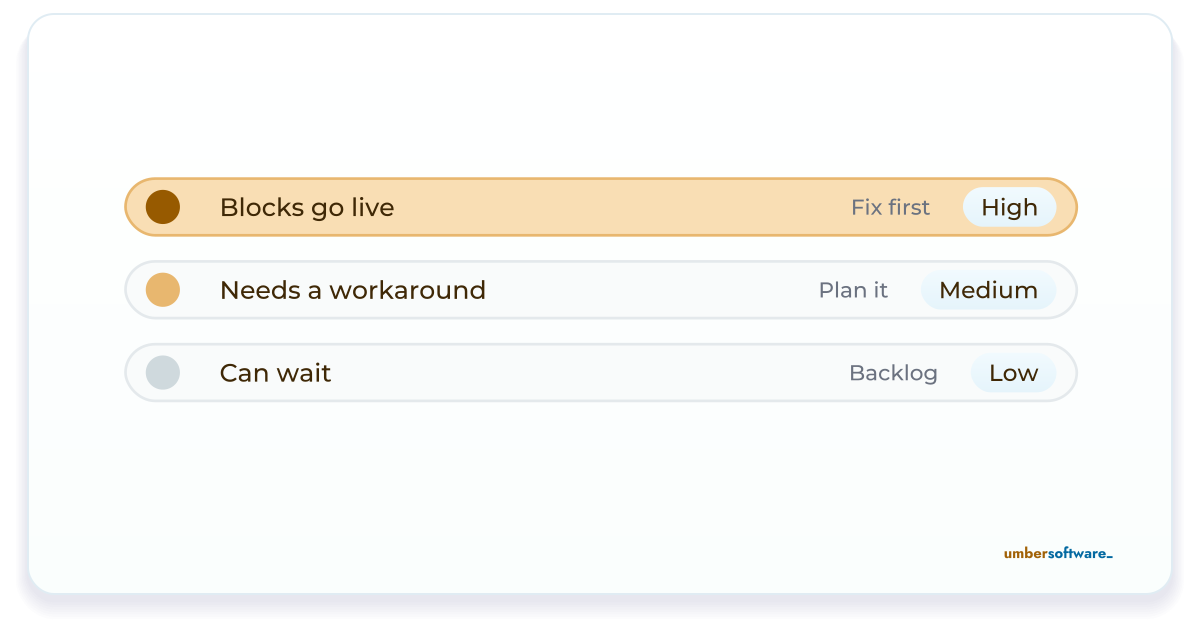
Keep a defect list with three levels: blocks go-live, needs a workaround, can wait. Agree the definition at the start so the argument does not happen at the end. Run a full performance test with realistic volumes. I have seen a system that handled demo data well slow to a crawl on the first Monday morning of real order entry.
Phase 6: Train People and Rehearse the Cutover
Train people in their own process, on their own data, close to go-live. A generic two-hour tour three months earlier is forgotten. Pick one super user per team, give them extra time and make them the first line of support. ERP Research puts typical training and change spend at 5 to 10 percent of the budget and recommends 15 to 20 percent. In my experience the higher figure is closer to what a smooth rollout needs.
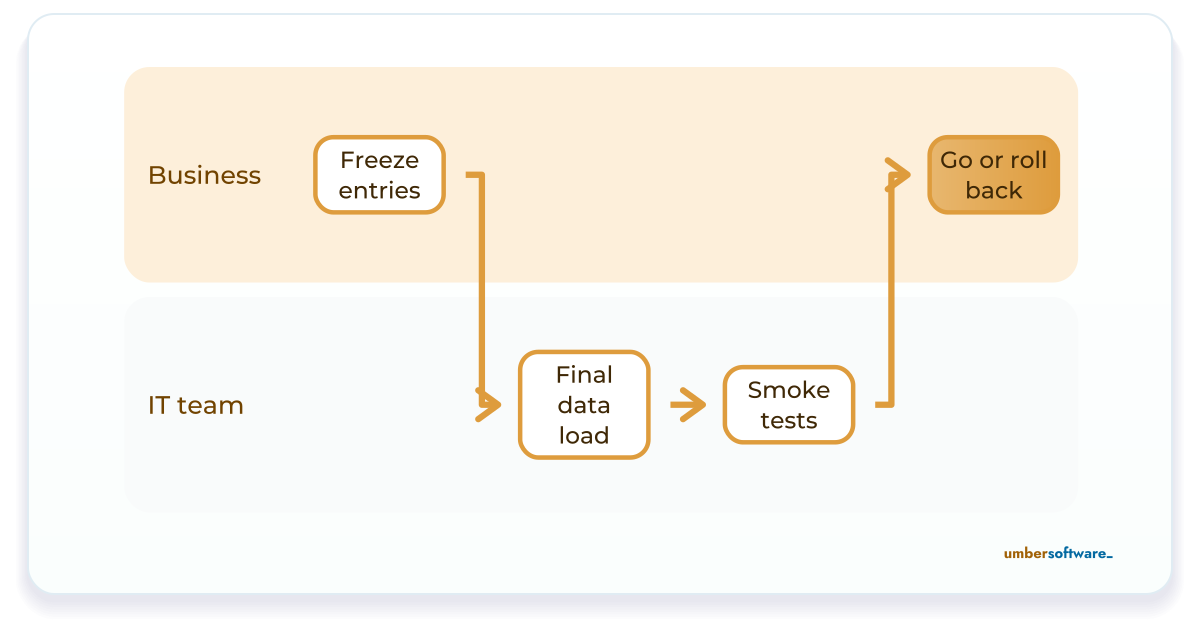
Rehearse the cutover at least once, with a stopwatch. Which jobs run on Friday night, who confirms the data load, who decides to roll back and by when? A rollback is cheap at hour two and painful at hour thirty. Write the decision point into the plan and agree who makes the call.
If you are replacing an aging platform rather than adding to one, my write-up on software modernization consulting explains how to retire old systems without losing history.
Phase 7: Hypercare, Adoption and Handover
The first month after go-live is noisy by design. Staff a war room, triage issues daily and publish a short status note so people know their problem is heard. Track tickets by cause: training gap, data error, configuration bug, missing feature. Most tickets in the first weeks are training gaps and data errors, which fix cheaply.
Measure adoption with behavior, not logins. Are orders entered in the system or on the side spreadsheet? Is the month-end close inside the target? Compare against the numbers from your business case and report them to the sponsor at 30, 90 and 180 days.
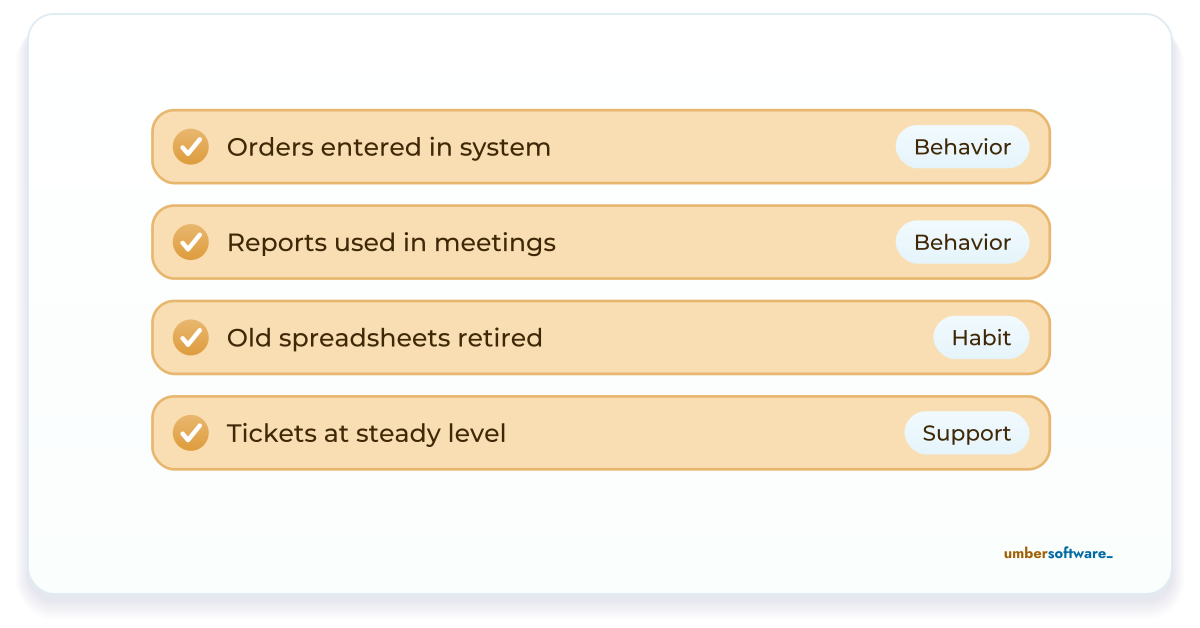
Finish with a handover: documentation, a support model, an upgrade calendar and a named owner for the platform. Without an owner, the system drifts and the next rollout starts from scratch.
Five Mistakes That Sink Rollouts
These five show up again and again, and each one is cheap to prevent if you see it early.
| Mistake | How it shows up | Do this instead |
|---|---|---|
| No single owner | Every change needs a committee vote | Give the sponsor sign-off on scope and spending |
| Heavy customization | The old process is rebuilt in the new tool | Adopt standard behavior unless it hurts a differentiator |
| Late data work | Migration starts in the test phase | Assign data owners in week one and run two trial loads |
| Thin training budget | One generic session before go-live | Role-based training with super users per team |
| No rollback plan | Cutover is a one-way door | Define a rollback point and rehearse it |
Budget overruns are common. The Panorama Consulting 2026 ERP Report found that more than a quarter of organizations exceeded their project budgets, and the leading cause was extra technology needs. That pattern matches what I see: surprises usually arrive through integrations and data work you could have scoped earlier.
How to Choose Your Implementation Approach
There are three ways to sequence a rollout, and the right one depends on how much your operations can tolerate. A big-bang go-live moves every module and site at once. It is the cheapest in total effort and the riskiest on day one. A phased rollout by module or site spreads the risk and keeps the project team busy for longer. A pilot site first gives you a real test, then a repeatable template for the rest.
- Choose big bang if you have one site, a simple structure and a team that can stop normal work for a weekend.
- Choose phased by module if finance, supply chain and sales can run with a temporary bridge between old and new.
- Choose pilot site first if you have several plants or countries with similar processes.
- Whatever you pick, write down the rollback point and the person who decides.
If the platform is still undecided, software selection consulting can run the scorecard and demos for you before any implementation partner is signed. The questions in my ERP guides, such as the ERP software checklist, apply to other enterprise platforms too. For what happens in the market while you plan, see enterprise software trends.
Sources
- ERP Research: ERP Implementation Cost Breakdown 2026
- Panorama Consulting Group: The 2026 ERP Report coverage
Questions About Enterprise Software Implementation
How Long Does an Enterprise Software Implementation Take?
It depends on size and scope. Published benchmarks put mid-market ERP projects at 4 to 12 months and large enterprise programs at 12 to 36 months. Your plan should add a buffer for data cleanup and integrations, because those two items cause most delays. Ask your partner for a phase-by-phase schedule rather than one go-live date.
What Is the Most Common Reason Implementations Go Over Budget?
Scope that grows without a price tag. Late discovery of integrations, extra data cleanup and customizations added during build all arrive as change orders. Panorama Consulting's 2026 report names additional technology needs as the leading cause of overruns. A change-order rule that states the price before work starts keeps this visible.
Should I Use a Big-Bang or Phased Go-Live?
Big bang suits a single site with simple processes and a team that can pause normal work. Phased by module or by site spreads the risk and helps when you have several plants or countries. I lean toward a pilot site first when processes are similar, because it creates a template you can repeat.
Who Should Lead the Project on My Side?
Name an executive sponsor with authority over budget and scope, and a full-time project manager from the business, not only from IT. Give each process area an owner who can decide how the work should run. A project led only by IT tends to deliver a system the business does not use.
How Much Should I Budget for Training and Change Management?
Published guidance often cites 5 to 10 percent of the project budget as typical spend and recommends 15 to 20 percent. In my experience the higher range fits projects that change daily work for many people. Role-based training close to go-live pays back faster than long generic sessions.
Do I Need an External Consultant for the Rollout?
You do not need one, but many mid-market teams have never run a rollout before and only get one chance per decade. An independent advisor helps with scope, partner contracts and testing, and has no incentive to sell you extra licenses. Decide based on how much experience your internal team has.
What Should I Do After Go-Live?
Run hypercare for two to four months with a daily triage of issues. Track adoption by behavior, such as whether orders are entered in the system, and report against the business case at 30, 90 and 180 days. Finish with documentation, a support model and a named platform owner.
Please note: this guide is general information and not legal, financial or tax advice. Numbers and examples are typical-project estimates; confirm current details with your providers and advisers.
Did this article help you?
Thanks, noted.
Whitney Sorensen
Whitney leads the Umber editorial team and works with the consultants to turn real client projects into practical guides on software selection, custom development, integration and legacy modernization. Before joining Umber, she spent years writing and editing for engineering and IT teams. She has since reviewed architecture audits, system selections and modernization plans from client projects across industries from manufacturing to healthcare. She works remotely from the USA.