Main Points
- Verify your own workflows end to end in the demo, not a list of modules.
- Test a real data migration, and price integrations, before you sign.
- Check audit trails, roles and exports now, because fixing them after go-live costs more.
- Keep written evidence for every check, so the decision is defensible to your board and your auditor.
An ERP contract runs for years and touches finance, purchasing, inventory and sales at once. In my work with manufacturers and distributors, the expensive surprises almost always trace back to something nobody verified before signing. A structured ERP software consulting engagement turns that into a repeatable check.
The nine points below are the ones I run on every ERP selection. Each has a short explanation, a list of things to verify and the evidence worth keeping, so your decision file is ready when an auditor or board member asks how you chose.
The 9 Checks at a Glance
Use the table to assign an owner to each point before the first demo. Someone from finance, operations and IT should each own at least two of them.
| Check | Main question | Evidence to keep |
|---|---|---|
| 1. Process fit | Does the system run your real workflows? | Scored demo scripts |
| 2. Integrations | Will it connect to what you keep? | Integration list with owners |
| 3. Data migration | Can your data move cleanly? | Test migration report |
| 4. Audit trail and controls | Can you prove who did what? | Sample log and role matrix |
| 5. Security and hosting | Where does your data live, and who can reach it? | Vendor security documents |
| 6. Total cost | What will five years cost? | Cost model with assumptions |
| 7. Customization limits | What can change without breaking upgrades? | Written customization policy |
| 8. Vendor and partner risk | Will they still be there and good in year five? | Reference call notes |
| 9. Exit and contract terms | Can you leave with your data? | Marked-up contract |
1. Verify Process Fit With Your Own Scripts
Feature lists are the weakest form of evidence in an ERP selection. Every vendor supports inventory, purchasing and financials. What differs is how many clicks, workarounds and add-ons your specific process needs.
Write three to five end-to-end scripts from your own operation, such as quote to cash, procure to pay, and a production order with a rework step. Give vendors the scripts a week early and ask them to run them with your sample data, live.
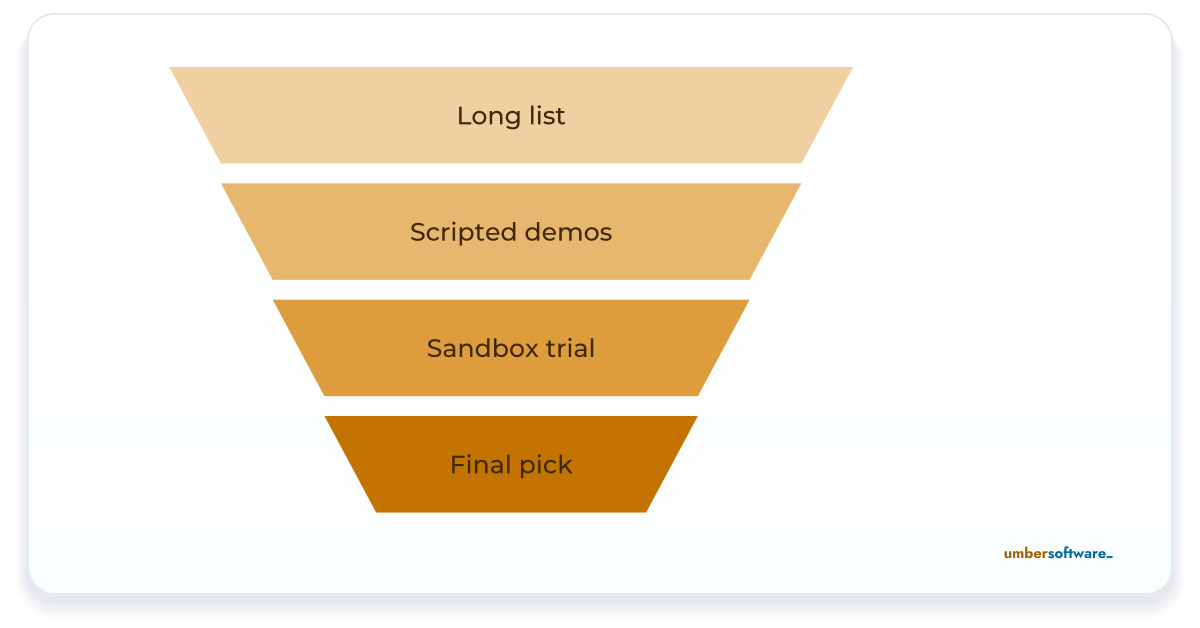
- Each script runs without a slide deck and without a hidden workaround.
- Your unusual cases appear in the script: partial shipments, mixed units of measure, multi-site transfers.
- Two people from different departments score each script, and the scores are saved.
2. List Every Integration Before You Sign
An ERP rarely replaces everything. Your CRM, e-commerce store, warehouse scanners, payroll and banking will still need to exchange data with it. In my projects, integrations are the line item that grows most between the first quote and the final bill.
Build a table with each system, the data that moves, the direction, how often and who owns the connection. Then check how the ERP exposes that data. Your CRM software consulting plan should define which system owns the customer record before any connector is built.
- Documented, versioned APIs exist for the objects you need, with rate limits you can live with.
- Prebuilt connectors are priced and supported by the vendor, not by a third party you have not met.
- Failed syncs raise an alert with the record and the reason.
3. Run a Test Migration on Real Data
Migration looks simple until you see how many customer records are duplicates and how many open orders reference items that no longer exist. A test load shows the real picture while you can still walk away.
Pick one dataset, such as customers or open purchase orders, and ask the vendor or partner to load it into a sandbox. Compare record counts, check the rejected rows and note how long the load took. Repeat it later with a larger dataset once you pick a vendor.
| Migration check | Good sign | Warning sign |
|---|---|---|
| Test load | Done in the sandbox before contract | "We will do it during the project" |
| Field mapping | Written map signed off by data owners | Mapping lives in one consultant's head |
| Rejected records | Listed with reasons and owners | Silently dropped |
| Cut-over plan | Rehearsal and rollback steps | One weekend, no fallback |
4. Check Audit Trails, Roles and Controls
The "audit-ready" part of the checklist starts here. An ERP holds your books, so an auditor will ask who posted an entry, who approved it and whether one person could do both. You want those answers from the system, not from a spreadsheet kept on the side.
Ask for a sample log from a live system and read it. Then check the role model: can you split purchase creation from approval, and can an administrator be locked out of posting?
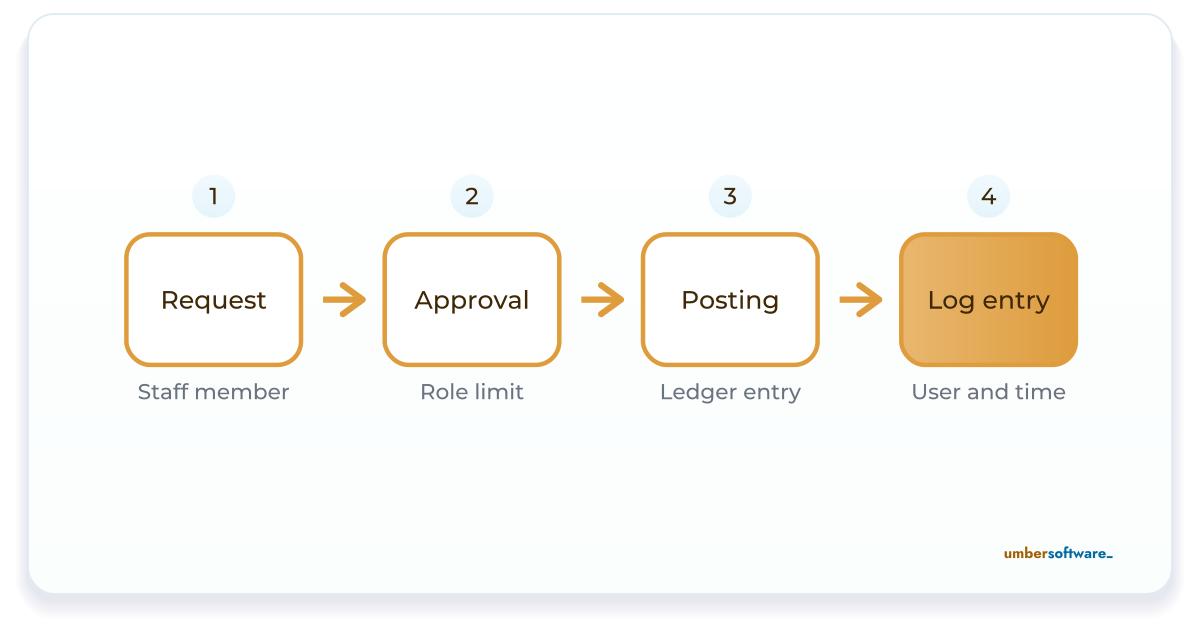
- Changes to master data, prices and approvals are logged with user, time and old and new values.
- Segregation of duties can be enforced by roles, and conflicts are reported.
- Financial reports reconcile to the ledger and export without manual edits.
- Log retention and export formats match what your auditor asks for.
Requirements differ by country and industry, so confirm the exact list with your own auditor before you finalize the checklist.
5. Confirm Security, Hosting and Data Location
Ask where your data will live, who at the vendor can reach it and how access is logged. For a cloud ERP, request the vendor's current independent security report and read the exceptions section, not only the cover page. For on-premise, decide who patches the servers and how fast.
- Single sign-on and multi-factor authentication work with your identity provider.
- Data is encrypted in transit and at rest, and backup restores have been tested.
- Data residency options match your regulatory needs.
- Your software security consulting reviewer has seen the architecture diagram.
6. Build a Five-Year Cost Model
License or subscription fees are usually the smaller part of the total. Implementation, integrations, training, extra environments, support tiers and internal staff time make up the rest. I ask every client to model five years, because year-three renewal uplifts and user-count growth show up there.
For ranges and budgeting detail, see my breakdown of ERP software cost. When you present the numbers to your board, pair them with the payback logic in ERP software ROI.
| Cost line | Ask the vendor | Often forgotten |
|---|---|---|
| Licenses or subscription | Price per user type and renewal cap | Uplift at renewal |
| Implementation | Fixed price or time and materials | Change-request rate |
| Integrations | Connector price and support | Middleware subscription |
| Environments | Sandbox and test systems included? | Extra storage fees |
| Training and support | Included hours and support tier | Backfill for staff in training |
7. Set the Limits on Customization
Every ERP project meets a process that does not fit. Custom code is tempting, and it is also what makes upgrades painful five years later. Ask for the vendor's written policy on extensions and what is covered by their upgrade guarantee.
I suggest you agree a rule before the project starts: change the process first, configure second, extend third, and write custom code last. Track every custom object in a register with an owner. The ranking of the best ERP software shows which platforms handle extensions in a cleaner way, which matters more the longer you plan to run the system.
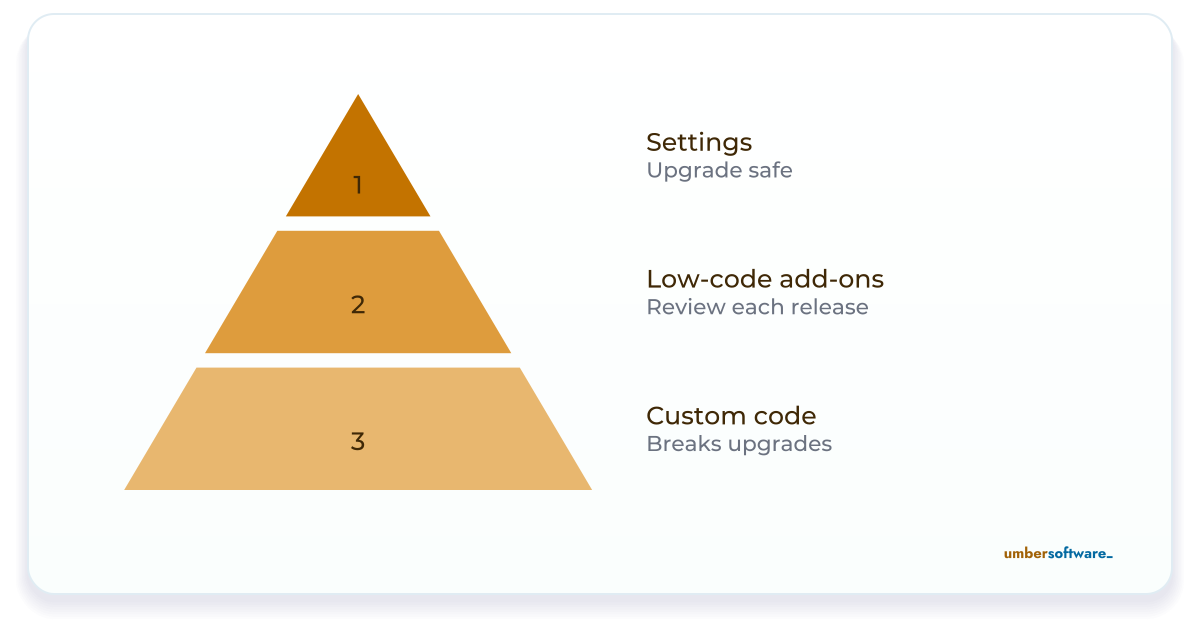
- Extensions run in a separate layer and survive upgrades.
- The upgrade cadence is known, and you can postpone a release.
- Custom reports use supported data views rather than direct database access.
8. Check the Vendor and the Implementation Partner
The system and the people who implement it decide the outcome together. Ask for two references of a similar size, with a similar number of integrations, and call them without the vendor on the line. Ask each one what went wrong and how it was handled.
Then look at the partner. Which consultants would work on your project, how long have they been with the firm, and what happens when one leaves? If you run a smaller company, my notes on ERP software for small business explain which partner models suit a lean team.
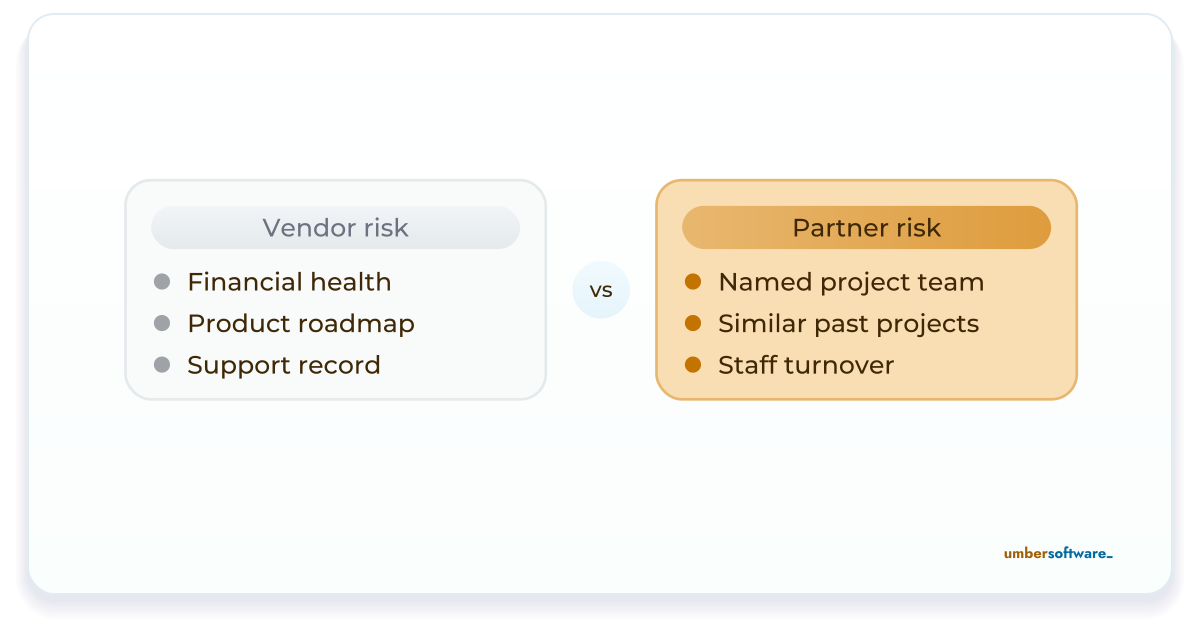
- Named project lead and key consultants appear in the statement of work.
- The partner has delivered in your industry in the last two years.
- The vendor's product roadmap for your modules is shared in writing.
9. Read the Exit and Contract Terms
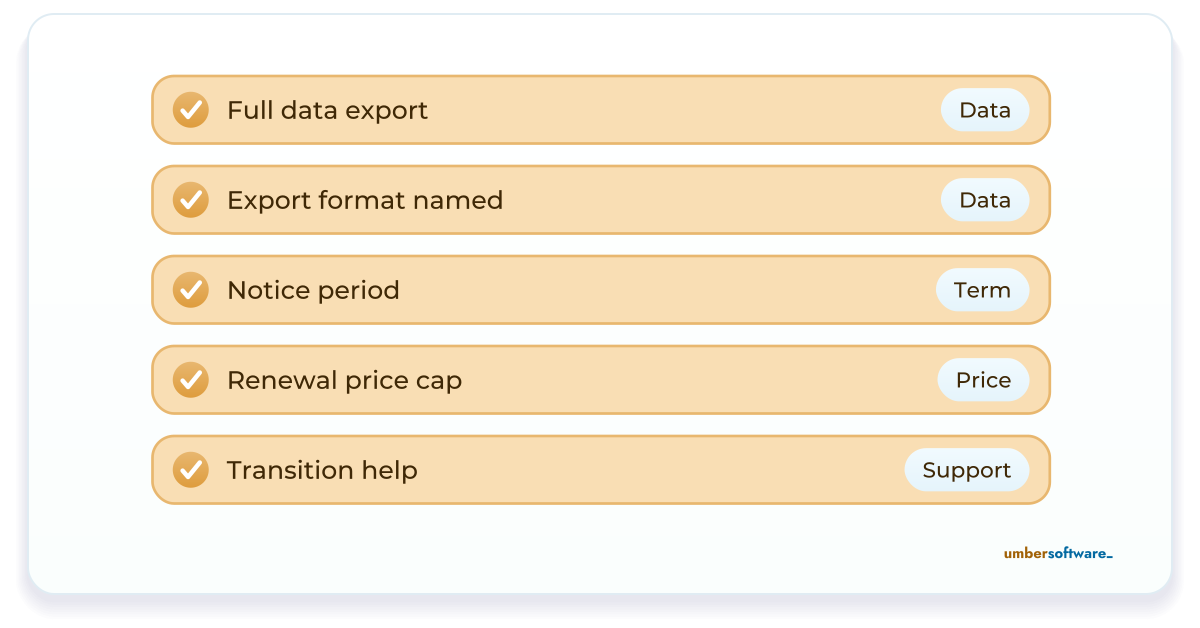
You want to know how you leave before you move in. Check data export rights, the format of the export, the notice period and what happens to your data after termination. Cloud contracts often tie price caps to multi-year terms, so check what you give up for a discount.
- A full export of your data in an open format is guaranteed, at no extra fee.
- Renewal price increases are capped in the contract.
- Service levels name uptime, support response times and credits.
- Responsibility for data protection is split in a written agreement.
Have your lawyer review the final contract. Trends in pricing models are shifting, and the ERP software trends I follow explain why more vendors now offer usage-based tiers.
How to Use the Checklist to Decide
Do not add up all nine points into a single score. Give each point a pass, a conditional pass or a fail, and agree in advance that a fail on process fit, audit trail or exit terms ends the evaluation for that vendor. The other six points are scored and weighted by the people who own them.
Keep one folder with the scripts, the sandbox results, the cost model and the reference notes. When someone asks in two years why you picked this ERP, that folder is the answer. If you want a neutral second opinion on the final two, a short call with an ERP software consultant usually settles it.
Questions About Checking ERP Software
How Many ERP Vendors Should I Put on My Shortlist?
Three is the number I recommend, and four at most. Each extra vendor adds a week of demos, reference calls and spreadsheet scoring, and the sixth system rarely changes the outcome. Cut the list with a written must-have filter first, then score the survivors against your own process scripts.
What Is the Most Common Mistake When Checking ERP Software?
Checking features instead of workflows. Almost every ERP ticks the box for inventory or financials. The difference shows up when you run your own quote-to-cash or procure-to-pay process end to end with your own data. I ask vendors to run those scripts live, with no pre-built demo data.
Should the Checklist Include the Implementation Partner?
Yes. The software and the partner decide the result together. Check the partner's experience in your industry, the names of the consultants who would work on your project, how they handle scope changes and what a typical hand-over looks like. Ask for two references with a similar size and a similar number of integrations.
How Do I Check Data Migration Before I Sign?
Ask for a test migration of one real dataset, such as customers or open purchase orders, before the contract is final. Look at the duplicate rate, the unmapped fields and the time it took. A vendor who refuses a test load is telling you something about the production load.
What Does Audit-Ready Mean for an ERP?
It means you can show who changed what, when and why, without exporting logs by hand. Check for an immutable audit trail, role-based approvals, segregation of duties and report exports that match your ledger. Confirm the exact requirements for your industry and country with your auditor, because rules differ.
How Long Should an ERP Evaluation Take?
For a mid-sized company I usually see eight to fourteen weeks from requirements to signed contract. Fewer than six weeks tends to mean skipped reference checks. More than sixteen weeks tends to mean the requirements list is too long and nobody owns the decision.
Can I Use This Checklist for a Cloud ERP and an On-Premise ERP?
Yes. Points one to nine apply to both. For cloud ERP, put extra weight on upgrade cadence, customization limits and data export rights. For on-premise, put extra weight on infrastructure cost, patching responsibility and the vendor's support horizon for your version.
Please note: this guide is general information and not legal, financial or tax advice. Numbers and examples are typical-project estimates; confirm current details with your providers and advisers.
Did this article help you?
Thanks, noted.
Whitney Sorensen
Whitney leads the Umber editorial team and works with the consultants to turn real client projects into practical guides on software selection, custom development, integration and legacy modernization. Before joining Umber, she spent years writing and editing for engineering and IT teams. She has since reviewed architecture audits, system selections and modernization plans from client projects across industries from manufacturing to healthcare. She works remotely from the USA.