Main Points
- Two or three warning signs, such as double entry or mismatched stock, signal that you have outgrown spreadsheets.
- Start with finance, inventory and purchasing, and add modules later.
- Implementation usually costs more than the subscription, so budget for services and your own time.
- Name an internal owner and target a few visible wins in year one.
Small businesses rarely need "an ERP" in the abstract. They need orders, stock and money to agree with each other without somebody retyping data every Friday. If that sounds like your week, this guide shows when ERP software starts to pay off, what a small business should expect from it and how to avoid the traps I see most often. For the full picture of selection and rollout, my ERP software consulting work starts from the same questions.
I write for companies with roughly 10 to 150 employees. If you are below that, accounting software plus a few connected apps may serve you better, and I say so below.
Signs Your Small Business Has Outgrown Spreadsheets
Spreadsheets are a fine system until three things happen at once: more people edit the same data, more products or orders pass through, and someone outside the business, such as a bank or an auditor, needs numbers you can trust. The signals I look for are practical.
- Two people give two different stock counts for the same item.
- Month-end close takes more than a week because data lives in several files.
- A key employee holds the pricing or planning logic in their head.
- Orders are entered twice, once in a sales tool and again in accounting.
- You turn down growth because you cannot see what you can promise to a customer.
Two or three of these signs together are a strong signal. One alone usually points to a process fix, not a new system.
What an ERP Does for a Small Business
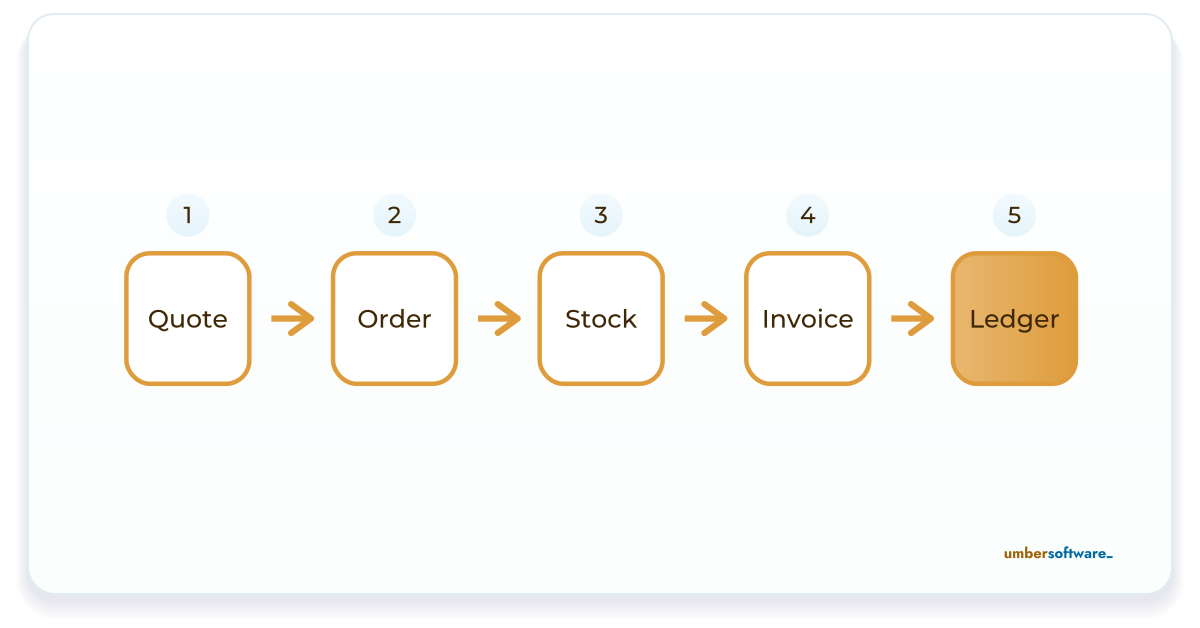
An ERP keeps your core records in one database: customers, items, suppliers, orders, invoices and the general ledger. Every department works on the same record, so a sales order reduces available stock, triggers a pick list and creates an invoice without anyone retyping it.
For a small company the modules that matter first are finance, inventory and purchasing, and sales order management. Production planning, project accounting and e-commerce connectors come next if you make things, bill by project or sell online. Features like advanced planning and multi-country tax are rarely needed on day one.
Three Kinds of Systems Small Businesses Choose
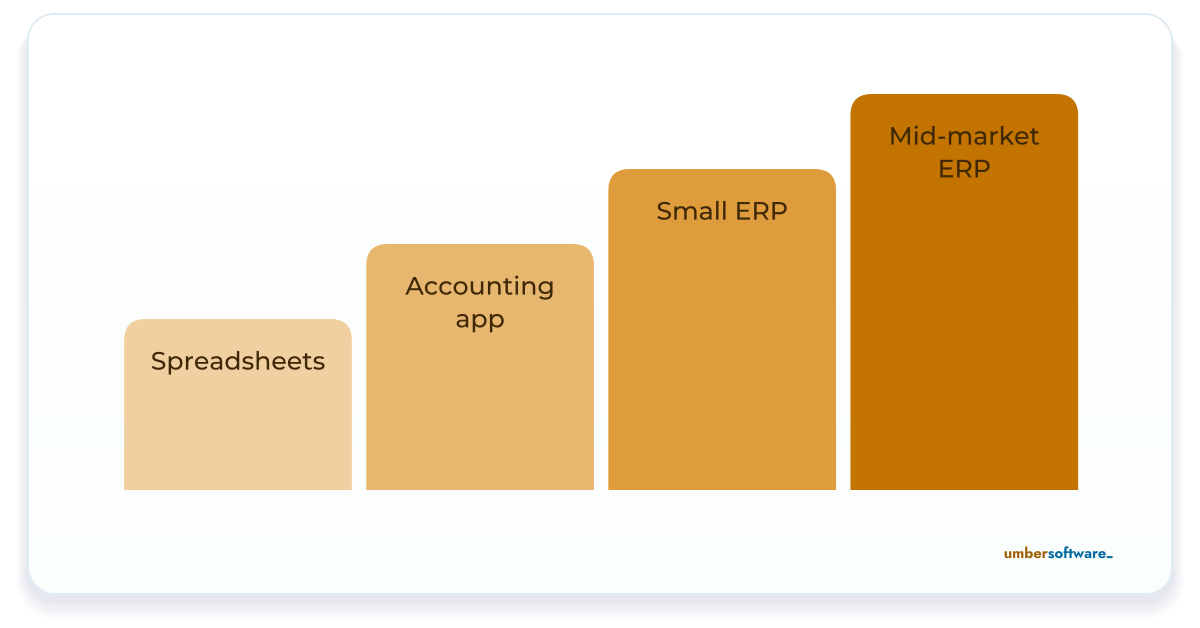
The market splits into three groups, and most small businesses fit one clearly. The table shows how they differ. Names are examples, and my ranking of the best ERP software covers more.
| Option | Examples | Good for | Look out for |
|---|---|---|---|
| Accounting software with add-ons | Cloud accounting with inventory apps | Under 10 users, simple stock, no production | Add-ons multiply and data syncs break |
| Modular small-business ERP | Odoo, Dynamics 365 Business Central, SAP Business One | 10 to 150 users, stock, purchasing, light production | Partner quality varies widely |
| Mid-market cloud ERP | NetSuite, Acumatica, Sage Intacct | Several entities, fast growth, deeper reporting | Higher cost and a longer project |
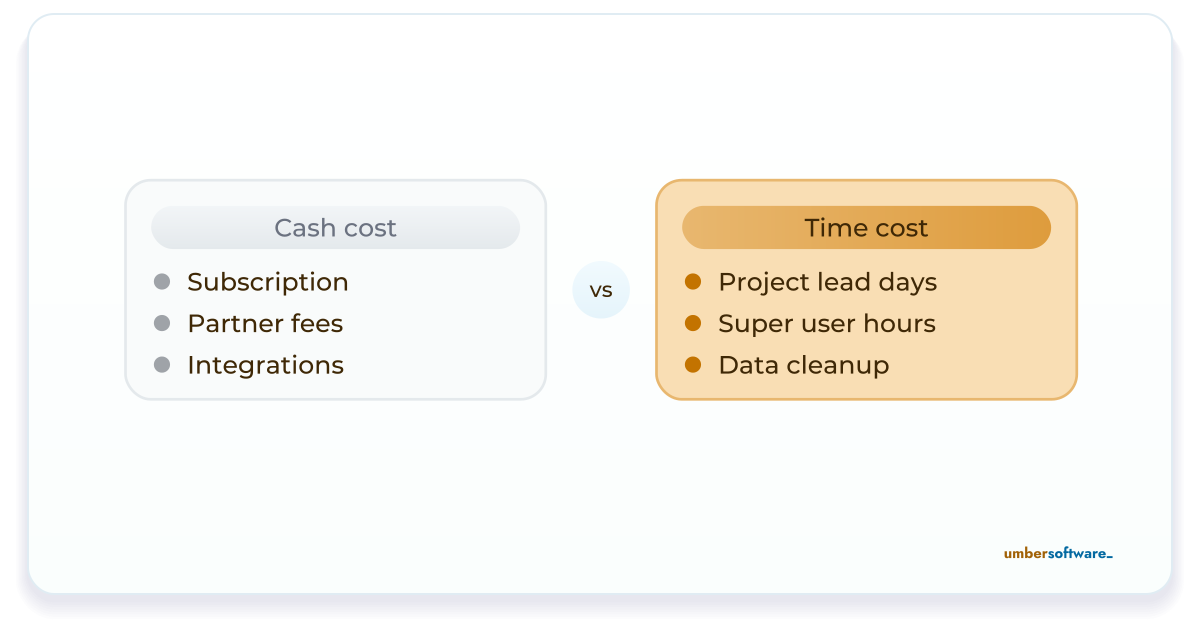
Price pages show the spread. G2 lists Odoo with a free One App plan and a Standard plan at $24.90 per user per month, and Capterra lists Business Central from $8 per user per month for its Team Members plan. Those are entry points, and the total bill also includes services, which usually cost more than the software in year one. I cover that in my guide to ERP software cost.
What Small Businesses Should Budget
ERP Research reports implementation budgets of $25,000 to $150,000 for companies with up to 50 users, with timelines of two to six months, and $150,000 to $750,000 for companies with 51 to 250 users. Those ranges exclude subscription fees. Your own number will depend on how many modules you switch on and how clean your data is.
Do not forget your own time. A project lead who spends two days a week on the rollout is a real cost. Plan for it, and plan for someone to cover their normal work. I have seen small teams skip this and watch a four-month project stretch to ten.
Simple Wins to Aim for in the First Year
A small rollout works best when it targets a few visible results. Here are the wins I usually set with small-business clients.
One Source of Truth for Stock
Count inventory once, load it cleanly and let the system update it with every receipt and shipment. A recurring cycle count of the fastest-moving 20 percent of items keeps accuracy high without shutting down the warehouse.
A Shorter Month-End
When invoices, payments and inventory postings flow into one ledger, the close shrinks from weeks to days. Set a target, such as day five, and measure it every month.
Quotes and Orders Without Retyping
Sales orders that pull prices, stock and customer terms from one place remove duplicate entry. Link your sales tool if you use one. My CRM software consulting work covers how to connect the two without duplicate customers.
Purchasing That Follows Real Demand
Reorder points based on actual sales history reduce both stockouts and excess stock. Start simple, with min and max levels, before you try forecasting.
Mistakes Small Businesses Make With ERP
Small companies make the same errors as large ones, with less room to absorb them.
- Buying the biggest system because it will "last forever". A system that is too big costs more to run and slows every change.
- Copying old spreadsheets into the new system field by field, which carries every old habit with it.
- Skipping data cleanup. Duplicate customers and old item numbers follow you into go-live.
- Letting the implementation partner run the project without an internal owner who can decide.
- Training everyone once, a week before go-live, and never again.
Who You Need on Your Own Team
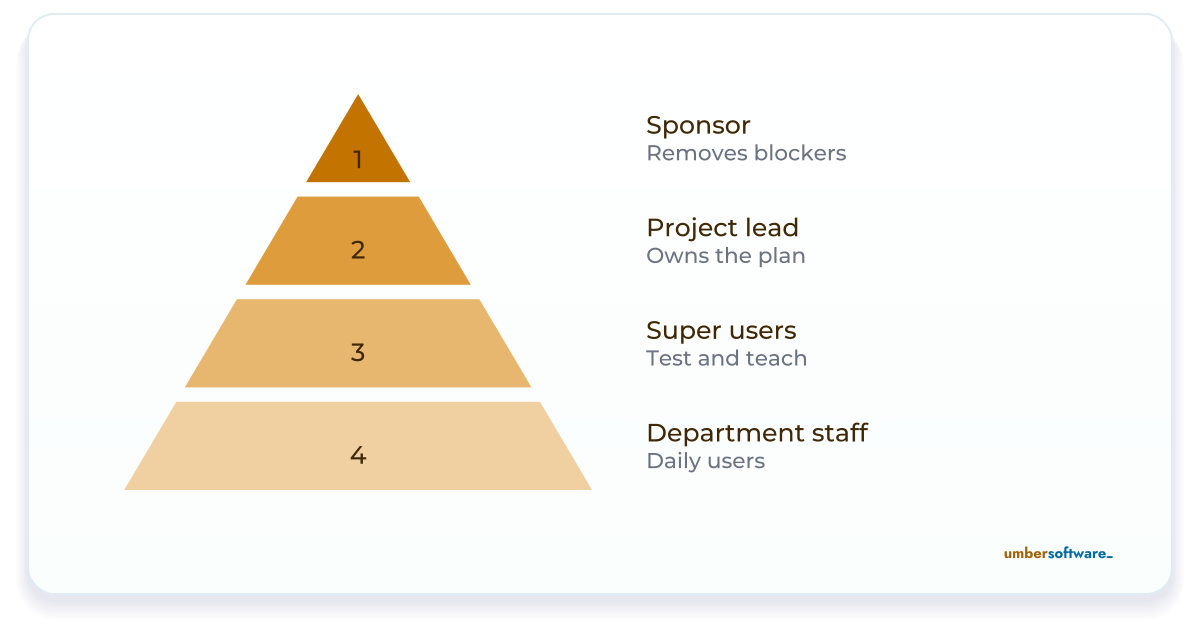
You do not need a large team, but you need the right three roles. A project lead decides priorities and keeps the schedule. One person from finance owns the chart of accounts, the close and reporting. One person from operations owns items, stock and orders. Each should have a named backup and protected hours, usually a day or two a week during design and testing.
Many small companies also appoint a super user per department. They learn the system early, answer questions from colleagues and collect feedback after go-live. A super user costs a few hours a week and saves far more in support calls to the partner.
A Realistic Timeline for a Small Rollout
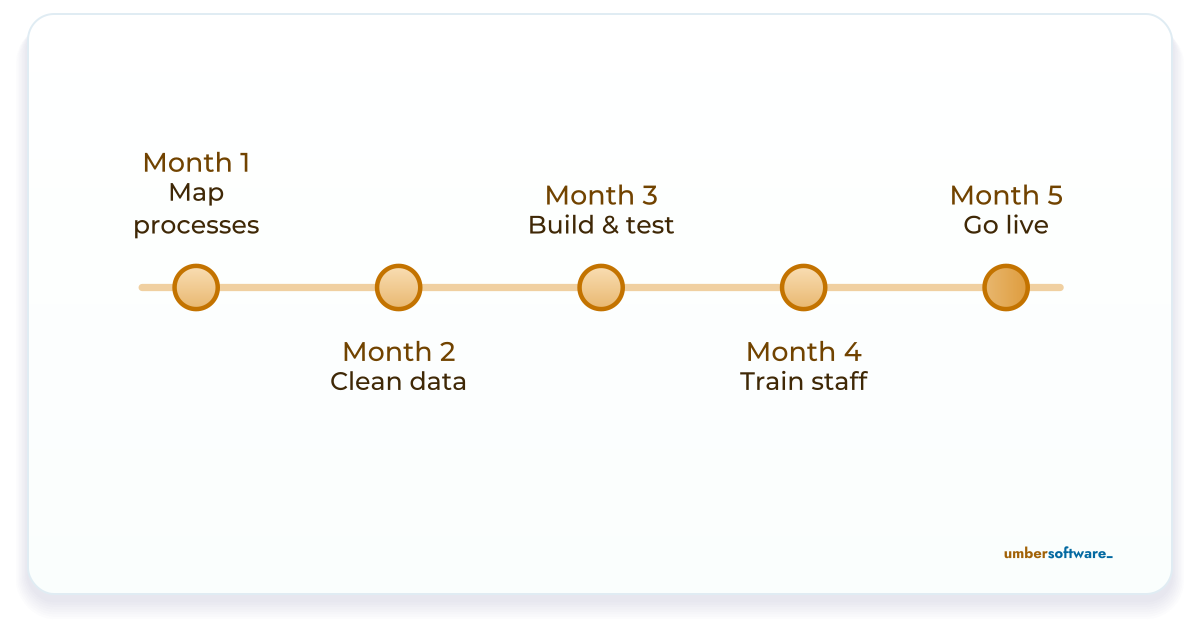
A small-business rollout usually runs in four stretches. Weeks one to four cover requirements, selection and contract. Weeks five to ten cover process design and data cleanup. Weeks eleven to eighteen cover configuration, integration and testing. The last weeks cover training, cutover and the first month of support. ERP Research gives two to six months for companies with up to 50 users, so treat a shorter promise with caution and a longer one as a sign of scope growth. A slipped date is not a failure if you saw it coming. An unplanned one is.
How to Think About Return
For a small business the return comes from a handful of numbers: hours of retyping removed, stockouts and excess stock avoided, faster invoicing and a shorter close. Build your estimate from those, and keep it conservative. The method is in my guide to ERP software ROI, with a worked example.
Small companies also gain something hard to price: the ability to hand over work. When a process lives in a system, a new hire can learn it, and the owner is no longer the only person who knows how orders are priced. Buyers and lenders notice that when you grow or sell.
What Is Changing for Small Buyers
Cloud delivery has made ERP accessible at small-business prices, and AI assistants now appear in more products. Gartner predicts finance teams using cloud ERP with embedded AI assistants will close their books 30 percent faster by 2028, and that most CFOs are still in the early stages of adoption. Treat those assistants as a bonus, not a reason to choose a vendor. My overview of ERP software trends explains which shifts matter for smaller buyers.
Keep the plan visible. A one-page timeline on the wall of the finance and operations teams, updated weekly, makes slips obvious early and keeps the project from drifting.
How to Choose Your First ERP
Work through these steps in order. Each one is quick and prevents an expensive mistake.
- Write down your five biggest daily frustrations and the numbers behind them.
- List the systems you keep, such as e-commerce, payroll or a warehouse scanner, so each integration is priced.
- Pick two or three vendors, and give each the same demo script based on your hardest order.
- Ask each partner for two references of your size, and call them.
- Compare a five-year cost, not the first-year price.
- Use the ERP software checklist to verify the final choice before you sign.
If you want an independent view, software selection consulting runs steps three to five for you and keeps vendor sales teams out of the scoring.
Sources
- ERP Research: ERP Implementation Cost Breakdown 2026
- G2: Odoo reviews and pricing
- Capterra: Dynamics 365 Business Central pricing
- Gartner press release, February 24, 2026
Questions About ERP Software for Small Business
Does a Small Business Really Need ERP Software?
Not always. If you have under ten users, simple stock and no production, accounting software with a few connected apps often works. ERP starts to pay off when several people share data, stock and orders must agree, and you lose time retyping. Two or three of the warning signs in this guide are a good trigger.
How Much Does ERP Software Cost for a Small Business?
Entry prices start low, for example Odoo's Standard plan at $24.90 per user per month on G2, but implementation is the larger cost. ERP Research reports $25,000 to $150,000 for companies with up to 50 users. Add your own staff time and a contingency of 15 percent or more.
How Long Does It Take to Implement ERP in a Small Company?
Published ranges for small companies are two to six months. Your timeline depends on data cleanup, integrations and how quickly your team can join workshops. A project lead with protected time is the most reliable way to keep the schedule.
Which ERP Is Best for a Small Business?
It depends on your tools and processes. Business Central fits Microsoft users, Odoo suits tight budgets with a strong partner and SAP Business One suits small manufacturers and distributors. My ranking of the best ERP software compares all three and others side by side.
Is Cloud or On-Premises ERP Better for a Small Business?
Cloud is the usual choice, because the vendor handles hosting, backups and updates and you avoid server costs. On-premises can fit companies with strict data rules or special hardware needs. Check how updates are tested either way.
Can I Start with One Module and Add More Later?
Yes, and I usually recommend it. Start with finance, inventory and purchasing, then add production or e-commerce once the base is stable. Make sure the contract lets you add modules at a price agreed up front.
What Is the Biggest Risk for a Small Company?
Running the project without an internal owner. A partner can configure a system, but only someone in your business can decide how orders, pricing and approvals should work. Name an owner, protect their time and give them authority to say no to scope growth.
Please note: this guide is general information and not legal, financial or tax advice. Numbers and examples are typical-project estimates; confirm current details with your providers and advisers.
Did this article help you?
Thanks, noted.
Whitney Sorensen
Whitney leads the Umber editorial team and works with the consultants to turn real client projects into practical guides on software selection, custom development, integration and legacy modernization. Before joining Umber, she spent years writing and editing for engineering and IT teams. She has since reviewed architecture audits, system selections and modernization plans from client projects across industries from manufacturing to healthcare. She works remotely from the USA.