Main Points
- GitHub is the safest default for code hosting and basic CI, and GitLab fits teams that need self-hosting and built-in security.
- Pick your editor by language: Visual Studio Code for mixed stacks, IntelliJ IDEA for large JVM code bases.
- Sentry and SonarQube catch problems early, in production and in pull requests.
- Tools speed up a clear process, so measure your delivery first and fix the biggest delay.
The Best Software Engineering Tools at a Glance
| Tool | Type | Best for |
|---|---|---|
| 1. GitHub | Code hosting and CI | Most teams that want one default home for code |
| 2. GitLab | DevSecOps platform | Teams needing self-hosting and built-in security scans |
| 3. Jira | Issue and sprint tracking | Complex workflows and multi-team planning |
| 4. Visual Studio Code | Code editor | Free, fast editing across many languages |
| 5. IntelliJ IDEA | JVM IDE | Large Java and Kotlin code bases |
| 6. Postman | API platform | Testing, mocking and documenting APIs |
| 7. Sentry | Error monitoring | Finding production errors by release |
| 8. SonarQube | Code quality and security | Quality gates on every pull request |
| 9. CircleCI | CI/CD service | Teams with slow builds and big test suites |
The 9 Best Software Engineering Tools, Ranked
I start with tools that fit the widest range of teams and move toward specialists, so you can stop reading when you find your fit. I have used or reviewed each of them in client projects. Tools only help once the process is clear, which is why software engineering consulting work starts with your delivery numbers, as described in my software engineering roadmap. Prices and ratings below were read from vendor, G2 and Capterra pages and can change.
GitHub
The Default Home for Code, Reviews and Automation, and the Safest Starting Point for Most Teams
GitHub hosts your repositories and wraps them in pull requests, issues, project boards, CI through GitHub Actions and AI coding help through Copilot.
I name GitHub first because it removes the most decisions. Almost every developer you hire already knows it, nearly every other tool on this list integrates with it, and the pull request flow is the review habit most teams want anyway. Actions lets you run builds, tests and deployments from the same repository, so a small team can get a working pipeline in an afternoon.
The trade-off is that you accept GitHub's way of working. Project tracking is lighter than a dedicated tracker, and Actions minutes and storage add up once you run large test suites. Copilot also adds a per-seat cost, so decide deliberately which developers need it. For a team that wants one place for code and delivery, none of this is a deal breaker.
GitHub Strengths
- Pull requests and code review are the model most developers already know
- Actions covers builds, tests and deploys without a separate CI service
- The ecosystem of integrations is the largest of any code host
GitHub Weaknesses
- Planning and issue tracking are basic next to a dedicated tracker
- Actions minutes and storage costs grow with large test suites
GitHub Pricing
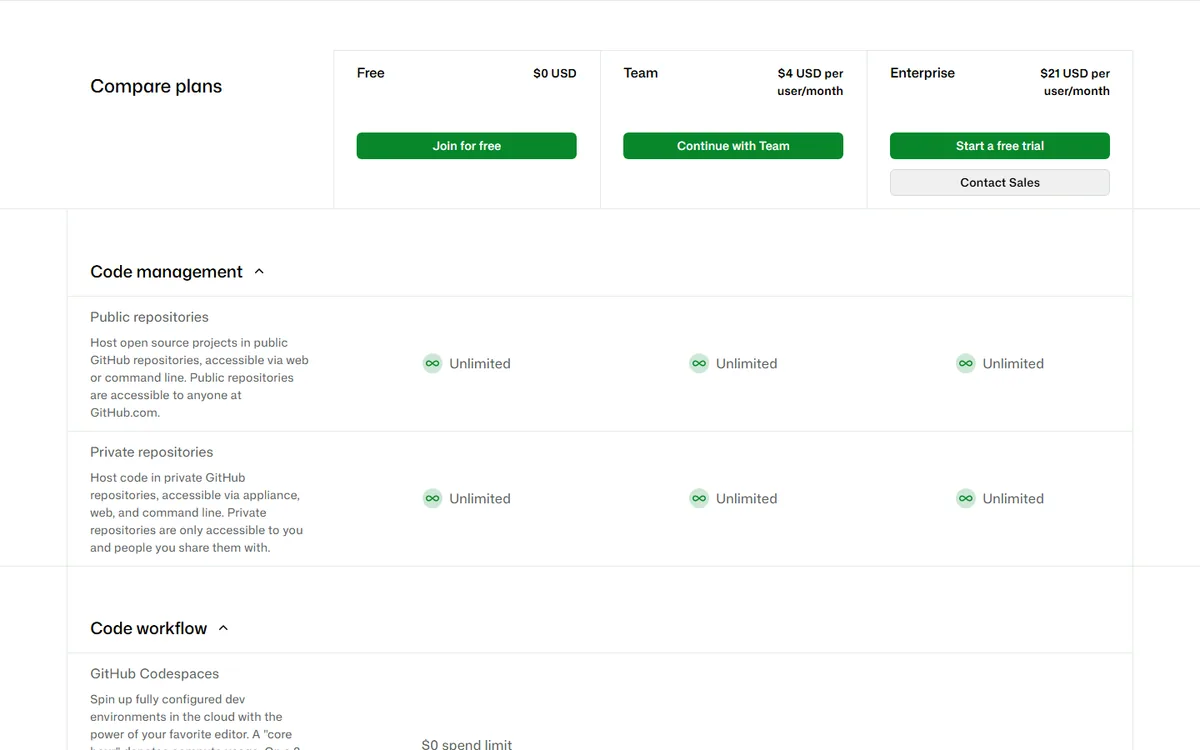
GitHub has a free plan for individuals and small teams. Capterra lists the Team plan at $4 per user per month and Enterprise at $21 per user per month. Copilot and extra Actions minutes are billed separately, so check the current plan details on the GitHub pricing page.
GitHub Reviews
- G2: 4.7 of 5 stars (based on 2,418 verified reviews)
- Capterra: 4.8 of 5 stars (based on 6,216 verified reviews)
GitLab

One Platform From Planning to Security Scans, If You Want Fewer Separate Tools to Stitch Together
GitLab combines source control, CI/CD, issue tracking, package registries and security scanning in a single application, with a self-managed option for teams that must keep code on their own servers.
GitLab is where I send teams with compliance needs or strict hosting rules. You can run it yourself, keep every artifact inside your network and still get pipelines, merge requests and vulnerability reports in one interface. The built-in CI is mature and flexible, and pipelines defined in one file are easy to review.
The platform is broad, which is both its strength and its weakness. New users meet a lot of menus, and the best security features sit in higher tiers. If your team only needs hosting and reviews, the lighter route is often faster to adopt. If you want one system for the whole delivery path, GitLab is hard to beat.
GitLab Strengths
- Source control, CI/CD and security scanning share one data model
- A self-managed option keeps code and pipelines inside your network
- Pipeline configuration lives in the repository and is easy to review
GitLab Weaknesses
- The interface is dense and takes time to learn
- Many security and compliance features need a higher paid tier
GitLab Pricing
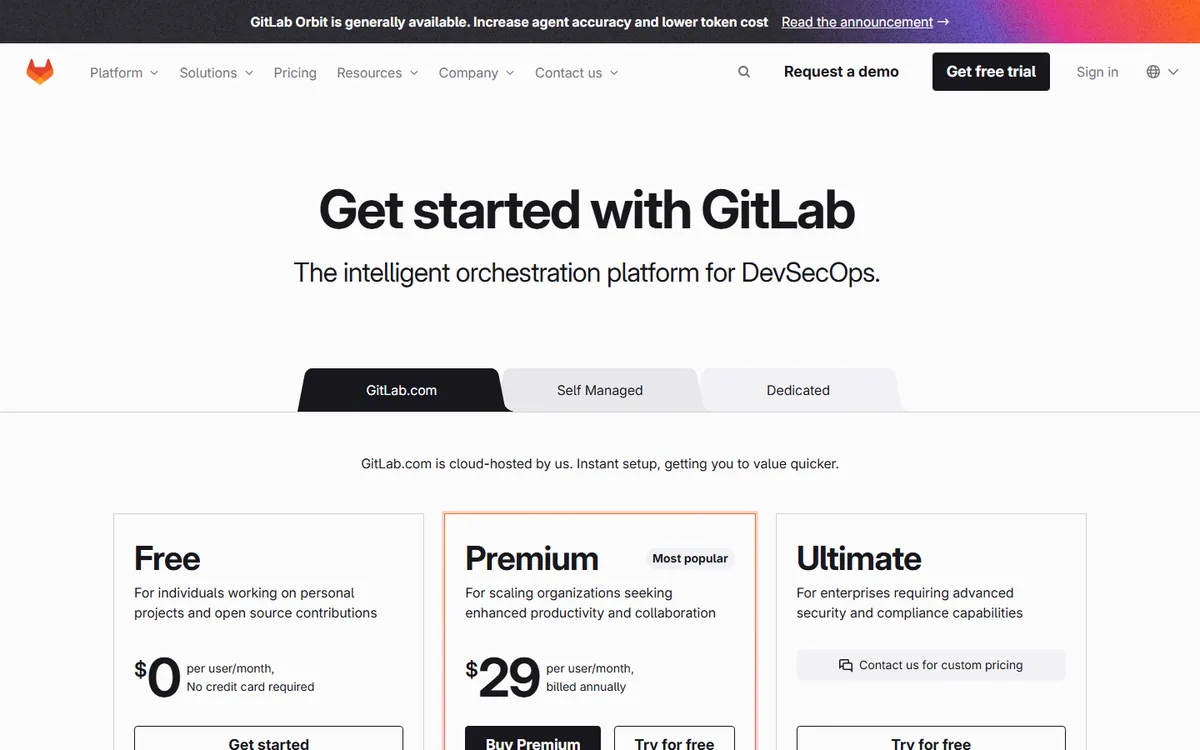
GitLab offers a free tier. Capterra lists Premium at $29 per user per month, billed annually, with 10,000 CI/CD minutes per month. Ultimate and self-managed licensing are priced by quote, so confirm current details with GitLab.
GitLab Reviews
- G2: 4.5 of 5 stars (based on 904 verified reviews)
- Capterra: 4.6 of 5 stars (based on 1,228 verified reviews)
Jira
The Most Configurable Issue Tracker, Best for Teams With Real Workflow Complexity
Jira tracks issues, sprints and releases, with boards, roadmaps and workflows you can shape to almost any process, plus deep links to code hosts and CI tools.
Jira earns its place when your work has stages, approvals and several teams touching the same tickets. You can model a release process with the exact states your team uses, then report on cycle time and throughput from the same data. Integrations with GitHub, GitLab and Bitbucket link every ticket to its code and builds.
The price of that flexibility is setup and upkeep. I have seen Jira instances with 40 custom fields and workflows nobody understands, and they slow teams down more than they help. Keep the configuration lean, assign an owner for it and review it each quarter. Small teams that want speed over structure may prefer a lighter tracker.
Jira Strengths
- Workflows, fields and boards can be adapted to nearly any process
- Reports on cycle time and throughput come from the data you already enter
- Links to code, builds and releases keep tickets connected to reality
Jira Weaknesses
- Over-configured instances become slow and confusing
- The interface feels heavy for small teams with simple work
Jira Pricing
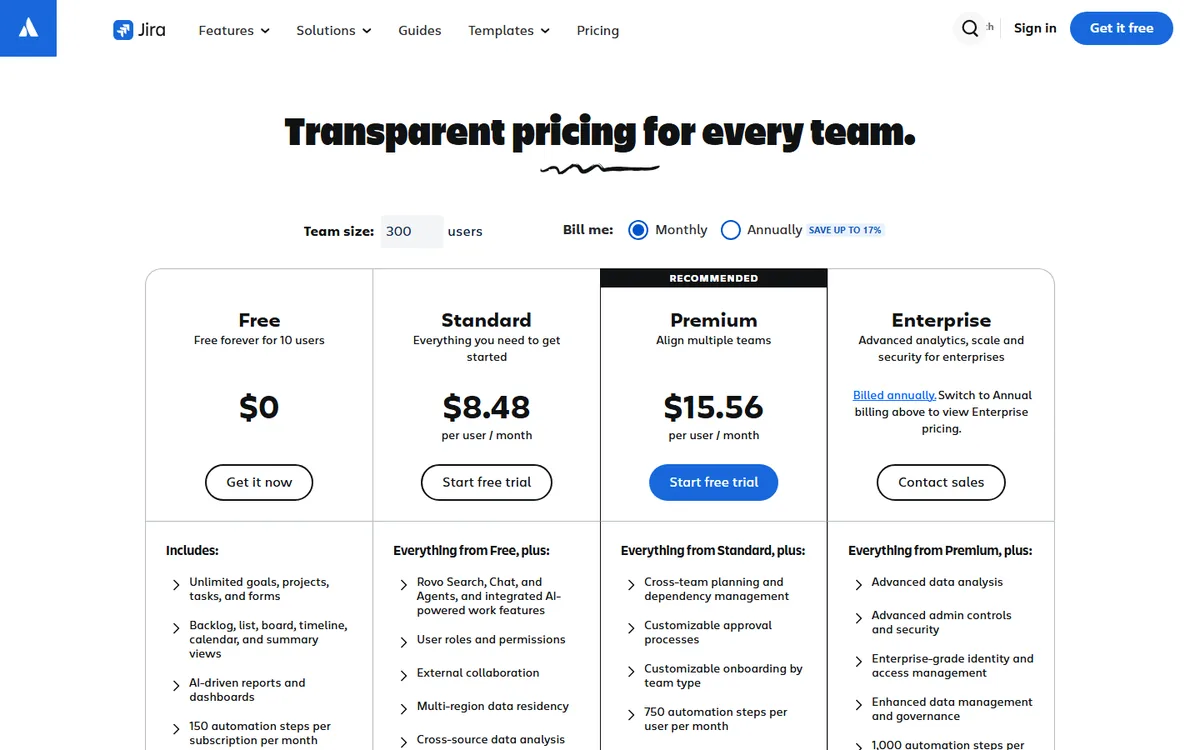
Jira has a free plan for small teams. Capterra lists Standard at $7.91 per user per month and Premium at $14.54 per user per month, with Enterprise on a custom quote. Prices vary by user count, so check the current rates on the Atlassian site.
Jira Reviews
- G2: 4.3 of 5 stars (based on 8,074 verified reviews)
- Capterra: 4.4 of 5 stars (based on 15,781 verified reviews)
Visual Studio Code
A Free, Fast Editor That Covers Most Languages Once You Add the Right Extensions
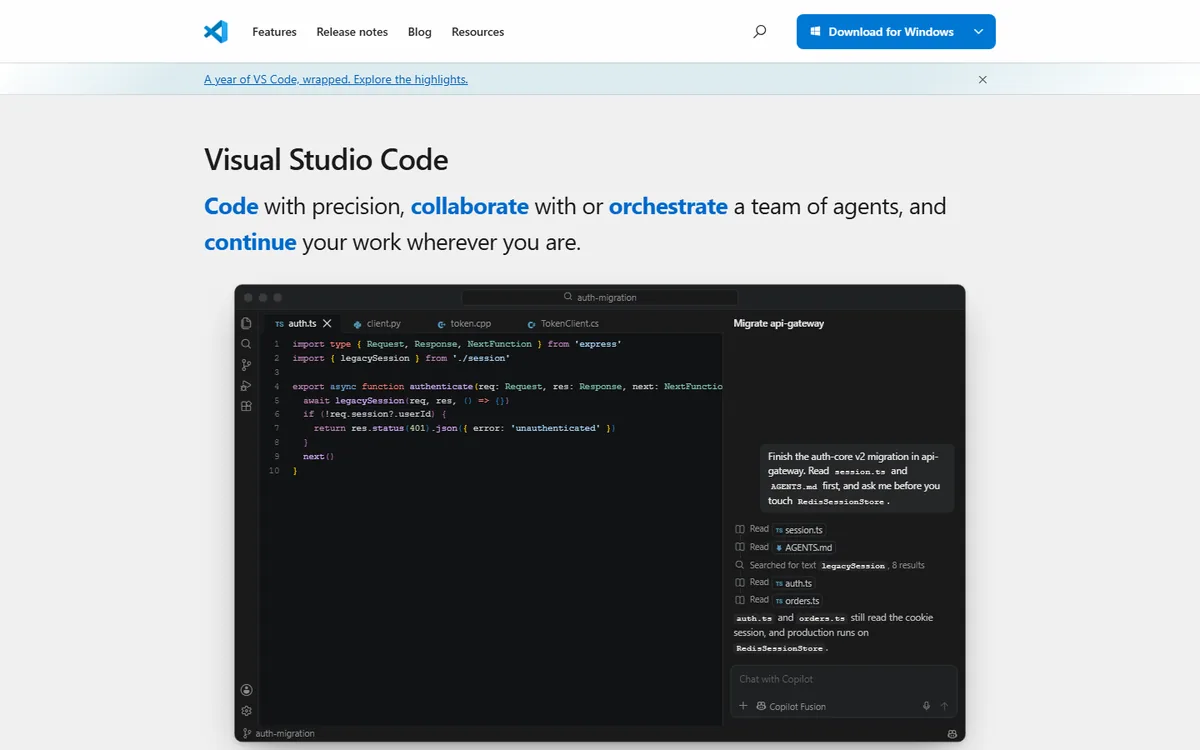
Visual Studio Code is a free, open-source code editor with a debugger, Git integration, a terminal and a huge extension library, available on Windows, macOS and Linux.
Visual Studio Code is the editor I see on the most laptops, and for good reason. It starts quickly, handles web, Python, Go, Rust and many other languages with extensions and offers remote and container-based development that makes a clean setup possible for each project. Shared settings and recommended extensions in the repository make onboarding almost painless.
It is an editor rather than a full IDE, so deep refactoring in large Java or C# code bases is stronger in dedicated tools. Extensions also vary in quality, and a heavily extended setup can become slow. Agree on a short list of approved extensions for your team and keep it in the repository.
Visual Studio Code Strengths
- It is free, quick to start and runs on every major operating system
- Extensions and dev containers give each project a repeatable setup
- Built-in Git, debugging and terminal cover most daily work
Visual Studio Code Weaknesses
- Deep refactoring in large Java or .NET projects is weaker than in dedicated IDEs
- Too many extensions can slow it down and create inconsistent setups
Visual Studio Code Pricing
Visual Studio Code is free to download and use. Capterra lists no vendor pricing and shows a free version. Costs arise only from paid extensions or optional AI assistants that you choose to add.
Visual Studio Code Reviews
- G2: 4.7 of 5 stars (based on 2,747 verified reviews)
- Capterra: 4.8 of 5 stars (based on 1,694 verified reviews)
IntelliJ IDEA

The Strongest Choice for Java and Kotlin Teams That Refactor Large Code Bases
IntelliJ IDEA is JetBrains' IDE for JVM languages, with code analysis, refactoring tools, database access and framework support built in.
If your team writes Java or Kotlin, IntelliJ IDEA is hard to replace. Its code understanding powers safe renames, extractions and navigation across hundreds of thousands of lines, which matters when you maintain a large service. Spring, build tools and databases are supported without hunting for plugins.
You pay in memory and, for the Ultimate edition, in money. The free Community edition covers core Java and Kotlin work, but web frameworks and database tooling need Ultimate. Other languages are better served by sibling JetBrains IDEs, so a polyglot team may end up with several licenses.
IntelliJ IDEA Strengths
- Refactoring and code analysis are the best I have used on JVM projects
- Framework and database support works with no plugin hunting
- A free Community edition covers core Java and Kotlin
IntelliJ IDEA Weaknesses
- It uses more memory than lighter editors
- Web and enterprise features require the paid Ultimate edition
IntelliJ IDEA Pricing

IntelliJ IDEA has a free Community edition. Capterra lists the Ultimate subscription at $19.90 per user per month for individuals and $71.90 per user per month for organizations. Billing terms change, so confirm on the JetBrains buy page.
IntelliJ IDEA Reviews
- G2: 4.6 of 5 stars (based on 2,393 verified reviews)
- Capterra: 4.7 of 5 stars (based on 1,262 verified reviews)
Postman
The Quickest Way to Explore, Test and Document APIs Together as a Team
Postman lets you build and send API requests, write automated tests, mock services and share collections and documentation with your team.
When a team builds or consumes APIs, Postman gives everybody the same view of them. A shared collection becomes living documentation, tests run in CI through a command-line runner and mock servers let front-end work start before the back end exists. For integration projects I use it to agree on contracts early.
Postman has moved toward cloud workspaces and accounts, which some teams dislike for security reasons. Collections can also sprawl without naming rules. Decide who owns each collection, store the important tests in your repository and check which plan matches your data policy before you share anything sensitive.
Postman Strengths
- Shared collections double as always current API documentation
- Mock servers let teams work in parallel before the back end exists
- Collections run in CI for automated contract checks
Postman Weaknesses
- Cloud-first workspaces concern teams with strict data rules
- Collections sprawl without ownership and naming rules
Postman Pricing
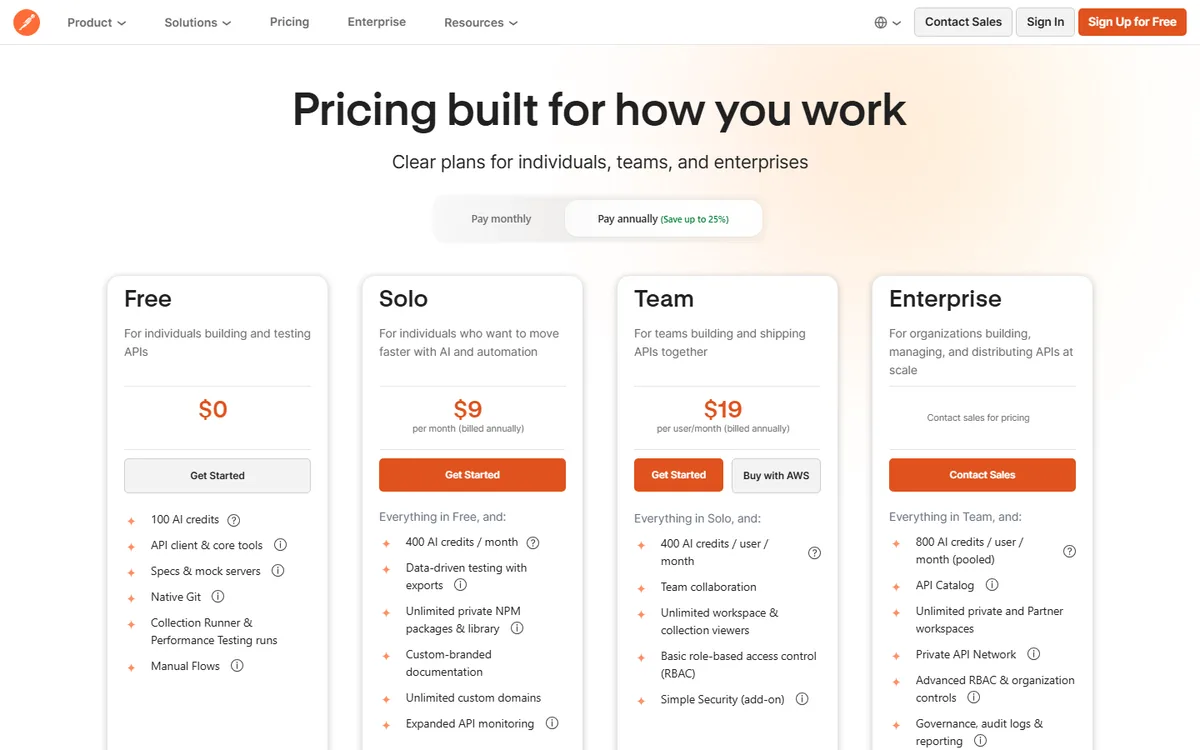
Postman has a free plan. Capterra lists Basic at $15 per month and Professional at $36 per month, with Enterprise at $99 per month, and states that these are flat-rate monthly plans. Plan limits and seat rules change, so check Postman's pricing page before you buy.
Postman Reviews
- G2: 4.6 of 5 stars (based on 1,795 verified reviews)
- Capterra: 4.7 of 5 stars (based on 513 verified reviews)
Sentry
The Fastest Way to See Which Errors Hit Real Users and Which Release Caused Them
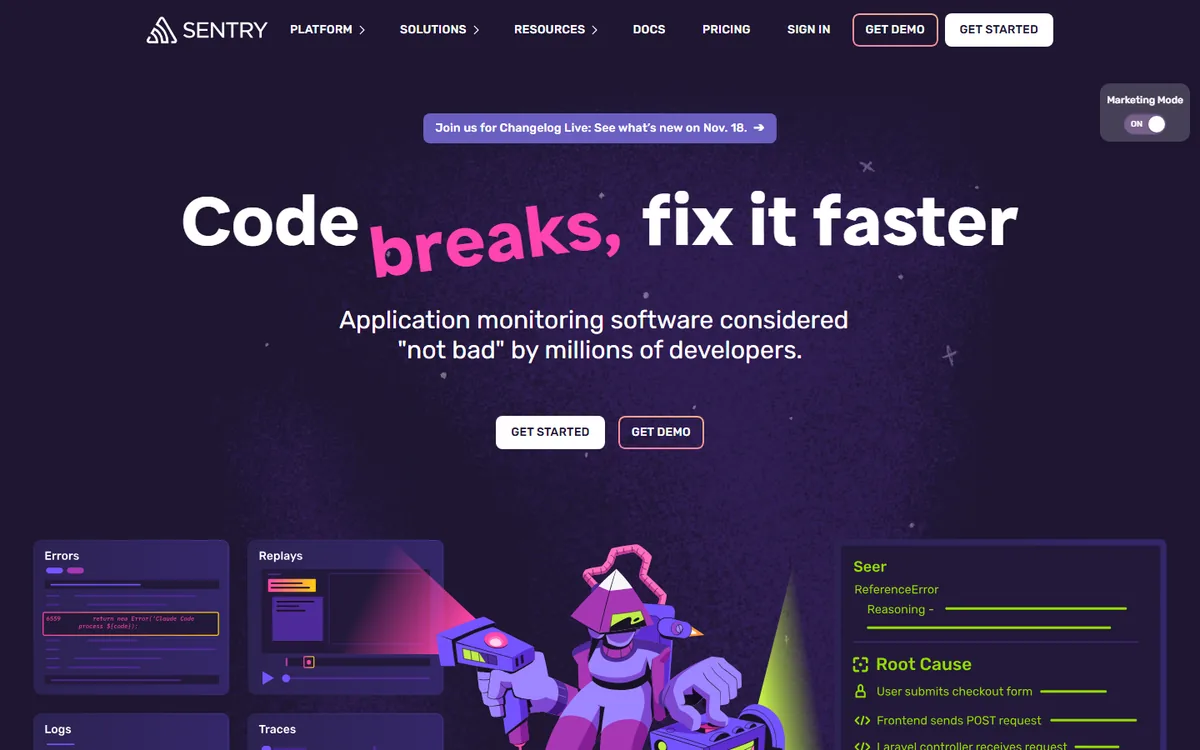
Sentry captures application errors and performance traces, groups them into issues and links each one to the release, the code and the user session.
Sentry is the tool I install first when a team says production surprises them. A few lines of code in your app and every unhandled error shows up with a stack trace, the release it appeared in and the last commit that touched the code. Grouping keeps ten thousand identical errors as one issue, which makes the list readable.
Costs follow event volume, so a noisy bug can burn through your quota. Set sampling and rate limits early, and fix noisy errors rather than filtering them out. Sentry also complements, rather than replaces, infrastructure monitoring, because it sees your code and not your servers.
Sentry Strengths
- Stack traces link to releases and commits, so you see what caused a bug
- Issue grouping keeps noisy errors readable
- SDKs for most languages take minutes to set up
Sentry Weaknesses
- Event quotas can run out quickly when one bug floods the system
- It does not replace infrastructure monitoring
Sentry Pricing
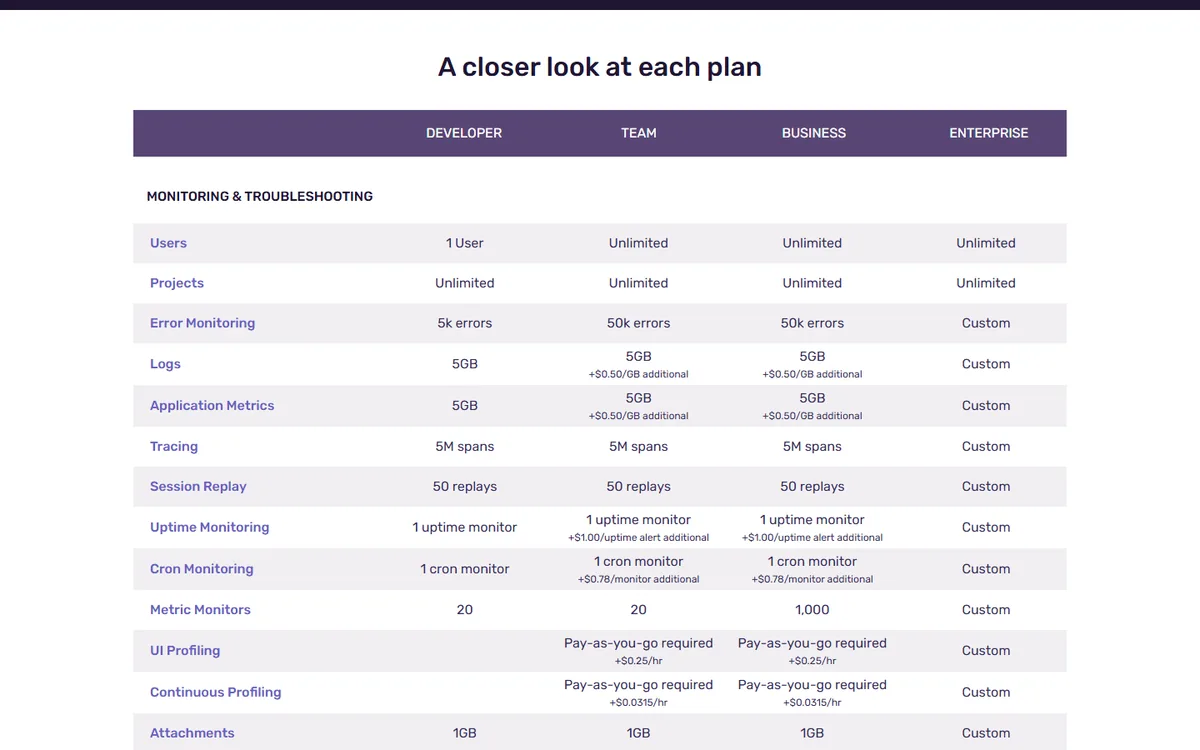
Sentry's pricing page lists a free Developer plan for one user, the Team plan at $29 per month on monthly billing or $26 on annual billing, and the Business plan at $89 per month monthly or $80 annually. Enterprise is custom. Included quotas for errors, spans and logs differ by plan, so check the page for current limits.
Sentry Reviews
- G2: 4.5 of 5 stars (based on 250 verified reviews)
- Capterra: 4.7 of 5 stars (based on 71 verified reviews)
SonarQube
Automated Code Quality and Security Checks That Block Problems Before They Merge
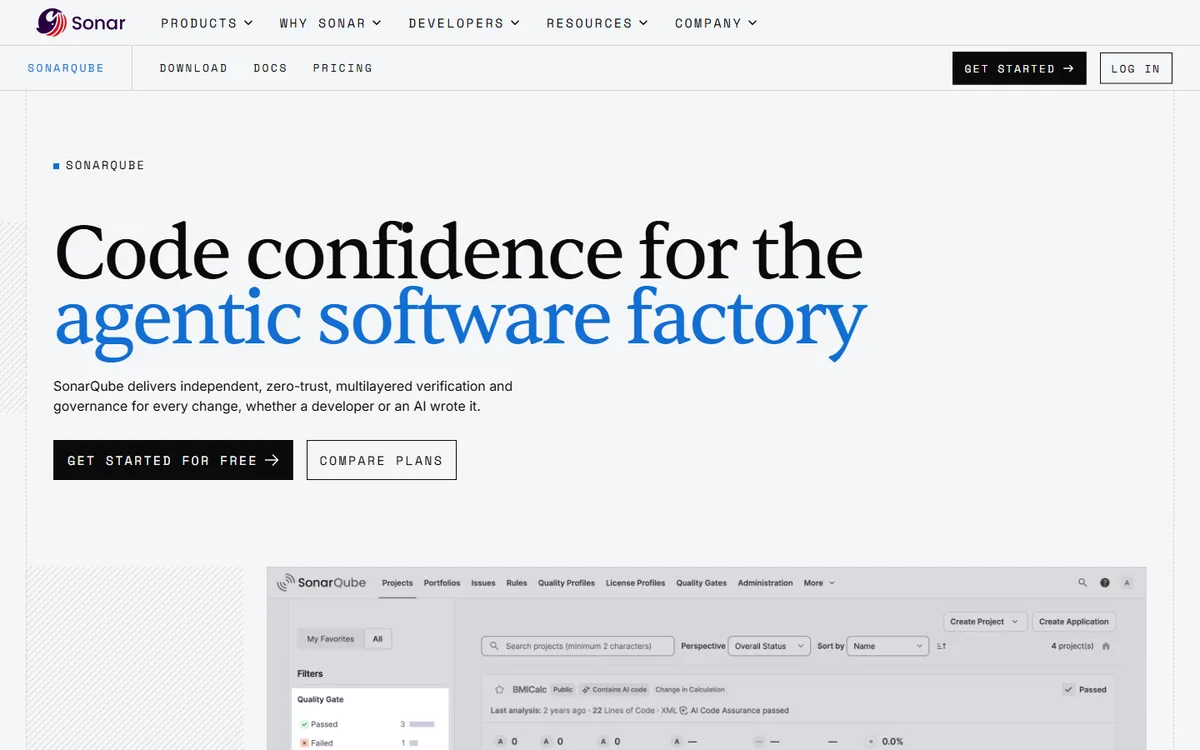
SonarQube analyzes your code for bugs, vulnerabilities, code smells and duplication, and can stop a pull request when new code misses your quality rules.
SonarQube gives you an objective second reviewer. It runs on every pull request, comments on the exact lines that break a rule and reports a quality gate that your pipeline can enforce. The most useful setting is to gate only new code, so a messy legacy base does not block every change.
Rules produce noise until you tune them. Spend the first week disabling checks nobody agrees with, and keep the rest strict. SonarQube measures code, not design, so it will not tell you that two services are too tightly coupled. Use it together with human review and architecture checks.
SonarQube Strengths
- Quality gates on new code keep legacy debt from blocking progress
- Findings point at exact lines inside the pull request
- Supports a long list of languages and CI systems
SonarQube Weaknesses
- Default rules create noise until you tune them
- It cannot judge design or architecture problems
SonarQube Pricing
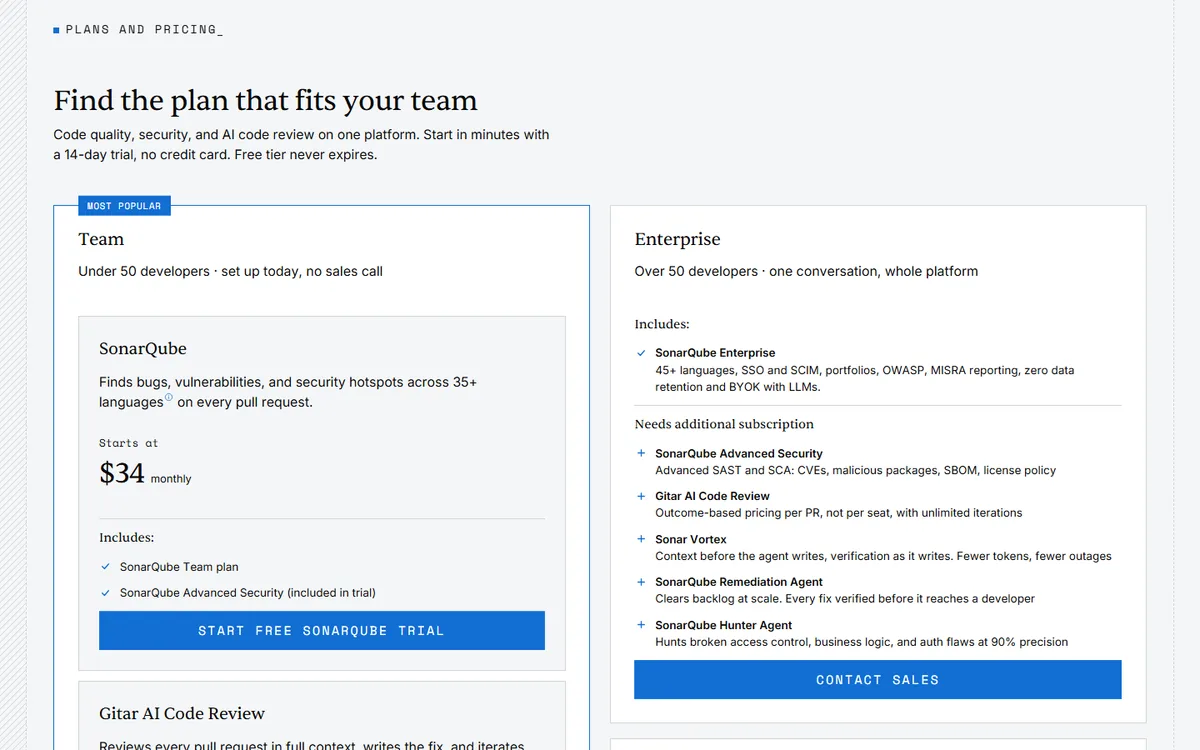
SonarQube has a free Community Build. Capterra lists the Developer edition at $720 per year, with Enterprise and Data Center priced by quote. The cloud version has its own plans, so compare both on the Sonar pricing page.
SonarQube Reviews
- G2: 4.4 of 5 stars (based on 167 verified reviews)
- Capterra: 4.5 of 5 stars (based on 68 verified reviews)
CircleCI
A Fast, Flexible CI/CD Service for Teams That Outgrow Basic Pipelines
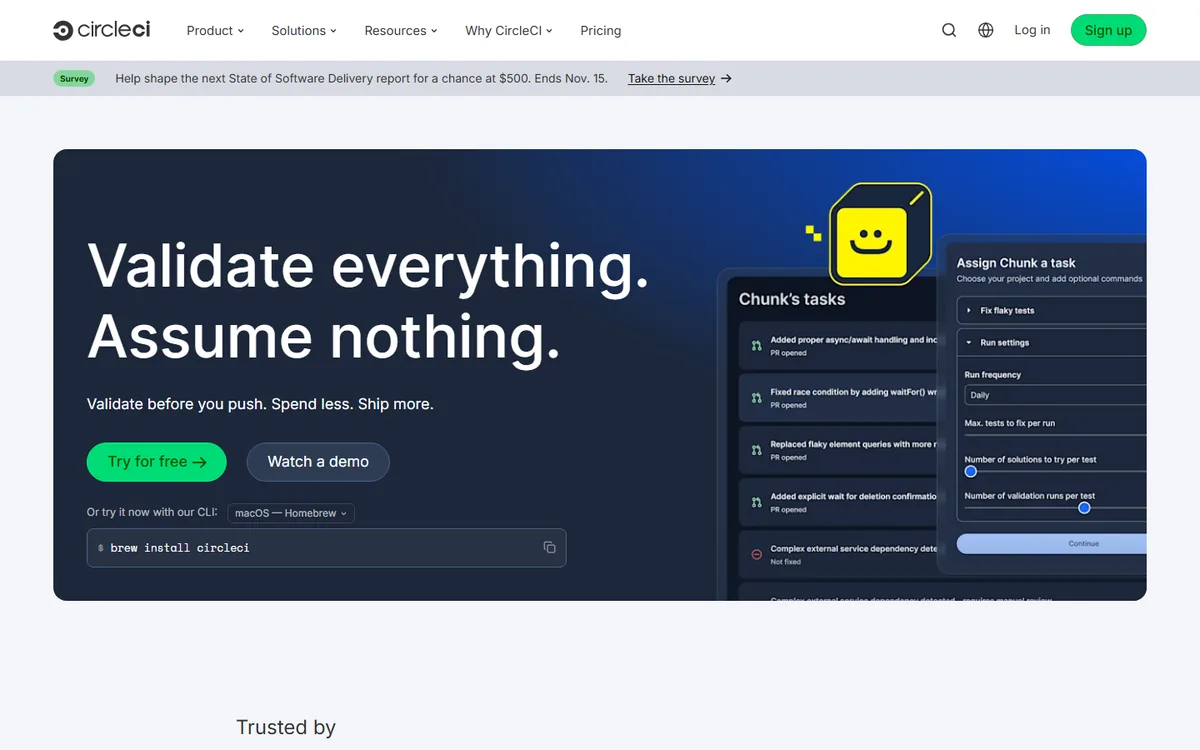
CircleCI runs your builds, tests and deployments in the cloud or on your own runners, with caching, parallelism and reusable configuration packages called orbs.
CircleCI is strongest when build time is your bottleneck. Test splitting, caching and parallel jobs can cut a long suite sharply, and resource classes let you give heavy jobs more power. Insights show which jobs are slow or flaky, which helps with the metrics I recommend in my other guides.
If your code already lives on GitHub or GitLab, the built-in CI there may be enough, and cost is the question to ask. CircleCI's credit-based pricing needs watching, because large parallel workloads consume credits quickly. Estimate a month of builds before you commit to a plan.
CircleCI Strengths
- Test splitting, caching and parallelism shorten long builds
- Insights highlight slow and flaky jobs
- Self-hosted runners help with special hardware or strict networks
CircleCI Weaknesses
- Credit-based pricing is hard to predict for heavy workloads
- Built-in CI in GitHub or GitLab may already be enough for simple needs
CircleCI Pricing
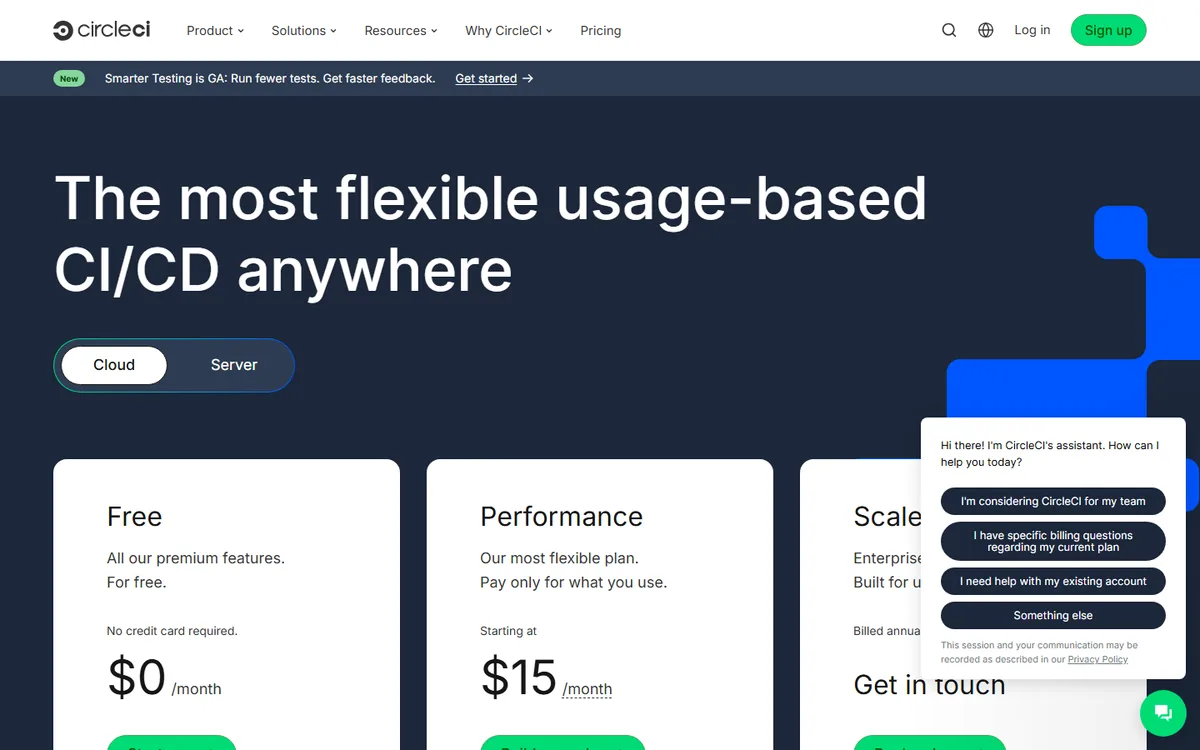
CircleCI has a free plan with up to 6,000 build minutes per month, according to Capterra. Capterra lists Performance from $15 per month and Scale at $2,000 per month, with Server on a custom quote. Credit usage changes the real cost, so estimate your monthly builds first.
CircleCI Reviews
- G2: 4.4 of 5 stars (based on 510 verified reviews)
- Capterra: 4.6 of 5 stars (based on 93 verified reviews)
Estimate the Return on a Software Engineering Tool
Before you pick a plan, check whether the numbers work. Enter the manual hours the tool should remove each week and its monthly price. The result shows what it could return in a year. You can compare the effect with the engineering KPIs you already track.
Does the Tool Make Sense for You?
Drag the sliders to reflect your tasks and the plan you want to compare.
How to Choose the Right Software Engineering Tools
Fit with your process decides more than any feature list. Before you compare vendors, I suggest you answer four questions:
- Which delay costs you most today: review, build, release or production errors?
- Which tools do your developers already use, and what integrates with them?
- Does code have to stay inside your own network?
- Who will own the setup, and how will you measure that it helped?
Teams new to measurement should read my guide to software engineering metrics before buying anything, because a before and after number makes tool decisions easy to defend. Teams hitting the same walls repeatedly will find the list of common engineering challenges useful. If you want a second opinion on your tool stack, a short call usually settles it.
Questions About Choosing Software Engineering Tools
What Are the Best Software Engineering Tools for a Small Team?
For most small teams I suggest GitHub for code and pipelines, Visual Studio Code or a JetBrains IDE for editing, Sentry for production errors and a light issue tracker. That set covers the delivery path with few moving parts and mostly free or low-cost plans. Add more tools only when a real problem justifies them.
Do We Need Both Jira and GitHub or GitLab?
Not always. GitHub and GitLab have issue tracking built in, which is enough for small teams. Jira makes sense when several teams share workflows, you need approvals or you report across projects. If you use both, link tickets to pull requests so the data stays connected.
Which CI/CD Tool Should We Pick?
Start with the CI built into your code host, GitHub Actions or GitLab CI, because it needs no extra account and integrates tightly. Move to a dedicated service such as CircleCI when build time, parallelism or special hardware becomes your bottleneck. Estimate a month of builds before comparing prices.
Is Visual Studio Code or IntelliJ IDEA Better?
It depends on your language. For web, Python, Go and mixed stacks, Visual Studio Code is fast and free. For large Java and Kotlin code bases, IntelliJ IDEA's refactoring and analysis save real time. Many teams let developers choose and share settings through the repository.
How Much Do Software Engineering Tools Cost?
A small team can start at close to zero with free plans of GitHub, Visual Studio Code, Sentry and CircleCI. Costs rise with seats and usage. Typical paid plans on this list range from a few dollars to a few tens of dollars per user per month. Check current vendor pages before budgeting.
Can Tools Fix Slow Delivery on Their Own?
Rarely. A tool speeds up a process that is already clear. If releases are slow because of manual approvals or unclear requirements, a new CI service will not change that. Measure your delivery first and pick the tool that removes the biggest measured delay.
How Do We Avoid Tool Sprawl?
Name an owner for each tool, review the list every quarter and retire anything that nobody can justify with a number. Prefer tools that integrate with your code host. Before adding a new one, ask which existing tool could do the job with a small change.
Important: prices, plans and ratings move quickly. They reflect our last update, so double-check each vendor’s site before purchasing. Nothing in this article is legal or financial advice.
Did this article help you?
Thanks, noted.
Whitney Sorensen
Whitney leads the Umber editorial team and works with the consultants to turn real client projects into practical guides on software selection, custom development, integration and legacy modernization. Before joining Umber, she spent years writing and editing for engineering and IT teams. She has since reviewed architecture audits, system selections and modernization plans from client projects across industries from manufacturing to healthcare. She works remotely from the USA.