Main Points
- Twelve checks cover goal, requirements, integrations, cost, security, proof and contract.
- Compare options over three to five years, not year one.
- Hands-on proof with your own data beats any feature table.
- Agree weights before you see prices and keep them fixed.
A checklist does not pick software for you. It stops you from missing the questions that decide whether the choice holds up in year two. A software selection consulting project turns these checks into a scoring sheet, and you can run the same checks yourself.
I use the twelve points below on every selection, from a single-team tool to a core platform. Each one has things to verify and one mistake to avoid. Work through them in order, since the early points shape the later ones.
The 12 Points at a Glance
| Point | What you confirm | Typical owner |
|---|---|---|
| 1. Business goal | One measurable result | Sponsor |
| 2. Requirements | Short must-have list | Process owners |
| 3. Workflows | Core scenarios for demos | Frontline users |
| 4. Integrations | Connectors and data flow | IT lead |
| 5. Total cost | Three to five-year model | Finance |
| 6. Security | Documents read and matched | Security owner |
| 7. Scale | Peak volumes confirmed | IT lead |
| 8. Vendor stability | Release history and roadmap | Procurement |
| 9. Hands-on proof | Scripted demo scored by users | Project team |
| 10. References | Calls with specific questions | Project owner |
| 11. Contract | Exit, renewal, service levels | Procurement and legal |
| 12. Readiness | Owner and rollout capacity | Sponsor |
12 Points to Verify Before You Choose Software
Use each point as a gate. If an item cannot be confirmed, write that on the scorecard rather than leaving it blank, and decide whether the gap is acceptable. The software selection guide explains the thinking behind these steps in more depth.
Business Goal and Success Measure
Write one sentence that says what the software must change and how you will know. "Cut order entry time by a third" works. "Modernize our stack" does not. Every later score should trace back to that sentence, and a vendor who cannot help you reach it has no place on the list.
- Verify: The goal has a number and a date.
- Verify: A named owner will check it after launch.
- Verify: Every must-have requirement ties back to it.
Avoid: goals that describe the product instead of the result.
Requirements Split Into Must, Should and Could
Long wish lists drown the few things that decide the outcome. Sort requirements into must, should and could, and keep the must list short enough that a vendor can answer each line with yes or no. People who do the daily work should write the list with you, since managers describe processes as they are meant to run.
- Verify: Must-haves number about fifteen or fewer.
- Verify: Each requirement is testable in a demo.
- Verify: Frontline users have reviewed the list.
Avoid: copying a vendor's feature sheet into your requirements.
Users and Workflows Mapped
Draw the three or four workflows that carry most of the work: who starts them, which data moves and where hand-offs happen. These become the scenarios for your demos later. If a vendor cannot run them cleanly, that tells you more than any feature table.
- Verify: Core workflows have named owners.
- Verify: Edge cases such as returns and corrections are included.
- Verify: User numbers and roles are counted, not guessed.
Avoid: mapping only the happy path.
Integration and Data Needs
List every system the new tool must connect to, with direction of data flow and the person who owns the other side. Check whether each connector is standard, paid or custom. A missing integration is the most common surprise that arrives after the contract.
- Verify: Each integration is marked standard, paid or custom.
- Verify: Source of truth is named per record type.
- Verify: Data export formats are confirmed.
Avoid: accepting "yes, we integrate" without a named connector or API.
Total Cost Over Three to Five Years
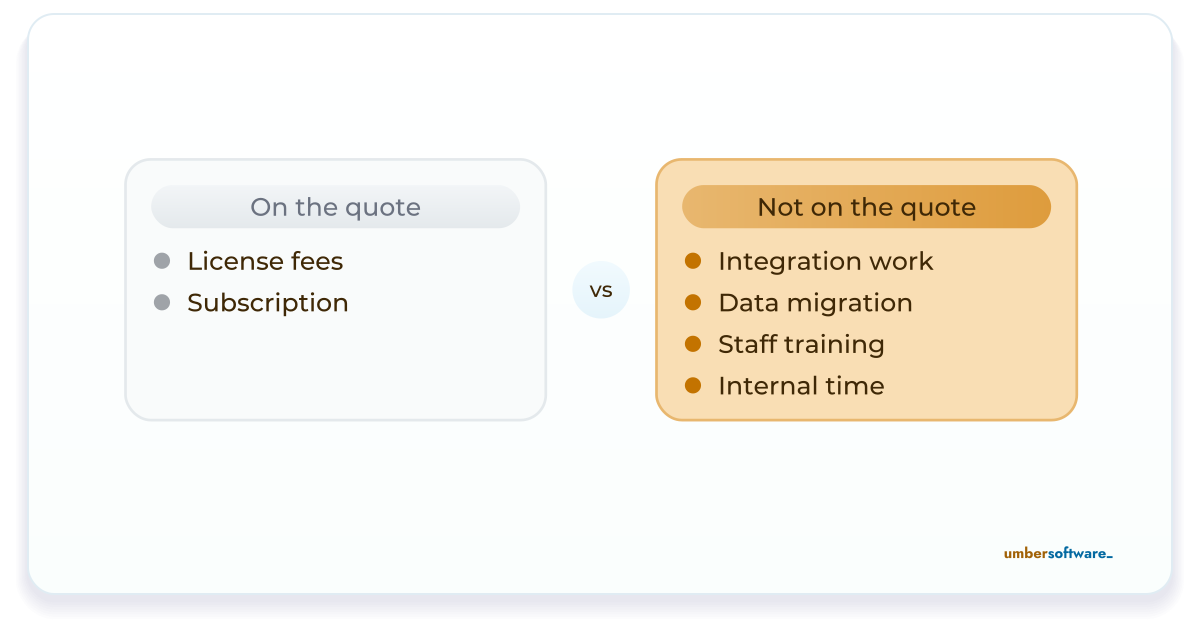
License is a fraction of what you pay. Add implementation, integration, data migration, training, support tiers, extra environments and the internal time you will spend. Compare options on the same horizon, and add the cost of leaving.
- Verify: Costs are modeled for at least three years.
- Verify: Price increases at renewal are written down.
- Verify: Internal time is counted.
Avoid: comparing year-one quotes.
Security and Compliance Fit
Ask for security documents early and have someone technical read them. Check where data is stored, how access is controlled and how incidents are reported. Match the answers to your own policies and to any rules that apply to your sector, and check current requirements with your adviser.
- Verify: Hosting location and access controls are documented.
- Verify: Audit logs exist for sensitive records.
- Verify: Your security owner has signed off.
Avoid: treating a certificate badge as the whole answer.
Scalability and Performance
Ask how the product behaves at your peak, not at its average. Check limits on records, API calls and concurrent users, and ask for a reference customer at a similar scale. Slow screens are one of the quickest ways to lose adoption.
- Verify: Your peak volumes are written down.
- Verify: Limits are confirmed in writing.
- Verify: A reference customer runs similar volumes.
Avoid: testing with a demo dataset of fifty rows.
Vendor Stability and Roadmap
A product is a bet on a company. Look at how long the vendor has existed, how often it ships and how it handled past changes such as deprecations. Ask what is on the roadmap for the next twelve months and which items are committed.
- Verify: Release history is public and regular.
- Verify: Roadmap items you rely on are committed, not hoped for.
- Verify: Support channels and response times are in the contract.
Avoid: relying on a roadmap slide for a must-have feature.
Hands-On Proof With Your Own Data
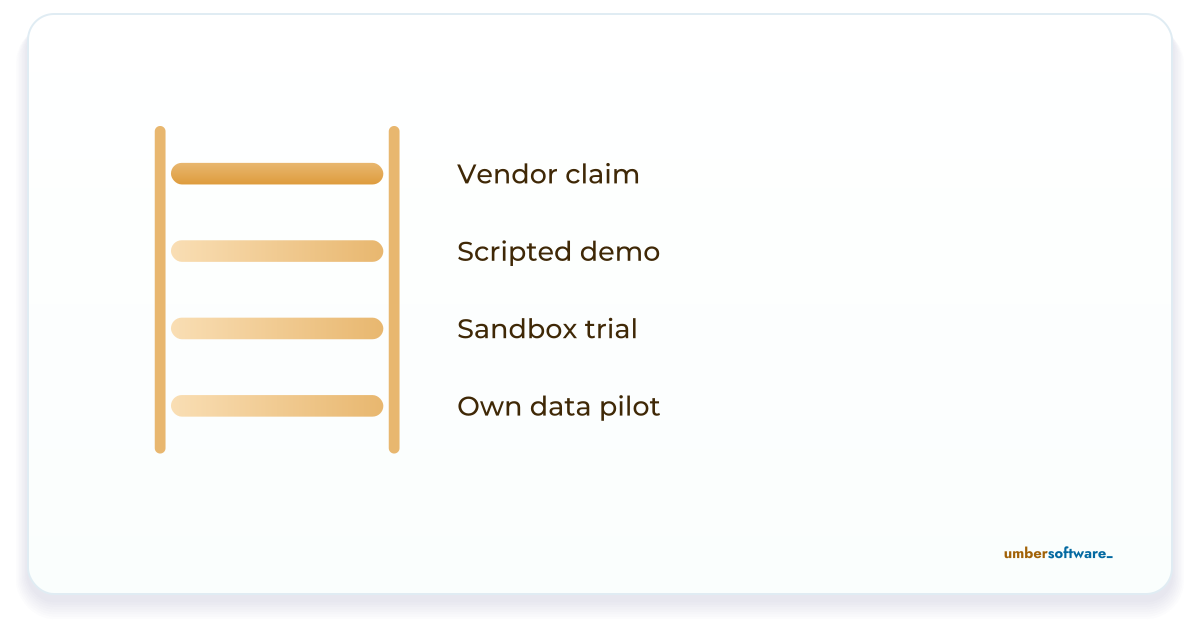
Insist on a scripted demo or trial using your scenarios and a sample of your data. Give each vendor the same script, score the results with the same sheet and let users do the scoring. The gap between showcase and your Tuesday morning appears within an hour.
- Verify: Every finalist ran the same script.
- Verify: Users, not only managers, scored the results.
- Verify: Data import was tested with real files.
Avoid: free-form demos led by the vendor.
Reference Checks With Specific Questions
Reference calls give you the stories the sales team will not tell. Ask about the worst week of the rollout, what they would negotiate differently and how support responds to a real problem. Talk to a customer who left the product, too, if you can find one.
- Verify: At least two references per finalist.
- Verify: Questions cover rollout, support and renewal.
- Verify: One reference has a similar size and industry.
Avoid: references the vendor chose without any input from you.
Contract Terms and Exit Options
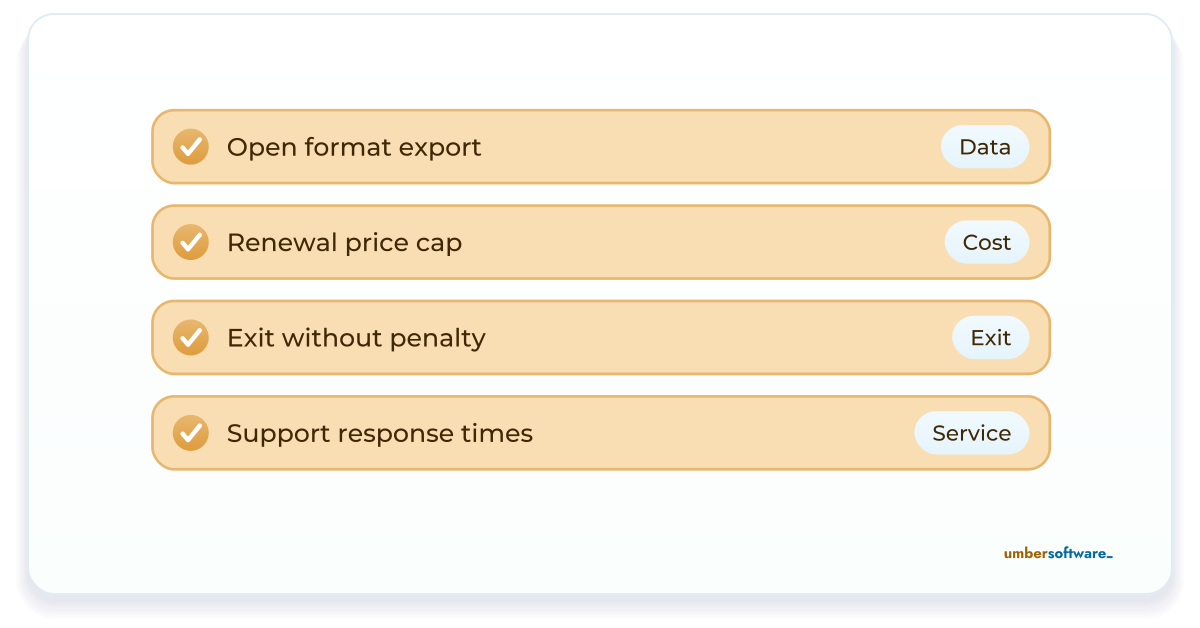
Read the contract with the same care as the demo. Check data export rights, price caps at renewal, service levels, termination terms and what happens to your data afterward. A good exit clause gives you a stronger position in every later conversation.
- Verify: Data export is free and in an open format.
- Verify: Renewal increases are capped.
- Verify: Termination and transition terms are written.
Avoid: signing multi-year terms before the first rollout phase proves out.
Implementation Readiness and Ownership
A good product with no owner fails slowly. Confirm who leads the rollout, who administers the system afterward and how much time each person has. Decide whether the vendor, a partner or your team does the configuration, and compare those options before you sign.
- Verify: A project owner and an administrator are named.
- Verify: Capacity is checked against the calendar.
- Verify: The rollout plan follows a realistic roadmap.
Avoid: starting without agreed ownership.
Turning the Checklist Into a Score
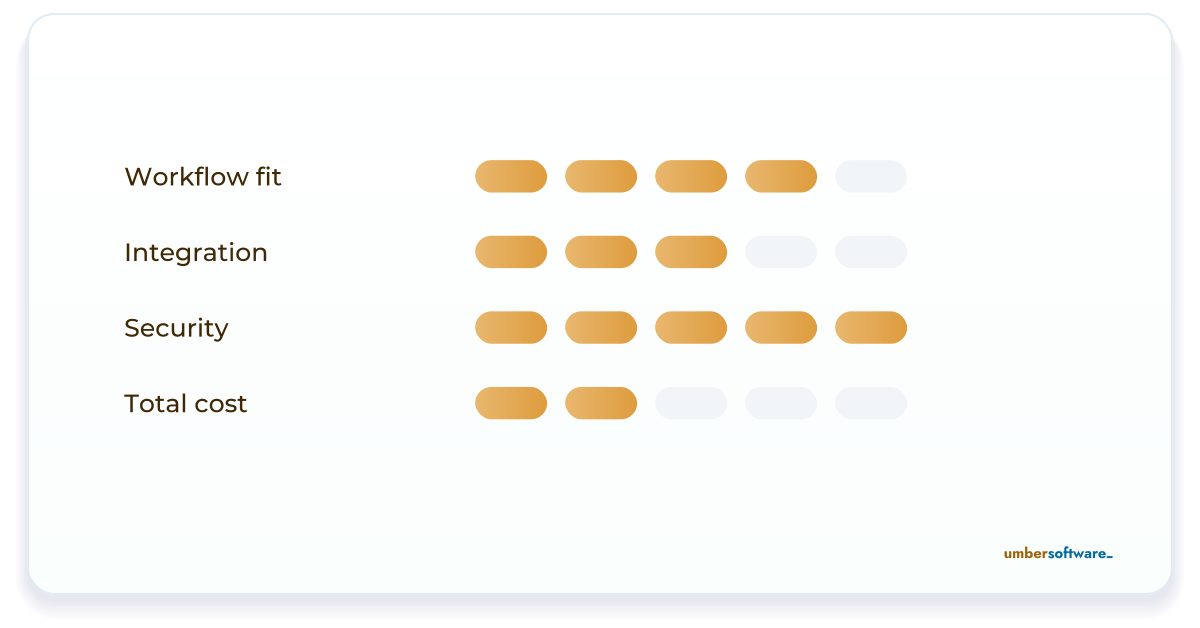
Give each point a weight that reflects your situation, then score every finalist from one to five. A regulated business may weight security at 20 percent, while a startup may weight cost and speed. Agree the weights before you see any prices. Changing weights after the demos is the quickest way to rebuild a bias.
If you want a ready model for the weights and the demo script, the software selection framework walks through it step by step. The scores will not decide for you. They make a debate shorter and show where a gut feeling disagrees with the data.
Red Flags That Should Slow You Down
Some signals deserve a pause even when the scores look fine. A vendor who avoids your scripted scenarios, a contract that makes data export expensive or a reference list that contains only brand-new customers all tell you something about how the relationship will run.
| Red flag | What it often means | Your move |
|---|---|---|
| Demo steers away from your scenarios | Product gaps in your workflows | Repeat the demo with your script and your data |
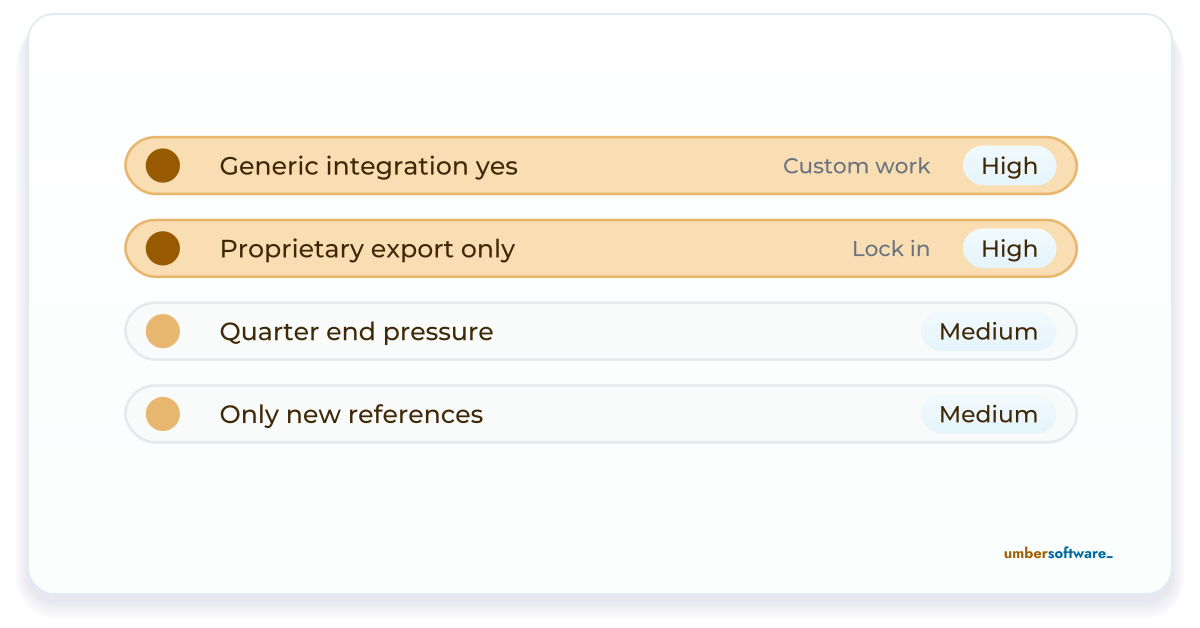
| Integration answered with a generic yes | Custom work to be priced later | Ask for the connector name, price and a reference using it |
| Pressure to sign before quarter-end | Sales target, not your timeline | Ask for the same price validity into next quarter |
| Export only in a proprietary format | Lock-in | Make open-format export a contract term |
| References are all under a year old | No proof of long-term behavior | Ask for a customer with three or more years on the product |
One red flag is a question to ask. Three of them are a reason to remove the vendor from the shortlist. Write each flag on the scorecard with the date, so the final discussion rests on what you saw and not on what you remember.
How to Choose Between the Last Two Vendors
The final choice is often between two options that both pass the checklist. At that point, run a short paid pilot with real users, or negotiate on the points where you scored the vendors lowest. Price, support terms and a stronger exit clause are all fair asks.
- Ask each finalist for a written answer on every open item.
- Repeat the scripted demo for the last two options.
- Run a two-week pilot where it is possible.
- Negotiate support levels, price caps and exit terms together.
- Write down the reasons for the choice for the next review.
Keep the scorecard after the decision. It becomes the acceptance list for rollout and the starting point for your next purchase.
Questions About a Software Selection Checklist
How Many Vendors Should I Evaluate?
Start with a scan of eight to ten, cut to a shortlist of three to five based on must-have requirements, and run scripted demos on those. More than five finalists create fatigue, and fewer than three leave you with no leverage in the price talk.
Who Should Be Involved in the Selection?
A sponsor with budget authority, a project owner, two or three daily users, someone from IT or security and someone from finance. Larger purchases add procurement and legal. Users should score the demos, since they know the real workflows.
How Long Should a Software Selection Take?
A single tool for one team takes two to three weeks. A core platform such as a CRM or ERP takes four to eight weeks. The scripted demos and reference calls take most of the time, and shortcuts there usually cost more later.
What Is the Best Way to Compare Pricing?
Model the total cost over three to five years, including implementation, integration, training, support, extra environments and the cost of leaving. Compare options on the same horizon. Year-one quotes alone hide the differences.
Should I Weight the Checklist Items?
Yes. Equal weights treat a missing integration and a cosmetic gap as the same. Agree the weights with your stakeholders before you see prices, and keep them fixed through the evaluation.
What If No Vendor Meets All Must-Haves?
Check whether a must-have is truly a must. If it is, consider a standard product with a small custom module, or an integration. In some cases, building is the better answer for the part that makes your business different.
When Should I Involve Legal or Procurement?
Bring them in when the shortlist is set, not at the signing stage. They need time to review data protection terms, renewals and exit rights, and early review gives you room to negotiate.
Please note: this guide is general information and not legal, financial or tax advice. Numbers and examples are typical-project estimates; confirm current details with your providers and advisers.
Did this article help you?
Thanks, noted.
Whitney Sorensen
Whitney leads the Umber editorial team and works with the consultants to turn real client projects into practical guides on software selection, custom development, integration and legacy modernization. Before joining Umber, she spent years writing and editing for engineering and IT teams. She has since reviewed architecture audits, system selections and modernization plans from client projects across industries from manufacturing to healthcare. She works remotely from the USA.