Main Points
- Decide whether to buy, build or keep before you compare any vendors.
- Write requirements from real workflows and weight them before the demos.
- Run scripted demos with your own scenarios and data.
- For core platforms, add a five-year cost model and a proof of concept on your hardest process.
Choosing business software looks like a shopping task and behaves like a change project. You pick a product, and in doing so you pick the way your teams will work for the next five years. A software selection consulting engagement exists for that reason: to make a large, slow-to-reverse decision on evidence.
This guide goes from the basics to the advanced end. Read the first level if you have never run a selection, skip to the second if you have a shortlist, and use the third when the stakes or the budget are high.
What Software Selection Is, and What It Is Not
Software selection is the process of turning a business need into a defensible choice between buying, building or keeping what you have. It starts with the work to be done and ends with a signed contract or a decision to build. Vendor research is a middle step.
It differs from implementation, which starts after the choice, and from procurement, which handles the purchase terms. A lot of trouble comes from blending them. A team that starts rollout planning before the decision is final ends up planning around the loudest vendor.
| Stage | What it answers | Output |
|---|---|---|
| Selection | Which option fits our work and budget? | Scored recommendation |
| Contracting | What terms protect us? | Signed agreement with exit terms |
| Implementation | How do we get it live and used? | Working system and trained users |
Level 1: The Basics
Begin with the problem, in plain words. What is slow, wrong or impossible today, and what is it costing you? A sentence like "sales reps spend ten hours a week updating three spreadsheets" gives you a target. A sentence like "we need a modern CRM" does not.
Then list who will use the system and for what. Count users by role, because price and fit both depend on them. Add the systems it must connect to, since integration needs often rule out half the market on day one.
Finally, set a budget range and a deadline. Budget includes more than license: expect implementation, data migration and training to match or exceed the first-year license in many projects. The software selection checklist lists everything worth confirming at this stage.
Buy, Build or Keep: Choosing the Path
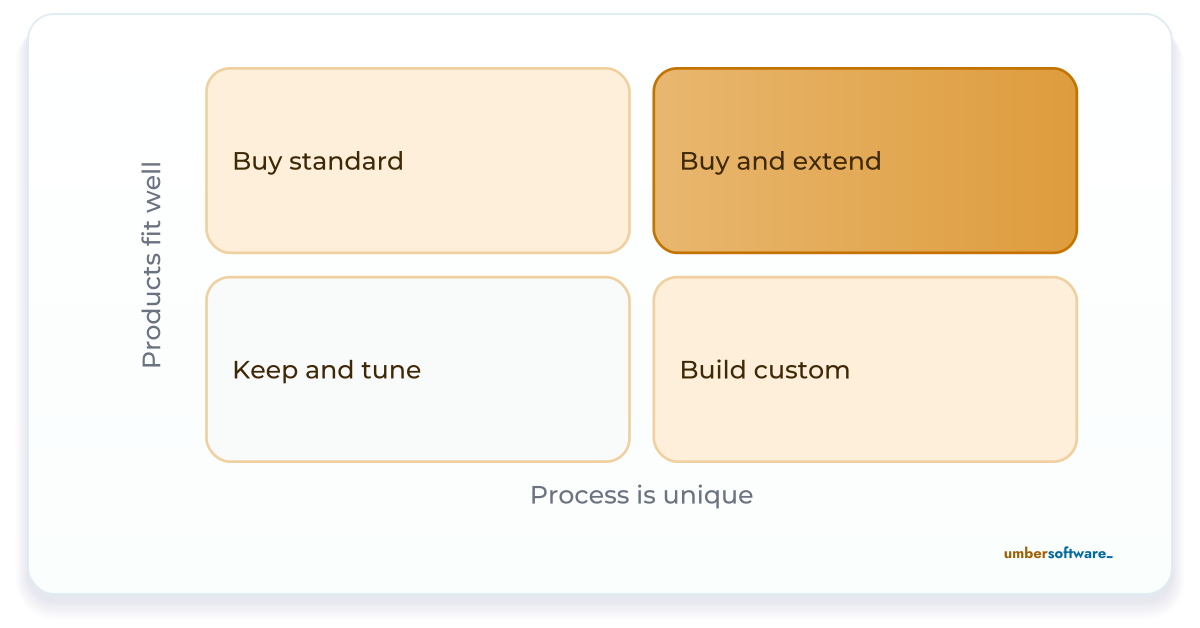
Before comparing vendors, decide whether buying is the right path. Many teams buy because buying feels safer, then spend a year bending a product to a process it was never built for.
| Path | Best when | Main risk |
|---|---|---|
| Buy a standard product | The process is common and the market has mature options | Paying for features you will not use; vendor lock-in |
| Build custom software | The process is your competitive edge and no product fits | Ongoing maintenance and the cost of the team behind it |
| Hybrid: buy and extend | A product covers 80 percent and one part is unique | Integration effort and upgrade compatibility |
| Keep and improve what you have | The current tool works and needs configuration or training | Ignoring a real fit gap out of habit |
A hybrid path is the one I recommend most often for mid-sized businesses. Buy the standard parts, build the small piece that makes you different and connect them through documented APIs. Where legacy systems are involved, a related question is whether to modernize an existing system instead of replacing it.
Level 2: Running a Structured Evaluation
With the path set, build the shortlist. Use analyst reports and peer review sites to find candidates, then cut them with your must-have requirements. Aim for three to five finalists. Each cut gets a one-line reason in your notes, which saves you from reopening the list later.
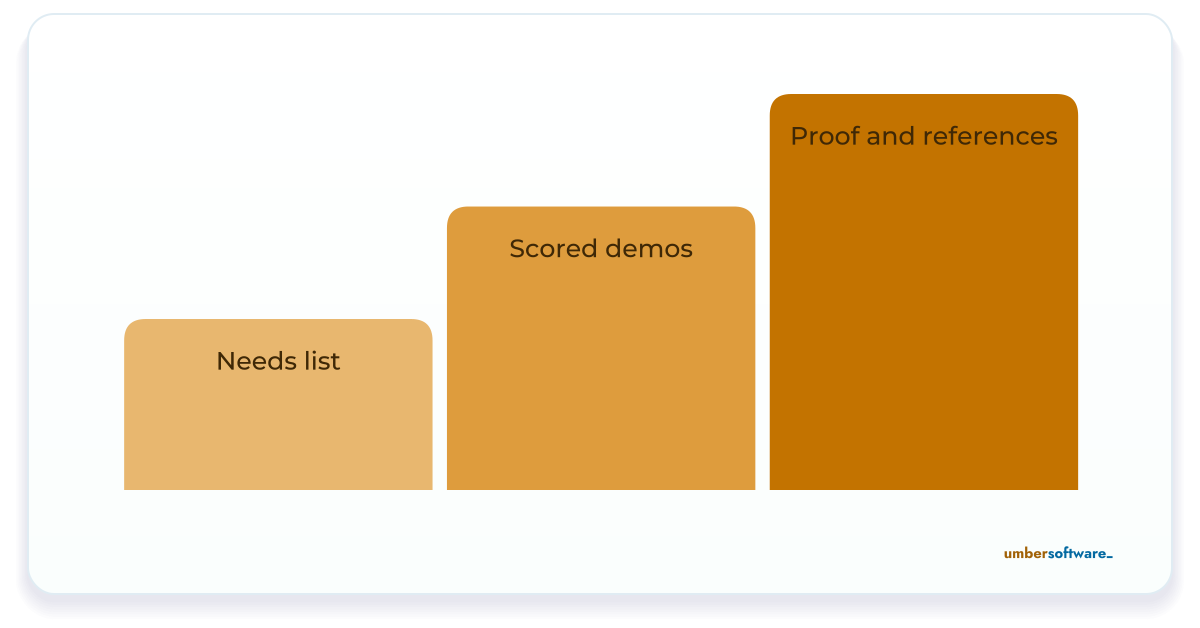
Score finalists on a shared sheet. Weight criteria before the demos: functionality for your workflows, integration, total cost, security, vendor stability and support. A scoring model that was written after you met the vendors reflects the demos, not your needs. The step-by-step selection framework includes a weighted scoring table you can copy.
Run scripted demos. Give each vendor the same three to five scenarios from your real work and the same sample data. Watch how long each step takes and how many clicks it needs. Let your users score, and keep scoring independent: each person fills the sheet before the group talks.
Level 3: Advanced Moves for Higher Stakes
For core platforms, three practices raise the quality of the decision. The first is a total cost model over five years, with licensing growth, implementation, integration, support tiers, extra environments and the cost of leaving. Two vendors with the same year-one price can differ by a wide margin by year four.
The second is a proof of concept on your hardest scenario. Pick the one process that has the most exceptions, and ask each finalist to build it in a sandbox. It costs a few days of effort on each side and exposes limits that no sales presentation will.
The third is a structured reference program. Talk to at least two customers per finalist, one of them similar to you in size. Ask what went wrong in the first six months, how support handled a real incident and what they would change in the contract.
Vendor risk deserves its own look at this level. Check financial health where it is public, the pace of releases and how the vendor handled past product retirements. A product that sunsets a module you rely on can cost more than a price increase. When a vendor is chosen, software implementation consulting helps carry the decision into a live system.
Mistakes That Derail Selections
After many selections, the same failure patterns repeat. Knowing them helps you avoid them.
- Starting with vendors instead of requirements.
- Letting one executive's favorite tool skip the process.
- Comparing license price only.
- Skipping integration tests until after signature.
- Not involving the people who will use the system.
- Ignoring exit terms because the relationship feels good today.
None of these is hard to fix, and all of them cost real money when ignored. The cheapest moment to correct them is before the shortlist is final.
Who Does What in a Selection
Clear roles save more time than any tool. A sponsor owns the budget and the final yes. A project owner runs the process and keeps the documents. Users write requirements and score the demos. IT or security checks integration and risk, and finance builds the cost model. Procurement and legal review the contract.
| Role | Main job | Common mistake |
|---|---|---|
| Sponsor | Approves budget and the final choice | Disappearing after kickoff |
| Project owner | Runs the process, keeps the scorecard | Having no time reserved for it |
| Daily users | Define workflows and score demos | Being asked only at the end |
| IT or security | Checks integrations, hosting and access | Joining after the shortlist is final |
| Finance | Builds the multi-year cost model | Comparing only year-one quotes |
| Procurement and legal | Negotiate terms and exit rights | Being brought in at signing |
A Realistic Timeline for Your First Selection
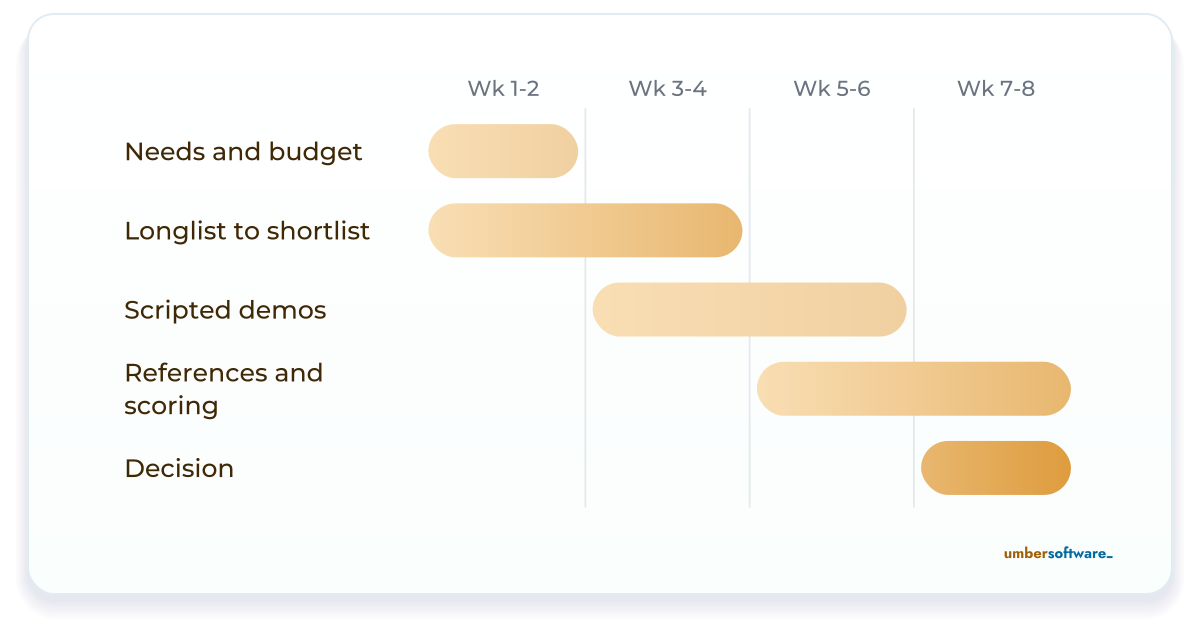
A first selection of a core business tool tends to run six to eight weeks. Week one covers the goal and requirements. Weeks two and three cover the market scan and shortlist. Weeks four and five hold the scripted demos and technical checks. Week six is for references and cost, and weeks seven and eight for recommendation and contract.
Delays tend to come from calendars, not work: users who cannot attend demos, a security reviewer with no time or a sponsor who is traveling. Book those sessions in week one, before the first vendor is contacted.
Reading Vendor Claims Critically
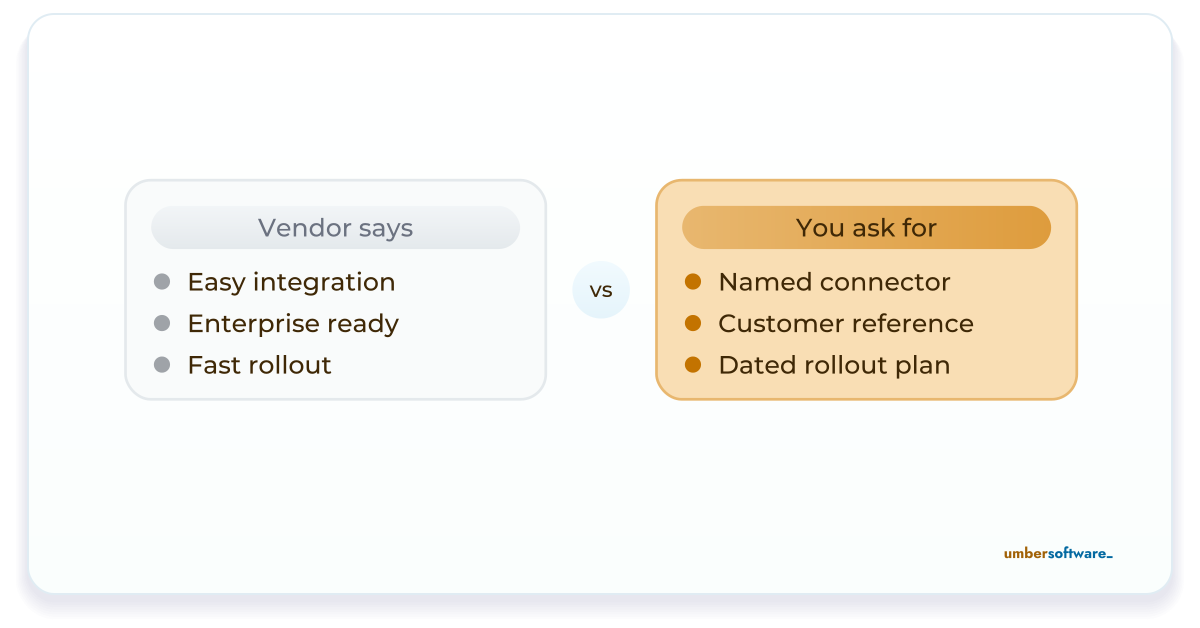
Vendors describe products in the best light, and that is fair. Your job is to translate. "Out-of-the-box integration" may mean a paid connector with limits. "AI-powered" can mean a single feature in a higher plan. "Unlimited" often has a fair-use clause. Ask for the document, the plan name and the price behind each claim, and write them on the scorecard.
Treat analyst rankings and review sites as a way to build a longlist, not to make the decision. Rankings reflect broad averages and review samples, and your use case is narrower. Read the negative reviews of each finalist and look for patterns that match your situation, such as slow support or weak reporting.
What Happens After You Choose
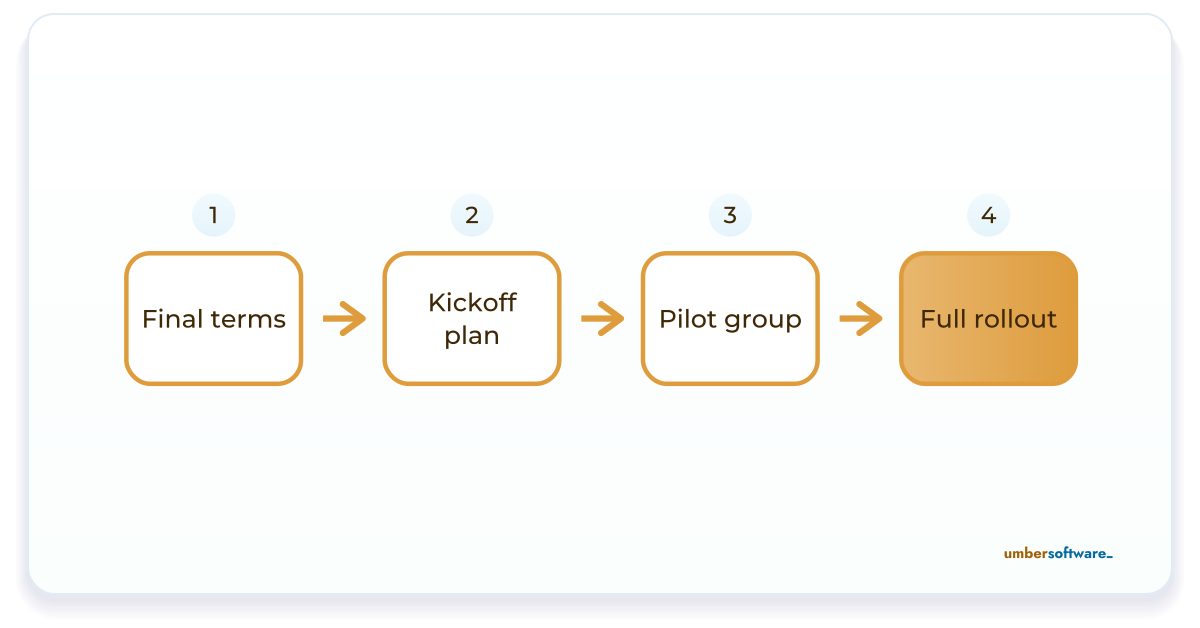
The choice is the start of the work. Plan the rollout while the contract is in review: who leads it, who administers the system and how much time each person has. Keep the scorecard as the acceptance list, so the goals you set in week one are the goals you test at go-live. Review the result after six months and note what the selection process missed. That note improves the next one.
A last point on budget. Keep a small reserve, around ten percent of the first-year cost, for what the selection did not reveal. Every project meets a surprise, such as a connector that needs extra work or a training need that grew. A reserve turns that surprise into a line item instead of a crisis.
How to Make the Final Call
Gather the scores, the cost model, the reference notes and the contract markup in one document. Write a one-page recommendation: what you will choose, why, what it costs, what risks remain and how you will reduce them. Share it with the sponsor before the meeting, so the meeting is for questions rather than first impressions.
- The goal and the success measure are written down.
- The path (buy, build, hybrid or keep) is decided and explained.
- Finalists ran the same scripted demo.
- Total cost covers at least three years.
- Reference calls and contract terms are reviewed.
- An owner and a rollout plan exist.
If you want a second opinion on the final two, an outside consultant with no vendor ties can review your scoring and contract terms in a few days.
Questions About Choosing Business Software
What Is Software Selection?
It is the process of turning a business need into a defensible choice: buy, build or keep. It covers requirements, market scan, shortlist, hands-on tests, cost comparison and a recommendation. Rollout planning and contract signing come after.
How Do I Start a Software Selection If I Have No Requirements?
Begin with the problem. Describe what is slow or wrong today, who is affected and what it costs. Then map the three or four workflows that matter most, and write requirements from those. A short, tested list beats a long wish list.
How Many People Should Be Involved?
A sponsor, a project owner, two or three daily users, someone from IT or security and someone from finance. Add procurement and legal for larger purchases. Keep the core group small enough to meet weekly.
Is It Better to Buy or Build Business Software?
Buy when the process is common and the market has mature products. Build when the process is your edge and nothing fits. For many mid-sized businesses, a hybrid works best: a standard product plus a small custom piece.
What Does Software Selection Cost?
Internal time is the main cost for a simple project. For a core platform, outside support typically runs from a few weeks of consulting effort. A wrong choice costs far more than the process, which is why many teams invest in it.
How Do I Compare Vendor Pricing Fairly?
Use a total cost model over three to five years. Include license growth, implementation, integration, training, support and the cost of switching away. Ask every vendor for the same scenario and the same user counts.
When Is Software Selection Finished?
When you have a signed recommendation, a negotiated contract and a named rollout owner. Keep the scorecard afterward as the acceptance list for the rollout and a starting point for future purchases.
Please note: this guide is general information and not legal, financial or tax advice. Numbers and examples are typical-project estimates; confirm current details with your providers and advisers.
Did this article help you?
Thanks, noted.
Whitney Sorensen
Whitney leads the Umber editorial team and works with the consultants to turn real client projects into practical guides on software selection, custom development, integration and legacy modernization. Before joining Umber, she spent years writing and editing for engineering and IT teams. She has since reviewed architecture audits, system selections and modernization plans from client projects across industries from manufacturing to healthcare. She works remotely from the USA.