Main Points
- Zapier and Make get small teams running quickly, and n8n and Pipedream suit teams with developers.
- Power Automate fits Microsoft shops, and UiPath and Automation Anywhere fit large RPA programs.
- Workato, Boomi, Celigo and Tray.ai connect many business systems, usually at quoted prices.
- Price the whole project: build time, testing and about 15 to 25 percent yearly upkeep matter as much as the license.
The Best Automation Software at a Glance
| Tool | Type | Best for |
|---|---|---|
| 1. Zapier | No-code workflow automation | Small teams that want to connect many cloud apps fast |
| 2. Make | Visual workflow builder | Teams that want more control and lower cost per run than basic tools |
| 3. Microsoft Power Automate | Workflow and RPA platform | Companies that already run on Microsoft 365 and Dynamics |
| 4. n8n | Open workflow automation platform | Technical teams that want code access and self-hosting |
| 5. UiPath | Enterprise RPA and automation platform | Large enterprises that automate legacy and document-heavy work |
| 6. Workato | Enterprise integration and automation platform | Mid-sized and large firms that connect many business systems |
| 7. Automation Anywhere | Cloud-native RPA and agentic automation | Enterprises that need RPA with document and AI processing |
| 8. Boomi | Integration platform (iPaaS) | Companies with many systems to connect, including legacy ones |
| 9. Celigo | Integration platform for business apps | Mid-sized companies integrating NetSuite, Shopify and Salesforce |
| 10. Tray.ai | Low-code automation and integration platform | Teams building flexible, API-heavy automations |
| 11. Tines | Workflow automation for security and IT operations | Security and IT teams that automate response and operations work |
| 12. Pipedream | Developer-first workflow and API automation | Developers who want workflows with code and a free start |
The 12 Best Automation Software Options, Ranked
I start with the tools that suit the widest range of teams and move toward enterprise and developer platforms, so you can stop reading when you find your fit. Ratings come from the G2 listings I read for this update. I left out Capterra because I could not read its listings. Where G2 shows no prices, I say so. In software automation consulting work, fit with your systems matters more than a tenth of a rating point.
Zapier
The Fastest Way to Connect Cloud Apps, Until Task Volume Starts Driving the Bill
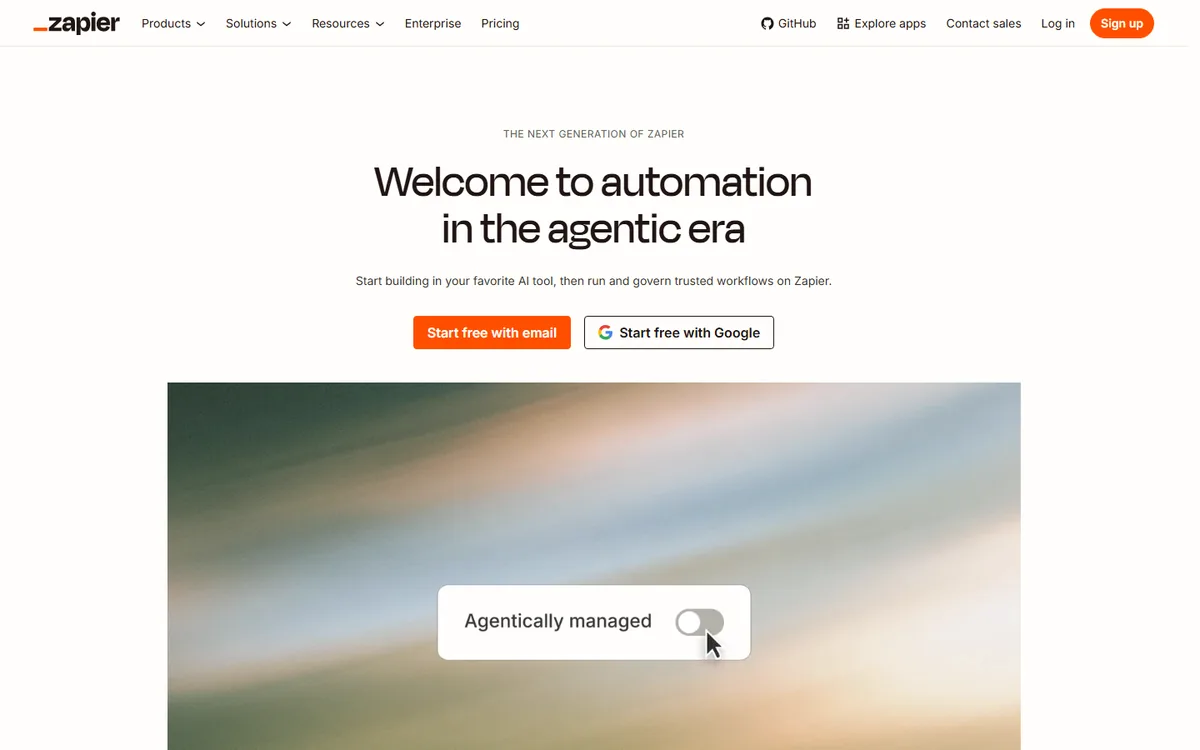
Zapier links thousands of cloud apps through simple trigger and action workflows, with AI steps and agents added in recent years.
Zapier is where I send teams that want a working automation this afternoon. You pick a trigger, add actions, test with real data and switch it on. The app library is the largest in the category, so even niche tools usually have a connector, and non-technical staff can build and own their workflows.
The trade-off is cost and depth. Pricing is usage based, so a busy workflow with many steps adds up, and complex branching or heavy data work gets awkward. In my client work, teams often start here, then move the high-volume flows to a cheaper or more flexible tool once the bill grows.
Zapier Strengths
- The largest library of app connectors
- Easy for non-developers to build and maintain
- Quick to test and monitor each run
Zapier Weaknesses
- Costs rise with task volume and multi-step flows
- Complex logic and large data jobs get clumsy
Zapier Pricing
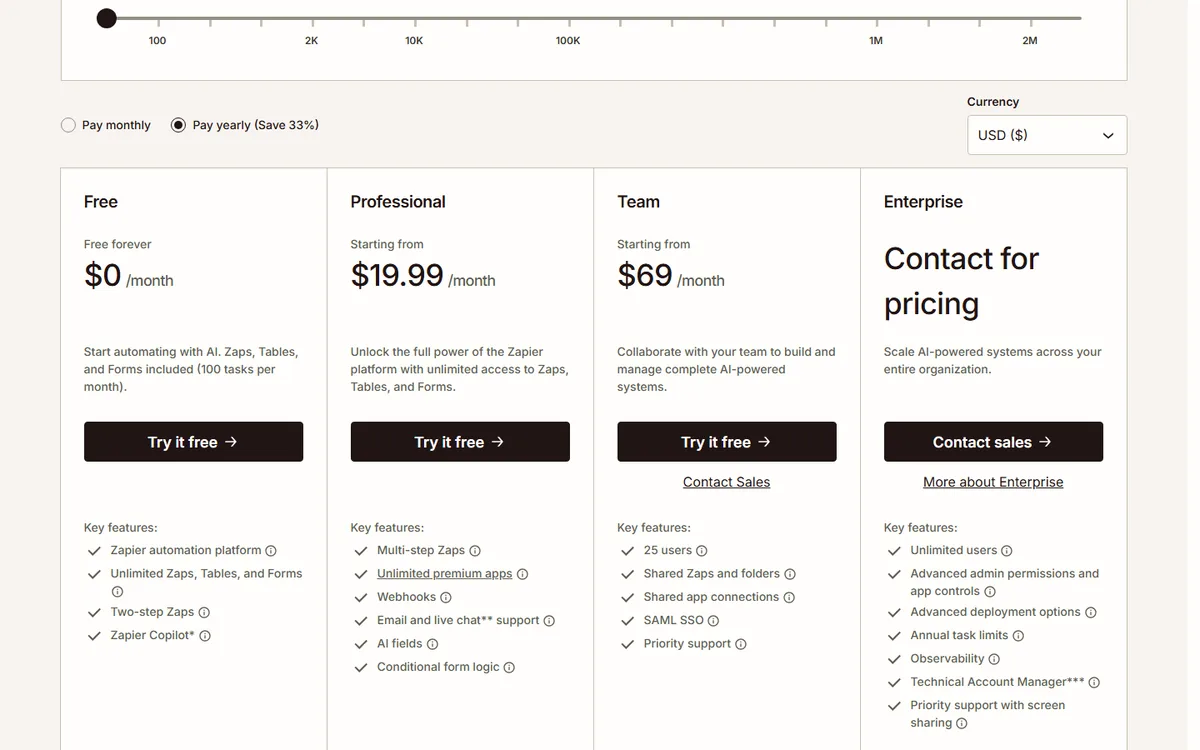
G2 lists a free plan, Professional at $29.99 and Team at $103.50 per month, both usage based. Higher volumes and enterprise terms are quoted, so check the Zapier pricing page for your task count.
Zapier Reviews
- G2: 4.5 of 5 stars (based on 2,153 verified reviews)
Make
A Visual Builder With Real Logic, for Teams Willing to Learn It
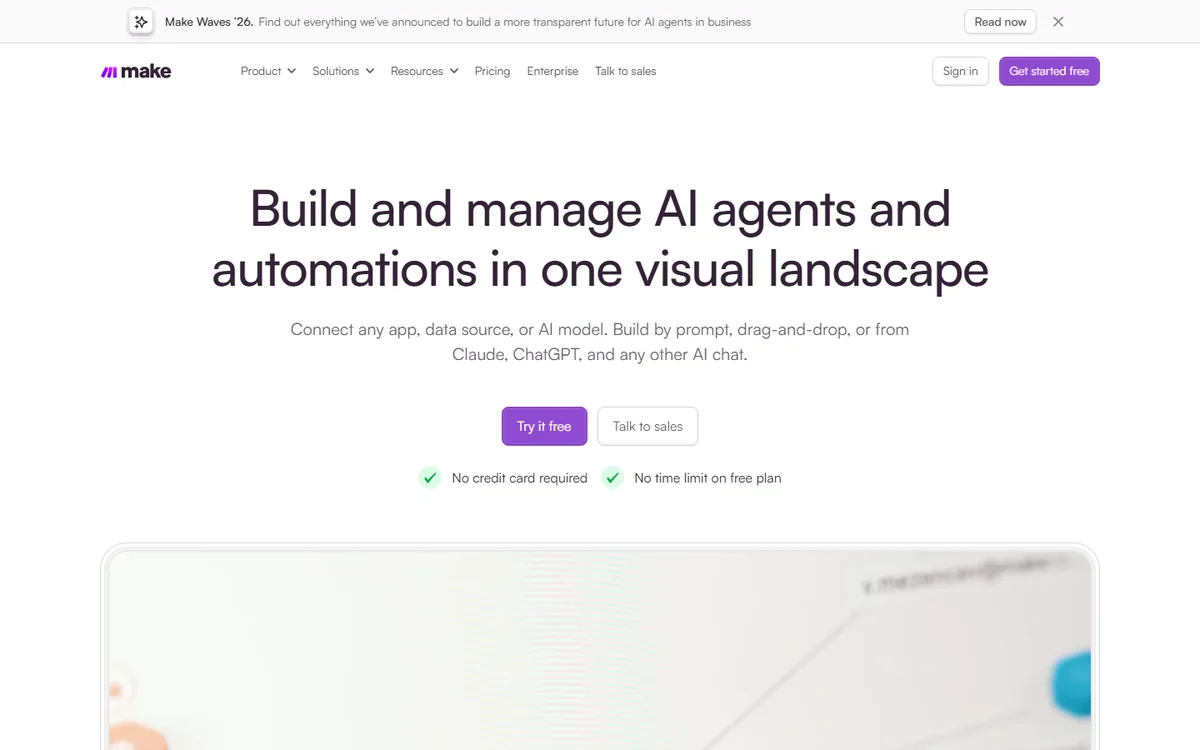
Make lets you draw workflows as visual scenarios with branching, loops and data transformation, at a lower price per run than many rivals.
Make suits people who think in flowcharts. You can route data down different paths, iterate over lists and reshape fields without writing code, which covers cases that simple trigger-action tools handle poorly. Price per operation is low, so high-volume flows stay affordable.
The learning curve is steeper than Zapier's, and large scenarios become hard to read without naming and notes. I advise clients to keep each scenario small, document the data it touches and assign an owner. Error handling is powerful, but you have to set it up on purpose.
Make Strengths
- Visual branching, loops and data mapping
- Low cost per run at volume
- Detailed run history for debugging
Make Weaknesses
- A steeper learning curve for beginners
- Large scenarios become hard to read
Make Pricing
Make has a free plan with 1,000 credits a month. G2 lists Core at $10.59 and Pro at $18.82 per month on monthly billing, and credit packs scale the price. Check the Make pricing page for annual terms.
Make Reviews
- G2: 4.6 of 5 stars (based on 486 verified reviews)
Microsoft Power Automate
The Natural Pick for Microsoft Shops, With Licensing You Need to Read Twice
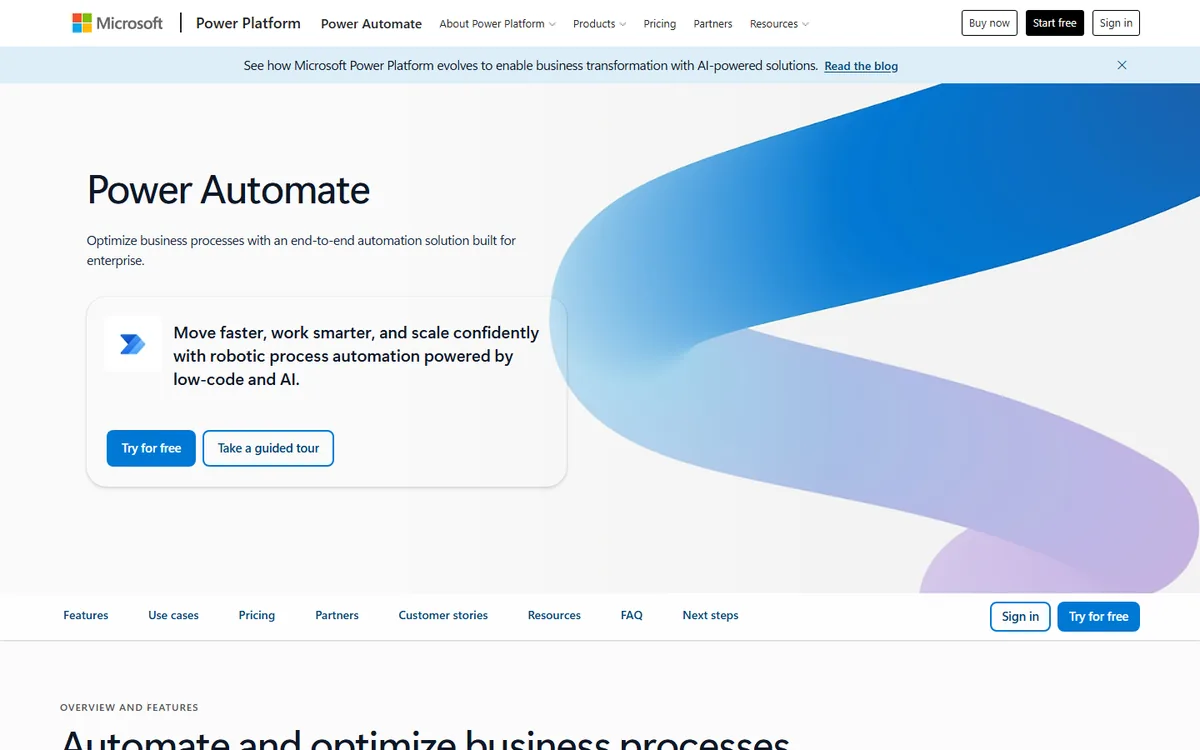
Power Automate combines cloud flows, desktop flows for RPA and process mining inside the Microsoft Power Platform.
If your people live in Outlook, Teams, SharePoint and Excel, Power Automate is often the shortest path to automation. Cloud flows connect Microsoft and third-party services, and desktop flows let a robot drive legacy Windows applications. Governance tools sit in the same admin center your IT team already uses.
Licensing is the sticking point. Premium per-user plans, per-process bot licenses and add-ons for hosted RPA mix, and costs grow with connectors that need premium access. I ask clients to count flows, users and bots before signing. Outside the Microsoft stack, other tools usually feel lighter.
Microsoft Power Automate Strengths
- Deep ties to Microsoft 365 and Dynamics
- Cloud flows and desktop RPA in one product
- Central governance through the Power Platform
Microsoft Power Automate Weaknesses
- Licensing mixes per-user, per-bot and add-on fees
- Less natural outside Microsoft tools
Microsoft Power Automate Pricing
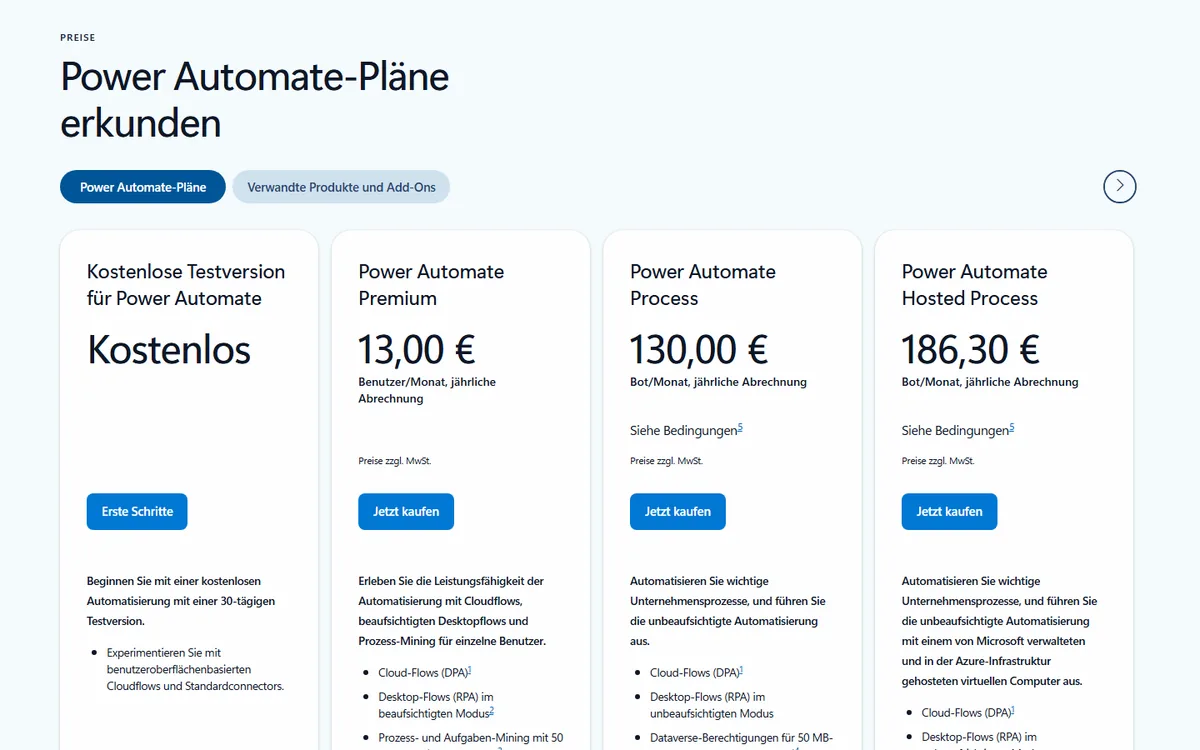
G2 lists Power Automate Premium at $15 per user, Process at $150 per bot and a hosted RPA add-on at $215 per bot. Billing terms and included connectors vary, so confirm on the Microsoft licensing page.
Microsoft Power Automate Reviews
- G2: 4.4 of 5 stars (based on 1,094 verified reviews)
n8n
The Best Fit for Developers Who Want Control Over Where Workflows Run
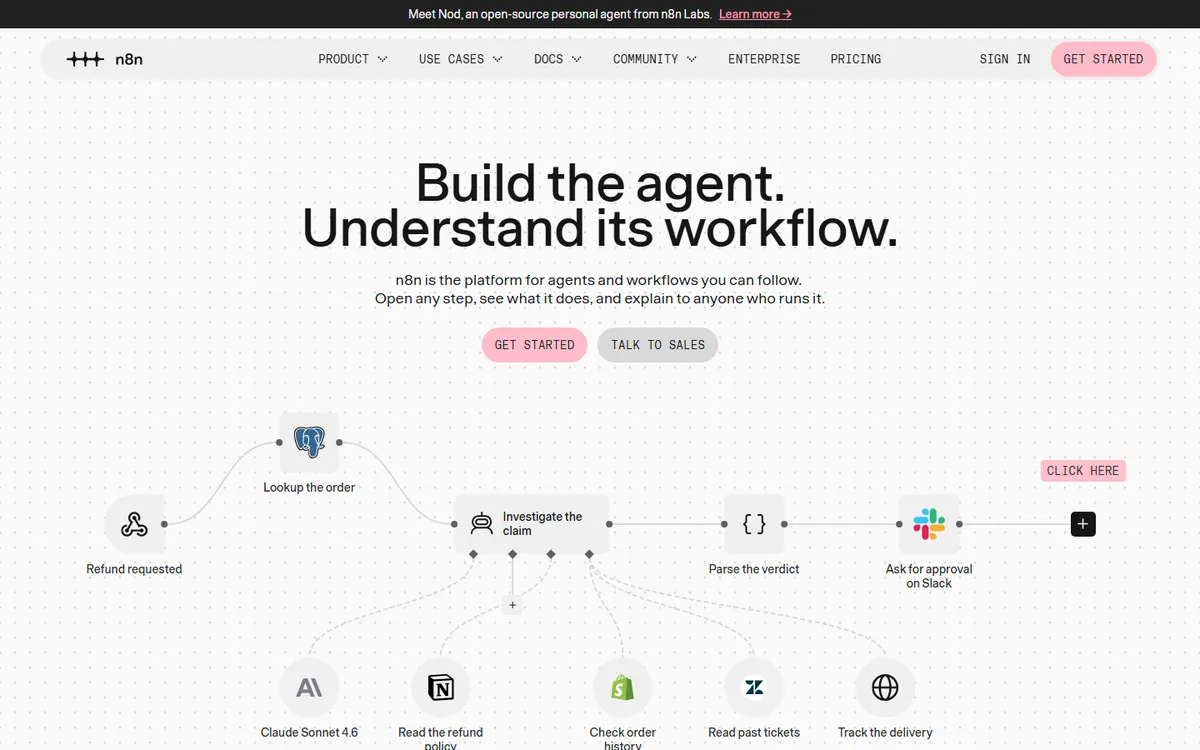
n8n is a node-based workflow tool with a free self-hosted edition, custom code steps and a growing set of AI nodes.
n8n appeals to engineering teams that find hosted tools too limited or too costly at scale. You can self-host, write JavaScript or Python inside a flow and keep data on your own infrastructure, which matters for privacy and compliance reviews. The visual editor is clear, and community templates shorten the start.
Self-hosting means you maintain it: updates, backups, scaling and security fall to your team. Business users can build in n8n, but most successful setups I see have a developer who owns the platform. The fair-code license also deserves a read from your legal team.
n8n Strengths
- Self-hosting and full data control
- Custom code inside any workflow
- Strong AI and agent building blocks
n8n Weaknesses
- Your team maintains the hosting
- Less approachable for non-technical users
n8n Pricing
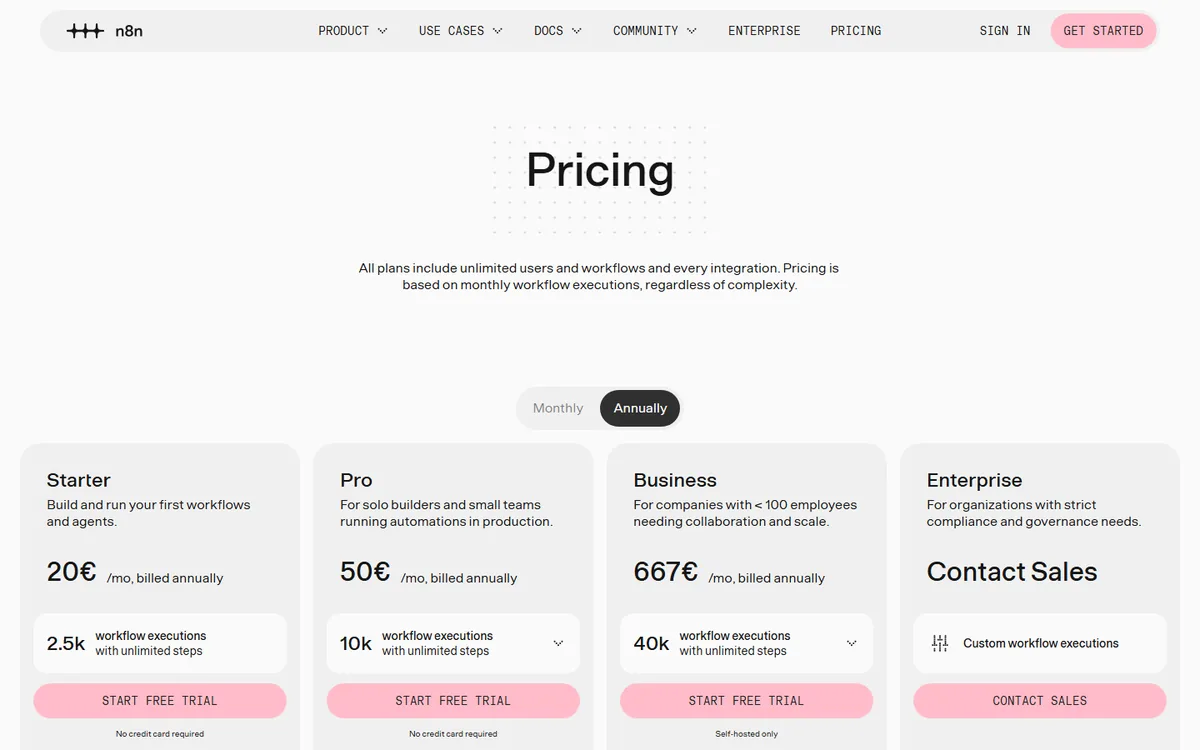
n8n lists Starter at €20 and Pro at €50 per month with annual billing, Business at €667 per month as a self-hosted plan, and Enterprise on request. A free Community Edition can be self-hosted. Confirm limits on the n8n pricing page.
n8n Reviews
- G2: 4.7 of 5 stars (based on 325 verified reviews)
UiPath
The Heavyweight for RPA at Enterprise Scale, Overbuilt for Small Needs
UiPath is a long-standing RPA leader with attended and unattended robots, document understanding, process mining and agent features.
UiPath is the tool I see most in large companies that must automate old desktop applications, document flows and back-office processes at scale. It offers governance, orchestration and testing that smaller tools lack, plus a large partner and training ecosystem.
For a ten-person team it is more than you need, and the cost and administrative load show. Robots also depend on screens, so each application update needs a check. I advise clients to start with one process and a center of excellence mindset before they buy broadly.
UiPath Strengths
- Mature orchestration, governance and monitoring
- Strong document understanding and process mining
- Large community and partner network
UiPath Weaknesses
- Heavy for small teams and simple flows
- Screen-based robots need upkeep
UiPath Pricing
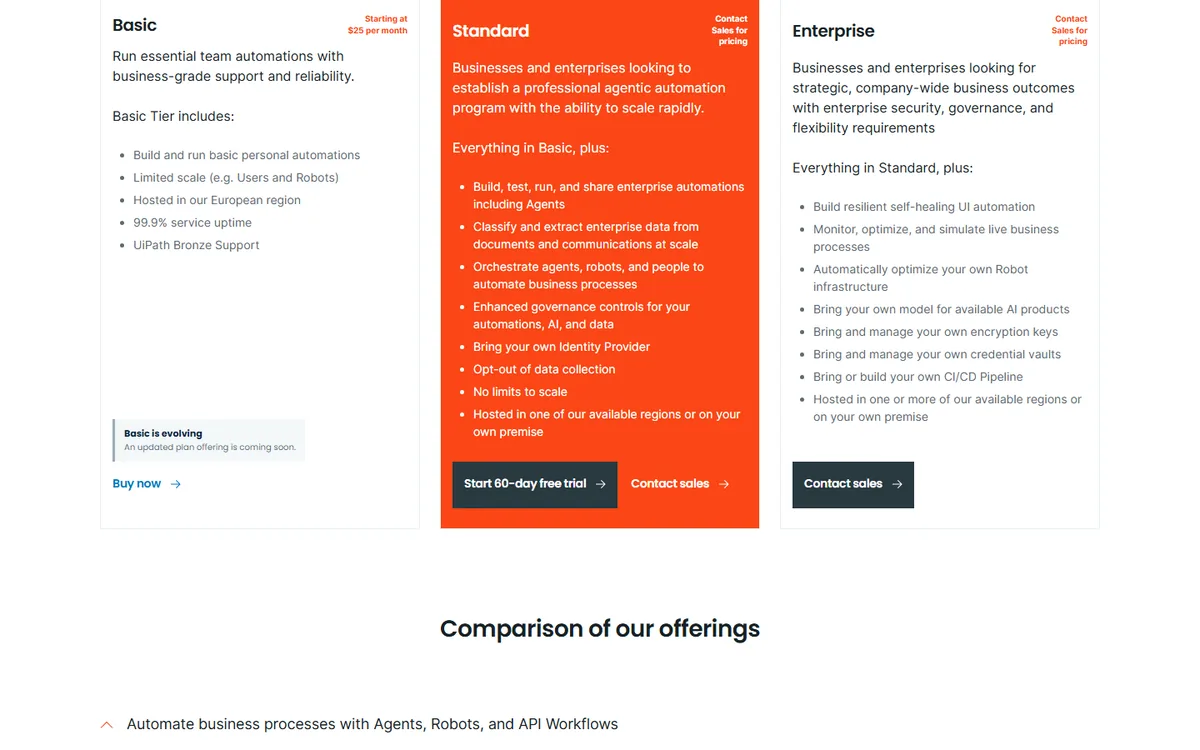
UiPath lists a free Community plan and a Basic plan from $25 per month, with Standard and Enterprise on request. G2 shows flat monthly rates of $420 for an automation developer, $1,380 for unattended automation and $1,930 for an automation team. Check UiPath for current terms.
UiPath Reviews
- G2: 4.6 of 5 stars (based on 7,734 verified reviews)
Workato
A Strong Integration Layer for Business Teams and IT Together
Workato pairs an iPaaS with workflow automation, so business and IT teams can build connected processes on shared recipes.
Workato works well when automation means connecting CRM, ERP, HR and finance systems with proper governance. Recipes are readable by business users, and IT keeps control over connections, environments and security. The enterprise connectors are deep, and recipes can be reused across teams.
It is priced for organizations, not for a first experiment. Pricing is quoted, and the platform rewards a plan for ownership and naming from the start. In my projects, the teams that benefit most already have several systems and a backlog of integration requests.
Workato Strengths
- Deep enterprise connectors and governance
- Recipes that business users can read
- Shared environments and version control
Workato Weaknesses
- Quote-based pricing aimed at larger budgets
- More platform than a small team needs
Workato Pricing
Workato does not publish prices on its G2 listing, and plans are quoted by volume and features. Ask for a quote based on your recipes and connections.
Workato Reviews
- G2: 4.7 of 5 stars (based on 859 verified reviews)
Automation Anywhere
A Capable RPA Suite for Large Programs With Clear Governance
Automation Anywhere offers cloud RPA, document automation and AI agents, aimed at large enterprise programs.
Automation Anywhere competes directly with UiPath, and for many buyers the choice comes down to demos, partners and price. It has a cloud-first architecture, solid bot management and document processing, and a long record in finance and insurance back offices.
Like other enterprise RPA, it needs a plan for ownership, testing and screen changes. G2 shows an average discount of 15 percent and an average time to implement of about four months, which fits my experience that these are programs and not quick installs.
Automation Anywhere Strengths
- Cloud-native bot management
- Document and AI processing in the suite
- A long enterprise track record
Automation Anywhere Weaknesses
- Implementation takes months, not weeks
- Contact sales for pricing
Automation Anywhere Pricing
Automation Anywhere does not list plans on G2, and pricing is quoted. G2 reports an average discount of 15 percent. Ask for a quote with a clear count of bots and users.
Automation Anywhere Reviews
- G2: 4.5 of 5 stars (based on 5,725 verified reviews)
Boomi
A Veteran Integration Platform That Handles Messy, Mixed Estates
Boomi connects cloud and on-premises systems, manages APIs and data, and adds automation on top.
Boomi is popular where old and new systems have to coexist. Its connectors cover ERP and on-premises databases, and its runtime can sit inside your network. Teams that want one place for integrations, APIs and master data find it a logical hub.
G2 reviewers describe cost as the main drawback and note that it climbs as integrations multiply. I suggest clients map their ten most important integrations first and price those, rather than a vague future estate.
Boomi Strengths
- Strong support for legacy and on-premises systems
- One platform for integration, APIs and data
- A flexible runtime inside your network
Boomi Weaknesses
- Costs grow as integrations multiply
- Takes training to use well
Boomi Pricing
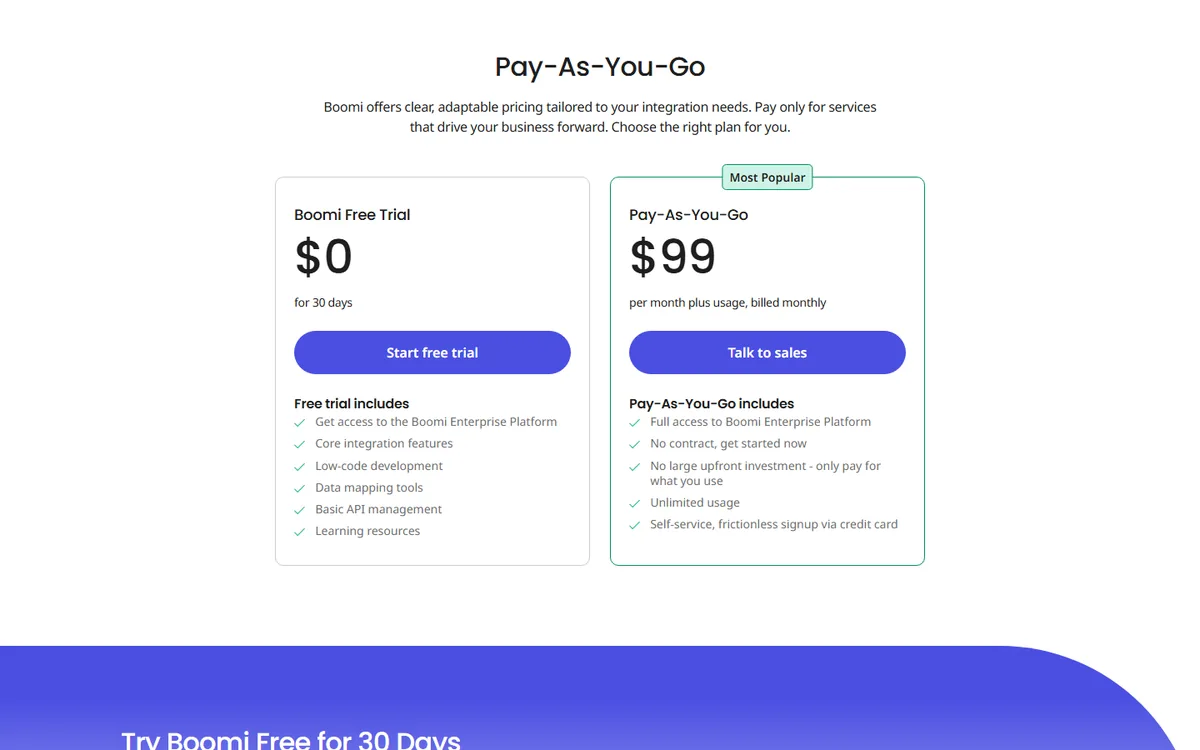
Boomi does not list prices on G2, where reviewers rate its cost at the top of the scale. Ask for a quote based on your connections and volumes.
Boomi Reviews
- G2: 4.4 of 5 stars (based on 511 verified reviews)
Celigo
Prebuilt Integrations That Shorten the Path for Common Business Stacks
Celigo offers prebuilt integration templates for popular business apps, plus a low-code builder for custom flows.
Celigo shines when your stack matches its templates: NetSuite, Salesforce, Shopify and similar platforms. Prebuilt flows cut the build time, and the dashboards make errors easy to see and retry. Business users can handle simple changes, while IT keeps control of the connections.
If your systems fall outside its template library, the advantage shrinks. I tell clients to ask for a live demo of the exact flow they need, with their field names, before they sign.
Celigo Strengths
- Prebuilt flows for common business apps
- Clear error dashboards with retry
- Balance of low-code and developer tools
Celigo Weaknesses
- Less value outside its template library
- Pricing is not public
Celigo Pricing
Celigo does not publish a usable price list on G2. Plans are quoted by integrations and volume, so request a quote for your flows.
Celigo Reviews
- G2: 4.6 of 5 stars (based on 1,132 verified reviews)
Tray.ai
Flexible for Complex API Workflows, With Usage Pricing to Model Carefully
Tray.ai is a low-code platform for building integrations and automations, with strong API handling and AI agent tools.
Tray.ai sits between simple trigger-action tools and enterprise iPaaS. You can call any API, process data in detail and build reusable workflows with developer-level control while keeping a visual builder. It suits teams with technical staff who need more than a basic connector.
Billing is usage based on top of the platform plan, so you should model your task volume before you commit. The ecosystem is smaller than Zapier's, and the platform assumes a builder with some technical comfort.
Tray.ai Strengths
- Flexible handling of any API
- Reusable, version-controlled workflows
- Pricing without per-user or per-connection fees
Tray.ai Weaknesses
- Usage billing needs modeling
- Smaller ecosystem than the largest tools
Tray.ai Pricing
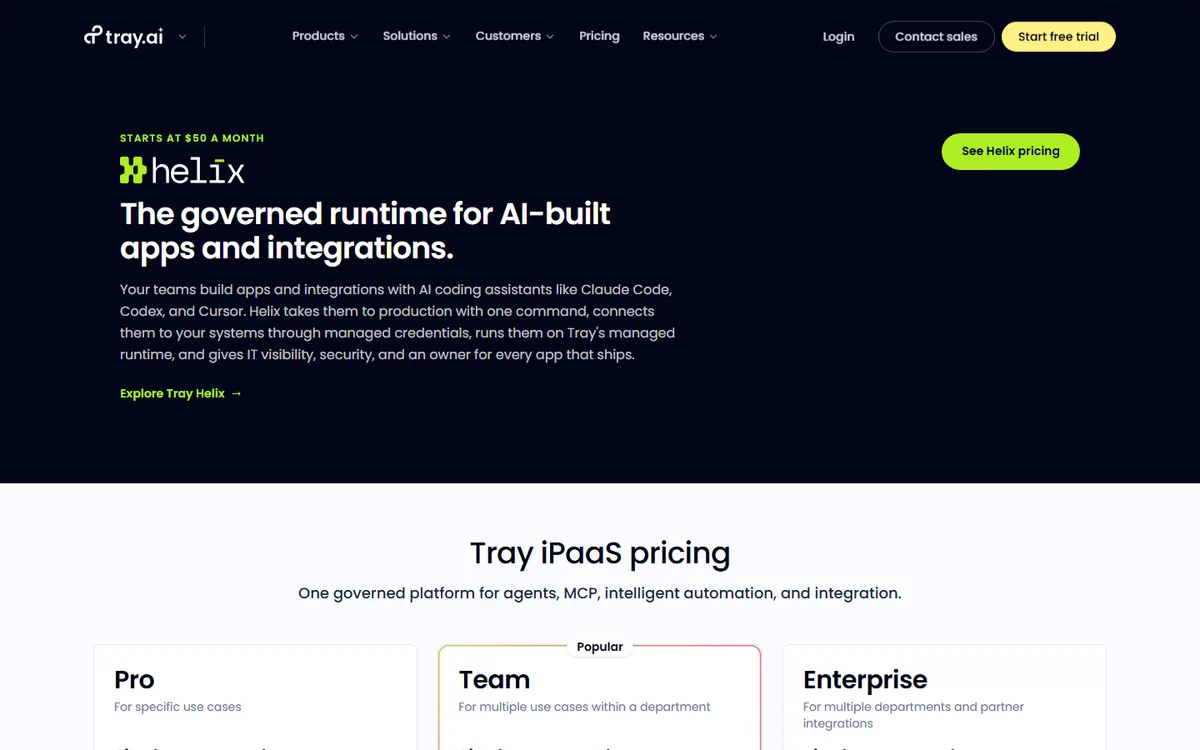
G2 lists a free trial, a Builder edition from $50 per month and Enterprise on quote. Usage is billed on top through tasks and compute units, so check Tray.ai for your estimated volume.
Tray.ai Reviews
- G2: 4.5 of 5 stars (based on 158 verified reviews)
Tines
Built for Security and IT Workflows, With Premium Pricing for Small Teams
Tines is a no-code workflow platform popular with security and IT teams for alert handling, enrichment and response.
Tines started in security operations and is strongest there. Workflows chain alerts, lookups and ticket updates with clear audit trails, and analysts can build without writing code. It also serves IT operations and other teams that handle repeated, rule-based incidents.
G2 reviewers praise the support and call the pricing high for small teams. If your needs sit outside security and operations, a general automation tool may fit better.
Tines Strengths
- Clean builder with clear audit trails
- Well suited to security and IT response
- Support that reviewers praise
Tines Weaknesses
- Reviewers call the pricing high for small teams
- Less natural for sales or marketing workflows
Tines Pricing
Tines does not list plans on its G2 page, and reviewers mention premium pricing. Ask Tines for a quote based on your workflow volume.
Tines Reviews
- G2: 4.7 of 5 stars (based on 414 verified reviews)
Pipedream
A Developer Favorite for Event-Driven Workflows, With a Small Review Base
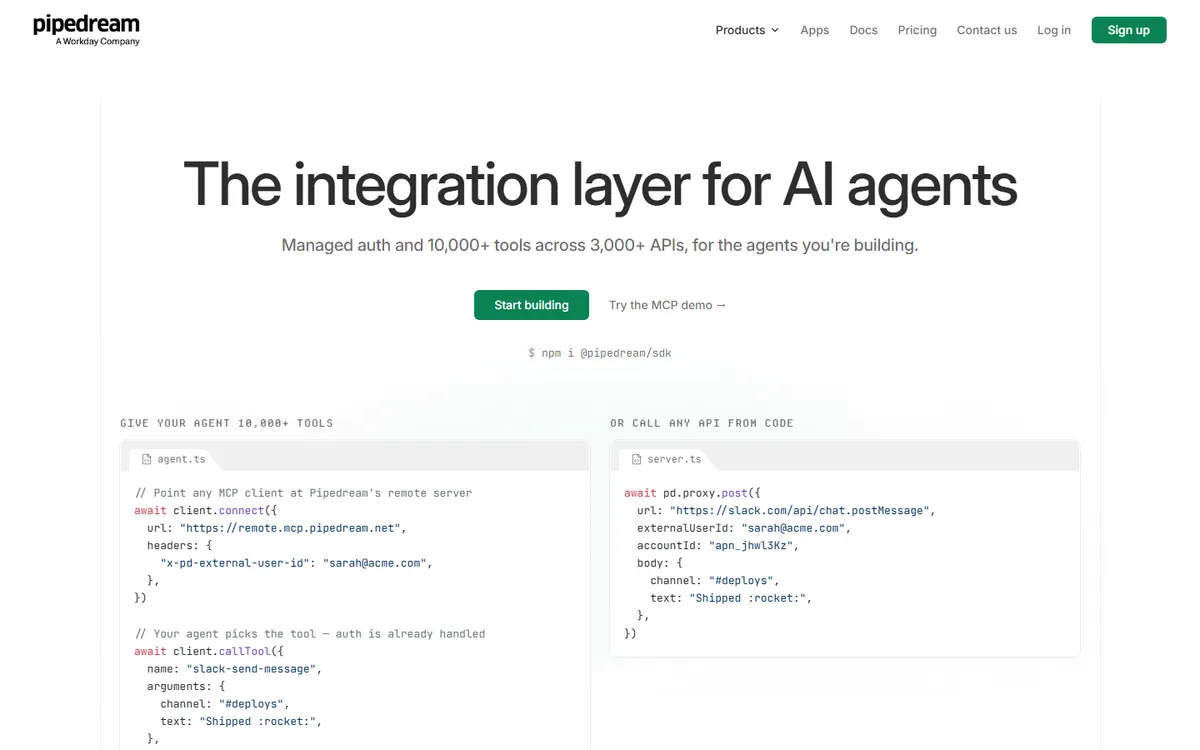
Pipedream lets developers build event-driven workflows with code steps and prebuilt app actions.
Pipedream suits engineers who want to wire APIs together quickly and drop into Node.js or Python when a prebuilt step falls short. Triggers, scheduled jobs and webhooks are straightforward, and a free tier makes experiments cheap.
Only 16 reviews on G2 mean the rating tells you little, so judge it with a trial. It is a developer tool, so business users will find it less friendly than visual builders.
Pipedream Strengths
- Code steps next to prebuilt actions
- Webhooks and schedules are simple to set up
- A free plan for development
Pipedream Weaknesses
- A small review base on G2
- Built for developers, not business users
Pipedream Pricing
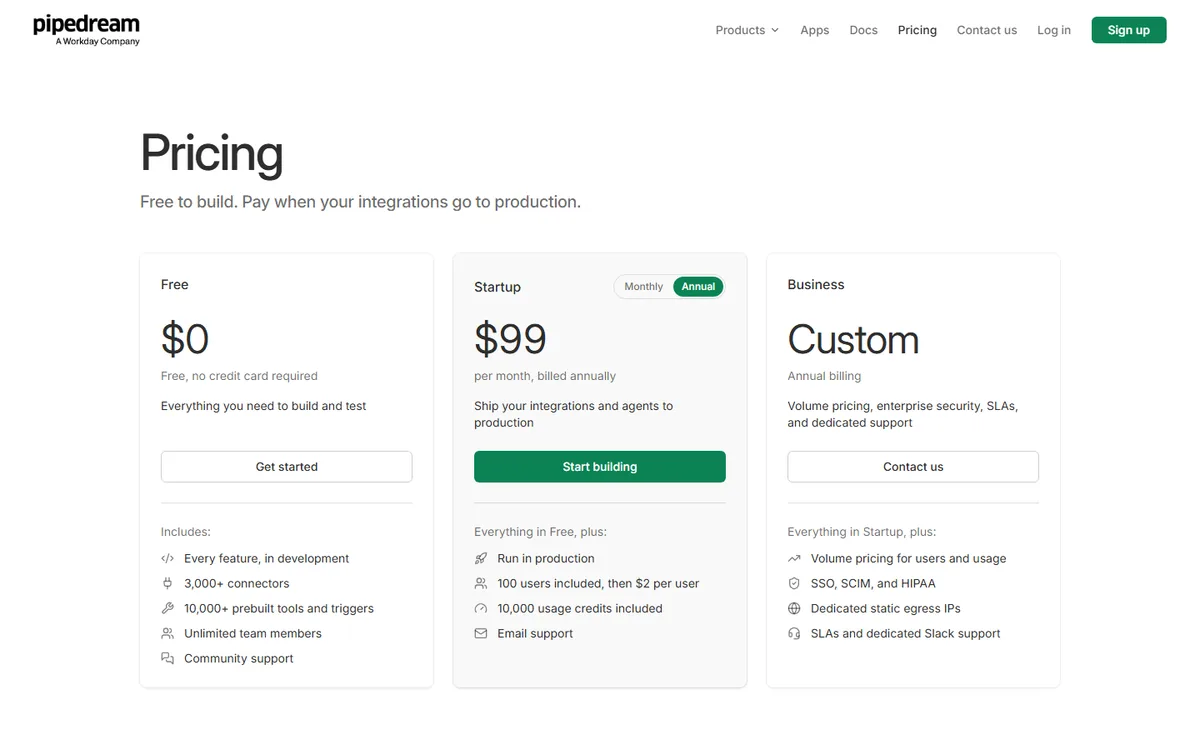
Pipedream lists a free plan for development, Startup at $99 per month billed annually or $150 billed monthly, and Business on quote. Confirm limits on the Pipedream pricing page.
Pipedream Reviews
- G2: 4.6 of 5 stars (based on 16 verified reviews)
Estimate the Return on Automation Software
Before you pick a plan, check whether the numbers work for you. Enter the manual hours the workflow takes each week and the monthly price of the plan you are considering, and you will see what it could return in a year. For a scoring method that ranks your candidates first, see my software automation framework.
Does the Tool Make Sense for You?
Drag the sliders to reflect your tasks and the plan you want to compare.
How to Choose the Right Automation Software
Fit with your systems decides more than any feature list. Before you compare vendors, I suggest you answer four questions:
- Which systems does the workflow touch, and do they have APIs or only screens?
- How many runs per month do you expect, and how does the vendor price them?
- Who will build and maintain the workflows: business users, IT or a partner?
- Where must data live, and what do your security reviewers require?
If you run a small team and want a quick start, I usually point to Zapier or Make. If your people live in Microsoft 365, look at Power Automate. If you have developers and privacy needs, look at n8n. If you must automate old desktop applications, shortlist UiPath or Automation Anywhere. Real projects help you judge, so read my software automation examples and the software automation use cases before you shortlist. If you want a second opinion on your shortlist, a short call usually settles it.
Questions About Choosing Automation Software
What Is the Best Automation Software for a Small Business?
For most small businesses I recommend starting with Zapier or Make. Zapier is the easiest to learn and has the largest app library, and Make gives more control at a lower price per run. Run a two-week trial with one real workflow before you pay.
What Is the Difference Between Workflow Automation and RPA?
Workflow automation connects systems through their APIs and moves data between them. RPA drives screens the way a person would, which helps when a legacy system has no API. Use an integration where you can and RPA as a bridge, since robots break when screens change.
Is There a Good Free Automation Tool?
Several list free options. Make has a free plan with 1,000 credits a month, Pipedream has a free development plan, UiPath has a Community plan and n8n offers a self-hosted Community Edition. Limits apply, so check them against your volumes.
How Much Does Automation Software Cost?
Entry plans start at roughly $10 to $50 per month for small workflows. Enterprise platforms such as UiPath, Workato, Boomi and Automation Anywhere are quoted, and annual costs can reach tens of thousands. Add build time, testing and upkeep, which in my projects is 15 to 25 percent of the build effort per year.
Which Tool Is Best for a Company on Microsoft 365?
Microsoft Power Automate is the natural first look, since it connects to Outlook, Teams, SharePoint and Dynamics and includes desktop RPA. Read the licensing carefully, because per-user, per-bot and add-on fees combine.
Do I Need Developers to Use These Tools?
Not for the simplest flows. Zapier, Make and Power Automate let business users build basic workflows. Integrations with core systems, self-hosted platforms such as n8n and developer tools such as Pipedream need engineering skills.
How Do I Choose Between Platforms?
Start with the workflow you need to automate, not the feature list. Note the systems it touches, the volume and who will maintain it, then trial two or three tools with that real case. Fit with your stack and team matters more than a few tenths of a rating point.
Important: prices, plans and ratings move quickly. They reflect our last update, so double-check each vendor’s site before purchasing. Nothing in this article is legal or financial advice.
Did this article help you?
Thanks, noted.
Whitney Sorensen
Whitney leads the Umber editorial team and works with the consultants to turn real client projects into practical guides on software selection, custom development, integration and legacy modernization. Before joining Umber, she spent years writing and editing for engineering and IT teams. She has since reviewed architecture audits, system selections and modernization plans from client projects across industries from manufacturing to healthcare. She works remotely from the USA.