Main Points
- High-volume tasks with written rules and one system pay back first.
- Use cases that touch many systems or need judgment sit lower and need more preparation.
- RPA is a bridge for systems without an API, so plan the replacement.
- Rank your own candidates with real volumes before you buy anything.
Twelve use cases is a manageable list. I ordered them by the return I usually see, which depends on three things: how often the task runs, how clearly the rules are written and how many systems it touches. If you want help ranking your own, my team does this as part of software automation consulting.
The ranking comes from my client work and reflects a typical mid-sized company. Your volumes may reorder it, so use the table as a starting point and not as a verdict.
The Twelve Use Cases Mapped by Impact
Impact weighs expected gain against the work needed. Effort is the build and change effort.
| Use case | Area | Impact | Effort |
|---|---|---|---|
| 1. Invoice Capture and Three-Way Matching | Finance | Very high | Medium |
| 2. Lead Routing and Follow-Up Alerts | Sales | Very high | Low |
| 3. Joiner, Mover and Leaver Workflows | HR | High | Medium |
| 4. Scheduled Management Reports | Reporting | High | Low |
| 5. Order and Inventory Sync Between Systems | Operations | High | Medium |
| 6. CI/CD Pipelines With Automated Gates | Engineering | High | Medium |
| 7. Ticket Triage and Routing | Support | Medium | Low |
| 8. Nightly Regression Test Suites | Quality | Medium | Medium |
| 9. Robotic Process Automation on Old Screens | Legacy systems | Medium | Medium |
| 10. Data Extraction From Forms and Contracts | Documents | Medium | High |
| 11. Status Notifications and Reminders | Customer | Low | Low |
| 12. Environment Provisioning From Code | Infrastructure | Medium | Medium |
Invoice Capture and Three-Way Matching
Invoice handling is the classic first use case. Each invoice is read, matched to its purchase order and receipt, and posted without a touch when the numbers agree. The high ROI comes from volume: a few minutes saved on every one of hundreds of invoices.
Only exceptions need a person, and those give you a clean list of supplier data problems to fix. In my client work, matching works best when price and quantity tolerances are written down before the build.
Steps That Work for This Case
- Write tolerance rules for price and quantity.
- Capture invoices from one mailbox.
- Match against purchase orders and receipts.
- Post clean matches automatically.
- Send mismatches to a queue with the reason.
Typical Tools
Document capture tools, your ERP's matching feature and a workflow tool for approvals.
Lead Routing and Follow-Up Alerts
Leads lose value every hour they wait. A rule that assigns each lead by region, size or product and alerts the owner when nothing happens in three days is cheap to build and quick to prove. The ROI is high because the effort is small.
Agree on the assignment rules with sales leads before you build. Most of the work is the conversation about territories, not the logic.
Setting This Up
- Write assignment rules on one page.
- Test them on last month's leads.
- Set an owner and a time limit in the CRM.
- Alert the owner when the limit passes.
Where It Runs
Your CRM's assignment rules, plus a workflow tool for chat or email alerts.
Joiner, Mover and Leaver Workflows
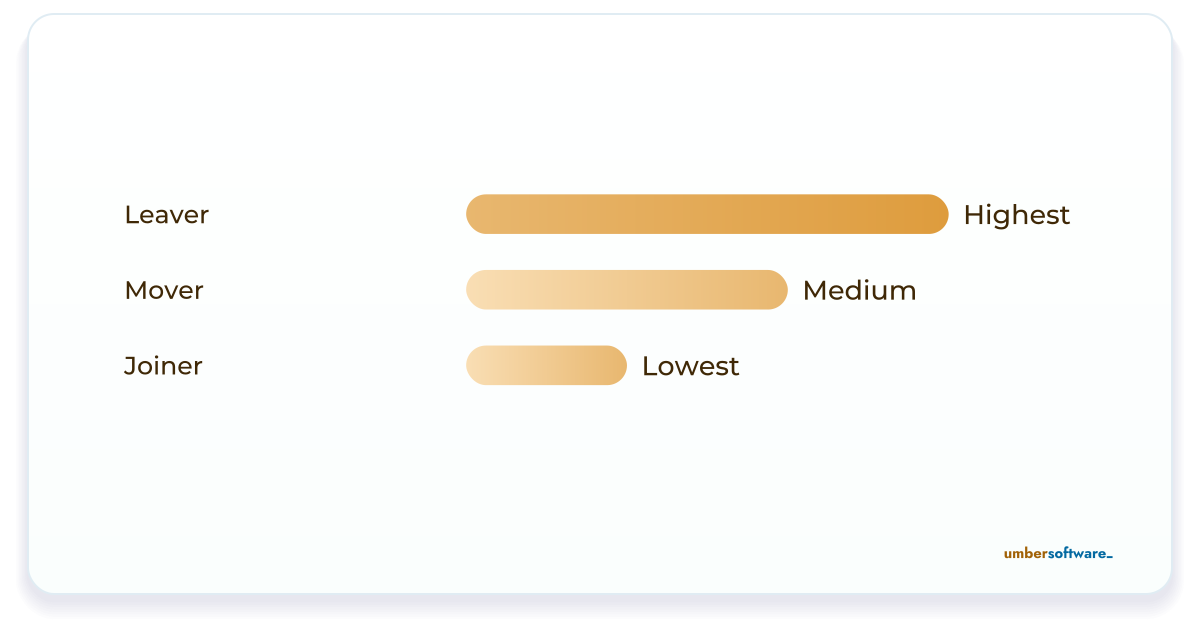
One request triggers accounts, equipment, training and access removal for leavers. New staff are productive on day one, and old access does not linger. Security teams value the leaver path most.
Start with the leaver path, because its risk is highest. Then add movers, such as role changes, which are the cases most often forgotten.
Rolling It Out
- List accounts and items per role.
- Create a single request form.
- Trigger each task in the connected systems.
- Remove access automatically on the last day.
- Audit the flow every quarter.
Tooling Choices
An identity provider with connectors and a workflow tool for the rest.
Scheduled Management Reports
Reports assembled by hand every month eat days and carry copy errors. A scheduled job that pulls the numbers, checks them against last month and publishes the result gives people time back and removes a source of disputes.
Range checks matter. Without them, one broken feed can publish nonsense that people trust because it came from a system.
Building It in Stages
- Document each figure and its source.
- Schedule the data pulls.
- Add range checks against the prior period.
- Publish to one fixed location.
- Name an owner for the data feeds.
What to Use
Scheduled queries, a BI tool or a short script. Pick what your team already maintains.
Order and Inventory Sync Between Systems
Orders typed twice are errors waiting to happen. A monitored integration passes orders and stock levels between the shop, the ERP and the warehouse system within minutes. The ROI shows up in fewer wrong shipments as much as saved typing.
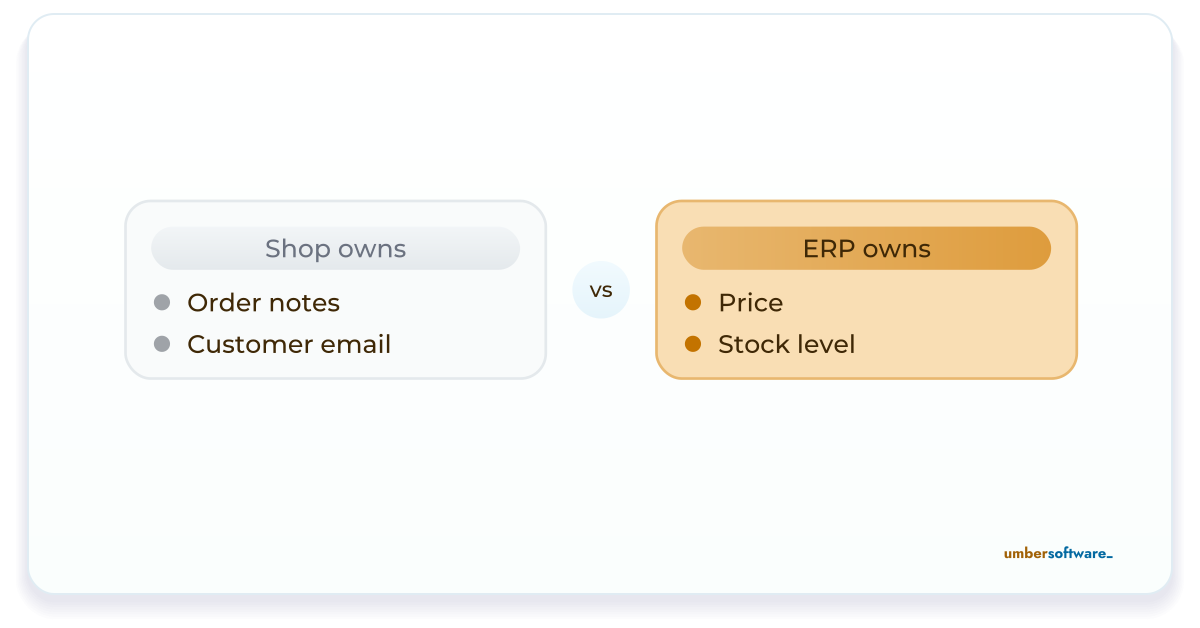
Decide which system owns each field before you connect anything. Many sync problems are ownership problems in disguise.
From Pilot to Live
- Name the owning system per field.
- Map fields between systems.
- Build the sync with retries.
- Alert on orders stuck for 15 minutes.
- Reconcile counts daily.
Suggested Stack
Native connectors for standard setups, an integration platform or custom APIs for the rest.
CI/CD Pipelines With Automated Gates
Every change runs through build, tests and security checks, and ships when it passes. Teams release more often with fewer incidents. The ROI is large for any team that releases at least weekly.
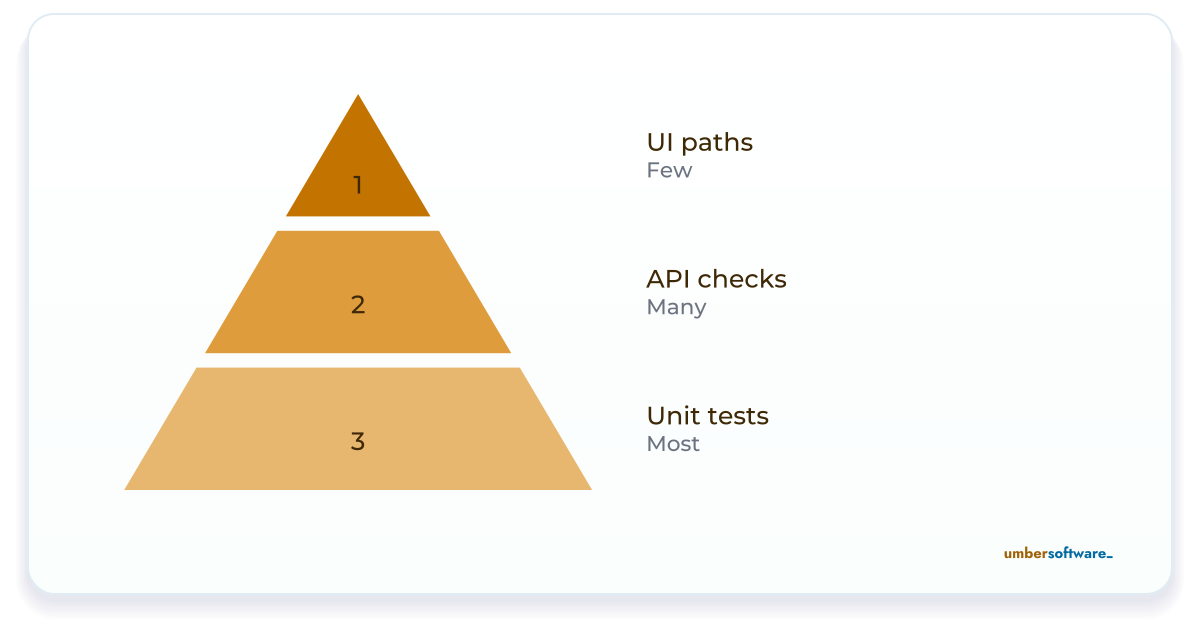
Start with the build and fast tests. Add slower gates once the team trusts the pipeline, and treat a flaky test as a bug with a deadline.
A Practical Sequence
- Script the build.
- Add unit tests as the first gate.
- Add dependency and secret scans.
- Deploy to staging automatically.
- Move to one-click production releases.
Tools That Fit
GitHub Actions, GitLab CI or Jenkins, depending on where your code lives.
Ticket Triage and Routing
Rules route each new ticket by product, plan and keywords, tag urgency and suggest articles. Agents start work on the right ticket, and urgent cases surface in minutes. The ROI comes from faster first response.
Automate sorting before replies. It carries little risk and produces tagged data that you can use to judge later steps.
Getting Started
- Group 500 past tickets by cause.
- Write rules for the five largest groups.
- Tag urgency by plan and keyword.
- Review rerouted tickets daily at first.
Where to Build It
The rule engine in your helpdesk, plus a small script when you need outside data.
Nightly Regression Test Suites
Automated tests on the stable core of the product run every night. Testers shift to exploratory work. The ROI is solid when the product changes often, and weak when screens change every sprint.
Test business-critical paths and APIs first. Tests of volatile screens cost more to maintain than they save.
Moving from Pilot to Live
- Rank test cases by risk.
- Automate the stable top share first.
- Run nightly and review failures each morning.
- Fix or delete flaky tests within a week.
Test Tooling
Playwright or Cypress for web screens and an API test tool for services.
Robotic Process Automation on Old Screens
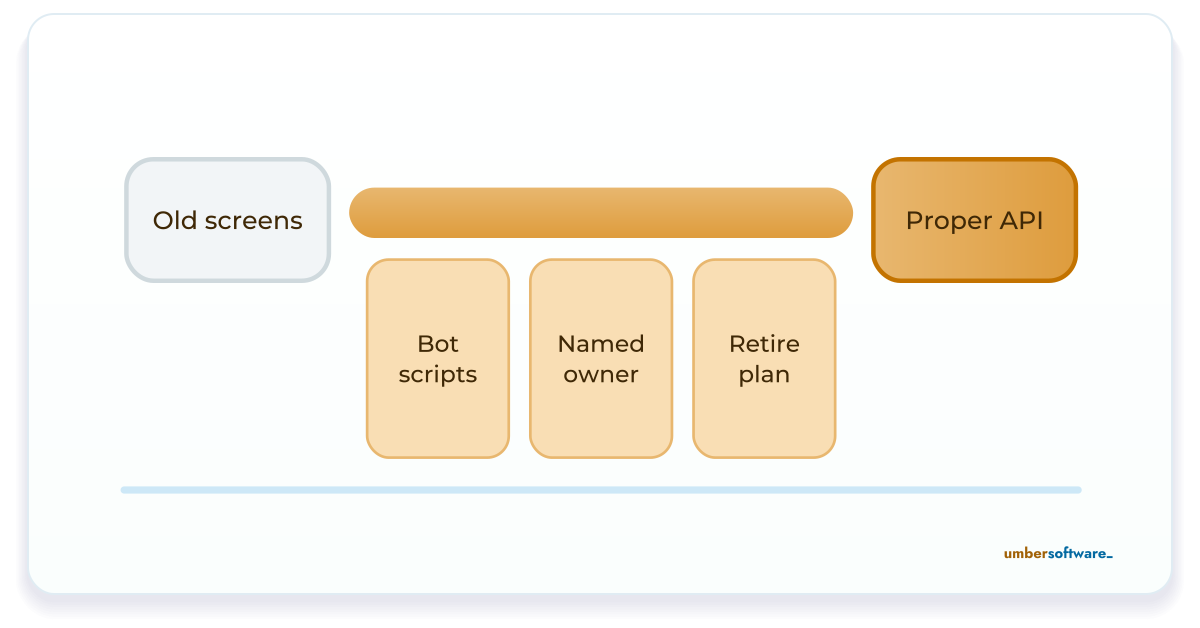
When a legacy system has no API, a software robot can enter and read data through the screen. It is slower and more fragile than an integration, but it works while a replacement is planned. The ROI is good for stable screens and poor for changing ones.
Treat RPA as a bridge, and not as a permanent design. Record which robots exist, since screen changes break them without warning.
Setting It Up Safely
- Confirm that no API exists.
- Record the steps on stable screens.
- Add error handling and retries.
- Monitor runs and failures.
- Plan the replacement of the legacy screen.
Tool Options
UiPath, Power Automate or Automation Anywhere, depending on your estate.
Data Extraction From Forms and Contracts
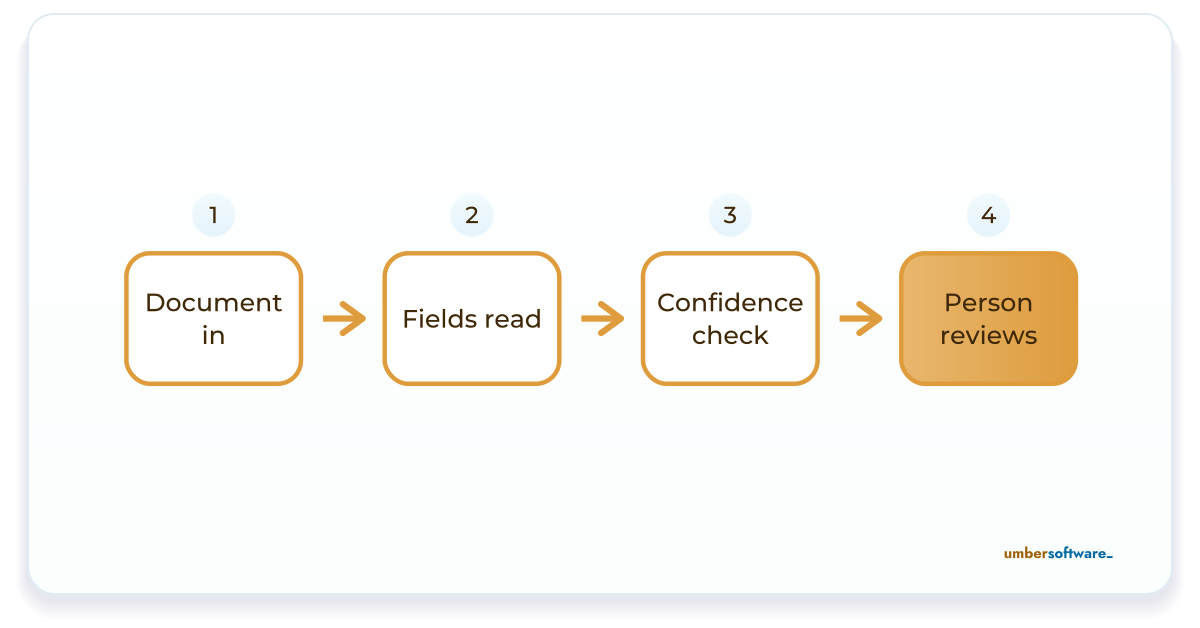
Software reads fields from forms, orders and contracts, and puts them into your systems. It suits documents with a steady layout. The ROI depends on volume and how varied the documents are.
Keep a person in the loop for low-confidence fields. In my projects a review screen for uncertain values is what makes the results trustworthy.
Making It Reliable
- Collect 100 sample documents.
- List the fields you need.
- Set a confidence threshold.
- Route uncertain fields for review.
- Measure accuracy monthly.
Tool Choices
Document capture services, plus a review screen built in your workflow tool.
Status Notifications and Reminders
Customers get an automatic message when an order ships, an invoice is due or a request changes status. Support volume drops, because fewer people ask where things are. The ROI is moderate and steady.
Write the messages once and keep them short. Give customers a clear way to reach a person.
Keeping It Simple
- List the status changes that trigger questions.
- Write short templates.
- Send from the system that owns the status.
- Track reply volume after launch.
Tools to Consider
Your order or ticket system's notifications, or an email tool connected through a workflow.
Environment Provisioning From Code
Test and staging environments are created from a shared definition in minutes and deleted when done. Teams stop waiting for environments and stop chasing differences from production. The ROI is high for teams that deploy often.
Start with one service. Moving the whole estate at once is a project of its own and rarely finishes.
Getting It Live
- Pick one service.
- Describe its infrastructure in code.
- Create a test environment from it.
- Review changes like application code.
Tools for the Job
Terraform or your cloud provider's own templates.
How to Read This List Against Your Own Numbers
The ranking changes when your volumes do. A company with 5,000 invoices a month will see invoice matching beat everything else, and a company with 40 may find that notifications win. Write down runs per month and minutes per run for your top five candidates, then compare. My software automation framework turns that into a score with a worked example.
Look at what the winners share: repeated work, written rules and a clear owner. The software automation examples show how nine of these played out, and the automation software review compares the platforms that run them.
How to Choose Your First Three Use Cases
Take one from the top, one from the middle and keep one in reserve. A few signals help:
- Many hours of manual entry: begin with capture, matching or sync.
- Slow or risky releases: begin with a pipeline and nightly tests.
- Requests that wait too long: begin with routing and alerts.
- A system with no API: use RPA as a bridge and plan the replacement.
Run the first one for a month and measure hours, errors and cycle time against your baseline. A short call is often enough to sort the first three for your situation.
Questions About Software Automation Use Cases
What Are the Best Use Cases for Software Automation?
High-volume tasks with written rules and few systems come first: invoice matching, lead routing, onboarding flows and scheduled reports. They pay back quickly and carry little risk. Tasks with fuzzy rules or many systems come later.
How Is Impact Measured in This List?
Impact is my judgment of hours saved or errors avoided for a typical mid-sized company, weighed against the build effort. It is not a measured average, so check your own volumes. The rank order should hold, but the size of the gain depends on your numbers.
What Does a Typical ROI Look Like?
Strong candidates often pay back within three to nine months, and weak ones take more than a year. Calculate payback from hours saved, hourly cost, build cost and yearly upkeep, and be honest about upkeep. It usually runs at 15 to 25 percent of the build effort in my projects.
Should I Use RPA or an Integration?
Use an integration when the system has an API, because it is faster and more stable. Use RPA when it does not and you need a bridge. Plan the replacement of the legacy screen, since robots break when screens change.
Which Use Case Suits a Small Team?
Lead routing, scheduled reports and status notifications need little build time and no heavy platform. A single workflow tool covers all three. Start with the one that costs your team the most hours.
Can I Combine Several Use Cases?
Yes, and many do. Order sync, notifications and reporting share data, so build them on the same connections. Keep an inventory of what runs where so that a change to one system does not break the rest.
How Do I Pick Between Two Use Cases with a Similar Impact?
Choose the one with clearer rules and fewer systems. It will go live sooner, and the pilot teaches you how your team handles exceptions. Then use that experience on the harder one.
Please note: this guide is general information and not legal, financial or tax advice. Numbers and examples are typical-project estimates; confirm current details with your providers and advisers.
Did this article help you?
Thanks, noted.
Whitney Sorensen
Whitney leads the Umber editorial team and works with the consultants to turn real client projects into practical guides on software selection, custom development, integration and legacy modernization. Before joining Umber, she spent years writing and editing for engineering and IT teams. She has since reviewed architecture audits, system selections and modernization plans from client projects across industries from manufacturing to healthcare. She works remotely from the USA.