Main Points
- Work through five steps: inventory, score, design, build and test, operate.
- Rank candidates with one formula based on hours saved, rule clarity and build effort.
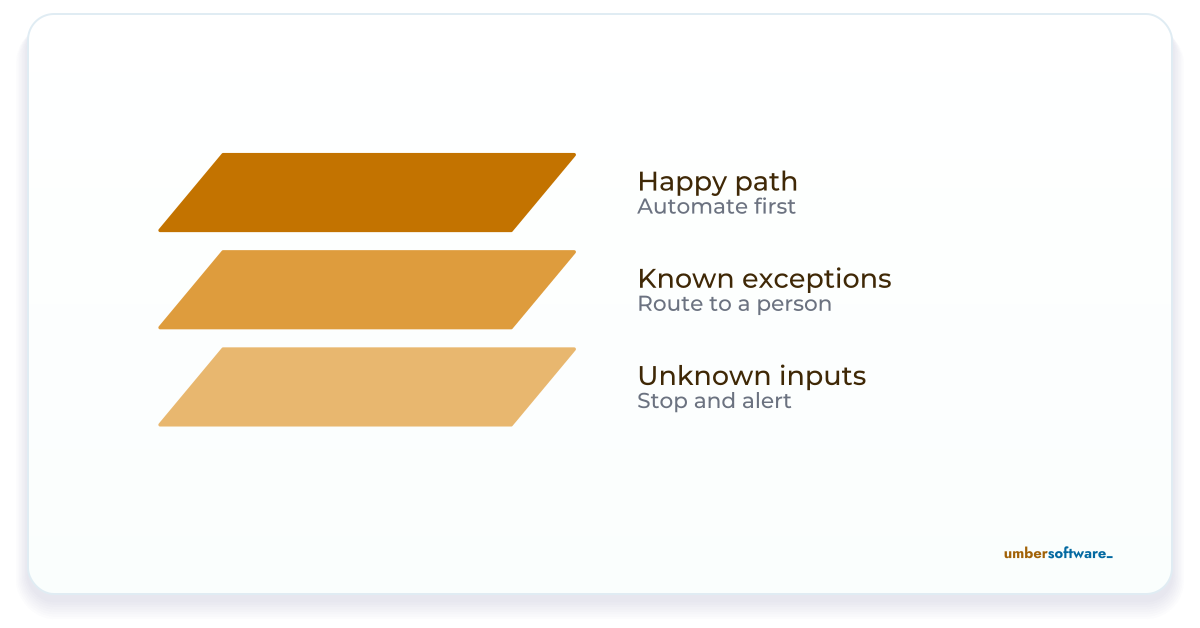
- Build the common path first and send exceptions to a person.
- Give every automation an owner, an alert and a monthly check.
Most automation programs start with a list of ideas and end with a pile of half-working scripts. The ideas were fine. What was missing was an order, a way to build safely and someone responsible once the workflow went live. A framework fixes that, and I use a small one in software automation consulting projects.
The model has five steps and one formula. I explain each step, run a worked example with real arithmetic and then show how to read the result without fooling yourself.
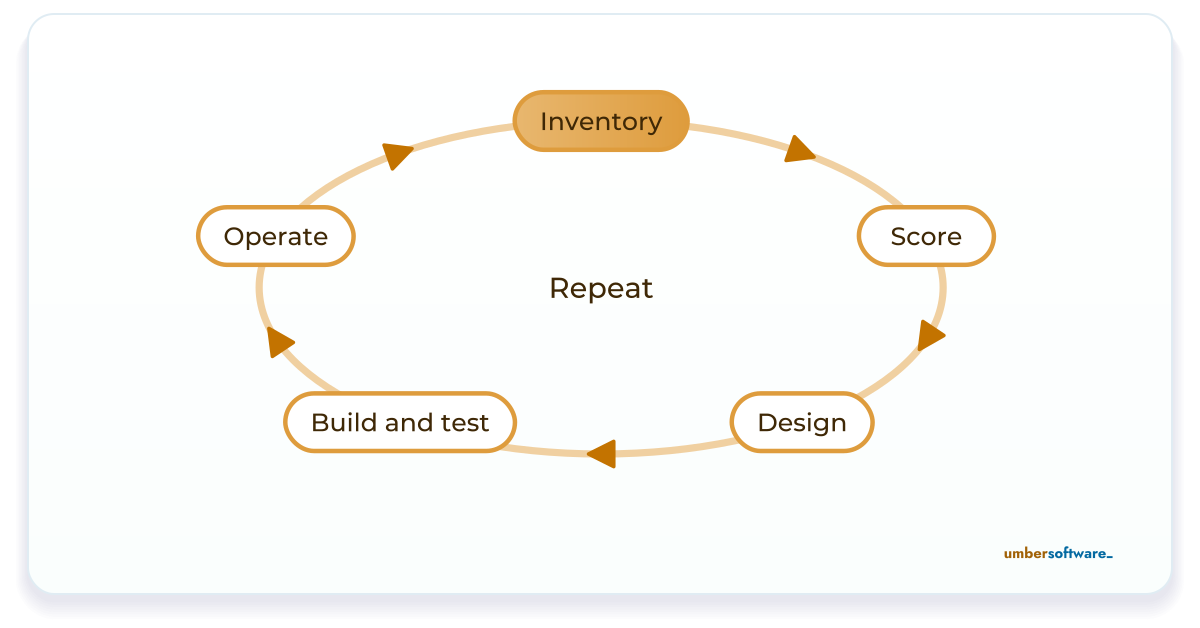
The Five Steps and What Each One Produces
Work in order the first time. Later cycles can start at any step, since the inventory and the scores stay useful.
| Step | What it answers | Output | Owner |
|---|---|---|---|
| 1. Inventory | Which repeated tasks exist, and how big are they? | List with runs per month and minutes per run | Team leads |
| 2. Score | Which ones come first? | Ranked list from the formula | Automation lead |
| 3. Design | What are the rules, the exceptions and the checks? | One-page design with exception paths | Process owner |
| 4. Build and test | Does it work on real data? | Pilot with side-by-side comparison | Engineer |
| 5. Operate | Does it keep working and paying off? | Monthly numbers and exception review | Business owner |
Step 1: Build an Inventory From the People Who Do the Work
Ask each team lead for the tasks that repeat weekly or monthly. For each, capture who does it, how many times per month, how many minutes per run and which systems it touches. A one-hour session per team is usually enough. People enjoy this exercise because it makes invisible work visible.
Do not skip the systems column. A task that touches one system with an API is much cheaper to automate than one that spans four systems and a spreadsheet. If you see many manual transfers between systems, the integration problem is bigger than any single task, and the review of automation software shows which platforms handle that kind of work.
Step 2: Score With One Formula
Every candidate gets a single score:
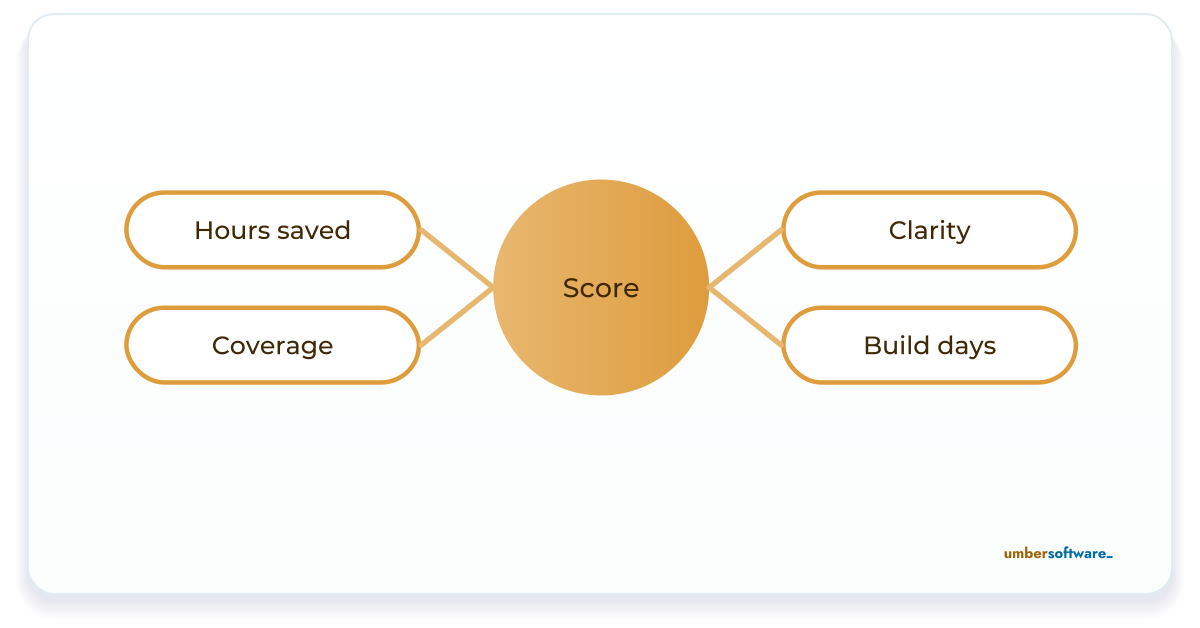
Priority score = (Annual hours saved × Rule clarity) ÷ Build days
Annual hours saved is runs per month × minutes per run ÷ 60 × 12 × coverage, where coverage is the share of cases the automation will handle without a person. Rule clarity runs from 0.5 to 1.0. Build days is your honest estimate, including testing and the exception queue.
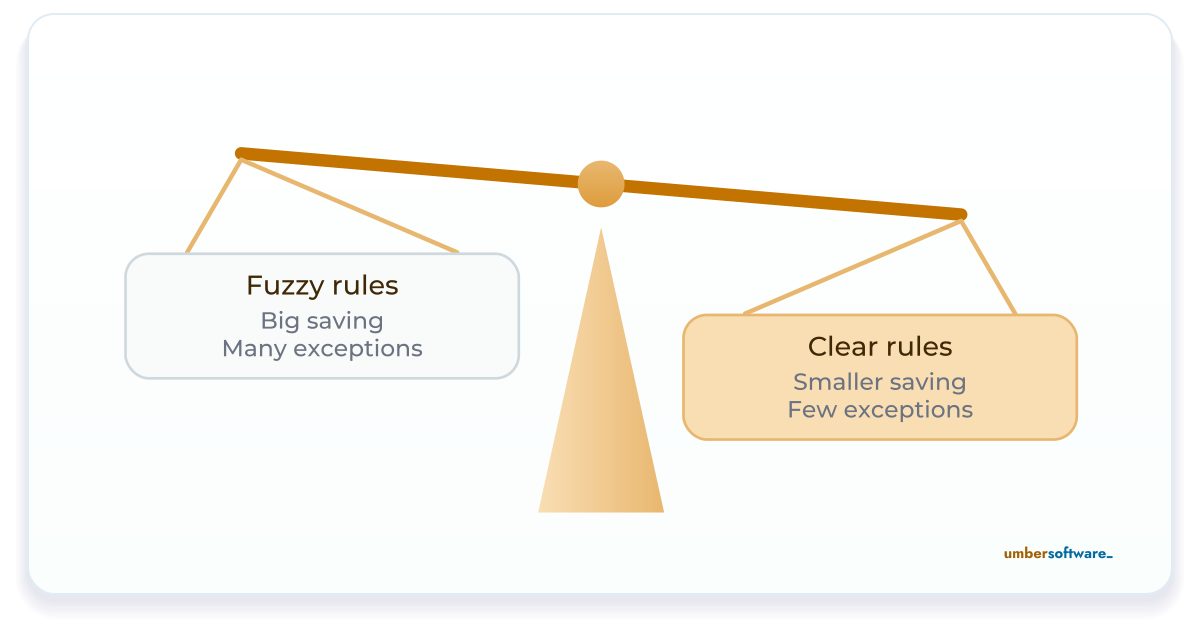
Clarity matters most. It punishes the big, appealing task with fuzzy rules and rewards the dull one that everyone does the same way.
| Candidate | Runs per month | Minutes per run | Coverage | Yearly hours saved | Clarity | Build days | Score |
|---|---|---|---|---|---|---|---|
| Lead routing | 400 | 3 | 90% | 216 | 0.8 | 5 | 34.6 |
| Invoice matching | 600 | 6 | 80% | 576 | 0.9 | 20 | 25.9 |
| Employee onboarding | 25 | 90 | 70% | 315 | 0.9 | 12 | 23.6 |
| Monthly report | 1 | 960 | 90% | 173 | 0.9 | 8 | 19.4 |
| Contract review | 150 | 20 | 40% | 240 | 0.5 | 30 | 4.0 |
Check the arithmetic on lead routing: 400 × 3 ÷ 60 = 20 hours a month, × 12 = 240, × 0.9 coverage = 216 hours. Then 216 × 0.8 = 172.8, divided by 5 days = 34.6. For contract review: 150 × 20 ÷ 60 = 50 hours, × 12 = 600, × 0.4 = 240. Then 240 × 0.5 = 120, divided by 30 = 4.0. The inputs are invented to show how the formula behaves.
Reading the Scores Without Fooling Yourself
Lead routing wins because it is cheap and clear, even though invoice matching saves more hours. Contract review lands last: it has hours on paper, and the rules are fuzzy and the build is long. That does not make it a bad idea. It tells you to write down the review rules first, which would raise the clarity score and move the task up the list.
Treat scores within about 20 percent of each other as a tie and decide on dependencies. Check the payback too. At $50 per hour, lead routing saves 216 × $50 = $10,800 a year. If the build costs $4,000, the monthly saving of $900 pays it back in about 4.4 months.
Step 3: Design the Exceptions Before the Happy Path
A design page has four parts: the rules, the cases that go to a person, the checks that catch errors and the alert that tells someone when something breaks. Most failures I see come from skipping the second and fourth part. The workflow works in the demo, then meets an unexpected input and either stops or does the wrong thing quietly.
Aim to automate the most common path first. If 80 percent of cases follow the same rule, build that and send the rest to a queue that a person reviews. You can extend coverage later with real examples of what lands in the queue, and my software automation examples show what that looks like in practice.
Step 4: Build, Then Run Side by Side
Build the pilot on real data in a test setup. Run it beside the manual process for two weeks and compare the outputs line by line. Every difference is either a bug in the automation or a hidden rule that staff were applying without noticing. Both are valuable to find before go-live.
Keep changes small and versioned, so you can roll back. Write a short runbook: what the automation does, where it runs, who to call and how to restart it. When you want to judge which use is worth building next, a wider list helps.
Step 5: Operate and Review Every Month
An automation is a small product, and products need an owner. The business owner reads a monthly summary of runs, failures, exceptions and hours saved. The technical contact fixes breakage and updates the workflow when a connected system changes. Put a recurring review in the calendar, because systems change on their own schedule and break integrations without warning.
Plan for upkeep from day one. In my projects, yearly maintenance runs at roughly 15 to 25 percent of the build effort, and it rises with the number of connected systems. Include that figure in your payback calculation, or the savings will look better on paper than they are in practice.
Where Automation Programs Go Wrong, and Which Step Prevents It
Most failed automation projects share a short list of causes. Each one maps to a step above, which is a good reason to follow the order. A team that skips the inventory automates whatever the loudest manager asks for. A team that skips the score builds the exciting task and leaves the profitable one on the list. A team that skips the design page ships a workflow that stops on the first odd input.
| What goes wrong | How it shows up | Step that prevents it |
|---|---|---|
| Automating a broken process | The workflow runs fast and produces the same bad results | Step 2, through the clarity score |
| No error path | One odd input stops the job and nobody notices | Step 3, exception design |
| Untested on real data | Works in the demo, fails in the first week | Step 4, side-by-side pilot |
| No owner | Nobody fixes it after a system change | Step 5, named owner and review |
The first row deserves a second look, because it is the most expensive. In my client work, a team once automated an approval chain that had five signers, three of whom never changed anything. The robot dutifully collected all five signatures. The better project was to cut the chain to two signers first, and then automate it. The clarity score exists to raise that question early.
A Realistic First 90 Days
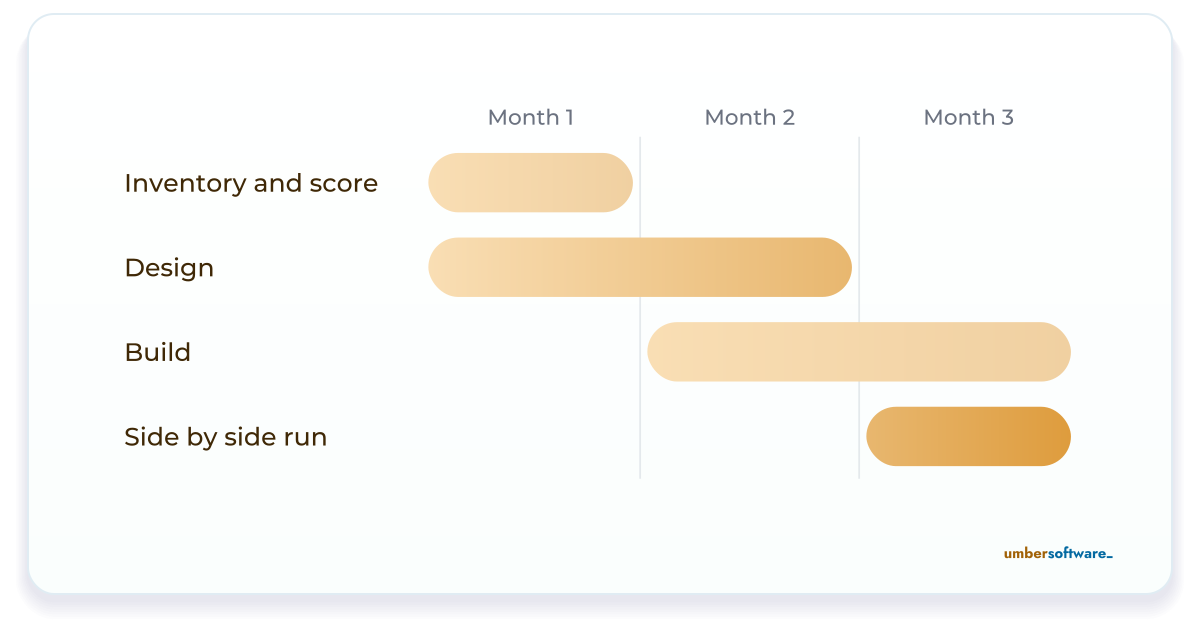
Plan the first quarter in three blocks. In the first month, run the inventory and the scoring, and agree on the top three candidates. In the second month, design and build the winner, and run the pilot beside the manual process. In the third month, go live, set up the monthly review and start the design of the second candidate. Expect a delay of a week or two somewhere, usually in access to a test system or in a decision about an exception. Build that slack into the plan so that the sponsor does not hear about it as bad news.
Measure the first automation against the baseline you recorded in step 1. If hours saved land within 30 percent of the estimate, your scoring inputs are good enough. If they miss by more, adjust the inputs for the next round, and note which assumption was wrong. That feedback loop is what makes the second and third automations cheaper than the first.
Picking Your First Step
Do not wait for a perfect inventory. Start with one team, ten tasks and the formula. My software automation use cases give you a wider list to pick from. Match your starting point to your situation:
- Small team with a few clear tasks: score three candidates and build the winner within a month.
- Several teams with scattered scripts: run the inventory first and retire duplicates.
- Regulated or customer-facing processes: add a human check on every output before widening coverage.
- Heavy use of old systems: look at integration or modernization work before adding more bots.
Whatever the size, finish step 2 with a ranked list the whole team can see. If you would like a facilitator for the scoring sessions and the first pilot, a short call will show how much help you need.
Questions About Software Automation Frameworks
What Is a Software Automation Framework?
It is a repeatable way to decide what to automate, how to build it and who looks after it. It covers five steps: inventory, scoring, design, build and test, and operation. Without one, automation grows from whoever shouts loudest, and nobody owns the results.
Why Use a Score and Not Just Gut Feeling?
A score forces you to write down volume, time per run and effort. Those three numbers expose projects that sound big and save little. The score is not exact, but it gives you an order that you can discuss and defend.
How Accurate Does the Input Data Need to Be?
Rough is fine. Ask the people who do the work for runs per month and minutes per run, then sample a week to check. If your estimate is within 30 percent, the ranking will usually not change.
What Is Rule Clarity, and How Do I Set It?
Rule clarity is a value from 0.5 to 1.0 that says how well the task can be written as rules. Use 1.0 when every case has a documented answer and 0.5 when staff often decide by feel. A low value signals that the process needs cleaning up before it is automated.
How Long Should a First Pilot Take?
Aim for two to six weeks from approval to a live pilot with real work. If the build estimate is longer, split the task and automate the most common path first. A pilot that touches real data teaches you more than a long specification.
Who Should Own an Automation After Launch?
A named person in the business team that relies on it, plus a technical contact for fixes. The owner reviews the exception queue and the monthly numbers. An automation with no owner stops working quietly after the first system change.
When Should I Not Automate?
Skip tasks that run rarely, change shape every month or depend on judgment that is hard to describe. Also skip anything where a failure could harm customers and you cannot add a human check. Improve or remove the task first, then decide again.
Please note: this guide is general information and not legal, financial or tax advice. Numbers and examples are typical-project estimates; confirm current details with your providers and advisers.
Did this article help you?
Thanks, noted.
Whitney Sorensen
Whitney leads the Umber editorial team and works with the consultants to turn real client projects into practical guides on software selection, custom development, integration and legacy modernization. Before joining Umber, she spent years writing and editing for engineering and IT teams. She has since reviewed architecture audits, system selections and modernization plans from client projects across industries from manufacturing to healthcare. She works remotely from the USA.