Main Points
- Plan modernization as six phases, each with a milestone you can check in production.
- Your first usable release should land inside 90 days, before the big decisions get locked in.
- Run old and new side by side and retire legacy pieces only after weeks of clean production use.
- Track traffic share, lead time, incidents and run cost monthly to know whether the plan still holds.
Most modernization projects fail on sequencing, not on technology. Teams pick a target platform, estimate a number and start rewriting, and nine months later they still have two systems to maintain. A roadmap fixes that by putting the order of work, the milestones and the stop points on one page. If you want help turning your own estate into that page, my team does it as part of software modernization consulting.
Below is the six-phase roadmap I reuse on client projects, with realistic timing, the milestone that closes each phase and the traps I see most. Use it as a template and change the durations to fit the size of your system.
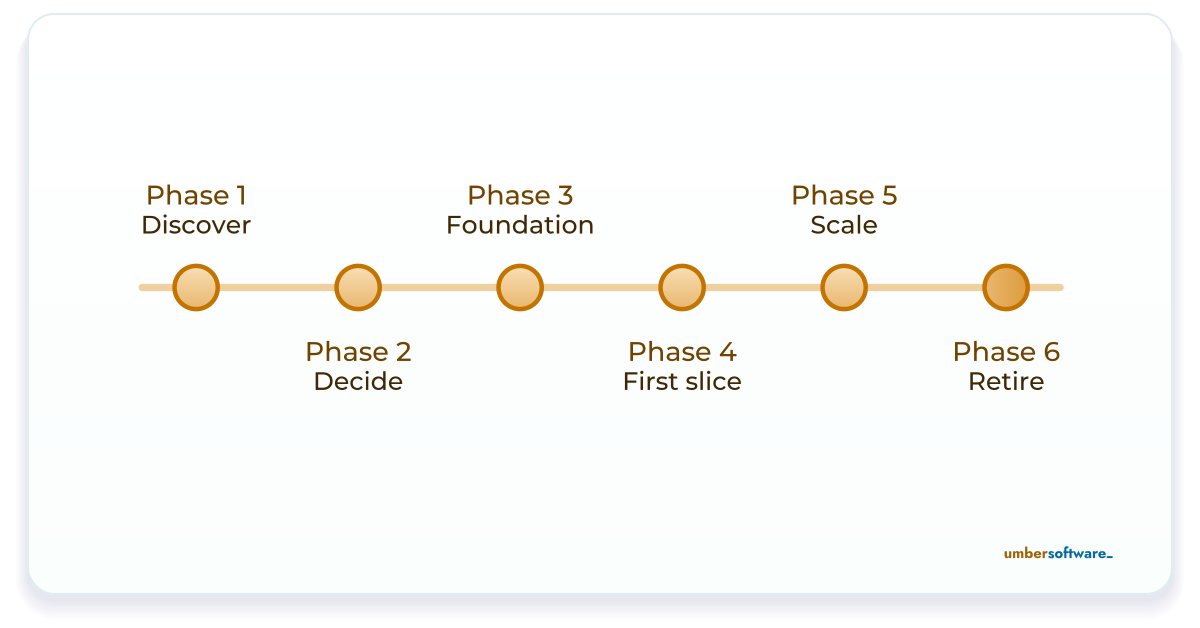
The Six Phases in Short
The timings assume one core application of moderate size, a team of six to ten people and a business that cannot accept long outages. Smaller systems compress phases 1 and 2. Larger estates repeat phases 4 and 5 for each module.
| Phase | Typical timing | Milestone that closes it | Gate question |
|---|---|---|---|
| 1. Discover and baseline | Weeks 1 to 4 | Dependency map and baseline numbers signed off | Do we agree on what exists today? |
| 2. Decide the target | Weeks 3 to 8 | Target architecture and migration path per module | Is each module rehost, refactor, rebuild or replace? |
| 3. Build the foundation | Weeks 6 to 13 | Pipeline, environments and routing layer live | Can we ship and roll back safely? |
| 4. Move the first slice | Months 4 to 6 | One module serving real users on the new platform | Did it behave in production? |
| 5. Scale the migration | Months 7 to 15 | Remaining modules moved in priority order | Are the four health numbers improving? |
| 6. Retire and hand over | Months 15 to 18 | Legacy switched off, documentation and ownership transferred | Can your team run it without us? |
Phase 1: Discover and Baseline
Start by finding out what you really run. Code, databases, scheduled jobs, file drops, spreadsheets that feed reports and the one script an engineer wrote in 2014 all count. In my assessments, the dependency nobody mentioned in the kickoff meeting shows up in the first two weeks almost every time, and it is usually the one that would have broken the cutover.
Record four baseline numbers while you are there: lead time for a change, deployment frequency, incidents per month and yearly run cost including licenses and hosting. These are the numbers you will compare against at every gate. Without them, the final report turns into opinion. Your software modernization strategy should already name the business goal behind them, such as faster releases or lower hosting cost.
Phase 2: Decide the Target, Module by Module
One decision for the whole system is a warning sign. Different modules deserve different treatment: a stable reporting module can be rehosted as is, a pricing engine that changes weekly may be worth refactoring, and an in-house tool that a commercial product now covers is a replace candidate. Write the decision down per module, with the reason and the owner.
The decision model I use for this step is laid out in my software modernization framework. For the roadmap, you only need its output: a list of modules, a treatment for each, and a rough order. Keep the order flexible, because the first slice teaches you things that change the plan.
Phase 3: Build the Foundation Before You Move Anything
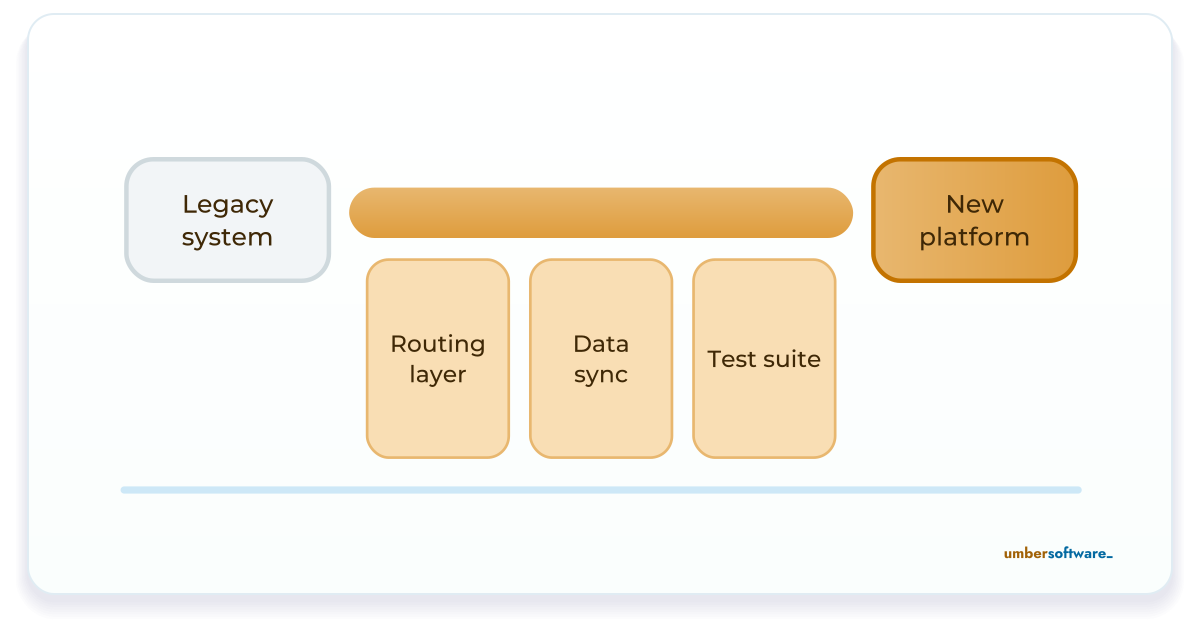
Teams like to skip this phase and regret it by month five. The foundation has four parts: a delivery pipeline with automated tests, environments that match production, a routing layer that can split traffic between old and new, and monitoring that shows errors and speed on both sides. Without the routing layer you cannot do a gradual cutover, and without monitoring you cannot tell whether the new module is better.
This phase is also where security review fits. Bring your security team in now, while the architecture is still cheap to change. Access rules, secrets handling and audit logging are far easier to build in than to bolt on after the first module is live.
Phase 4: Move the First Slice
Pick a slice that is real but forgiving: used by actual people, limited in blast radius and not tied to quarter-end. A customer-facing read-only view, an internal approval screen or a single report works well. Avoid the system's most tangled core for the first move, even if it hurts most. You are proving the machinery, and a calm win in month five buys you trust for the hard modules.
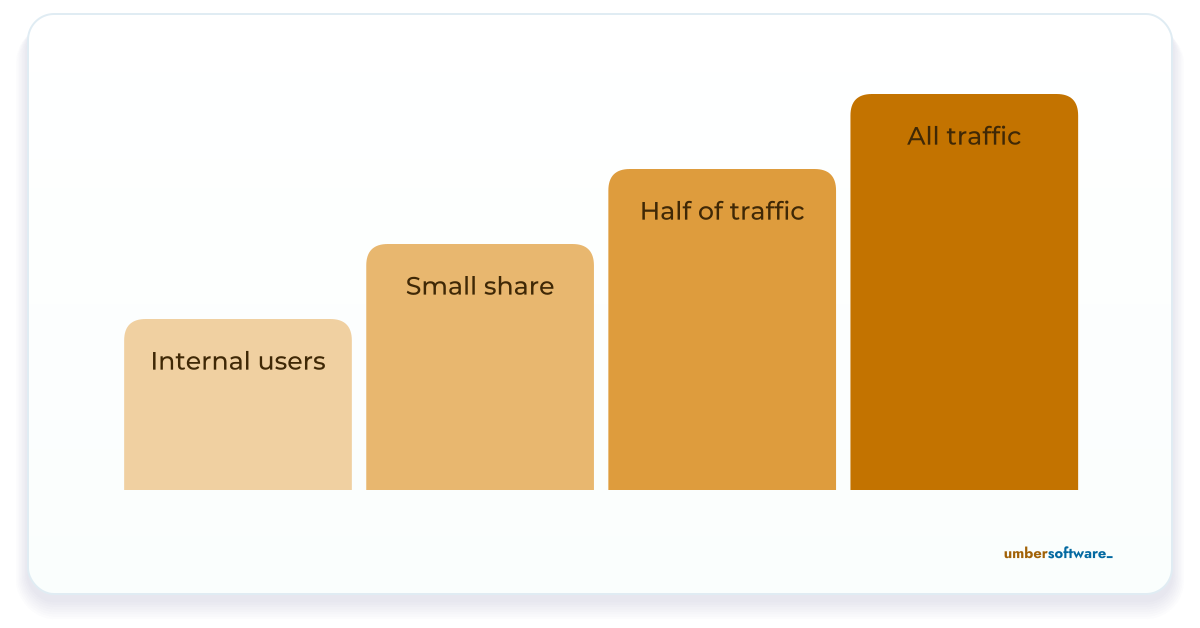
Send a small share of traffic to the new module first, often 5 percent, then raise it in steps while you watch errors and response times. Keep the old module running for at least a few weeks after you reach 100 percent. I have rolled back twice in client projects on the third day of a cutover, and both times the old path being intact turned a crisis into a Tuesday.
What to Confirm Before Raising Traffic
- Data written by the new module is readable by the old one, and the reverse.
- Support knows which version a given user is on and where to look for errors.
- A rollback has been rehearsed once in a test environment.
- The business owner has signed off on the acceptance cases.
Phase 5: Scale the Migration
After the first slice, the work becomes a repeating loop: choose the next module, build, route a small share, raise it, retire the old piece. Run two modules in parallel only when separate teams own them. Teams that overlap too many modules end up with half-moved systems and no clear owner.
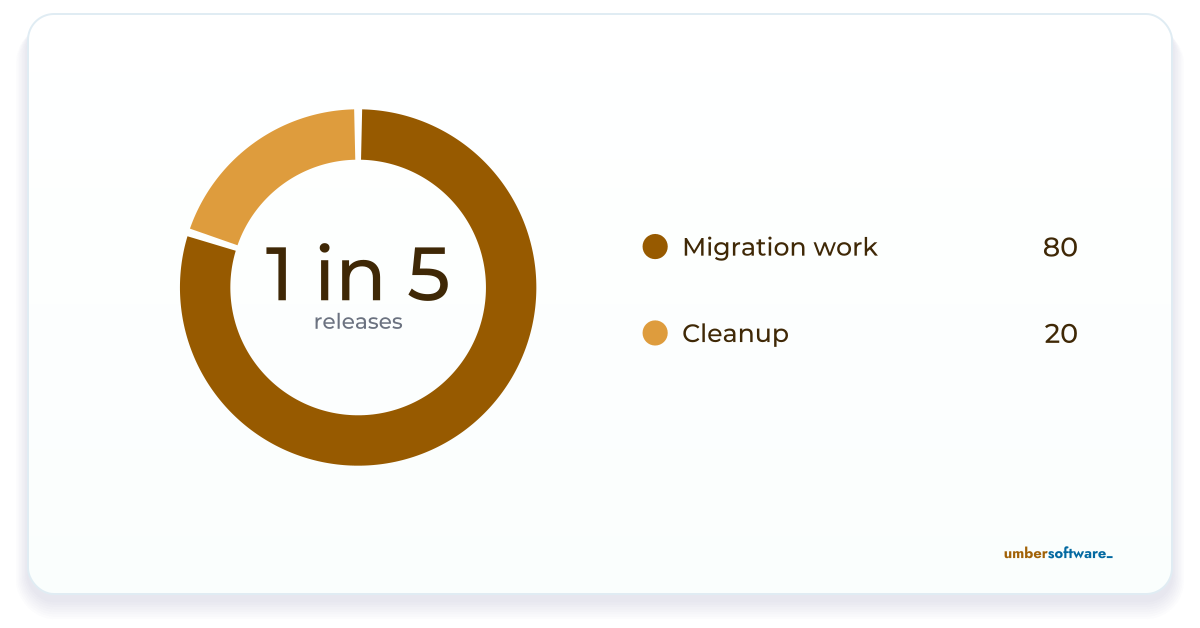
Reserve about one release in five for cleanup and for what the migration revealed, such as data quality problems or missing tests. If you cut that slack, the debt moves into the new system. This is also the phase where the plan meets real calendar pressure, so keep the quarterly cadence from your software strategy roadmap in view and agree early which freezes apply.
Phase 6: Retire the Legacy System and Hand Over
Switching off the old system is a milestone of its own, and it gets skipped when the budget runs short. Until you do it, you pay for both estates. Set a retirement date per module when the module goes live, archive the data you must keep, remove the licenses and update your asset records so nobody renews them by habit.
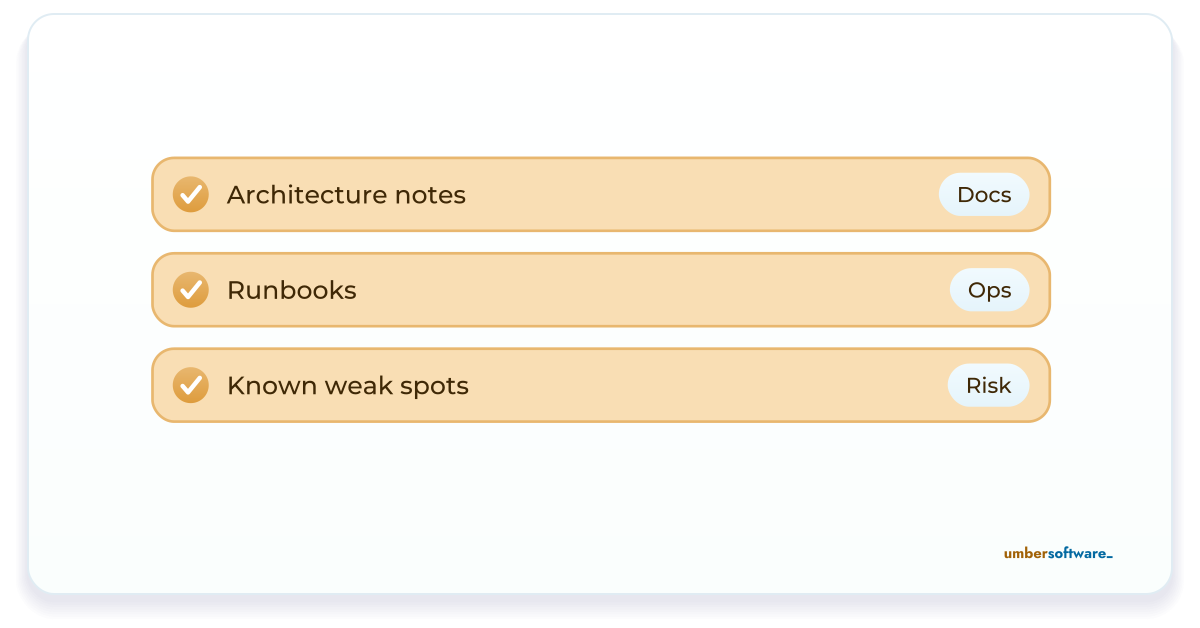
Hand over in writing: architecture notes, runbooks, a list of known weak spots and the monitoring dashboards. Your team should be able to deploy and roll back alone before the project closes. If that is not true, extend the phase instead of declaring victory.
Where Timelines Slip and What to Do About It
Slips follow a pattern. The table lists the ones I see most, with the early signal and the fix. None of them is exotic, which is the point: you can plan for them.
| Slip | Early signal | Response |
|---|---|---|
| Hidden dependency | A nightly job or export turns up in phase 4 | Add a discovery sweep of jobs, file drops and reports in phase 1 |
| No business owner | Questions about behavior sit unanswered for a week | Name one owner per module before phase 3 starts |
| Data mismatch | Totals differ between old and new in reconciliation | Run both in parallel and fix mappings before raising traffic |
| Scope creep | New features appear in the migration backlog | Keep a separate backlog and ship features only after cutover |
| Team churn | One person holds all knowledge of a module | Pair on the module and document as you go |
Measuring Progress Without Vanity Numbers
Percent of code rewritten tells you nothing about value. I track four measures instead, reviewed monthly with the business owner. Share of users or traffic on the new platform shows adoption. Lead time for a change shows whether delivery speed improved. Incidents per release show stability. Yearly run cost of the legacy estate shows whether the money is actually coming back.
Expect the numbers to get slightly worse before they get better. Lead time often rises in phase 3 while the pipeline is built, and incidents can rise in phase 4 as the first traffic hits. That is normal. What you want to see is the trend turn by the end of phase 5. If it does not, go back to the module decisions rather than pushing harder on the schedule.
How to Choose Your Own Timeline
Use the sample schedule only as a starting point. Size is the main driver, but three other factors move the dates more than people expect: how much automated test coverage exists, how many other systems depend on the one you are moving, and how fast the business can answer questions about intended behavior.
- Low test coverage adds a phase of its own, because you must write tests before you can trust a migration.
- Many downstream consumers mean each module needs a compatibility period for its interfaces.
- Slow decisions from the business double the calendar time of phases 2 and 4.
- Compliance review, for example in healthcare, adds fixed gates you cannot compress.
If you are choosing between a lighter rehost and a deeper rebuild for a given module, the cost and risk trade-off is the center of the framework article linked above. A short call with an architect is often enough to decide which phases you can compress.
Questions About Software Modernization Roadmaps
How Long Does a Software Modernization Roadmap Take to Deliver?
Most roadmaps I build for a single core application span 12 to 24 months, with the first usable release inside the first quarter. Larger estates with several linked systems run 24 to 36 months. The plan is a sequence of small releases, so you see production value long before the final legacy component is switched off.
What Goes into the First 90 Days?
The first 90 days cover discovery, a dependency map, a baseline for cost and release speed, the choice of the first module to move, and a working delivery pipeline. You should end the quarter with one small piece of the old system running in its new home, so you test the approach on real traffic early.
Should I Modernize Everything at Once?
No. A big-bang rewrite is the pattern I see fail most often, because the business keeps changing while the new system is built. Move in slices, keep the old system running next to the new one, and retire each piece only after it has handled production work for a few weeks.
How Do I Keep the Business Running During the Migration?
Run old and new side by side behind a routing layer, so you can send a small share of traffic to the new module and switch back in minutes. Freeze risky changes around quarter-end, payroll or peak season, and agree rollback rules before every cutover.
Who Needs to Be Involved Besides Engineering?
You need a business owner for every module who can answer what the system must keep doing, plus finance for budget gates, security for review checkpoints, and the support team that will field the first complaints. Roadmaps without a named business owner stall at the first hard trade-off.
How Do I Know the Roadmap Is on Track?
Track four numbers every month: share of traffic or users on the new platform, lead time for a change, production incidents per release, and run cost of the legacy estate. If two of the four move the wrong way for two months in a row, stop and revisit the plan.
What Does a Modernization Roadmap Cost?
Cost depends on the size of the codebase, the target platform and how much testing exists today. A scoped assessment gives you a range and a milestone budget before you commit. Ask for cost per milestone, not one lump sum, so you can stop or change direction at each gate.
Please note: this guide is general information and not legal, financial or tax advice. Numbers and examples are typical-project estimates; confirm current details with your providers and advisers.
Did this article help you?
Thanks, noted.
Whitney Sorensen
Whitney leads the Umber editorial team and works with the consultants to turn real client projects into practical guides on software selection, custom development, integration and legacy modernization. Before joining Umber, she spent years writing and editing for engineering and IT teams. She has since reviewed architecture audits, system selections and modernization plans from client projects across industries from manufacturing to healthcare. She works remotely from the USA.