Main Points
- Rank every system by business value and technical risk before you pick a path.
- Choose the lightest move that solves the real problem: keep, rehost, refactor, replace or retire.
- Start with a pilot module and keep both systems running side by side.
- Fund phases, not the whole program, and report baseline measures each quarter.
Modernization budgets are rarely big enough to fix everything, and most legacy systems are not worth fixing everywhere. A strategy decides where effort goes first, which path each part takes and what you stop doing. A software modernization consulting engagement produces that strategy from an audit, and you can build a first version yourself.
The playbook below has two halves. The first ranks what to modernize by business value and risk. The second picks a path for each component and sequences the work so the business keeps running.
The Strategy on One Page
| Step | Decision | Output |
|---|---|---|
| 1. Inventory | What do we run, and who depends on it? | System and dependency map |
| 2. Rank | Which parts matter most and hurt most? | Priority matrix |
| 3. Choose paths | Keep, rehost, refactor, replace or retire? | Path per component |
| 4. Sequence | What goes first, and what must wait? | Phased plan with gates |
| 5. Fund and measure | What will we spend, and what will improve? | Budget and baseline measures |
Start With an Honest Inventory
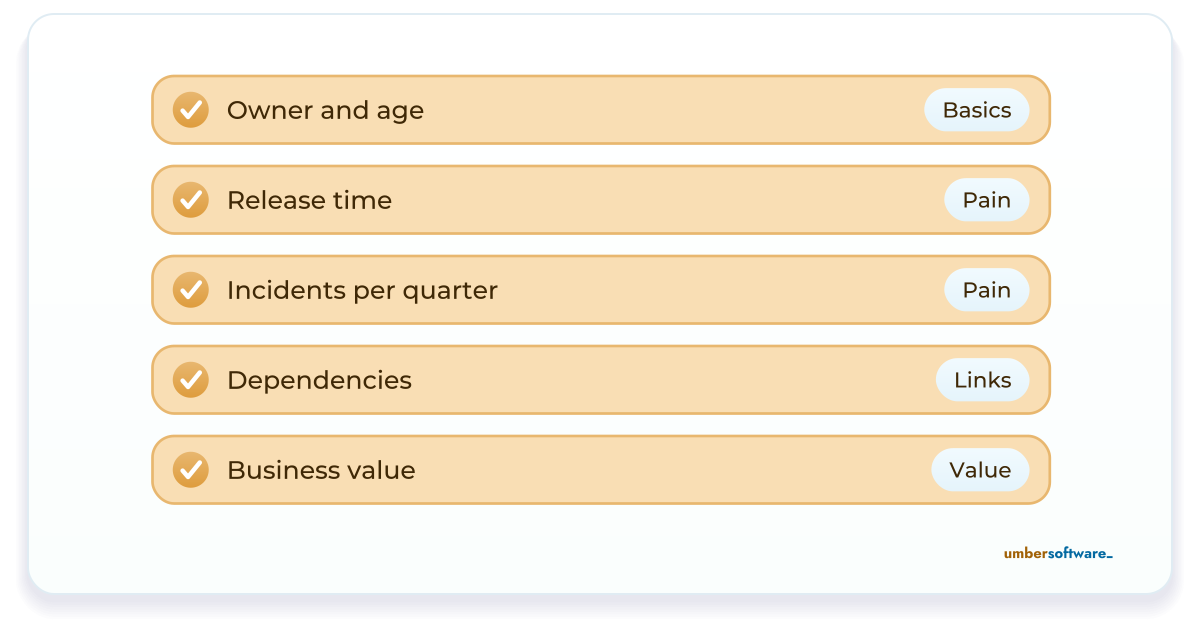
List every application, database, scheduled job and integration, with an owner, a language or platform and the last time somebody changed it. Include the spreadsheets and scripts that quietly run parts of the business. In most audits I run, a few of those turn out to be critical and undocumented.
Record the pain next to each entry: release time, incidents per quarter, known security gaps and who still understands the code. These numbers become your baseline.
Set Priorities With a Value and Risk Matrix
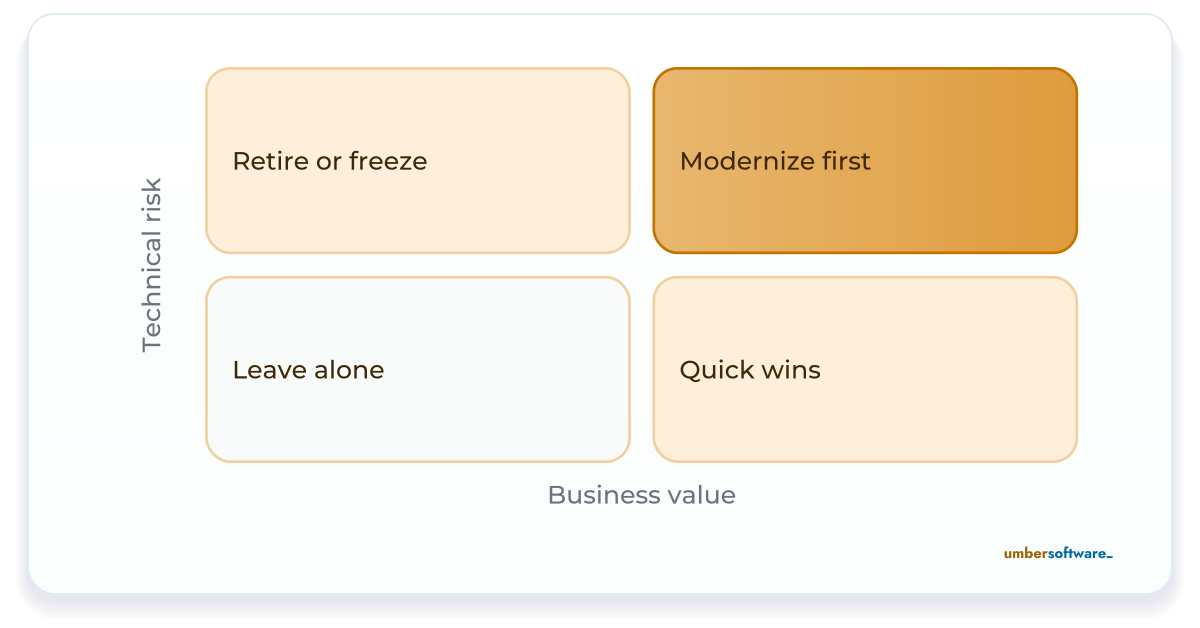
Rate each component on business value (how much revenue or work depends on it) and on technical risk (age, support status, test coverage, knowledge concentration). The four quadrants give you a strategy by themselves.
| Quadrant | Typical profile | Default move |
|---|---|---|
| High value, high risk | Core order or billing system on unsupported tech | Modernize first, in small steps |
| High value, low risk | Stable core with good tests | Keep and invest lightly |
| Low value, high risk | Old internal tool used by a few people | Replace with a product or retire |
| Low value, low risk | Quiet utilities | Leave alone, document |
If the matrix shows that the main risk sits in the design itself, such as a tangled shared database, pair this work with a review from software architecture consulting before you commit to a path.
Pick a Path for Every Component
Each component gets one of five moves. Choose the lightest move that solves the real problem. A rewrite is the most expensive option and the one most often chosen for the wrong reasons.
| Path | What it means | Pick it when | Look out for |
|---|---|---|---|
| Keep | Leave as is, add tests and docs | The system works and changes are rare | Hidden dependency on an aging platform |
| Rehost | Move to new infrastructure with little change | Hardware or hosting is the main risk | Carrying old problems into a new place |
| Refactor | Improve structure without changing behavior | Code is the problem, behavior is fine | Skipping tests before you start |
| Replace | Swap for a product or new build | Standard product covers the need | Data migration effort and user retraining |
| Retire | Switch it off | Few users, duplicated by another tool | Reports that only that system produced |
Most estates end up with a mix. A common pattern is rehosting the stable parts, refactoring the pieces that change often and replacing the rest with standard products. Choosing replacements follows the same logic as any purchase, which is why my software selection guide applies here as well.
The Playbook: Sequencing Without Stopping the Business
Order matters more than speed. Start with a pilot module that is valuable enough to matter and small enough to finish in one quarter. It tests your tooling, your tests and your team, and gives sponsors something to see.
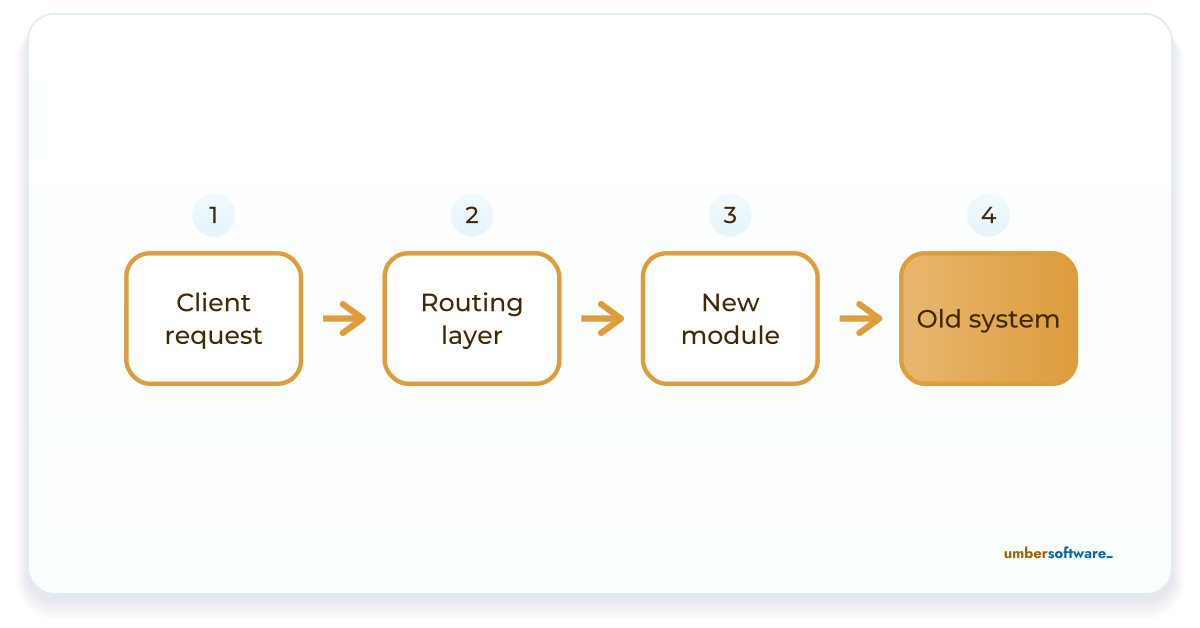
Use a thin interface layer in front of the old system, so requests can route to old or new code, one function at a time. Keep both running side by side and compare results automatically before switching traffic. Every step needs a rollback plan.
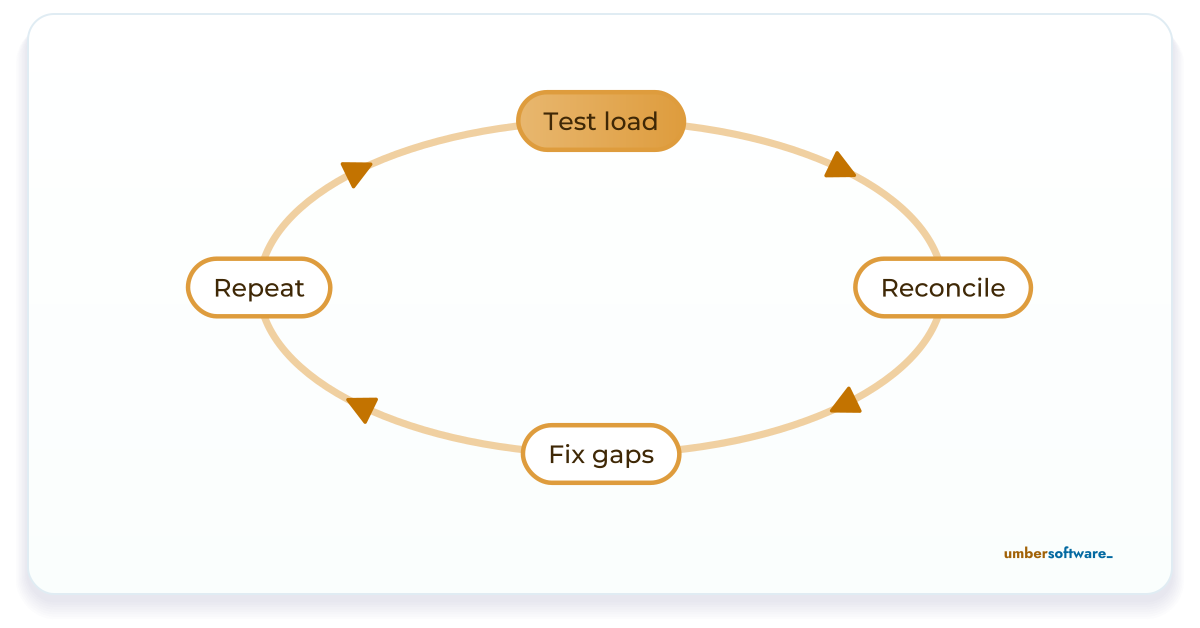
Plan data early. Records move in test loads, reconcile against the source and then move for good. Treat integrations as first-class work: the connectors around a legacy app cause as many surprises as the app itself. The software modernization roadmap shows how these steps line up on a calendar.
Funding and Measuring the Strategy
Fund phases, not the whole program. Each phase gets a budget, a result and a review date. Measures that work are release cycle time, incident count, maintenance hours per month and share of traffic on the new platform. Record them before you start, and report them every quarter.
A candid report that includes a missed target earns trust. Sponsors fund the next phase when they see the numbers move, and they trust the numbers when the bad ones are in the report too. A repeatable structure for this is described in the software modernization framework.
A Worked Example: Three Components, Three Paths
Take an illustrative estate with three components: an order system built on an unsupported framework, an internal reporting tool used by five people and a stable invoicing module with good tests. The order system sits in the high-value, high-risk quadrant. The reporting tool is low value and high risk. The invoicing module is high value and low risk.
| Component | Quadrant | Path | Reason |
|---|---|---|---|
| Order system | High value, high risk | Refactor in steps, replace the framework layer | Core to revenue, cannot go offline |
| Reporting tool | Low value, high risk | Replace with the reporting feature of an existing product | Few users, no need for custom code |
| Invoicing module | High value, low risk | Keep, add documentation and tests | Works, rarely changes |
The result is a strategy that spends most of the budget on one component, uses a standard product for another and leaves the third alone. That split is typical. A common surprise for sponsors is how much of the system does not need to change.
Pitfalls to Avoid and What to Do Instead
Strategies tend to fail in a few places. Compare each pitfall with the move that works better.
| Avoid this | Do this |
|---|---|
| Declaring a rewrite before the audit | Audit first, then choose a path per component |
| Modernizing the easiest parts first | Start with high value and high risk, in a small pilot |
| Skipping tests on the old system | Add characterization tests before changing anything |
| Leaving integrations for the end | Plan connectors and data flows in the first phase |
| Letting one person hold all the knowledge | Pair engineers and write down decisions as you go |
| Funding the whole program upfront | Fund one phase at a time against measured results |
Who Decides, and How Often
Name a sponsor who owns the budget, a technical lead who owns the plan and a product owner who speaks for users. Meet every two weeks to review progress, and every quarter to review the strategy itself. Priorities shift, and a plan that never changes is a plan that nobody reads. Hold a short review at the end of each phase to decide whether to continue, change course or stop.
One more habit helps: keep a short decision log for the program. Each entry records what was chosen, what was rejected and why. When a new sponsor or engineer joins in month nine, the log answers a hundred questions that would otherwise reopen settled debates, and it shows the reasoning behind every path you picked.
Keeping People on Board During a Long Program
Modernization programs run for months, and morale dips in the middle. The first excitement fades, the pilot is done and the remaining work looks endless. Plan for that dip. Share small wins in plain language: a release that used to take a weekend now takes an afternoon, an incident class that disappeared, a developer who fixed a bug in a module that used to scare everyone.
Involve the engineers who know the old system. They carry the business rules that no document holds, and they will decide whether the new platform behaves correctly. Treat them as co-owners of the design and not as people waiting to be replaced. Teams that feel this way document more, test more and warn you earlier when a plan will not work.
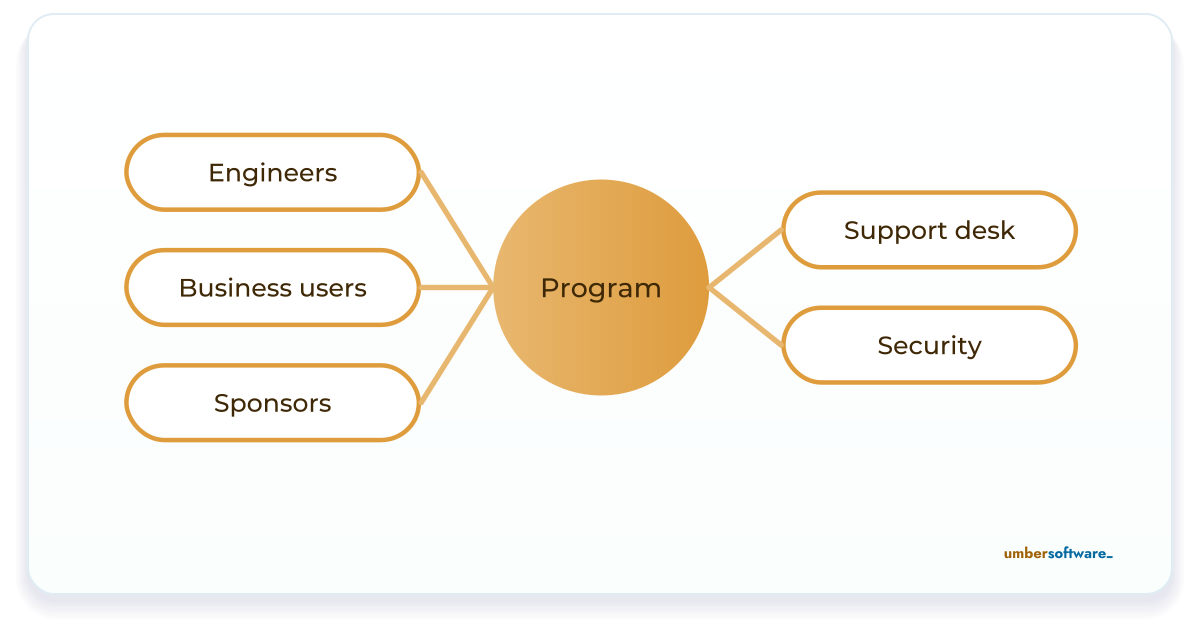
Communicate with business users too. They need to know what changes for them, when and where to get help. A one-page note per release, written for users instead of engineers, prevents most support tickets after cutover.
What Budget Range to Expect
Cost follows the path. Rehosting is the cheapest move, since the code stays the same. Refactoring costs more because it needs tests and careful changes. Replacement depends on the product and on data migration. A rewrite is the most expensive and the least predictable. In my experience the audit itself costs a small fraction of the program, and it usually pays for itself by removing work from the plan.
Ask for ranges per phase, with the assumptions written next to each number. When the assumptions change, such as a surprise dependency, the number changes with them, and you can see why.
How to Judge Whether Your Strategy Is Ready
Before you commit budget, run your plan through a short set of tests. Each should be answerable in one sentence.
- Every component has a path and a reason.
- The first phase ends with something running in production.
- Each step can be rolled back.
- Data migration and integration work are in the plan, with owners.
- Your team learns the new setup before the old one is retired.
- Baseline measures exist and someone reports them.
If two of these fail, spend another two weeks on the audit. A short delay now is cheaper than a stalled program in month six. For hands-on support, an architecture audit gives you an independent view in two to four weeks.
Questions About a Software Modernization Strategy
What Is a Software Modernization Strategy?
A plan that decides which parts of your legacy software to keep, rehost, refactor, replace or retire, in what order and with what budget. It rests on an inventory of your systems and a ranking by business value and technical risk.
Should I Rewrite or Modernize Step by Step?
In most cases, step by step. Full rewrites tend to run late because the old system keeps changing during the build. Incremental moves ship value earlier, can be rolled back and survive shifts in priorities.
How Do I Decide What to Modernize First?
Rate each component on business value and technical risk. Components that score high on both go first. Low-value, high-risk systems are candidates for replacement or retirement.
How Long Does a Modernization Strategy Take to Build?
An architecture audit and a first strategy usually take two to four weeks, depending on size and documentation quality. Execution is longer and runs in phases.
How Much Does Modernization Cost?
It depends on code size, data volume, integrations and the paths chosen. Rehosting is cheapest and rewriting is most expensive. A fixed-price audit gives you a realistic range before you commit to the rest.
How Do I Keep the Business Running During Modernization?
Use a thin interface layer, move one module at a time, run old and new side by side and compare results before switching traffic. Every step needs a rollback plan, and cutovers go outside your peak periods.
What Should I Measure?
Release cycle time, incidents, maintenance hours, security findings and the share of traffic on the new platform. Record baselines before you start and report them each quarter.
Please note: this guide is general information and not legal, financial or tax advice. Numbers and examples are typical-project estimates; confirm current details with your providers and advisers.
Did this article help you?
Thanks, noted.
Whitney Sorensen
Whitney leads the Umber editorial team and works with the consultants to turn real client projects into practical guides on software selection, custom development, integration and legacy modernization. Before joining Umber, she spent years writing and editing for engineering and IT teams. She has since reviewed architecture audits, system selections and modernization plans from client projects across industries from manufacturing to healthcare. She works remotely from the USA.