Main Points
- Test early: a requirements review prevents more rework than any later test.
- Automate regression, and keep exploratory testing manual for what scripts miss.
- Prioritize by risk, and enforce a quality gate that cannot be skipped under pressure.
- Treat tests as code, because a flaky suite quietly stops protecting you.
Good quality assurance is mostly habit, and the habits are well known. What differs between teams is which ones they keep when a deadline arrives. I have reviewed QA setups at companies from a few developers to several hundred, and the same nine practices separate the calm releases from the stressful ones. If you want help applying them, a software quality assurance consulting engagement starts by checking which ones you already have.
Each practice below pairs a do with an avoid, because the mistake is usually as instructive as the fix.
The Nine Practices in One Table
| Practice | Do this | Avoid this |
|---|---|---|
| 1. Test Early, Starting With Requirements | Review every story before development starts. | Wait for a finished build before QA reads the story for the first time. |
| 2. Build a Test Pyramid That Matches Your Product | Put most checks at the unit level, a middle layer at the API or service level and a thin layer of end-to-end tests on top. | Automate everything through the user interface because it feels like what a customer does. |
| 3. Automate Regression, Keep Exploration Manual | Automate the repeated checks you run every release. | Automate a test just to raise the automation percentage. |
| 4. Define Done With a Quality Gate | Write down what done means: code reviewed, tests written and passing, no open severity 1 or 2 defects, documentation updated. | Let the team decide per ticket whether quality criteria apply. |
| 5. Test With Realistic Data and Environments | Use anonymized copies of production-like data and an environment that mirrors production in versions and configuration. | Test with five tidy sample records on a developer laptop. |
| 6. Prioritize Tests by Risk | List the features where failure costs money, data or trust, and test those most deeply. | Give every feature the same amount of testing. |
| 7. Make Defects Reproducible and Actionable | Require every bug report to include steps, expected result, actual result, environment and a screenshot or log. | Accept one-line bug reports like it does not work. |
| 8. Run Retrospectives on Escaped Defects | When a serious bug reaches production, ask where it could have been caught and why it was not. | Blame the person who wrote or approved the change. |
| 9. Keep Test Suites Healthy | Treat tests as production code. | Rerun failed builds until they turn green. |
9 Software Quality Assurance Best Practices in Detail
Treat the list as a maturity ladder. Teams usually get the early practices right first and the later ones after a painful incident. Read the explanations, then pick the two that would help most this quarter.
1. Test Early, Starting With Requirements
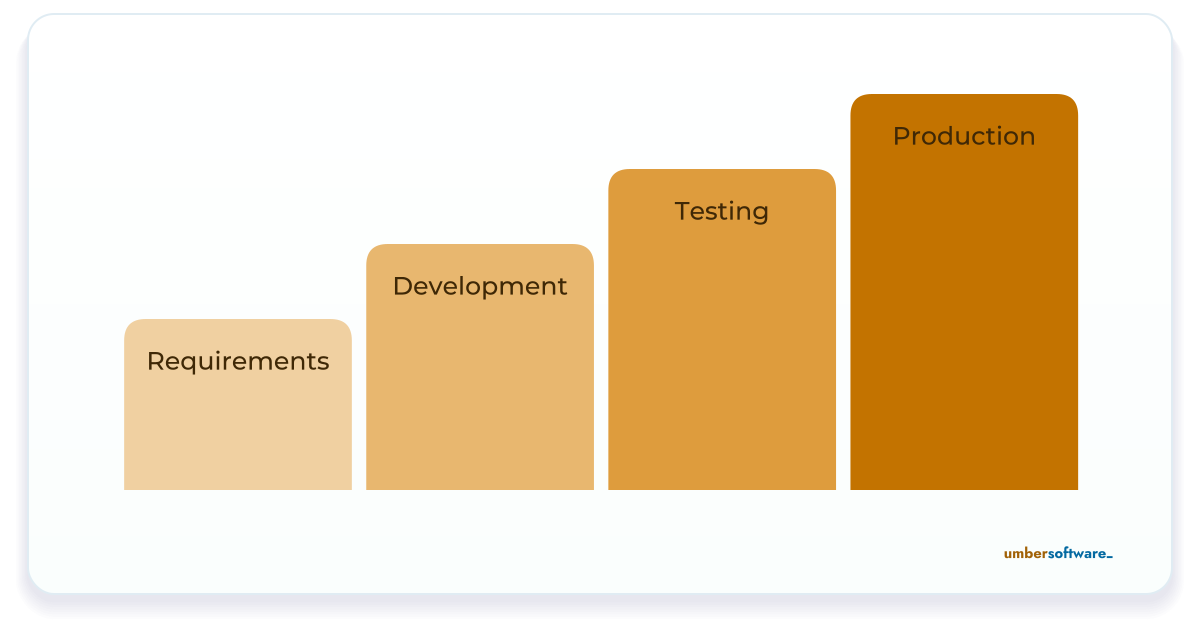
Do this: Review every story before development starts. Ask what would prove it works, and write those checks into the acceptance criteria. In my client work, ambiguous stories cause more rework than coding mistakes, and a fifteen-minute review removes most of that.
Avoid this: Wait for a finished build before QA reads the story for the first time.
Bugs found in a requirements review cost a conversation. The same misunderstanding found in production costs a hotfix, a rollback and an apology to your users.
2. Build a Test Pyramid That Matches Your Product
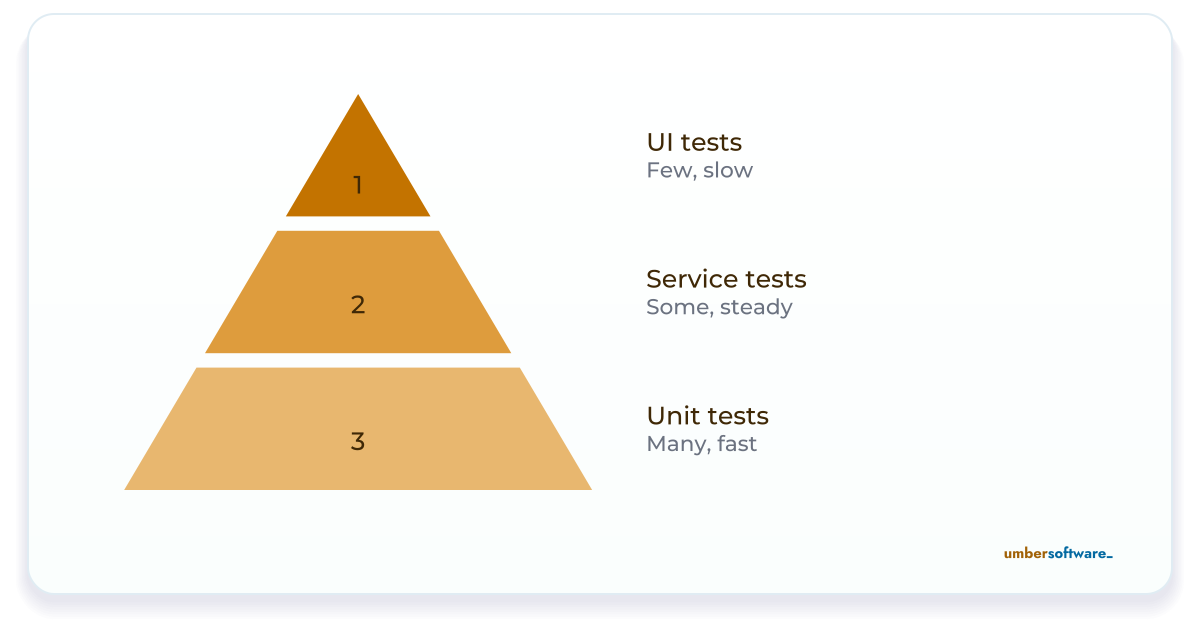
Do this: Put most checks at the unit level, a middle layer at the API or service level and a thin layer of end-to-end tests on top. Fast tests at the bottom give feedback in minutes, while slow browser tests confirm only the critical journeys.
Avoid this: Automate everything through the user interface because it feels like what a customer does.
UI-heavy suites are slow and brittle. A team I advised had a 3-hour suite that failed randomly, and moving half of it to API tests cut the run to 25 minutes.
3. Automate Regression, Keep Exploration Manual
Do this: Automate the repeated checks you run every release. Give people time for exploratory sessions, where a tester investigates a feature without a script and follows hunches. Both find different bugs.
Avoid this: Automate a test just to raise the automation percentage.
Automation has a maintenance cost. A test that runs once a year and breaks every month wastes more time than it saves.
4. Define Done With a Quality Gate
Do this: Write down what done means: code reviewed, tests written and passing, no open severity 1 or 2 defects, documentation updated. Enforce what you can in the pipeline, such as coverage floors and static analysis.
Avoid this: Let the team decide per ticket whether quality criteria apply.
Gates that are optional get skipped under deadline pressure, which is exactly when they matter.
5. Test With Realistic Data and Environments
Do this: Use anonymized copies of production-like data and an environment that mirrors production in versions and configuration. Many bugs only show up with real volumes, odd characters or old records.
Avoid this: Test with five tidy sample records on a developer laptop.
Perfect test data hides the bugs your users will find first, such as names with apostrophes, empty optional fields and decade-old accounts.
6. Prioritize Tests by Risk
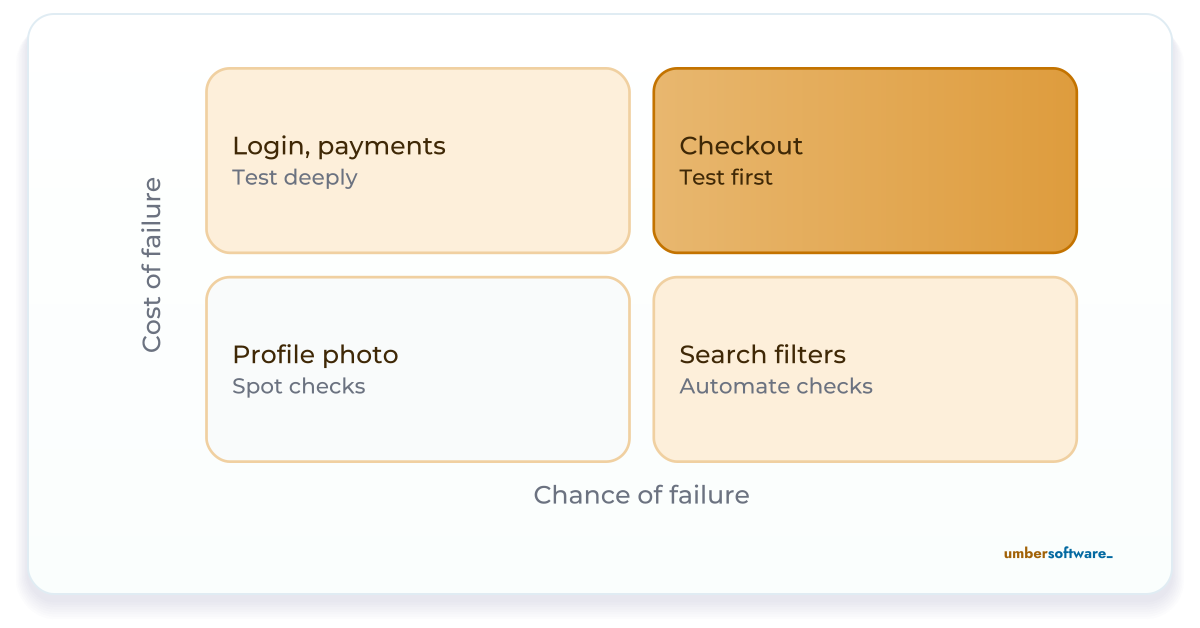
Do this: List the features where failure costs money, data or trust, and test those most deeply. Payment, permissions, data imports and anything touching regulated data belong at the top.
Avoid this: Give every feature the same amount of testing.
Equal effort across features means too little on the dangerous ones and too much on settings screens.
7. Make Defects Reproducible and Actionable
Do this: Require every bug report to include steps, expected result, actual result, environment and a screenshot or log. Reproducible bugs get fixed faster and reopen less.
Avoid this: Accept one-line bug reports like it does not work.
Vague reports start a back-and-forth that burns a day per bug, and developers learn to deprioritize the reporter.
8. Run Retrospectives on Escaped Defects
Do this: When a serious bug reaches production, ask where it could have been caught and why it was not. Fix the gap in the process, such as a missing test type or unclear requirement, not only the bug.
Avoid this: Blame the person who wrote or approved the change.
Blame hides information. Teams that run blameless reviews learn about the next failure before it happens.
9. Keep Test Suites Healthy
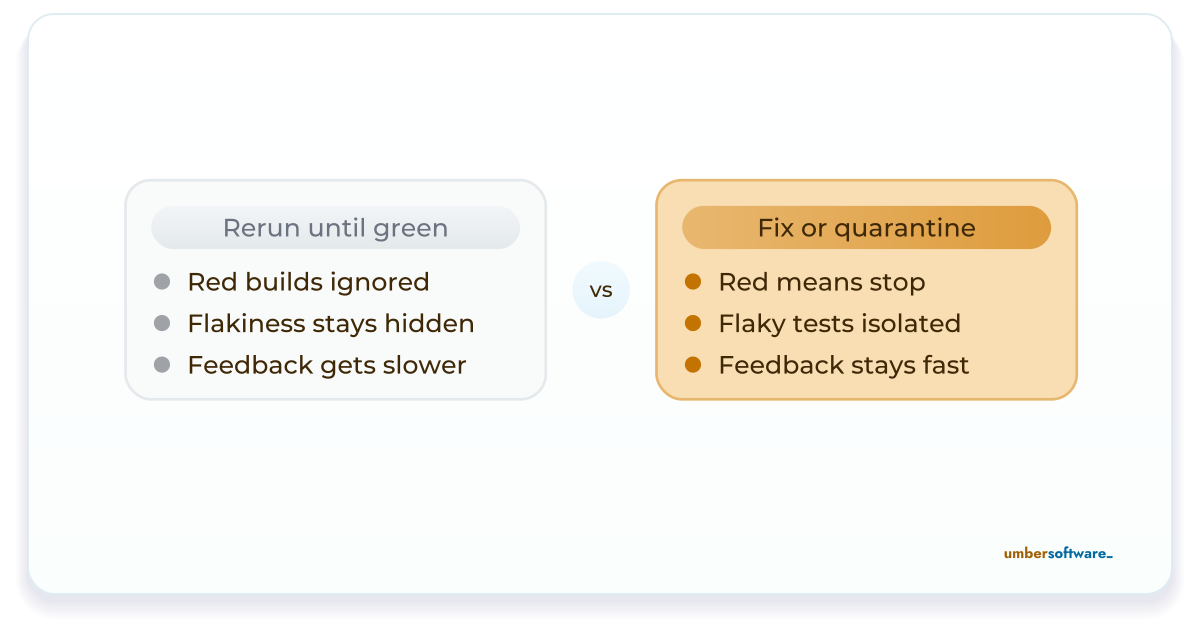
Do this: Treat tests as production code. Review them, refactor them, delete the ones nobody trusts and quarantine flaky ones quickly. Track runtime and failure causes.
Avoid this: Rerun failed builds until they turn green.
Reruns train people to ignore red builds. A flaky suite silently stops protecting you.
Why Good Practices Fail to Stick
Teams rarely fail because they do not know the practices. They fail because the practice competes with delivery pressure. A quality gate gets waived for one urgent release, then another, and within a quarter it exists only on paper. I have seen this pattern in client after client, and the fix is organizational rather than technical: make the gate cheap to pass and expensive to skip.
Start by agreeing who can approve an exception. If a single person owns it and has to write the reason in the ticket, exceptions drop sharply. Next, keep every practice visible. A pipeline that shows coverage, open critical defects and flaky test counts on the same page makes drift obvious before it becomes an incident.
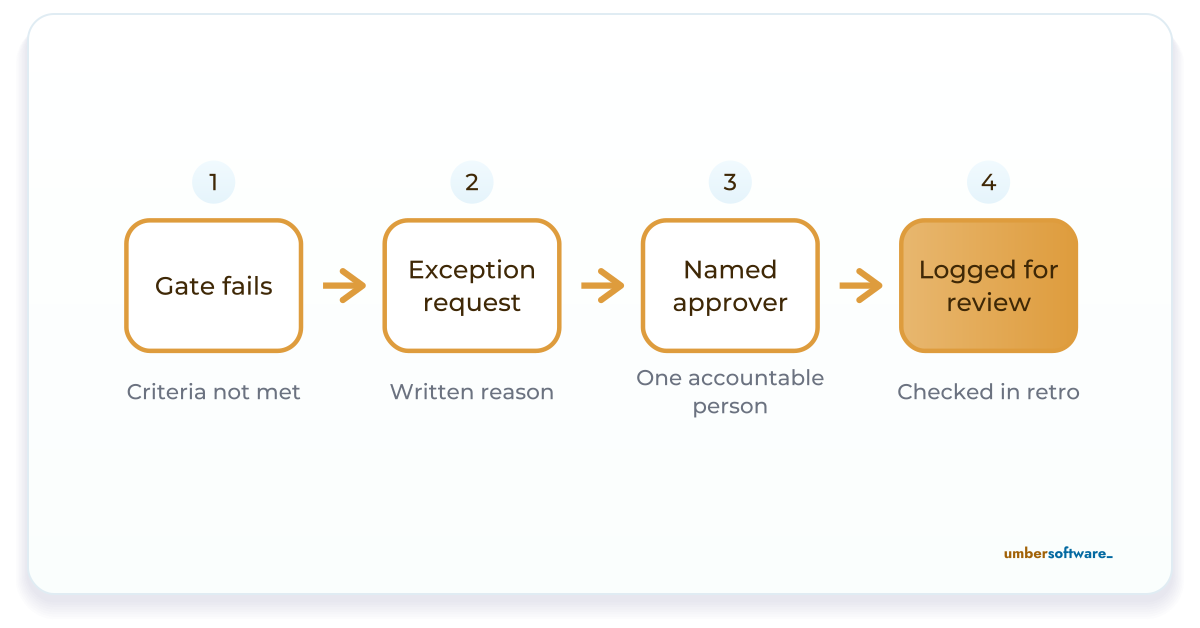
Finally, protect time. Exploratory sessions, test cleanup and retrospectives are the first things cut in a crunch. Put them in the sprint plan as real work with estimates. A team that reserves ten percent of each sprint for test health spends far less time firefighting later, and the numbers show it within three or four releases.
A 90-Day Plan for Rolling Out the Practices
You can adopt all nine in a quarter if you sequence them. Here is the order I usually propose, adjusted for the team's size and current pain.
| Weeks | Focus | Practices | Evidence it worked |
|---|---|---|---|
| 1 to 3 | Clarity | Early requirements review, reproducible defects, written definition of done | Fewer reopened tickets, shorter bug conversations |
| 4 to 7 | Feedback speed | Test pyramid, suite health, flaky test cleanup | Pipeline time down, red builds trusted again |
| 8 to 10 | Coverage where it counts | Risk-based testing, regression automation | Critical journeys fully covered by automated checks |
| 11 to 13 | Learning loop | Escaped defect reviews, quality gate enforcement | Escape rate trending down, fewer waived gates |
Do not try to start everything in week one. Each phase needs a visible win to keep the team's support, and the first win is usually the cheapest: a bug template and a definition of done take an afternoon and pay back within the sprint.
Which Practice to Adopt First
You do not need all nine on Monday. Pick based on your biggest source of pain and start small.
| If your pain is | Start with | Expect to see |
|---|---|---|
| Bugs reaching customers | Risk-based testing and a quality gate | Fewer severity 1 and 2 escapes within two releases |
| Slow, painful releases | Test pyramid and regression automation | Shorter release checks within a quarter |
| Constant rework | Early requirements review | Fewer reopened stories within a few sprints |
| Nobody trusts the test results | Suite health and flaky test cleanup | Green builds that mean something in weeks |
Measure the effect with the numbers from my guide to software quality assurance metrics, and use the software quality assurance checklist before each release to confirm the basics are in place. If you are comparing tooling for the automation side, my ranking of software quality assurance tools covers the main choices. Teams short on testers can also look at software quality assurance outsourcing for the manual and regression work.
Questions About Software Quality Assurance Practices
What Are the Most Important Software Quality Assurance Best Practices?
Test early, automate regression, prioritize by risk and keep a clear definition of done. These four prevent most of the expensive problems. The rest build on them.
How Much of Testing Should Be Automated?
For a stable product, 60 to 80% of regression cases is a sensible range. Keep exploratory testing, usability checks and rare scenarios manual, because a person finds problems a script cannot imagine.
Who Is Responsible for Software Quality?
Everyone on the team. QA specialists bring method and focus, developers write the first layer of tests and product owners define acceptance. When quality sits only with testers, it becomes a late handoff.
What Is Shift-Left Testing?
It means moving quality work earlier in the process, such as reviewing requirements, writing tests alongside code and running checks on every commit. The goal is to find problems when they are cheapest to fix.
How Do I Reduce Bugs Reaching Production?
Combine risk-based test design, a pipeline gate that blocks releases with open critical defects and a review of every escaped bug. Within a few releases the review shows which test type you are missing.
Do Small Teams Need a Dedicated QA Engineer?
Not always. A team of four to six can share quality work if the pipeline runs automated checks and someone owns test strategy. Add a dedicated person when releases slow down or escapes keep rising.
How Long Does It Take to Improve a QA Process?
Small changes such as bug templates and a definition of done pay off within a sprint or two. Bigger shifts like building an automation suite usually take a few months, and I suggest you tackle them in stages.
Please note: this guide is general information and not legal, financial or tax advice. Numbers and examples are typical-project estimates; confirm current details with your providers and advisers.
Did this article help you?
Thanks, noted.
Whitney Sorensen
Whitney leads the Umber editorial team and works with the consultants to turn real client projects into practical guides on software selection, custom development, integration and legacy modernization. Before joining Umber, she spent years writing and editing for engineering and IT teams. She has since reviewed architecture audits, system selections and modernization plans from client projects across industries from manufacturing to healthcare. She works remotely from the USA.