Main Points
- Eleven checks cover planning, environments, testing and the release decision.
- Written acceptance criteria and a reliable test environment prevent most false alarms.
- Block releases on open critical defects, with a named approver for any exception.
- Score the checklist, fix gaps in phase order and automate whatever a pipeline can verify.
A checklist cannot replace judgment, but it stops you from forgetting the dull things that cause the worst surprises. This one has 11 points, grouped by phase, and I use a version of it when I review a team's release process as part of software quality assurance consulting work.
Print it, paste it into your wiki or turn it into a pipeline gate. Mark each point as done, partly done or missing, and fix the missing ones in the order shown.
The 11 Points at a Glance
| Checklist point | Phase |
|---|---|
| 1. Scope and risks are written down | Plan the Testing Before Anyone Writes Code |
| 2. Acceptance criteria exist for every story | Plan the Testing Before Anyone Writes Code |
| 3. A test strategy fits on one page | Plan the Testing Before Anyone Writes Code |
| 4. A test environment mirrors production | Build the Environment and the Data |
| 5. Test data is anonymized and refreshable | Build the Environment and the Data |
| 6. Access and secrets are handled safely | Build the Environment and the Data |
| 7. Unit and integration tests run on every commit | Write and Run the Tests |
| 8. Regression tests cover critical user journeys | Write and Run the Tests |
| 9. Exploratory sessions are scheduled | Write and Run the Tests |
| 10. Non-functional checks have an owner | Write and Run the Tests |
| 11. Every defect has severity, owner and steps | Manage Defects and Decide on the Release |
| 12. No open critical or high defects block a release | Manage Defects and Decide on the Release |
| 13. A release go or no-go review happens | Manage Defects and Decide on the Release |
Plan the Testing Before Anyone Writes Code
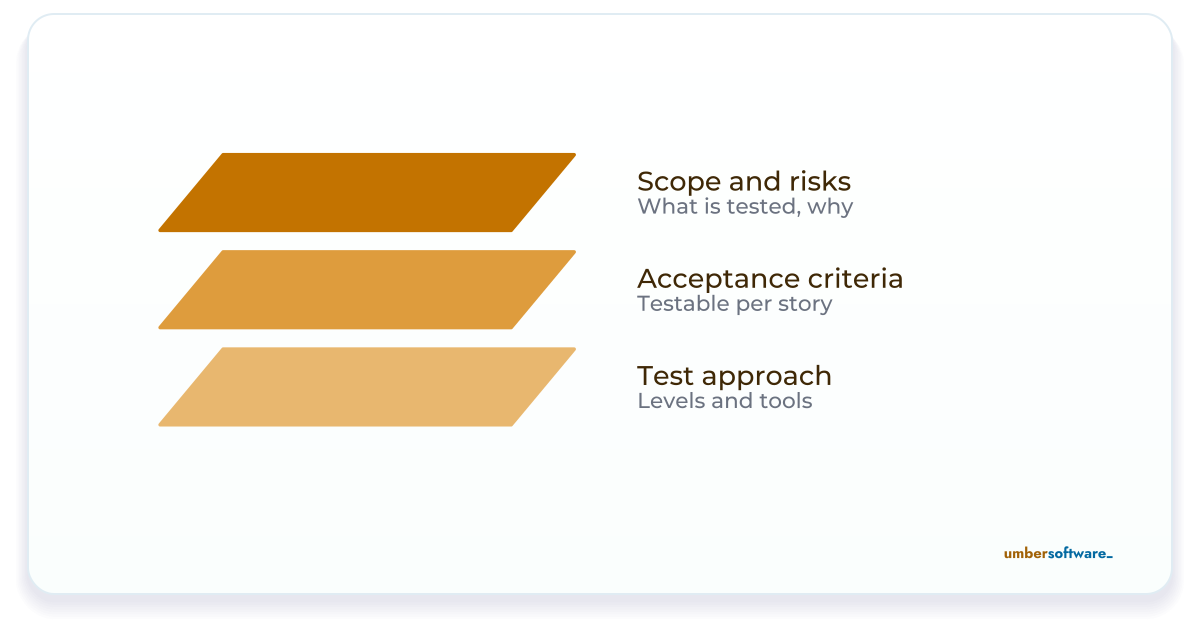
- 1. Scope and risks are written down. Name the features, platforms and integrations in scope, and rank them by business risk. Anything untested should be listed on purpose.
- 2. Acceptance criteria exist for every story. Each story states what a passing result looks like. If you cannot write the check, the story is not ready.
- 3. A test strategy fits on one page. It states test levels, who owns each, the environments and the entry and exit criteria for a release.
A one-page plan beats a forty-page document nobody reads. Update it when scope or risk changes, and store it next to the code.
Build the Environment and the Data
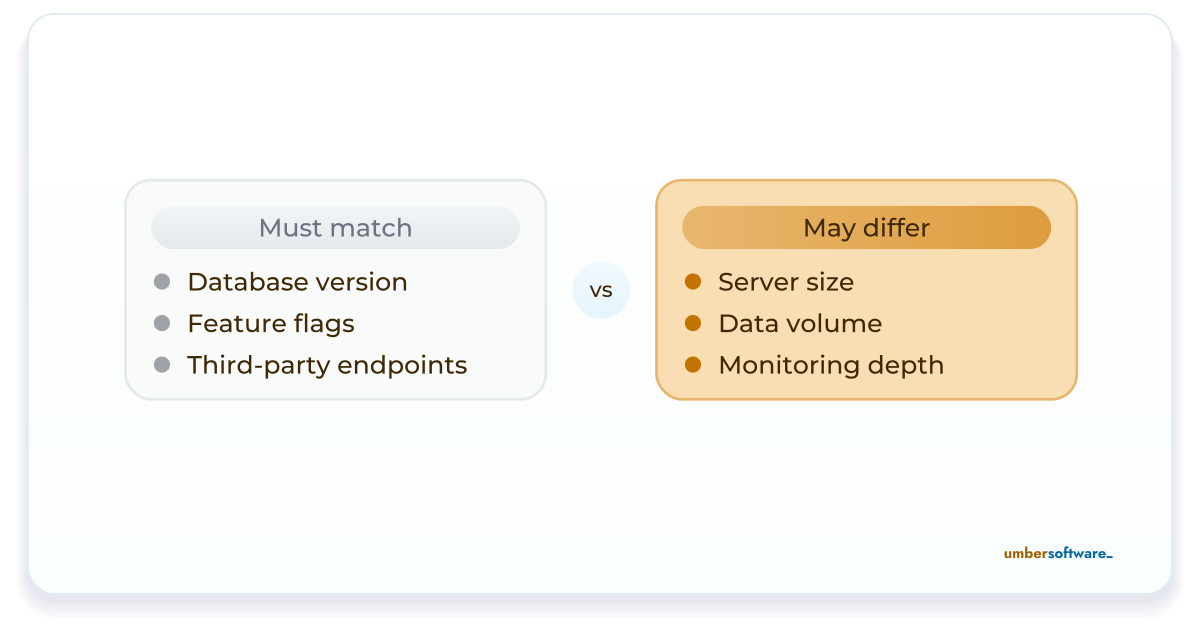
- 4. A test environment mirrors production. Same versions, same configuration, same integrations or realistic stand-ins. Document every difference.
- 5. Test data is anonymized and refreshable. Real structure, no real personal data. You can reset it in minutes, so tests start from a known state.
- 6. Access and secrets are handled safely. Test accounts, API keys and credentials live in a vault, not in a shared spreadsheet.
Environment problems cause a large share of false failures. A reliable environment saves more time than any extra test case.
Write and Run the Tests
- 7. Unit and integration tests run on every commit. Developers see failures within minutes, on the branch where they caused them.
- 8. Regression tests cover critical user journeys. Sign-up, login, payment, core workflow and data export each have at least one automated check.
- 9. Exploratory sessions are scheduled. A tester spends a timeboxed session on each major feature and logs notes and bugs.
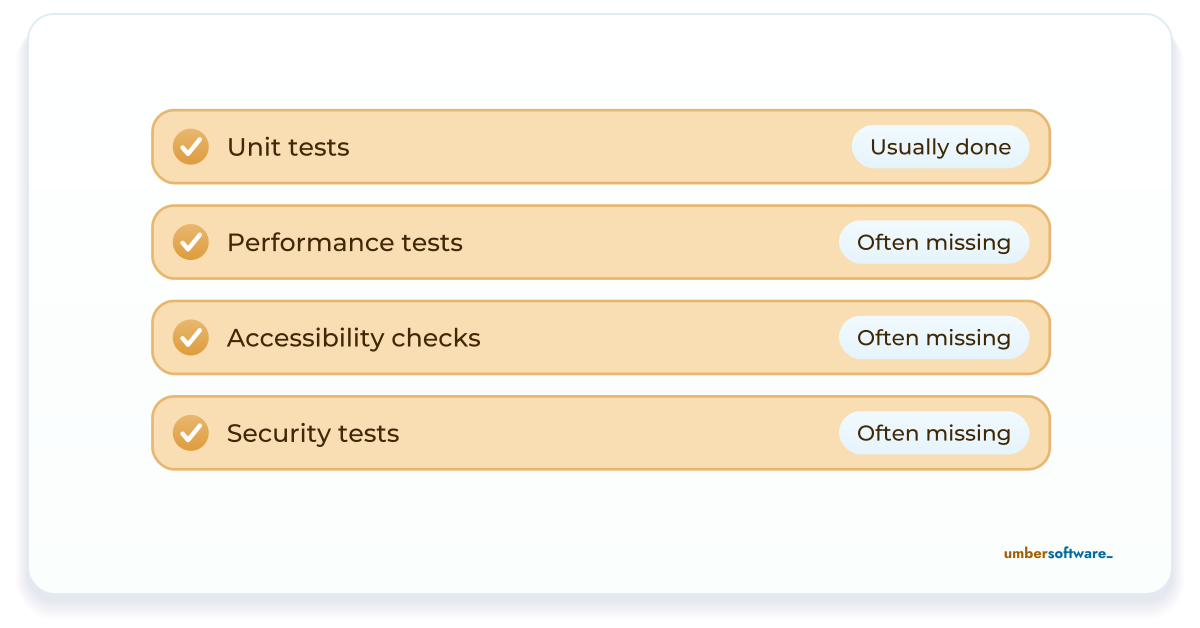
- 10. Non-functional checks have an owner. Performance, accessibility and security tests exist for the areas that matter and someone reads the results.
I often see teams with strong unit tests and no performance or accessibility checks at all. Pick the two non-functional areas that match your users and start there.
Manage Defects and Decide on the Release
- 11. Every defect has severity, owner and steps. Reports are reproducible. Severity follows written definitions, not mood.
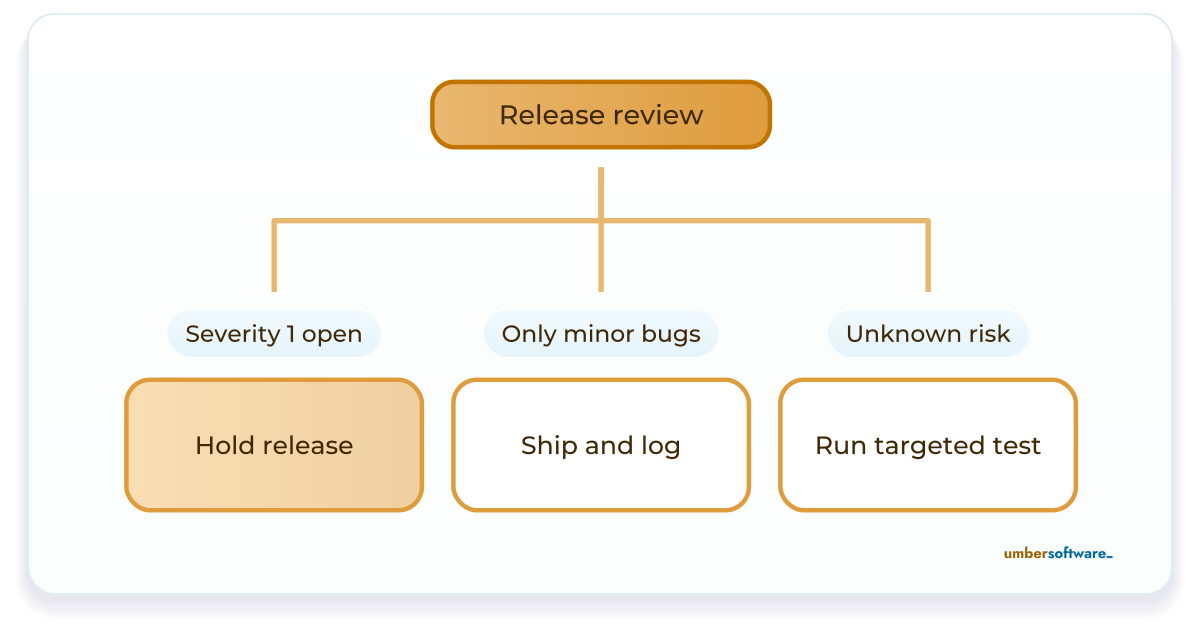
- 12. No open critical or high defects block a release. Exceptions need a named approver and a written reason.
- 13. A release go or no-go review happens. The same three or four people review test results, open risks and the rollback plan before each release.
The review takes fifteen minutes when the data is ready, and it is the cheapest insurance in the whole process.
What Evidence to Ask For on Each Point
A checkmark without proof is a guess. For each point, decide upfront what a reviewer should be able to open in under a minute. This table is the one I hand to teams when we start working together.
| Point | Evidence a reviewer can open | Who provides it |
|---|---|---|
| 1. Scope and risks | Risk register or ranked feature list | QA lead |
| 2. Acceptance criteria | Stories with testable criteria in the tracker | Product owner |
| 3. One-page test strategy | The page itself, with a last-reviewed date | QA lead |
| 4. Production-like environment | A written list of known differences | Engineering lead |
| 5. Anonymized, resettable data | Reset script and a data privacy note | Engineering lead |
| 6. Safe handling of secrets | Vault access list for test credentials | Engineering lead |
| 7. Tests on every commit | Pipeline run history for the last ten commits | Developers |
| 8. Regression on critical journeys | Test run report mapped to the journey list | QA lead |
| 9. Exploratory sessions | Session notes with bugs found | Testers |
| 10. Non-functional checks | Latest performance, accessibility or security report | Named owner per area |
| 11. Release review | Meeting note with decision, risks and rollback plan | Release manager |
Some of this evidence is created by the pipeline, and some needs a person to write a short note. Keep the notes short. A five-line release review record is read, and a five-page one is not.
Also decide how long you keep the evidence. For regulated products, auditors may ask for it years later, so store it somewhere searchable. For other products, the last few releases are enough to spot patterns and to settle the occasional argument about what was tested.
Why These 11 Points Made the List
Every point on this list comes from a failure I have seen more than once. Missing acceptance criteria led to a feature that passed testing and still did the wrong thing. An environment that differed from production hid a configuration bug until launch day. A release with no go or no-go review shipped with a known critical defect because everyone assumed someone else had checked.
The checklist is deliberately short. Longer lists look thorough, but people stop reading them, and the items at the bottom get ticked without being checked. Eleven points fit on one screen, and each one can be verified by a named person in minutes.
How Checklists Fail in Practice
The most common failure is ticking boxes without evidence. If the point says regression tests cover critical journeys, the proof is a link to the test run, not a checkmark. Ask for the link every time, for a month, and the habit sticks.
The second failure is no owner. A checklist owned by the team is owned by nobody. Give each phase to one person, such as the QA lead for tests and defects and the engineering lead for environments, and review the list in the sprint retrospective once a quarter.
The third failure is treating the list as static. When an incident exposes a gap, add the missing check, and when a point has never failed in two years and costs time, consider merging it with another. A living checklist stays short and relevant.
A Short Example From Practice
A mid-sized logistics client came to me with monthly releases that regularly needed a hotfix within three days. We scored their process against this list and found seven points missing, mostly in the environment and release decision phases. They had no shared test data, and nobody formally approved a release. Within two releases of fixing those, the hotfixes stopped. The tests themselves had not changed, only the surrounding discipline.
Scoring Your Own Checklist
Give each point two for done and verified, one for partly done and zero for missing. A total of 20 or more out of 22 means your process is solid. Between 14 and 19 means a few gaps, and under 14 means a release is mostly luck.
| Score | Reading | Next step |
|---|---|---|
| 20 to 22 | Solid process | Track metrics and refine |
| 14 to 19 | Gaps in two or three areas | Fix the missing points in phase order |
| Under 14 | Releases depend on luck | Start with the test strategy and a release gate |
Once the checklist is in place, measure its effect with the numbers in my guide to software quality assurance metrics. The software quality assurance best practices article explains the habits behind several points, and if you lack the capacity to run all checks yourself, I explain what to hand off in the software quality assurance outsourcing guide. Tool choice for the automated points is covered in my ranking of software quality assurance tools.
How to Adapt the Checklist to Your Product
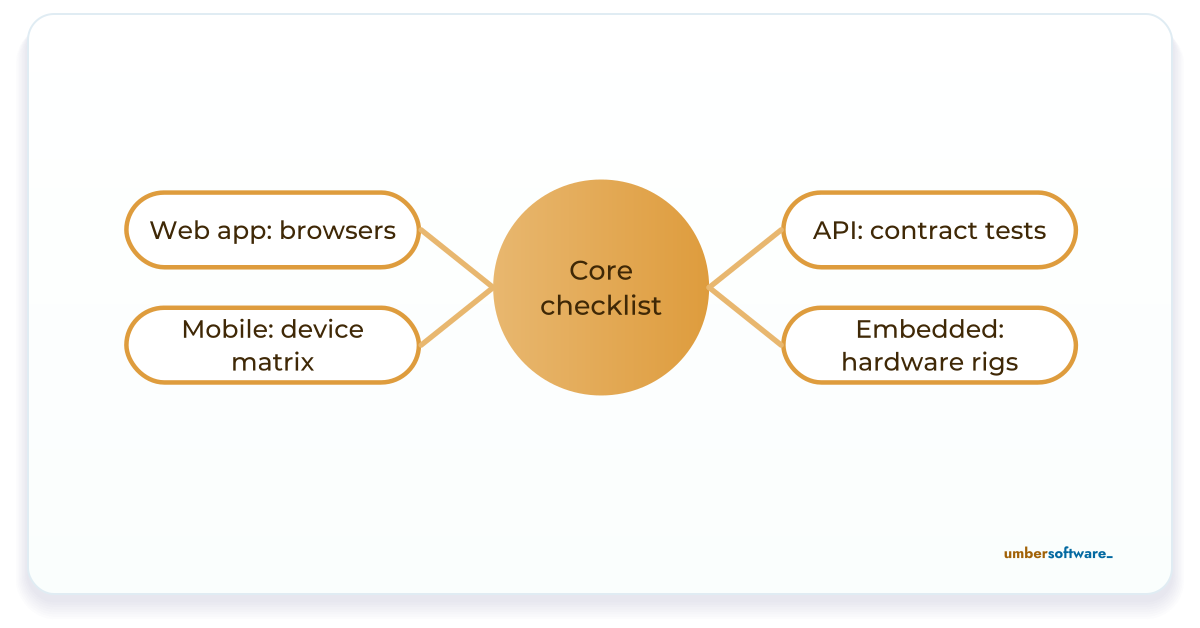
The 11 points suit most web and mobile products. Adjust them to your risk.
- Regulated products such as medical or financial software add traceability and audit evidence to every point.
- Mobile apps add device and operating system coverage to the environment section.
- Products with many integrations add contract tests and sandbox accounts for each partner.
- Small teams combine the release review with the sprint review to keep the overhead low.
Whatever you adapt, keep the structure: plan, environment, tests, release decision. If you change a point, write down why, so the next person understands the intent. Review the whole list once a quarter and after every serious incident, and remove any point that no longer earns its place. A checklist that shrinks over time because the pipeline absorbs its steps is a sign that your process is maturing, not that you are cutting corners. Teams that reach that stage usually spend their review time on the judgment calls that remain, such as which risks to accept and which releases to delay.
Questions About the Software Quality Assurance Checklist
What Should a Software QA Checklist Include?
It should cover planning, environment and data, test execution, defect handling and the release decision. The 11 points above cover each area. Add checks for regulated requirements or integrations when your product needs them.
How Often Should I Use a QA Checklist?
Review the planning and environment points once per project or quarter, and run the test and release points every release. Automated points run on every commit.
Is a QA Checklist the Same as a Test Plan?
No. A test plan describes what you will test and how, and the checklist confirms that the essential steps happened. Think of the plan as the map and the checklist as the pre-flight check.
Who Should Sign Off a Release?
A small group: usually the QA lead, an engineering lead and the product owner. They review test results, open risks and the rollback plan, and one named person makes the call.
Can I Automate Parts of a QA Checklist?
Yes, and you should. Coverage floors, static analysis, failed test counts and open critical defects are easy to enforce in a pipeline. Judgment items such as exploratory results still need a person.
What Is the Difference Between QA and QC?
Quality assurance covers the process that prevents defects, and quality control checks the product for defects. A checklist like this one mostly supports assurance but includes control steps such as regression runs.
How Do I Start If I Have No QA Process Today?
Begin with points 1, 5, 8 and 10: written acceptance criteria, regression tests for critical journeys, reproducible defect reports and a release review. They give the largest improvement for the least effort.
Please note: this guide is general information and not legal, financial or tax advice. Numbers and examples are typical-project estimates; confirm current details with your providers and advisers.
Did this article help you?
Thanks, noted.
Whitney Sorensen
Whitney leads the Umber editorial team and works with the consultants to turn real client projects into practical guides on software selection, custom development, integration and legacy modernization. Before joining Umber, she spent years writing and editing for engineering and IT teams. She has since reviewed architecture audits, system selections and modernization plans from client projects across industries from manufacturing to healthcare. She works remotely from the USA.