Main Points
- Build training around the tasks of each role, not around the menus of the software.
- Deliver short sessions close to go-live and let people practice on a safe copy of your own data.
- Check that people can do the task, and keep guidance inside the application.
- Track adoption after launch and plan for new hires and every release.
Most software training fails quietly. People attend, nod and return to their old spreadsheets because nothing in the course matched their Monday. The teams that avoid this follow a handful of habits that hold across industries and system types. I collected eight of them from rollouts I have supported, from small team tools to company-wide platforms. If you would like help applying them, software training consulting starts from the same rules.
Each rule has a short explanation and the evidence you can collect to know it is working. For smaller, quicker moves, read my list of software training tips, and for how real programs look, see the software training examples.
The Eight Rules and Their Evidence
| Rule | Phase | Evidence it works |
|---|---|---|
| 1. Train for tasks | Design | A task list per role |
| 2. Short and close to go-live | Schedule | Sessions within two weeks of use |
| 3. Practice on your data | Build | A sandbox with masked live records |
| 4. Check ability | Deliver | Task pass rate by team |
| 5. Guidance at the point of work | Support | Fewer how-to tickets |
| 6. Champions | Support | Questions answered inside the team |
| 7. Measure adoption | After launch | Monthly report with three actions |
| 8. Plan for newcomers and releases | After launch | Onboarding path and release checklist |
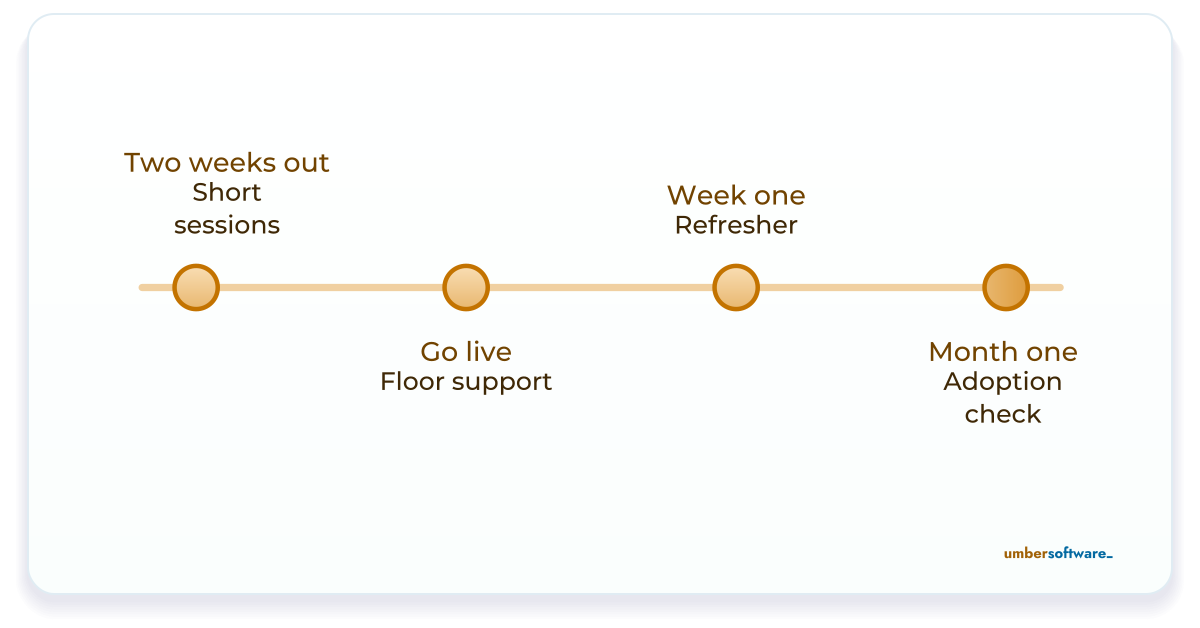
The order follows a typical program, so you can use the list as a timeline for your own plan.
Keep Sessions Short and Close to Go-Live
People forget most of what they learn within days unless they use it. A session two months before launch is largely wasted. The strongest programs deliver short blocks of thirty to sixty minutes in the one or two weeks before people need the skill.
Schedule refreshers for the first week after go-live, when real questions appear. Pair them with a short practice task, so that the lesson ends with something done and not only watched.
Evidence to collect: A calendar that places each role's training within two weeks of its go-live date.
Practice on Your Own Data in a Safe Copy
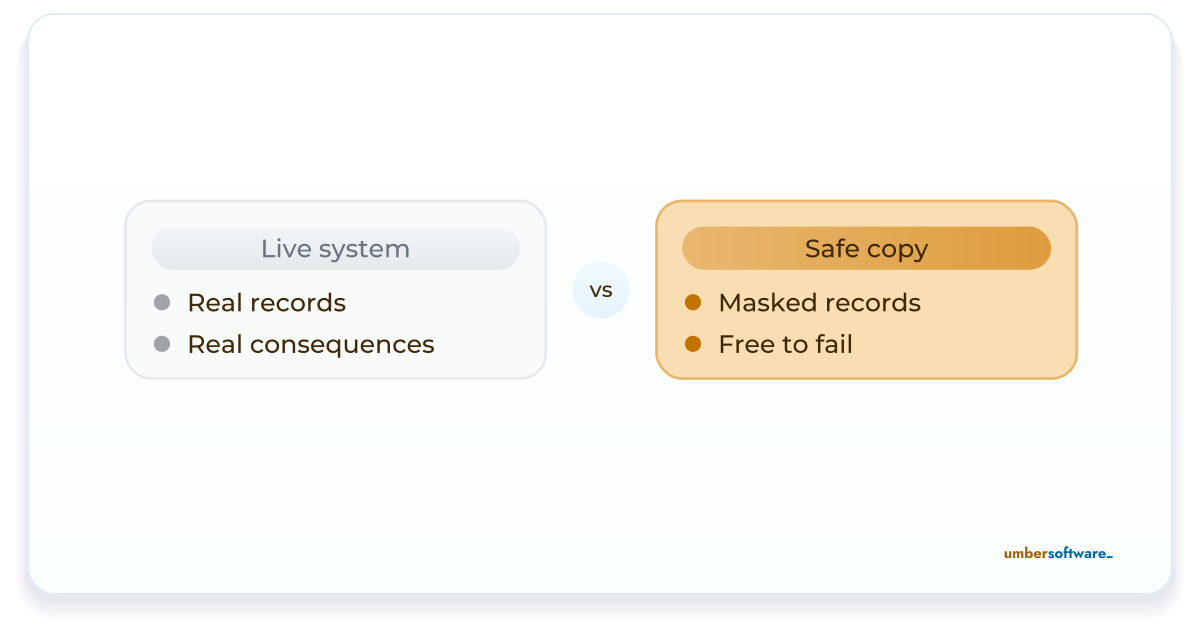
Generic demo data hides the awkward cases that real records contain. A sandbox with a masked copy of your data lets people try the tasks they will do on Monday, including the odd ones: a returned order, a split payment, a customer with two addresses.
The sandbox also lets people make mistakes without consequences, which is how most skills form. Reset it between sessions, so that every group starts from the same state.
Evidence to collect: A sandbox with masked live data, refreshed before each training week.
Check That People Can Do the Task
Attendance tells you who sat in the room. A short practical check tells you who can work. Ask each person to complete two or three real tasks, and watch for the places where they hesitate.
Keep the check friendly. Its purpose is to find who needs a second session, not to rank people. Those who struggle get a short follow-up within days, while the topic is fresh.
Evidence to collect: A pass rate per task and per team, tracked from the first session.
Put Guidance Where the Work Happens
Training fades, and the system remains. In-app prompts, checklists and short guides give help at the moment of need and shorten the path back to the right step. Even a simple one-page guide pinned next to the screen reduces questions.
Maintain these guides. A prompt that describes a screen that no longer exists is worse than none, so assign an owner and review them after every release.
Evidence to collect: A named owner for each guide and a review date after each system update.
Use Champions, Not Only Trainers
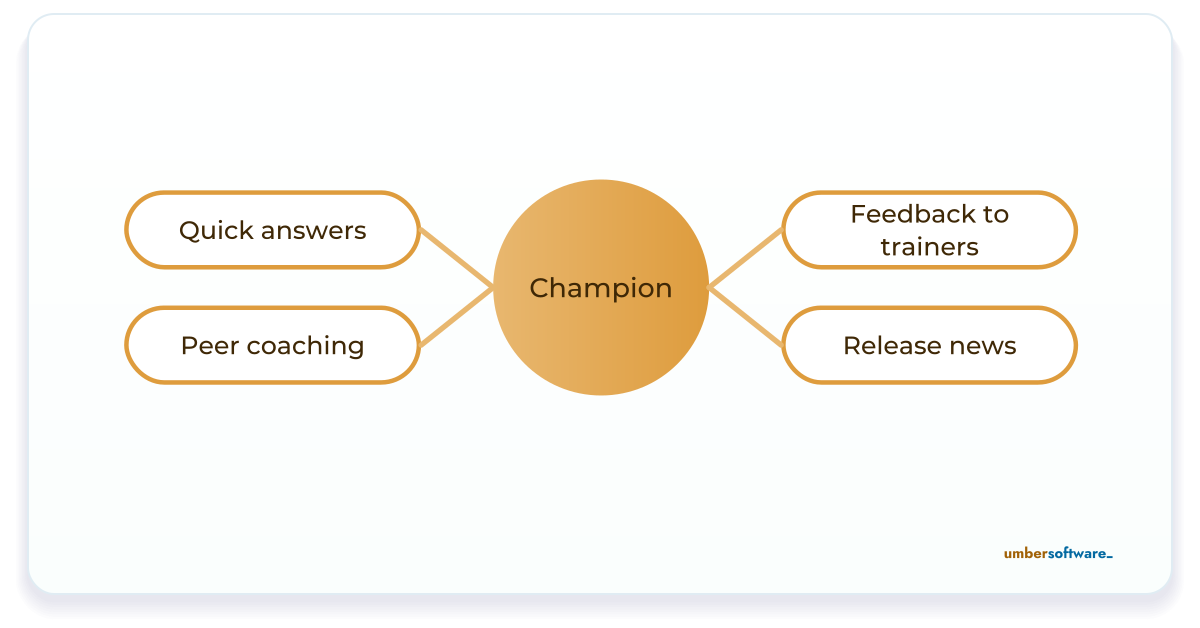
A champion is a colleague in each team who gets extra training and answers first questions. People ask the person next to them before they open a ticket. Champions also see confusion early and report it.
Choose respected users, give them time in their calendar and thank them publicly. A champion without time becomes a title and nothing more.
Evidence to collect: One champion per team, with protected hours in the first month.
Measure Adoption and Fix the Gaps
After go-live, watch behavior: how many people log in, which features they use, where they abandon a task and what the help desk hears. Compare the numbers by team to find who needs another push.
Treat each gap as a training problem first. If a whole team skips a feature, the cause is often a missing guide or a confusing step, not unwillingness.
Evidence to collect: A monthly adoption report by team, with three actions chosen from it.
Plan for New Hires and Every Release
The first launch is only the start. New people join, roles change and the vendor releases updates every few months. A program that works only for launch decays within a year.
Build a short onboarding path and a release checklist now. When a change arrives, you review which tasks it touches and update only those lessons.
Evidence to collect: An onboarding path for each role and a release review step in the change process.
Where These Rules Pull Against Each Other
Good rules conflict. Late training is effective, yet it leaves little time to react when people struggle. A sandbox with real data is ideal, but privacy rules may require masking and some effort. Champions help a great deal, but pulling the best people from their jobs has a cost.
The compromise I use is short sessions two weeks out, a practical check, and a refresher in the week of launch. If time is tight, drop the long course and keep the task list, the sandbox and the guides. Those three carry most of the benefit.
Small teams can shrink the process. A team of ten may combine the task list and the check into one working session, with one champion and a shared guide. The rules still apply, but the ceremony shrinks.
Sequence matters as much as content. In one rollout of a field-service app, the team trained technicians in a single afternoon and saw weak adoption for a month. A second attempt split the training into two twenty-minute blocks on consecutive mornings, added a one-page guide in each van and made two senior technicians champions. Adoption reached the level the project plan had expected within three weeks, with no change to the software itself.
Applying the Rules to Different Rollouts
A company-wide system, such as an ERP, needs the full set, with a training lead and a plan per site. A focused team tool needs rules one, three and five, delivered in an afternoon. A rollout across many locations needs rules two, six and seven most, since distance weakens everything else.
If your rollout is part of a larger program, connect the training plan to the implementation schedule so that dates stay in step. Training that finishes before the system is stable is wasted, and training that starts after go-live is late.
What Tooling Supports the Rules
You can follow all eight rules with a shared drive, a calendar and a sandbox. Tools make some of them easier. A learning platform tracks who finished which lesson, a screen-capture tool produces step guides quickly and a digital adoption platform shows guidance inside the application and reports where people drop out of a task.
Choose tooling after you know which rules you need help with. A team without a task list gains nothing from a platform, since it has nothing good to put in it. When you are ready to compare options, my ranking of software training tools covers seven products with published prices and ratings.
| Need | Kind of tool | Rule it supports |
|---|---|---|
| Quick step-by-step guides | Screen capture and guide tools | Rules one and five |
| Courses and completion records | Learning management system | Rules two and four |
| Help inside the application | Digital adoption platform | Rules five and seven |
| Safe practice environment | Sandbox or training tenant | Rule three |
Whatever you pick, set it up so that the person who owns a lesson can also update it. A tool that only one specialist can edit becomes the bottleneck within a year.
Finally, write down what you learned. A short review after the first month, covering what worked, what confused people and what you would change, feeds directly into the next release and the next rollout.
Picking Your First Step
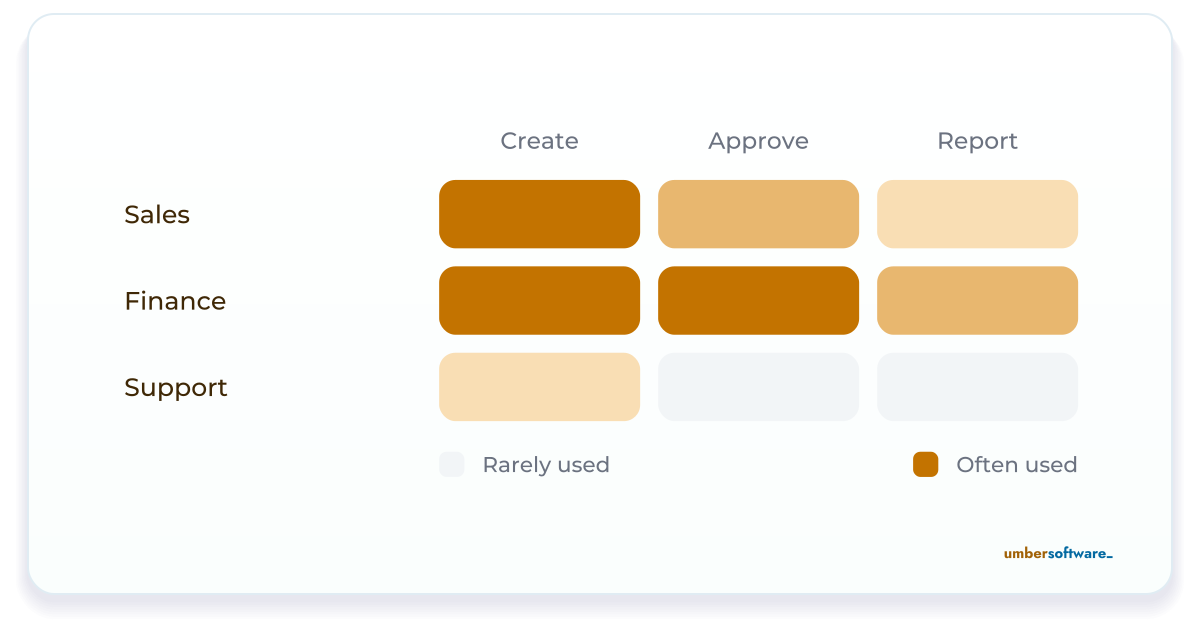
Start with the rule that guards your biggest risk.
- Many roles with different tasks: rule one, before any material is built.
- A short timeline: rules two and three.
- A history of low adoption: rules four, seven and eight.
- Many locations: rules five and six.
Questions About Software Training Best Practices
What Are the Most Important Software Training Best Practices?
Train for tasks, keep sessions short and close to go-live, practice on your own data, check that people can do the work and keep guidance in the application. After launch, track adoption and keep material current.
How Long Should Software Training Last?
Shorter than most teams plan. Blocks of thirty to sixty minutes, spread over a week or two, work better than a single long day. The total depends on the role, but daily users need more practice than occasional ones.
Should Training Be in Person or Online?
Use a mix. Live sessions, in person or remote, suit complex tasks and questions. Short recorded guides and in-app help suit reference and refreshers. Choose by the task and by how your people work, not by habit.
How Do I Train People Across Several Locations?
Use the same task list and sandbox in every location, with local champions and trainers. Record short walkthroughs for reference and schedule live sessions in local time zones, so no group learns from a recording only.
How Do I Measure Whether Training Worked?
Check tasks completed in the sandbox, error rates and help desk questions by team, and adoption of key features after launch. Compare them with the baseline you recorded before the rollout.
What If Some People Refuse to Use the New Software?
Find the reason first. It is often a missing task in the training, a slower process in the new tool or a worry about the effect on their job. Address that cause, involve the person in testing and involve their manager if needed.
When Should I Use an Outside Trainer?
When you lack training skills in-house, when a system is specialized or when the rollout is large and time is short. Outside help can build the material and prepare your own champions, so the capability stays with you.
Please note: this guide is general information and not legal, financial or tax advice. Numbers and examples are typical-project estimates; confirm current details with your providers and advisers.
Did this article help you?
Thanks, noted.
Whitney Sorensen
Whitney leads the Umber editorial team and works with the consultants to turn real client projects into practical guides on software selection, custom development, integration and legacy modernization. Before joining Umber, she spent years writing and editing for engineering and IT teams. She has since reviewed architecture audits, system selections and modernization plans from client projects across industries from manufacturing to healthcare. She works remotely from the USA.