Main Points
- The best CRM wins come from connecting sales to the systems behind it, not from adding features.
- Trimming the form and routing leads are the cheapest examples to start with.
- Every example needs a named owner for each field and each integration.
- Measure one number per change, such as response time or days from win to kick-off.
Most CRM advice stays abstract. Here are seven concrete examples from CRM software consulting work, grouped by industry, with the steps behind each one. The client details are generalized, and the numbers I mention are the kind of effects I typically see, not promises.
Read the table first, pick the two examples that match your biggest daily frustration and use the steps as a build list. If you are still choosing a platform, my ranking of the best CRM software shows which tools support these patterns.
What Makes a CRM Example Worth Copying
An example is worth copying when it changes a specific behavior, has a number you can check and does not depend on one heroic admin. I filter every idea through the three tests below.
| Test | What it asks | Example of a pass |
|---|---|---|
| Behavior | Does it change what reps or managers do each day? | Leads get a first response within the hour |
| Measure | Is there one number you can record before and after? | Days from win to project kick-off |
| Ownership | Does a named person keep it running? | Sales ops owns routing rules |
7 CRM Software Examples You Can Copy
Each example shows what changed in the team's day and the build steps. Check the effects against your own volumes. The CRM software implementation guide shows how to sequence several of them in one rollout.
| Example | Industry | Main effect |
|---|---|---|
| 1. Quote-to-Order Sync With the ERP | Manufacturing | Reps see order and invoice status without calling the back office |
| 2. Referral Partner Tracking With Strict Access | Healthcare | Partner managers see which clinics have gone quiet |
| 3. Lead Routing With a Response-Time Rule | Logistics | Faster first response to every quote request |
| 4. A Slimmer CRM That Reps Fill In | Retail | Better data quality from a shorter deal form |
| 5. Product Usage Signals Feeding Renewals | Software | Renewal conversations start while there is still time |
| 6. Won Deal to Project Handoff | Professional services | Projects kick off on the planned date |
| 7. Duplicate Cleanup Before Migration | Wholesale | A new CRM that starts with clean records |
Each example stands on its own, so read them in any order.
Quote-to-Order Sync With the ERP
A components manufacturer I worked with kept quotes in the CRM and orders in the ERP, and sales reps phoned the back office to learn whether an order had shipped. I helped link the two so an approved quote creates the sales order, and shipment and invoice status flow back onto the account. The reps stopped asking, and the back office stopped retyping.
The hard part was agreeing which system owns what. The CRM owns the customer, contact and quote. The ERP owns price lists, stock and invoices. Once those rules were written down, the sync was routine, and failures raised an alert instead of vanishing.
How the Sync Is Built
- Agree which system owns each field and write it down.
- Map CRM products to ERP item numbers and fix mismatches.
- Create the sales order automatically when a quote is approved.
- Send shipment and invoice status back to the account record.
- Alert an owner when a sync fails, with the record and the reason.
Tools That Make It Work
A prebuilt connector or an integration platform handles most of the traffic, and a small custom service covers the odd rules. Your ERP software consulting plan should include the field ownership table.
Referral Partner Tracking With Strict Access
A medical device distributor depended on referring clinics and sales partners, but kept those relationships in personal spreadsheets. I moved them into the CRM with roles that show each rep only their own partners, and a lightweight log of every touchpoint. Partner managers finally saw which clinics had gone quiet.
Because the CRM held partner contacts and not patient data, the compliance review was short. The rule I apply is simple: if a field would worry your compliance officer, it does not belong in the CRM, and the integration should never copy it there.
What to Configure
- Decide which data the CRM may hold and keep patient records out.
- Create partner and clinic account types with a shared parent.
- Restrict visibility by territory or owner through roles.
- Log calls, visits and referrals with two required fields.
- Review quiet partners every month with a saved report.
Requirements to Run It
Any CRM with field-level permissions and audit logs can do this. Ask the vendor for the access-control documentation, and have your security reviewer read it.
Lead Routing With a Response-Time Rule
A regional logistics company received quote requests through its website, email and a marketplace, and answered them whenever someone noticed. The team routed every new lead to the right rep by lane and region and added a response-time rule. Leads that sat untouched for an hour went to the team lead.
Response speed was the cheapest improvement in the whole project. Reps did not work harder. The CRM simply made the next step obvious and visible to the manager.
Routing Rules That Work
- Collect web, email and marketplace leads into one inbox.
- Assign by region, service line or round robin.
- Create a first-response task due within the hour.
- Escalate untouched leads to the team lead automatically.
- Report response time and win rate by source each week.
Software Behind the Scenes
Most CRMs include assignment rules, and an automation tool can feed in marketplace leads. Start with two rules and add more once the first ones are trusted.
A Slimmer CRM That Reps Fill In
A retail chain with a B2B arm had a CRM with more than eighty fields on the deal form, and reps skipped most of them. The team cut the form to the nine fields managers actually used in reports, made four of them required and moved everything else to optional notes. Data quality improved within weeks.
Every field you add is a small tax on every rep, every day. Before adding one, I ask who reads it, in which report and what decision it changes. If nobody can answer, the field stays out.
Trimming the Form
- List every field and the report that uses it.
- Remove fields without a reader and merge near duplicates.
- Mark only the fields that drive reports as required.
- Add pick lists instead of free text where reports group the data.
- Review field usage every quarter and prune again.
What to Set Up First
Field usage reports exist in most CRMs, and a short script can export them if yours lacks one. Plan the cleanup together with the training session, so people learn the new form once.
Product Usage Signals Feeding Renewals
A software company knew which customers logged in weekly, but the account managers could not see it. The team pushed a simple usage score from the product database into the CRM account record and created renewal tasks that appear 120 days before contract end. Managers began conversations with accounts that were dropping off.
The score was crude, and that was fine. A rough signal in front of the account manager beats a perfect model in a data warehouse nobody opens.
From Usage Data to Renewal Task
- Choose two or three usage events that predict retention.
- Calculate a weekly score per account in the product database.
- Write the score and trend to the CRM account record.
- Create renewal tasks 120 days before the end date.
- Review accounts with falling scores in the weekly team meeting.
The Stack for This One
A scheduled job or reverse-ETL tool writes the score into the CRM. Treat the score as a conversation starter and keep it simple until the team trusts it.
Won Deal to Project Handoff
A consulting firm lost a week at every project start because delivery asked sales what had been promised. The team built a handoff: when a deal is marked won, the CRM creates a project in the delivery tool with the scope, price and key contacts attached. Kick-offs started on the planned date.
The handoff form forced sales to record the scope in plain words before closing the deal. Reps complained for two weeks and then admitted that it saved them follow-up calls.
Building the Handoff
- Add a short handoff form to the closed-won stage.
- Require scope, price, start date and the main contact.
- Create the project in the delivery tool automatically.
- Notify the delivery lead with a link to the account.
- Track time from win to kick-off as a standing metric.
Tools Worth a Look
Project tools such as Asana, Jira and monday.com offer CRM connectors, and an automation platform covers the rest. If your CRM has built-in project features, use them first.
Duplicate Cleanup Before Migration
A wholesaler moving to a new CRM discovered that it had roughly three records for every real customer, spread across an old CRM, an accounting system and a spreadsheet. Before the migration the team merged duplicates with a written survivor rule and loaded only active accounts. The new system started clean.
Teams often skip the cleanup because migration feels urgent. Loading dirty data into a new system only moves the problem, and it makes people distrust the new tool in its first week.
A Migration Cleanup Sequence
- Export customers from every source into one staging sheet.
- Match records on tax ID, domain and normalized name.
- Define a survivor rule for conflicting fields.
- Review borderline matches with the account owners.
- Load active accounts first and archive the rest.
Software for the Cleanup
Spreadsheet matching handles small sets, and dedicated data-cleaning tools handle larger ones. Keep a log of every merge, so you can undo mistakes.
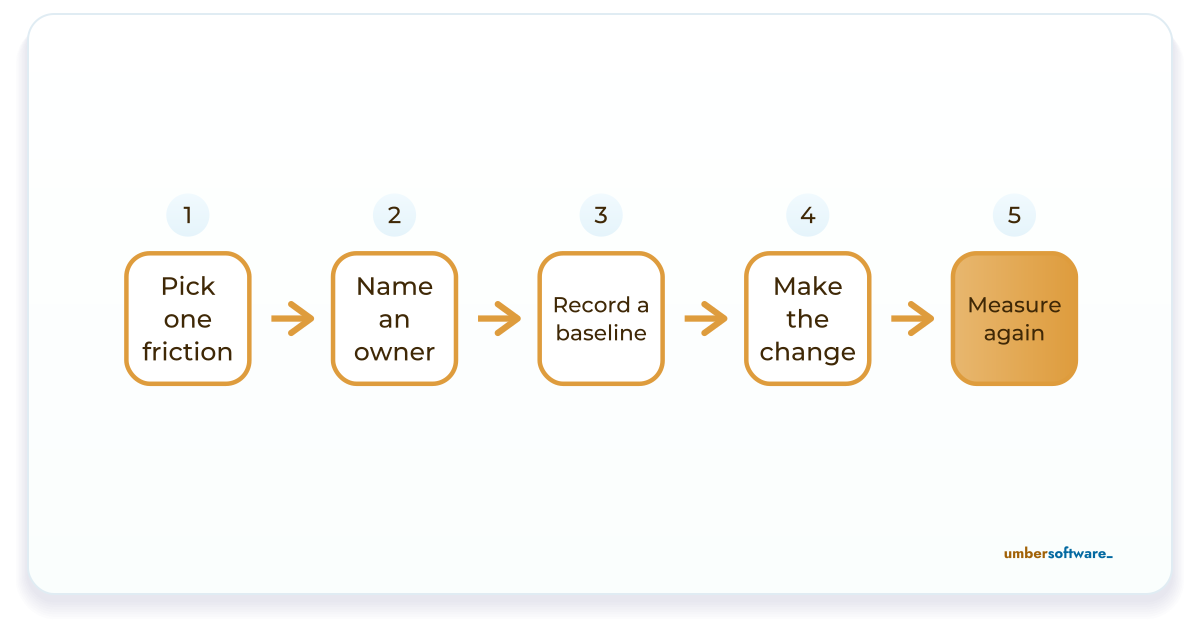
Whichever example you copy, change one thing at a time.
What the Seven Examples Have in Common
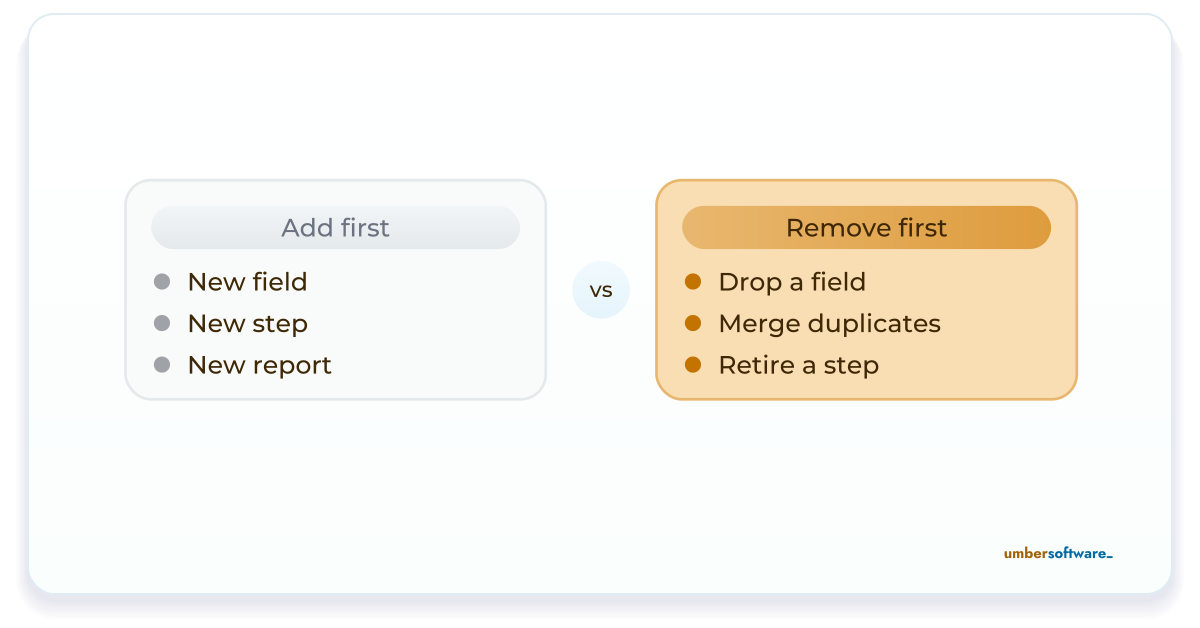
Looking across projects, three habits repeat. First, someone wrote down which system owns each piece of data. Second, the team removed something before adding something: a field, a step or a duplicate. Third, one metric was tracked from the first week, so the team knew whether the change helped.
These habits cost nothing and apply to any platform. Results also depend on the market you sell into, so I keep an eye on CRM software statistics to check my expectations against public benchmarks. As vendors add AI summaries and next-step suggestions, the same habits matter more, which I explain in CRM software trends.
How to Choose Your First CRM Example
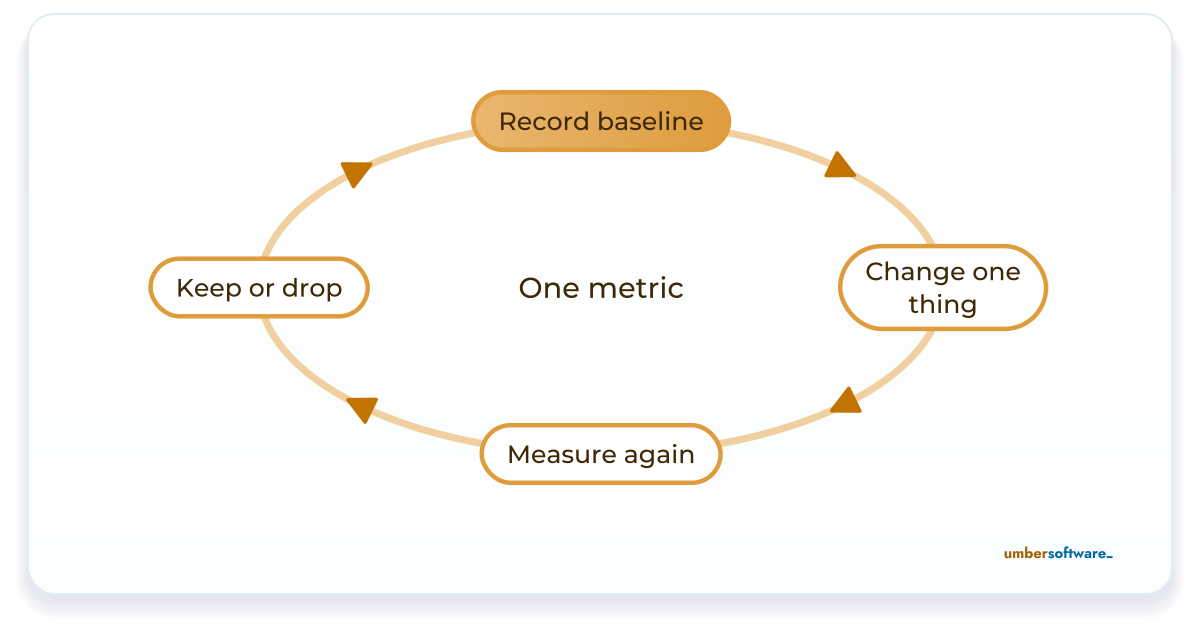
In my experience, the first example should be cheap, visible and owned by one person. Check your shortlist against these four traits:
- Reps feel the benefit within two weeks.
- A single metric shows whether it worked.
- It needs configuration only, with no custom development.
- A named person owns it after launch.
Once the first change works, add an integration-heavy example. Before you decide, review the CRM software pros and cons so you know which trade-offs to accept. If you want help ranking your own list, the consultants I work with offer a free review of your sales process.
Questions About CRM Software Examples
What Is a Good Example of CRM Software in Action?
A sales rep opens an account and sees the open quote, the last three emails, the latest invoice status and the next task. Everything arrives from other systems without retyping. In my experience, the more of that context your CRM shows automatically, the more your reps trust and use it.
Which CRM Example Should I Start With?
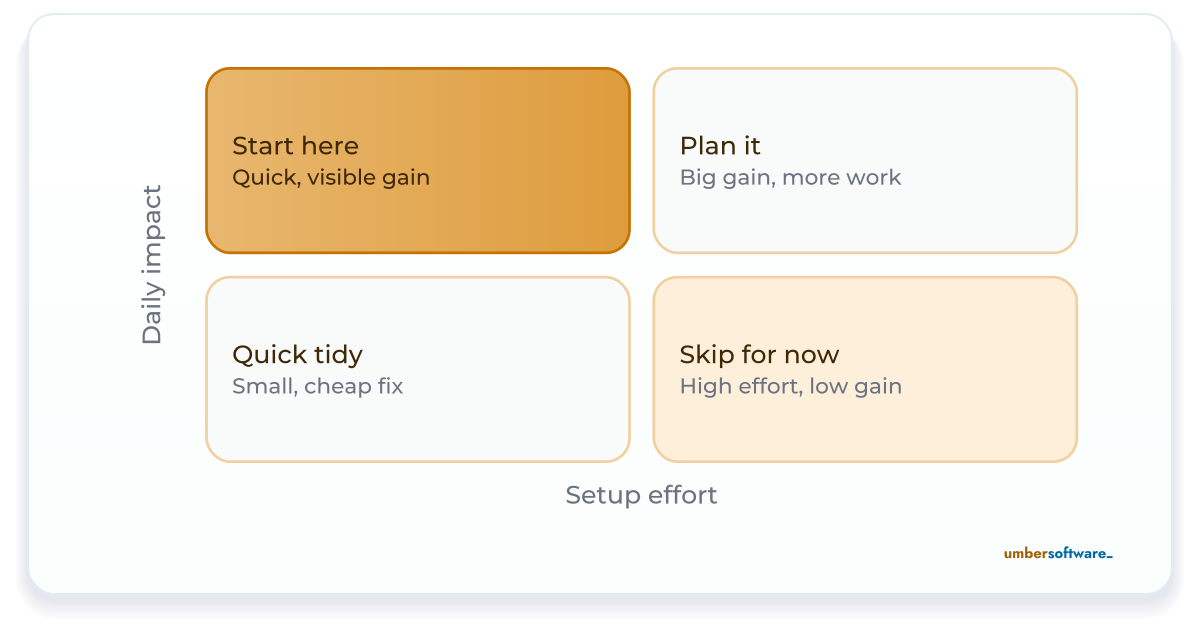
Start with the one that removes the most daily friction for your reps. For many teams that is trimming the form or routing leads, because both are cheap and visible. Integration-heavy examples such as quote-to-order sync pay off more but take longer, so plan them as a second phase.
How Do I Measure Whether a CRM Change Worked?
Pick one number per change before you start: time to first response, percentage of deals with a next step, forecast accuracy or days from win to kick-off. Record the baseline, then check again after a month. If the number does not move, look at adoption before you blame the tool.
Do These Examples Need a Custom-Built Integration?
Some do and some do not. Lead routing and form trimming are configuration. Quote-to-order sync and usage scores usually need a connector or a small service. Check the connector list of each platform you are considering before you commit.
Can Small Teams Use These Examples Too?
Yes. The ideas scale down. A five-person team can still trim its form, route leads by owner and write a handoff checklist. You will not need the integrations at first, and the discipline you build early makes later integrations easier.
When Can We Expect Results?
Configuration changes such as lead routing and slimmer forms show effects within a few weeks. Integration changes take a few months from design to stable operation. Give yourself at least one full sales cycle before you judge revenue effects.
What Goes Wrong Most Often in These Projects?
Unclear ownership. A sync fails and nobody knows whose job it is, or a field has three meanings across three teams. Name an owner for each integration and each important field before you build, and review both every quarter.
Please note: this guide is general information and not legal, financial or tax advice. Numbers and examples are typical-project estimates; confirm current details with your providers and advisers.
Did this article help you?
Thanks, noted.
Whitney Sorensen
Whitney leads the Umber editorial team and works with the consultants to turn real client projects into practical guides on software selection, custom development, integration and legacy modernization. Before joining Umber, she spent years writing and editing for engineering and IT teams. She has since reviewed architecture audits, system selections and modernization plans from client projects across industries from manufacturing to healthcare. She works remotely from the USA.