Main Points
- The main advantages are one customer record, faster follow-up and forecasts you can trust.
- The main drawbacks are poor adoption, hidden costs, data quality and integration effort.
- Every drawback has a design fix, which is why the planning phase matters more than the vendor.
- A CRM is a poor buy until your sales process is defined and someone owns the system.
CRM vendors list benefits, and critics list failures. You need both lists, with the conditions under which each one shows up. This guide comes from the CRM software consulting projects I review, where the same benefits and the same problems appear again and again.
I give eight pros and eight cons, say who each one affects and add a fix wherever one exists. My verdict at the end tells you when I would buy and when I would wait.
The Pros and Cons at a Glance
| Advantage | Matching drawback | Who feels it most |
|---|---|---|
| One customer record | Data quality decays without owners | Sales ops and managers |
| Faster follow-up | Reps resist extra data entry | Sales reps |
| Forecasts you can trust | Stages mean different things to different reps | Finance and leadership |
| Automation of routine tasks | Automations break silently | Admins |
| Connected systems | Integration cost and upkeep | IT and operations |
| Scales with growth | Per-seat and tier costs climb | Finance |
| Reporting | Report overload and wrong definitions | Managers |
| Continuity when people leave | Sensitive data needs tight control | Security and compliance |
8 Advantages of CRM Software
1. A Single, Current Record for Every Customer
The most valuable thing a CRM gives you is an answer to the question "what do we know about this customer?" in one place. Emails, calls, quotes and tickets sit on the same record, so a rep who takes over an account does not start from zero.
2. Faster, More Consistent Follow-Up
Tasks, reminders and routing rules keep leads from sitting in a shared inbox. In my client work, the cheapest gain is a response-time rule that escalates untouched leads. Reps work the same hours, and the system makes the next step visible. I describe more of these tactics in my CRM software examples.
3. Forecasts You Can Defend
When stages and close dates follow agreed definitions, the pipeline report becomes a number you can plan hiring and stock around. Without a CRM, forecasts come from side spreadsheets rebuilt each month, and nobody can trace a change.
4. Automation of Routine Work
Logging emails, creating follow-up tasks and updating fields after a meeting are all automatable. Gartner's 2026 survey found that AI saves sellers an average of 4.8 hours per week, though most organizations fail to reinvest that time, as I explain in CRM software statistics.
5. Connected Systems Behind One Customer View
A CRM connected to your ERP, billing and support tools shows orders, invoices and tickets next to the deal. Reps stop asking finance for status, and finance stops answering the same questions.
6. Room to Grow With Your Team
A CRM gives a growing team a shared process that survives new hires. You can add pipelines, regions and roles without rebuilding the way you work.
7. Reporting That Matches How You Sell
Conversion by source, deal age, win rate by rep and revenue by segment are a few clicks away when the data is clean. You see where deals stall instead of guessing.
8. Continuity When People Leave
Account history stays with the company, not with a departing rep's inbox. Handovers take a day instead of a month, which matters most for long sales cycles.
8 Drawbacks of CRM Software
1. Poor Adoption Leaves You With Stale Data
The classic failure is a CRM that reps update once a quarter. Long forms, late training and no visible benefit for the rep are the usual causes. The fix is a short form, role-based training and pipeline reviews held from the CRM only.
2. Costs Beyond the Licence
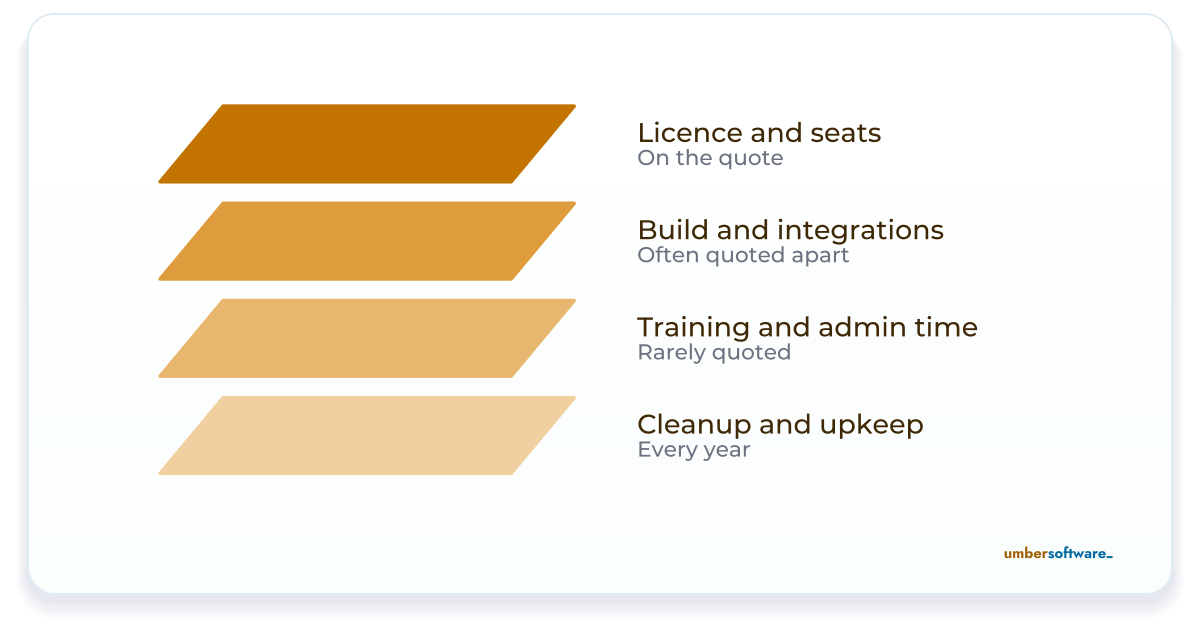
Seats are the visible part. Configuration, data migration, integrations, training and internal time often add up to more than the first year of licences. Ask for a three-year estimate before you sign, and compare quotes item by item using my ranking of the best CRM software for the licence side.
3. Data Quality Decays Without Owners
Duplicates, missing fields and outdated contacts accumulate. Name an owner for each important field and schedule a quarterly cleanup, or reports will drift from reality.
4. Integration Work Is Real Work
Connecting a CRM to an ERP or billing system rarely takes the time vendors suggest. The hard part is deciding which system owns each field and what happens when a sync fails. Align the plan with ERP software consulting if both systems are changing.
5. Complexity Creeps In
Custom fields, automations and reports pile up. Each one makes sense at the time, and together they slow every rep and every change. Review field usage quarterly and remove what nobody reads. I also suggest a rule that every new automation gets a named owner and a short description, so the next admin knows why it exists before deleting it by accident.
6. Vendor Lock-In and Migration Pain
Moving away from a CRM means exporting records, history and attachments, and rebuilding automations. Check export formats and fees before you commit, and keep documentation of your configuration.
7. Privacy and Security Obligations
A CRM holds personal data, so access control, authentication and retention rules matter. Use least-privilege roles and review exports regularly. Confirm legal requirements for your industry and country with your own advisers.
8. Change Fatigue in the Team
People who have survived two failed tools are not enthusiastic about a third. Involve reps in the design, remove something for every thing you add and show them what they gain in the first month. A single quick win, such as automatic email logging, builds more goodwill than a perfect rollout plan delivered six months later.
How the Balance Shifts With Company Size
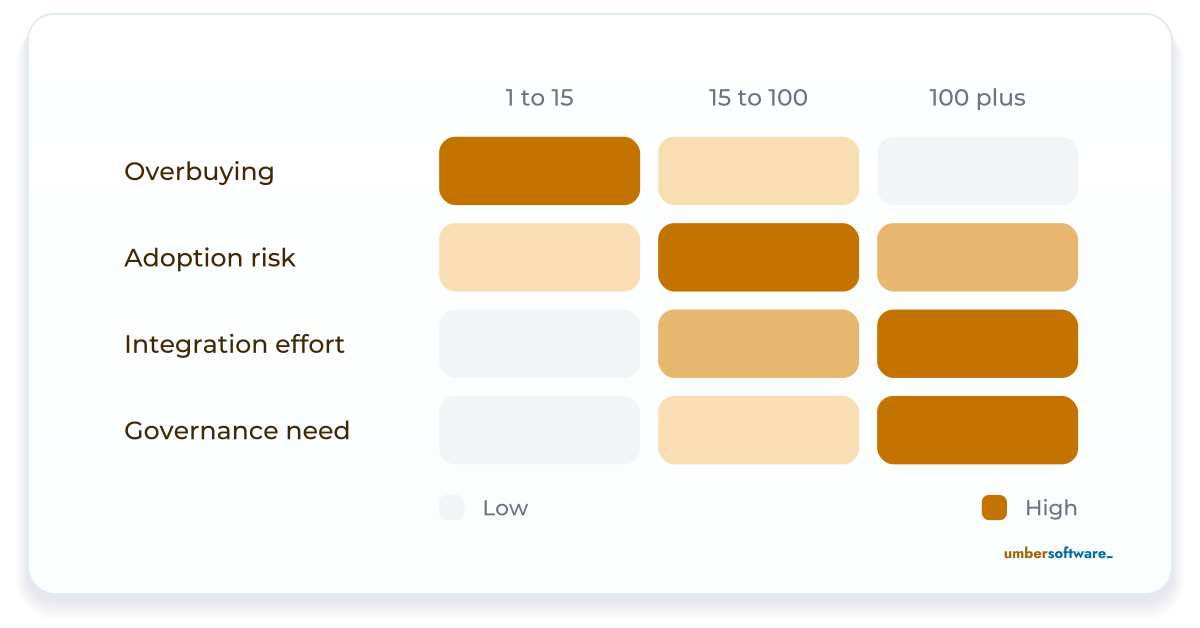
The same CRM feels different at ten people and at a thousand. Small teams gain the most from a shared record and pay the least in complexity. Large teams gain from reporting and automation but pay for integrations, governance and change management.
| Company size | Biggest advantage | Biggest risk | Typical approach |
|---|---|---|---|
| 1 to 15 people | Ends spreadsheet and inbox chaos | Buying more than you need | Light CRM, one pipeline, self-set up |
| 15 to 100 people | Forecasts and handoffs between teams | Adoption and integration effort | Mid-range CRM, a part-time admin, a pilot team |
| 100 or more people | Reporting across regions and product lines | Governance, data quality and cost | Full platform, dedicated admin, partner support |
These are patterns, not rules. A 20-person manufacturer with a dozen integrations may need more than a 60-person services firm with a simple process. Count your integrations and regulated data before you count your people.
Questions That Test a Vendor on Each Drawback
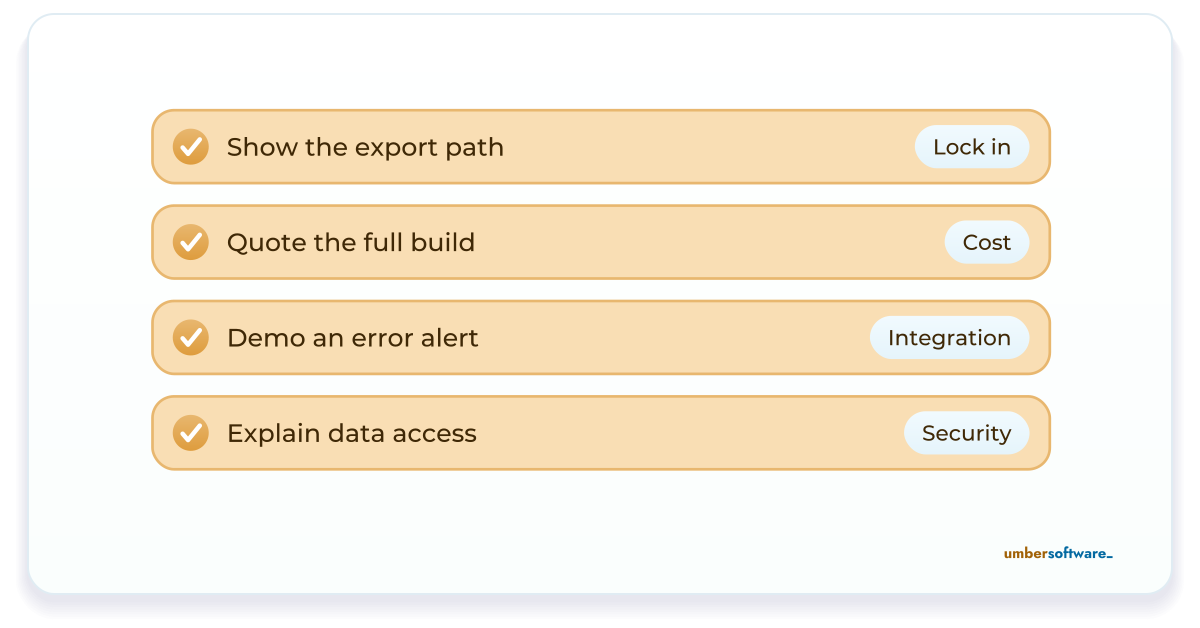
A vendor demo shows the pros. To see the cons, ask questions that make the vendor show you the awkward parts. I use the list below with clients, and the answers go into the decision file.
- Show me how a rep logs a call and updates a deal. How many clicks and fields does it take?
- What is the full price over three years for our number of users, with the integrations we need?
- How do I find and merge duplicates, and can I set rules that block them on entry?
- Which of our systems have prebuilt connectors, and who supports them when a sync fails?
- How do I export all records, history and attachments, in what format and at what cost?
- Which roles can see or export which fields, and where are those actions logged?
Vague answers are an answer. If a vendor cannot show the export path in a demo, plan for it to be difficult in production. If a partner cannot name the people who will work on your project, expect staffing surprises.
How to Reduce the Downsides Before You Buy
Almost every drawback above is cheaper to prevent than to fix. The steps in my CRM software implementation plan address them in order: owner and metrics first, process map second, data cleanup before configuration, and integration ownership before the build.
| Drawback | Prevention | When to do it |
|---|---|---|
| Poor adoption | Short form, pilot team, role-based training | Before launch |
| Hidden costs | Three-year estimate and fixed build quote | Before signing |
| Data decay | Field owners and quarterly cleanup | From day one |
| Integration cost | Ownership table, alerts, runbook | During design |
| Lock-in | Export test and configuration documentation | Before signing |
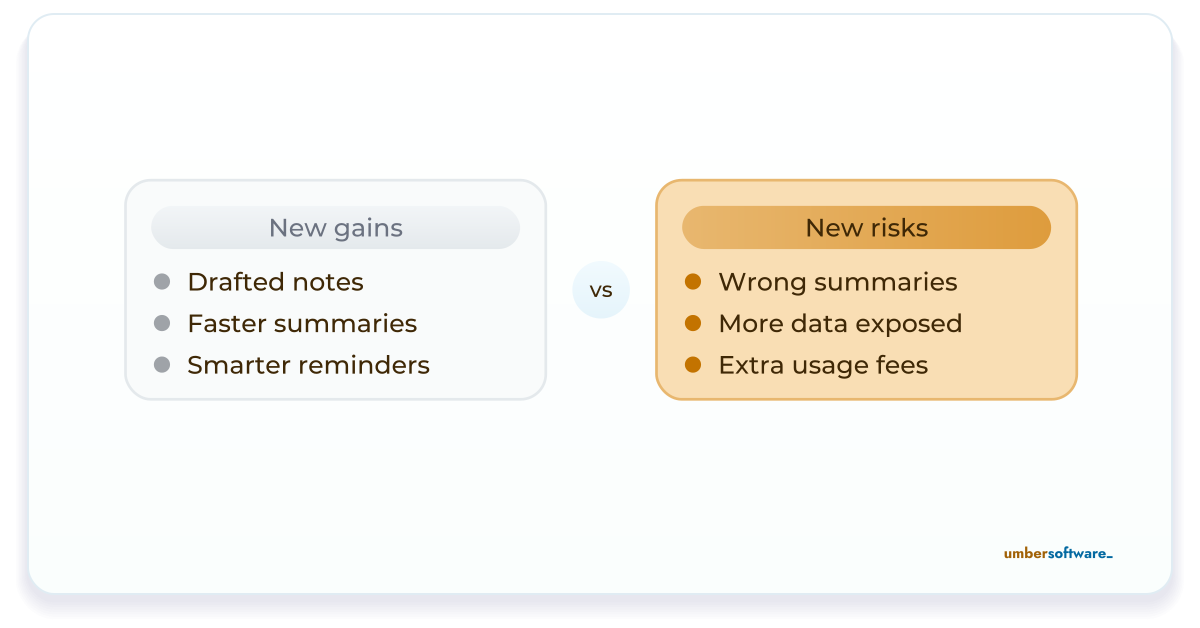
Vendors are also adding AI features that change both sides of the ledger, which I cover in CRM software trends.
My Verdict: Who Should Buy a CRM and Who Should Wait
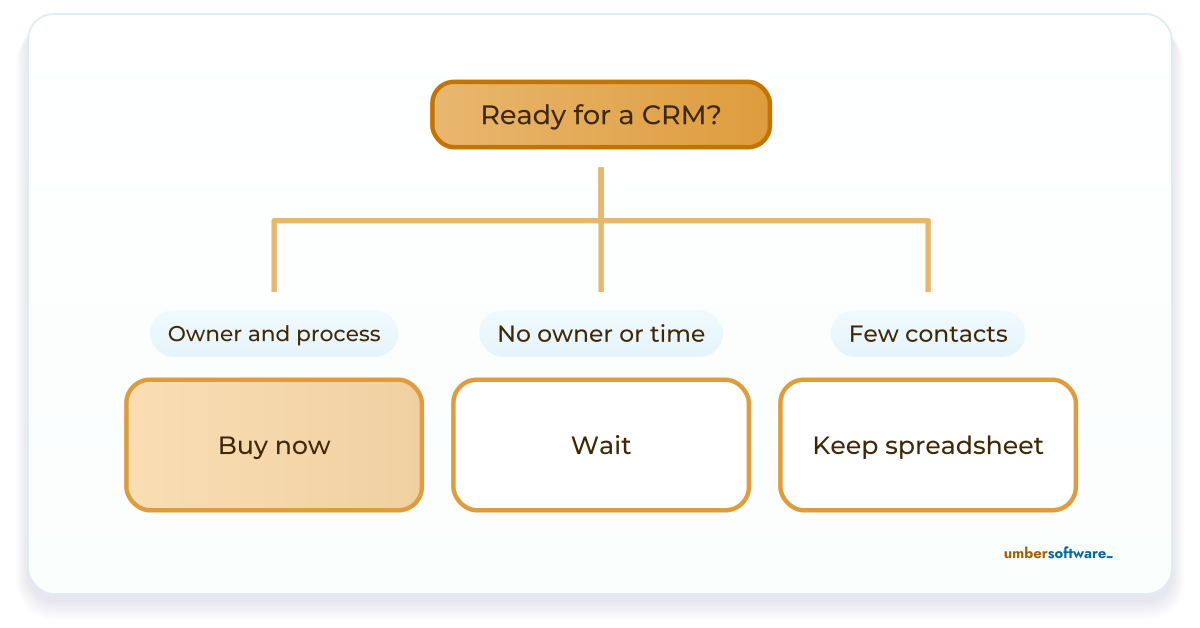
I would buy a CRM now if you have more than a handful of active customers, two or more people touching each deal and a sales process you can describe in a page. The benefits show up quickly in that situation, and the drawbacks are manageable with planning.
I would wait if you have no defined process, no owner or no time for training. Spend a month writing down your stages, handoffs and the three reports you want. That work makes any CRM better, and it often shows that a lighter, cheaper tool is enough.
- You can describe your sales stages in plain words.
- A named person will own the CRM after launch.
- You have set aside time for training and a pilot.
- You have priced the full cost over three years.
Questions About CRM Software Pros and Cons
What Is the Biggest Advantage of CRM Software?
One shared, current record of every customer. When sales, support and finance read the same record, you stop losing context at handoffs. In the projects I see, that single benefit supports most of the others: faster follow-up, better forecasts and fewer repeated questions to customers.
What Is the Biggest Disadvantage of CRM Software?
Poor adoption. A CRM that reps avoid holds stale data, and stale data makes reports useless. Adoption problems usually trace back to long forms, unclear benefits for the rep or training that came too late, and all three are fixable in the design phase.
Is CRM Software Worth It for a Small Business?
Usually yes, once you handle more leads or customers than one person can remember. A free or low-cost CRM replaces scattered spreadsheets and inbox searches. If you have fewer than a few dozen active customers and one salesperson, a well-kept spreadsheet can still work for a while.
How Much Does CRM Software Really Cost?
Licences in my ranking run from about $9 to $165 per user per month at list price, depending on tier. The full cost also includes setup, data migration, integrations and training. Ask for a three-year estimate, because the first-year licence alone understates the spend.
Can a CRM Hurt My Team's Productivity?
Yes, if it adds data entry without giving anything back. A cluttered form, duplicate entry in two systems or slow performance cost reps time every day. Trim fields, integrate with email and measure selling time before and after the rollout.
What Are the Risks of Storing Customer Data in a CRM?
The main risks are excessive access, weak authentication and uncontrolled exports. Use role-based access, single sign-on and multi-factor authentication, log exports and delete data you no longer need. Check the legal requirements for your industry and country with your own advisers.
When Should I Not Buy a CRM?
When your sales process is not defined yet, or when nobody will own the system. A CRM then records chaos faster. Define the stages, name an owner and agree on two or three reports first, and then pick the tool.
Please note: this guide is general information and not legal, financial or tax advice. Numbers and examples are typical-project estimates; confirm current details with your providers and advisers.
Did this article help you?
Thanks, noted.
Whitney Sorensen
Whitney leads the Umber editorial team and works with the consultants to turn real client projects into practical guides on software selection, custom development, integration and legacy modernization. Before joining Umber, she spent years writing and editing for engineering and IT teams. She has since reviewed architecture audits, system selections and modernization plans from client projects across industries from manufacturing to healthcare. She works remotely from the USA.