Main Points
- Most CRM delays come from data, integrations and unclear ownership, not from the software.
- Work in eight phases, and close each one with a named decision and a named owner.
- Migrate active data only, and test the migration before you build on top of it.
- Plan adoption from week one, with role-based training and a weekly usage report.
A CRM rollout is a small change project dressed as a software purchase. In the CRM software consulting engagements I review, the schedule slips far more often because of a late decision than a technical problem. The plan below is built to surface those decisions early.
I split the work into eight phases, with a decision gate at the end of each. Use the table as your project outline, then read the phase notes for the traps I see most.
The Eight Phases at a Glance
| Phase | Typical length (mid-sized team) | Decision that closes it |
|---|---|---|
| 1. Goals and owner | 1 week | Business owner and success metrics named |
| 2. Process map | 2 weeks | Stages, handoffs and reports agreed |
| 3. Platform choice | 2 to 4 weeks | Vendor and partner selected |
| 4. Data cleanup | 2 to 4 weeks | List of records to migrate approved |
| 5. Configuration and integrations | 4 to 8 weeks | Field ownership and sync rules signed off |
| 6. Testing and training | 2 to 3 weeks | Pilot team accepts the system |
| 7. Launch | 1 week | Go-live and rollback criteria confirmed |
| 8. Stabilize | 4 to 8 weeks | Adoption targets met, backlog agreed |
Lengths are ranges I see in practice for mid-sized teams, not guarantees. A five-person team can compress phases one to three into a couple of weeks, and a regulated company will stretch phase five.
Who Does What During the Rollout
CRM projects stall when everybody assumes somebody else made the call. Write the roles down in week one, and book the time in calendars. The ranges below are what I see for a mid-sized team, and the business owner's time is the one most often underestimated.
| Role | Responsible for | Typical time |
|---|---|---|
| Business owner | Goals, process decisions, phase sign-off | A few hours a week |
| Project lead | Plan, risks, status updates, vendor contact | Half to full time |
| CRM admin | Configuration, roles, reports, handover knowledge | Full time during build |
| Data owners | Cleanup rules and migration approval | A few days in phase 4 |
| Pilot users | Testing with real deals, honest feedback | An hour a day in phase 6 |
| Integration owner | Sync rules, alerts, runbook | Ongoing after launch |
If one person holds three of these roles, say so openly and cut scope to match. A realistic plan with fewer features beats an ambitious plan that waits on one person's calendar.
Phase 1: Name the Owner and the Metrics
Start with two names and three numbers. One person owns the business outcome, and one person owns the technical build. The three numbers should come from your current pain, such as days to first response, percentage of deals with a next step and forecast error.
The gate: nobody starts configuring until the owner can say in one sentence what success looks like in six months. If the owner is vague, the project will drift into feature wishes.
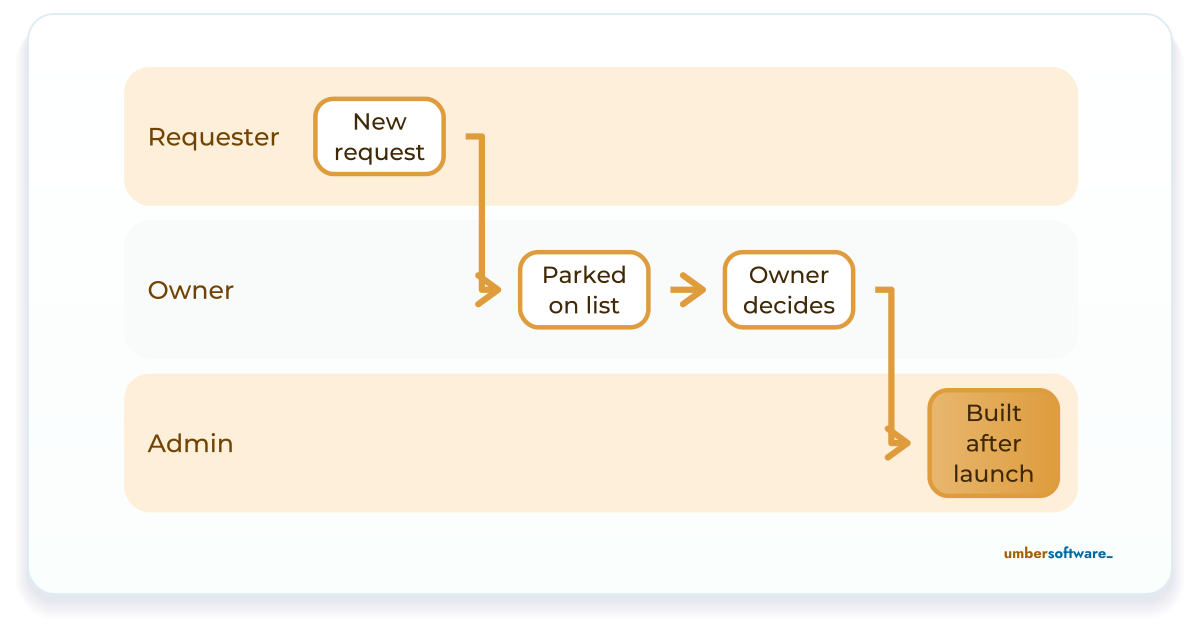
Phase 2: Map the Sales Process as It Really Runs
Sit with two or three reps and watch a real deal. Write down each stage, who hands off to whom, what triggers a quote and what a manager checks. The honest map is usually messier than the slide, and that mess is your requirements list.
Resist the urge to design the ideal process in this phase. Document the current one, mark the three biggest problems and decide which ones the CRM should fix. Examples of what teams change at this point are in my CRM software examples.
Phase 3: Choose the Platform and the Partner
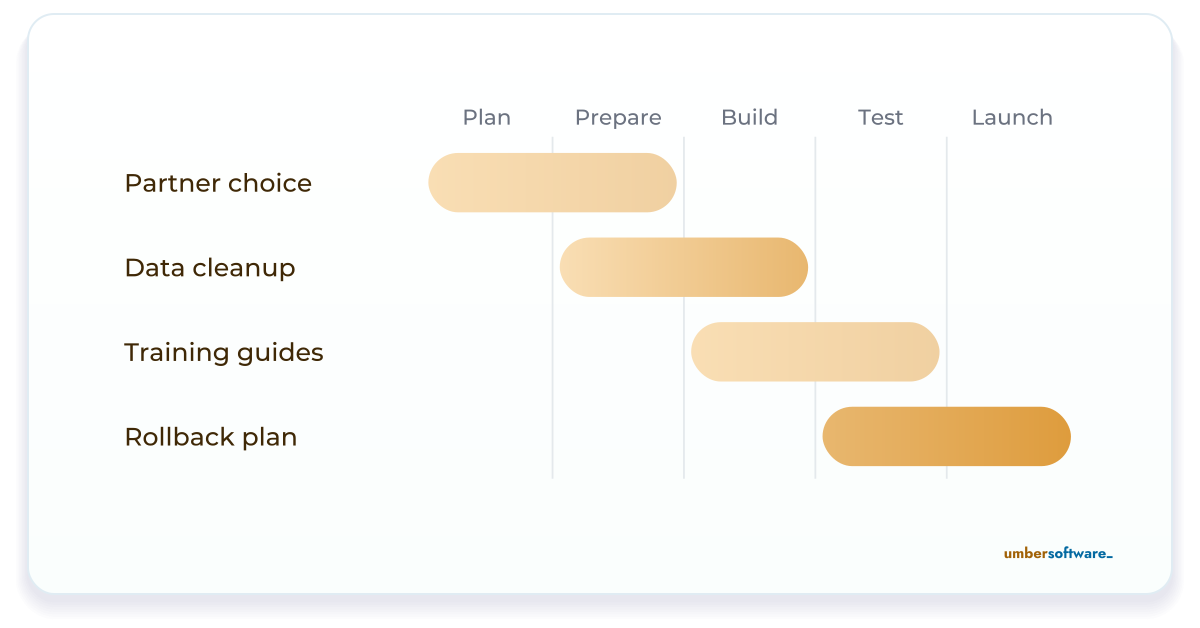
Score two or three systems against your process map with scripted demos on your own data. Ask for the three-year price, including the integrations you will need. My ranking of the best CRM software gives a starting shortlist with live ratings and prices.
Choose the partner at the same time. Check that the team has delivered the same platform with the same integrations, and name the people who will work on your project. A great platform with the wrong partner still ships late.
Phase 4: Clean the Data Before You Move It
Dirty data is the single most common reason for a delayed go-live. Export contacts and accounts from every source, match duplicates, agree a rule for which record wins and decide how old is too old. A test import on a copy shows how many records the new system rejects.
| Data set | Migrate | Archive instead |
|---|---|---|
| Accounts and contacts | Active customers and live prospects | Inactive records with no activity for two or more years |
| Open deals | All open deals with a next step | Stale deals with no activity |
| Activity history | Recent emails, calls and notes for active accounts | Older history, kept searchable elsewhere |
| Attachments | Current contracts and quotes | Everything else |
Phase 5: Configure, Then Connect
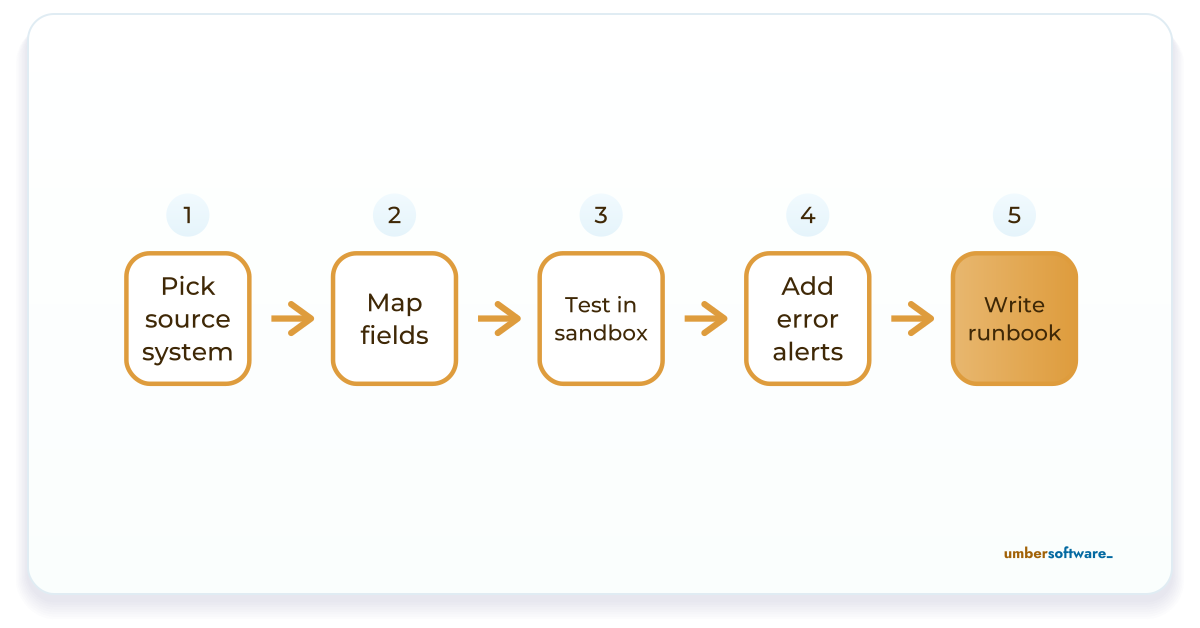
Configure the CRM in two passes. The first pass builds the pipeline, the minimum fields and the roles. The second pass adds automation and reports once the pilot users have touched the system. Resist adding fields because someone might need them one day.
Integrations come next, and they need the most care. Decide which system owns each shared field, how often data syncs and who is alerted when a sync fails. If the CRM must exchange data with your ERP, align the plan with your ERP software consulting work so both projects use one customer master.
Phase 6: Test With a Pilot Team and Train by Role
Pick a pilot group of five to ten reps, a manager and one person from finance or operations. Run real deals through the system for two weeks and collect issues in a shared list. Fix what blocks work, and park the wishes.
Train each role on its own screens. Reps need to log a call and update a deal in under a minute. Managers need to run a pipeline review. Admins need to change a field without breaking a report. Short, role-based sessions beat a single all-hands demo.
Record the sessions and keep a one-page guide per role. New hires join every quarter, and a five-minute video of how to log a call saves the admin from teaching the same lesson again. Ask pilot users to write the guide's first draft, because they know which steps confused them.
Budget time for the sceptics too. In most teams one or two senior reps are openly unhappy about the change. Ask them to test the hardest real deal in the pilot. If the system handles it, they often become the loudest supporters, and if it does not, you have found a gap before launch.
Phase 7: Launch With a Rollback Plan
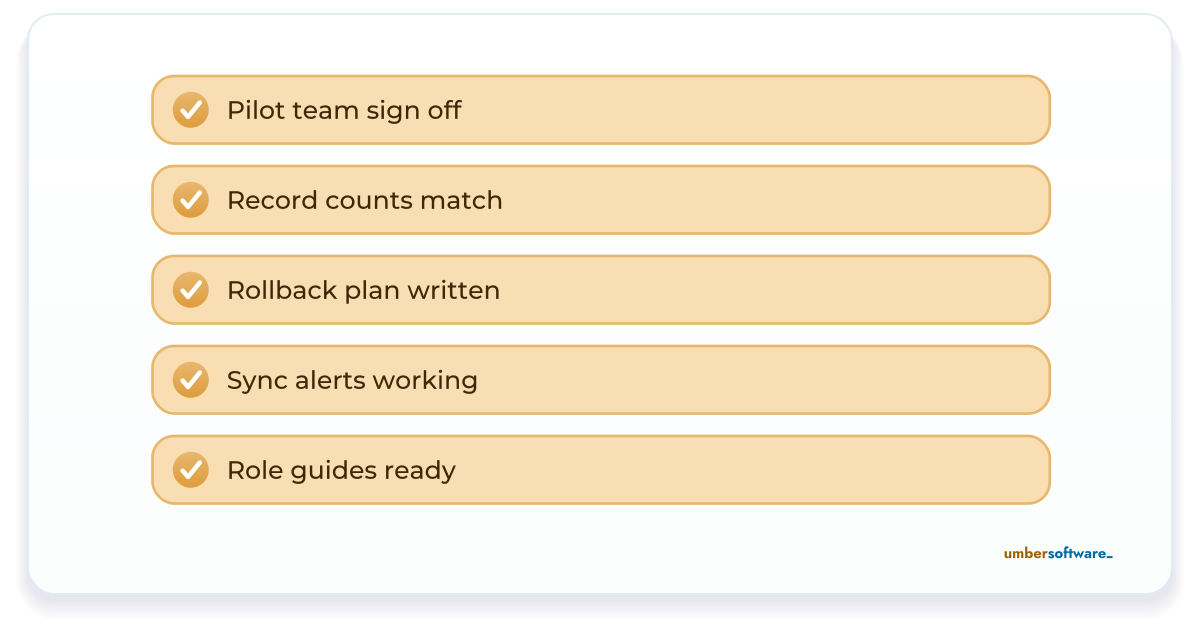
Choose a launch date away from quarter-end and big trade shows. Freeze changes in the old system, run the final migration and verify counts against the source. Keep the old system read-only for a defined period, so the team can check an old record without fear.
- Record counts match between source and target for accounts, contacts and open deals.
- Every integration has run a full cycle in production.
- The rollback steps are written, and someone has read them.
Phase 8: Stabilize and Measure Adoption
The first two months decide whether the CRM becomes the way you work. Publish a weekly adoption report that shows logins, activities logged and empty required fields by team. Managers should run their pipeline review from the CRM only, so updating it becomes the rational choice.
Review the three metrics from phase one at 30, 60 and 90 days. Plan a small backlog of fixes, and say no to large new requests until the basics are stable. Before the project closes, look at the benefits and costs again in CRM software pros and cons to confirm you got what you paid for.
One more habit helps in every phase: keep a decision log. A simple shared table with the date, the decision, the owner and the reason takes a minute to update. When a manager asks three months later why a field is required, you have the answer, and nobody reopens the debate.
Where Delays Come From, and How to Avoid Them
I keep a short list of the delays I see most often. The fix for each one sits in an earlier phase, which is why the early gates matter.
| Delay | Typical cause | Prevention |
|---|---|---|
| Migration fails repeatedly | Duplicates and missing required fields | Cleanup and test imports in phase 4 |
| Integration keeps breaking | No field owner, weak error handling | Ownership table and alerts in phase 5 |
| Scope keeps growing | No gate on new requests | Parking list and owner sign-off |
| Reps ignore the system | Long forms, late training | Pilot team and role-based training |
Vendors keep changing what ships by default, such as AI summaries and automatic activity capture. I track the changes in my overview of CRM software trends, and public benchmarks in CRM software statistics help you sanity-check your own timeline.
How to Choose Between Doing It Yourself and Hiring Help
If your process is simple, you have fewer than 25 users and no integrations beyond email, you can implement a lighter CRM yourself. Hire help when you have integrations, regulated data, several teams with different pipelines or a migration from more than one source.
- The partner has delivered the same platform in your industry.
- The plan lists the decision gates and who signs each one.
- The quote separates licences, build and training.
Questions About Rolling Out a CRM
How Long Does a CRM Implementation Take?
A small team on a lighter CRM can go live in four to eight weeks. A mid-sized company with data migration, three or four integrations and role-based reporting usually needs three to six months. The schedule is driven by data quality and integrations far more than by configuration.
What Causes Most CRM Implementation Delays?
In the projects I see, the top causes are unclear ownership, dirty source data, late integration decisions and requirements that grow after the build starts. Each one is cheap to settle in the first two weeks and expensive to settle in week ten.
Who Should Own the CRM Implementation?
A business owner from sales or revenue operations, not IT alone. IT or your consultant builds and connects the system, but the owner decides what the process should be and signs off on each phase. Without that person, decisions wait for a meeting that never happens.
Should I Migrate All My Old Data?
No. Migrate active accounts, open deals and the last couple of years of activity, then archive the rest in a searchable place. Loading everything makes the CRM slow, cluttered and harder to trust. Get the data owners to approve what moves.
How Do I Get Reps to Use the New CRM?
Train by role, on your own data, and keep the form short. Make the CRM the only place where pipeline reviews happen, so reps have a reason to update it. Share a weekly adoption report with the managers, and fix the fields that stay empty.
Do I Need an Implementation Partner?
Not always. A small team with a simple process can configure a light CRM alone. Once you have integrations, complex permissions or regulated data, a partner who has done it before saves time. Ask for references with the same platform and a similar size.
What Should I Budget for Beyond the Licence?
Plan for configuration, data cleanup and migration, integrations, training and the internal time your people spend in workshops and testing. In many projects these add up to more than the first year of licences. Ask for a three-year estimate and a fixed quote for the build.
Please note: this guide is general information and not legal, financial or tax advice. Numbers and examples are typical-project estimates; confirm current details with your providers and advisers.
Did this article help you?
Thanks, noted.
Whitney Sorensen
Whitney leads the Umber editorial team and works with the consultants to turn real client projects into practical guides on software selection, custom development, integration and legacy modernization. Before joining Umber, she spent years writing and editing for engineering and IT teams. She has since reviewed architecture audits, system selections and modernization plans from client projects across industries from manufacturing to healthcare. She works remotely from the USA.