Main Points
- Eleven checks cover structure, data, integrations, delivery, security, recovery and ownership.
- Answer each with evidence, such as a link, a date or a number.
- Failed checks are ranked by what they cost you now, not by how untidy they look.
- Run the list twice a year and before every large change.
A checklist cannot design your system, but it stops you from forgetting the dull things that cause the worst surprises. I use this one at the start of every architecture consulting engagement, and teams can run it themselves in an afternoon.
The eleven checks are grouped by theme. Each has a question, the evidence you should be able to show and a typical failure I see in practice. Work through them with two or three engineers and compare answers at the end.
The Checklist in One Table
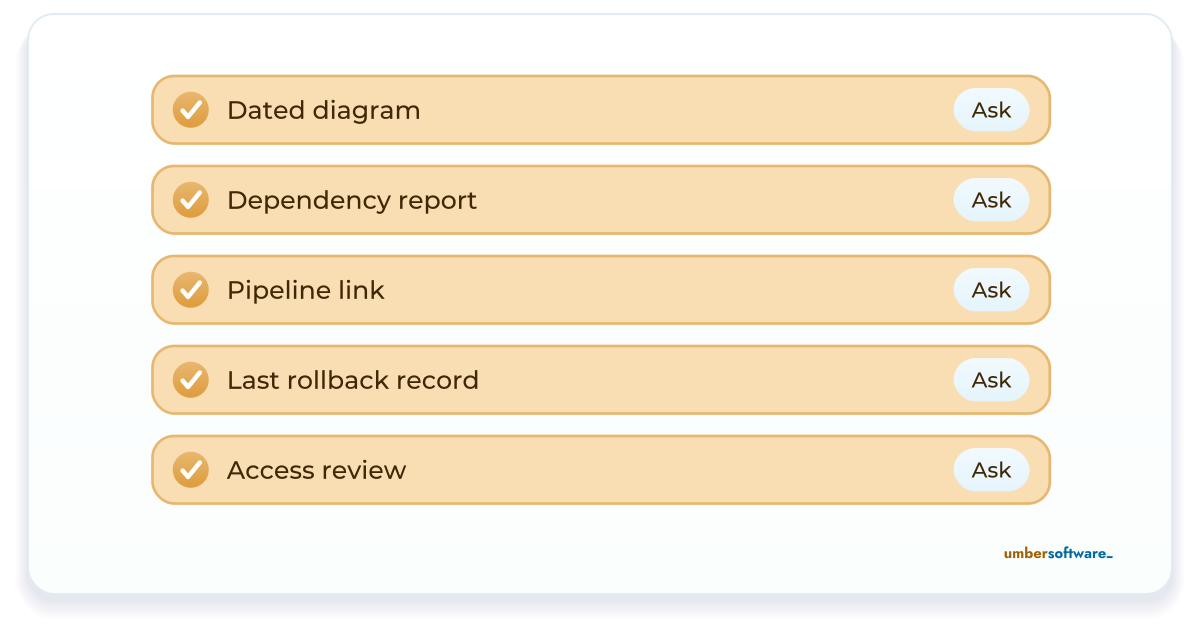
| # | Check | Evidence to ask for |
|---|---|---|
| 1 | Current-state diagram that the team agrees is accurate | Diagram with a date and a named owner |
| 2 | Module boundaries enforced, with no dependency cycles | Dependency report from the build |
| 3 | One owner for every data set | Ownership list by table or collection |
| 4 | Every external integration has timeout, retry and alert | Integration inventory with settings |
| 5 | Releases are automated and reversible | Pipeline link and last rollback date |
| 6 | Logs, metrics and traces answer "what is broken?" in minutes | Time to detect in the last incident |
| 7 | Access is least-privilege and secrets sit in a vault | Access review from this quarter |
| 8 | Dependencies and runtimes are supported and patched | Scan result with end-of-support dates |
| 9 | Load limits are known and tested | Latest load test report |
| 10 | Backups are restored on a schedule | Date and result of last restore |
| 11 | No part depends on a single person's knowledge | Backup owner named per component |
Checks 1 to 3: Structure and Data
Start with the picture. If the team cannot agree on a diagram of the current system, nothing else on the list can be answered with confidence. I have seen two senior engineers draw the same system with different numbers of services. The disagreement was the first finding.
Check two asks whether boundaries are real. A boundary written in a document and ignored in the code is not a boundary. Tools that read the codebase can list cycles in minutes, and the count of cycles is a useful number to track over time. A software architecture framework gives you a layered model for deciding where those boundaries belong.
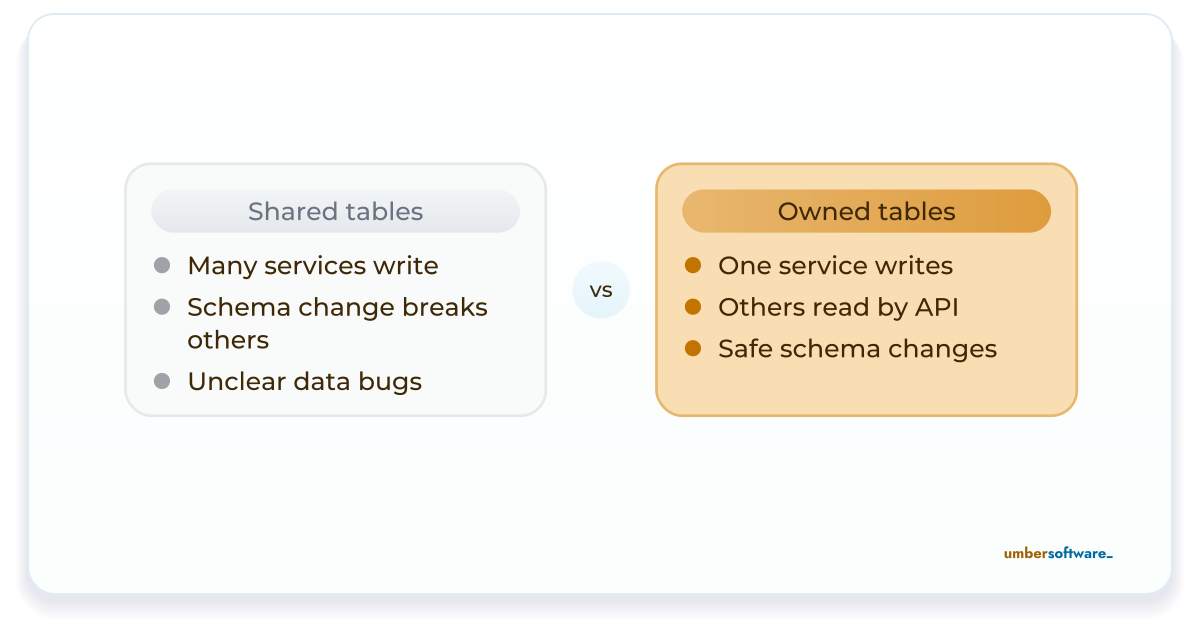
Check three covers data. Ask who is allowed to change each table. When the answer is "everyone", schema changes become negotiations, and every release carries a risk nobody can measure.
Checks 4 to 6: Integrations, Delivery and Visibility
Integrations are where systems meet the outside world, and where most incidents start. List every external call with its timeout, retry rule and alert. The inventory alone often reveals calls with no timeout at all, which can hang a whole request path when a partner slows down.
Check five looks at how code reaches production. The question is not whether you have a pipeline, but whether you would press the button on a Friday afternoon. If a rollback has never been rehearsed, answer no.
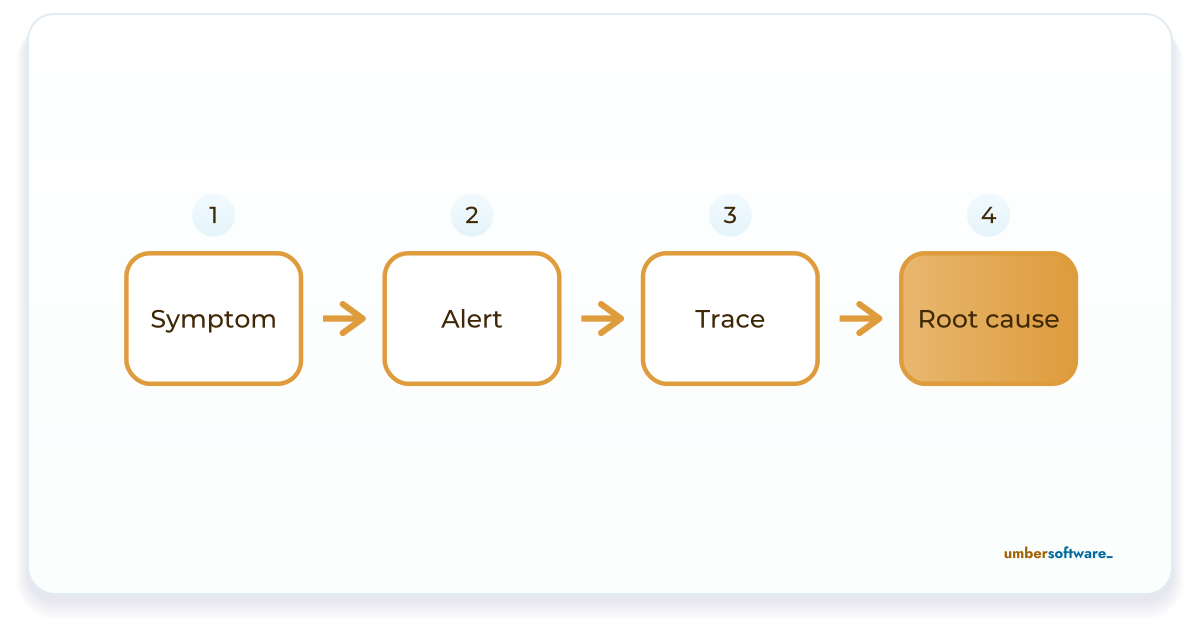
Check six measures visibility. Take your last incident and ask how long it took from the first symptom to the team knowing which component failed. If the answer is hours, your logging and tracing are weak, whatever the dashboards look like. Weak visibility makes every other problem more expensive.
Checks 7 to 9: Security, Support and Load
Access control and secrets are architecture decisions because they cut across every component. Ask for last quarter's access review and look for accounts that should have been removed. Search the repository and configuration for credentials. Finding one is common, and fixing it is cheap if you find it first.
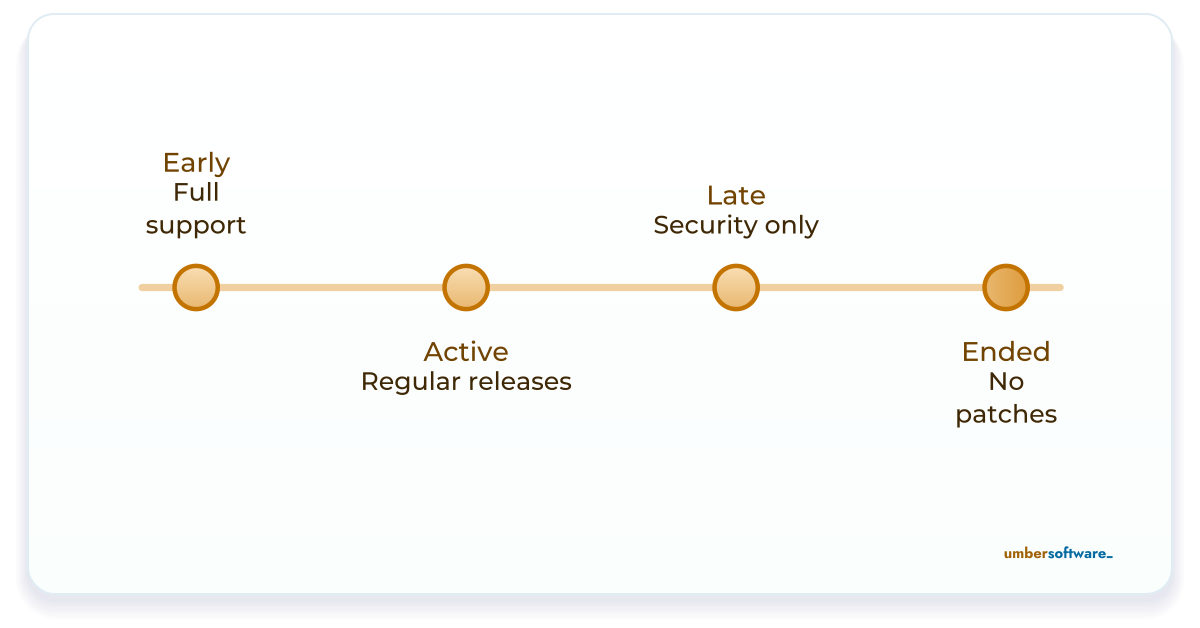
Check eight covers supported software. A runtime or framework past its end-of-support date accumulates risk quietly, because fixes stop and scanners start to flag it. Keep a short table of every runtime, its version and its support end date. When the date is within a year, put the upgrade on the plan.
Check nine asks whether you know your limits. A system that has never been pushed has an unknown ceiling. A simple load test at two times your normal peak finds the first bottleneck, and it is almost always a database query or a single-threaded batch job.
Checks 10 and 11: Recovery and People
A backup you have never restored is a hope, not a backup. Schedule a restore test at least twice a year, time it and write down what broke. I have watched a team discover during a real incident that their backups had been empty for four months. The restore test would have caught it in a day.
The last check is about people. If one developer is the only one who can deploy, tune or explain a critical component, you have a single point of failure that no diagram shows. Name a second person for every key part and have them do a task alone once. Knowledge spread is cheaper than a crisis.
A Worked Run: A Mid-Sized Order System
To show how the list behaves, here is a run on a typical client system: an order platform, about nine years old, maintained by seven developers. The team filled in the checklist alone first, then together. The first round produced eight passes. After evidence was attached, three of those became partial.
Check two slipped first. The team believed modules were separate, yet the dependency report showed fourteen cycles, most through one shared "common" package. Check four followed: of twenty-three external calls, nine had no timeout. Check ten was the surprise. Backups ran every night, but nobody had restored one since a migration two years earlier, and the restore script pointed at a server that no longer existed.
The fixes were small. Timeouts and alerts took one developer four days. A restore test took a day and a half, including repairing the script. The cycles became a standing item: each sprint, the team removed the cycles in the module it was already changing. Within three months the count fell from fourteen to five, with no dedicated project.
Two lessons repeat across systems. First, self-reported passes are usually optimistic until evidence is attached. Second, the failures that matter are rarely the ones that look untidy. The ugly module with no tests ran fine for years. The tidy backup job was the real risk.
What a Passed Checklist Still Misses
A clean sheet does not mean your architecture fits your plans. The checklist is generic by design. It tells you the basics are covered, and says nothing about whether the structure suits a tenfold increase in users or a second product line. Those questions need a target, which is what an assessment adds.
The list also ignores cost. A design can pass every check and still run on infrastructure that costs twice what it should. Add a twelfth line of your own for spend, if cost matters to you, and review it with the same evidence rule. Finally, the checklist cannot judge fit between structure and team. Five teams working in one module will collide no matter how clean it is, and only conversation with the people involved shows that.
Scoring and Acting on the Results
Mark each check as pass, partial or fail, and attach the evidence. Do not turn it into a percentage. Ten passes and one failed restore test is not a ninety percent system. It is a system that may not survive its worst day.
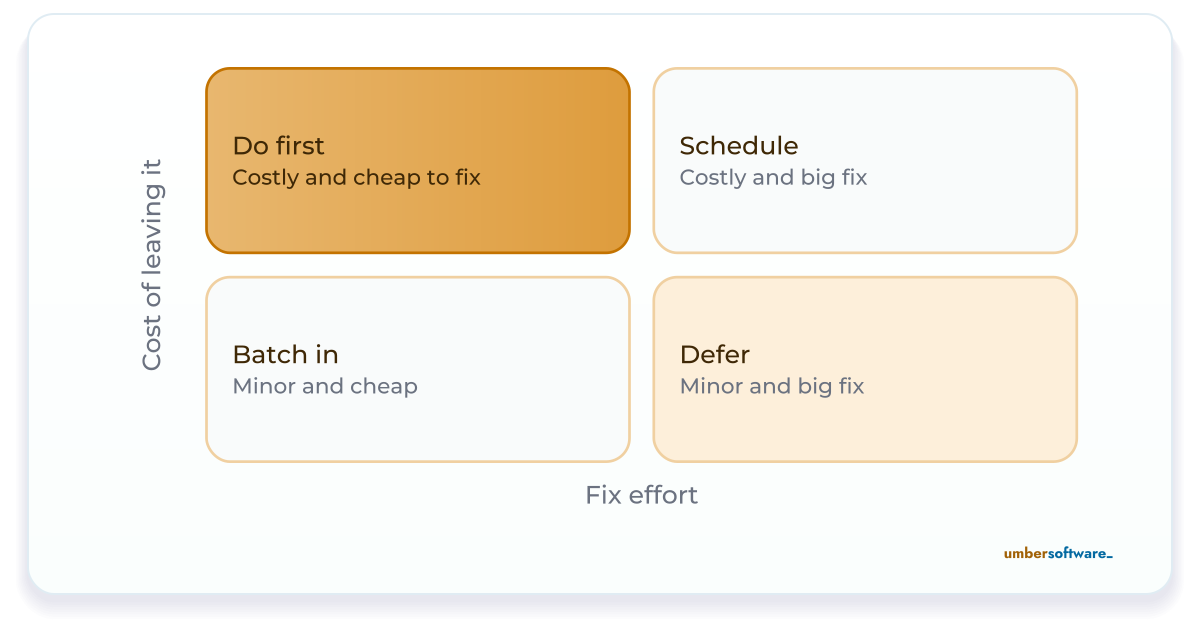
Then rank failures by cost. Estimate what each gap costs you now in hours, incidents or risk, and what fixing it costs. Fix the cheap, costly gaps first. Move the expensive, low-cost gaps to the watch list, with an owner. For a pattern-by-pattern view of what good looks like, my software architecture best practices article pairs each practice with a mistake to avoid.
If several checks fail in the same area, a full architecture assessment is the right next step, because it ties the findings to a specific change. Tools can automate some of the checks, such as dependency reports and scans. The software architecture tools comparison lists the ones I rely on.
A last practical note: keep the filled-in checklist. Dated copies show how the system changes over time, and they give a new architect or an auditor a fast starting point. When the same check fails twice in a row, it stops being a gap and becomes a pattern, and patterns deserve a project of their own with a budget and an owner. I also suggest posting the failed checks where the whole team can see them, since shared visibility does more for follow-through than any status meeting.
How to Choose Who Runs the Checklist
For a first pass, the team itself is fine. Ask each person to answer alone, then compare. The gap between answers is the signal. Add an outside reviewer when:
- The team has changed little in years and may not see its own habits.
- A buyer, auditor or investor needs an independent view.
- Answers differ widely and the team cannot settle them with evidence.
Whoever runs it, insist on evidence. The value of the list is that it replaces "I think so" with a link.
Questions About the Software Architecture Checklist
How Often Should I Run Through This Checklist?
Twice a year for a stable system, and before any large change such as a migration, a new product line or a major hire. After a serious outage, rerun the points that relate to the failure while the details are fresh. A checklist you use regularly stays short, because you keep removing what no longer applies.
What If We Fail Several Points?
Most systems do. Rank the failed points by what each one costs you today, then fix the top two or three. A failed point without a cost is a candidate for an accepted risk, written down with a name next to it.
Is a Checklist Enough, or Do I Need a Full Assessment?
A checklist finds gaps quickly and costs an afternoon. It does not tell you how serious a gap is for your plans. When several points fail, or the stakes are high, follow up with a full assessment against a specific change.
Who Should Fill in the Checklist?
Two or three engineers who work in the system every week, filling it in separately first. Compare answers afterward. The points where people disagree are often the most useful result, because they show where the architecture is not clearly understood.
Does This Checklist Work for a System Built on a Low-Code Platform?
Most points still apply, especially data ownership, integrations, access control and recovery. A few, such as dependency direction in code, need translating to the platform's own structure. Where the platform limits your choices, note the limit as a known risk.
How Is an Architecture Checklist Different from a Code Review Checklist?
A code review checklist looks at a single change: naming, tests, error handling. An architecture checklist looks at the whole system's structure, data, deployment and operations. You need both, and they catch different problems.
What Evidence Should I Attach to Each Answer?
A link or a number. For example, a link to the pipeline for release automation, or the date of the last restore test for backups. An answer of yes without evidence is an opinion, and opinions are what a checklist is meant to replace.
Please note: this guide is general information and not legal, financial or tax advice. Numbers and examples are typical-project estimates; confirm current details with your providers and advisers.
Did this article help you?
Thanks, noted.
Whitney Sorensen
Whitney leads the Umber editorial team and works with the consultants to turn real client projects into practical guides on software selection, custom development, integration and legacy modernization. Before joining Umber, she spent years writing and editing for engineering and IT teams. She has since reviewed architecture audits, system selections and modernization plans from client projects across industries from manufacturing to healthcare. She works remotely from the USA.