Main Points
- Free tools such as draw.io and Archi cover many needs, if your team supplies the conventions.
- Model-based tools like IcePanel and Structurizr keep diagrams consistent with each other.
- Sparx Enterprise Architect fits regulated work that needs traceability from requirement to component.
- Pick the tool for the level you design at: one team, one system or a whole portfolio.
The Best Software Architecture Tools at a Glance
| Tool | Type | Best for |
|---|---|---|
| 1. Lucidchart | Browser diagramming | Teams reviewing diagrams together |
| 2. draw.io | Free diagramming | Free, private diagrams stored with your code |
| 3. IcePanel | C4 modeling platform | One consistent model behind many diagrams |
| 4. Structurizr | Diagrams as code | Architecture models in version control |
| 5. Sparx Enterprise Architect | UML and ArchiMate modeling | Regulated work needing traceability |
| 6. Archi | ArchiMate modeling | Free enterprise-level models |
| 7. SAP LeanIX | Enterprise architecture platform | Application portfolios across a company |
The 7 Best Software Architecture Tools, Ranked
I start with tools that suit the widest range of teams and move toward specialists, so you can stop reading when you find your fit. A tool will not fix a weak design, and the software architecture consulting reviews I describe start from the system, then pick the tool. If you are still deciding what to document, my software architecture assessment guide shows what to capture first. Prices and ratings below were read from vendor, G2 and Capterra pages and can change.
Lucidchart
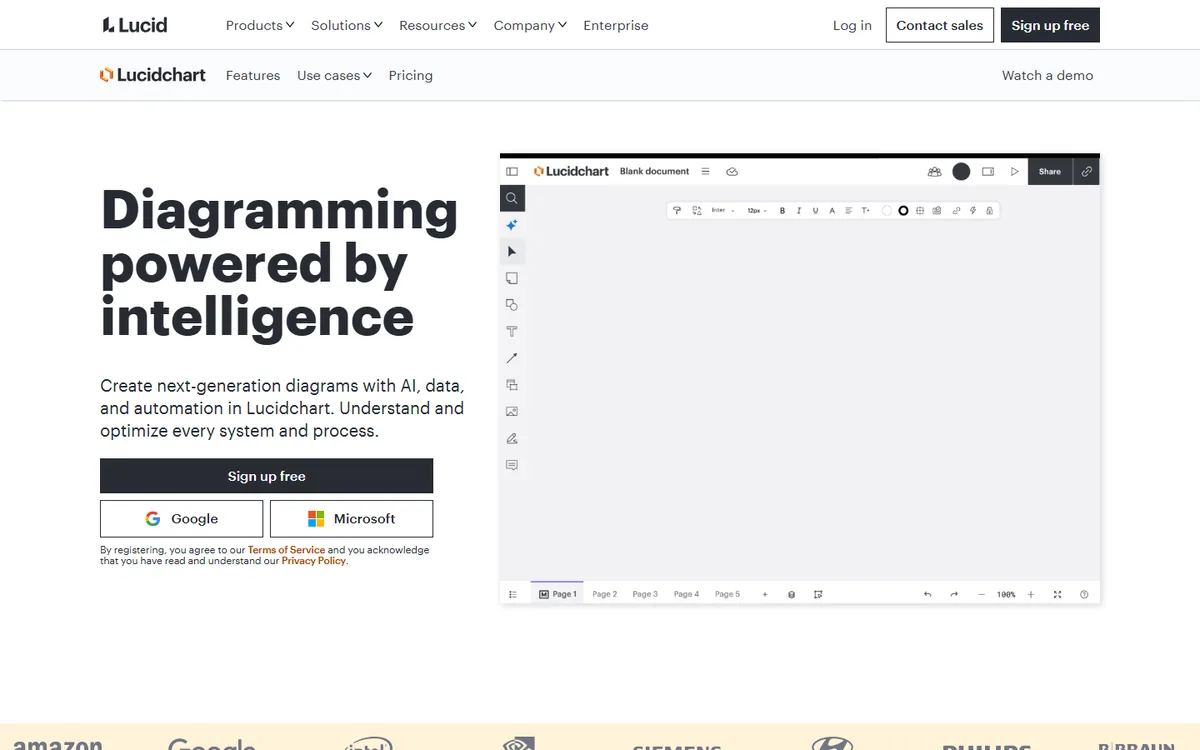
The Most Polished Browser Diagramming Tool for Teams That Draw and Review Together
Lucidchart is a browser-based diagramming tool with templates for architecture, cloud, network and flow diagrams, real-time collaboration and links to Jira and Confluence.
Lucidchart is the tool I pick when many people need to read and comment on diagrams, not only the architects who draw them. Real-time editing, comments and shared folders suit review sessions, and cloud shape libraries for AWS, Azure and Google Cloud save time. Data linking can generate diagrams from cloud accounts or spreadsheets.
It is a drawing tool, so it knows nothing about your model. Two diagrams of the same system can drift apart without any warning. The free plan is limited to a few documents, and per-seat pricing adds up for large groups. Pair it with a written standard for levels of detail so diagrams stay consistent.
Lucidchart Strengths
- Real-time editing and comments make design reviews easy
- Cloud shape libraries and templates speed up first drafts
- Integrations with Jira and Confluence keep diagrams near the work
Lucidchart Weaknesses
- Diagrams are drawings, so nothing keeps them consistent with each other
- The free plan is limited and costs grow with seats
Lucidchart Pricing
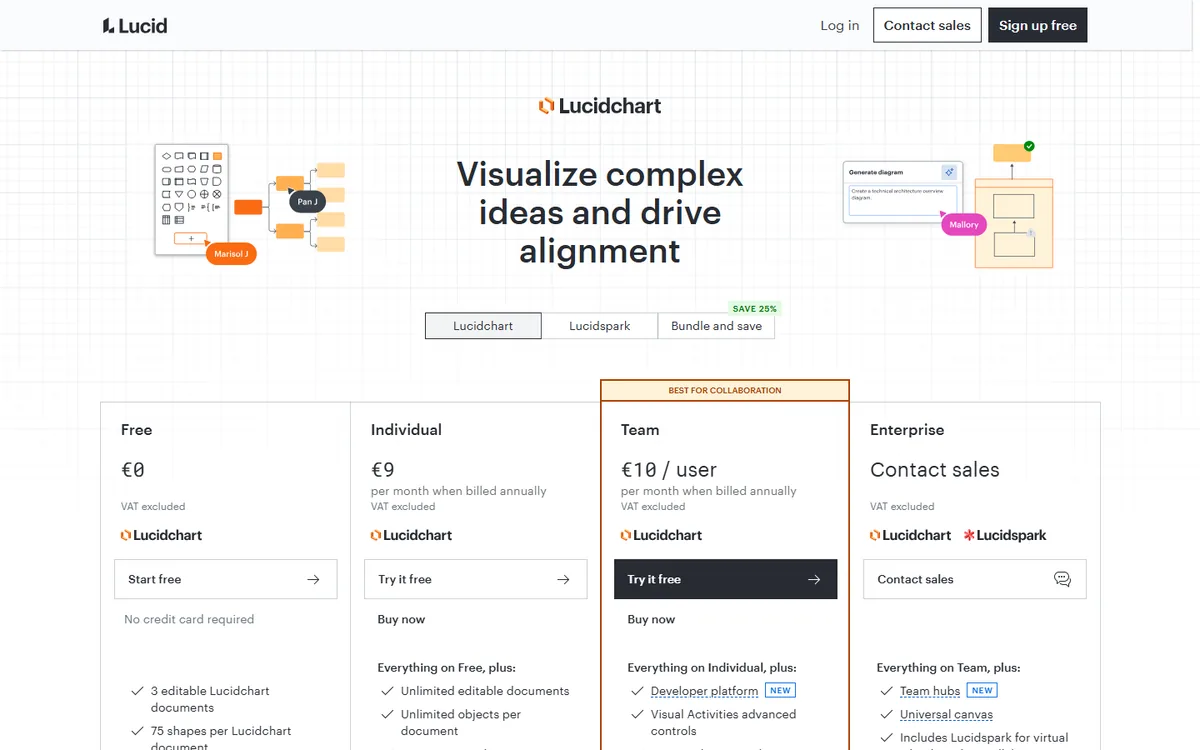
Lucidchart has a free plan with 3 editable documents and 75 shapes per document. Capterra lists Individual at $9 per month, Team at $10 per user per month and Enterprise on a custom quote. Check the current plan limits on the Lucid pricing page.
Lucidchart Reviews
- G2: 4.5 of 5 stars (based on 9,107 verified reviews)
- Capterra: 4.5 of 5 stars (based on 2,269 verified reviews)
draw.io
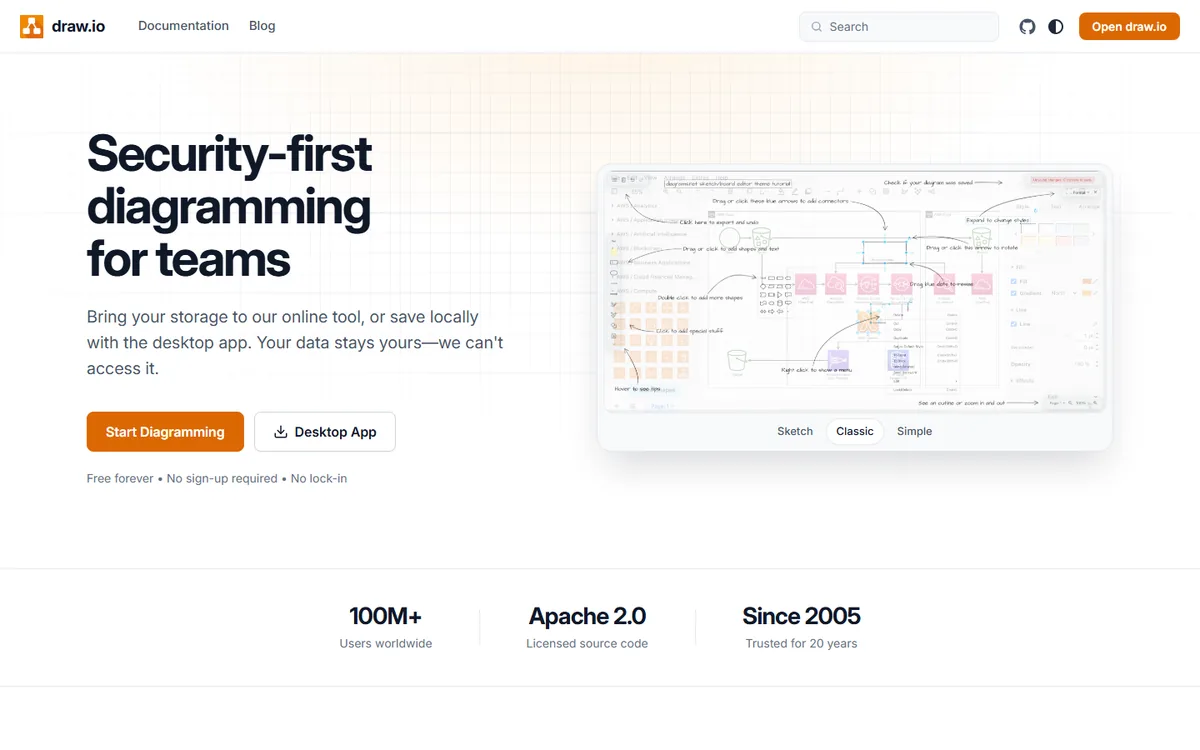
Free, Private and Good Enough for Most Architecture Diagrams, As Long as You Accept a Dated Interface
draw.io, also known as diagrams.net, is a free diagramming tool that runs in the browser or as a desktop app and stores files locally or in your own cloud storage.
For many teams draw.io is all they need. It draws architecture, network and sequence diagrams, exports to common formats and keeps files under your control, which matters for sensitive systems. Because diagrams are plain files, you can keep them in the repository next to the code and review changes in pull requests.
The interface feels dated, and real-time collaboration is less smooth than in paid tools. Large diagrams can lag. Compensate with a clear rule: one diagram per file, a naming convention and a short template with your standard shapes. Those habits matter more than any feature.
draw.io Strengths
- It is free and keeps your files private
- Diagrams can live in your repository as plain files
- Large shape libraries cover cloud, network and UML needs
draw.io Weaknesses
- The interface looks dated and gets cluttered
- Real-time collaboration and very large diagrams are weaker than in paid tools
draw.io Pricing
draw.io is free to use in the browser or as a desktop app. Capterra shows a free version with no vendor pricing listed. Paid add-ons for editors inside other tools are sold separately by their vendors.
draw.io Reviews
- G2: 4.4 of 5 stars (based on 450 verified reviews)
- Capterra: 4.6 of 5 stars (based on 771 verified reviews)
IcePanel
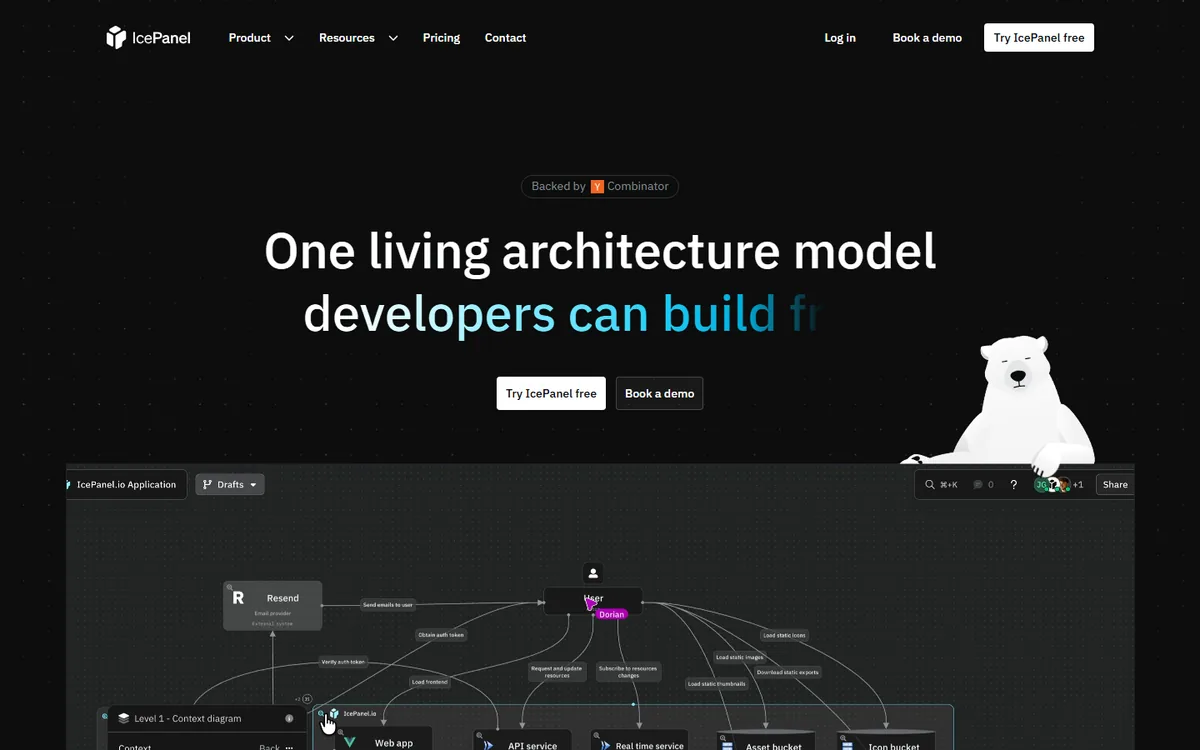
A Modeling Tool Built on the C4 Approach That Keeps Every Diagram Consistent With One Model
IcePanel lets you build one model of your system and view it as C4-style diagrams at several levels of detail, with flows, tags and shared team access.
IcePanel solves the problem that drawing tools leave open: diagrams that disagree. You create objects once, such as a service or a database, and every diagram that shows them updates together. Zoom levels move from system context down to components, so executives and developers can read the same model at their own depth.
It is a newer and more focused product than the big names, so the integrations list is shorter and the community is smaller. It also asks you to learn the model first. Teams that adopt the C4 approach find it natural, while teams that want free drawing may find it too structured.
IcePanel Strengths
- One model feeds many diagrams, so they stay consistent
- Levels of detail match how different audiences read systems
- Flows and tags help explain how requests move through the system
IcePanel Weaknesses
- The product and community are smaller than the established tools
- It expects you to learn the C4 style of modeling
IcePanel Pricing
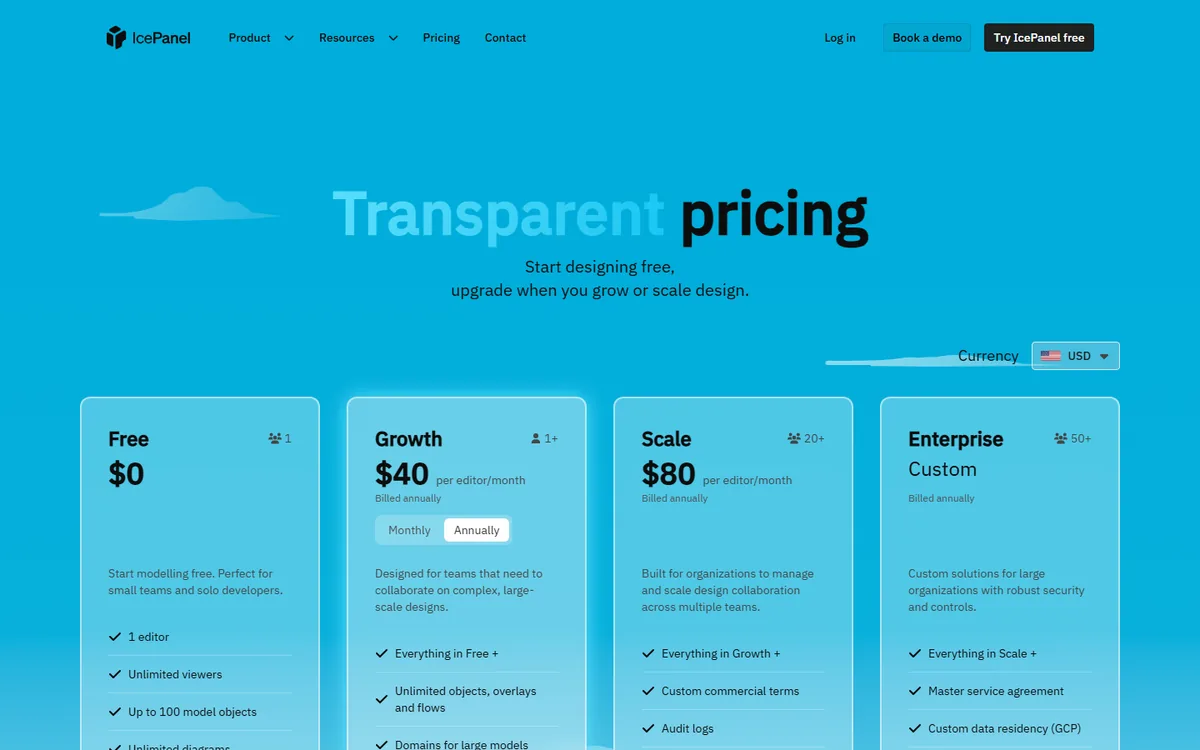
IcePanel's pricing page lists a Free plan with 1 editor, Growth at $40 per editor per month billed annually, Scale at $80 per editor per month billed annually for 20 or more editors, and Enterprise on custom pricing. Check the page for current limits.
IcePanel Reviews
- G2: 5.0 of 5 stars (based on 2 verified reviews)
- Capterra: I could not read a rating for IcePanel on Capterra. The G2 score rests on only two reviews, so treat it as a weak signal.
Structurizr
Diagrams as Code for Teams That Want Architecture Models in Version Control
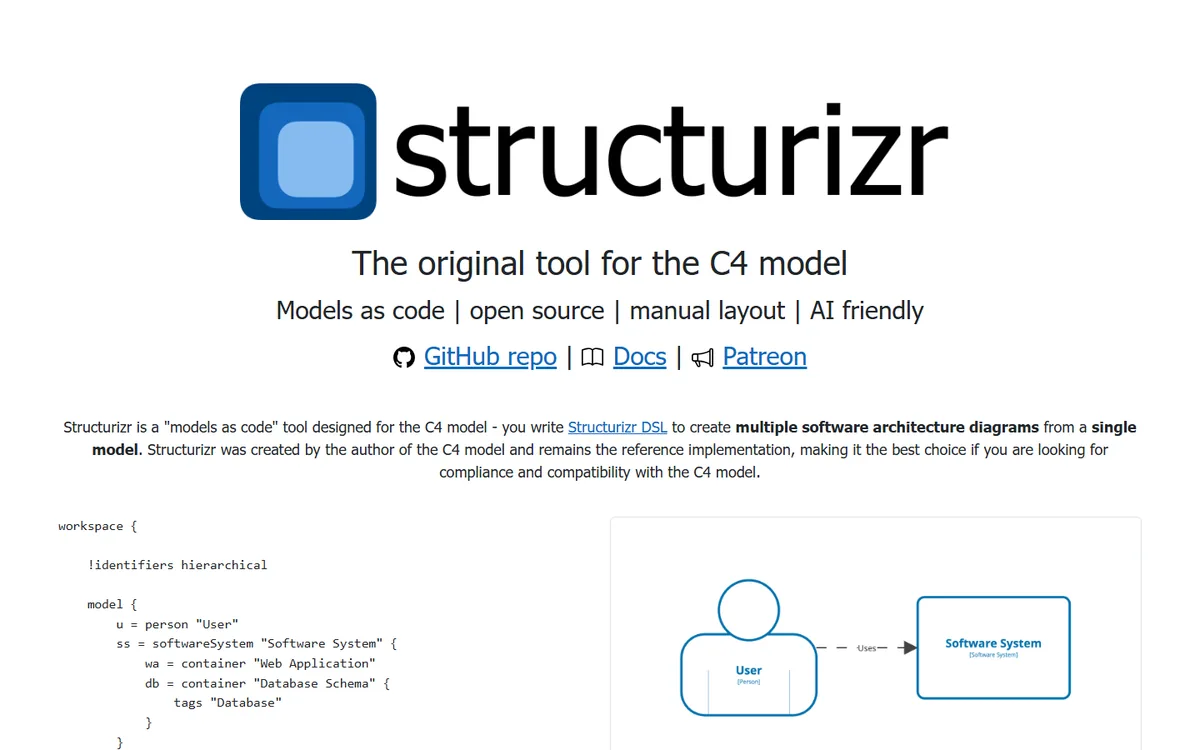
Structurizr, created by C4 model author Simon Brown, lets you describe your architecture in text and renders consistent C4 diagrams from that single description.
With Structurizr you write the model in a small domain-specific language, commit it to your repository and generate diagrams from it. Reviews happen in pull requests, so architecture changes get the same scrutiny as code. For teams that distrust drawings that drift, this is the cleanest answer I know.
You need developers comfortable with text-based tooling, and the output looks plainer than a polished drawing tool. Non-technical stakeholders sometimes want something more visual. Keep the model in Structurizr and export images for slides, so the source of truth stays in the code.
Structurizr Strengths
- Models live in version control and change through pull requests
- One description generates many consistent diagrams
- The C4 approach is documented by its own author
Structurizr Weaknesses
- It needs people who are comfortable with text-based tooling
- Rendered diagrams look plainer than designed drawings
Structurizr Pricing
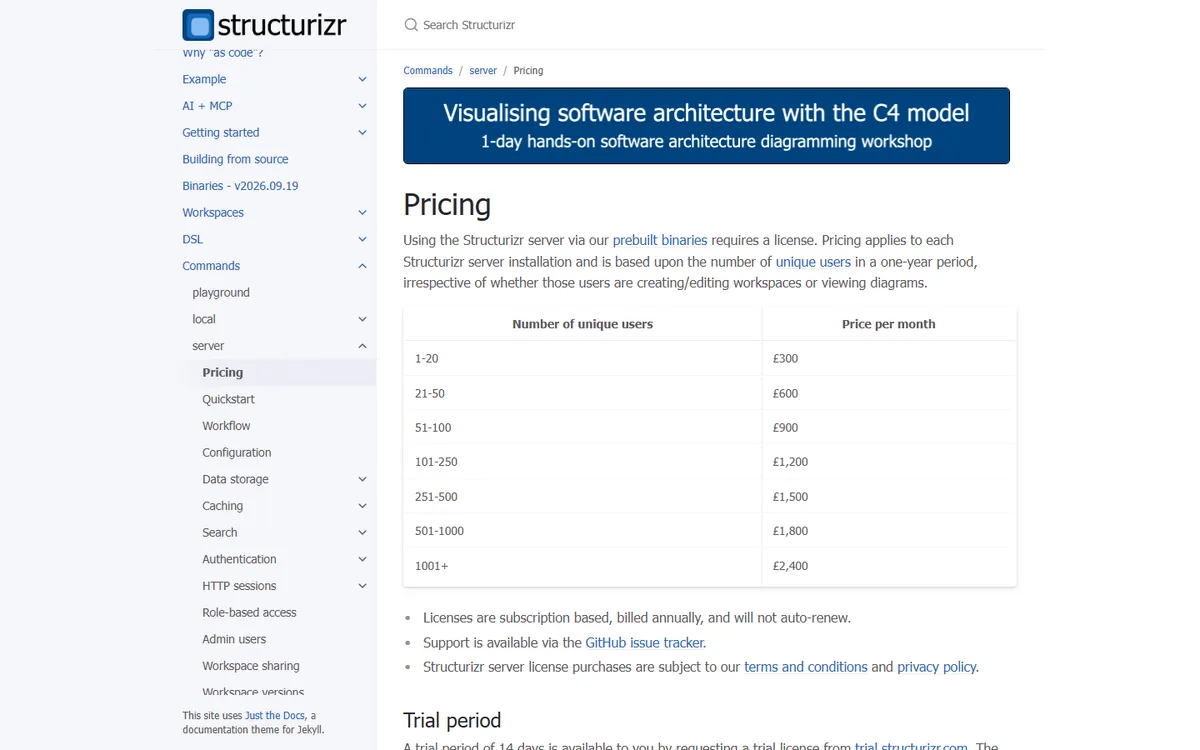
The Structurizr documentation lists server licensing by number of unique users, from £300 per month for 1 to 20 users up to £2,400 per month for more than 1,000 users, billed annually, with a 14-day trial license. The text-based DSL tooling is open source, but confirm current options on the Structurizr site.
Structurizr Reviews
- G2 and Capterra: I could not find a verified rating for Structurizr on either site, so none is shown.
Sparx Enterprise Architect

A Deep, Low-Cost Modeling Tool for UML, SysML and ArchiMate in Regulated or Large Organizations
Sparx Enterprise Architect is a desktop modeling tool that supports UML, SysML, ArchiMate and BPMN, with traceability from requirements to code.
Enterprise Architect is the tool I see in regulated industries and large organizations that need traceability. You can link a requirement to a component, a test and a deployment, and generate documentation from the model. Compared with enterprise suites, the license cost is low for the depth it offers.
The interface is dense and looks like a tool from another era. Without modeling standards, repositories get messy fast. Plan to name an owner for the model, agree on a small set of diagram types and train people. Teams that just need quick sketches will find it heavy.
Sparx Enterprise Architect Strengths
- Traceability from requirements to components and tests
- Supports UML, SysML, ArchiMate and BPMN in one tool
- License cost is low for its depth
Sparx Enterprise Architect Weaknesses
- The interface is dense and dated
- Models become messy without ownership and standards
Sparx Enterprise Architect Pricing
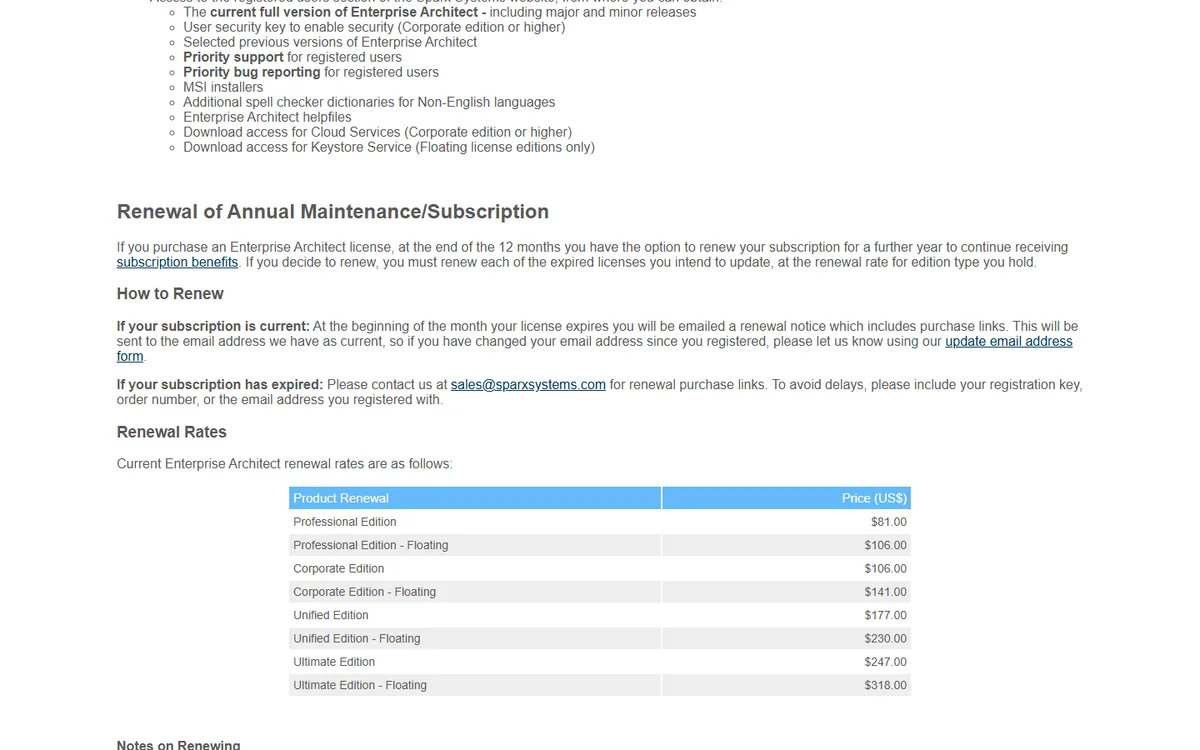
Capterra lists a starting price of $229 per user with a free trial. Sparx lists renewal prices by edition, for example $81 for Professional standard licenses and $247 for Ultimate, while initial prices depend on edition and license type, so confirm with Sparx before budgeting.
Sparx Enterprise Architect Reviews
- G2: 4.1 of 5 stars (based on 24 verified reviews)
- Capterra: 4.1 of 5 stars (based on 38 verified reviews)
Archi
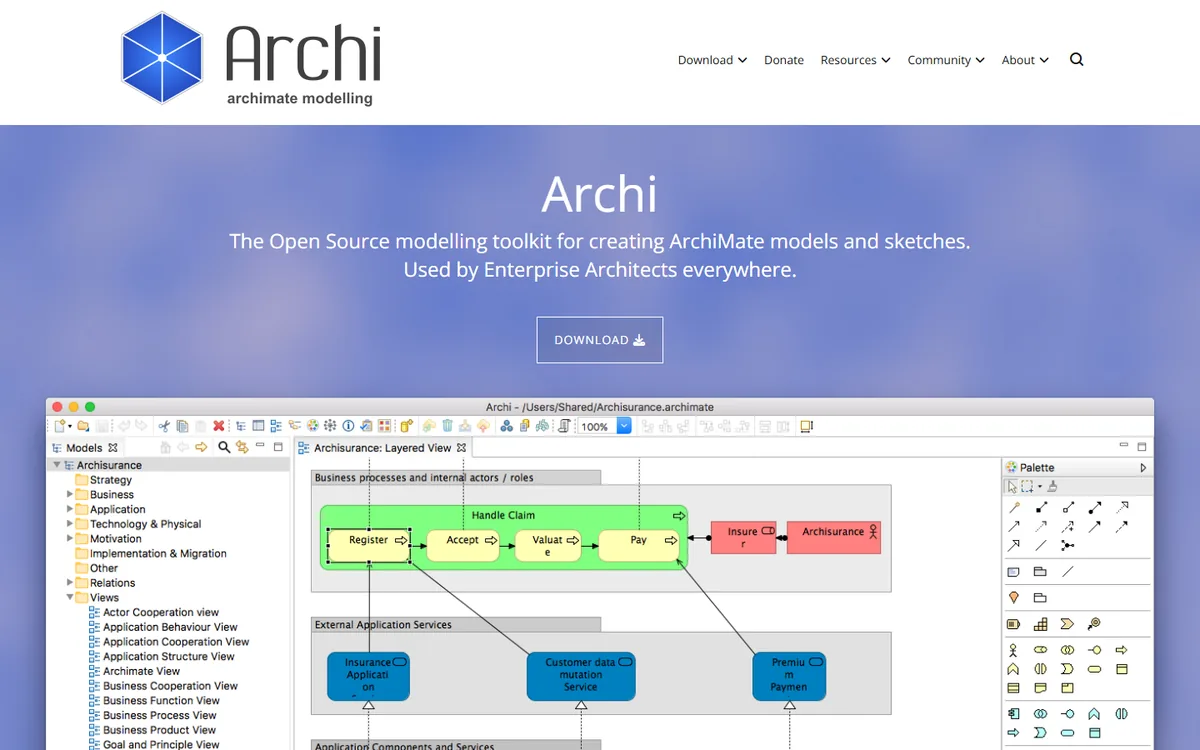
The Free, Open-Source Choice for ArchiMate Enterprise Models
Archi is an open-source modeling tool for the ArchiMate language, used to describe business, application and technology layers of an organization.
If you need enterprise-level models of how business processes, applications and infrastructure relate, Archi gets you there for free. It follows the ArchiMate standard closely, runs on all major systems and exports to common formats. Plugins add scripting and collaboration through Git.
Archi is for modeling at the enterprise level, not for drawing software component details. It has no real-time collaboration out of the box, and its interface is functional rather than friendly. It fits architects who already know ArchiMate and need a no-cost tool.
Archi Strengths
- Free and open source, with close adherence to the ArchiMate standard
- Runs on every major operating system
- Git-based collaboration is possible through plugins
Archi Weaknesses
- Focused on enterprise models rather than software component detail
- No real-time collaboration out of the box
Archi Pricing
Archi is free and open source. Capterra lists the vendor price as not published and shows a rating from only five reviews, so the number is a weak signal.
Archi Reviews
- G2: 4.3 of 5 stars (based on 6 verified reviews)
- Capterra: 4.6 of 5 stars (based on 5 verified reviews)
SAP LeanIX

An Enterprise Architecture Platform for Mapping Applications, Costs and Technology Risk Across a Company
SAP LeanIX is a cloud platform for enterprise architecture that inventories applications and technology, tracks lifecycle and risk and supports roadmaps for change.
LeanIX fits large organizations with hundreds of applications and many owners. It builds an inventory from your own data and from discovery tools, then lets you see which applications overlap, which are near end of life and which carry risk. That view backs up portfolio decisions with facts.
It is not a diagramming tool for a single team's service layout, and it needs a committed owner to keep the inventory current. Pricing on request and depends on the number of applications. For one product team it is too much, while for a portfolio of many systems it can pay back quickly.
SAP LeanIX Strengths
- A single inventory of applications, owners and lifecycle dates
- Helps spot overlap and end-of-life technology across a portfolio
- Roadmap and risk views support planning with leadership
SAP LeanIX Weaknesses
- Too heavy for a single team's design work
- The inventory needs a committed owner or it goes stale
SAP LeanIX Pricing
Pricing on request. Capterra lists three tiers, Application Portfolio Management, Technology Risk and Compliance, and Architecture and Road Map Planning, all by custom quote with pricing tiered by number of applications.
SAP LeanIX Reviews
- G2: 4.5 of 5 stars (based on 191 verified reviews)
- Capterra: 4.3 of 5 stars (based on 3 verified reviews)
Estimate the Return on a Software Architecture Tool
Before you pick a plan, check whether the numbers work. Enter the hours your team spends each week on creating and updating diagrams and the monthly price of the tool you consider. The calculator shows what it could return in a year.
Does the Tool Make Sense for You?
Drag the sliders to reflect your tasks and the plan you want to compare.
How to Choose the Right Software Architecture Tool
The right tool follows from the level of detail and the audience. Before you compare vendors, answer four questions:
- Who reads the diagrams: developers, executives or auditors?
- Do you need one model behind many diagrams, or are standalone drawings enough?
- Must diagrams live in your repository, or in a shared workspace?
- Does your industry require traceability from requirements to components?
Write down your software architecture best practices first, because conventions outlast any tool. A software architecture checklist helps you test candidate tools against a trial design, and the software architecture framework you choose, such as C4 or ArchiMate, narrows the options quickly. If you want a second opinion, a short call usually settles it.
Questions About Choosing Software Architecture Tools
What Are the Best Software Architecture Tools?
It depends on your need. For team diagrams, Lucidchart and draw.io are the common picks. For consistent C4 models, look at IcePanel or Structurizr. For regulated modeling with traceability, Sparx Enterprise Architect works well, and for company-wide application portfolios, SAP LeanIX or Archi. Match the tool to the level you design at.
Do I Need a Modeling Tool or Is a Drawing Tool Enough?
A drawing tool is enough for most product teams if you agree on conventions. A modeling tool becomes worth it when you have many diagrams of the same system that drift apart, or when you need traceability. If diagrams disagree with each other, move toward a model-based tool.
What Is the C4 Model?
The C4 model describes software at four levels: system context, containers, components and code. Each level is a zoom of the one before. It gives teams a shared vocabulary so diagrams for executives and developers fit together. IcePanel and Structurizr are built around it.
Are There Good Free Software Architecture Tools?
Yes. draw.io is free for diagramming, Archi is free for ArchiMate models and the Structurizr DSL tooling is open source. Lucidchart and IcePanel have limited free plans. Free tools work well when your team supplies the conventions that paid tools sometimes enforce.
How Do We Keep Architecture Diagrams Current?
Store them next to the code, review changes in pull requests and give each diagram an owner. Prefer a model that generates diagrams, or text-based diagrams, over hand-drawn files. Add a review step to your design process so diagrams change when the system changes.
How Much Do Software Architecture Tools Cost?
Prices range from free to several thousand pounds a month. Per the vendors listed, Lucidchart Team is $10 per user per month on Capterra, IcePanel Growth is $40 per editor per month billed annually, and Structurizr server licenses start at £300 per month. Enterprise platforms like SAP LeanIX are quoted individually.
Who Should Own Architecture Documentation?
The team that owns the system should own its diagrams, with an architect or tech lead reviewing them. A central group can own the enterprise-level model. Shared ownership with no name attached is the usual reason documentation goes stale.
Important: prices, plans and ratings move quickly. They reflect our last update, so double-check each vendor’s site before purchasing. Nothing in this article is legal or financial advice.
Did this article help you?
Thanks, noted.
Whitney Sorensen
Whitney leads the Umber editorial team and works with the consultants to turn real client projects into practical guides on software selection, custom development, integration and legacy modernization. Before joining Umber, she spent years writing and editing for engineering and IT teams. She has since reviewed architecture audits, system selections and modernization plans from client projects across industries from manufacturing to healthcare. She works remotely from the USA.