Main Points
- Vague requirements, scope creep and optimistic estimates cause most schedule and budget trouble.
- People risks such as key-person dependence rarely show up until someone leaves.
- Security, dependency and release risks are best handled by automation in the pipeline.
- Review a short, owned risk list every two weeks, and act on the top three.
Software projects rarely fail in one dramatic moment. They drift: a requirement that nobody tested, a date that moved twice, a library nobody tracked. After many software development consulting engagements, I can say that the same eleven risks appear again and again, in startups and in large companies alike.
Below, each risk comes with a warning sign you can check this week, the fix I would start with and the tools that help. If you want to compare how outside teams change the risk picture, my guide to software development for startups shows how early choices shape later ones.
The Eleven Risks and Their Early Warning Signs
| Risk | Area | Early signal |
|---|---|---|
| 1. Vague Requirements | Requirements | Estimates vary wildly between developers |
| 2. Scope Creep | Scope | The backlog grows faster than it shrinks |
| 3. Optimistic Estimates | Estimation | Every project is 'nearly done' for weeks |
| 4. Key-Person Dependence | People | One name appears on every critical fix |
| 5. Defects Found Late | Quality | Customers report bugs before your team does |
| 6. Technical Debt Without a Plan | Architecture | Each feature takes longer than the last |
| 7. Insecure Code and Configuration | Security | Secrets in the repository or default passwords |
| 8. Fragile Third-Party Dependencies | Dependencies | Nobody knows what libraries are in the product |
| 9. Vendor Lock-In and Weak Contracts | Vendors | You cannot move your data or code without the vendor |
| 10. Manual, Fragile Releases | Delivery | Releases need a weekend and one specific person |
| 11. Chasing Trends Without a Reason | Direction | New frameworks appear before old problems are fixed |
The Eleven Risks in Detail
I start with the risks that show up first in a project's life and end with the ones that grow slowly. Read the warning signs against your current project, and note which three feel familiar.
Vague Requirements
The most common failure I see starts before any code exists: a brief that describes a feature list and not the problem. Two developers read the same page and build different things, and both are right. You find out at the demo, when rework is expensive.
I ask teams to write acceptance checks next to every requirement, such as 'a dispatcher can reassign a truck in under three clicks.' If a requirement cannot be tested, it is not finished.
How to Firm Up Requirements
- List the user, the job and the outcome for each requirement.
- Write one testable acceptance check per requirement.
- Have two developers estimate independently and compare.
- Resolve every gap in estimates before work starts.
Where to Write It Down
A shared tracker with a story template is enough. Prototyping tools help when screens are the unclear part.
Scope Creep
Small requests add up. One extra report here and one new role there, and a six-month plan quietly becomes nine months. Nobody decided to be late; the delay was approved a few days at a time.
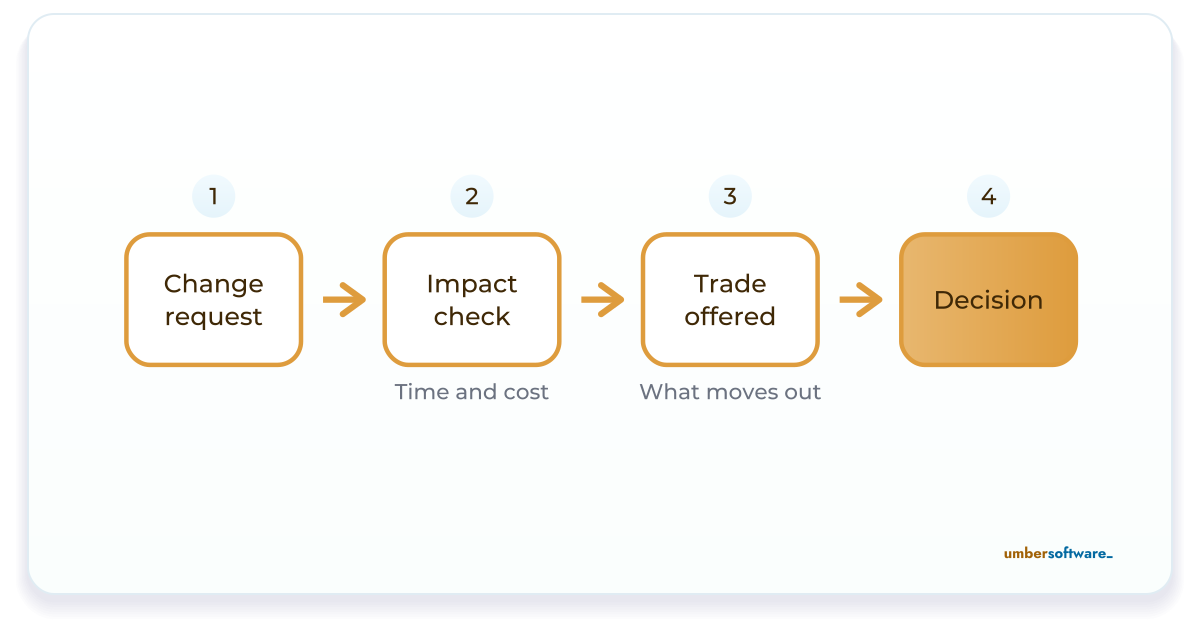
Every change request should come with a trade: what moves out, or what date moves. When stakeholders see the price, many requests disappear on their own.
How to Hold the Scope
- Freeze the scope for each release and publish it.
- Log every request in a change list with an owner.
- Estimate each change before deciding.
- Approve a change only by moving something out or the date out.
- Review the change list at every release planning.
Keeping Score
A tracker label for 'added after kickoff' shows the growth in one chart. Burn-up charts are better than burn-down charts here, because they show the scope line moving.
Optimistic Estimates
People estimate the happy path. Real work includes review, environment problems, waiting for answers and bugs found late. Plans that ignore those run late almost by design.
I compare estimates with past actuals from the same team. Most teams find they run a consistent factor over, and using that factor beats arguing about individual numbers.
How to Estimate with Less Wishful Thinking
- Break work into pieces of a few days.
- Estimate ranges, not single numbers.
- Add time for review, testing and release.
- Compare finished work with the estimate and adjust the next plan.
Estimating Better
Your tracker's history gives you real cycle times. Use them in place of gut feeling.
Key-Person Dependence
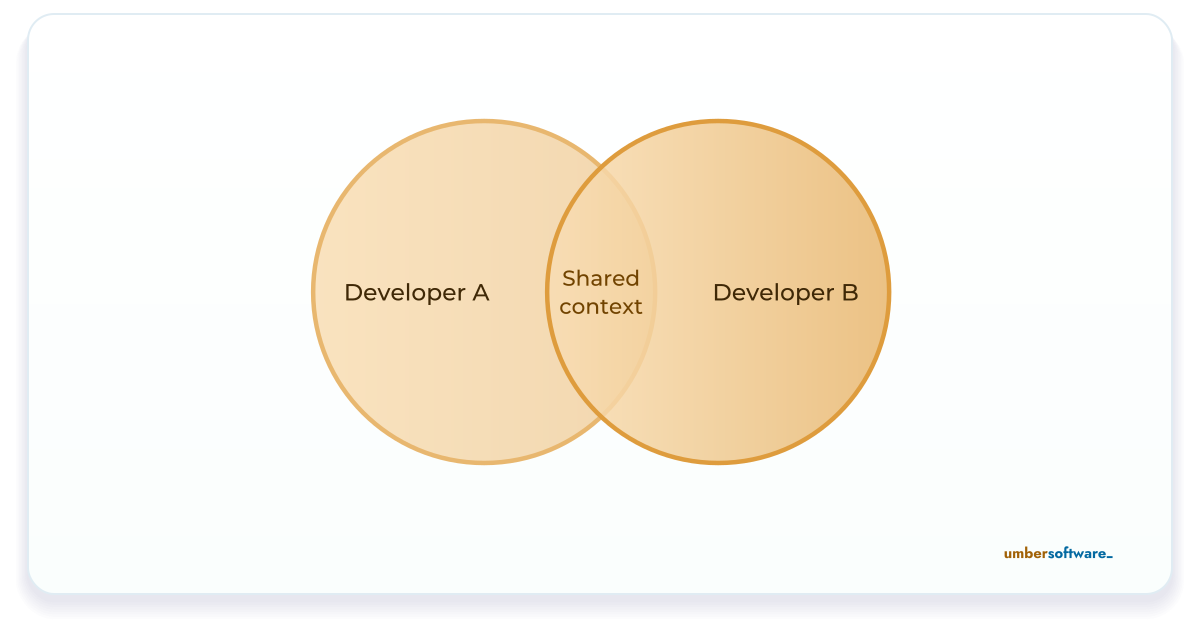
In many codebases, one developer is the only person who understands the billing module or the deploy script. While that person is present, nothing looks wrong. When they leave or fall ill, the product stalls.
The fix is cheap if you start early: pair on critical changes, rotate reviewers and write short runbooks. Each of these spreads knowledge as a side effect of normal work.
How to Spread the Knowledge
- List the systems only one person can change.
- Assign a second owner to each one.
- Pair on the next three changes to those systems.
- Write a one-page runbook for each critical task.
- Test it by having the second owner do the next release.
Where Knowledge Lives
A team wiki or docs folder in the repository works. The point is that the page exists and someone else has used it.
Defects Found Late
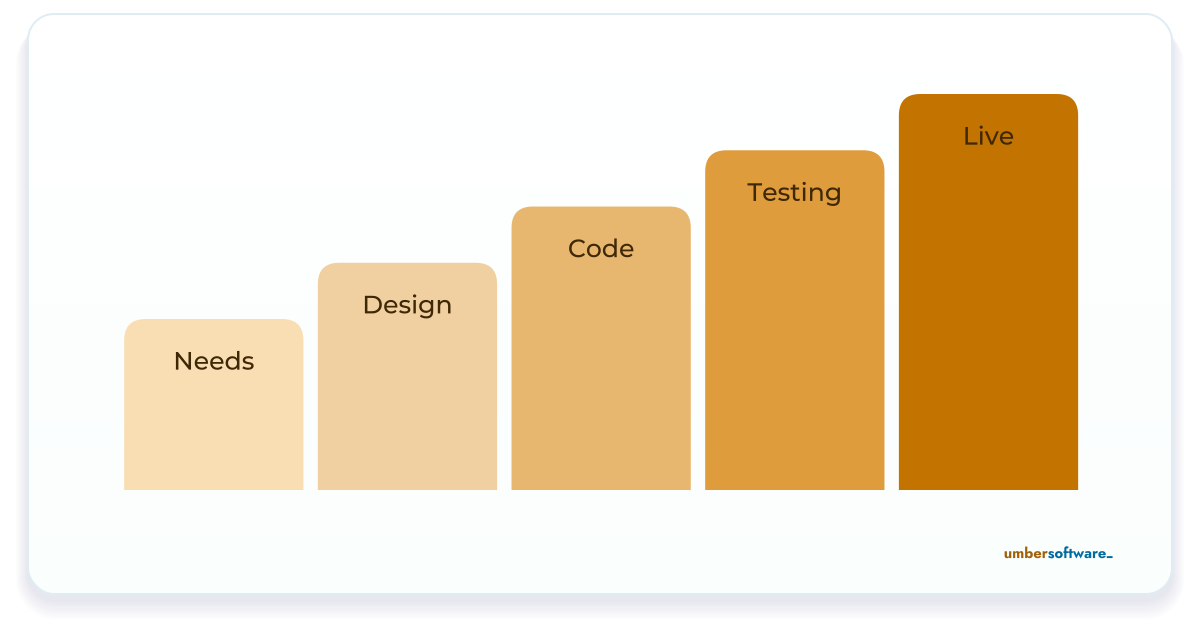
A defect costs more to fix the later you find it. A wrong assumption caught in a requirements review takes minutes, and the same assumption in production takes days of investigation and a hotfix.
Teams that ship weekly with automated tests catch most regressions in minutes. Teams that test by hand before quarterly releases find the same bugs weeks later.
How to Catch Bugs Earlier
- Require code review on every change.
- Automate tests for money, permissions and data first.
- Run the tests on every merge.
- Track bugs found after release and review the causes monthly.
Test and Review Tooling
Your Git host runs reviews and test pipelines. Add an error monitor so production bugs reach you automatically.
Technical Debt Without a Plan
Shortcuts are fine when you choose them knowingly. The risk is the pile nobody tracks, which slows every change until a rewrite sounds attractive. In architecture audits, I often trace a team's slowdown to three or four tightly coupled areas.
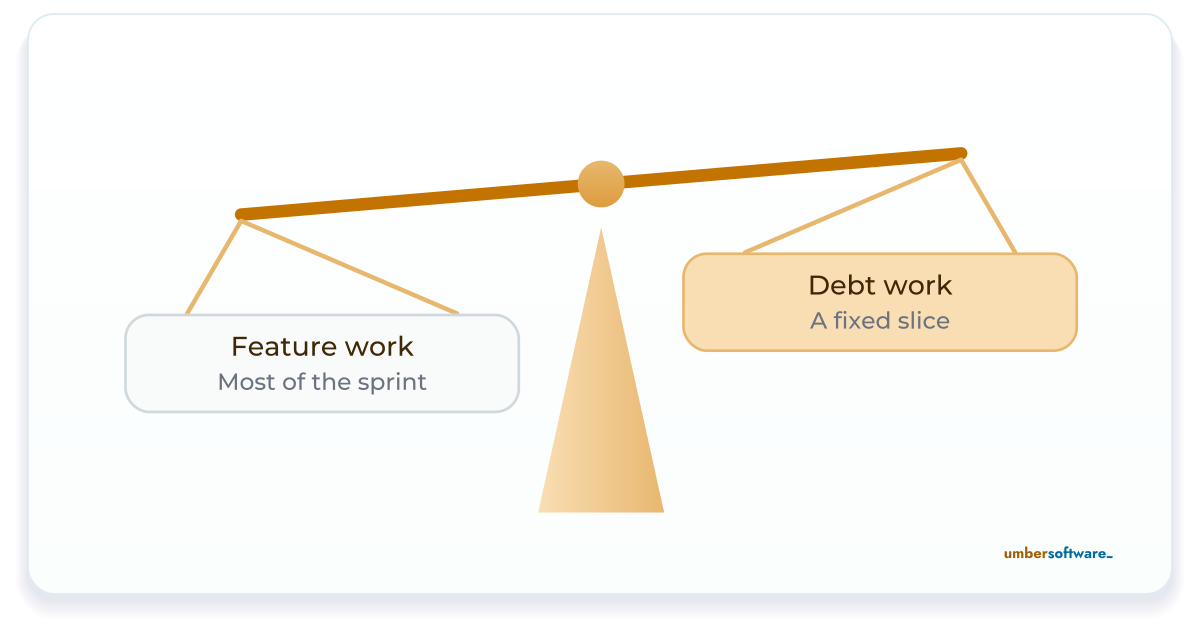
Treat debt like a budget item. Keep a list, assign a rough cost and set aside a fixed share of each cycle to pay it down.
How to Pay Down Debt on Purpose
- Keep a visible list of known shortcuts.
- Record the trigger that makes each one urgent.
- Reserve a share of every cycle for repayment.
- Fix the areas where most changes land first.
Finding Hotspots
Code analysis tools and your Git history show which files change most and break most. Those are the best places to spend repair time.
Insecure Code and Configuration
Most breaches I read about start with mundane issues: a leaked key, an unpatched library or an open storage bucket. These are process failures, and a process can fix them.
Build security into the pipeline so it does not depend on memory. Secrets scanning, dependency checks and a short review checklist catch the usual problems cheaply.
How to Close the Common Holes
- Keep secrets out of the repository and rotate any that leaked.
- Scan dependencies on every build.
- Apply least-privilege access to environments.
- Review authentication and permission code with a second pair of eyes.
- Schedule a yearly penetration test.
Security Checks
Built-in scanning in your Git host covers secrets and known vulnerable libraries. For payment or health data, add an external review.
Fragile Third-Party Dependencies
A modern application is mostly other people's code. A library that is abandoned, relicensed or compromised becomes your problem overnight, and you cannot fix what you cannot list.
Keep an inventory and a policy: which licenses are allowed, how often you update and who decides when a dependency must be replaced.
How to See What You Depend On
- Generate a component list for each product.
- Pin versions and update on a schedule.
- Check licenses before adding a package.
- Replace libraries that are no longer maintained.
Dependency Control
Package managers produce the list, and update bots propose changes. Run your tests on every proposed update.
Vendor Lock-In and Weak Contracts
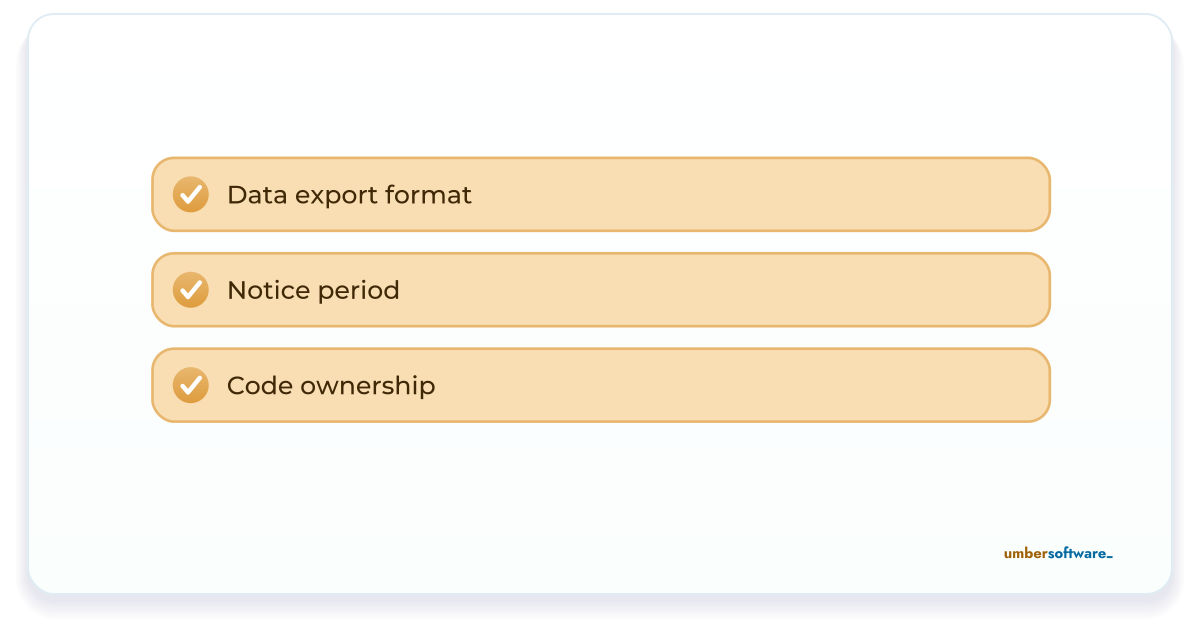
Both software vendors and outsourcing partners can become hard to leave. Proprietary formats, unclear code ownership and missing documentation raise the price of switching until staying is the only option.
Decide your exit before you sign. Ask where the data lives, in what format and how fast you could move it. My guide to software development outsourcing covers the contract side for outside teams.
How to Keep Your Exit Open
- Require code and data ownership in the contract.
- Keep repositories and cloud accounts in your name.
- Ask for export formats before you buy.
- Rehearse a partial migration once a year.
Exit Readiness
Standard formats and open interfaces reduce lock-in. A written exit plan costs a day and saves months.
Manual, Fragile Releases
If shipping is scary, teams ship less often, which makes each release bigger and riskier. The cycle feeds itself until a release becomes an event.
Automate the path to production and release small changes often. The first automated release is the hardest, and the tenth is boring, which is the goal.
How to Make Releases Boring
- Write down the current release steps exactly.
- Automate the build and the tests.
- Automate deployment to a test environment.
- Add one-click rollback.
- Ship small changes weekly, then daily.
Pipeline Tools
GitHub Actions, GitLab CI and Jenkins all do the job. My ranking of software development tools compares them.
Chasing Trends Without a Reason
Teams sometimes adopt a new framework, language or AI tool because the market talks about it. The learning cost is real, and the benefit may never show up in your delivery numbers.
Run a small trial with a measurable goal before any broad adoption. My overview of software development trends gives a way to pick those trials.
How to Run a Fair Trial
- Name the problem the new technology should solve.
- Set a baseline number for that problem.
- Trial with one team for a few weeks.
- Adopt or drop it based on the number.
Making the Call
A one-page decision record in your repository captures the reasoning, so the team can revisit it later.
Rating Your Own Risk List
Not every risk deserves the same attention. Rate each one for how likely it is in your project and how much it would hurt, using low, medium and high. Anything high on both goes to the top of your list, and only the top three get actions this month.
| Rating | Meaning | What to do |
|---|---|---|
| High likelihood, high impact | It is happening or very likely to | Assign an owner and an action this week |
| Low likelihood, high impact | Rare but costly, such as a breach | Prepare a response and cheap prevention |
| High likelihood, low impact | Frequent annoyances, such as slow builds | Fix when convenient or automate |
| Low and low | Unlikely and minor | Note it and move on |
Picking Your First Step
You cannot fix eleven things at once. Pick based on what you already see, not on what sounds worst. Use these questions to narrow the list:
- Which risk has already caused a delay or an incident in the last year?
- Which one would be most expensive if it happened next month?
- Which fix takes less than a week and helps several risks at once?
- Who on your team can own the fix and report on it?
Automation pipelines help several risks together: tests reduce late defects, security scans reduce insecure code and automated releases remove fragile deployments. If you want a second opinion on your risk list, a short review from an outside team is quicker than building the list alone.
Questions About Software Development Risks
What Is the Biggest Risk in Software Development?
In my experience, unclear requirements cause the most damage, because every later stage builds on them. A close second is a project with no internal owner who answers questions quickly. Both are cheap to fix at the start and expensive to fix later.
How Do I Do a Quick Risk Assessment for My Project?
List the risks, rate each for likelihood and impact on a three-point scale, and plan an action for the top three. Review the list every two weeks. Short and frequent beats long and annual.
How Much Contingency Should I Add to a Software Budget?
It depends on how much is unknown. A project with a clear scope and a known team may need a modest buffer, while a first-of-its-kind build needs a larger one. Ask your estimator for ranges, and base the buffer on the width of the range.
Does Agile Remove Project Risk?
It reduces some risks by showing working software early, so wrong assumptions surface sooner. It does not remove scope growth, key-person dependence or weak security. Agile helps most when you pair it with real demos and clear priorities.
How Do I Reduce Risk When Outsourcing?
Run a paid pilot, own the repositories, demand a working demo every two weeks and require named staff. Keep one engineer on your side who reviews all code.
When Should I Stop a Failing Project?
When the cost to finish exceeds the value, and no credible plan changes that. Past spending is not a reason to continue. Ask what you would decide if you were starting today with what you now know.
Who Should Own Risk Management?
Someone who can say no or move dates, usually the product owner or the engineering lead. A risk list owned by nobody becomes decoration. Review it in the same meeting where you set priorities.
Disclaimer: This article is general information, not legal, security or financial advice. Have qualified professionals review contracts, security and compliance needs.
Did this article help you?
Thanks, noted.
Whitney Sorensen
Whitney leads the Umber editorial team and works with the consultants to turn real client projects into practical guides on software selection, custom development, integration and legacy modernization. Before joining Umber, she spent years writing and editing for engineering and IT teams. She has since reviewed architecture audits, system selections and modernization plans from client projects across industries from manufacturing to healthcare. She works remotely from the USA.