Main Points
- GitHub and GitLab cover code, review and pipelines, so most teams need only one of them.
- Visual Studio Code is enough for most languages; IntelliJ IDEA earns its price on large Java and Kotlin codebases.
- Jira, Postman and Sentry fill the gaps around the code: tracking work, testing APIs and catching production errors.
- Count upkeep, not just license fees: self-hosted tools like Jenkins cost engineer time.
The Best Software Development Tools at a Glance
| Tool | Type | Best for |
|---|---|---|
| 1. GitHub | Code hosting and CI | Teams that want one familiar workflow |
| 2. GitLab | DevOps platform | Self-hosting and built-in security scanning |
| 3. Visual Studio Code | Code editor | Every language on a zero-license budget |
| 4. IntelliJ IDEA | Full IDE | Java and Kotlin refactoring at scale |
| 5. Jira | Issue tracker | Tracking work across several teams |
| 6. Postman | API platform | Testing and documenting integrations |
| 7. Jenkins | CI server | Unusual or on-premises build setups |
| 8. Sentry | Error monitoring | Finding production bugs by release |
The 8 Best Software Development Tools, Ranked
I start with the tools that suit the widest range of teams and move toward specialist ones, so you can stop reading once you find your fit. Keep in mind that a tool chain is only part of a healthy engineering setup. In the software development consulting projects I review, team habits and clear ownership matter more than which logo is on the pipeline.
GitHub
The Default Home for Your Code, Reviews and Pipelines When Your Team Wants One Familiar Place
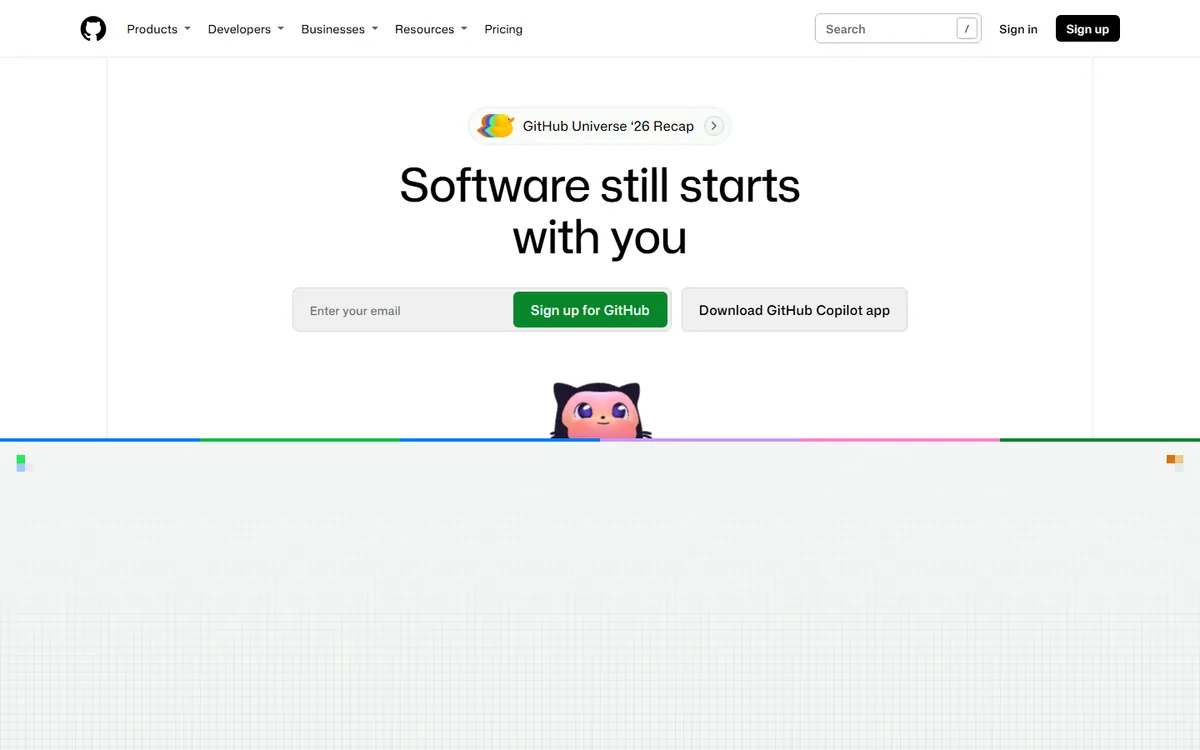
GitHub hosts Git repositories and wraps them in pull requests, code review, GitHub Actions pipelines and Copilot.
I recommend GitHub as the starting point for most teams, because hiring is easier when new developers already know it. Pull requests are the review habit almost every engineer has used, and GitHub Actions lets you build, test and deploy from the same repository without a second system. Copilot now sits in the editor and the pull request screen, which saves time on boilerplate and test scaffolding.
In my client work, the pain shows up at scale. Permission settings, branch rules and organization policies spread across several screens, and a team of 200 needs someone who owns them. Per-seat costs also add up once you add Copilot or advanced security features. For a team under 50 people, those concerns rarely matter. If you are weighing software development for startups, GitHub on the free tier is the cheapest place to begin.
GitHub Strengths
- Almost every developer already knows the workflow, so onboarding is quick
- Actions, packages and code review live in the same repository
- The ecosystem of integrations and open-source projects is the largest around
GitHub Weaknesses
- Admin and permission settings are spread out and confusing for large organizations
- Per-seat costs climb once you add Copilot and security add-ons
GitHub Pricing
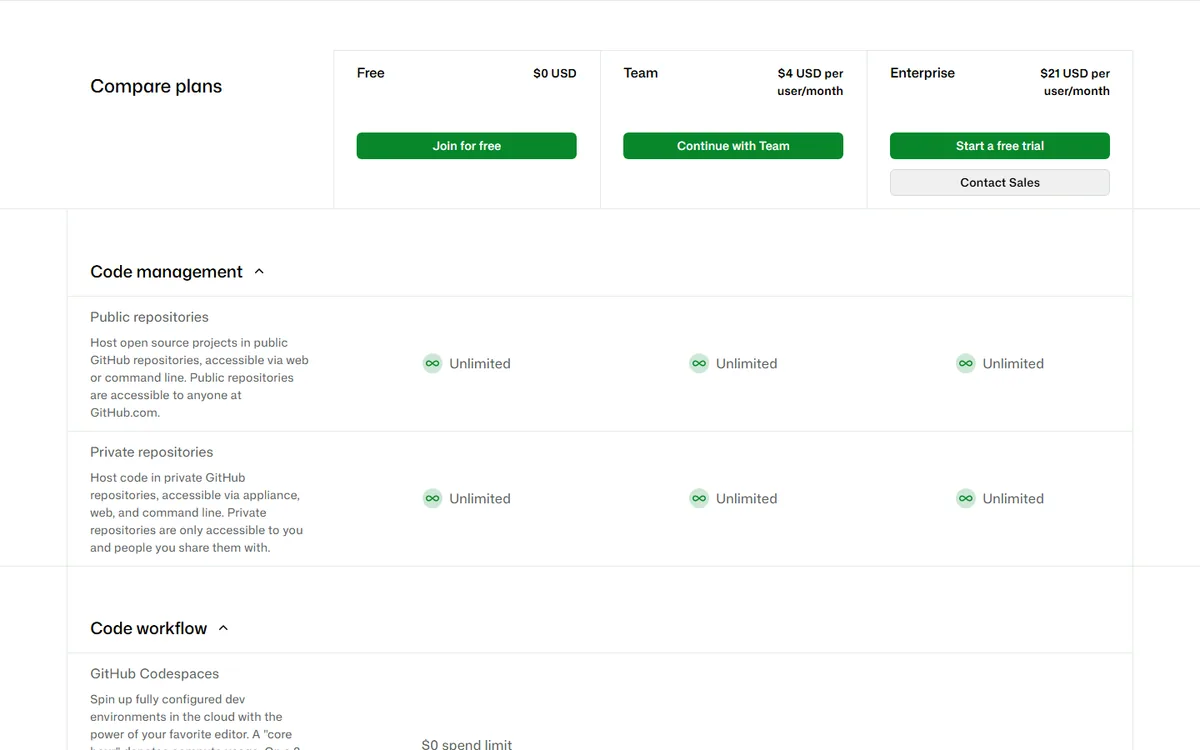
GitHub lists a Free plan at $0, a Team plan at $4 per user per month and an Enterprise plan at $21 per user per month. Copilot and advanced security features are billed on top of those seats.
GitHub Reviews
- G2: 4.7 of 5 stars (based on 2,418 verified reviews)
- Capterra: 4.8 of 5 stars (based on 6,206 verified reviews)
GitLab

The Best Pick When You Want Source Control, CI/CD and Security Scanning in One Platform You Can Self-Host
GitLab combines repositories, CI/CD pipelines, issue tracking and security scanning in a single application.
GitLab suits teams that would rather run one tool than stitch four together. Its pipelines are built into the repository, the merge request screen shows test and security results next to the diff, and you can self-host it when your data has to stay inside your network. I see that last point decide the choice for manufacturers and healthcare teams more often than any feature does.
The trade-off is weight. GitLab does a lot, so the interface has more menus than GitHub, and a self-hosted install needs someone to patch and upgrade it. Plan for that person before you sign. If nobody owns the platform, the cloud version is the safer route. Self-hosting also lines up with the controls I describe in my piece on software development risks.
GitLab Strengths
- One application covers repositories, pipelines and security scanning
- Self-hosting keeps code and build data inside your own network
- Pipeline configuration is readable and lives in the repository
GitLab Weaknesses
- The interface feels crowded compared with lighter tools
- Self-managed installs need a person who owns upgrades and runners
GitLab Pricing
GitLab lists a Free plan at $0 and a Premium plan at $29 per user per month, billed annually. Ultimate has custom pricing, so you need to ask sales for a quote.
GitLab Reviews
- G2: 4.5 of 5 stars (based on 904 verified reviews)
Visual Studio Code
The Free Editor That Works for Almost Every Language Your Team Already Writes
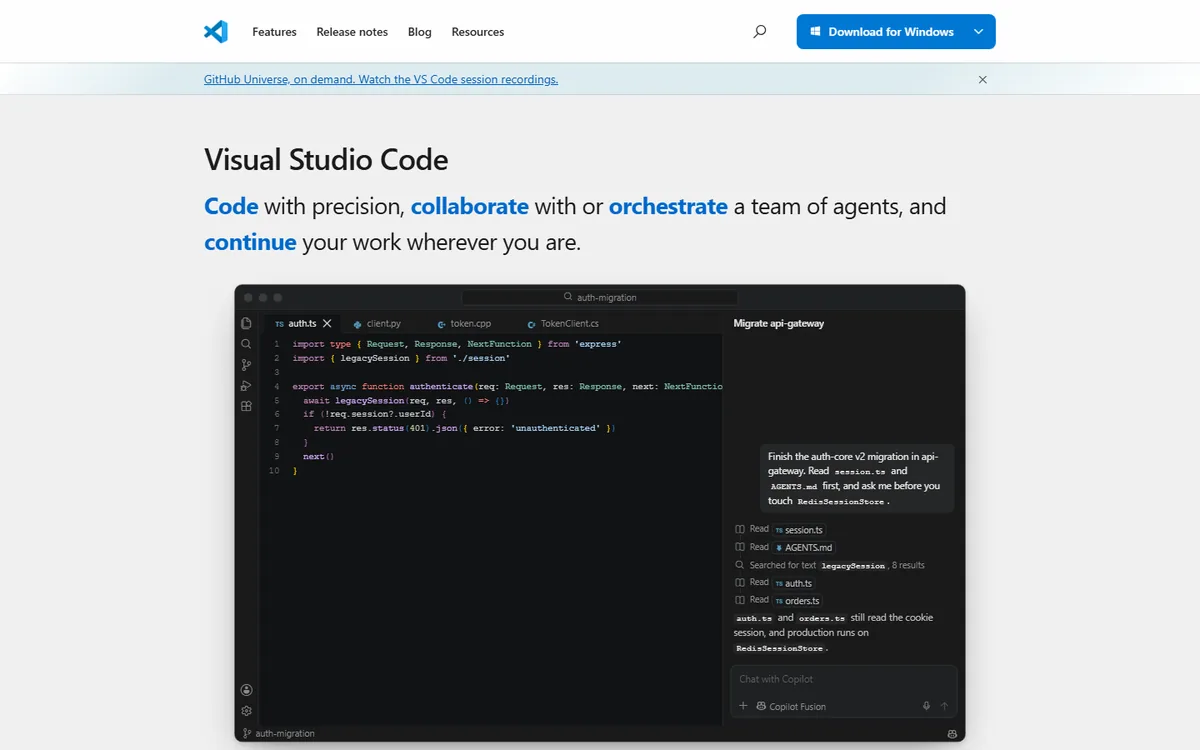
Visual Studio Code is a lightweight, open-source code editor from Microsoft with a huge extension library.
VS Code is the editor I see on most laptops, from front-end teams to data engineers. It starts fast, handles TypeScript, Python, Go and C# well through extensions, and the built-in terminal and debugger cover daily work. Remote development extensions let you code against a container or server, which helps when your environment is hard to reproduce locally.
The catch is that a plain VS Code install is an editor, not an IDE. Refactoring, deep code analysis and profiling depend on extensions, and extension quality varies. Teams that standardize a shared extension list and settings file avoid the "works on my machine" arguments I hear in audits.
Visual Studio Code Strengths
- It is free and runs on Windows, macOS and Linux
- The extension library covers nearly every language and framework
- Remote and container development work out of the box
Visual Studio Code Weaknesses
- Refactoring depth depends on extensions that vary in quality
- Large projects can feel slower than in a dedicated IDE
Visual Studio Code Pricing
VS Code is free to download and use. Costs only appear when you add paid services around it, such as Copilot.
Visual Studio Code Reviews
- G2: 4.7 of 5 stars (based on 2,747 verified reviews)
IntelliJ IDEA

The Strongest Choice for Java and Kotlin Teams That Refactor Large Codebases Every Week
IntelliJ IDEA is a full IDE from JetBrains with deep code analysis, refactoring and framework support.
If your backend runs on Java or Kotlin, IntelliJ IDEA earns its price. It understands your whole project, so renaming a method, extracting an interface or moving a class across modules is a safe, reviewable step. I lean on it during legacy modernization work, where those refactors are the job.
It uses more memory than a text editor and takes longer to start, which bothers some developers. JetBrains also moved to subscriptions, so the cost is per person per year. For a team that refactors daily, the saved hours cover the license. For a team that writes small scripts, VS Code is enough. Cost rarely decides it; the larger question is whether your team builds in-house or uses software development outsourcing partners who bring their own tools.
IntelliJ IDEA Strengths
- Refactoring and code analysis are the best in class for JVM languages
- Framework support for Spring and build tools works without setup
- Built-in database, profiler and version control tools reduce plugin hunting
IntelliJ IDEA Weaknesses
- It needs more memory and starts slower than a lightweight editor
- The paid subscription costs more as the team grows
IntelliJ IDEA Pricing
Capterra lists IntelliJ IDEA Ultimate from $19.90 per user per month and the organization subscription at $71.90 per user per month. A free Community edition is also available.
IntelliJ IDEA Reviews
- G2: 4.6 of 5 stars (based on 2,393 verified reviews)
- Capterra: 4.7 of 5 stars (based on 1,262 verified reviews)
Jira
Still the Standard for Tracking Work Across Teams, If You Keep Its Workflows Simple
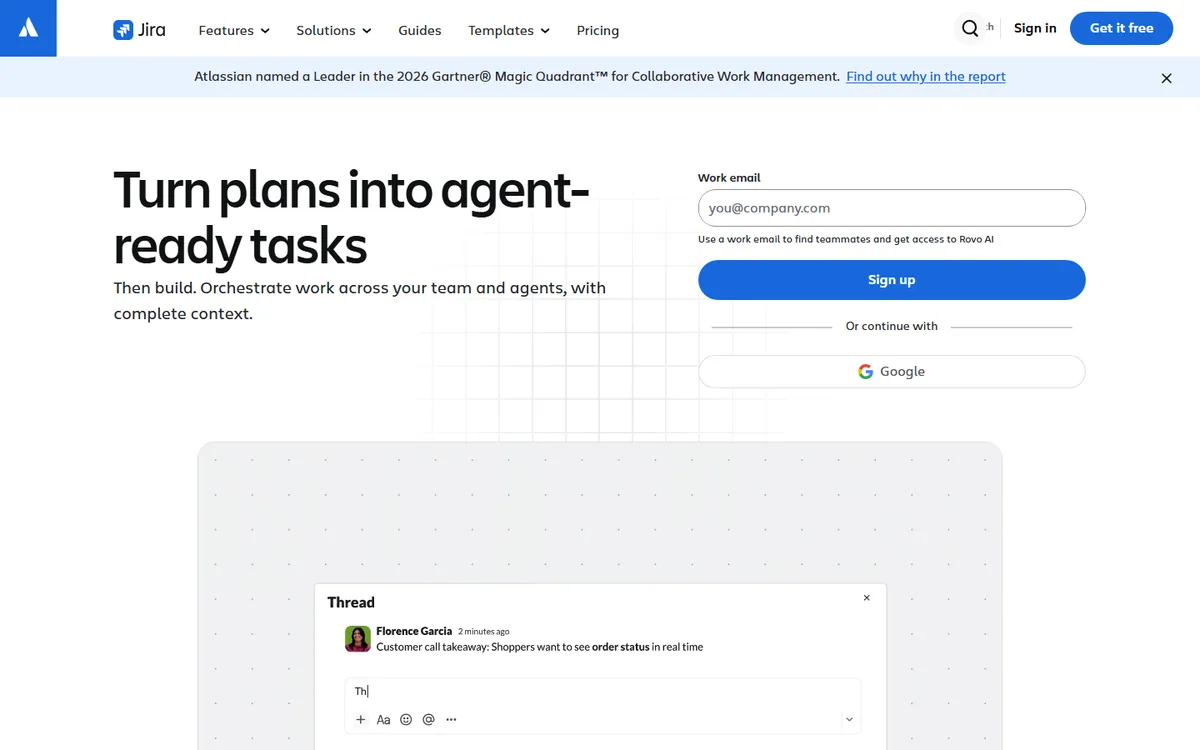
Jira is Atlassian's issue and project tracker, built around boards, backlogs and configurable workflows.
Jira is where most software teams already track bugs and stories, and its strength is configurability. You can model a Scrum board for one team and a support queue for another, and connect both to your repositories and releases. Reporting on cycle time and sprint progress is solid once your statuses mean the same thing everywhere.
That same flexibility is how Jira goes wrong. I have audited instances with 40 statuses and nine custom fields on every ticket, and nobody trusted the reports. Keep workflows to five or six statuses, limit required fields and give one person ownership of the configuration. Then Jira stays quick enough for engineers to update daily.
Jira Strengths
- Boards, backlogs and reports cover Scrum and Kanban teams
- Links to repositories and pipelines keep tickets connected to code
- The marketplace has an app for most reporting needs
Jira Weaknesses
- Over-configured workflows slow every team down
- Ticket screens feel heavy compared with lighter trackers
Jira Pricing
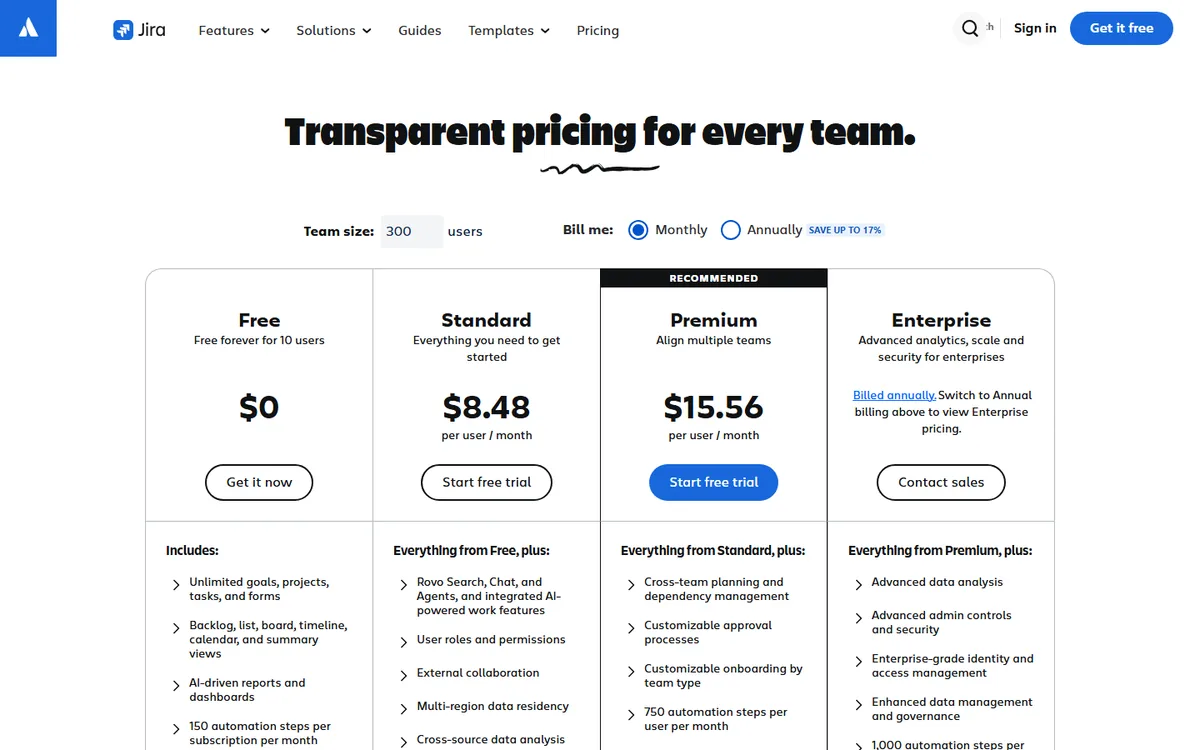
Jira has a Free plan for up to 10 users. Third-party price guides list Standard at about $7.91 per user per month and Premium at about $14.54, so confirm the current figure on Atlassian's pricing page before you buy.
Jira Reviews
- G2: 4.3 of 5 stars (based on 8,074 verified reviews)
Postman
The Fastest Way to Test, Document and Share APIs Across Your Whole Team
Postman is an API platform for building requests, running tests, mocking services and publishing documentation.
Postman earns a place whenever your system talks to other systems, which today means almost always. You can save a request, add assertions, chain calls into a collection and share it with a colleague in minutes. During integration projects, I use collections as the shared source of truth between our team and the client's engineers.
The limits are about team size and workspace sprawl. Collections multiply, naming drifts and secrets end up in the wrong environment unless you set rules. Pricing also moved toward paid seats for collaboration features, so check what your team really needs before you buy for everyone.
Postman Strengths
- You can build and share a working API request in minutes
- Collections double as living documentation for integrations
- Mock servers let front-end work start before the backend exists
Postman Weaknesses
- Workspaces get messy without naming and secrets rules
- Collaboration features sit behind paid seats
Postman Pricing
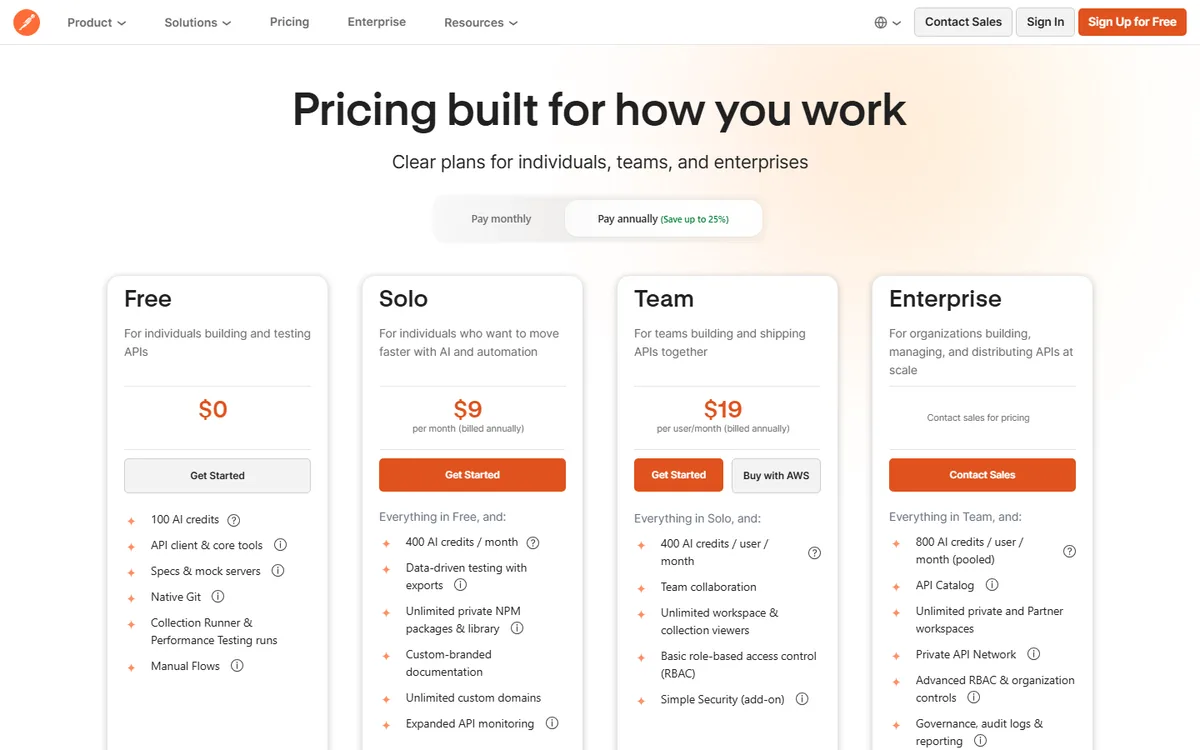
Postman lists a Free plan at $0, Solo at $9 per month billed annually and Team at $19 per user per month billed annually. Enterprise pricing needs a sales quote.
Postman Reviews
- G2: 4.6 of 5 stars (based on 1,795 verified reviews)
Jenkins
The Flexible, Free CI Server for Teams With Unusual Build Needs and Someone to Run It
Jenkins is an open-source automation server that builds, tests and deploys software through pipelines you define as code.
Jenkins is older than most of the tools on this list, and its plugin library covers build setups that newer services cannot. I still meet it in manufacturing and embedded projects, where builds depend on odd hardware, licensed compilers or on-premises networks. You own the server, so you decide where it runs and what it can reach.
Owning the server is also the cost. Plugins need updates, agents need care and a forgotten Jenkins box is a security risk. For a new project on standard cloud infrastructure, GitHub Actions or GitLab CI is usually less work. Pick Jenkins when your constraints force it, not out of habit.
Jenkins Strengths
- Free and open source, with a plugin for almost any build step
- Runs on your own hardware, including isolated networks
- Pipelines as code keep build logic in version control
Jenkins Weaknesses
- Plugin updates and server upkeep take real time
- The interface feels dated next to hosted CI services
Jenkins Pricing
Jenkins is free open-source software. Your costs are the servers, agents and the engineer time to maintain them.
Jenkins Reviews
- G2: 4.4 of 5 stars (based on 575 verified reviews)
Sentry
The Quickest Way to Find Out What Broke in Production and Which Release Caused It
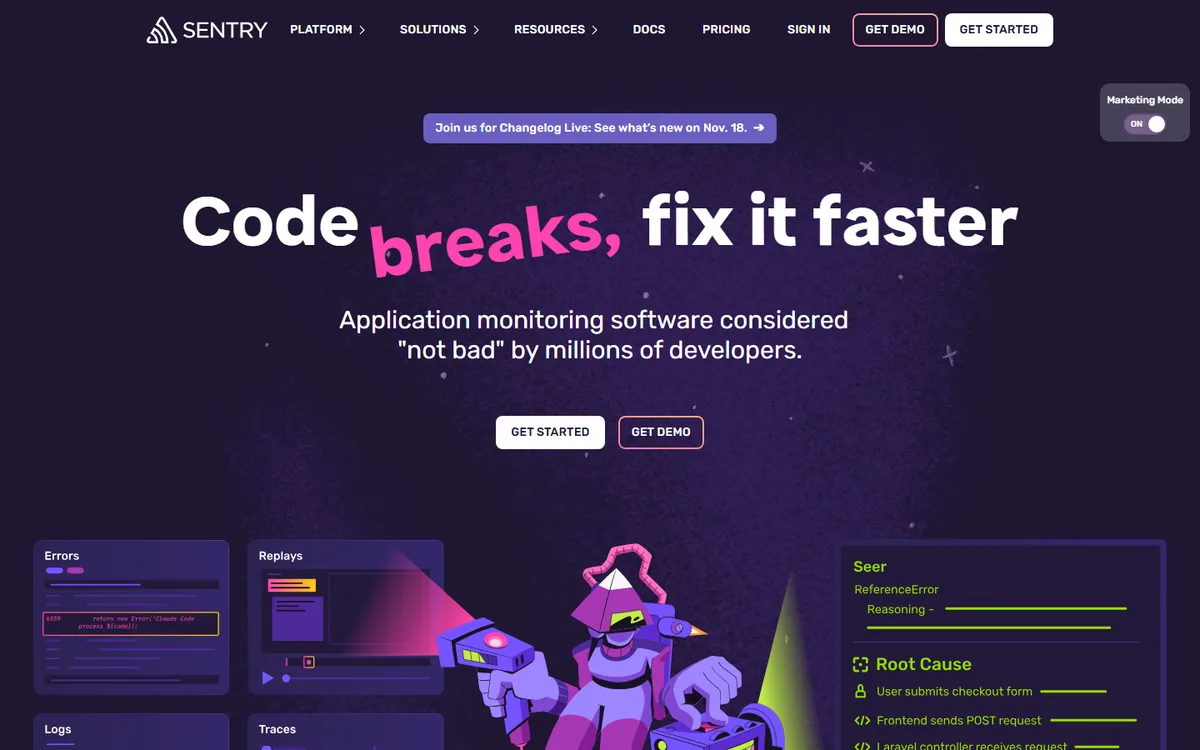
Sentry captures errors and performance data from your running applications and ties them to releases and code.
Sentry changes how fast you hear about bugs. Instead of waiting for a customer email, you get a grouped error with a stack trace, the release it started in and the users it affects. In my audits, teams that add Sentry cut the time from "something is wrong" to "we know which commit" from days to hours.
The risk is alert fatigue. Out of the box, every new error type notifies someone, and people start ignoring the channel. Set ownership rules and thresholds in the first week, and review the noisiest issues monthly. Volume-based pricing also means a chatty application can raise your bill. The newer practices I follow in software development trends all depend on fast feedback like this.
Sentry Strengths
- Errors are grouped, so one bug is one issue instead of thousands of alerts
- Release tracking shows which deploy introduced a problem
- SDKs cover most languages and frameworks
Sentry Weaknesses
- Default alerting is noisy until you tune it
- Event volume drives the bill on busy applications
Sentry Pricing
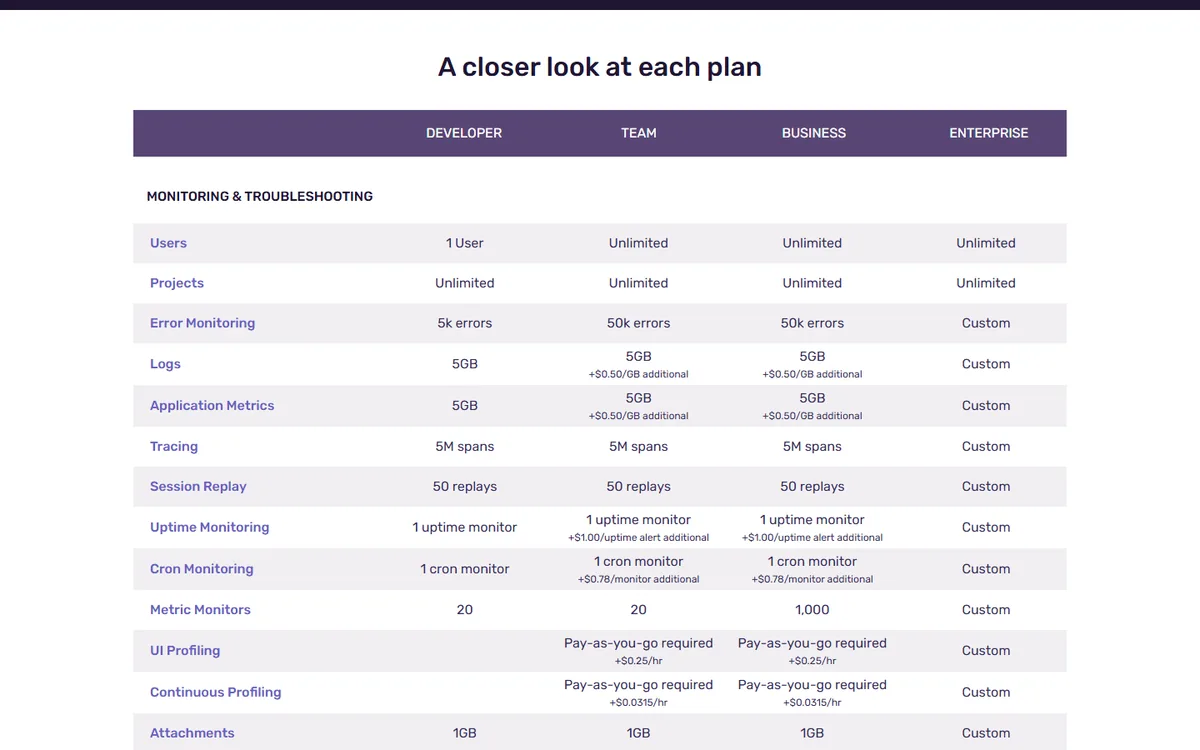
Sentry lists a free Developer plan, Team at $29 per month billed monthly or $26 billed annually, and Business at $89 per month billed monthly or $80 billed annually. Enterprise pricing is custom.
Sentry Reviews
- G2: 4.5 of 5 stars (based on 250 verified reviews)
Estimate the Return on a Development Tool
Before you buy seats, check whether the numbers work for you. Enter the manual hours the tool should replace, such as build babysitting or bug triage, and its monthly price. You will see what it could return in a year.
Does the Tool Make Sense for You?
Drag the sliders to reflect your tasks and the plan you want to compare.
How to Choose the Right Software Development Tools
In my experience, fit with your team and your hosting rules decides more than any feature list. Before you compare vendors, I suggest you answer four questions:
- Which languages and frameworks does your team write, and how large are the codebases?
- Must code and build data stay inside your own network?
- Who will maintain the tools: your developers, an ops person or a vendor?
- How many people need a paid seat, and how many only need read access?
If you are a small team on standard cloud infrastructure, GitHub, Visual Studio Code and Sentry get you moving at low cost. If your data must stay in-house, look at GitLab self-managed or Jenkins. If your team is mostly Java or Kotlin, add IntelliJ IDEA for the people who refactor. If you want a second opinion on your setup, a short call usually settles it.
Questions About Choosing Software Development Tools
What Are the Best Software Development Tools for a Small Team?
Start with GitHub or GitLab for code and pipelines, Visual Studio Code as the editor, and Sentry for production errors. That stack costs little, covers the full cycle and is familiar to most developers you will hire. Add Jira or a lighter tracker once you have more than one team sharing a backlog.
Do I Need an IDE or Is a Code Editor Enough?
For scripts, web front ends and most Python or Go work, a good editor such as Visual Studio Code is enough. For large Java or Kotlin backends, a full IDE like IntelliJ IDEA pays back through safer refactoring. I suggest you let developers choose between the two, as long as formatting and linting rules sit in the repository.
Is GitHub or GitLab Better for My Team?
Pick GitHub when you want the most familiar workflow and the biggest ecosystem. Pick GitLab when you want pipelines and security scanning in one place, or need to self-host. Both do the core job well, so the deciding factor is usually hosting rules and who will maintain the platform.
Are Free Tools Good Enough for Production Work?
Often yes. Visual Studio Code, Jenkins and the free tiers of GitHub, GitLab and Sentry run real products. The hidden cost is time: free self-hosted tools need someone to patch and monitor them. Count that engineer time before you decide a tool is free.
How Many Tools Should a Development Team Use?
As few as cover your workflow. I see healthy teams run one place for code, one pipeline, one tracker and one monitoring tool. Every extra tool adds logins, integrations and a place for information to get lost.
How Do I Move from One Tool to Another Without Losing History?
Export or migrate the data in a rehearsal first, then compare counts of repositories, issues and users. Run both tools in parallel for a short period and set a cutover date. Most surprises come from integrations and permissions, so list those before you start.
Can a Consultant Help Me Choose and Set Up the Tool Chain?
Yes. A short engagement can compare your options against your languages, security needs and budget, then set up the pipeline and access rules. The software development consulting team at Umber does this as part of larger build and modernization work.
Important: prices, plans and ratings move quickly. They reflect our last update, so double-check each vendor’s site before purchasing. Nothing in this article is legal or financial advice.
Did this article help you?
Thanks, noted.
Whitney Sorensen
Whitney leads the Umber editorial team and works with the consultants to turn real client projects into practical guides on software selection, custom development, integration and legacy modernization. Before joining Umber, she spent years writing and editing for engineering and IT teams. She has since reviewed architecture audits, system selections and modernization plans from client projects across industries from manufacturing to healthcare. She works remotely from the USA.