Main Points
- Set three measurable outcomes and record today's numbers before any configuration starts.
- A business owner with real weekly time matters more than any tool.
- Configure before you customize, and start data work in week one.
- Rehearse cutover, staff the weeks after launch and review results at 30 and 90 days.
Software rollouts fail in familiar ways, which means they can be avoided in familiar ways. These ten practices come from implementation projects I have worked on, from small team tools to company-wide systems. Where a project needs hands-on support, software implementation consulting brings the same practices into the plan from day one.
Each practice has a short explanation, a do and a don't. They follow the order of a typical project, so you can use the list as a timeline.
The Ten Practices Along the Project Timeline
| Phase | Practices |
|---|---|
| Plan | 1. Define success, 2. Give the business an owner |
| Design and build | 3. Configure before customizing, 4. Start data work early |
| Release | 5. Release in slices, 6. Test with real work |
| Prepare people | 7. Train for the job, 8. Rehearse cutover |
| After go-live | 9. Staff the first weeks, 10. Review against the baseline |
If you prefer a gate-by-gate version of the same ideas, the software implementation checklist turns them into eight checks with evidence.
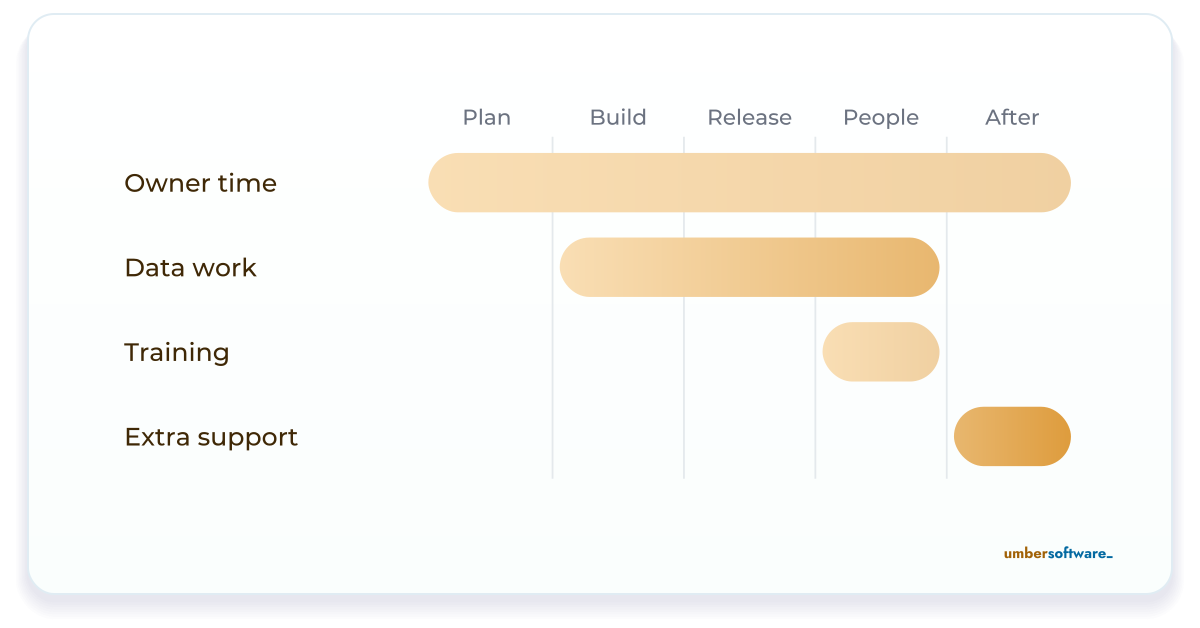
Define Success Before You Configure Anything
Projects without a target end in arguments about whether they worked. Before the first workshop, agree on three outcomes with numbers, such as order entry time, month-end close days or support tickets per week. Measure today's values so you have a baseline.
In one finance rollout, the baseline showed a close taking nine days. That single number kept the team focused when feature requests piled up. Anything that did not help shorten the close went to a later phase.
- Do: Write three measurable outcomes and record the current values.
- Don't: Accept goals like 'modernize finance' or 'better visibility'.
Give the Business an Owner and the Owner Real Time
Software implementation is a business change that happens to use software. The person who owns the process must decide how it should work, and that takes hours every week, not minutes.
I ask for a named owner per process and a calendar commitment of at least a few hours weekly during design and testing. When owners are too busy, decisions slip to whoever is in the room, and the system ends up reflecting the vendor's defaults.
- Do: Block owner time in calendars before the project starts.
- Don't: Delegate process decisions to the most junior person on the team.
Configure Before You Customize
Every custom change adds cost at build, at test and at every upgrade. Standard configuration is cheaper and supported. Ask of every requirement whether a setting, a workflow rule or a change in your process solves it.
A useful rule: customize only where the process gives you a competitive edge. Approval chains and report layouts almost never do.
- Do: Keep a list of customizations with a business reason and a cost for each.
- Don't: Rebuild your old screens in the new system because people are used to them.
Start Data Work in Week One
Data migration is the work that surprises teams most, and it cannot be compressed at the end. Start profiling source data in the first weeks. Find duplicates, missing fields and codes that mean different things in different departments.
Plan at least two full trial loads, with a reconciliation after each. Decide early what you will not migrate, such as closed records older than seven years, since every record you move needs checking.
- Do: Assign a data owner and reconcile counts and totals after every trial load.
- Don't: Leave the migration for the last month.
Release in Slices, Not in One Big Bang
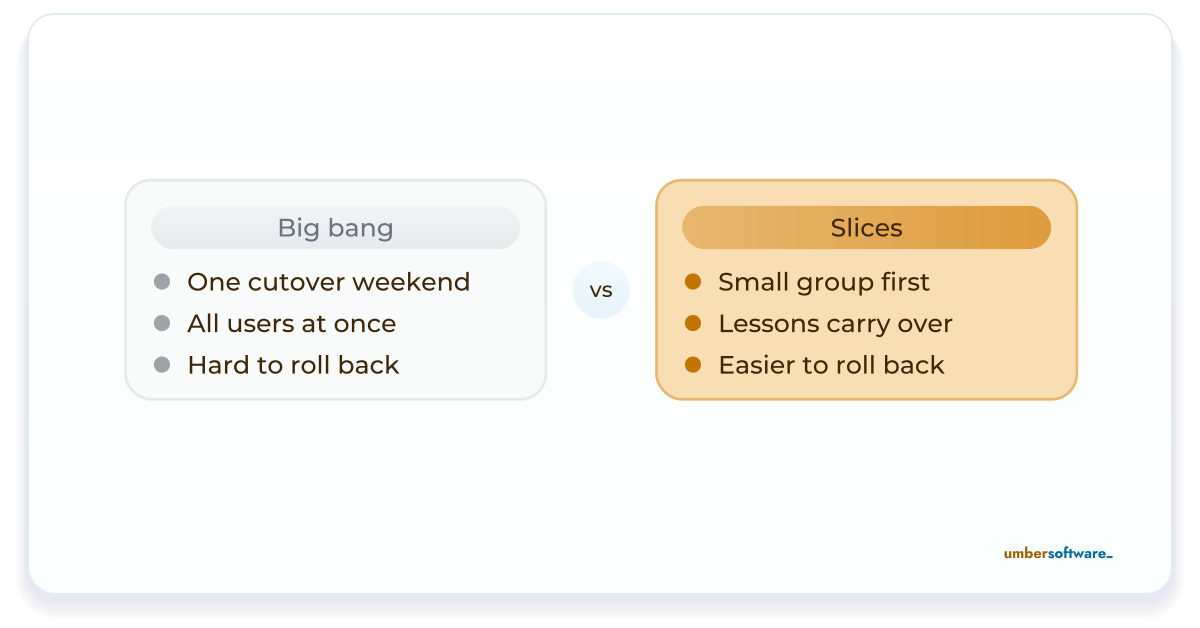
A phased rollout by site, department or module limits the damage when something goes wrong and teaches you lessons before the biggest group goes live. The first slice should be real, but small enough to support closely.
Big-bang launches are sometimes necessary, for example when two systems cannot run side by side. When that is the case, spend extra on rehearsal and on support during the first week.
- Do: Pick a pilot group that is representative and willing to give honest feedback.
- Don't: Start with the most politically sensitive department.
Test With Real Work, Not Scripts Alone
Scripted tests prove features exist. Real work proves the system fits the job. Ask users to process last week's actual orders, invoices or tickets in the test system and compare the results.
Include the awkward cases: returns, partial shipments, credit notes, a change after approval. They are rare in a script and common in a real month.
- Do: Have each role process a full day of real examples and sign off.
- Don't: Count the number of test cases passed as a measure of readiness.
Train for the Job, Close to Go-Live
Training that happens months before launch is forgotten. Train people on their own tasks, a week or two before they need them, using their own data. Short sessions with practice beat long demonstrations.
Appoint a few champions in each team who get extra training and answer first questions. They shorten the support queue and spot confusion early.
- Do: Run a short practical test after training and repeat it for anyone who struggles.
- Don't: Send a recorded demo and call it training.
Rehearse Cutover and Plan the Rollback
Time every step of the cutover in a rehearsal, with the people who will do it. Plans on paper are optimistic. A rehearsal reveals the step that takes four hours instead of one.
Set a point of no return and write who can call a rollback. Knowing the exit makes teams calmer, and calm teams make fewer mistakes at three in the morning.
- Do: Rehearse with production-sized data and a stopwatch.
- Don't: Plan a cutover that depends on one person being awake and available.
Staff the First Weeks After Launch
The weeks after go-live are when users meet the real system with real pressure. Plan for extra support: people on the floor, a fast channel for questions and daily triage of issues for the first two weeks.
Keep the project team together until the first month-end or equivalent business cycle has completed. Disbanding the team on launch day leaves users with questions and nobody with the answers.
- Do: Run a daily 15-minute issue review for the first two weeks.
- Don't: Move the project team to new work the day after go-live.
Review Results Against the Baseline
At 30 and 90 days, compare the outcomes with the numbers you recorded at the start. Where results fall short, find out whether the cause is training, configuration or a design problem.
A review also feeds the next project. The lessons about data, ownership and testing carry over, and the baseline gives you proof when you ask for the next budget.
- Do: Hold the review with process owners and share the numbers openly.
- Don't: Declare success from user sentiment alone.
Where These Practices Pull Against Each Other
Good practices conflict at times, and pretending otherwise leads to bad plans. Phased release limits risk, yet it means running two systems side by side and keeping data in sync for months. Early data work saves time, but only if the design is stable enough that the mapping does not change every week.
Speed and training also compete. Training close to go-live is effective, yet it leaves little room to react when users struggle. The compromise I use is short sessions two weeks out, a practical test and a refresher the week of launch. Ask where your project feels tight and pick the practice that protects that spot.
Challenges cluster by project type, as I describe in software implementation challenges. Seeing those patterns helps you pick which practices to enforce hardest.
A final point on culture. Practices stick when leaders follow them too. If the sponsor skips the weekly decision slot or asks for a late scope change with no price, the team learns which rules are real. Keep the sponsor in the rhythm, and the practices will hold when deadlines tighten.
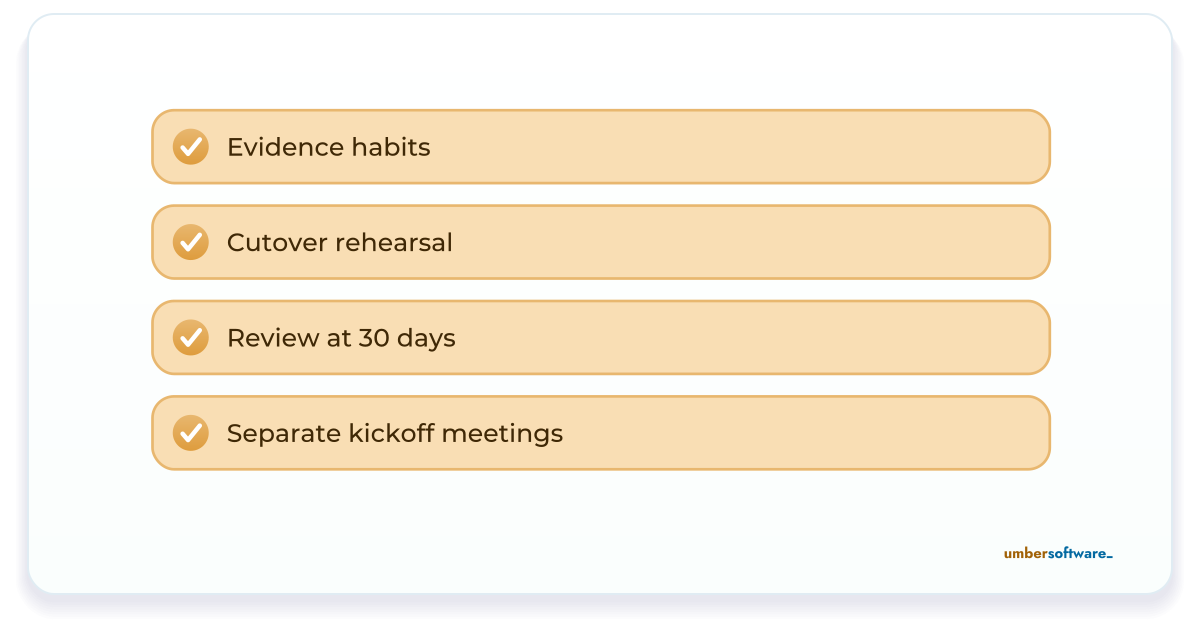
Small teams can compress the list. A five-person rollout may combine ownership and success measures in one kickoff meeting, run a single trial load of a small data set and train everyone in one afternoon. The practices still apply, but the ceremony shrinks. Keep the evidence habits, the rehearsal and the review at 30 days, because those cost little and catch the most.
Putting the Practices Into Your Plan
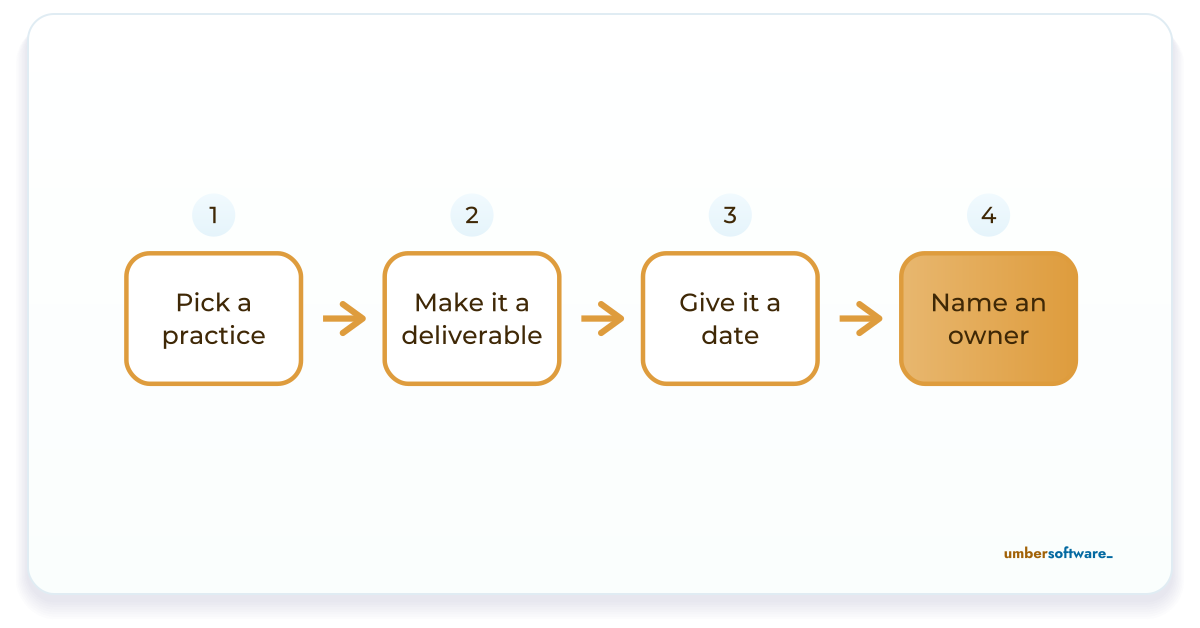
Do not add ten practices to a plan in one go. Turn each into a deliverable with a date. Success measures go into the scope document. Owner time goes into calendars. Trial loads, rehearsals and review meetings go on the schedule as fixed milestones.
Link the plan to a sequence the whole team can see. The software implementation roadmap lays out the phases, and a view of software implementation risks helps you decide where to add buffer.
Picking Your First Step
Start with the practice that guards your largest exposure.
- Old, messy data: practice four, and budget extra trial loads.
- Many user groups: practices six and seven, with champions in each group.
- Tight regulatory or financial controls: practices five and eight, with a rollback you have rehearsed.
- Weak sponsorship: practice two before anything else.
Questions About Software Implementation Best Practices
What Is the Most Important Software Implementation Best Practice?
Naming a business owner with real time to commit. Technical practices matter, but most failures I investigate trace back to decisions that nobody with authority made, or made too late. An engaged owner fixes that more reliably than any tool.
How Long Should a Software Implementation Take?
It depends on scope. A focused tool for one team often takes weeks. A core system such as ERP commonly takes many months. Ask your vendor for timelines from similar customers, and add a buffer for data work and testing, which tend to run long.
Should We Implement in Phases or All at Once?
Phases are safer for most organizations because they limit the impact of problems and let you learn early. A single cutover can make sense when systems cannot run in parallel. In both cases, rehearse the cutover and plan the rollback.
How Much Should We Customize?
As little as the process allows. Use standard configuration for common needs and reserve custom work for the few places that give you an advantage. Each customization adds cost at every upgrade, so ask for a business reason and a price before approving it.
How Do We Get People to Adopt the New System?
Involve users in design and testing, train them on their own tasks close to launch and give them fast support afterward. Adoption suffers most when people see the system for the first time on go-live day.
What Should Be in the Project Budget Besides Licenses?
Data migration, integrations, testing, training, extra support after launch and the time of your own staff. Internal time is often left out, though it can equal the external cost. A contingency for the parts that run long is wise.
When Should We Bring in Outside Help?
When you lack experience with the type of system, when internal teams cannot give the project enough time, or when you need an independent view of vendor progress. Outside help is most valuable before the contract, when scope and plan are still open.
Please note: this guide is general information and not legal, financial or tax advice. Numbers and examples are typical-project estimates; confirm current details with your providers and advisers.
Did this article help you?
Thanks, noted.
Whitney Sorensen
Whitney leads the Umber editorial team and works with the consultants to turn real client projects into practical guides on software selection, custom development, integration and legacy modernization. Before joining Umber, she spent years writing and editing for engineering and IT teams. She has since reviewed architecture audits, system selections and modernization plans from client projects across industries from manufacturing to healthcare. She works remotely from the USA.