Main Points
- Unclear scope and poor data quality cause the most damage in typical rollouts.
- Every risk needs a named owner, an early signal and a response.
- Risks compound, so fix the early ones first.
- A five-minute weekly review of a simple register beats a long risk workshop.
Software implementations rarely fail for exotic reasons. They fail for ordinary ones that nobody watched: a scope that grew, data that arrived dirty, a sponsor who stopped showing up. A software implementation consulting engagement starts by naming those risks and giving each one an owner.
Here are the ten risks I see most often in mid-sized rollouts, with a way to catch each one early. The table ranks them by how often they hurt and how hard they are to repair late.
The 10 Risks Ranked by Damage
| Risk | How often it hurts | Hardest to repair when | Best early signal |
|---|---|---|---|
| 1. Unclear scope | Very often | Mid-project | Requests arriving outside the backlog |
| 2. Poor data quality | Very often | Before testing | High reject rate in the first trial load |
| 3. Weak sponsorship | Often | Any time | Decisions waiting more than a week |
| 4. Integrations underestimated | Often | During build | Integration tasks missing from the plan |
| 5. Low user adoption | Often | After go-live | Workshops with no frontline users |
| 6. Over-customization | Often | Upgrade time | Custom requests without a business case |
| 7. Inadequate testing | Often | Before go-live | Test scripts not yet written in month six |
| 8. Vendor dependency | Sometimes | Delivery time | Vague deliverables in the contract |
| 9. Security gaps | Sometimes | After go-live | Permissions copied from the old system |
| 10. No rollback plan | Sometimes | Cutover night | No rehearsal on the calendar |
10 Software Implementation Risks and How to Catch Each One
Each risk below has a short story, a way to contain it and the tools that help. Read them in order of your project's current phase. If you are still early, my 12-month implementation roadmap shows where each one tends to surface.
Unclear Scope and Creeping Requirements
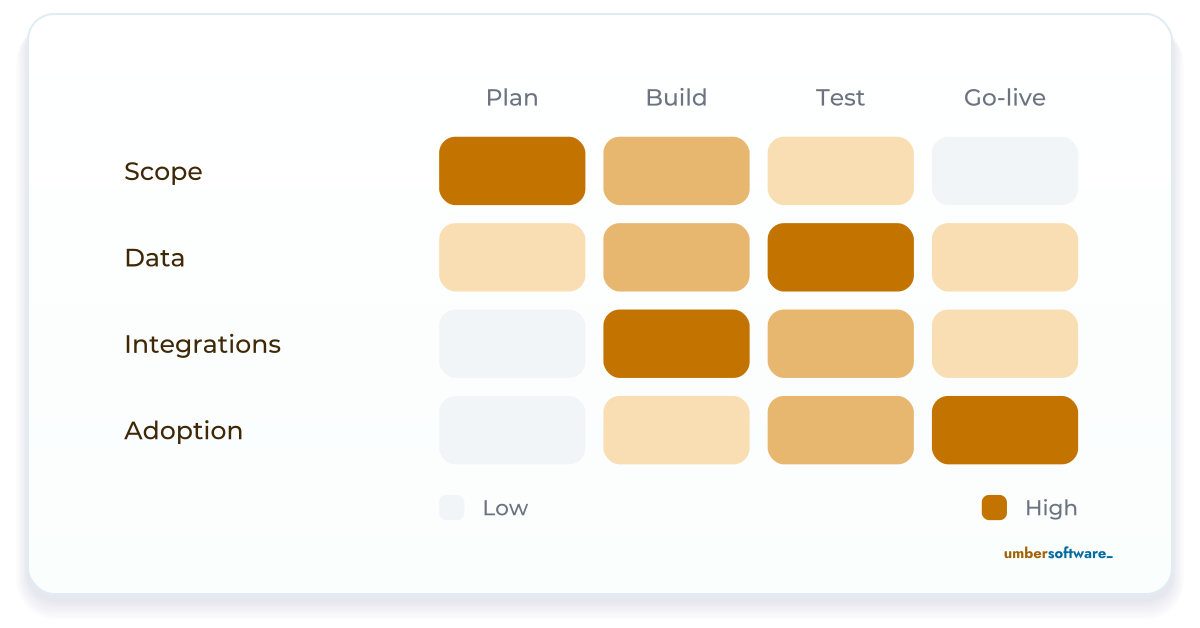
The first risk shows up in week two and does damage in month eight. A scope written as "replace the old system" leaves every department free to add a request, and each request sounds reasonable alone. I have seen a six-month plan quietly turn into fourteen months through forty small additions that nobody priced.
The fix is a scope document that lists what is in, what is out and what waits for phase two. Changes go through one person, who states the cost in time and money before saying yes.
How to Contain It
- List the processes that must work on day one.
- Write an explicit out-of-scope list and share it.
- Route every change request to one owner.
- Price each change in weeks before approval.
- Review the backlog monthly and park items for phase two.
Helpful Tools
A shared backlog in your issue tracker with a change-request label does most of the work. A one-page scope sheet pinned in the project channel keeps the list visible.
Poor Data Quality Found Too Late
Legacy data carries years of shortcuts: duplicate customers, free-text fields used as codes, dates in three formats. The new system rejects or misreads them, usually during the first full load, when little time is left.
Profiling early turns an emergency into a work package. A week of counting blanks and duplicates in month two tells you how much clean-up the plan needs, and who must own it.
How to Catch It Early
- Profile every source table for blanks, duplicates and odd formats.
- Agree which system is the source of truth per record type.
- Decide what you archive instead of migrating.
- Run a small trial load in the design phase.
- Assign a named data owner per department.
Tooling Worth Using
Spreadsheet pivots and SQL queries are enough for first profiling. Dedicated data quality features in your migration tool help once the rules are stable.
Weak Sponsorship and Slow Decisions
Projects stall when the sponsor attends the kickoff and then disappears. Open questions pile up, teams wait and the schedule drifts by days that never show on a status report.
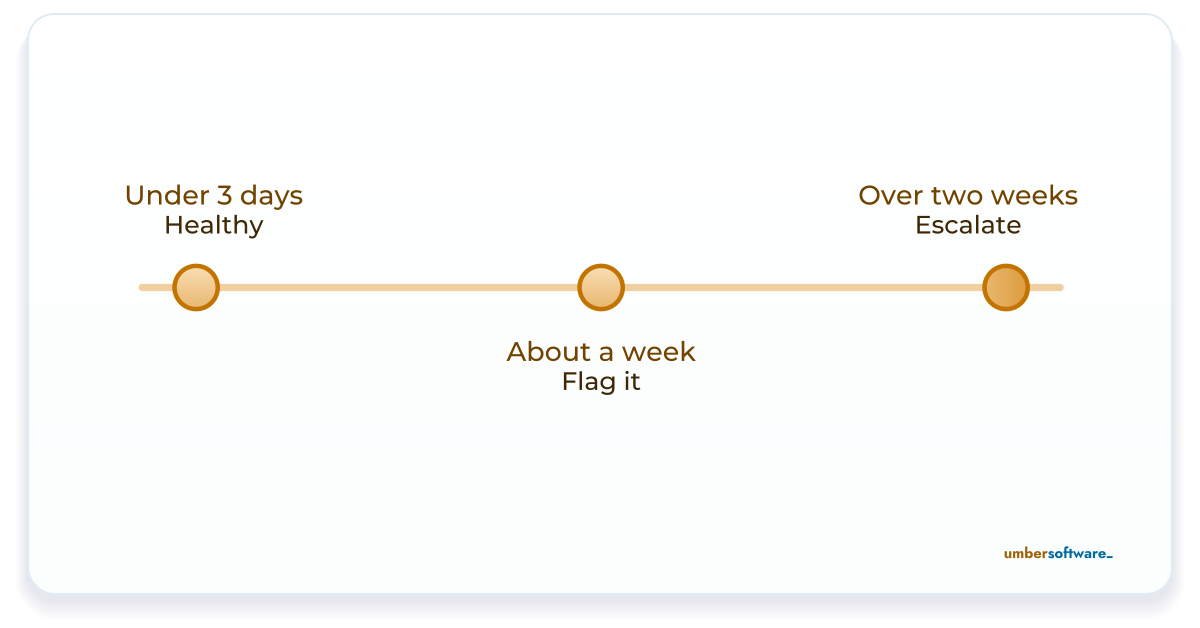
A decision log shows the problem fast. When the average wait for a decision is longer than a week, the sponsor needs to join a short weekly call with real authority.
How to Keep Decisions Moving
- Name one sponsor with budget authority.
- Hold a 30-minute weekly decision call.
- Keep a visible log with owner and date for every open decision.
- Escalate anything older than five working days.
- Report wait time next to progress in each update.
What to Use for This
A shared decision log in a spreadsheet is enough. Add it to the weekly status so delays have a name next to them.
Integrations Underestimated
Every connection to another system is a small project of its own, with a second team, a second vendor and a second test cycle. Estimates that treat integrations as configuration miss the work of mapping fields, handling errors and agreeing on who monitors what.
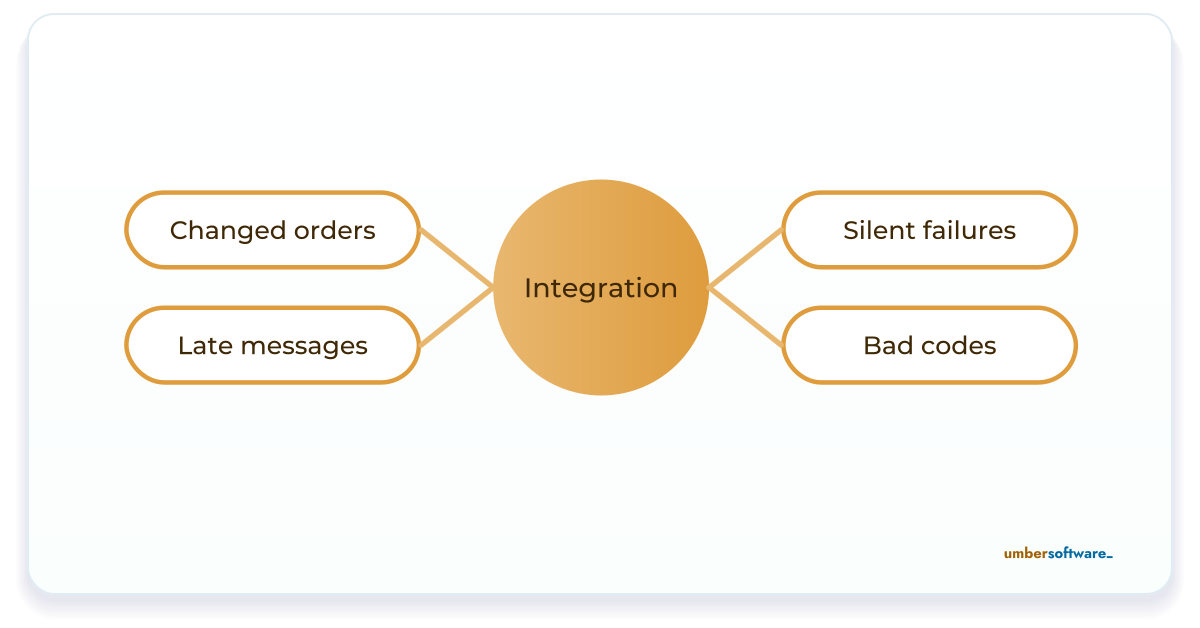
The surprise is usually in the edge cases. Orders that change after they sync, records deleted on one side only, an upstream system that is down at midnight.
How to Size Integrations Properly
- List every connected system with an owner on both sides.
- Document data direction and trigger for each flow.
- Design error handling and retries before building.
- Test with realistic volumes, not ten records.
- Plan monitoring and an owner for alerts.
Useful Tools Here
An integration platform or API gateway gives you logs and retries out of the box. Contract tests on each API catch changes before they break production.
Low User Adoption
A system that works but sits unused is a failed project with a clean status report. Users return to spreadsheets when the new screens add clicks, when training came too late or when nobody explained why the change matters to them.
Adoption is built early. Involve a few daily users in design and testing, and they become the people who answer questions in the hallway after launch.
How to Build Adoption
- Pick champions from each team in the design phase.
- Let them test and give feedback on every release.
- Train by role, with their own data.
- Track logins and completed tasks per role after launch.
- Retire the old spreadsheets on a stated date.
Helpful Software
Usage analytics inside the product show who has not logged in. Short in-app guides help new joiners without another training class.
Over-Customization
Each custom rule feels small. Together they create a system that costs more to upgrade, test and explain than the one you replaced. Vendors release updates twice a year, and every customization needs checking each time.
Ask for each request: which business result does this change protect? When the answer is "it matches how we did it before", the process often needs the change, not the software.
How to Limit Customization
- Start from the standard setup and document every gap.
- Require a business case for each custom item.
- Prefer configuration to code wherever the product allows.
- Keep a register of customizations with an owner.
- Re-test the register at every vendor release.
Where Tools Come In
Your vendor's configuration guide and a customization register in a shared sheet are the basics. Automated regression tests lower the cost of each upgrade.
Inadequate Testing
Testing gets squeezed because it sits at the end, where every earlier delay lands. A shortened test phase leaves permission errors, report mismatches and slow screens for your users to discover.
Real scenarios matter more than test counts. A script that follows a customer order from quote to cash catches more than fifty isolated field checks.
How to Protect the Test Phase
- Write test scripts during design, linked to requirements.
- Test end to end, across every integration.
- Include performance tests with production-like volumes.
- Give testers protected time in their calendars.
- Do not start cutover with open critical defects.
Tools Worth Trying
A test management sheet or your issue tracker works for most projects. Load-testing tools are worth adding where peak volumes are high.
Vendor and Partner Dependency
Your timeline depends on people outside your control: the vendor's implementation team, an integration partner, a hosting provider. When one of them changes staff or priorities, you feel it weeks later.
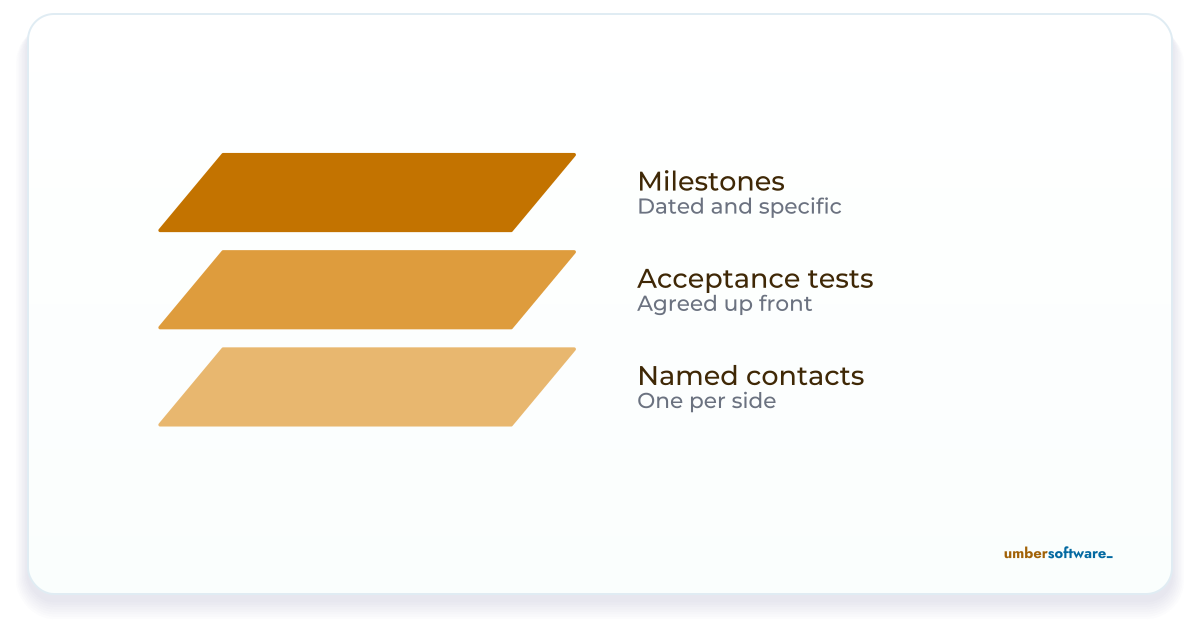
Contracts with vague deliverables make this worse. Milestones with acceptance criteria give you something concrete to point at when a date slips.
How to Reduce Dependency
- Define deliverables and acceptance criteria in the contract.
- Meet the vendor's actual delivery team, not only sales.
- Keep documentation and configuration exports in your hands.
- Check data export options before you sign.
- Plan a fallback for key vendor roles.
Support Tools for This
A shared project plan with vendor tasks visible to everyone keeps delays traceable. A software contract review before signing catches weak exit terms.
Security and Access Gaps
Under time pressure, teams copy permissions from the old system or give broad access to speed up testing. Those shortcuts tend to reach production. Customer and financial data then sit behind rules nobody designed.
Role design is a short workshop that pays for itself. Define roles by task, apply least privilege and test that each role sees only what it should.
How to Close Security Gaps
- Design roles by job task, not by individual.
- Apply least-privilege access from the first test.
- Review service accounts and API keys for each integration.
- Test that restricted roles cannot see restricted data.
- Log access to sensitive records and review the log.
Tooling for the Job
Your identity provider and the product's role reports cover most needs. For sensitive systems, an outside review adds a second pair of eyes.
Go-Live Without a Rollback Plan
Cutover night is the one moment where a plan matters more than talent. Teams that never rehearsed discover missing steps at 2 a.m. and have no agreed point at which they stop and go back.
A rollback plan can be a page long. It states the trigger, the person who decides and the steps to restore the old system, with times for each.
How to Prepare for Cutover
- Rehearse the cutover end to end under a clock.
- Write the rollback trigger and the decision maker.
- Keep the old system available and read-only after launch.
- Freeze changes one week before go-live.
- Staff a visible help desk for the first two weeks.
Tools for Cutover Night
A shared runbook with timings and owners is enough. Status channels for cutover keep everyone on the same information.
Turn the List Into a Risk Register
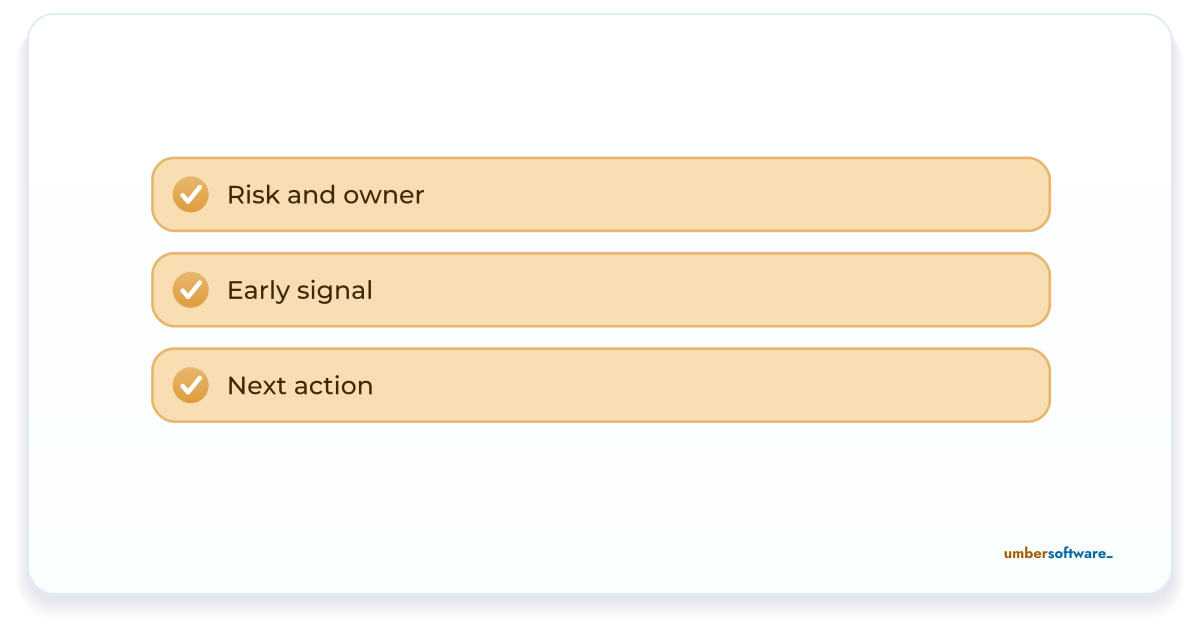
A risk register can be a single sheet. For each risk, write the trigger, the owner, the response and the date you will review it. Add the cost in weeks if the risk happens, so everyone sees why some items deserve more attention than others.
Review the sheet in your weekly status meeting, five minutes at most. New risks get added, resolved ones get closed. Over a few months the register becomes the best record of what the project learned.
Pair it with the implementation checklist for readiness checks and with the common implementation challenges to prepare your team for the human side. The implementation best practices give you the habits that keep most risks small.
How to Decide Which Risks Deserve Your Time First
You cannot treat ten risks equally. Rank them with two questions: how likely is this in your situation, and how expensive is it to repair once it happens? Data quality and scope sit high for almost everyone. Vendor dependency rises when you rely on a single implementation partner. Security rises with regulated data.
- Pick the top three risks for your project this month.
- Give each a named owner and a review date.
- Add a cost in weeks to each, so tradeoffs are visible.
- Review the list weekly, and rewrite it at every phase gate.
If your team has no time to run this alongside daily work, an outside project lead can own the register and the weekly review. It is a small commitment that prevents large surprises.
Questions About Software Implementation Risks
What Is the Biggest Risk in Software Implementation?
Unclear scope and poor data quality cause the most damage in the projects I see. Scope drifts quietly through small additions, and data problems tend to surface late, when changing the plan is expensive. Early profiling and a written scope reduce both.
How Do I Assess Implementation Risk Before I Start?
List the systems involved, the quality of your data, the number of users who must change habits and how much of the plan depends on a vendor. Rate each by likelihood and repair cost. The result is a short ranked list that shapes the plan.
How Often Should I Review the Risk Register?
Weekly, for five minutes, as part of the status meeting. Add new risks, close resolved ones and update owners. Rewrite the whole list at every phase gate, since the main risks change as the project moves.
Who Owns Implementation Risks?
Each risk needs a named owner, usually the person with the closest control over the cause. The project owner owns the register as a whole. Shared ownership usually means nobody acts.
Can I Remove All Implementation Risk?
No, and trying slows the project. The aim is to make risks visible early, keep their cost small and prepare responses for the ones that matter. Some risks are worth accepting with a clear reason.
Is a Phased Rollout Safer than a Big-Bang Go-Live?
Often, when many teams or integrations are involved. A phased rollout limits the number of users affected by any problem and lets you learn between waves. For a small, single-team system, a single go-live can be simpler.
When Should I Bring in Outside Help for Risk Management?
When your team lacks capacity for data work, integration design or testing, or when the project touches regulated data. An outside lead can also run the risk register, which keeps reviews regular.
Please note: this guide is general information and not legal, financial or tax advice. Numbers and examples are typical-project estimates; confirm current details with your providers and advisers.
Did this article help you?
Thanks, noted.
Whitney Sorensen
Whitney leads the Umber editorial team and works with the consultants to turn real client projects into practical guides on software selection, custom development, integration and legacy modernization. Before joining Umber, she spent years writing and editing for engineering and IT teams. She has since reviewed architecture audits, system selections and modernization plans from client projects across industries from manufacturing to healthcare. She works remotely from the USA.