Main Points
- A 12-month rollout runs in seven phases, each with one purpose and one gate to pass.
- Start data profiling in the design phase, long before the actual migration.
- Rehearse the cutover under a clock at least once before you set the go-live date.
- Place the schedule buffer before testing and go-live, since buffers at the end get spent on scope.
Most software rollouts that run late were not slow in any one month. They lost time at the hand-offs: a decision that waited three weeks, a data clean-up that started after the build, a training plan written the week before launch. A software implementation consulting engagement usually begins by putting those hand-offs on one calendar.
This is the 12-month plan I use as a starting point for a mid-sized business system such as a CRM, ERP or line-of-business platform. Smaller tools can compress it to a few months, and large programs stretch it. The order of the phases stays the same, and that order is the useful part.
The 12 Months at a Glance
Each phase has one purpose, one owner on your side and one gate. If a gate is not met, the next phase waits. Skipping a gate is the single most common way a plan slips by a quarter later.
| Phase | Months | Purpose | Exit criteria |
|---|---|---|---|
| 1. Align and scope | 1 to 2 | Agree goals, owners, scope and success measures | Signed scope and named project owner |
| 2. Design the solution | 3 | Map processes, design the target setup and integrations | Approved design and data plan |
| 3. Build and configure | 4 to 6 | Configure the system, build integrations, load test data | Working system in a test environment |
| 4. Migrate and integrate | 7 to 8 | Clean, map and load data; connect surrounding systems | Reconciled data and passing integration tests |
| 5. Test and train | 9 to 10 | User acceptance testing, training, cutover rehearsal | Signed acceptance and a rehearsed cutover |
| 6. Go live | 11 | Cutover, hypercare, daily issue triage | Stable operations for two weeks |
| 7. Stabilize and measure | 12 | Fix backlog, measure adoption, plan phase two | Benefits review against month-one goals |
Months 1 to 2: Align and Scope
The first two months decide more than the next ten. You name a single project owner with authority over scope, list the processes the system must support on day one and write down what you will measure at month twelve. Typical measures are order cycle time, tickets resolved per agent or hours spent on month-end close.
If you are still choosing the product, finish that first. A software selection consulting project ends with a scored decision, and the roadmap starts from that decision. A roadmap built on top of an undecided vendor changes every time the shortlist does.
Agree the budget range, the decision rights and the escalation path in writing. In my client work, the cheapest hour of the whole project is the one spent writing down who can say no.
Month 3: Design the Solution
Design is where you turn the scope into pictures. Run short workshops with each department, map the current process, mark what changes and record the reasons. The output is a target-state process map, a list of integrations with owners on both sides, and a data model that says which system is the source of truth for each record type.
Keep configuration choices close to the vendor's standard setup. Every custom rule you add now is a rule you will test, document and carry through every future upgrade. Push the custom list to a minimum and review it again with the budget owner.
Months 4 to 6: Build and Configure
Three months sounds long until you count the iterations. Configure in short cycles, show each cycle to the users who asked for it and fix what they flag before moving on. Demos every two weeks keep surprises small. Weekly reports on open decisions keep your own team honest about the waits they cause.
Build integrations in parallel, starting with the ones that carry money or customer data. Use a test environment that mirrors production, because a connector that works against a sandbox with ten records says little about the real load.
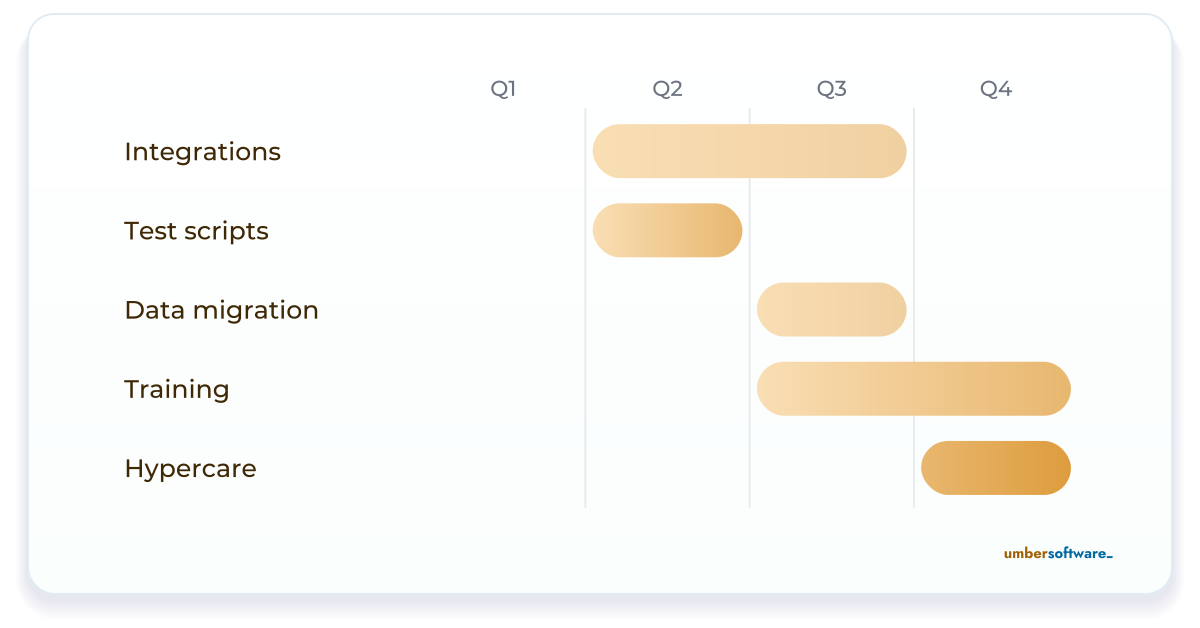
Write the test scripts now, while the design is fresh. Acceptance testing in month nine goes faster when the scripts already exist and each one points back to a requirement. Many of the points in my implementation checklist belong to this phase.
Months 7 to 8: Migrate and Integrate
Plan at least three trial loads: a small one to find mapping errors, a full one to measure duration and a final rehearsal with the cutover team. After each load, reconcile counts and totals against the old system and log every difference with an owner.
Duplicates, missing fields and inconsistent codes appear in almost every legacy dataset. Decide upfront which records you migrate, which you archive and which you drop. History older than your reporting needs rarely justifies the effort of moving it.
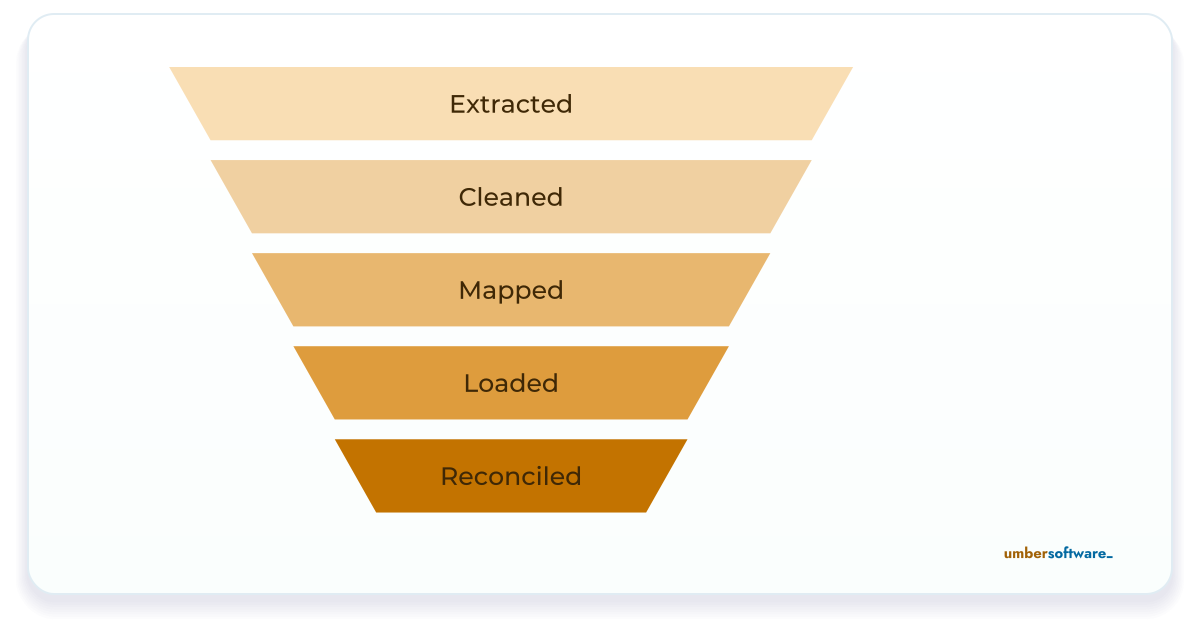
Run integration tests end to end: an order created in one system, billed in the second and reported in the third. Failure modes such as timeouts and duplicate messages deserve their own test cases, since they appear in production on the busiest day. The usual implementation challenges teams face cluster in this phase, and most come from data, not software.
Months 9 to 10: Test and Train
User acceptance testing belongs to your people, not the vendor. Give testers a script, a deadline and a way to report issues with screenshots. Triage daily and sort findings into must-fix before launch, fix in the first month and later.
Training works best in small groups, on the screens each role actually uses, with their own data. Record short videos of the five most common tasks and place them where users already work. A two-hour general session the week before launch is the weakest option I know.
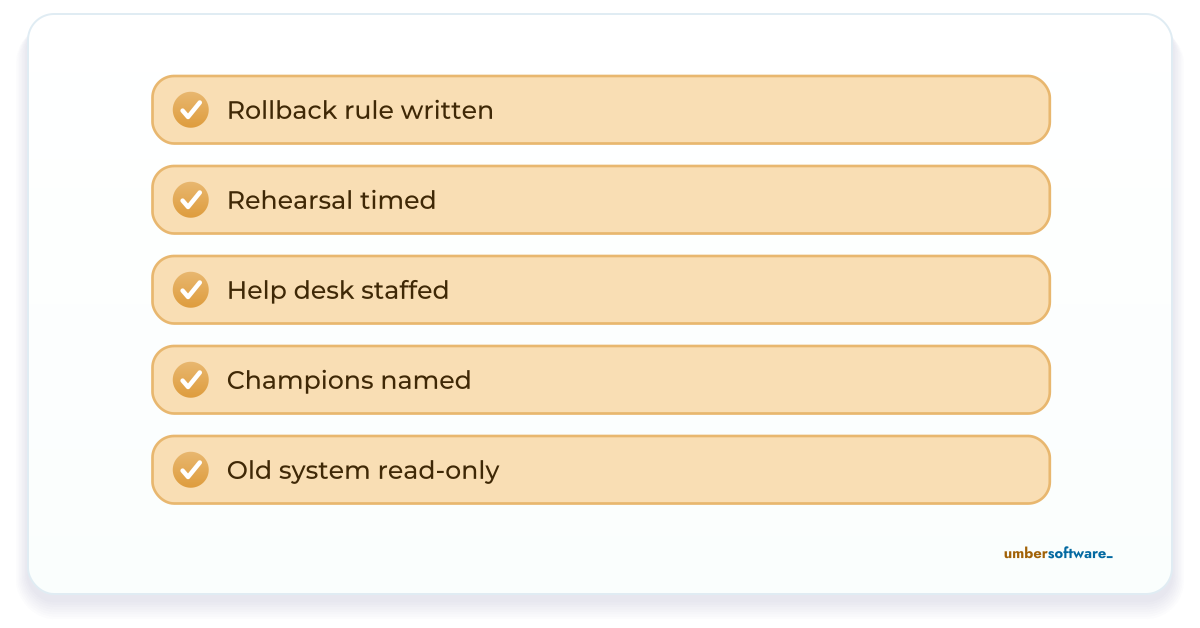
Hold a full cutover rehearsal near the end of month ten. Time every step, name who does it and write down the rollback trigger. If the rehearsal overruns its window, find out why before you fix a date.
Month 11: Go Live
Choose a go-live date away from month-end, quarter-end and your seasonal peak. Freeze changes a week before. Communicate in plain words what changes on Monday morning, where to get help and who can make decisions on the spot.
Plan hypercare for the first two weeks: a visible help desk, a daily 15-minute triage call and a shared list of known issues. Early problems cluster around permissions, reports and slow screens. Fix those fast, since they shape how users judge the system for months.
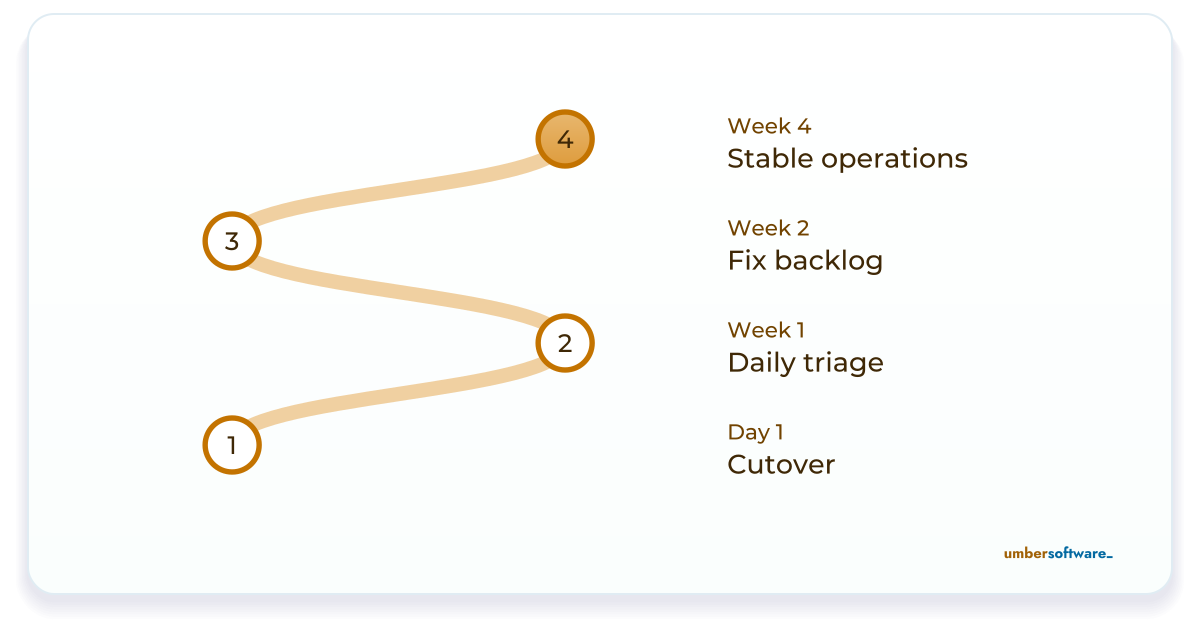
Keep the old system read-only for a set period. It gives users a place to check history and gives you a safety net while confidence builds.
Month 12: Stabilize and Measure
Use the last month to close the backlog and compare reality with the month-one goals. Pull the same measures you wrote down at the start, share them with the budget owner and be open about the ones that did not move. A candid review earns trust for phase two.
Retire the old system on a date, not "when we get to it". Licenses and servers that linger quietly erase part of the savings you promised. Hand day-to-day ownership to a named internal administrator, with documentation that someone else could follow.
Many of the habits that keep this phase clean are listed in the best practices for implementation I recommend. Review adoption by role: logins and completed tasks show more than any survey.
Where a 12-Month Plan Slips and How to Absorb It
Almost every roadmap slips somewhere. The useful question is whether the slip is contained. Compare how a delay in each phase typically spreads:
| Delay appears in | Usual cause | How far it spreads | Cheapest response |
|---|---|---|---|
| Scope (months 1 to 2) | Unclear owner or changing goals | Every later phase | Freeze scope and name one decision maker |
| Design (month 3) | Workshops without daily users | Rework in build | Add two frontline testers to design reviews |
| Data (months 7 to 8) | Late clean-up and unclear source of truth | Testing and go-live | Run the first trial load early |
| Training (months 9 to 10) | Planned late, one general session | Adoption after launch | Role-based sessions and short videos |
| Go-live (month 11) | No rehearsal or no rollback rule | Customer-facing errors | Rehearse once under a clock |
Build a buffer of three to four weeks into the calendar, and place it before testing and go-live, not at the end. Buffers at the end get spent on scope growth. Early buffers absorb the unexpected data problem. Weighing which risks deserve your attention first is the job of my list of implementation risks to watch.
How to Adapt the Roadmap to Your Business
Adjust the plan with three questions. How many systems does the new one touch? How much of your data is clean? How many people must change their daily routine? A small team with clean data and one integration can finish in five or six months. A multi-site business with years of messy records may need eighteen.
- Name a project owner with real authority before month one.
- Write measurable goals you will review in month twelve.
- Start data profiling in the design phase.
- Rehearse the cutover at least once under a clock.
- Plan hypercare staffing before you set the date.
- Set a retirement date for the old system.
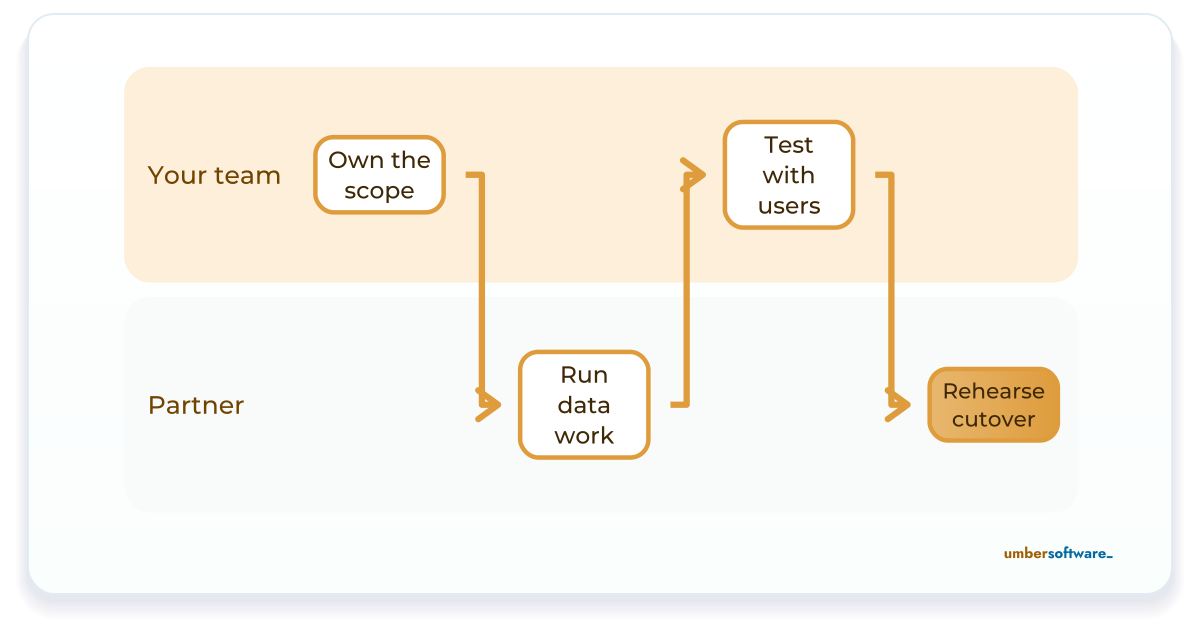
If your team lacks capacity for the data work or the testing, bring in outside help for those two parts first. They are the phases where extra hands save the most calendar time.
Questions About a Software Implementation Roadmap
How Long Does a Software Implementation Take?
A mid-sized business system usually takes six to twelve months from kickoff to stable operations. Small tools with clean data can finish in two to four months, and multi-site programs can run past a year. The phase order stays the same, and the time you gain or lose sits mostly in data preparation and testing.
What Is the Most Important Phase of the Roadmap?
The first one. Scope, owner and goals decide every later choice, and an unclear owner is the source of more delays than any technical issue. Data preparation comes second, since problems found late cost much more to fix.
Should I Use Phases or a Big-Bang Go-Live?
It depends on how many departments depend on the system on day one. A single department can go live at once. When several teams and integrations are involved, phased go-lives limit the blast radius and let you learn between waves. The roadmap works for both, with the go-live phase repeated per wave.
How Much Buffer Should I Add to the Plan?
Three to four weeks for a 12-month plan is a reasonable start, placed before testing and go-live. Adjust it up when your data is messy or when several vendors must deliver pieces on time.
Who Should Own the Project on My Side?
One named person with authority over scope and priorities, backed by a budget owner. A committee can advise, and one person decides. Give that person enough time in the calendar, since a part-time owner usually means decisions that wait.
When Should Training Start?
Plan it in the design phase, build materials during configuration and deliver sessions in the two months before go-live. Short role-based sessions with real data work better than one long general class, and recorded videos help new joiners later.
Do I Need Outside Help to Follow This Roadmap?
Not always. Teams with prior rollout experience can run it alone. Outside help pays off most in data migration, integration design and testing, where capacity runs short and the cost of a mistake is highest.
Please note: this guide is general information and not legal, financial or tax advice. Numbers and examples are typical-project estimates; confirm current details with your providers and advisers.
Did this article help you?
Thanks, noted.
Whitney Sorensen
Whitney leads the Umber editorial team and works with the consultants to turn real client projects into practical guides on software selection, custom development, integration and legacy modernization. Before joining Umber, she spent years writing and editing for engineering and IT teams. She has since reviewed architecture audits, system selections and modernization plans from client projects across industries from manufacturing to healthcare. She works remotely from the USA.