Main Points
- Eleven checks cover goal, scope, estimates, ownership, risks, dependencies, change control, status, testing and handover.
- Answer each with evidence, such as a document, a date or a number.
- Failed checks are ranked by what they cost if they go wrong.
- Run the full list at each milestone and four key checks every month.
A checklist cannot run your project, but it stops you from forgetting the dull things that cause the worst surprises. I use this one at the start of every software project management consulting review, and a team can complete it in an afternoon.
The eleven points are grouped by project stage. Each has a question, the evidence you should be able to show and a failure I see often. Fill it in with the project manager and one lead engineer, separately first, then compare.
The Checklist in One Table
| # | Check | Evidence to ask for |
|---|---|---|
| 1 | Goal and success measure are written down | One-page brief with a named sponsor |
| 2 | Scope lists what is in and what is out | Signed scope page with a date |
| 3 | Estimates are ranges with assumptions | Estimate sheet showing low, likely and high |
| 4 | Every milestone has one owner | Plan with a name per milestone |
| 5 | Work is cut into demonstrable slices | Slice list with demo dates |
| 6 | Risks are logged and reviewed weekly | Risk log with last review date |
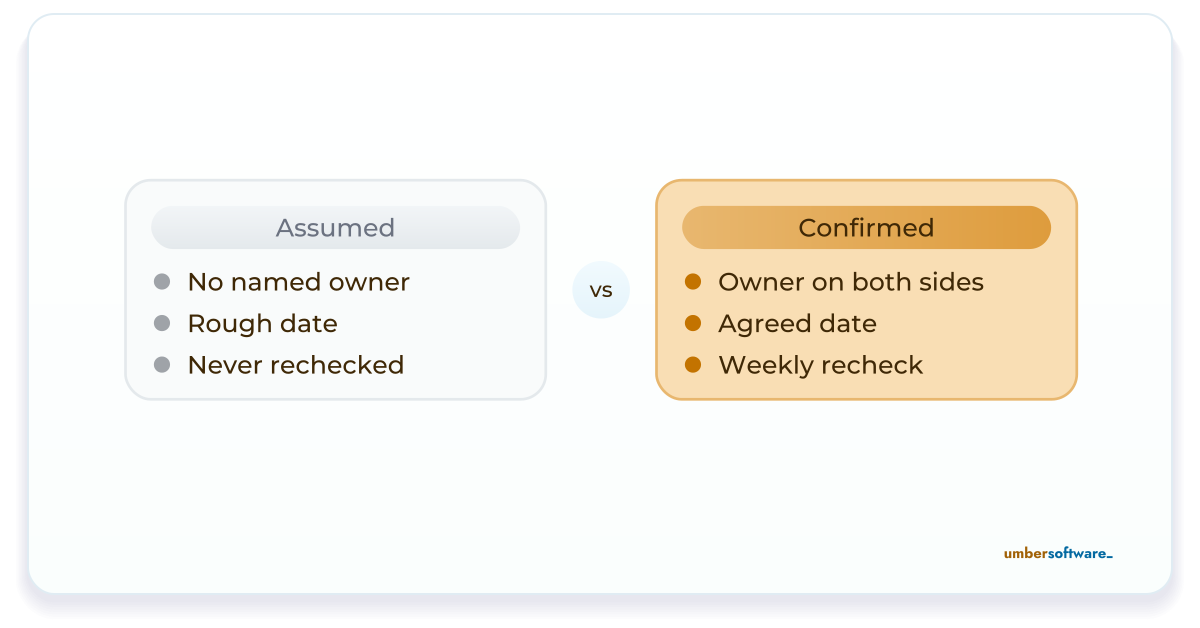
| 7 | Dependencies have owners and agreed dates | Dependency list with confirmations |
| 8 | Changes carry a cost and a decision | Change log with dated decisions |
| 9 | Status shows variance against plan | Last four weekly reports |
| 10 | Test, release and rollback plans exist | Test plan and rehearsed rollback |
| 11 | Handover and review are planned | Support owner and a review date |
Checks 1 to 3: Goal, Scope and Estimates
Start with the destination. A project without a written goal and a success measure has no way to tell whether it succeeded, and every later debate about scope becomes a matter of opinion. Ask the sponsor to state the goal in one sentence and the measure as a number. Two sponsors in the same company once gave me two different goals for one project. That was the first finding.
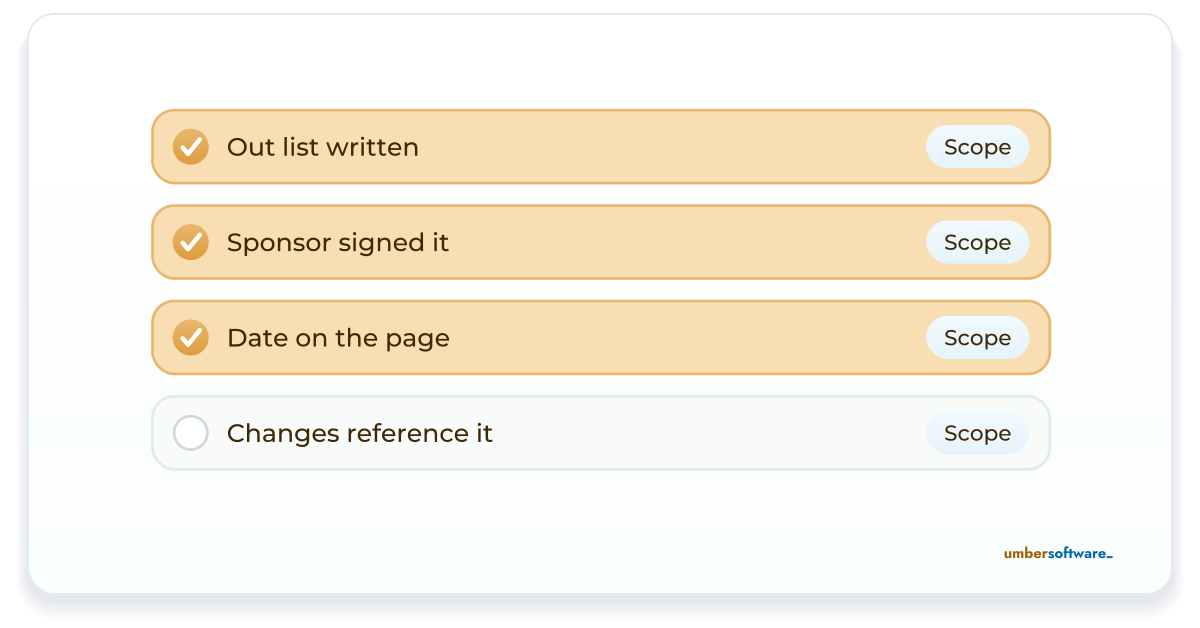
Check two asks for an out list. Everything excluded from the project should be written next to what is included. Teams that skip it pay later, when a stakeholder assumes a feature was included and nobody can prove otherwise.
Check three covers estimates. A single figure with no assumptions fails. Ask for a low, a likely and a high figure, and the three assumptions that would move them. Then compare with your history: if your last five projects ran over by a similar share, the estimate should show it.
Checks 4 to 7: Ownership, Slices, Risks and Dependencies
Check four is about names. Each milestone needs one person who answers for it. If the plan lists a team, ask who gets the phone call when it slips. When the answer takes more than a second, you have found a gap.
Check five looks at slices. Work cut into pieces a user can see shows real progress. Look at the plan for items such as "backend" or "framework setup" that last six weeks. Long internal items hide risk and give no early warning. Better slices let you cut scope cleanly when time runs short.
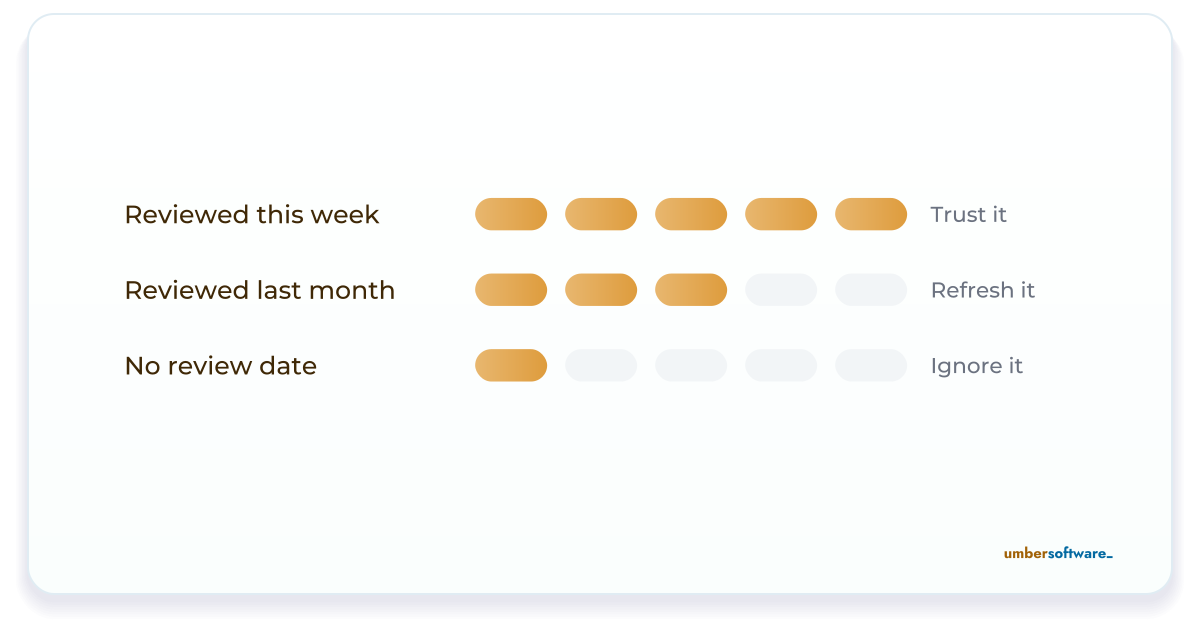
Check six is the risk log. Ask when it was last reviewed, not whether it exists. A log with a review date from two months ago is a document, not a tool. Each risk should have an owner and a next action.
Check seven covers dependencies. Many projects stall on a vendor interface, a security review or a platform team's calendar. List each dependency with the name of the counterpart and the date they confirmed in writing. A choice of tooling can make those lists easier to keep, and my comparison of software project management tools covers options.
A quick test for the group: ask each person to name the three biggest risks without looking at the log. If the lists differ from each other and from the log, the team does not share a picture of the project, whatever the documents say. Fixing that costs a conversation, and it is worth doing before any tool is changed.
Checks 8 and 9: Change Control and Status
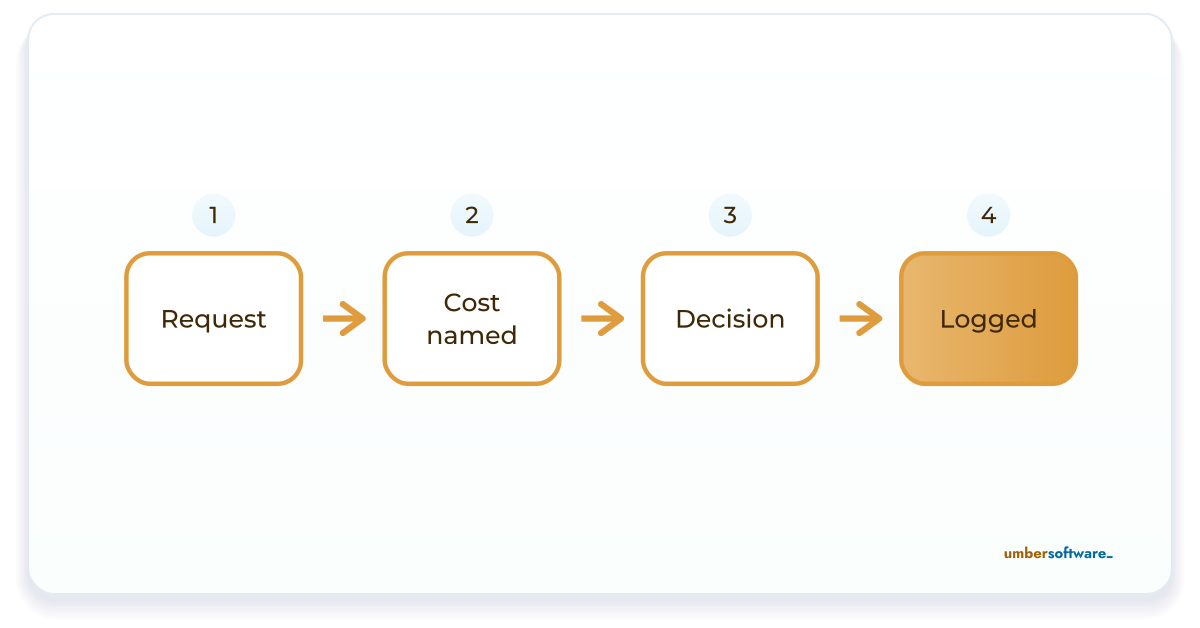
Check eight asks for a change log. Every request that changes scope should have a cost in time and money, a decision and a date. When the log is empty on a project that is six months in, changes are happening without a record, which is worse than a long log.
Check nine measures the status report. Take the last four weekly reports and compare them with what actually happened. Reports that stay green until the last month show that the report measures hope. A good report names the variance against plan, the top risk and any decision needed from the sponsor.
Reading four reports in a row tells you more than a single one. Look for trends: a date that moves a little each week, a risk that stays at the top for a month or a decision request that never gets an answer. Those are the signals to act on.
Checks 10 and 11: Release and Handover
Check ten is about testing and release. Ask for the test plan and the last rollback rehearsal. A release you cannot reverse is a bet, and rehearsing the rollback once costs a few hours. If testing is scheduled for the last two weeks of a project, answer no, since any defect found then threatens the date.
Check eleven covers handover and review. Name the team that will run and support the result, and book their training before launch. Then book the project review, even if it feels like a formality. The review is where the estimate meets the actual cost, and your history improves only when you record it.
A Worked Run: A Customer Portal Project
To show how the list behaves, here is a run on a typical client project: a customer portal, nine months planned, a team of eight developers and a vendor for payments. The project manager answered yes to nine of eleven checks. After evidence was attached, four of those became partial.
Check three slipped first. The estimate was a single date with no assumptions, and the last two projects had run over by about a third. Check seven followed. The payment vendor had never confirmed its test environment date, and the integration was due to start in three weeks. Check nine was the surprise: the last six reports were green, while the burndown showed the team a month behind.
The fixes were small. The estimate was rewritten as a range with three assumptions, which moved the likely date by five weeks. The vendor confirmed a date in writing, and when it proved wrong, the team found out in week two instead of week ten. The weekly report changed to show variance, and the sponsor decided to cut one feature rather than move the date.
Two lessons repeat across projects. First, self-reported passes are usually optimistic until evidence is attached. Second, the checks that matter most are rarely the ones that look untidy. A messy plan in a spreadsheet ran fine. The tidy green report was the real risk.
Scoring the Results and Acting on Them
Mark each check as pass, partial or fail, and attach the evidence. Do not turn the result into a percentage. Ten passes and a missing rollback plan is not a ninety percent project. It is a project that may not survive its release.
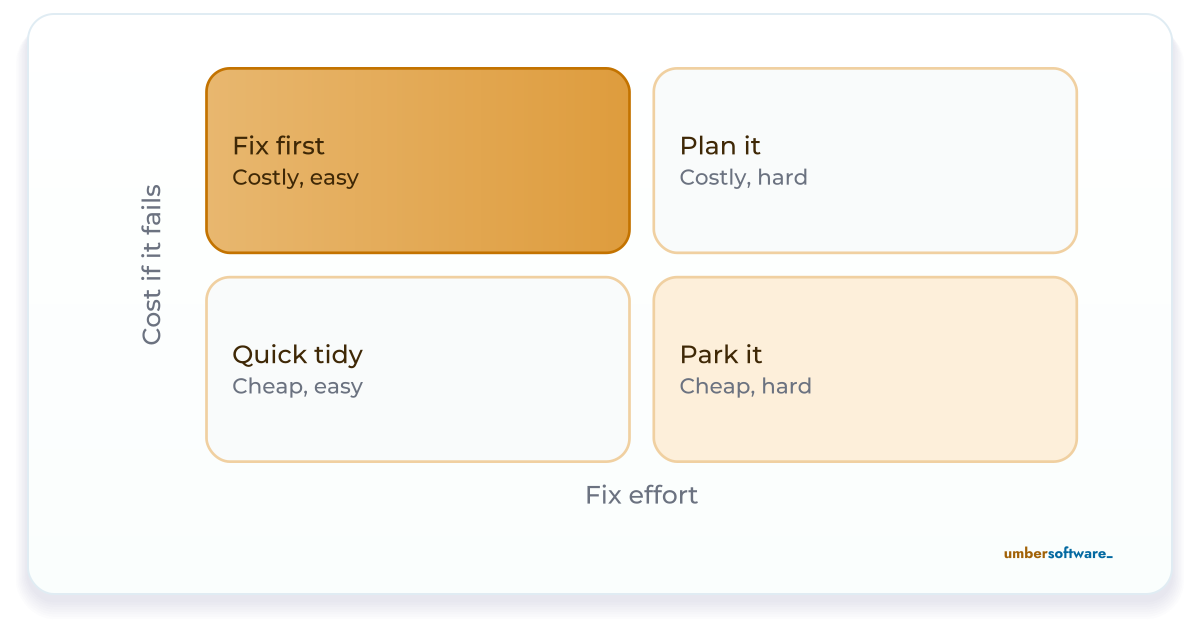
Rank the failures by cost. Estimate what each gap costs you if it goes wrong, in weeks, money or risk, and what fixing it costs. Fix the cheap, costly gaps first and put the rest on a watch list with an owner. For a view of what good looks like in each area, my list of software project management best practices pairs each habit with a mistake to avoid.
If several checks fail in the same area, a structured method helps, and the software project management framework shows how to order the work. Many of the failures link to a few common software project management challenges, such as unclear ownership and late testing.
| Result | What it means | What to do |
|---|---|---|
| Pass with evidence | The practice works and can be shown | Keep it, and recheck next quarter |
| Partial | The practice exists but evidence is old or thin | Refresh the evidence this month |
| Fail | The practice is missing | Rank by cost and fix the top two first |
How to Decide Who Runs the Checklist
For a first pass, the project manager and a lead engineer can do it alone. Ask each to answer separately, then compare. The gap between their answers is the signal. Add an outside reviewer when:
- The project has already slipped once and the plan was reset.
- A sponsor or investor wants an independent view.
- The answers differ widely and the team cannot settle them with evidence.
Whoever runs it, insist on evidence. The value of the list is that it replaces "I think so" with a document, a number or a date. Keep each dated copy, since a series of copies shows whether the project is getting healthier or drifting.
A last practical note: run the checklist again at each major milestone, and use a shorter version, checks three, six, seven and nine, every month. Those four catch most problems early, and they take about thirty minutes.
Questions About the Software Project Management Checklist
How Often Should I Run This Checklist?
Once at the start, again at each major milestone and in a shorter form monthly. After a serious slip, rerun the checks related to the cause while the details are fresh. A checklist used regularly stays short, because you keep removing what does not apply.
What If the Project Fails Several Checks?
Most do. Rank the failed checks by what each costs if it goes wrong, then fix the top two or three. A failed check with no cost can be an accepted risk, written down with a name next to it.
Is a Checklist Enough, or Do I Need a Full Project Review?
A checklist finds gaps in an afternoon. It does not tell you how serious a gap is for your dates and budget. When several checks fail or the stakes are high, follow up with a delivery review that looks at the actual numbers.
Who Should Fill in the Checklist?
The project manager and one lead engineer, separately first. Compare answers afterward. The points where they disagree are often the most useful result, since they show where the plan is not understood the same way.
Does the Checklist Work for Agile Projects?
Yes. Slices are sprint goals, the risk log fits a standing retrospective item and variance is the burndown against the release date. The checklist adds the date, budget and dependency view that sponsors need.
What Evidence Should I Attach to Each Answer?
A document, a number or a date. For example, the signed scope page for check two or the date of the last rollback rehearsal for check ten. An answer of yes without evidence is an opinion, and opinions are what the checklist is meant to replace.
How Is This Different from a Project Plan Template?
A template gives you a blank structure to fill. A checklist tests whether the structure you already have works. Use a template to start a project and the checklist to review one that is running.
Please note: this guide is general information and not legal, financial or tax advice. Numbers and examples are typical-project estimates; confirm current details with your providers and advisers.
Did this article help you?
Thanks, noted.
Whitney Sorensen
Whitney leads the Umber editorial team and works with the consultants to turn real client projects into practical guides on software selection, custom development, integration and legacy modernization. Before joining Umber, she spent years writing and editing for engineering and IT teams. She has since reviewed architecture audits, system selections and modernization plans from client projects across industries from manufacturing to healthcare. She works remotely from the USA.