Main Points
- Jira, Azure DevOps, Linear and Shortcut fit engineering teams; Asana, Smartsheet and Wrike fit cross-functional work.
- Low prices hide setup costs, so budget time to design the workflow.
- Microsoft Project suits large scheduled programs, not agile sprints.
- One owner for the tool setup prevents most of the mess.
The Best Software Project Management Tools at a Glance
| Tool | Type | Best for |
|---|---|---|
| 1. Jira | Issue and project tracker | Software teams running sprints and releases |
| 2. Azure DevOps | Boards, repos and pipelines | Microsoft-centered teams that want one toolchain |
| 3. Linear | Fast issue tracker | Product-led teams that value speed and focus |
| 4. ClickUp | All-in-one work management | Mixed teams that want tasks, docs and goals together |
| 5. Asana | Work and project management | Cross-functional teams that need clear ownership |
| 6. monday.com | Visual work platform | Teams that want customizable boards and automations |
| 7. Smartsheet | Spreadsheet-style project tool | Business teams that think in sheets |
| 8. Wrike | Enterprise work management | Larger organizations needing request and resource control |
| 9. Trello | Kanban boards | Small teams and simple workflows |
| 10. Shortcut | Agile planning tool | Small engineering teams that want a lighter Jira |
| 11. Microsoft Project | Scheduling and portfolio tool | Large programs needing detailed schedules |
The 11 Best Software Project Management Tools, Ranked
I start with the tools that serve the widest range of software teams and end with specialists. A tool will not rescue a project that lacks scope, estimates and risk tracking, which is why my software project management consulting work starts with the routines and then picks software. For the habits to set first, see my software project management best practices. Ratings come from G2 and prices from vendor pages, and both can change.
Jira
The Default Tracker for Software Teams, Powerful Enough for Almost Any Workflow and Easy to Over-Configure
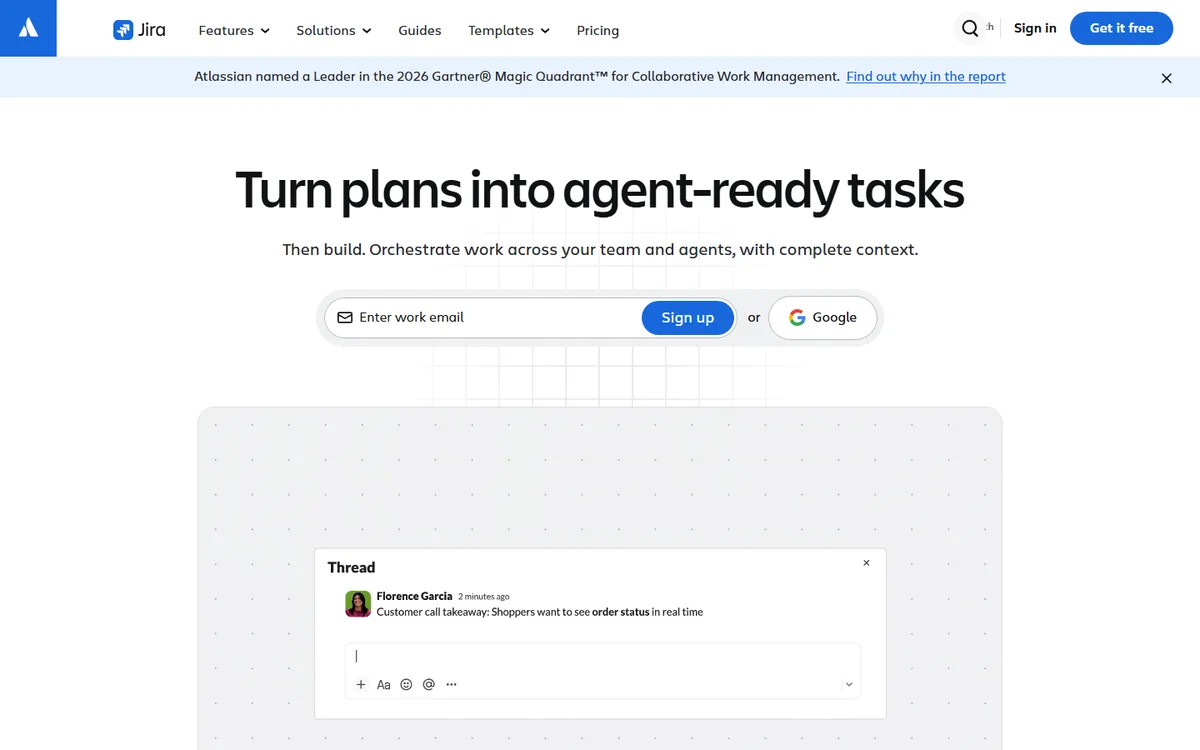
Jira is Atlassian's issue and project tracking tool, with boards, backlogs, roadmaps, sprints and reports built for software teams.
Jira is the tool most developers already know, and that matters more than any feature. Scrum and Kanban boards, epics, dependencies and release tracking cover the daily work, and the marketplace adds almost any integration. For a delivery lead, reports such as burndown and cycle time give the first real numbers on how work flows.
The risk is configuration sprawl. Over the years, teams add custom fields, statuses and workflows until nobody can explain them, and every ticket needs ten clicks. Review your setup twice a year and delete what you do not use. For non-technical teams, Jira can also feel heavy.
Jira Strengths
- Boards, sprints, epics and releases cover the whole delivery cycle
- A huge marketplace connects it to nearly every developer tool
- Reports show cycle time and flow, not just ticket counts
Jira Weaknesses
- Workflows tend to grow complicated without regular cleanup
- The interface can feel heavy for non-technical users
Jira Pricing
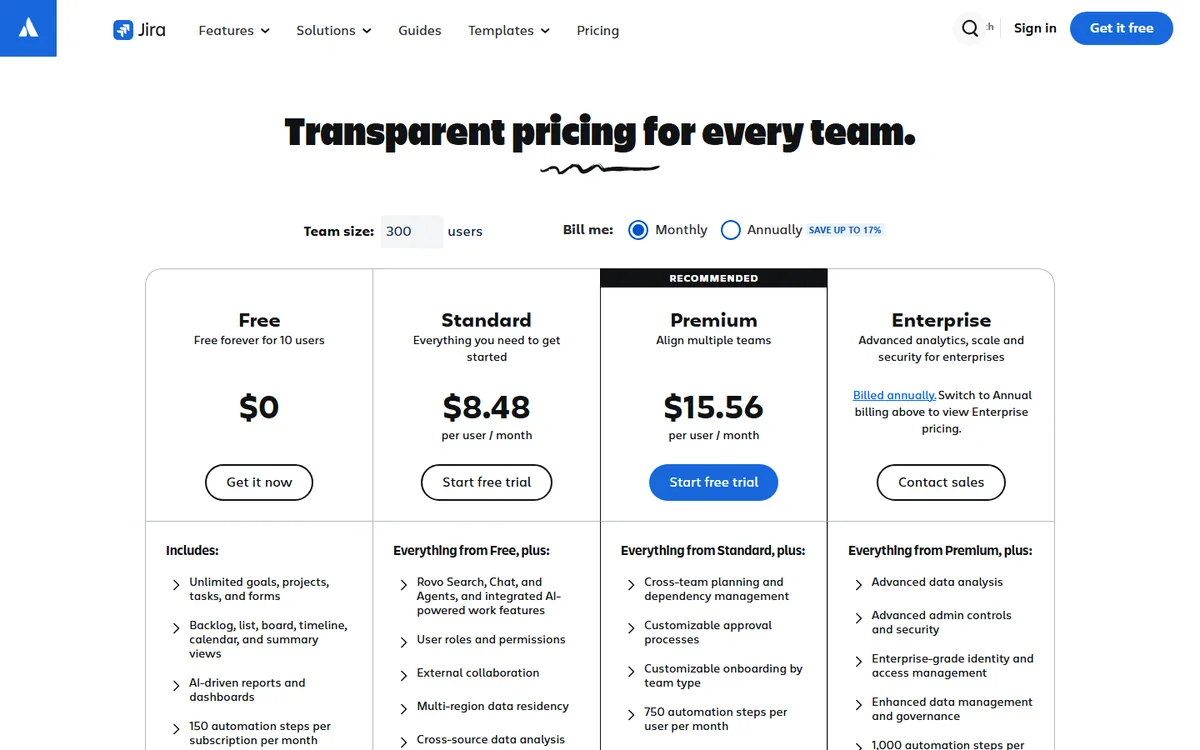
Atlassian lists Free, Standard, Premium and Enterprise plans for Jira. Per-user prices change with the number of users and the billing period, so check the Atlassian pricing page and use its calculator for your team size. The Free plan suits very small teams.
Jira Reviews
- G2: 4.3 of 5 stars (based on 8,074 verified reviews)
Azure DevOps
Boards, Code and Pipelines in One Platform, a Natural Fit for Teams Already Invested in Microsoft
Azure DevOps is Microsoft's platform for work tracking, source control, build pipelines and test management.
Azure DevOps puts planning next to code. Work items link to commits and pipeline runs, so you can trace a requirement to the build that shipped it. For teams already on Microsoft services, sign-in, permissions and reporting fit together, and the boards support Scrum, Kanban and traceability.
The interface is functional rather than friendly, and the marketplace is smaller than Jira's. Teams that use GitHub for code often wonder where Azure DevOps fits, so settle that before you adopt it. Pricing is low, which makes it attractive for larger groups.
Azure DevOps Strengths
- Work items link to code, builds and releases
- Low per-user price after five free users
- Good traceability for regulated work
Azure DevOps Weaknesses
- The interface feels dated compared with newer tools
- Fewer third-party integrations than Jira
Azure DevOps Pricing
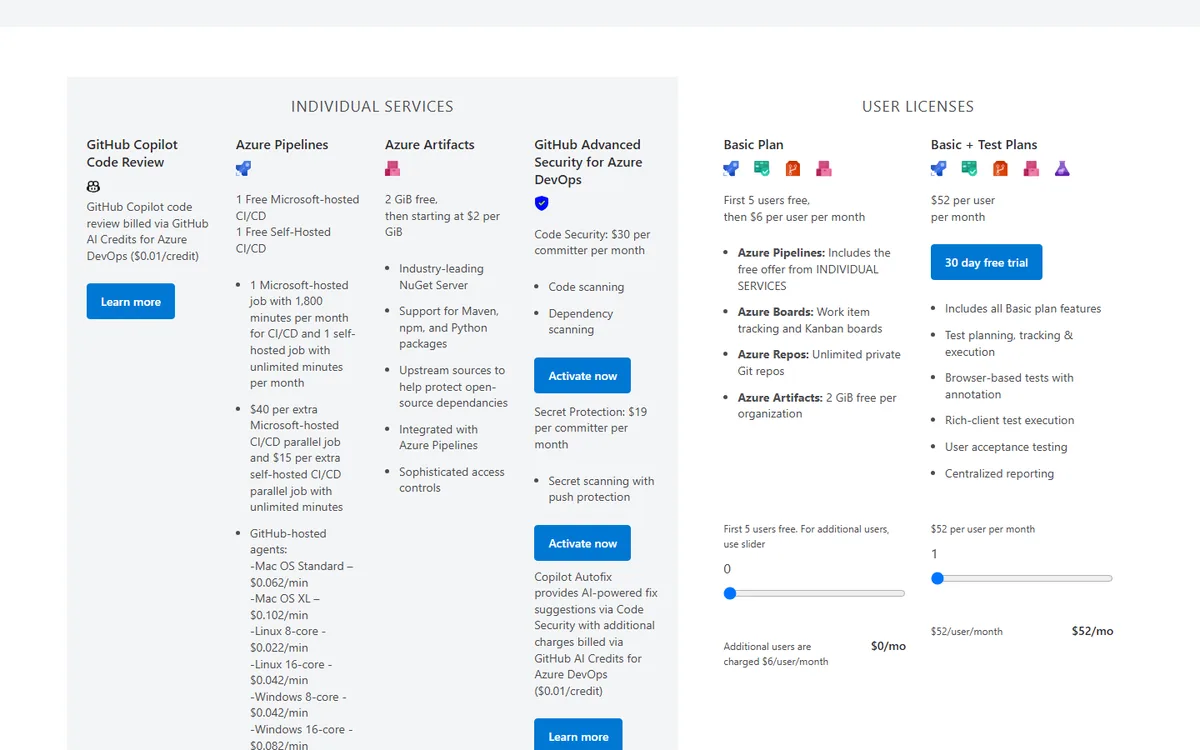
Microsoft lists the Basic plan with the first 5 users free, then $6 per user per month. Stakeholders are free with fewer features. Basic plus Test Plans is shown at $52 per user per month, though the page is inconsistent on this, so check the pricing calculator. Visual Studio subscribers get access without counting against the five free users.
Azure DevOps Reviews
- G2: 4.2 of 5 stars (based on 202 verified reviews)
Linear
The Fastest, Cleanest Issue Tracker for Small to Mid-Sized Product Teams, With Opinions You Must Accept
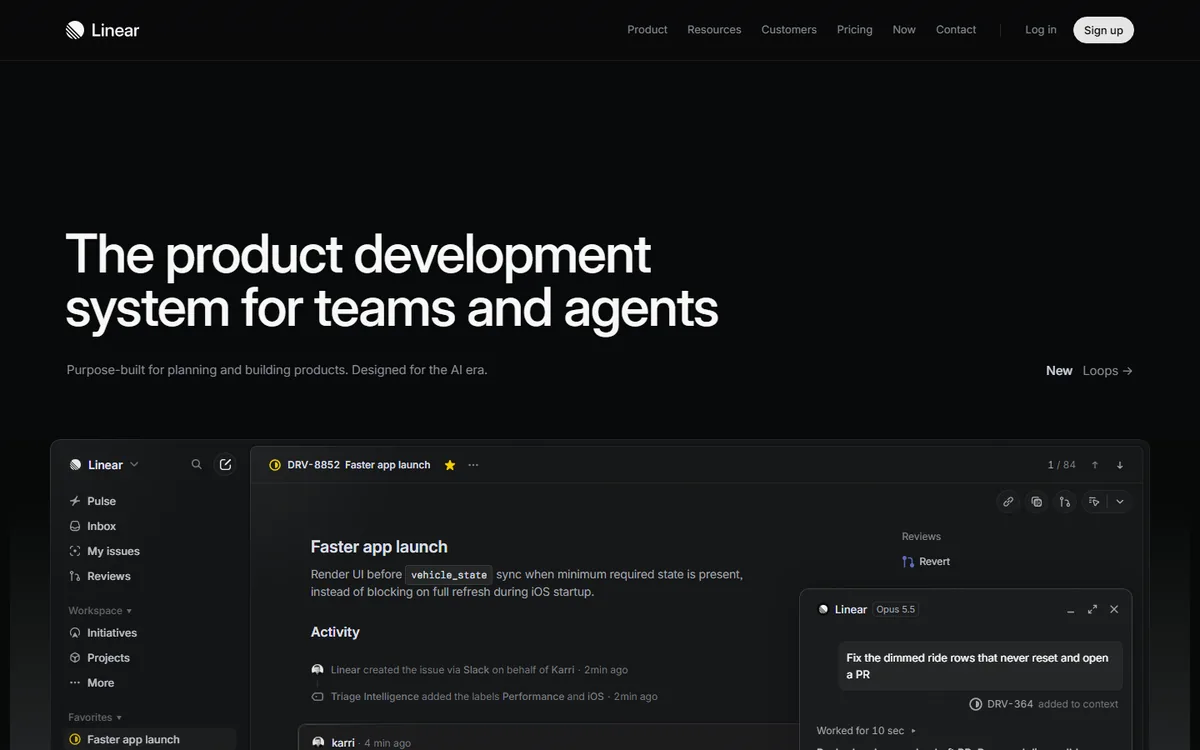
Linear is an issue tracker and project tool with cycles, projects, roadmaps and a keyboard-first interface.
Linear feels quick because it is quick. Issues are created in seconds, cycles give a steady sprint rhythm and the GitHub link moves tickets as pull requests merge. It also pushes a clear way of working, with few settings to tweak, so teams spend less time debating process.
Those opinions can be a limit. Complex approval flows, heavy reporting and custom fields are weaker than in Jira. Large enterprises with strict governance needs may find it too light. For a team of ten to a hundred engineers, it is often the happiest choice.
Linear Strengths
- Very fast interface and keyboard shortcuts
- Cycles and projects keep a steady rhythm
- Tight GitHub integration updates tickets automatically
Linear Weaknesses
- Less flexible for complex workflows and custom reporting
- Fewer enterprise governance features
Linear Pricing
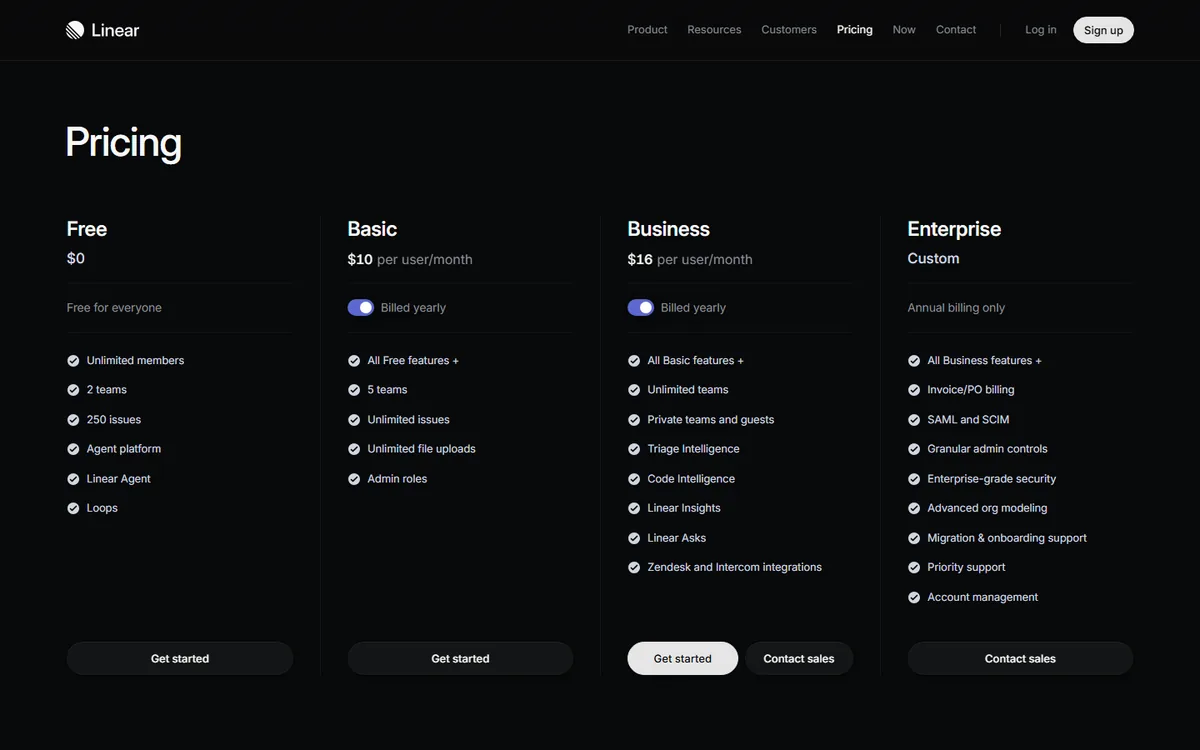
Linear lists Free with unlimited members, 2 teams and 250 issues. Basic costs $10 per user per month and Business $16 per user per month, both billed yearly. Enterprise is custom and billed annually.
Linear Reviews
- G2: 4.6 of 5 stars (based on 127 verified reviews)
ClickUp
An All-in-One Workspace With Almost Every View and Feature, at a Price That Is Hard to Beat, if You Can Tame the Options
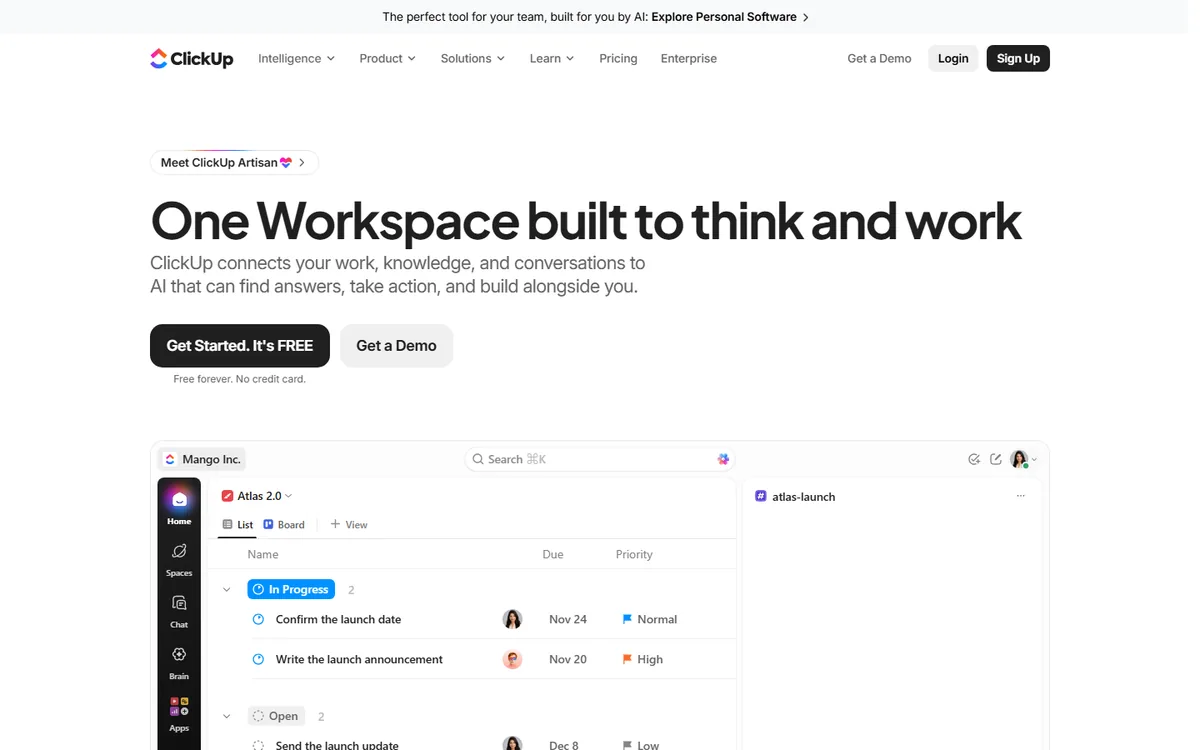
ClickUp is a work management platform with tasks, docs, whiteboards, goals, time tracking and many view types.
ClickUp suits teams where software work sits next to marketing, support and operations, and everyone wants one workspace. Lists, boards, Gantt and timeline views are available, tasks can hold subtasks and dependencies, and docs live beside the work. Pricing is low for the number of features.
Choice is the cost. New workspaces can become a maze of spaces, folders and custom fields, so give one person ownership of the structure. Performance on very large workspaces can lag. For pure developer workflows, Jira or Linear are tighter.
ClickUp Strengths
- Many views and features in one workspace
- Low price for the feature count
- Docs, goals and time tracking sit beside tasks
ClickUp Weaknesses
- Easy to build a confusing structure
- Large workspaces can feel slow
ClickUp Pricing
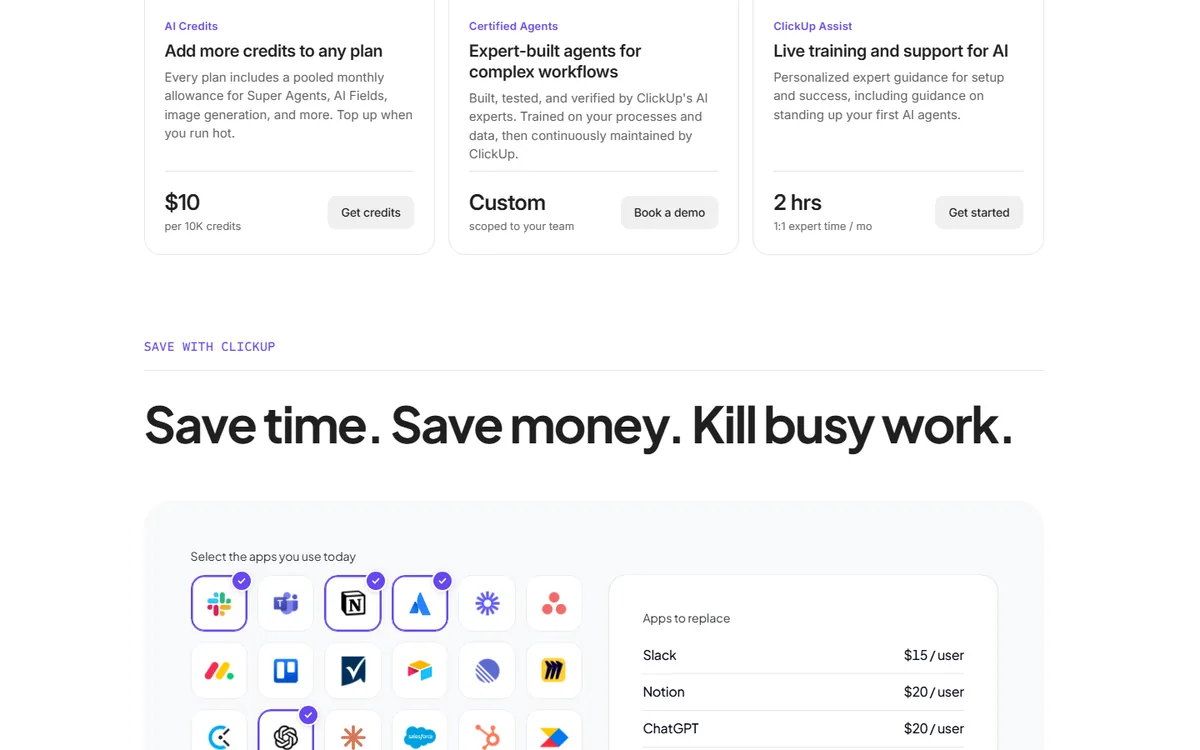
ClickUp lists Free Forever at $0 with unlimited tasks and members and 60 MB storage. Core is $9 and Business $17 per user per month billed yearly, against regular prices of $12 and $25. Enterprise is custom, and a Max plan is listed at $100 per user per month.
ClickUp Reviews
- G2: 4.6 of 5 stars (based on 15,524 verified reviews)
Asana

A Clear, Friendly Tool for Coordinating Work Across Teams, Lighter on Developer Features Than Jira
Asana is a work management tool with lists, boards, timelines, portfolios, goals and workflow automation.
Asana is easy to adopt, which is its main strength. Tasks have owners and due dates, timelines show dependencies and portfolios give leaders a view across projects. For software delivery that involves design, marketing, legal and support, it keeps non-technical colleagues in the plan.
Developers usually want more than Asana offers for sprints, code links and release work, so many teams connect it to Jira or GitHub. The better reporting and resource features sit in the Advanced tier, which costs more than twice the Starter price.
Asana Strengths
- Simple to learn for non-technical colleagues
- Timelines and portfolios show cross-project status
- Many integrations and automations
Asana Weaknesses
- Sprint and code features are weaker than developer tools
- Useful reporting needs the higher-priced plan
Asana Pricing
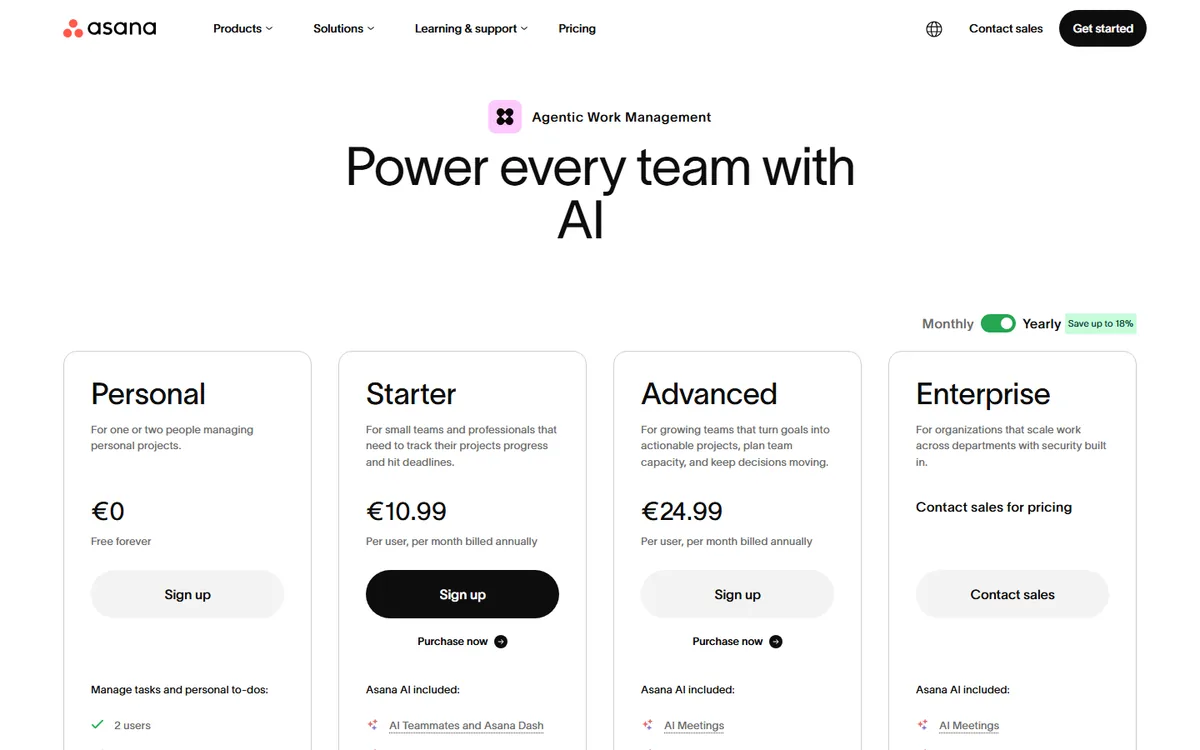
Asana's Personal plan is free for 2 users. Starter costs $10.99 per user per month billed annually or $13.49 billed monthly. Advanced costs $24.99 billed annually or $30.49 billed monthly. Enterprise is custom, and AI usage is sold as extra requests.
Asana Reviews
- G2: 4.4 of 5 stars (based on 14,123 verified reviews)
monday.com
A Highly Visual and Customizable Platform That Non-Technical Stakeholders Enjoy, With a Dev Edition for Engineering Teams
monday.com is a work platform with customizable boards, automations and dashboards, plus a separate monday dev product for software teams.
monday.com is easy to shape. Boards can be a backlog, a release plan or a vendor tracker, and automations handle status changes and reminders. Dashboards pull numbers from many boards, which helps project managers report without building slides.
Seat bundles and plan limits need care. Prices depend on the product you pick and the seat count, and some features, such as dependencies or time tracking, sit on higher plans. For deep engineering workflows, monday dev is the relevant product, and it is newer than the main tool.
monday.com Strengths
- Boards are easy to customize and read
- Dashboards combine data from many projects
- A separate monday dev product serves engineering teams
monday.com Weaknesses
- Features are spread across plan tiers
- Engineering workflows are less mature than in developer tools
monday.com Pricing
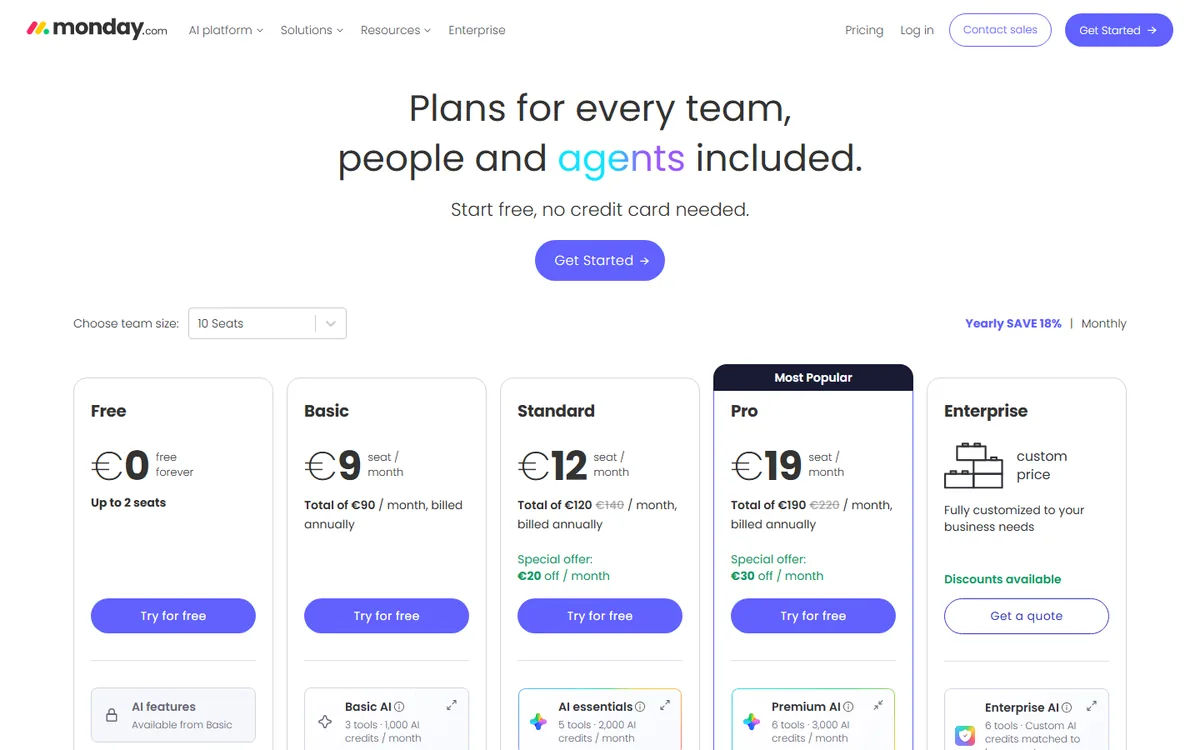
For monday work management, the site lists Free for up to 2 seats, Basic at $9, Standard at $12 and Pro at $19 per seat per month billed annually, and Enterprise on quote. monday dev lists Basic $9, Standard $12 and Pro $20. The page mentions plans starting from 3 users, so confirm the minimum.
monday.com Reviews
- G2: 4.7 of 5 stars (based on 17,961 verified reviews)
Smartsheet
A Spreadsheet-Style Tool With Strong Reporting and Portfolio Control for Teams That Think in Rows and Columns
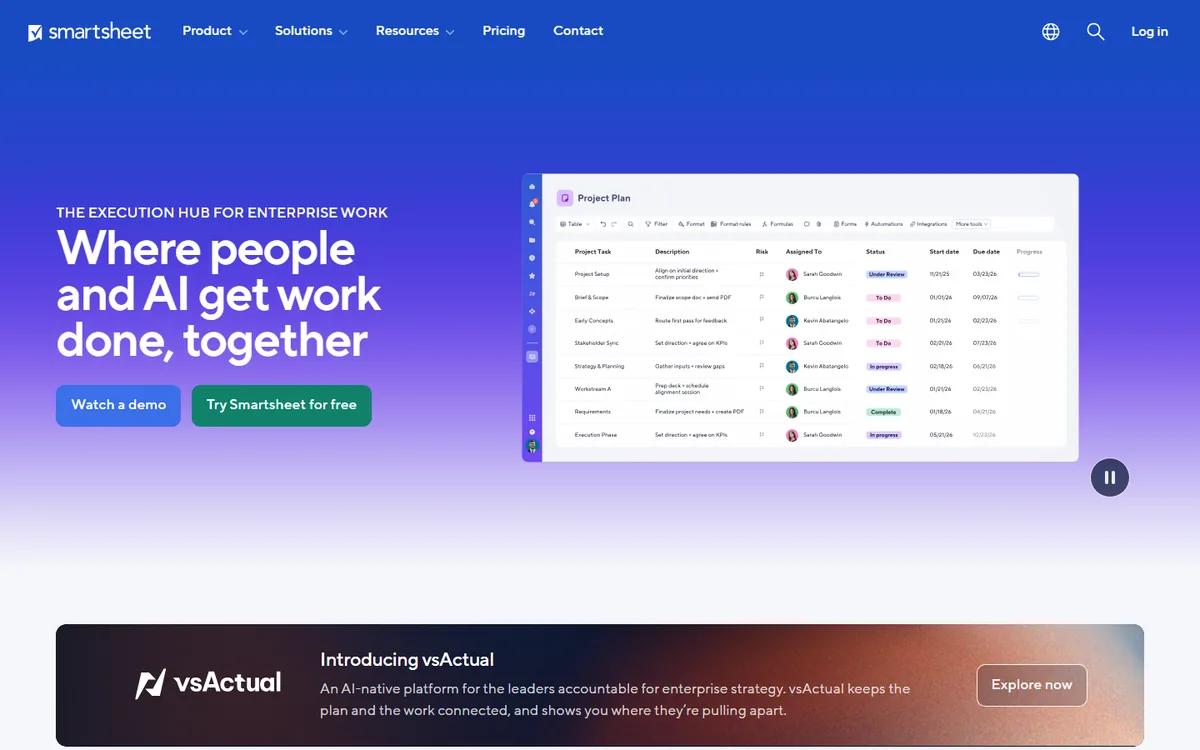
Smartsheet is a work management tool that combines spreadsheet-style sheets with Gantt charts, automation and dashboards.
Smartsheet fits project offices that already live in Excel. Sheets turn into Gantt charts and boards, approvals and reminders run automatically and dashboards roll up status across portfolios. Resource and budget tracking add depth for larger programs.
It is not built for agile engineering work. Backlogs, sprints and code links are better in developer tools, so use Smartsheet for program-level planning and let engineers keep their tracker. Higher tiers and add-ons also raise the cost.
Smartsheet Strengths
- Familiar spreadsheet feel for business users
- Strong dashboards and portfolio views
- Approvals and automations reduce manual follow-up
Smartsheet Weaknesses
- Not built around agile sprints or code
- Add-ons and enterprise tiers raise the price
Smartsheet Pricing
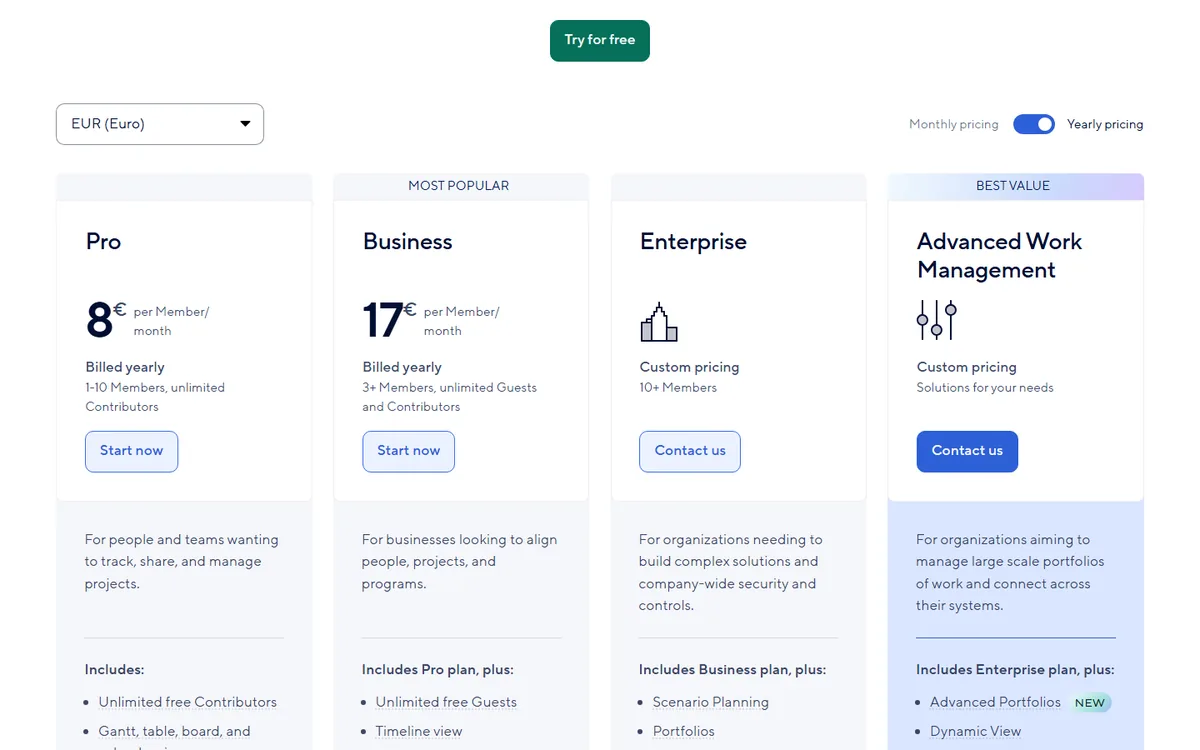
Smartsheet lists Pro at about $9 per member per month billed yearly or $12 monthly, for 1 to 10 members and only for new customers. Business is about $19 billed yearly or $24 monthly for 3 or more members. Enterprise and Advanced Work Management are custom. A 30-day trial needs no credit card.
Smartsheet Reviews
- G2: 4.4 of 5 stars (based on 23,197 verified reviews)
Wrike
A Structured Tool for Larger Organizations That Need Request Intake, Resource Views and Approvals
Wrike is a work management platform with task and project tracking, request forms, resource management and reporting.
Wrike handles the process side of delivery. Request forms route work to the right team, workload views show who is overloaded and proofing and approvals keep reviews moving. Its Gantt and custom workflows suit groups with many parallel projects.
The setup effort is real, and smaller teams can find it heavy. The two main paid plans cap users, from 2 to 15 for Team and 5 to 200 for Business, so larger groups move to sales-led plans. Developer integrations exist but are not its focus.
Wrike Strengths
- Request forms and approvals structure intake
- Workload and resource views
- Custom workflows for many parallel projects
Wrike Weaknesses
- Setup takes effort and feels heavy for small teams
- Larger teams must use sales-led plans
Wrike Pricing
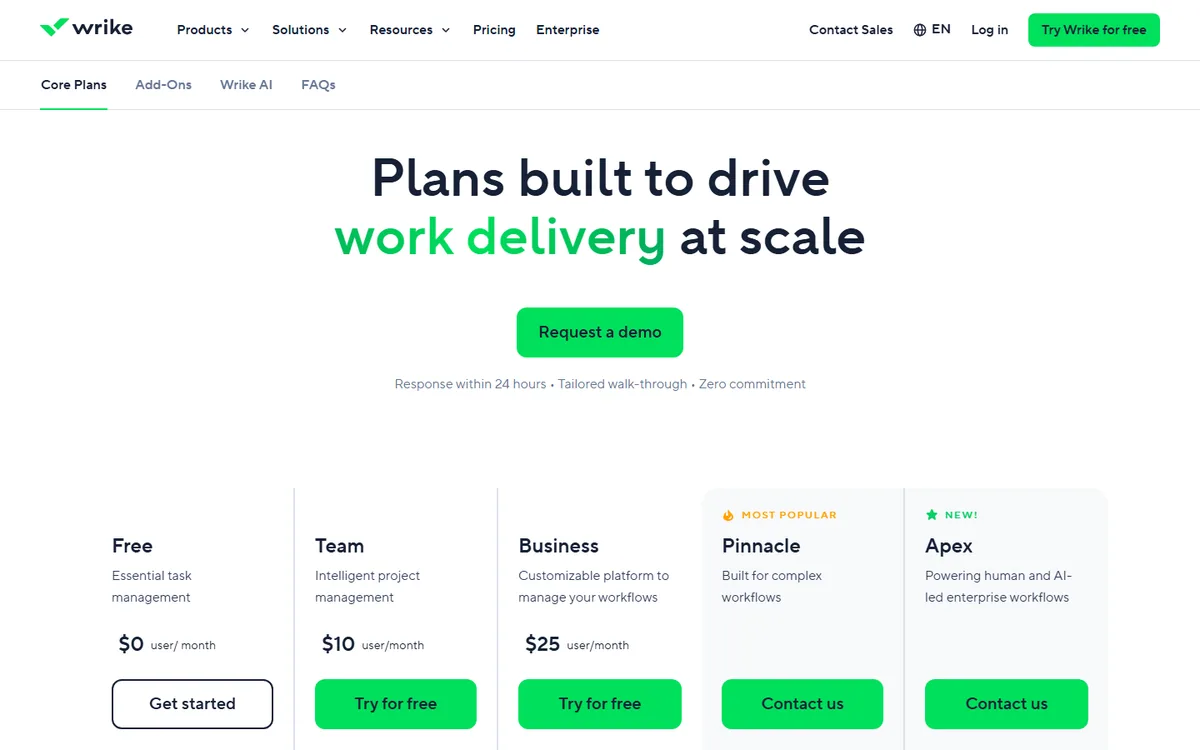
Wrike lists Free at $0, Team at $10 per user per month for 2 to 15 users and Business at $25 for 5 to 200 users, billed annually. Pinnacle and Apex are quoted on request. The page says prices apply to new purchases from January 21, 2026.
Wrike Reviews
- G2: 4.2 of 5 stars (based on 4,605 verified reviews)
Trello
The Simplest Kanban Board for Small Teams, Cheap and Quick to Learn and Not Meant for Complex Delivery
Trello is a card and board tool for visual task tracking, with automation and views added in higher plans.
Trello is the easiest tool on this list to explain. Cards move across columns, and a new colleague understands the board in a minute. For small projects, side workstreams and simple release checklists, it is enough, and the price is low.
It does not scale well to complex delivery. Dependencies, resource planning and cross-project reporting need Power-Ups or a different tool. Use Trello where simplicity is the goal, and move to a fuller tool once boards multiply.
Trello Strengths
- Very quick to learn
- Low price and a usable free plan
- Automation covers routine card moves
Trello Weaknesses
- Weak for dependencies and portfolio reporting
- Boards multiply and become hard to govern
Trello Pricing
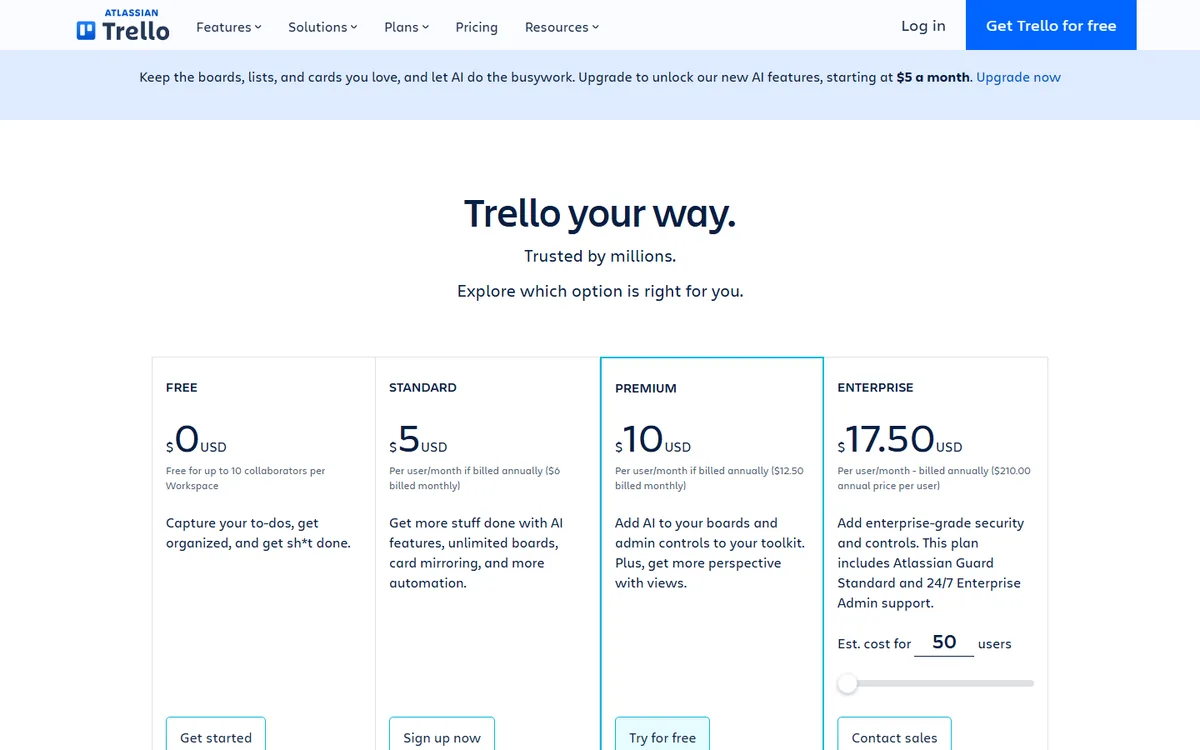
Trello's Free plan covers up to 10 collaborators and 10 boards per Workspace. Standard costs $5 per user per month billed annually or $6 monthly. Premium costs $10 billed annually or $12.50 monthly. Enterprise is $17.50 billed annually.
Trello Reviews
- G2: 4.4 of 5 stars (based on 14,072 verified reviews)
Shortcut
A Lighter, More Focused Agile Tool for Engineering Teams That Find Jira Heavy
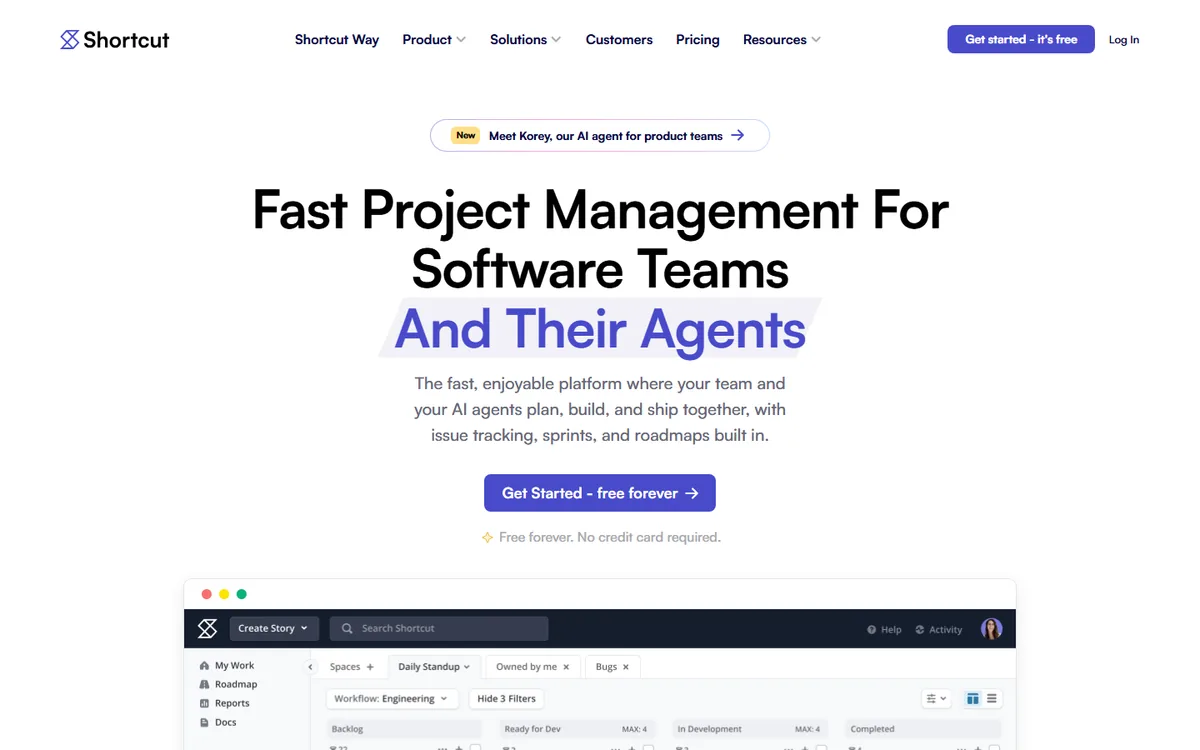
Shortcut is an agile project tool with stories, iterations, epics and objectives, aimed at software teams.
Shortcut sits between Linear and Jira. It offers stories, epics, iterations and an objectives layer, with Git integrations that update stories automatically. The structure is clear for engineers, and the free plan is useful for small teams.
It has a smaller community and fewer integrations than the big names. The free plan is capped at 10 users, and reporting is lighter than in enterprise tools. If you outgrow it, a move to another tracker takes planning.
Shortcut Strengths
- Clear agile structure for engineers
- Git integrations update stories
- Free plan for up to 10 users
Shortcut Weaknesses
- Smaller ecosystem than Jira
- Reporting is lighter at the high end
Shortcut Pricing
Shortcut lists Free for up to 10 users with 1 team and 5 GB storage. Team costs $8.50 and Business $12 per user per month, though the page does not say which billing period those prices reflect. Enterprise is custom.
Shortcut Reviews
- G2: 4.4 of 5 stars (based on 177 verified reviews)
Microsoft Project
The Classic Tool for Detailed Scheduling and Resource Planning on Large Programs, Heavier Than Most Software Teams Need
Microsoft Project is a scheduling and portfolio management tool with Gantt charts, critical path, resource planning and reporting.
Microsoft Project is the tool project offices use for detailed schedules. Critical path analysis, resource leveling and baselines suit programs with fixed dates, vendors and dependencies across many teams, such as an ERP rollout. It connects to the rest of the Microsoft stack.
For agile product teams it is too heavy and too schedule-focused. Licensing is also confusing, with desktop and subscription products. Use it when the program needs a detailed plan that executives and vendors will hold you to.
Microsoft Project Strengths
- Detailed scheduling and critical path analysis
- Resource planning for large programs
- Fits the wider Microsoft stack
Microsoft Project Weaknesses
- Too heavy for agile product teams
- Licensing and plan options are confusing
Microsoft Project Pricing
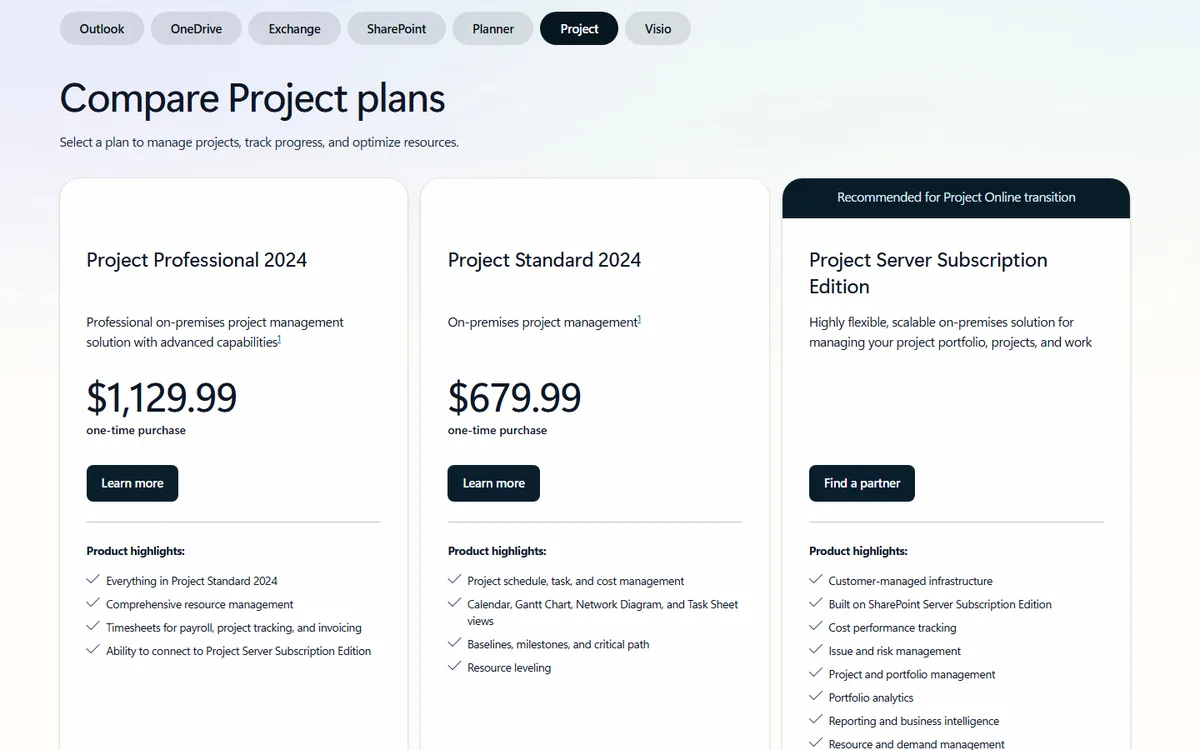
The Microsoft page lists one-time desktop prices of $1,129.99 for Project Professional 2024 and $679.99 for Project Standard 2024. Subscription plan prices were not shown on that page, so check Microsoft's current Planner and Project plan pricing before you buy.
Microsoft Project Reviews
- G2: 4.0 of 5 stars (based on 1,627 verified reviews)
Estimate the Return on a Project Management Tool
Before you pick a plan, check whether the numbers work. Enter the hours your team spends each week on status updates, ticket upkeep and reporting, plus the monthly price of the tool you consider. The calculator shows what it could return in a year.
Does the Tool Make Sense for You?
Drag the sliders to reflect your tasks and the plan you want to compare.
How to Choose the Right Software Project Management Tool
The right tool follows from who uses it and how your projects run. Before you compare vendors, answer four questions:
- Who lives in the tool every day: developers, business teams or both?
- Do you run sprints, fixed-scope projects or a mix?
- How many users need to edit, and how many only read?
- Which reports will leadership actually ask for?
Use a written software project management checklist to test each candidate on a real project during the trial. The way you structure delivery matters more than the tool, so compare options against your chosen software project management framework, and think about the software project management challenges you hit most often. A short call can settle a close decision.
Questions About Software Project Management Tools
What Is the Best Software Project Management Tool?
There is no single best. Jira is the common default for software teams, Linear suits small product teams that want speed, and Asana or Smartsheet fit cross-functional work. Choose by who uses it daily and how your projects run.
Is Jira Still the Best Choice for Software Projects?
It remains the most widely used and the most flexible, but flexibility has a cost in setup. Teams that want less configuration often prefer Linear or Shortcut. Teams with heavy reporting needs usually stay with Jira.
Which Project Management Tools Are Free?
Jira, Linear, ClickUp, Asana, monday.com, Wrike, Trello and Shortcut all list a free plan, with different limits. Azure DevOps gives the first five users free. Check limits on users, boards and storage before you rely on them.
Can I Use One Tool for Developers and Business Teams?
Sometimes. ClickUp, monday.com and Asana try to serve both. Many companies keep developers in Jira or Linear and give business teams a lighter tool, then connect the two by integration or a shared status report.
How Much Do Software Project Management Tools Cost?
Published paid prices on this list start around $5 per user per month for Trello Standard and run to $24.99 for Asana Advanced billed annually. Enterprise plans are quoted. Add the cost of setup and training, which often exceeds the licence price in the first year.
How Long Does It Take to Move to a New Project Tool?
Small teams can switch in a few weeks. Larger groups need a pilot project, a data move plan and training, which can take a quarter. Avoid switching in the middle of a critical release.
Do I Need Microsoft Project for Software Projects?
Rarely. It suits large programs with fixed dates, many vendors and dependencies, such as an ERP rollout. Most software teams do better with a developer tracker plus a simple portfolio view.
Important: prices, plans and ratings move quickly. They reflect our last update, so double-check each vendor’s site before purchasing. Nothing in this article is legal or financial advice.
Did this article help you?
Thanks, noted.
Whitney Sorensen
Whitney leads the Umber editorial team and works with the consultants to turn real client projects into practical guides on software selection, custom development, integration and legacy modernization. Before joining Umber, she spent years writing and editing for engineering and IT teams. She has since reviewed architecture audits, system selections and modernization plans from client projects across industries from manufacturing to healthcare. She works remotely from the USA.