Main Points
- Developer-first scanners like Snyk, Semgrep and Aikido fit teams that want findings in pull requests.
- Enterprise platforms like Checkmarx and Veracode suit large portfolios that need central policy and audit reports.
- Dynamic tools such as Burp Suite, Invicti and ZAP find runtime flaws that static tools cannot see.
- Run a two-week trial on your own code and count the findings your developers actually fix.
The Best Application Security Tools at a Glance
| Tool | Type | Best for |
|---|---|---|
| 1. Snyk | Developer-first SCA and SAST | Dev teams that want findings inside the IDE and pull requests |
| 2. SonarQube | Code quality and SAST | Teams that want quality and security gates in the same pipeline |
| 3. GitHub Advanced Security | Code host security suite | Teams that already host code on GitHub |
| 4. Semgrep | Lightweight SAST and supply chain | Teams that want fast scans and rules they can write themselves |
| 5. Checkmarx One | Enterprise application security platform | Large organizations that want many scan types under one contract |
| 6. Veracode | Enterprise SAST, DAST and SCA | Regulated companies that want a managed, report-driven program |
| 7. Mend.io | SCA with SAST and automated updates | Teams that care about open-source license and update management |
| 8. Black Duck | Open-source risk and SBOM management | Companies that must track licenses and produce software bills of materials |
| 9. Aikido Security | All-in-one platform for smaller teams | Small and mid-sized teams that want one tool for many checks |
| 10. Burp Suite | Web penetration testing toolkit and DAST | Security testers who probe web apps by hand |
| 11. Invicti | Enterprise DAST | Teams that need automated scanning of many web applications and APIs |
| 12. ZAP | Free open-source DAST | Teams that want free dynamic scanning in CI and manual testing |
The 12 Best Application Security Tools, Ranked
I start with the tools that suit the widest range of teams and move toward enterprise platforms and specialist testing tools, so you can stop reading once you find your fit. The tool is only part of the result: in the software security consulting work I see, deciding what to scan first and who fixes the findings matters more than the brand of scanner. If you are not sure where you stand, a software security assessment gives you that starting point.
Snyk
Developer-First Security That Finds Vulnerable Libraries and Code Flaws Where Your Team Already Works
Snyk scans open-source dependencies, your own code, containers and infrastructure files, and shows fixes in the editor and in pull requests.
Snyk started with software composition analysis and added code scanning, container and infrastructure checks on the same platform. Its main idea is to put findings in front of developers while they work, in the IDE, the repository and the pull request, instead of in a report for a security team.
In my experience it is a strong first purchase when your biggest worry is vulnerable open-source libraries. Fix suggestions and automatic upgrade pull requests save real time. Its code scanning is newer than its dependency scanning, and a Capterra reviewer calls it weak, so I would test it on your own repositories before you rely on it. Costs rise with developer count, and larger organizations report sales pressure.
Snyk Strengths
- Findings appear in the IDE and pull requests, so developers act on them
- Automatic fix pull requests for vulnerable dependencies
- One platform for libraries, code, containers and infrastructure files
Snyk Weaknesses
- Pricing climbs as developer counts grow
- Code scanning is less proven than its dependency scanning
Snyk Pricing
Snyk lists a Free plan at $0 per month for individual developers and small teams. The Team plan starts at $25 per month, billed monthly, for teams of up to 10 developers. Enterprise has no public price: you buy credits, where one credit equals $1, through a sales contact. Open-source maintainers can apply for free access.
Snyk Reviews
- G2: 4.5 of 5 stars (based on 136 verified reviews)
- Capterra: 4.6 of 5 stars (based on 21 verified reviews)
SonarQube
The Standard Choice for Putting Code Quality and Security Gates Into Every Build
SonarQube analyzes your code for bugs, code smells and security issues, and can fail a build when a quality gate is not met.
SonarQube is the tool I see most often in pipelines that already care about code quality. It scans many languages, reports bugs, maintainability problems and security hotspots, and enforces a quality gate that blocks a merge when new code falls below your standard.
The gate on new code is its best feature. You do not have to fix ten years of old problems to start, and you only agree that new code stays clean. As a security tool, it is a solid static analyzer, though it does not scan your dependencies in the same depth as a dedicated SCA product, so most teams pair it with one. You can choose the hosted SonarQube Cloud or the self-managed Server.
SonarQube Strengths
- Quality gates on new code let you start without a cleanup project
- Free tier for small private projects and open-source repositories
- Hosted and self-managed options
SonarQube Weaknesses
- Dependency scanning is not its main strength
- Server pricing is not published and depends on lines of code
SonarQube Pricing
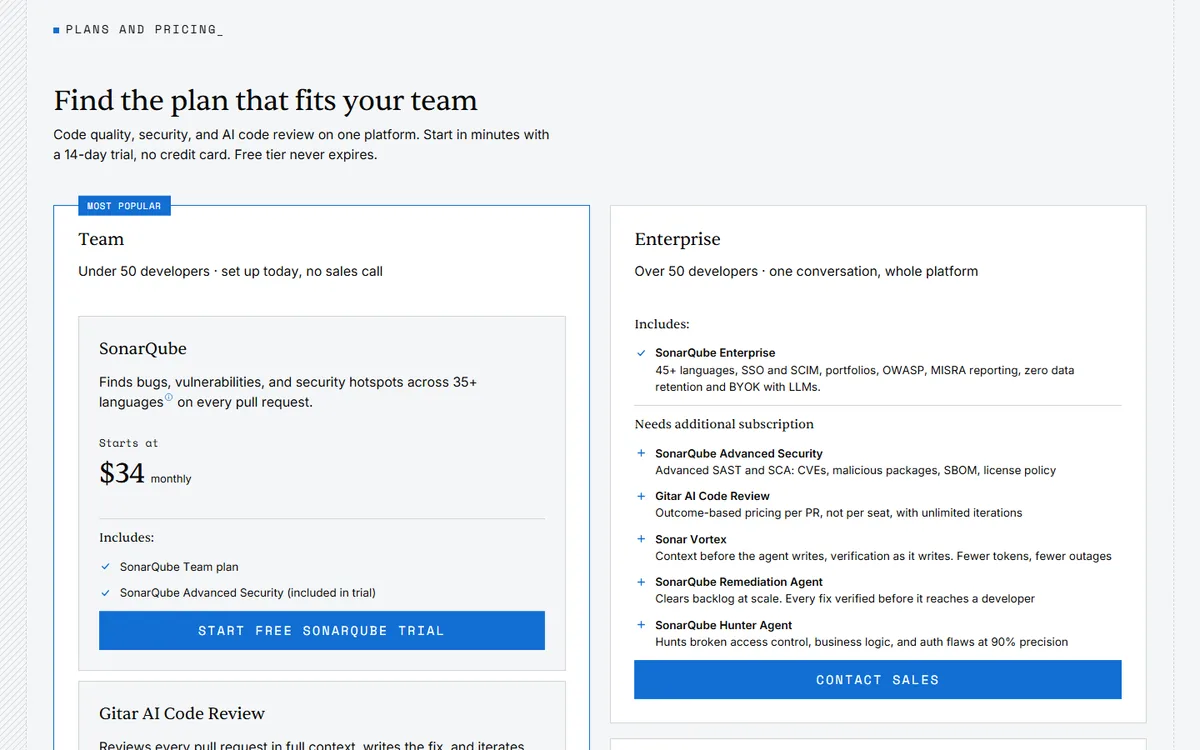
SonarQube Cloud has a free Developers plan for private projects up to 50k lines of code. The Team plan starts at $34 per month for up to 100k lines of code, billed monthly, and Enterprise is annual and by quote for organizations above 50 developers. Public open-source repositories are free. SonarQube Server comes in Developer, Enterprise and Data Center editions priced per instance per year by lines of code, and dollar amounts are not published.
SonarQube Reviews
- G2: 4.4 of 5 stars (based on 167 verified reviews)
GitHub Advanced Security
The Lowest-Friction Option When Your Code Already Lives on GitHub
GitHub Code Security adds CodeQL code scanning and Copilot Autofix, and GitHub Secret Protection adds secret scanning with push protection.
GitHub sells its security features as two add-ons: Code Security, with CodeQL analysis and Copilot Autofix, and Secret Protection, which finds leaked credentials and blocks them at push time. Because they sit inside the platform, findings show up in pull requests with no extra login or integration.
If your repositories are on GitHub, I usually start here for secret scanning, since blocking a leaked key before it is committed saves a rotation later. CodeQL is a capable static analyzer, and dependency alerts are part of the platform. Coverage is tied to GitHub, so if you use several code hosts you need another tool, and the per-committer pricing needs a check against your active developer count.
GitHub Advanced Security Strengths
- Findings appear directly in pull requests
- Push protection stops secrets before they land in history
- No extra integration work for GitHub teams
GitHub Advanced Security Weaknesses
- Only useful for code hosted on GitHub
- Per-committer pricing adds up for large teams
GitHub Advanced Security Pricing
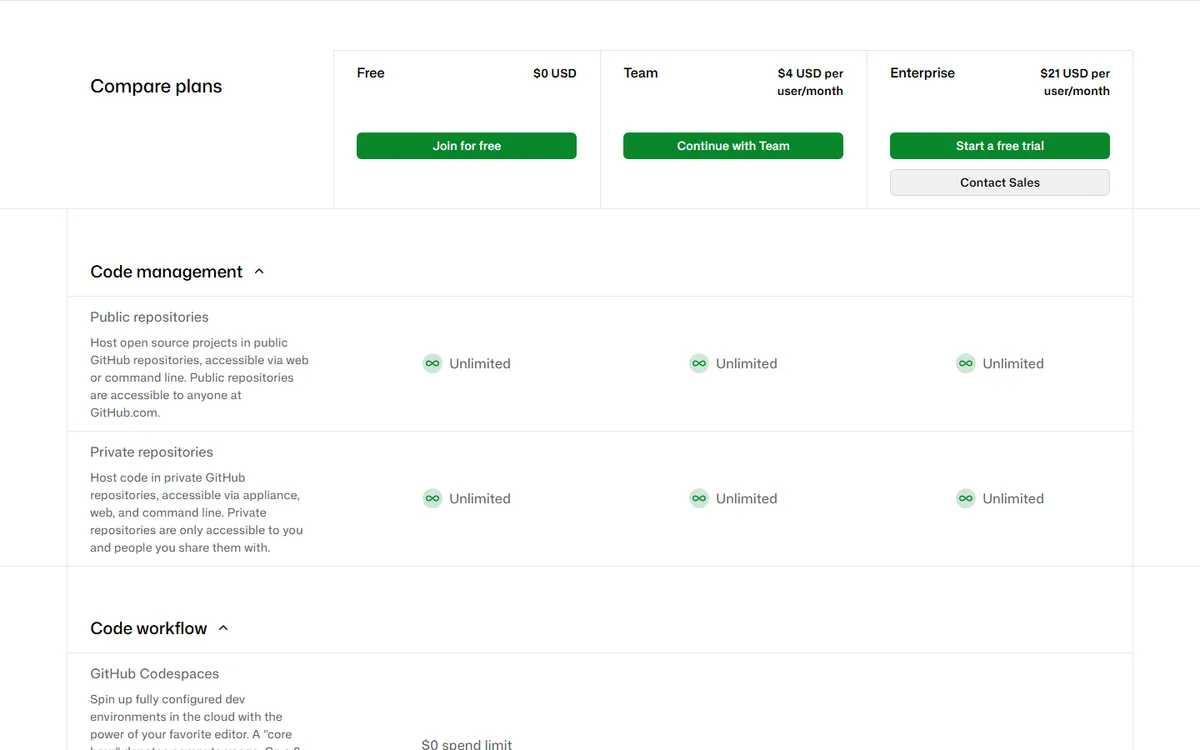
GitHub lists Secret Protection at $19 per active committer per month and Code Security at $30 per active committer per month. You can buy either one on its own.
GitHub Advanced Security Reviews
- G2 and Capterra ratings for this product were not available when I checked. Read current reviews on each site before you decide.
Semgrep
Fast Scans and Readable Rules That Let Your Own Engineers Tune What Gets Flagged
Semgrep runs static analysis with rules written in a code-like syntax, plus supply chain and secrets scanning on its platform.
Semgrep is built around rules that look like the code they match. That makes it easy for your engineers to write a custom check, for example a ban on a risky internal function, and to tune out noise without waiting for a vendor. Scans are fast enough to run on every pull request.
I like it for teams with strong developers who want control. The open-source engine is free, and the platform adds a managed dashboard, supply chain analysis and secrets detection. The trade-off is that you will spend some time on rule tuning, and its coverage of unusual frameworks depends on community and vendor rules. Teams without engineering time for that may prefer a more hands-off product.
Semgrep Strengths
- Easy to write custom rules in your own codebase
- Fast enough for every pull request
- Free tier for up to 10 contributors
Semgrep Weaknesses
- Needs some rule tuning to reach low noise
- Per-product pricing adds up when you enable everything
Semgrep Pricing
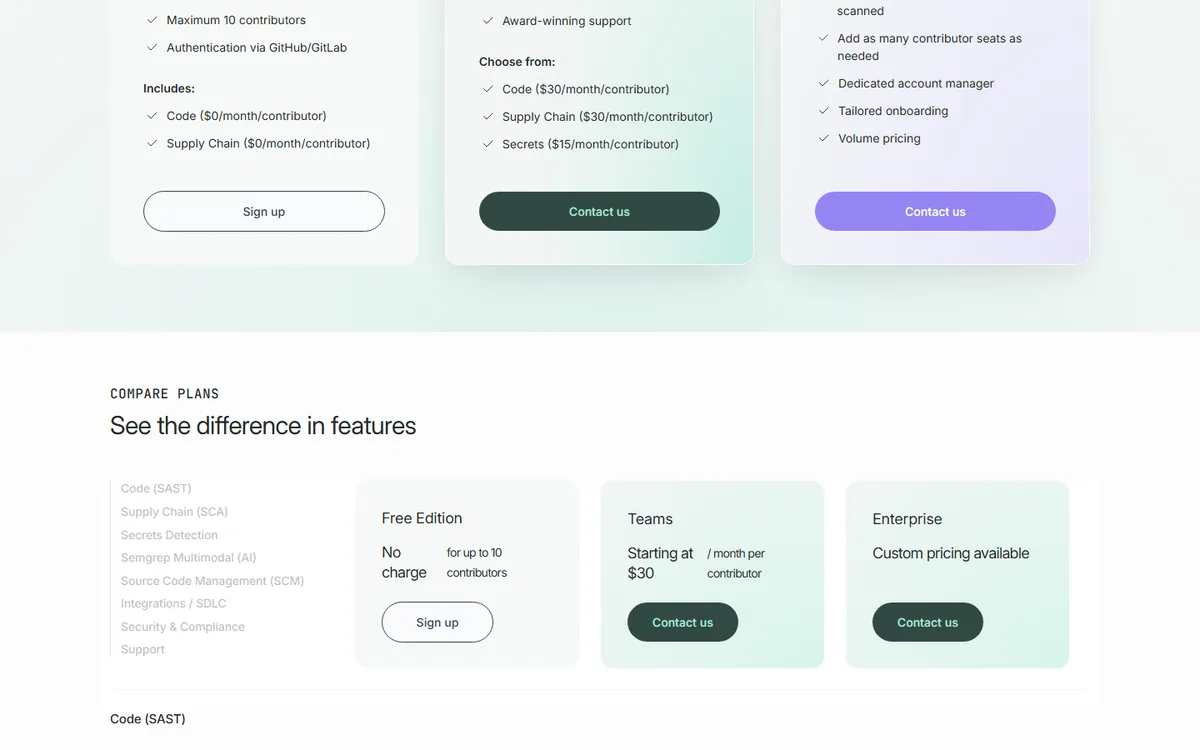
The Free edition costs $0 and includes Code and Supply Chain for up to 10 contributors. Teams starts at $30 per month per contributor for Code and $30 per month per contributor for Supply Chain, with Secrets at $15 per month per contributor. Enterprise pricing is custom.
Semgrep Reviews
- G2: 4.6 of 5 stars (based on 56 verified reviews)
Checkmarx One
A Broad Enterprise Platform for Companies That Need Many Scan Types and Central Reporting
Checkmarx One combines static analysis, dependency scanning, infrastructure-as-code checks and dynamic testing with central policy and reporting.
Checkmarx is one of the long-standing names in static analysis, and its current platform adds software composition analysis, API and infrastructure checks and dynamic testing. Larger security teams like the central policy engine and the reporting that goes with it.
I see it most in big organizations with a dedicated application security team and many applications to cover. Setup and tuning take more effort than a developer-first tool, and G2 reviewers rate it 4.2, below several newer rivals. If you have a small team, I would test lighter options first. If you must show auditors one platform with consistent reports across hundreds of applications, it deserves a place on your shortlist.
Checkmarx One Strengths
- Many scan types and central policy under one platform
- Reporting that suits large portfolios and audits
- Long track record in static analysis
Checkmarx One Weaknesses
- Setup and tuning take more effort than lighter tools
- Pricing on request, so you must ask for a quote
Checkmarx One Pricing
Checkmarx does not publish prices for Checkmarx One. You request a quote, and cost depends on the products you license and the size of your team.
Checkmarx One Reviews
- G2: 4.2 of 5 stars (based on 50 verified reviews)
Veracode
A Managed, Audit-Friendly Platform for Organizations That Need Consistent Reporting
Veracode offers static, dynamic and composition analysis as a cloud service, including scanning of compiled code, with policy and reporting for audits.
Veracode has been in the application security market for a long time and sells static, dynamic and dependency analysis as a cloud service. It can scan compiled binaries, which helps when you must test code you cannot easily build, such as software from a supplier.
It suits organizations that need a managed program with policies and evidence for auditors. The experience is less developer-friendly than newer tools, and the G2 rating of 3.8 from 26 reviews is the lowest in this list, so read recent reviews on speed and usability before you commit. A pilot on two of your own applications will show you whether the findings workflow fits your team.
Veracode Strengths
- Can scan compiled code, useful for supplier software
- Policy and reporting that suit audit needs
- Static, dynamic and dependency analysis in one service
Veracode Weaknesses
- Less developer-friendly than newer tools
- Lowest G2 rating of the tools here, from a small review count
Veracode Pricing
Veracode does not publish prices. Quotes depend on the number of applications and the scan types you license.
Veracode Reviews
- G2: 3.8 of 5 stars (based on 26 verified reviews)
Mend.io
Strong Open-Source Dependency Control With Automated Update Pull Requests
Mend.io covers open-source dependency scanning, code scanning and containers, and sponsors the Renovate dependency update tool.
Mend, formerly WhiteSource, built its name on open-source dependency management and still shines there. It finds vulnerable and unwanted libraries, checks licenses and prioritizes issues, and it ties into Renovate, a widely used tool that opens pull requests to keep dependencies current.
If you ship software with a long list of open-source components, this is a sensible shortlist item, especially where license policy matters to legal and procurement. Its code scanning and newer AI security products are younger parts of the portfolio, so judge them separately from the dependency features. Mend publishes pricing as a maximum per developer per year, which makes budgeting easier than with quote-only vendors.
Mend.io Strengths
- Deep open-source dependency and license management
- Renovate integration for automated update pull requests
- Published per-developer price ceilings
Mend.io Weaknesses
- Code scanning is a younger part of the portfolio
- Add-ons such as DAST and API security have no listed price
Mend.io Pricing
Mend lists Mend AppSec at up to $1,000 per developer per year, Mend AI at up to $300 per developer per year and Mend Renovate Enterprise at up to $250 per developer per year. Developers are counted as contributing developers, with no per-GB fees. DAST, API Security and end-of-life support are add-ons without listed prices.
Mend.io Reviews
- G2: 4.3 of 5 stars (based on 123 verified reviews)
Black Duck
The Specialist for Open-Source License Risk and Software Bills of Materials
Black Duck, with its Polaris platform, scans open-source components, licenses and code, and produces software bills of materials.
Black Duck is known for open-source composition analysis, license compliance and software bills of materials. Polaris is its platform that brings static analysis, dependency scanning and other tests together under one login.
Where it fits best is the company that must prove what is inside its software, such as a vendor selling to regulated customers or a team going through an acquisition. For an ordinary web application team that wants quick feedback in a pull request, it is heavier than needed. G2 reviewers give the Polaris platform 4.2 from 104 reviews, so satisfaction is solid, but plan time for setup and policy design.
Black Duck Strengths
- Strong open-source license and SBOM capabilities
- Useful for acquisitions and supplier due diligence
- Several test types under one platform
Black Duck Weaknesses
- Heavier setup than developer-first tools
- Pricing on request
Black Duck Pricing
Black Duck does not publish prices. You request a quote based on the products and the size of your team.
Black Duck Reviews
- G2: 4.2 of 5 stars (based on 104 verified reviews)
Aikido Security
One Dashboard for Code, Dependencies, Secrets, Containers and Cloud Checks Without a Security Team
Aikido bundles code scanning, dependency checks, secrets, container and infrastructure scanning and dynamic testing in one product with noise filtering.
Aikido aims at teams without a dedicated security staff. It brings several scan types into one dashboard and works hard to cut false positives, so a small engineering team is not buried in alerts. Setup is quick, and the plans include a set number of users.
I like it as a starting point for a startup or mid-sized company that needs credible coverage and evidence for customer questionnaires without hiring a specialist. Its 272 G2 reviews with a 4.5 rating show a lot of recent adoption. Very large enterprises with complex policy needs may outgrow it, and you should check how its scanners perform on your languages, since all-in-one tools trade some depth for breadth.
Aikido Security Strengths
- Many scan types in one place, quick to set up
- Noise reduction for small teams
- Free plan and published team prices
Aikido Security Weaknesses
- Less depth than specialist tools in each area
- Enterprise policy features are lighter
Aikido Security Pricing
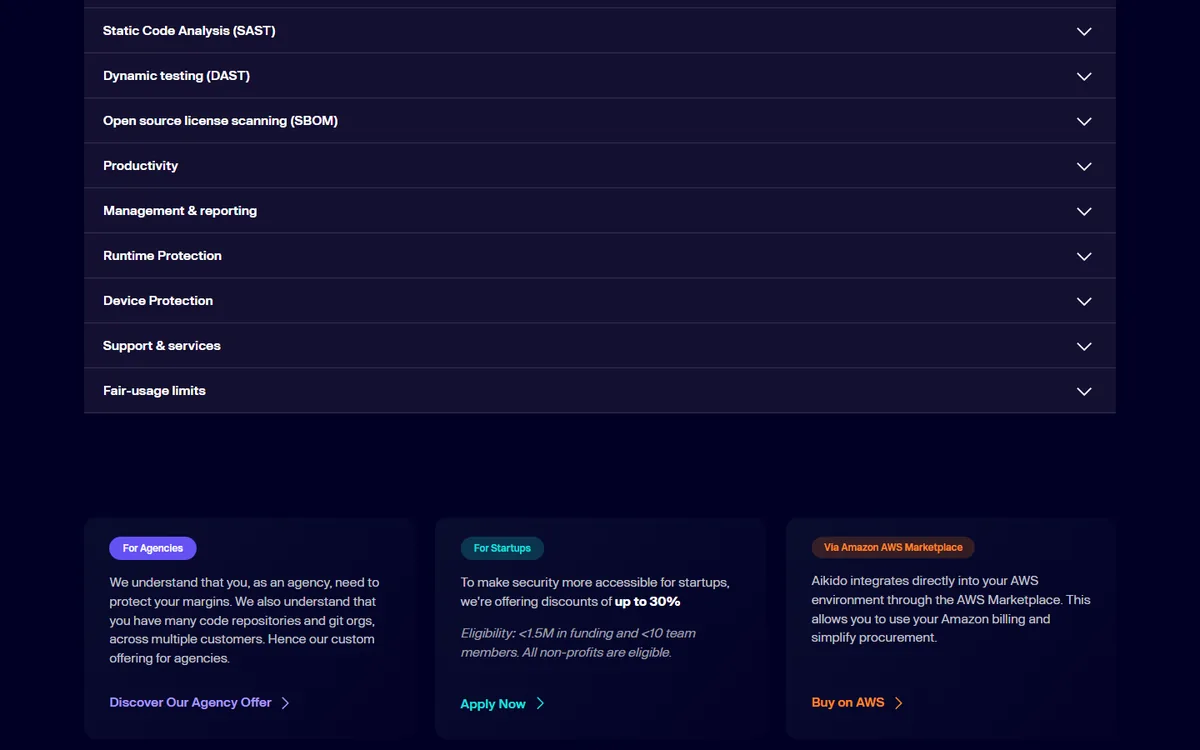
Aikido lists a Developer plan at $0 forever for 2 users. Basic is listed at 300 per month and Pro at 600 per month, each including 10 users, and Advanced is also 600 per month. Enterprise pricing is custom. Eligible startups can get up to 30% off, and annual billing carries a 10% discount. The page shows no currency for the paid plans, so confirm the currency and terms there before you buy.
Aikido Security Reviews
- G2: 4.5 of 5 stars (based on 272 verified reviews)
Burp Suite
The Tool Penetration Testers Reach for When a Web Application Needs a Human Look
Burp Suite lets testers intercept, modify and replay web traffic, with an automated scanner in the Professional edition and an enterprise DAST edition.
Burp Suite is a toolkit for testing web applications. A tester routes browser traffic through it, inspects every request and changes them to see how the application reacts. The Professional edition adds an automated scanner, and a separate DAST edition targets enterprise scanning at scale.
It is a tool for people, not a set-and-forget pipeline check, so it complements code scanners rather than replacing them. G2 reviewers give it 4.8 from 137 reviews, the highest score in this list. If you hire penetration testers, ask whether they use it. If you plan to test in-house, budget for training, because the value comes from the tester's skill.
Burp Suite Strengths
- Highly rated by security testers
- Deep manual testing features and extensions
- Professional edition has a clear published price
Burp Suite Weaknesses
- Needs skilled testers to get full value
- Less suited to automated checks on every commit
Burp Suite Pricing
Burp Suite Professional is listed at $499 on the PortSwigger product page. The page does not give a price for the Burp Suite DAST edition, so ask PortSwigger for a quote.
Burp Suite Reviews
- G2: 4.8 of 5 stars (based on 137 verified reviews)
Invicti
Automated Web Application and API Scanning Built for Large Portfolios
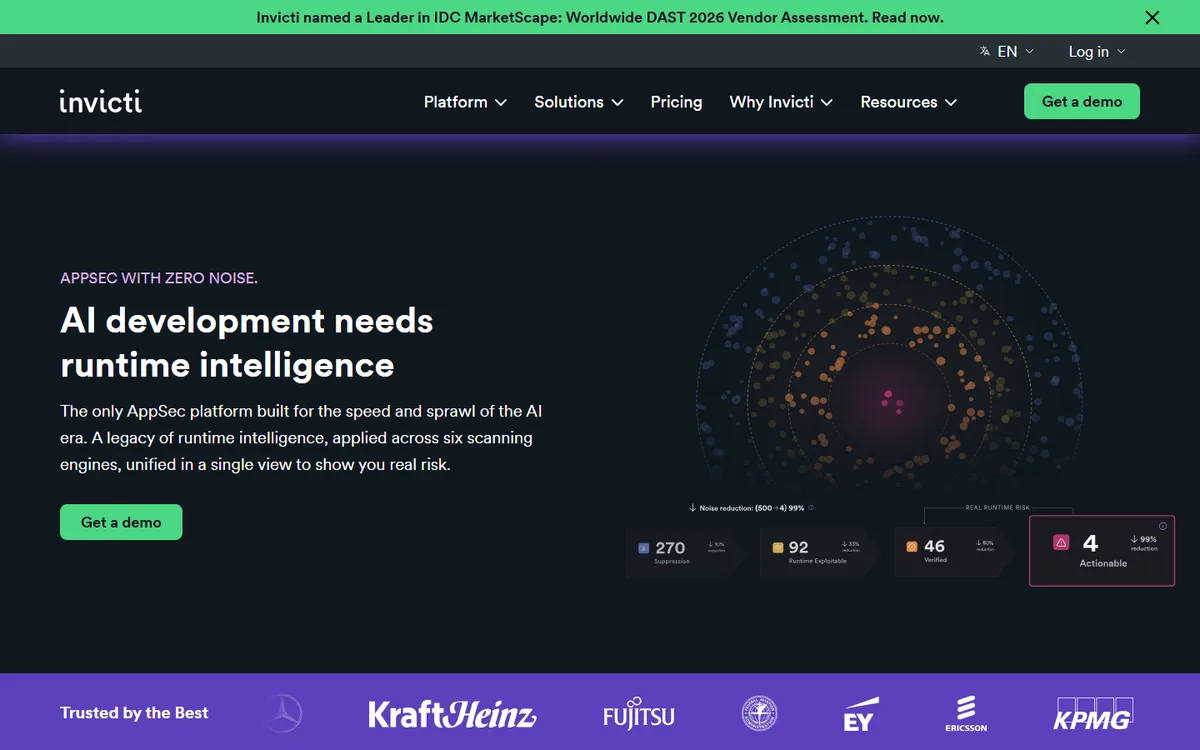
Invicti is a dynamic scanner that tests running web applications and APIs and aims to confirm findings to reduce false positives.
Invicti focuses on dynamic testing: it attacks a running web application or API from the outside, much as an outsider would. That finds problems that only appear at runtime, such as misconfigured servers and broken access control, which static tools cannot see.
It fits organizations with many web applications and a central team that runs scans on schedule. G2 reviewers give it 4.5 from 72 reviews. It does not scan source code the way a static tool does, so you need a SAST and dependency tool next to it. Because pricing is by quote, ask for a trial scan against one of your staging applications so you can judge noise and speed yourself.
Invicti Strengths
- Tests running applications and APIs like an outsider would
- Built for scanning many applications on a schedule
- No source code access needed
Invicti Weaknesses
- Does not replace static or dependency analysis
- Pricing is by quote only
Invicti Pricing
Invicti does not publish prices. You request a quote based on the number of applications and the features you need.
Invicti Reviews
- G2: 4.5 of 5 stars (based on 72 verified reviews)
ZAP
The Free, Open-Source Web Scanner That Powers Many Pipelines and Learning Labs
ZAP, short for Zed Attack Proxy, is a free web application scanner and proxy that you can run by hand or in CI.
ZAP is a community-driven web application scanner. It works as a proxy you point your browser at, and it can also run headless in a pipeline to scan a staging site and fail the build on serious findings. Its site calls it free and open source, and it is the first dynamic tool I suggest to teams with no budget.
The catch is effort. You configure authentication, tune scan policies and read results yourself, and there is no vendor support line unless you pay a third party. G2 now lists it as ZAP by Checkmarx with a 4.7 rating, but from only 14 reviews, so treat that figure as a light signal. For learning, side projects and baseline CI scans, it is hard to beat for the price.
ZAP Strengths
- Free and open source
- Works by hand and as an automated scan in CI
- Large community and many learning resources
ZAP Weaknesses
- You configure, tune and maintain it yourself
- No built-in dashboard for many applications
ZAP Pricing
ZAP is free and open source, according to the project's website.
ZAP Reviews
- G2: 4.7 of 5 stars (based on 14 verified reviews)
Estimate the Return on an Application Security Tool
Before you pick a plan, check whether the numbers work for you. Enter the hours your team spends on manual security review and triage, the share a tool could take over and the monthly price you are considering. Incident costs are not in the estimate, so treat the result as a floor.
Does the Tool Make Sense for You?
Drag the sliders to reflect your tasks and the plan you want to compare.
How to Choose the Right Application Security Tool
In my experience, fit with your pipeline decides more than any feature list. Before you compare vendors, I suggest you answer four questions:
- Which risk is highest for you: vulnerable libraries, flaws in your own code, leaked secrets or runtime issues in web apps?
- Where does your code live, and which languages and frameworks must the tool support?
- Who will triage findings, and how much tuning time can that person spend each week?
- Do you need audit-ready reports and license tracking, or fast feedback for developers?
If you work in small teams and want fast feedback, I usually recommend Snyk, Semgrep or Aikido, with GitHub secret scanning if you use GitHub. If you run a large portfolio with audit duties, look at Checkmarx, Veracode or Black Duck. For runtime testing, pair a static tool with Burp Suite, Invicti or ZAP. Whatever you pick, a written software security checklist keeps rollout steps from being forgotten, and the software security framework shows how the tools fit into a full program. For the exposure you are trying to reduce, my overview of software security risks explains what each tool type actually catches. If you want an independent view on your setup, a software security audit or a short call usually settles it.
Questions About Choosing Application Security Tools
What Is the Best Application Security Tool for a Small Team?
For most small teams I suggest starting with an all-in-one tool such as Aikido or a developer-first scanner such as Snyk, plus secret scanning on your code host. Both run in minutes, filter noise and offer a free tier or low entry price. Pick one, run it on your most important repository and see what it finds before you widen the rollout.
What Is the Difference Between SAST, DAST and SCA?
SAST reads your source code for flaws without running it. DAST attacks a running application from the outside and finds runtime problems. SCA checks the open-source libraries you depend on for known vulnerabilities and license issues. Each finds problems the others miss, so a solid program uses all three.
Do I Need More than One Application Security Tool?
Usually yes. One platform can cover several scan types, but most teams end up with a static or dependency scanner plus a dynamic scanner, and sometimes a specialist for licenses. Start with the area where your risk is highest, add the next after a quarter and avoid buying overlapping products.
Are Free Application Security Tools Good Enough?
They can be, for the right job. ZAP, the Semgrep open-source engine and the free tiers of Snyk and SonarQube all find real issues. The cost shows up in setup and tuning time and in missing dashboards for many applications. Free tools work well for a first pass and for small portfolios.
How Do I Reduce False Positives from Security Scanners?
Start with a narrow rule set on new code only, then expand. Tune or disable rules that flag the same non-issue repeatedly, and record why. Rank findings by exposure, so a flaw in a public service ranks above one in an internal script. Fewer, trusted alerts get fixed, while noisy ones get ignored.
How Should I Run a Trial of These Tools?
Pick two applications, one old and one new, and run two or three candidate tools on both for two weeks. Track the number of real findings, false alarms, time to set up and how developers react. Count how many findings your developers actually fixed, because that number matters more than the total found.
When Should I Hire a Consultant Instead of Buying a Tool?
Hire help when you do not know where your biggest risks are, when scanners already overwhelm your team with alerts, or when you need evidence for customers and auditors. A consultant can run a security assessment, pick and tune tools and train your developers. A tool alone cannot decide what to fix first.
Important: prices, plans and ratings move quickly. They reflect our last update, so double-check each vendor’s site before purchasing. Nothing in this article is legal or financial advice.
Did this article help you?
Thanks, noted.
Whitney Sorensen
Whitney leads the Umber editorial team and works with the consultants to turn real client projects into practical guides on software selection, custom development, integration and legacy modernization. Before joining Umber, she spent years writing and editing for engineering and IT teams. She has since reviewed architecture audits, system selections and modernization plans from client projects across industries from manufacturing to healthcare. She works remotely from the USA.