Main Points
- A software security audit compares your code, dependencies, runtime and process to a standard and records evidence.
- Score each finding as Likelihood × Impact × Exposure so priorities become arithmetic, not opinion.
- Scope the audit tightly: auditing only the systems that handle customer data can cut weeks from the timeline.
- Plan a retest after the report, because it proves that findings were actually fixed.
Most software security audits fail in the same quiet way: they produce a 90-page PDF, the team skims the executive summary, and six months later the same findings are still open. In the audits I run with the software security consulting team, the report is never the hard part. Deciding what to fix first, and proving that it got fixed, is where the value sits.
This guide shows you how a software security audit works from scoping to retest, gives you a scoring formula you can apply to every finding, and walks through a worked example with real-looking numbers. If you need a quicker health check before a full audit, start with a software security assessment.
What a Software Security Audit Actually Covers
An audit checks your software against a defined standard and records evidence for every result. That evidence is what separates it from a casual review. Someone who was not in the room should be able to read a finding, reproduce it and confirm it was closed.
A thorough audit looks at five layers. Skipping one of them is the most common reason a clean report still ends in an incident.
| Layer | What gets checked | Typical evidence |
|---|---|---|
| Code | Injection flaws, unsafe deserialization, hard-coded secrets, weak input handling | Static scan results, manual review notes with file and line references |
| Dependencies | Known vulnerable libraries, abandoned packages, license and provenance gaps | Software bill of materials, vulnerability matches, upgrade paths |
| Runtime and APIs | Broken authentication, missing authorization checks, exposed endpoints | Dynamic scan output, request and response samples, API inventory |
| Infrastructure and pipeline | Cloud permissions, secrets storage, build and deploy controls | Configuration exports, access reviews, pipeline settings |
| Process | Code review habits, patching speed, incident handling, access removal | Interview notes, ticket history, change logs |
Automated scanners cover the first three layers quickly, and the application security tools you pick decide how much noise you get. Scanners cannot tell you that your admin endpoint is open to every logged-in customer because of a business rule nobody wrote down. That finding comes from a person reading the code and asking awkward questions.
Audit, Assessment or Penetration Test?
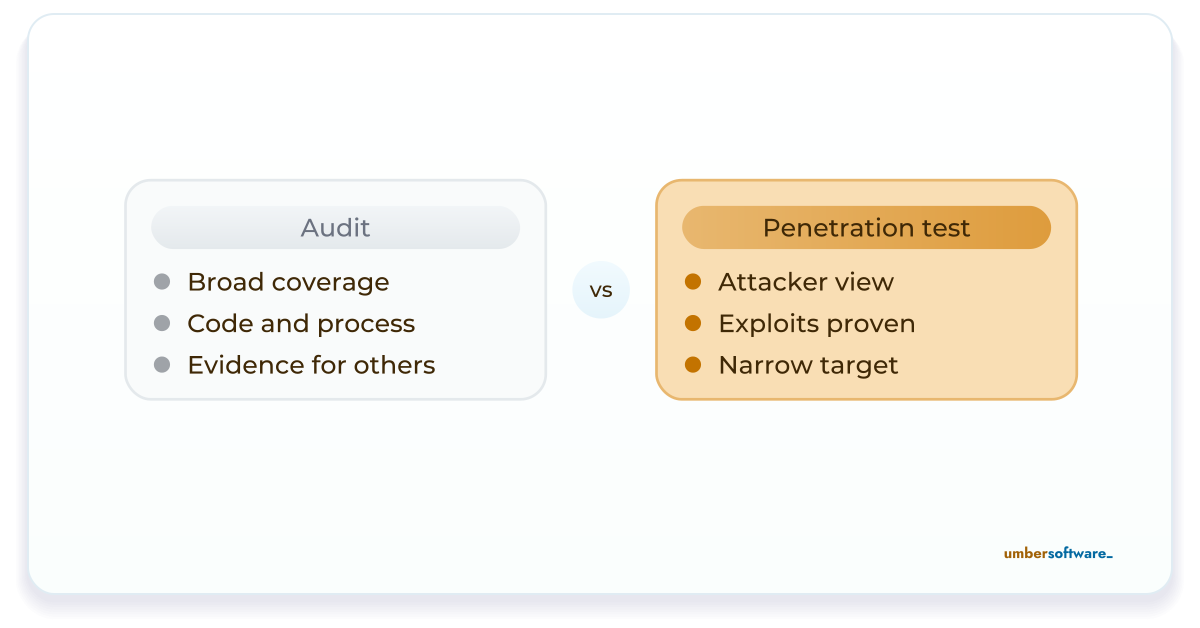
People use these words as if they were the same thing, and that leads to buying the wrong service. A penetration test tries to break in. An assessment estimates how mature your security practice is. An audit compares what you have against a stated requirement and documents the gap.
If a customer questionnaire, an insurer or a regulator asks for an independent review, you need an audit. If you are still deciding where to invest, an assessment is cheaper and faster. The readiness assessment guide explains how to score yourself first, and the security checklist gives you a baseline to fix before an auditor ever arrives.
Scope the Audit Before Anything Else
Scope is the single biggest cost lever. In a recent engagement for a mid-sized logistics software company, the first quote covered every repository the company owned: 143 of them. After two scoping calls we cut it to the 11 repositories that handle customer data or payments, and the audit finished in three weeks instead of ten.
Write the scope down as four lists: systems in scope, systems explicitly out of scope, the standard you are auditing against, and the people who will answer questions. Anything vague here comes back later as a change request.
Choosing the standard to audit against
An audit needs a yardstick. Most teams use the OWASP Top 10 for web application risks, the OWASP Application Security Verification Standard for detailed control checks, or NIST SP 800-218, the Secure Software Development Framework, for process. If a customer contract names a standard, use that one. Otherwise pick the one closest to how you build software, and stick with it so results are comparable next year.
The Scoring Formula for Every Finding
Severity labels like "high" and "medium" invite arguments. I use a simple formula so the argument becomes arithmetic instead.
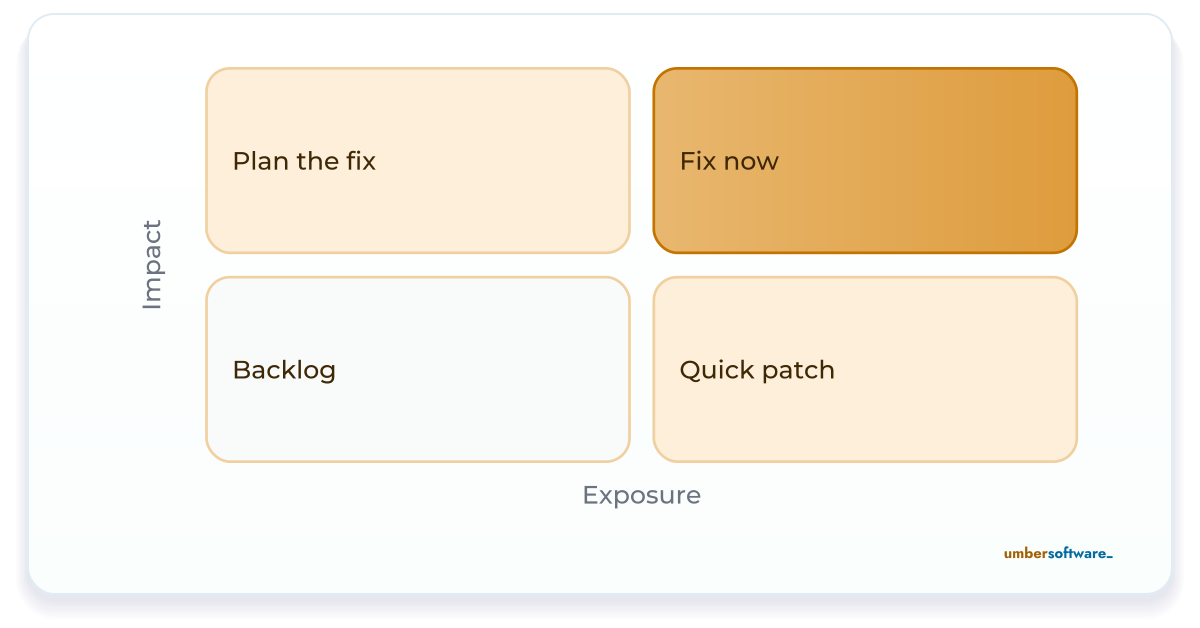
Priority score = Likelihood × Impact × Exposure, each rated from 1 to 5.
- Likelihood: how easy it is to exploit. A public endpoint with a known exploit scores 5. A flaw that needs admin access and a rare configuration scores 1.
- Impact: what an attacker gets. Customer records or payment data score 5. A cosmetic information leak scores 1.
- Exposure: who can reach it. Anonymous internet users score 5. A small internal team on a VPN scores 2.
The score runs from 1 to 125. I treat 60 and above as fix now, 25 to 59 as fix this quarter, and anything lower as backlog. Those cut-offs are my own working thresholds from client projects, not an industry standard, so adjust them to your risk appetite.
A worked example with four findings
Here is how the formula plays out on a typical customer portal. The numbers show why a scary-sounding finding does not always come first.
| Finding | Likelihood | Impact | Exposure | Score | Action |
|---|---|---|---|---|---|
| SQL injection in public search form | 5 | 5 | 5 | 125 | Fix now |
| Outdated logging library with a known remote code flaw | 4 | 5 | 4 | 80 | Fix now |
| Missing rate limit on password reset | 4 | 3 | 5 | 60 | Fix now |
| Verbose error messages on admin pages | 3 | 2 | 2 | 12 | Backlog |
The error messages look alarming in a screenshot, but they sit behind a login for a handful of staff. The password reset gap looks minor, yet it allows account takeover by anyone with a list of emails. The formula forces that conversation early.
How the Audit Runs, Week by Week
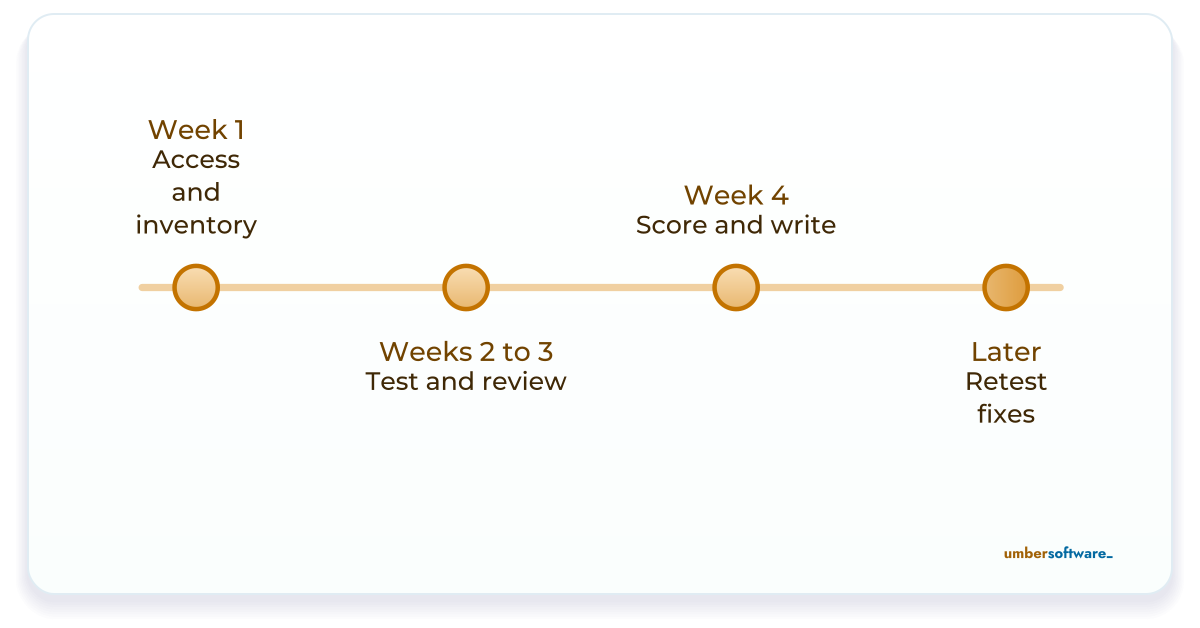
A focused audit of one product usually takes three to five weeks. Larger estates take longer, and the delays almost always come from waiting for access rather than from the testing itself.
Week one: access and inventory
Request read access to repositories, the CI system, cloud accounts and the ticket tracker before the kickoff call. Build an inventory of services, data stores and third-party integrations. I have lost four days on more than one project because a cloud admin was on vacation. Name a backup contact up front.
Weeks two and three: testing and review
Run static and dependency scans first, since they produce results in hours. Triage them quickly and throw out false positives. Spend the rest of the time on manual review of authentication, authorization, payment flows and anything that handles files from users. Those areas generate most real findings.
Week four: scoring and write-up
Score every finding with the formula and write each one so a developer can act on it: where it is, how to reproduce it, what the fix looks like and how to verify it. A finding without a reproduction step gets ignored.
The retest nobody budgets for
Plan a retest four to eight weeks after the report. It is the only way to prove the work happened, and it is the document your customers and insurers care about. If your security framework already defines review gates, the retest slots into the normal release rhythm.
Reading the Report Without Getting Lost
Open the report and look at three things before anything else: the scope statement, the method summary and the list of findings sorted by score. If the scope does not match what you agreed, stop and ask. If the method summary does not say which tests were manual, the audit may have been a scanner export with a cover page.
Then group the findings by root cause. Thirty findings often collapse into five fixes. Missing input validation in a shared helper, for example, can account for a dozen separate injection reports. Fixing the helper closes all of them at once, and that grouping is where an experienced reviewer earns their fee.
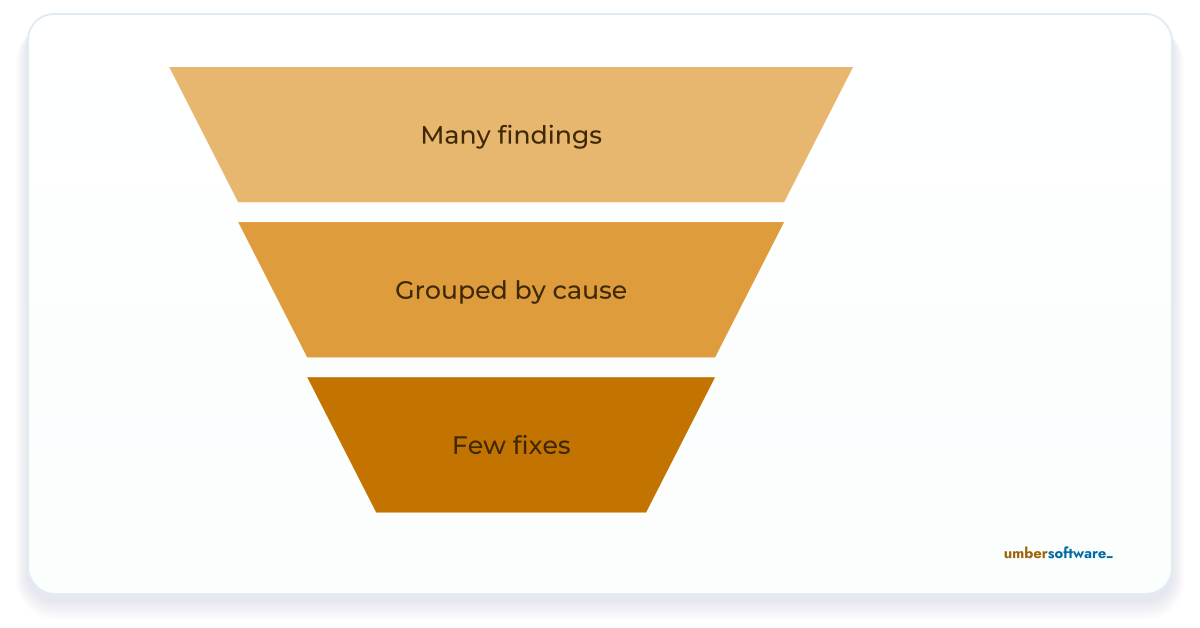
The most useful finding in many reports is a pattern, not a bug. When several services share the same weakness, the problem is a missing standard or a missing library. The software security risks article explains the patterns I see most often and how each one tends to spread.
What to Do in the 30 Days After the Report
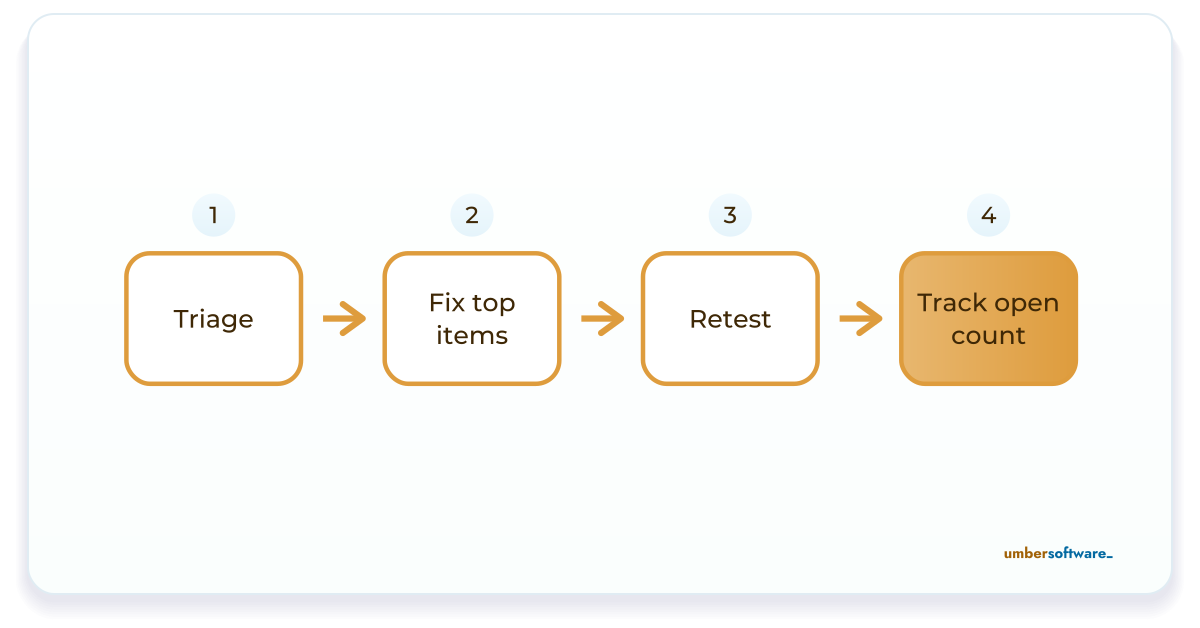
Momentum fades quickly after an audit. Use the first week to assign every finding an owner and a due date based on its score. Use the second to fix the root-cause items, since they close many findings at once. Use the third to add automated checks so the same flaw cannot return, and the fourth to schedule the retest.
Track two numbers: the count of open findings above 60 points, and the median days to close them. Both should fall month over month. If they do not, the problem is ownership, and no scanner will fix that.
How to Choose an Audit Partner
Ask any firm you consider for a sample report with client details removed. Read the finding descriptions. You want specific steps, file references and fix guidance. Vague phrases like "improve input validation" tell you the auditor did not look closely.
- They agree to a written scope and name what is out of scope.
- They explain which tests are manual and which are automated.
- Their findings include reproduction steps and a verified fix path.
- They offer a retest and price it before you sign.
- They are independent of the team that built the software.
Independence matters. A team that audits its own code tends to rate its own decisions kindly, so a second pair of eyes from outside is worth the cost.
Questions About Software Security Audits
How Long Does a Software Security Audit Take?
For one product with a clear scope, expect three to five weeks from kickoff to final report. Large estates with many services take longer. Most of the delay comes from waiting for access and answers, so prepare accounts and contacts before the audit starts.
How Much Does a Software Security Audit Cost?
Price depends on scope, depth and how much manual review you want. A narrow audit of a single application costs far less than a company-wide review. Ask for a fixed quote based on a written scope, and ask whether the retest is included, because it often is not.
What Is the Difference Between a Security Audit and a Penetration Test?
A penetration test tries to break into your system and shows what an attacker could reach. An audit compares your software and processes to a defined standard and records evidence for each control. Many teams need both, and the audit usually comes first.
Which Standard Should I Audit Against?
Use the one your customers or contracts name. If none is named, the OWASP Top 10 is a common starting point for web applications, and the Application Security Verification Standard gives deeper control checks. NIST SP 800-218 suits teams that want to review their development process.
Can I Audit My Own Software?
You can and should run internal reviews, but an independent audit carries more weight with customers and insurers. People who built the system also tend to overlook their own blind spots. Use internal reviews to prepare, then bring in an outside team for the formal result.
How Often Should I Repeat an Audit?
Once a year is a common rhythm, plus a targeted audit after major changes such as a new payment flow, a cloud migration or a large acquisition. Between audits, run automated scans on every release so problems show up early.
What Happens If the Audit Finds Serious Problems?
You fix them in priority order and schedule a retest. Serious findings are normal in a first audit and do not mean your team failed. What matters is that each finding gets an owner, a due date and a verified fix.
Sources
- OWASP Top Ten
- OWASP Application Security Verification Standard
- NIST SP 800-218, Secure Software Development Framework
Please note: this guide is general information and not legal, financial or tax advice. Numbers and examples are typical-project estimates; confirm current details with your providers and advisers.
Did this article help you?
Thanks, noted.
Whitney Sorensen
Whitney leads the Umber editorial team and works with the consultants to turn real client projects into practical guides on software selection, custom development, integration and legacy modernization. Before joining Umber, she spent years writing and editing for engineering and IT teams. She has since reviewed architecture audits, system selections and modernization plans from client projects across industries from manufacturing to healthcare. She works remotely from the USA.