Main Points
- Enterprise platforms such as Flexera One, ServiceNow and USU suit audit-driven license compliance; SaaS tools such as Zluri, Torii and CloudEagle suit subscription sprawl.
- Discovery tools like Lansweeper and ManageEngine give you a fast first inventory but do not replace entitlement tracking.
- Most vendors in this space do not publish prices, so budget time for quotes.
- A named owner and clean data matter more than the logo on the dashboard.
The Best Software Asset Management Tools at a Glance
| Tool | Type | Best for |
|---|---|---|
| 1. Flexera One | License and compliance platform | Complex publisher rules and audit defense |
| 2. ServiceNow Software Asset Management | ITSM platform module | Teams already on ServiceNow |
| 3. Zluri | SaaS management | Finding and trimming shadow SaaS |
| 4. Torii | SaaS management | Automated offboarding and renewals |
| 5. Productiv | SaaS management | Usage-based renewal decisions |
| 6. Lansweeper | Asset discovery | A first inventory on a modest budget |
| 7. CloudEagle | SaaS management and procurement | Spend, renewals and procurement together |
| 8. Freshservice | Service desk with assets | Mid-sized IT teams needing a desk and assets |
| 9. ManageEngine Endpoint Central | Endpoint management | Metering and patching on one agent |
| 10. USU Software Asset Management | License optimization | SAP, Oracle and Microsoft license savings |
The 10 Best Software Asset Management Tools, Ranked
I rank the tools by how many companies they suit, then move toward more specialized choices. Ratings come from G2 and were read live; where a vendor does not publish prices, I say so. If you want a person to compare tools against your own contracts, software asset management consulting starts with that exact question.
Flexera One

The Deepest Pick for Large Estates With Oracle, SAP, Microsoft and IBM License Rules to Untangle
Flexera One is an IT asset and license management platform that inventories software and calculates your compliance position against vendor rules.
Flexera One is the tool I reach for when a client's license exposure sits in complicated vendor contracts. Its strength is the knowledge base that turns raw installs into entitlements, so you see a position per publisher, not a pile of discovered files. In an audit-prep project, that view shortens the first month of work considerably.
The cost of that depth is effort and price. Setup involves connectors, agents and a data clean-up phase, and someone on your side must own the data after go-live. I would not buy it for a 300-person company with a handful of vendors; the platform is built for estates where one missed Oracle clause can cost six figures.
Flexera One Strengths
- Strong coverage of complex publisher license rules
- Connects discovery data with contracts and purchase records
- Good fit for audit defense and renewal planning
Flexera One Weaknesses
- Implementation needs dedicated owners and a data clean-up phase
- Pricing is quote-only and aimed at larger budgets
Flexera One Pricing
Flexera does not publish prices for Flexera One. You need to book a demo and request a quote, and the cost depends on the size of your estate.
Flexera One Reviews
- G2: 4.4 of 5 stars (based on 195 verified reviews)
ServiceNow Software Asset Management
The Natural Choice When ServiceNow Already Runs Your IT Service Management and CMDB
ServiceNow Software Asset Management is a module on the ServiceNow platform that tracks software entitlements, installs and license positions.
If your service desk and CMDB already live in ServiceNow, adding its software asset module keeps everything in one data model. A software install links to a device, a user, a contract and a ticket without exports between systems. ServiceNow's own page also describes AI agents that help with compliance summaries and reclaiming unused licenses ahead of renewals.
The catch is that SAM is only as good as the CMDB under it. I have seen projects stall for months because device records were stale and nobody owned reconciliation. Budget for platform developers and a data owner, and treat the module as a program, not a license you switch on.
ServiceNow Software Asset Management Strengths
- One data model for tickets, assets, contracts and software
- Works well for reclaiming unused licenses before renewals
- Flexible workflows fit your own approval rules
ServiceNow Software Asset Management Weaknesses
- Results depend on a clean CMDB and a platform admin
- Licensing and services add up quickly for smaller teams
ServiceNow Software Asset Management Pricing
ServiceNow does not publish prices for Software Asset Management. The page points to plans and packages and asks you to contact sales or book a demo.
ServiceNow Software Asset Management Reviews
- G2: 4.4 of 5 stars (based on 59 verified reviews)
Zluri
A Quick Way to See Which SaaS Apps Your Company Pays For and Which Ones Nobody Uses
Zluri is a SaaS management platform that discovers apps, tracks usage and automates onboarding, offboarding and renewals.
Zluri focuses on SaaS, which is where many companies lose the most money today. It finds apps through integrations with your identity provider, finance systems and browser data, so you see tools bought on a card that IT never approved. Usage data then shows seats that sit idle before a renewal date.
It does not replace a classic SAM tool for installed software such as Oracle or Adobe desktop licenses. If your risk is audit exposure on servers, look at Flexera or USU. If your risk is a sprawl of subscriptions, Zluri is easier to roll out and usually gives you visible savings within the first quarter.
Zluri Strengths
- Discovers shadow SaaS through several data sources
- Usage data supports seat reductions before renewals
- Workflow automation covers onboarding and offboarding
Zluri Weaknesses
- It does not cover installed, on-premises license rules
- Pricing is not public, so you cannot compare costs before a call
Zluri Pricing
Zluri does not publish prices. The pricing page asks you to schedule a personalized discovery session.
Zluri Reviews
- G2: 4.6 of 5 stars (based on 177 verified reviews)
Torii
The Right Fit for Teams That Want SaaS Discovery, Renewals and Access Governance in One Place
Torii is a SaaS management platform that finds applications, tracks spend and automates identity and access tasks.
Torii puts a lot of weight on automation. You can build workflows that remove a departing employee from dozens of apps, or ask a manager to confirm that a rarely used license is still needed. The discovery side catches apps through single sign-on, finance feeds and a browser extension, which matters because shadow tools rarely show up in a contract list.
Torii's product areas include identity governance, app discovery and renewals, and AI management. That breadth is useful, but it also means you should decide which area you buy first. I advise clients to start with discovery and renewals, prove savings, and add governance modules once the data is trusted.
Torii Strengths
- Workflow builder automates offboarding and approval steps
- Discovery works through SSO, finance data and a browser extension
- Renewal tracking gives your team time to negotiate
Torii Weaknesses
- Several product areas make it easy to over-buy
- Pricing depends on your environment and is quote-only
Torii Pricing
Torii does not publish plan prices. It describes pricing as tailored to your environment and asks you to request a quote.
Torii Reviews
- G2: 4.5 of 5 stars (based on 325 verified reviews)
Productiv
A Strong Pick for Usage Insight and Renewal Decisions on Your SaaS Portfolio
Productiv is a SaaS management platform focused on usage, engagement and renewal decisions across your application portfolio.
Productiv puts engagement at the center. Instead of just counting seats, it shows how often people use an app and which teams depend on it, so a renewal conversation starts with evidence. That helps when a department insists it needs a tool and the logs say otherwise.
It works best when you pair it with a clear owner for each application. The data tells you what to question, but somebody still has to talk to the business, decide on the license count and push the vendor on price. Without that owner, dashboards turn into reports nobody acts on.
Productiv Strengths
- Usage and engagement data make renewal talks factual
- Application portfolio view helps you spot overlapping tools
- Useful for justifying seat reductions to department heads
Productiv Weaknesses
- Insight needs an owner per app to turn into savings
- Not built for installed, audit-driven license compliance
Productiv Pricing
I could not find published prices for Productiv, so ask the vendor for a quote based on your user count and integrations.
Productiv Reviews
- G2: 4.5 of 5 stars (based on 76 verified reviews)
Lansweeper
The Best Starting Point When You First Need an Honest Inventory of What Runs on Your Network
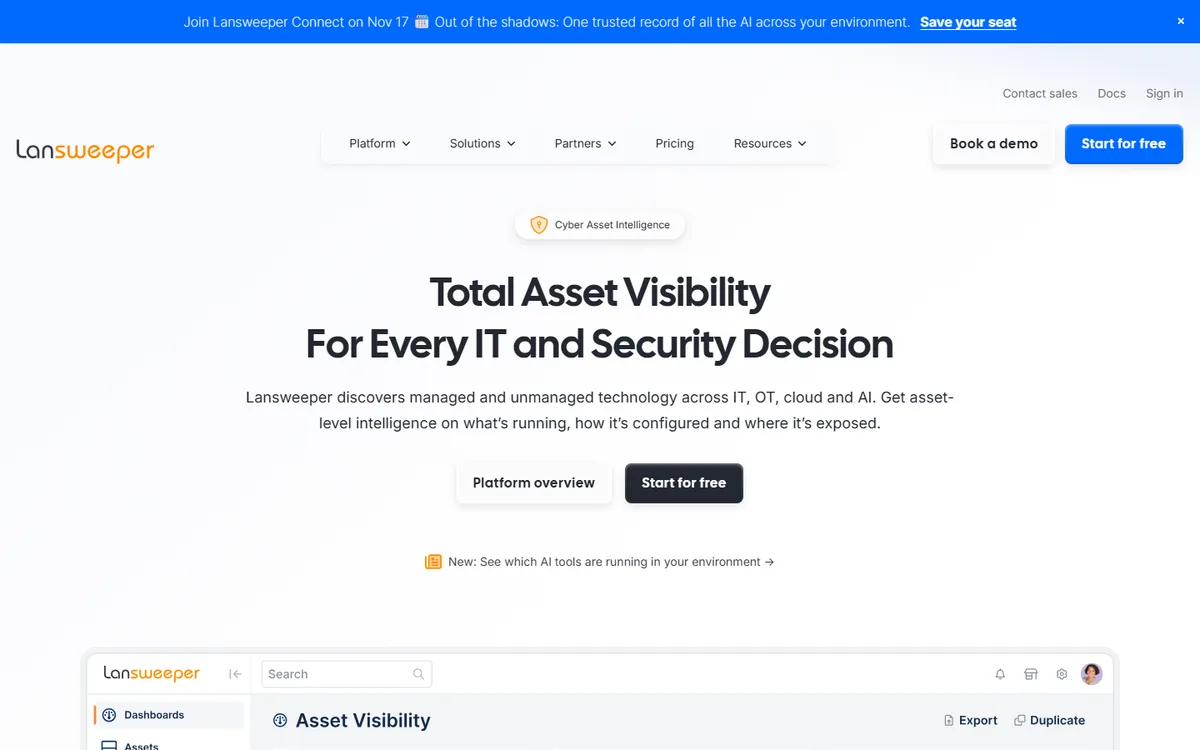
Lansweeper is an IT asset discovery tool that scans networks and builds an inventory of hardware, software and users.
You cannot manage software you cannot see, and Lansweeper is one of the quickest ways to see it. A scan finds devices and installed software across Windows, Mac, Linux and network gear, and gives you a first inventory in days. Many of my clients begin here before they decide whether they need a full SAM platform.
Discovery is not the same as license management. Lansweeper tells you what is installed, but matching that to entitlements and contracts takes more work or another tool. It is a good foundation and a good budget choice, as long as you do not expect audit-ready compliance reports from inventory alone.
Lansweeper Strengths
- Fast network discovery gives you a first inventory in days
- A free plan exists for small environments
- Pricing tiers are published and easy to compare
Lansweeper Weaknesses
- It shows what is installed, but license matching needs extra work
- Higher tiers add cost quickly as your asset count grows
Lansweeper Pricing
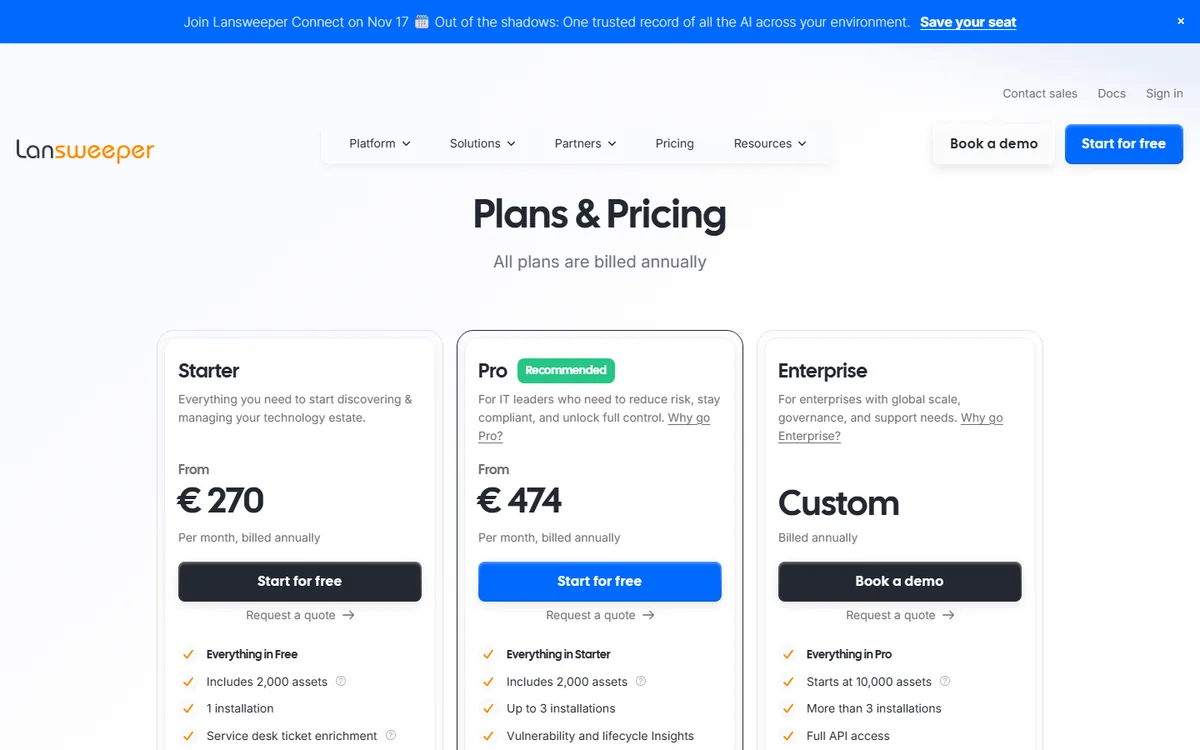
Lansweeper lists a Free plan for up to 100 assets. The Starter plan begins at $299 per month and the Pro plan at $528 per month, both billed annually, with Enterprise on custom pricing. The page does not label the currencies, so confirm them on the vendor's site.
Lansweeper Reviews
- G2: 4.4 of 5 stars (based on 72 verified reviews)
CloudEagle
A Procurement-Minded Pick If You Want SaaS Spend, Renewals and Contract Negotiation Help Together
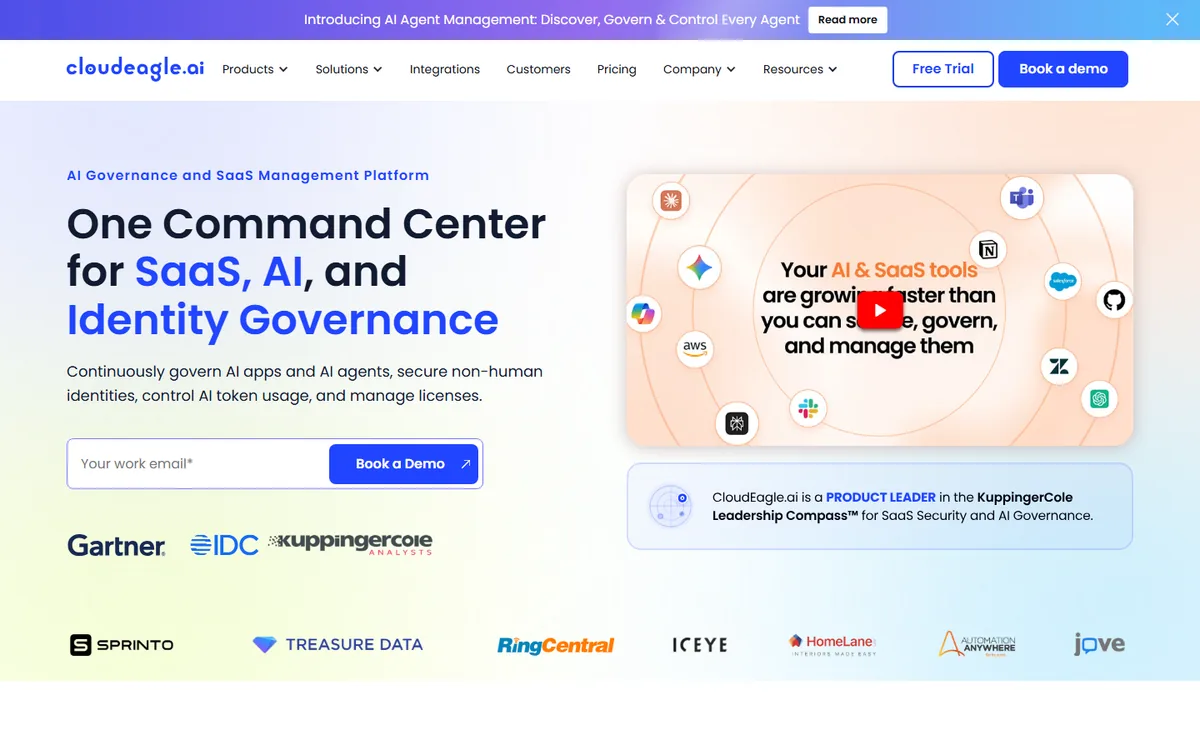
CloudEagle is a SaaS management and procurement platform that covers app discovery, renewals, governance and purchasing.
CloudEagle pairs software discovery with procurement. Its modules cover SaaS management, procurement, identity governance and security, which suits a company where finance and IT share ownership of software spend. Renewal alerts and benchmarking help you walk into a negotiation with facts.
Because it blends buying and managing, it overlaps with your procurement process. Decide who owns each step before rollout, or two teams will use it in different ways. If negotiation is your main pain, my team also supports it through software contract negotiation consulting alongside whatever tool you choose.
CloudEagle Strengths
- Combines discovery, renewals and procurement in one product
- Renewal alerts leave time to negotiate
- Governance and security modules cover access reviews
CloudEagle Weaknesses
- Overlaps with existing procurement tools and processes
- Pricing is quote-only, so budgeting takes a sales call
CloudEagle Pricing
CloudEagle does not publish prices. Its pricing page lists modules and offers a demo or a free trial instead of dollar amounts.
CloudEagle Reviews
- G2: 4.7 of 5 stars (based on 106 verified reviews)
Freshservice
A Budget-Friendly Service Desk With Asset Tracking for Mid-Sized Teams That Need Both in One Tool
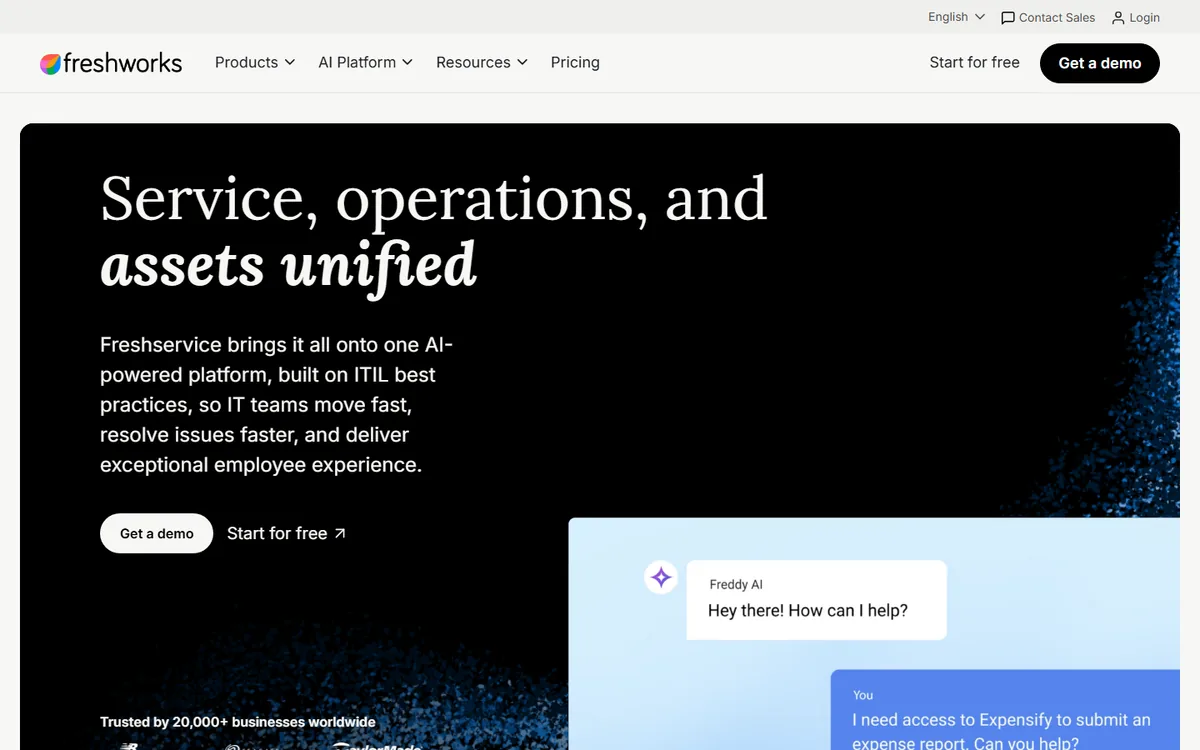
Freshservice is a cloud IT service management tool with built-in asset and software license tracking.
Freshservice is the tool I suggest when a mid-sized company has no ITSM platform and also wants basic software asset tracking. Asset records sit next to tickets, so an agent sees the license and device behind a request. Discovery agents and contract fields cover the basics of tracking what you own and when it renews.
It is not a full SAM platform. Complex publisher rules, effective license position calculations and audit evidence packs are beyond what it does. Treat it as a way to get the basics under control with a modest budget, and plan an upgrade if your vendor audits get serious.
Freshservice Strengths
- Service desk and asset tracking live in one tool
- Published prices make budgeting simple
- Setup is quick compared with larger ITSM platforms
Freshservice Weaknesses
- License compliance features are basic for audit-heavy environments
- Asset and discovery features depend on the plan you choose
Freshservice Pricing
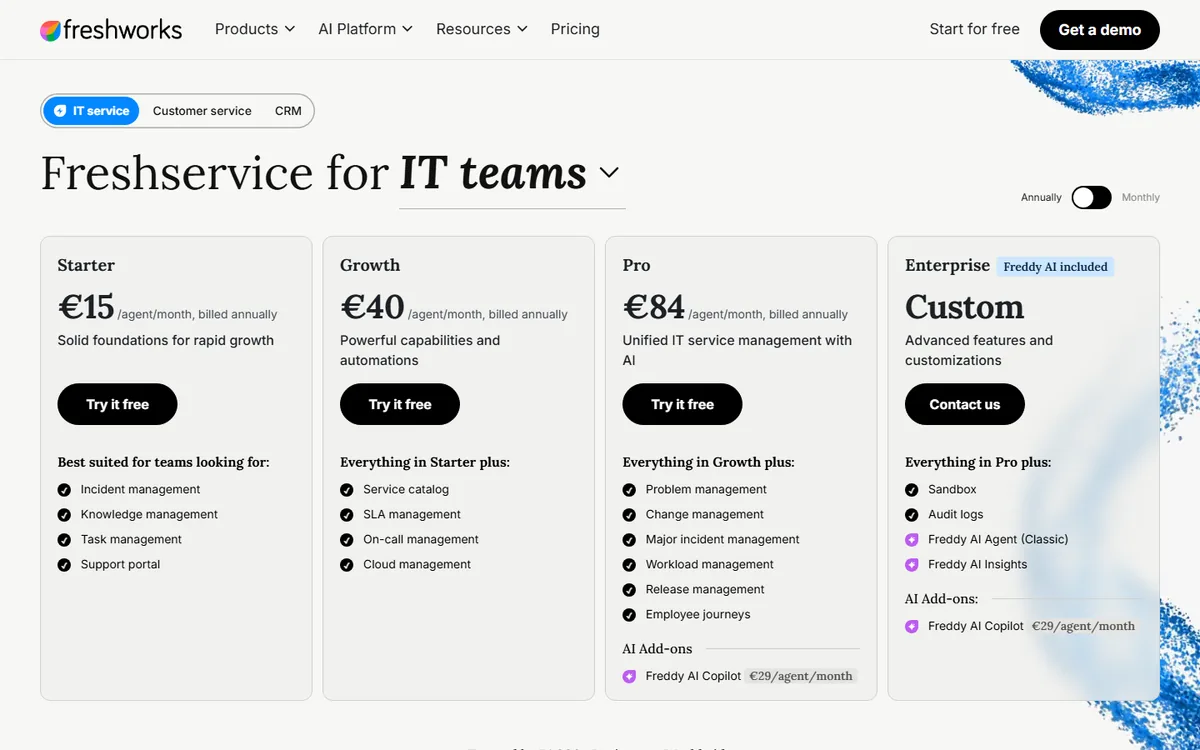
Freshservice lists Starter at $19, Growth at $49 and Pro at $99 per agent per month on annual billing. Enterprise is custom, and a 14-day free trial is available.
Freshservice Reviews
- G2: 4.6 of 5 stars (based on 1,387 verified reviews)
ManageEngine Endpoint Central
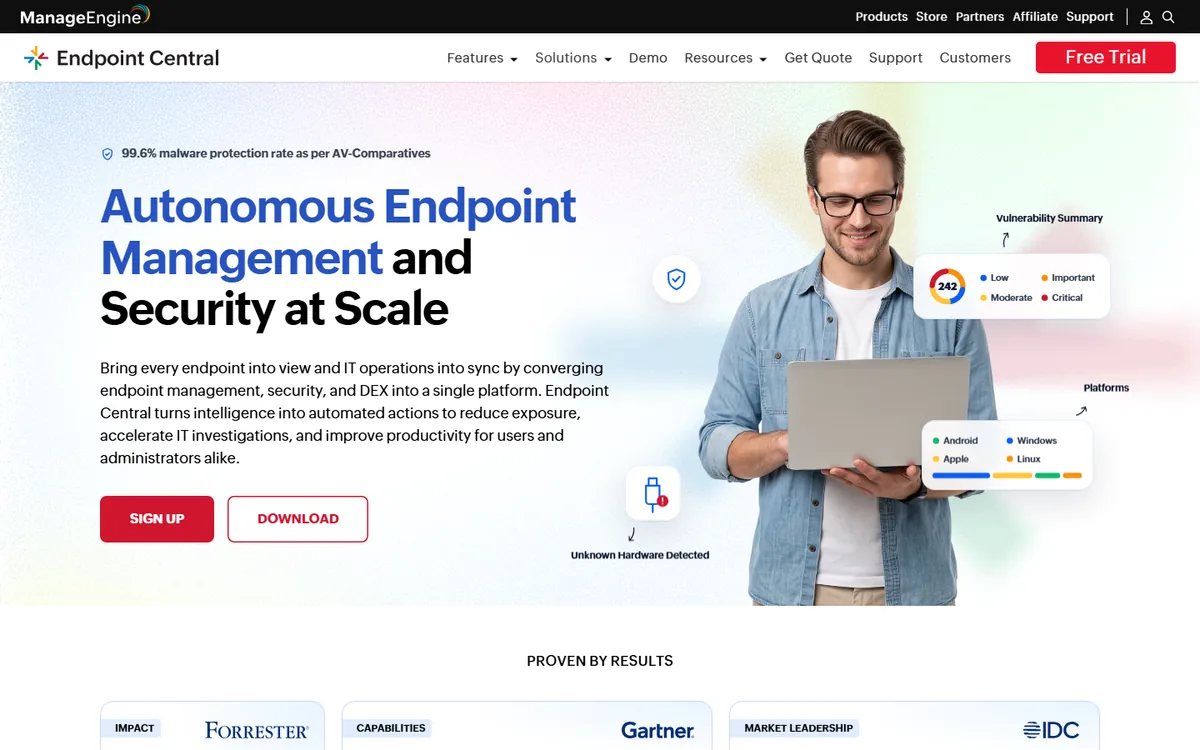
A Practical Option When You Want Software Metering and Patching in the Same Endpoint Tool
ManageEngine Endpoint Central is an endpoint management tool that includes software inventory, metering and deployment.
Endpoint Central manages devices, patches and software installs, and it includes software metering and inventory. That means one agent can tell you what is installed, who uses it and which unused copies you could remove. For companies with a few hundred endpoints, that covers a large part of everyday SAM work.
It is built for endpoint management first, so contract tracking and publisher-specific compliance are not its strong points. I recommend it when your main need is an accurate view of installed software and a way to remove waste, and your IT team already patches devices manually or with several tools.
ManageEngine Endpoint Central Strengths
- Inventory, metering, patching and deployment in one agent
- Published starting prices make comparison straightforward
- A free edition covers up to 25 endpoints
ManageEngine Endpoint Central Weaknesses
- Contract and entitlement tracking is limited
- Publisher license rules for large vendors need other tools
ManageEngine Endpoint Central Pricing
ManageEngine lists Endpoint Central starting prices for 50 endpoints per year at $795 for Professional, $945 for Enterprise, $1,095 for UEM and $1,695 for Security. A free edition covers up to 25 endpoints.
ManageEngine Endpoint Central Reviews
- G2: 4.5 of 5 stars (based on 1,175 verified reviews)
USU Software Asset Management
A Solid Choice for Companies That Need Licensing Expertise Across SAP, Oracle and Microsoft
USU Software Asset Management is a license management platform that tracks entitlements, usage and compliance across large software estates.
USU has long focused on license optimization for large publishers, and the product reflects that history. It combines inventory with entitlement data to calculate your position and highlight savings, which helps in vendor audits and in renewal talks. Clients with SAP or Oracle exposure often shortlist it next to Flexera.
Like most enterprise SAM platforms, it works only with a disciplined data process. Purchase records, contracts and discovery data must be kept in step, and that takes a named owner. Ask for a reference customer of your size and vendor mix before you commit.
USU Software Asset Management Strengths
- Focus on license optimization for major publishers
- Combines inventory, entitlements and compliance reporting
- Helpful for vendor audit preparation
USU Software Asset Management Weaknesses
- Needs steady data ownership to stay accurate
- Contact sales for pricing, so comparison takes a sales process
USU Software Asset Management Pricing
I could not read published prices for USU Software Asset Management, so request a quote from the vendor and ask what is included.
USU Software Asset Management Reviews
- G2: 4.5 of 5 stars (based on 42 verified reviews)
Estimate the Return on a Software Asset Management Tool
Enter the hours your team spends counting licenses or chasing renewals, plus the tool's monthly price. Savings from cancelled licenses come on top, so the result is a conservative floor.
Does the Tool Make Sense for You?
Drag the sliders to reflect your tasks and the plan you want to compare.
How to Choose the Right Software Asset Management Tool
Start with your biggest risk, not the feature list. Answer these four questions before you book demos:
- Is your exposure mainly installed software with strict publisher rules, or SaaS subscriptions?
- Do you already run an ITSM or endpoint tool that includes asset records?
- Who will own the data every month, and how many hours can they give?
- Do you need audit-ready reports, or savings on renewals first?
If you carry Oracle, SAP or Microsoft risk, shortlist Flexera One, USU and ServiceNow. If subscriptions are the problem, compare Zluri, Torii, Productiv and CloudEagle. If you need an inventory first, Lansweeper or ManageEngine will get you there cheaply. Whatever you pick, set it up around a clear software asset management framework and a dated rollout roadmap, so the tool supports a process and does not replace one.
Before you sign, run a short software asset management audit on your top vendors by hand, so you know what data the tool will have to hold. A third pattern is worth knowing. Teams that skip the process work often end up running into common software asset management challenges such as stale data and missing owners, and following software asset management best practices from the first week avoids most of them.
Questions About Software Asset Management Tools
What Is a Software Asset Management Tool?
It is software that finds what is installed or subscribed to in your company, matches it to what you are entitled to use and shows where you overspend or risk a compliance gap. Some tools focus on installed software, others on SaaS subscriptions, and a few cover both.
Do I Need a SAM Tool or Is a Spreadsheet Enough?
A spreadsheet works for a few dozen subscriptions and one owner. It breaks once you have several vendors, remote users and monthly changes, because nobody updates it. I suggest a tool once manual counting takes more than a day each quarter or an audit letter arrives.
What Is the Difference Between SAM and SaaS Management Tools?
SAM tools were built for installed software and audit-driven license rules, such as Oracle or Microsoft. SaaS management tools were built for cloud subscriptions, usage and renewals. Many companies need one of each, or a platform that covers both.
How Much Do Software Asset Management Tools Cost?
It varies widely. Lansweeper lists paid plans from $299 per month, Freshservice from $19 per agent per month and ManageEngine Endpoint Central from $795 per year for 50 endpoints. Enterprise platforms such as Flexera One and ServiceNow do not publish prices, so expect a quote based on your estate.
How Long Does a SAM Tool Take to Implement?
A SaaS management tool can show first results in a few weeks. An enterprise license platform usually takes several months because of data clean-up, connectors and contract loading. The slowest part is almost always the data, not the software.
Can a SAM Tool Help with a Vendor Audit?
Yes, if the data is clean. It can show your installs, your entitlements and your gaps before the vendor does. Read my guide to <a href="/software-asset-management-audit/">software asset management audits</a> before you buy, because tool choice matters less than preparation.
Who Should Own the Tool Inside My Company?
Name one owner in IT or procurement who reviews data monthly, and one finance contact for renewals. Tools without an owner become dashboards nobody opens, whatever they cost.
Important: prices, plans and ratings move quickly. They reflect our last update, so double-check each vendor’s site before purchasing. Nothing in this article is legal or financial advice.
Did this article help you?
Thanks, noted.
Whitney Sorensen
Whitney leads the Umber editorial team and works with the consultants to turn real client projects into practical guides on software selection, custom development, integration and legacy modernization. Before joining Umber, she spent years writing and editing for engineering and IT teams. She has since reviewed architecture audits, system selections and modernization plans from client projects across industries from manufacturing to healthcare. She works remotely from the USA.