Main Points
- Give the program one owner and a monthly review slot before you buy anything.
- Track the ten most expensive vendors first and add the rest later.
- Reconcile what is installed against what you own on a fixed schedule.
- Put every renewal date in a calendar with a 120-day warning.
Software asset management sounds like a tooling topic, yet most of the problems I see are habits. Counts drift, contracts sit in someone's inbox and a renewal arrives with no time left to negotiate. The practices below are the ones that hold up across the software asset management consulting projects I review.
Each practice has a short "do this" and an "avoid this". They are ordered by what I would set up first. If you want the full picture of how they fit together, my software asset management framework shows the model behind them.
The Eight Practices at a Glance
| # | Practice | Do this | Avoid this |
|---|---|---|---|
| 1 | Ownership | Name one owner with monthly time | A shared inbox with no name |
| 2 | Scope | Start with the top ten vendors | Trying to track every app at once |
| 3 | Inventory | Use two or more discovery sources | Trusting one agent report |
| 4 | Entitlements | Store contracts and proofs of purchase together | Buying from a card without a record |
| 5 | Reconciliation | Compare installs to rights on a schedule | Reconciling only after an audit letter |
| 6 | Renewals | Review 120 days before the date | Letting auto-renewals run |
| 7 | Shadow IT | Offer a fast approval path | Banning tools without an alternative |
| 8 | Reporting | Report savings and risk in money | Reporting counts nobody can act on |
1. Give the Program an Owner With Real Time
Do this: Name one person in IT or procurement and block a recurring monthly slot, even if it is only half a day. Add a finance contact for renewals and a backup owner so a holiday does not stop the process.
Avoid this: Assigning the job to "IT" in general. A program with no name attached is a program nobody opens. I once reviewed a company where three people each believed another one tracked the Adobe contract. It auto-renewed at a higher tier.
2. Start With the Vendors That Carry the Most Money and Risk
Do this: Rank vendors by annual spend and by audit history, then cover the top ten. For most companies that list holds Microsoft, Oracle, SAP, Adobe, Salesforce and the biggest SaaS contracts. The long tail can wait.
Avoid this: Opening with a full census of every app. Teams that try to count everything spend their first quarter in spreadsheets and show no savings, which costs them support from management.
3. Build the Inventory From More Than One Source
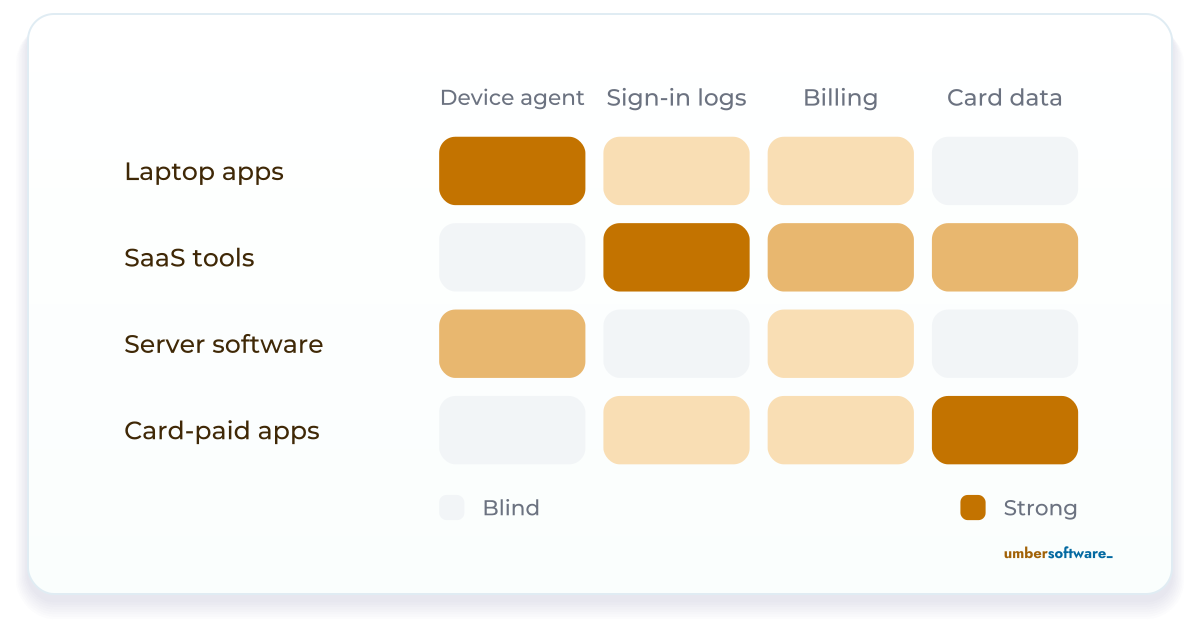
Do this: Combine device agents, single sign-on logs, cloud billing and expense data. Each source misses something: agents miss unmanaged laptops, sign-on misses desktop software and cards miss tools paid by a vendor's reseller.
Avoid this: Treating one scan as the truth. Differences between sources are the useful part, because they point to what nobody manages. For a closer look at turning those differences into findings, see my guide to a software asset management audit.
4. Keep Contracts and Proofs of Purchase Together
Do this: Store each contract, order form and invoice in one place and link them to the product. Capture the metric that matters in each, such as named user, device, core or concurrent user, because the metric decides what counts as compliant.
Avoid this: Keeping contracts in email threads. During audits I have watched teams spend a week finding an old order that proved they owned licenses they were already paying support on.
5. Reconcile Installs Against Rights on a Schedule
Do this: Every month, compare what is installed or assigned with what you are entitled to use. Record the gap in both directions: shortfalls are risk, and surplus is money you can recover at the next renewal.
Avoid this: Waiting for a vendor's letter. By then the vendor chooses the numbers and the time frame. A short reconciliation of your own, done before a letter arrives, puts you in a much better position.
6. Review Every Renewal 120 Days Early
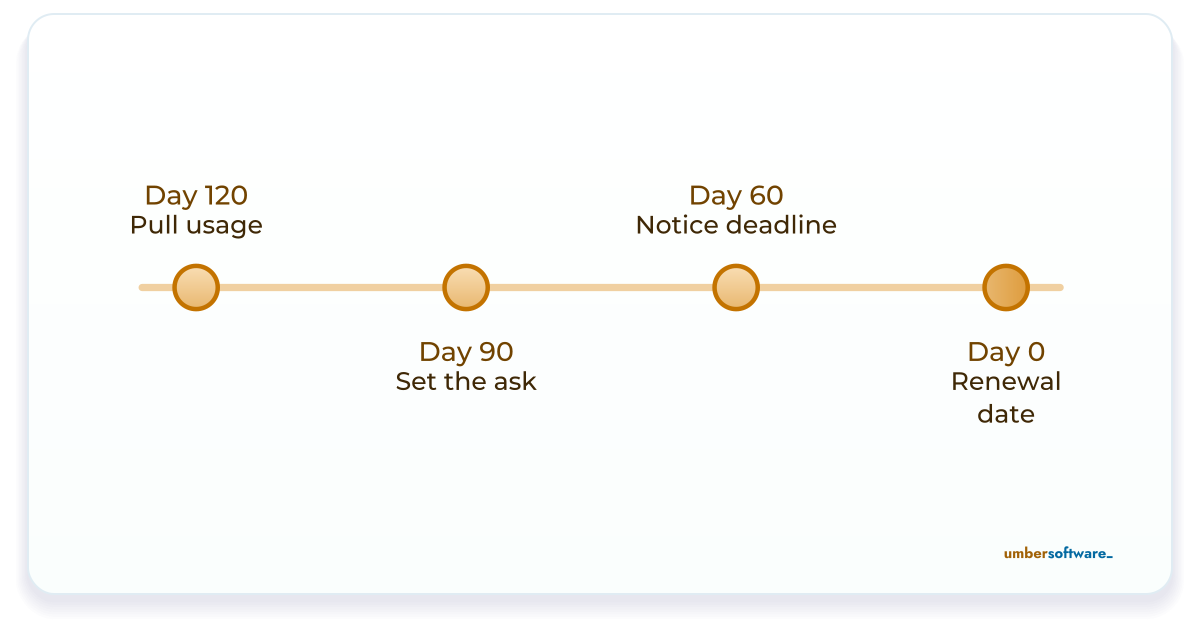
Do this: Put each renewal and notice deadline in a shared calendar with a 120-day alert. Use that window to check usage, drop unused seats and ask the vendor for a quote on the smaller number.
Avoid this: Allowing auto-renewal by default. Many contracts need written notice 60 to 90 days ahead, and a missed window locks you in for another term. The checklist in my software contract negotiation checklist covers the clauses worth reading before every renewal.
7. Make the Approved Way the Easy Way
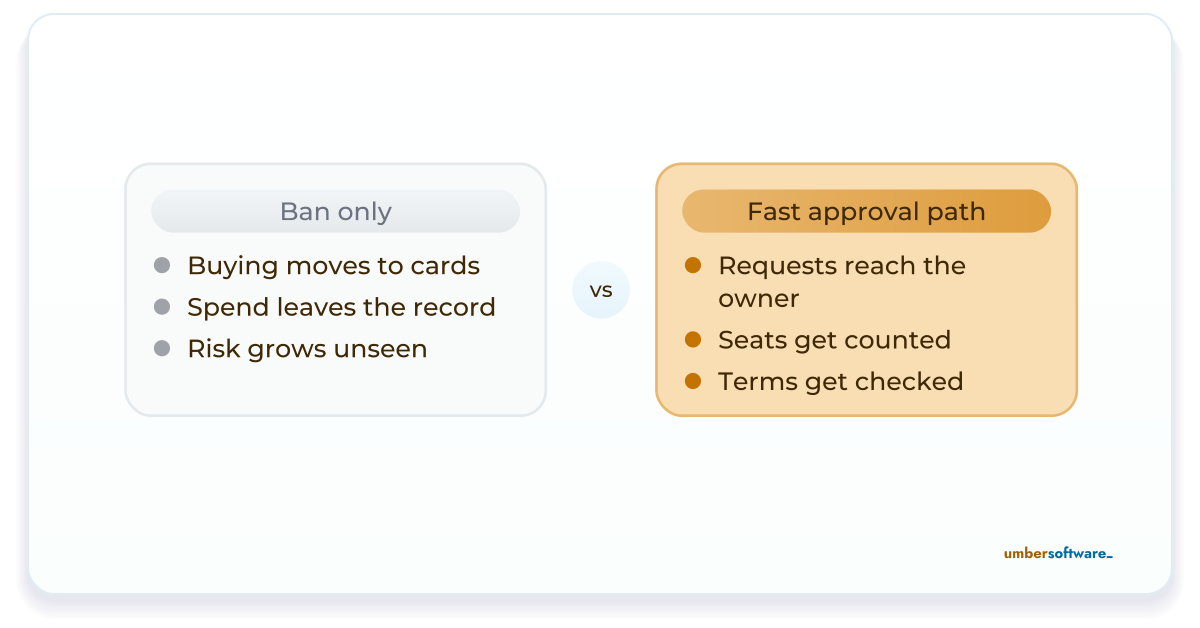
Do this: Publish a short request form, answer within two business days and keep a list of approved tools with the reason each one is there. People buy outside the process when the process is slow, so speed is your control.
Avoid this: Banning tools with no alternative. A ban drives purchases onto personal cards. Treat discovered tools as leads, ask what problem they solve and decide whether to adopt, replace or remove them.
8. Report Savings and Risk in Money
Do this: Show leadership three numbers each quarter: spend recovered, compliance exposure and renewals coming up. Money gets a budget; counts do not. Keep the same three numbers in every report, so leaders learn to read them and notice changes from one quarter to the next.
Avoid this: Sending a dashboard of install counts. Nobody can act on "4,212 installs". They can act on "we can cancel 180 seats and save a stated amount". A slide of recovered spend also helps you defend the program when budgets are tight.
A Mid-Sized Manufacturer Applies Five of the Eight
A manufacturer with about 900 employees and four plants came to me after a vendor audit letter. They had no owner, contracts in three places and a spreadsheet last updated the year before. We did not start with a tool. We named an owner in IT, listed the ten largest vendors and gathered every contract for those ten into one folder.
The first reconciliation took three weeks and found two kinds of gaps. A design software vendor showed 41 installs above the purchased count, mostly on retired workstations that still reported to the agent. Another product showed 120 paid seats and only 63 users with a login in the past six months. After cleaning device records, the shortfall disappeared, and the surplus became a reduction at renewal.
Two things made the result stick. The owner held a half-day review each month, and every renewal went into a calendar with a 120-day alert. The next renewal was negotiated on a smaller seat count, with usage data in hand. The company did not buy a platform in year one. It bought one in year two, once the habits worked and the data was trustworthy enough to load into a tool.
The lesson is the order. Ownership, scope and contracts came before software. Teams that reverse that order tend to load poor data into an expensive tool and then blame the tool.
What Happens When These Practices Slip
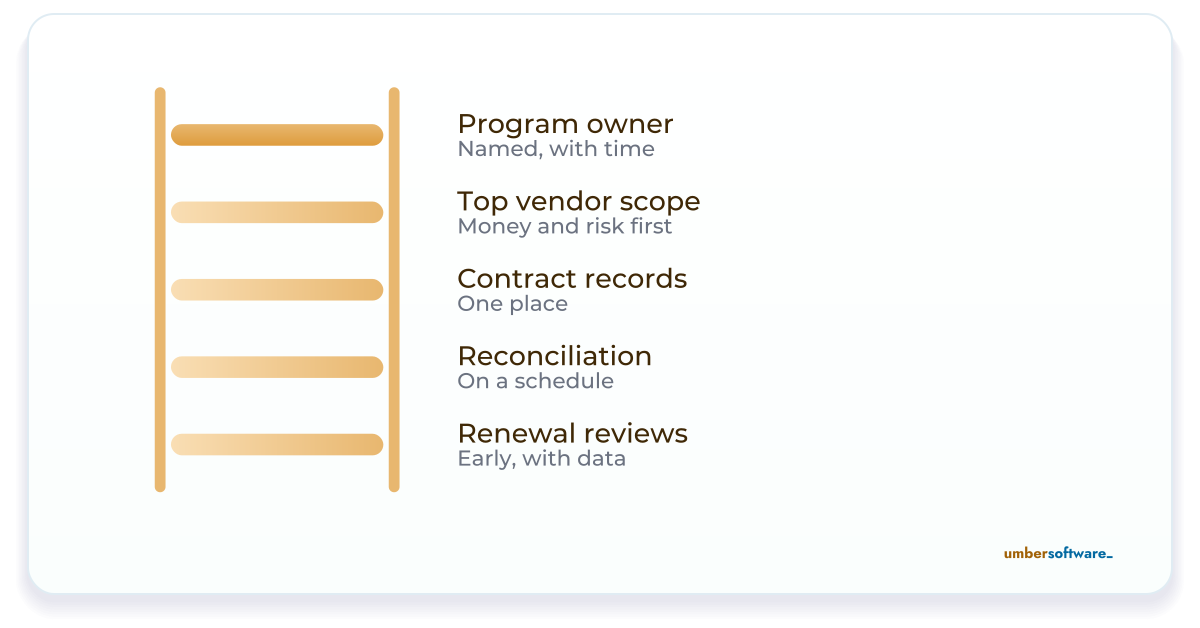
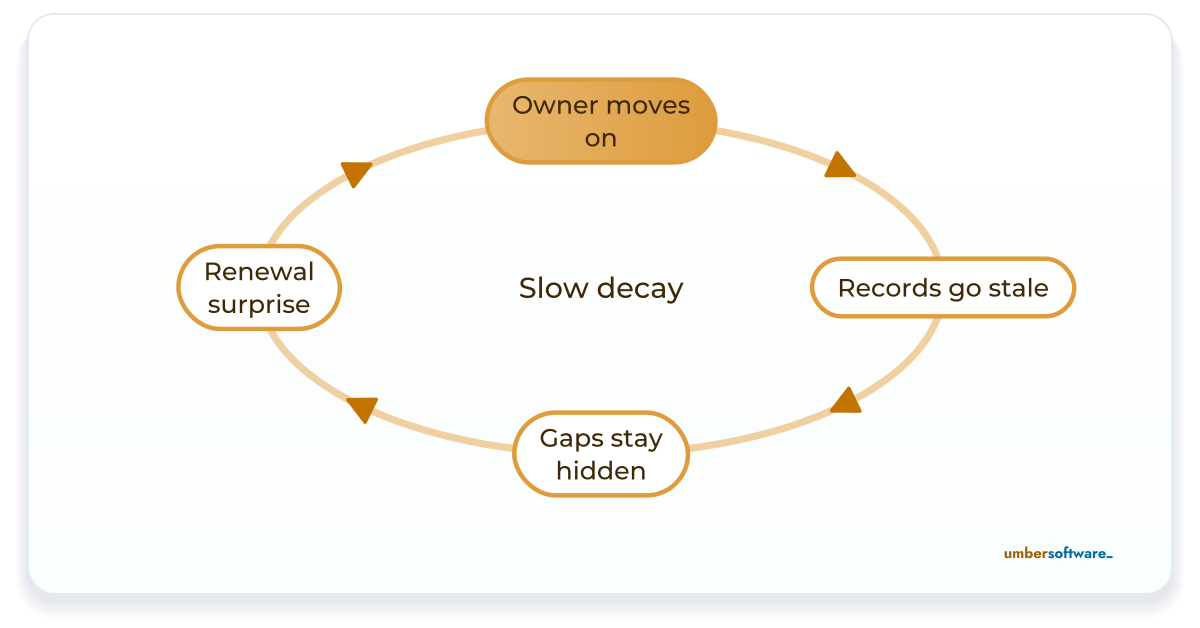
Programs rarely fail all at once. They fade. The owner moves on, a connector breaks and the monthly review turns quarterly. Six months later the data is stale, and the next audit finds the gap. I have seen this pattern in manufacturers and hospital groups alike, and the cause is nearly always a missing owner, not a missing tool.
The same shortlist of problems appears in my article on software asset management challenges, where I cover the ten hurdles teams hit and how to get past them. A practice list helps most when you attach dates to it. A software asset management roadmap gives you a 12-month order for introducing each habit without overloading the team.
Where Tools Help and Where They Do Not
A short example shows the gap. One retailer bought a platform before naming an owner, and the first import loaded 6,000 device records of which nearly a third were retired. Reports were wrong from day one, and the team stopped trusting them within a month. Cleaning the records and naming an owner fixed more than any new feature would have.
Tools automate practices three, four and five well, since they pull discovery data, match it to entitlements and flag gaps. They do not help with ownership, approvals or negotiation, which are people problems. A tool bought before the habits exist often produces a polished view of bad data.
When you are ready, compare options in my ranking of software asset management tools. I suggest you pick the tool that matches your biggest risk, whether that is installed-software audits or SaaS sprawl, and avoid buying a platform far larger than your estate.
How to Choose Which Practice to Fix First
You probably cannot fix all eight at once, so pick by pain. Use this order as a guide:
- If a renewal surprised you this year, start with practices 1 and 6.
- If an audit letter is possible, start with 4 and 5.
- If you keep finding unknown subscriptions, start with 3 and 7.
- If leadership does not support the work, start with 8 and show recovered money.
Fix one area fully, show a result and then move on. Write down the date you started each practice, so you can show how much changed after ninety days. A small win with a number attached builds more support than a broad plan with no numbers.
Questions About Software Asset Management Best Practices
What Is the Most Important Software Asset Management Best Practice?
Name an owner and give that person monthly time for it. Every other practice depends on someone looking at the data regularly. In my client work, programs with an owner and a monthly review survive staff changes, and programs with a shared inbox do not.
How Often Should I Reconcile Licenses?
Monthly for anything with a renewal in the next six months, and quarterly for the rest. Reconcile right after big events as well, such as a merger, a layoff round or a cloud migration, because those change your counts overnight.
Which Software Should I Track First?
Start with the vendors that cost the most and the vendors known for audits. For most companies that means Microsoft, Oracle, Adobe, Salesforce and the largest SaaS subscriptions. Ten publishers often account for most of the spend.
Do I Need a Tool to Follow These Practices?
Not at first. A spreadsheet with one row per contract and one row per product can carry you through the first quarter. A tool becomes worth it when inventory data changes faster than you can update the sheet by hand.
How Do I Stop Teams from Buying Software on Their Own?
Make the approved path faster than the unapproved one. A short request form with a two-day answer works better than a ban. Add card and expense reports as a discovery source, and treat what you find as a lead, not a violation.
How Many Licenses Should I Buy as a Buffer?
Keep a small buffer, often five to ten percent, for new hires and short-term contractors. A larger buffer is usually waste. Review the buffer at each renewal and cut it if it has never been used.
What Is a Realistic First-Year Goal?
A trusted inventory for your top ten vendors, an owner for each contract and renewal dates in one calendar. Savings usually follow from those three items without extra effort.
Please note: this guide is general information and not legal, financial or tax advice. Numbers and examples are typical-project estimates; confirm current details with your providers and advisers.
Did this article help you?
Thanks, noted.
Whitney Sorensen
Whitney leads the Umber editorial team and works with the consultants to turn real client projects into practical guides on software selection, custom development, integration and legacy modernization. Before joining Umber, she spent years writing and editing for engineering and IT teams. She has since reviewed architecture audits, system selections and modernization plans from client projects across industries from manufacturing to healthcare. She works remotely from the USA.